6098 comments
2357 subscribers
6259 on Twitter
Subscribe! Feed reader E-mail

On this page:

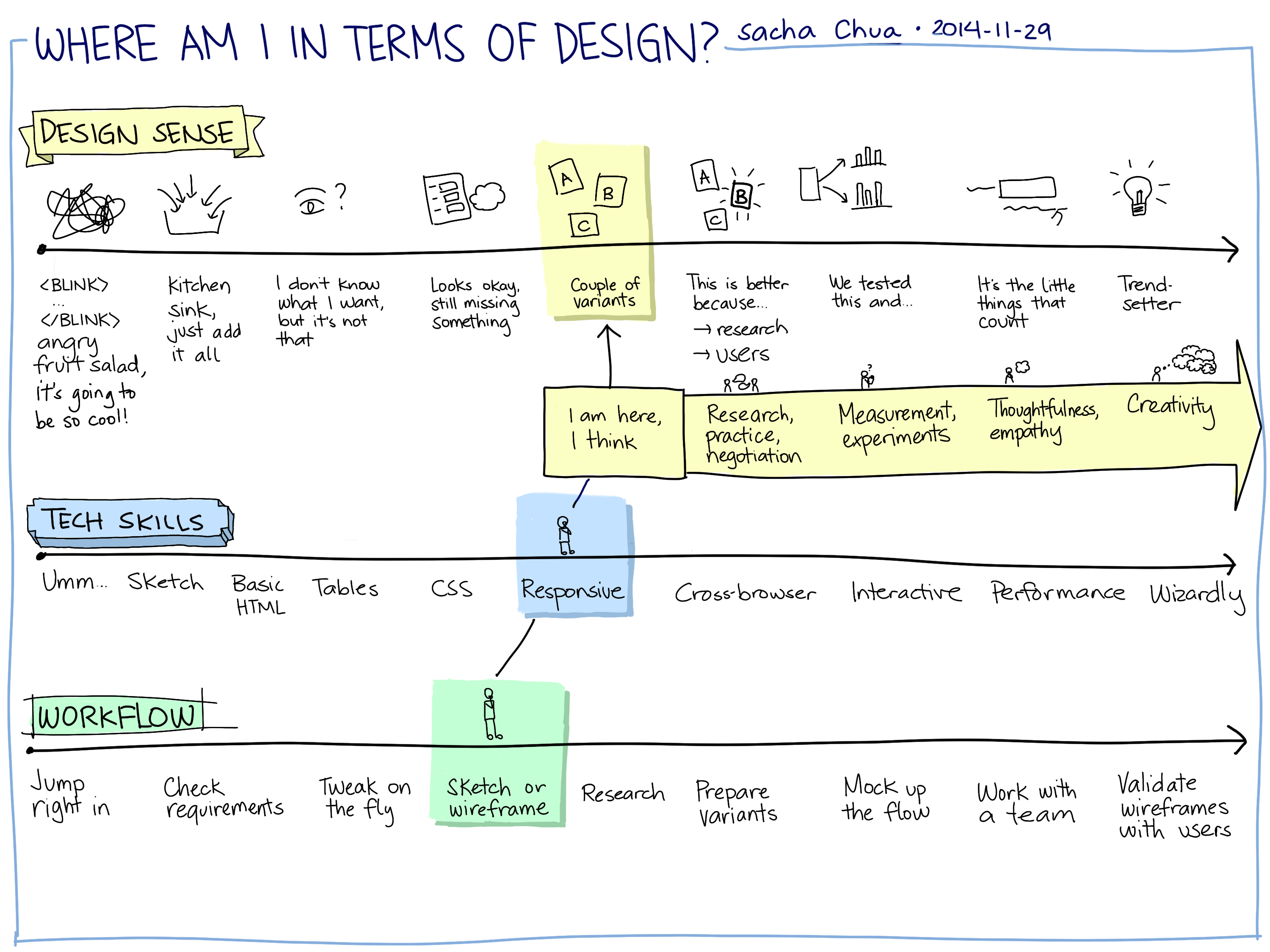
Responsive web, responsive life

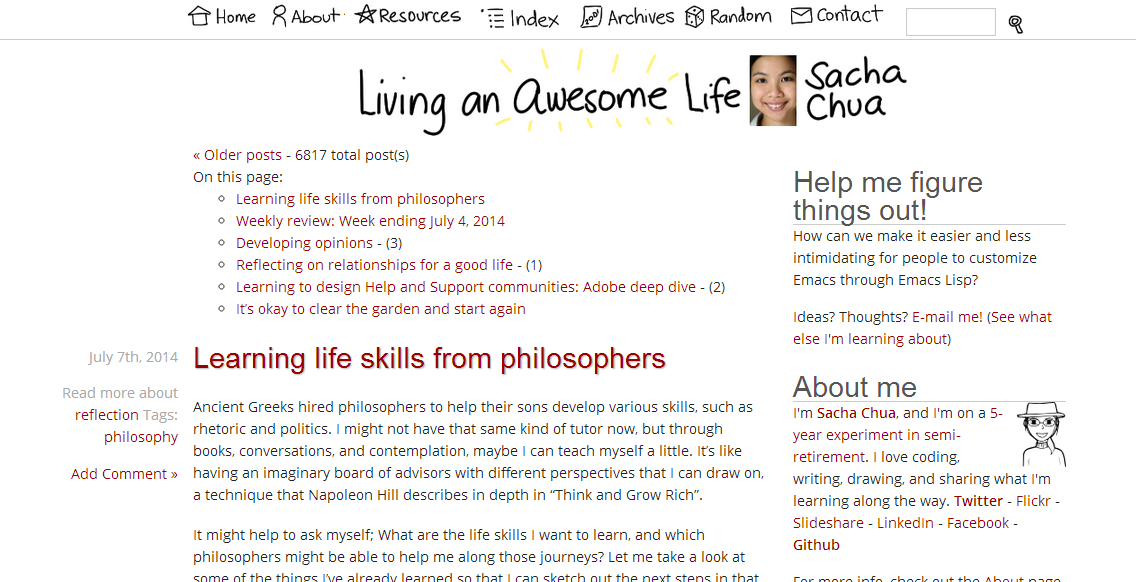
A responsive site design is one that can adapt to different screen sizes and different devices. As you resize the browser window, elements move around or even disappear from the page.

I’ve been thinking about what the code for responsive life would look like. I recently accepted another contract, which means I’m pretty much working at close to capacity. Although I really like the breathing room of having a day or two free each week, it also seemed like a good opportunity to make a difference. With the reduction in my discretionary time, what do I give up, and what do I shift around?

Working a little later during the afternoons means that I can’t come home early to cook something nice for dinner. My husband’s been doing most of the cooking lately, but I don’t want him saddled with all the housework. Besides, I enjoy cooking. I can shift that to more of the weekends. By cooking and baking our meals in advance, we get to enjoy making food, and the weeks are a little bit easier. I thought about trying one of those meal delivery services, or even experimenting with a personal chef. I don’t know. I get a lot of intangible benefits from learning how to cook, especially when my husband and I are cooking together.

Some things I simply need to drop or postpone. For example, studying Latin takes me a lot of time. I struggle with the inflections. I don’t think I’ll be able to focus on it well over the next few weeks, so I’ll take it up again when the crunch time is over. I will probably have to repeat some of things I learned, but I think it will be all right.

Sometimes it’s a matter of investing in more tools and social processes. For example, I’m experimenting with dictation as a way to write while doing other things, or while relaxing my wrists. I’m thinking of restarting my experiments in outsourcing, too. It should be easy to find someone who can handle the data entry from the receipts that I’m scanning, or who can help me cross-reference my passport entry stamps with trips in my record so that when I submit my application for Canadian citizenship, all my paperwork is in order. Little things like that, particularly little things that take a lot of time — those would be great candidates for outsourcing.

There are some hobbies that I still want to hang onto. Writing and gardening are both great ways for me to relax. Drawing lets me take notes from books and presentations. I guess that’s a little like the min-width of a web site design. I don’t want my life get any smaller than that. I don’t want to work so much that I don’t have time to spend with family and friends, or my laptop and a good book. After all, this is my adventure. I can choose what I do.

So far things have been wonderful, so I just want to make sure that I monitor the balance as I try out this new arrangement. That way, I can fix things if anything starts to get out of whack.

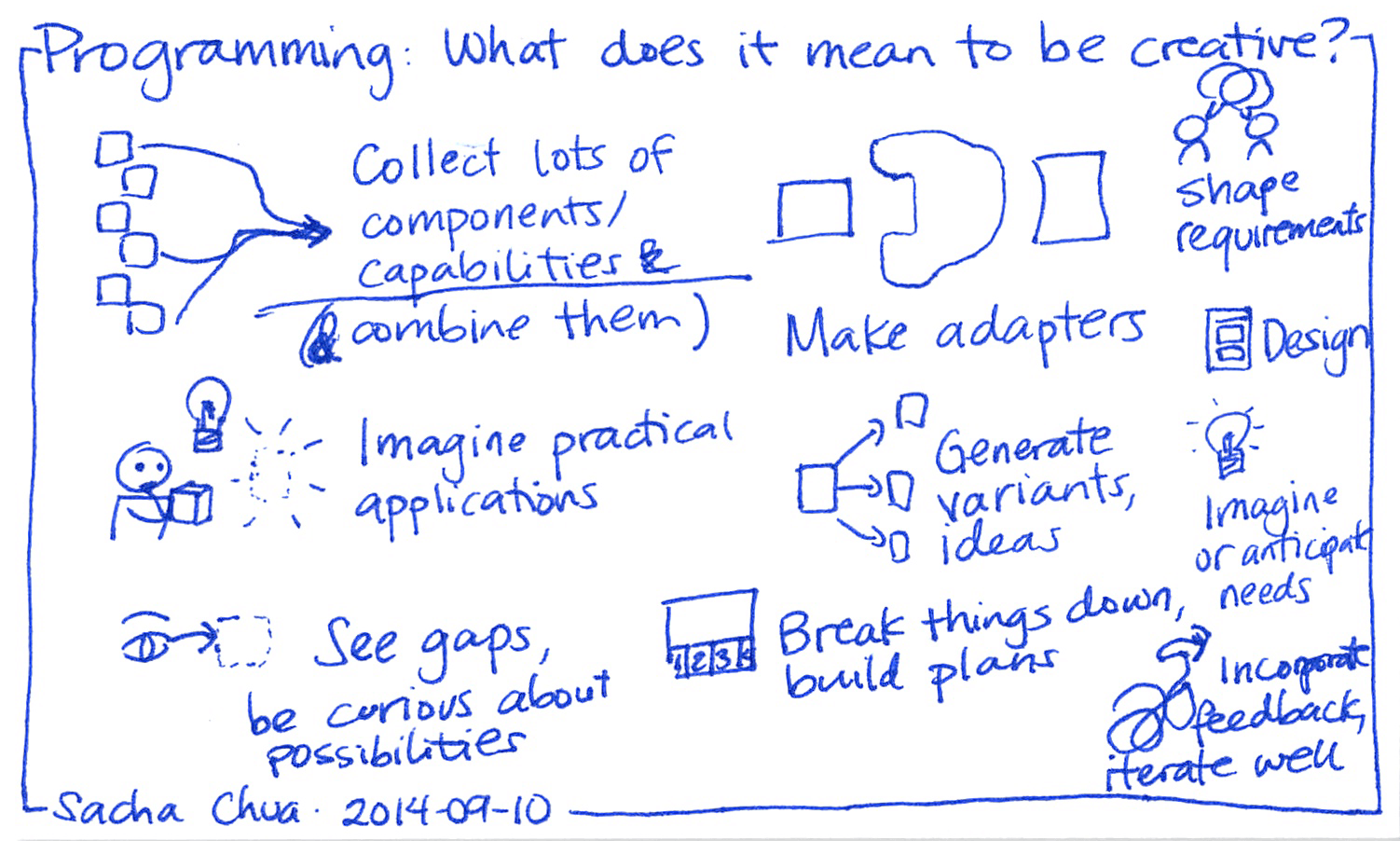
What if I stretch life the other way? Both of these contracts will eventually wrap up, and I occasionally think about what I want to do next. I’d like to see what it’s like to spend some focused time on building things: writing a book, working on my own code, playing around with ideas. I guess the web design equivalent of this would be is building a site for people who have those humongous monitors. Just have so much more room to play with – that’s a completely different playing field.

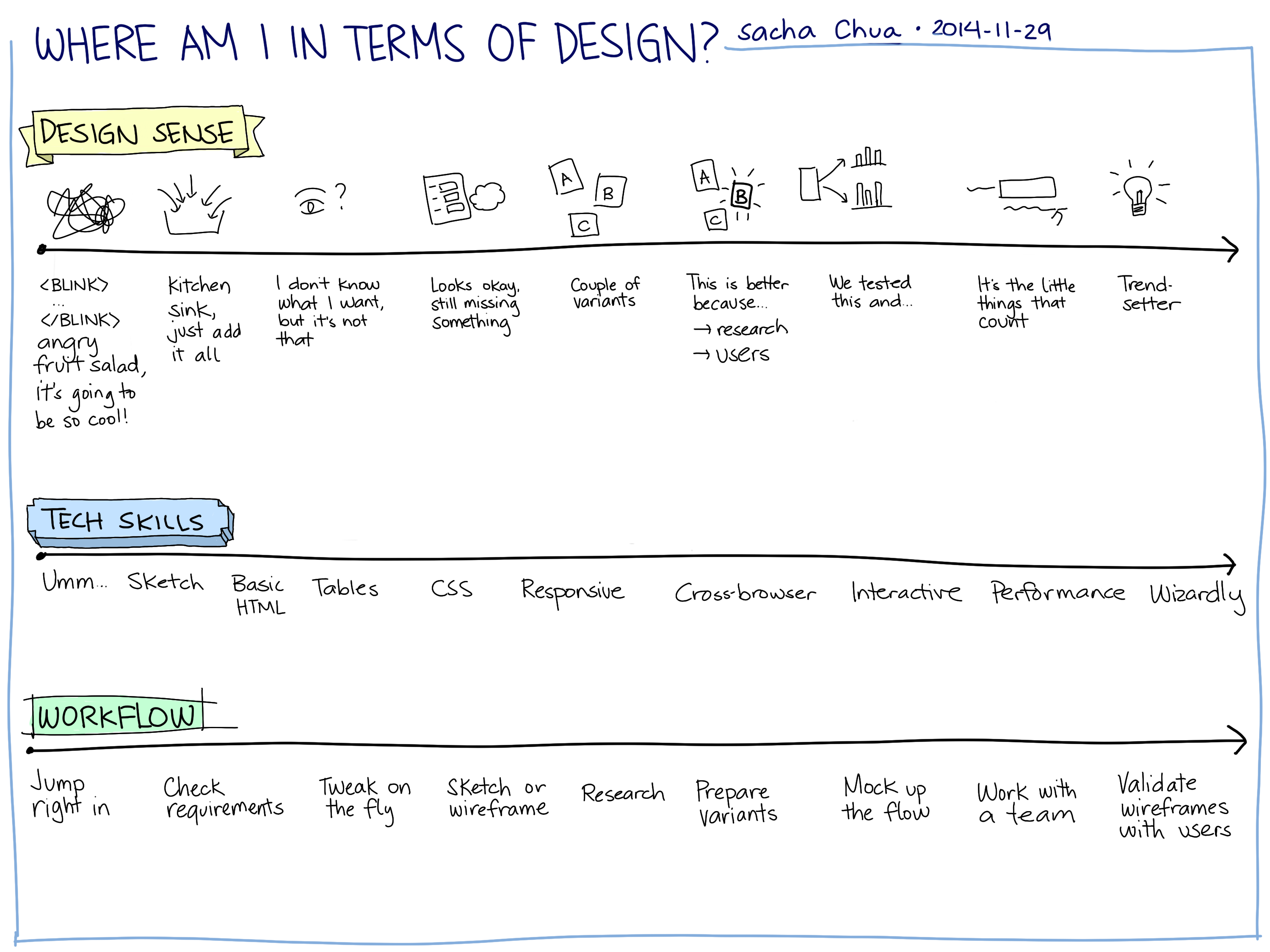
Different kinds of work lend us different metaphors for looking at life. It might be interesting to look at life through the lens of design. How can I improve the user experience? How can I adapt to changing conditions? How can I take advantage of emerging technologies and toolkits?

We’ll see. This is going to be fun.

Short URL: http://sachachua.com/blog/p/23376

Developing a workflow with Autodesk Sketchbook Pro

J- is digitally inking her writing assignment using Autodesk Sketchbook Pro on the Cintiq 12WX drawing tablet downstairs. I’d become a big fan of Autodesk Sketchbook Pro while working on it on my laptop, so I thought she might prefer it over GIMP. The pen-based controls are intuitive, and the feel of digital drawing is better than the frustration of redoing and reinking on paper. Now she’s off zooming in and out, adjusting her brush sizes, and working with a large and zoomable canvas. =)

screen_1306425369.99

I’ve been using Autodesk Sketchbook Pro to do more and more of my presentation planning, too. The workflow is slightly different from Microsoft OneNote. With OneNote, I can draw storyboards, then scale up the storyboards without any loss of information and without jaggy lines. (The joys of vector drawing!) Autodesk Sketchbook Pro lets me scale up rough sketches, but the interpolation isn’t always smooth. Instead, I storyboard everything. Then I hide any layers I’m not working with, lower the opacity of my storyboard layer, add new layers on top, and draw each slide as a full-size layer. I do any colouring on a second layer below the ink, so that the black lines stay crisp. The finished layers are easy to copy to a separate presentation program.

So how does my Autodesk Sketchbook Pro workflow compare to Inkscape? When I use Inkscape (a proper vector drawing program) for presentations, I usually set up an infinite canvas, and clone a series of rectangles for my storyboard. Inkscape makes it easy to sketch elements here and there, rearranging them on my storyboard, rotating and scaling them to fit. After I do a little masking and line adjusting, I import the finished slides into a presentation program. Simple shapes are easy to colour. If I need to shade things more, I can import the images into GIMP.

I can still do text presentations, but they’re a little less fun. ;) Drawing takes time, but I like the practice. How do you do your presentations or drawings?

2011-05-27 Fri 18:52

Short URL: http://sachachua.com/blog/p/22252

Compfight: Search Flickr for CC-licensed images

compfight

One of the hidden gems in David Gillespie’s Digital Strangelove: or How I Stopped Worrying and Learned to Love the Internet is a hat-tip to Compfight, a Flickr search engine. I like the search interface more than Flickr’s built-in Advanced Search, because you can continuously scroll through the thumbnails instead of paging through the results.

More Creative Commons search options would be nice. =)

What I really want is an advanced search engine that lets me specify subject position and dominant color, like Stockxpert’s. Someday!

Thanks to Suzanne for the link!

Short URL: http://sachachua.com/blog/p/6701

The unexpected lightness of learning

I had been invited to participate in the usability studies for Pass It Along, an IBM peer-to-peer learning system. The project team was planning a revamp of the site, and Amanda had prepared a visual design for our feedback.

The logo she used was simple: passitalong, lowercase, with “it” shaded in a different color. I couldn’t help but comment on how wonderfully symmetric it was, with the two descenders (the bottom parts of p and g) at both ends of the word. No, really, look at it.

passitalong

It’s prettier than “Pass It Along.” I’d never noticed things like that before I started to learn about type, and now exposure and awareness lets me appreciate new things.

When I commented on the pleasing symmetry of the descenders, Amanda stopped and laughed. She said, “You know about descenders?! You always surprise me!”

So I told her about @fivetwelve‘s braindump of cool font resources (The Elements of Typographic Style (Bringhurst), ilovetypography.org) after he saw (on Twitter) how I enjoyed the Helvetica documentary.

Jargon is the secret handshake of different professions, a shibboleth that distinguishes between people inside and outside. It’s fun crossing boundaries and learning about people’s fields, and it’s fun being able to see things in a new light. =)

Short URL: http://sachachua.com/blog/p/5660

Unfinished Business: Design and New Media in the Obama campaign

Last night’s Unfinished Business lecture was about design and new media in the Obama campaign, with insights from Scott Thomas (a designer) and Rahaf Harfoush (a social media strategist). The event was held in the auditorium of the Ontario College of Art and Design, and roughly 300 people attended.

My key take-away from the talk was that a strong and persistent design team, backed by analytics to support decision-making, can make such a difference in the overall experience.

Scott showed us what the campaign webpage looked like before he came on board. It was not a horribly designed webpage (no blinking text, no marquees), but there were numerous typefaces and colors, and every department in the campaign office seemed to want a presence on the first screen of the page.

With some strong-arming, they settled on one palette and focused on the user experience, streamlining it to make it easier for people to get to where they want to go. That meant moving links down or into the site. It wasn’t easy for people to accept the necessary changes. Many groups were worried that if their advertisement or link wasn’t “above the fold”–visible in the first screen without scrolling–then their content might not get viewed. By testing different versions of the site with randomly-selected users (A/B testing), the design team got the hard numbers they needed to make these changes.

The different themes they used in their campaign were also interesting. Scott showed examples of the campaign theme, the “instant vintage” theme, the timeless theme, and the supporters, and each set had a visually distinguishable character. The campaign theme used a blue gradients extensively, and Scott explained the reasoning behind some of the design choices. The “instant vintage” theme drew inspiration from classic photos and posters in order to give people the feeling of being part of something historical, larger than life. The timeless theme drew from classic typesetting and ornamentation (very elegant!), but was dropped because of the backlash about the official-looking campaign seal. The supporters were very creative in coming up with all sorts of designs for campaign posters, too, giving the campaign a vibrant community feel.

Some of the details Scott shared with us were about specific design decisions made during the campaign. For example, the campaign placards used to read “HOPE”. Scott showed this great photo of a bunch of campaign signs that read “HOPE” with a real rainbow in the background. He told us that hope is an emotive word that you can communicate through images, while change is more abstract and more difficult to show visually. That’s one of the reasons why they changed the campaign signs to read “CHANGE” instead.

I was also fascinated by the evolution of the campaign logo through different typefaces, from mixed-case to small-caps, and from a linear layout to a triangular one. Seeing the different logos together, I found it easier to understand the different reactions I had to each of them, and from there, learn a little bit more about design.

Rahaf Harfoush’s talk was on social media. It was similar to the last talk I’d heard her give. I think she felt nervous about fitting it into a shorter timeslot, and it felt a lot more rushed than last time. She did tell a couple of new stories, though.

One story was about a man who had expressed incredible anger on the forums–because the presidential candidate had been televised walking down stairs with his hands in his pockets, and this man was not about to invest all of those hours in calling people and knocking on doors and attending or organizing events just so that his candidate could fall and hurt himself. What a great example of getting people personally invested.

Another story was about a campaign supporter who wanted to show his support through action instead of words. He and a group of other supporters dressed up in lots of Obama gear and went out to quietly perform civic actions, like helping elderly people cross the street. They didn’t talk about politics; they just acted according to what they believed in. I thought that was pretty cool.

The questions from the audience were also insightful and thought-provoking.

One person asked about whether the speakers could see this kind of energy and change happen in Canadian politics. Rahaf answered that one of the energizing things about the Obama campaign was that the candidate was not someone you’d typically see running for office. She found it difficult to imagine any of the prominent Canadian politicians engaging and exciting people like that, but she was open to the possibility of someone new coming along and surprising people.

Another person asked how the speakers convinced the campaign that they were the right people for the job. Scott shared that he’s never really been good at marketing himself, but that his passion for his work helps people decide whether or not he’s the right fit for the job. He said that people can tell by how wide his eyes get when he talks about his work that he’s really passionate about it. He got applause for that one.

Many people were concerned about the potential nefarious use of what we’ve learned about social media. Scott was of the opinion that the genuine enthusiasm expressed by the campaign supporters couldn’t be manipulated or created. Stephen Perelgut (one of my mentors) told me that he still remained skeptical, though, as many horrible things have been perpetrated by equally enthusiastic people. (Nazi Germany comes to mind.)

I learned a lot during the lecture and in the question-and-answer portion. The next Unfinished Business lecture is on February 11 (same day as Techsoup). From their e-mail notice:

… on 11 Feb we will host Larry Keeley, President of Doblin in Chicago, who will talk about open innovation, platform innovation and what it means to work from a disciplined approach to innovation.

Unfinished Business, Torch Partnership

Good stuff. It’ll probably sell out as quickly as this one did. Thanks to Jeff Muzzerall and Stephen Perelgut for making sure I heard about this!

Short URL: http://sachachua.com/blog/p/5611

Get the highlights as a PDF!

Stories from my Twenties: Highlights from a Decade of Blogging

Free sample!