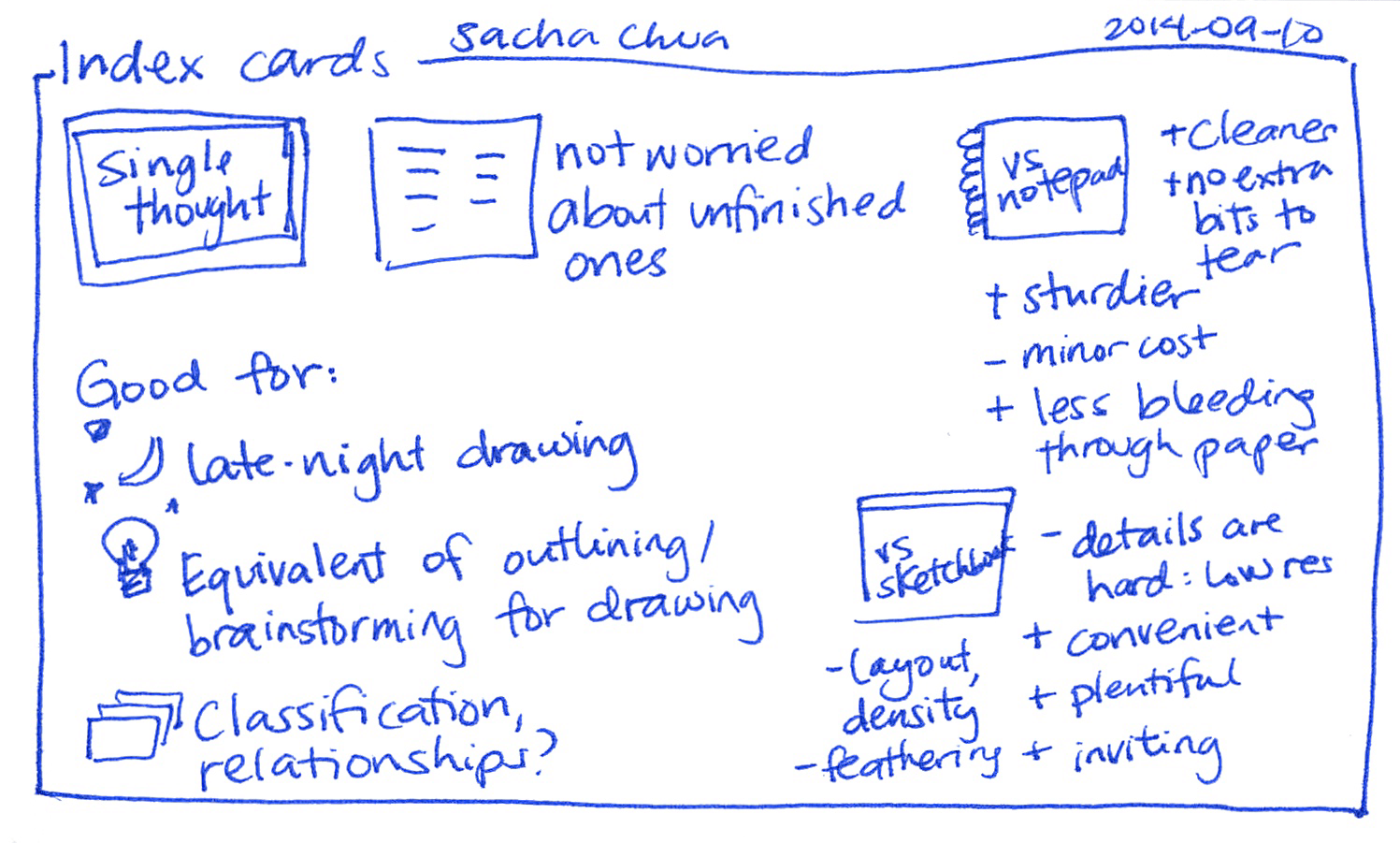
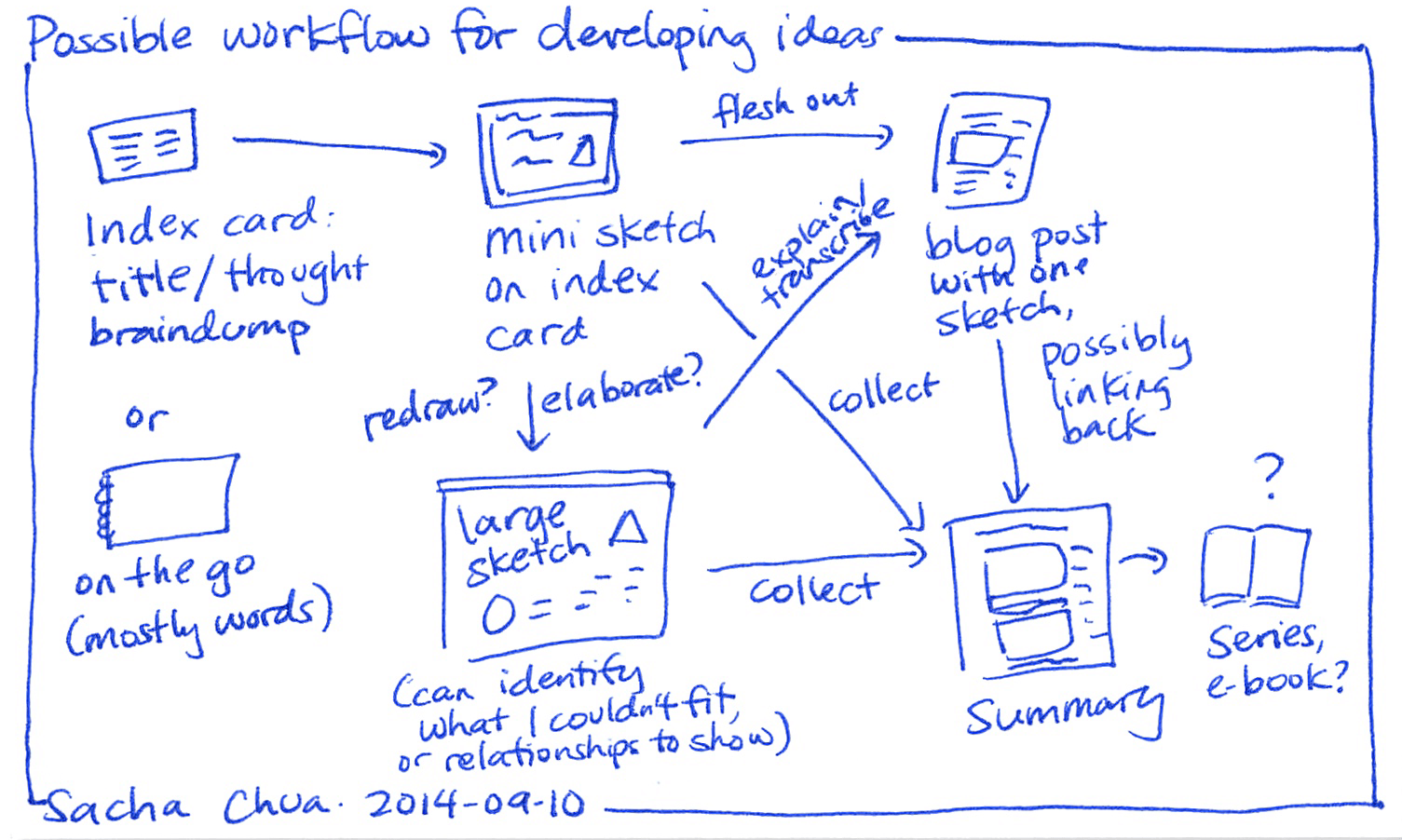
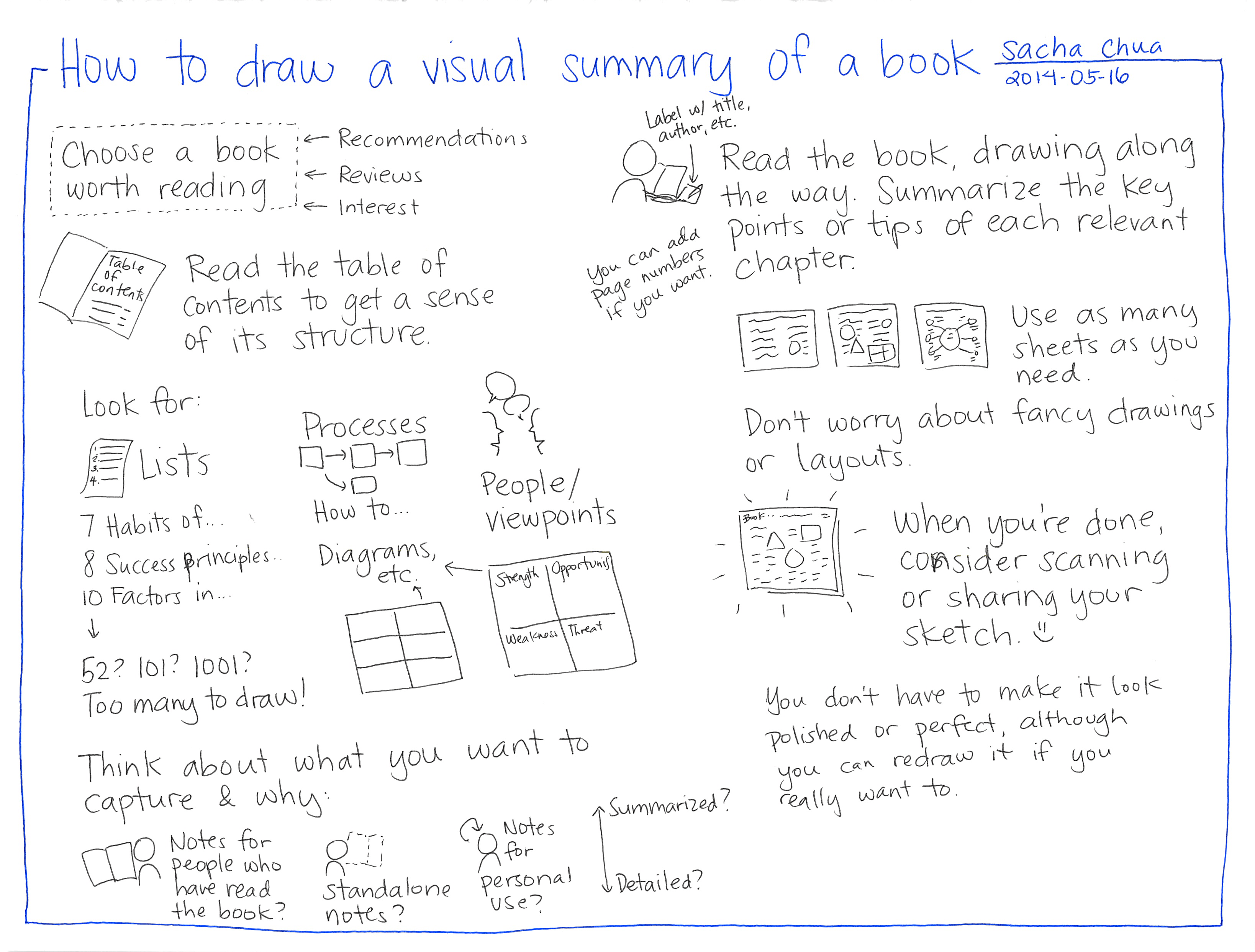
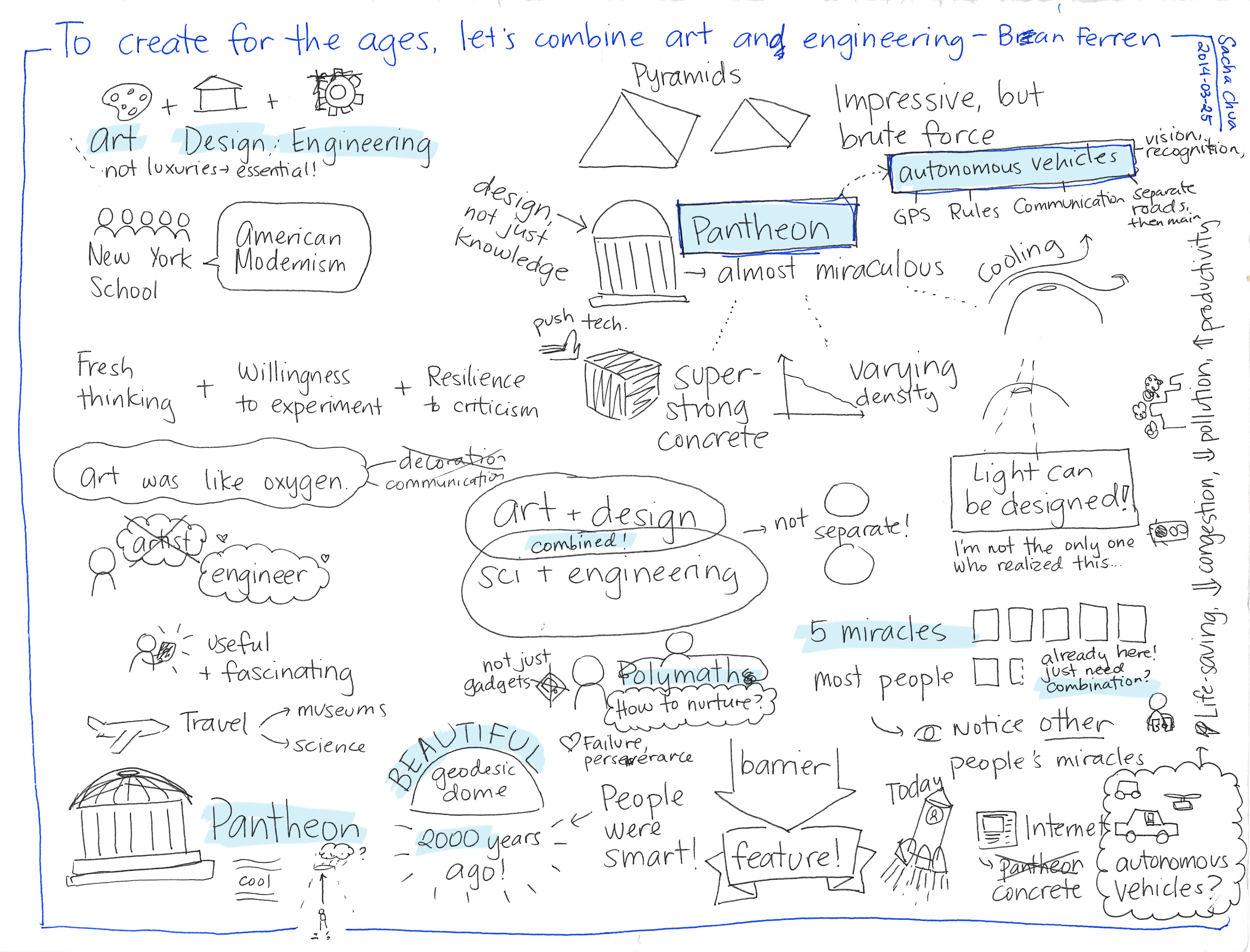
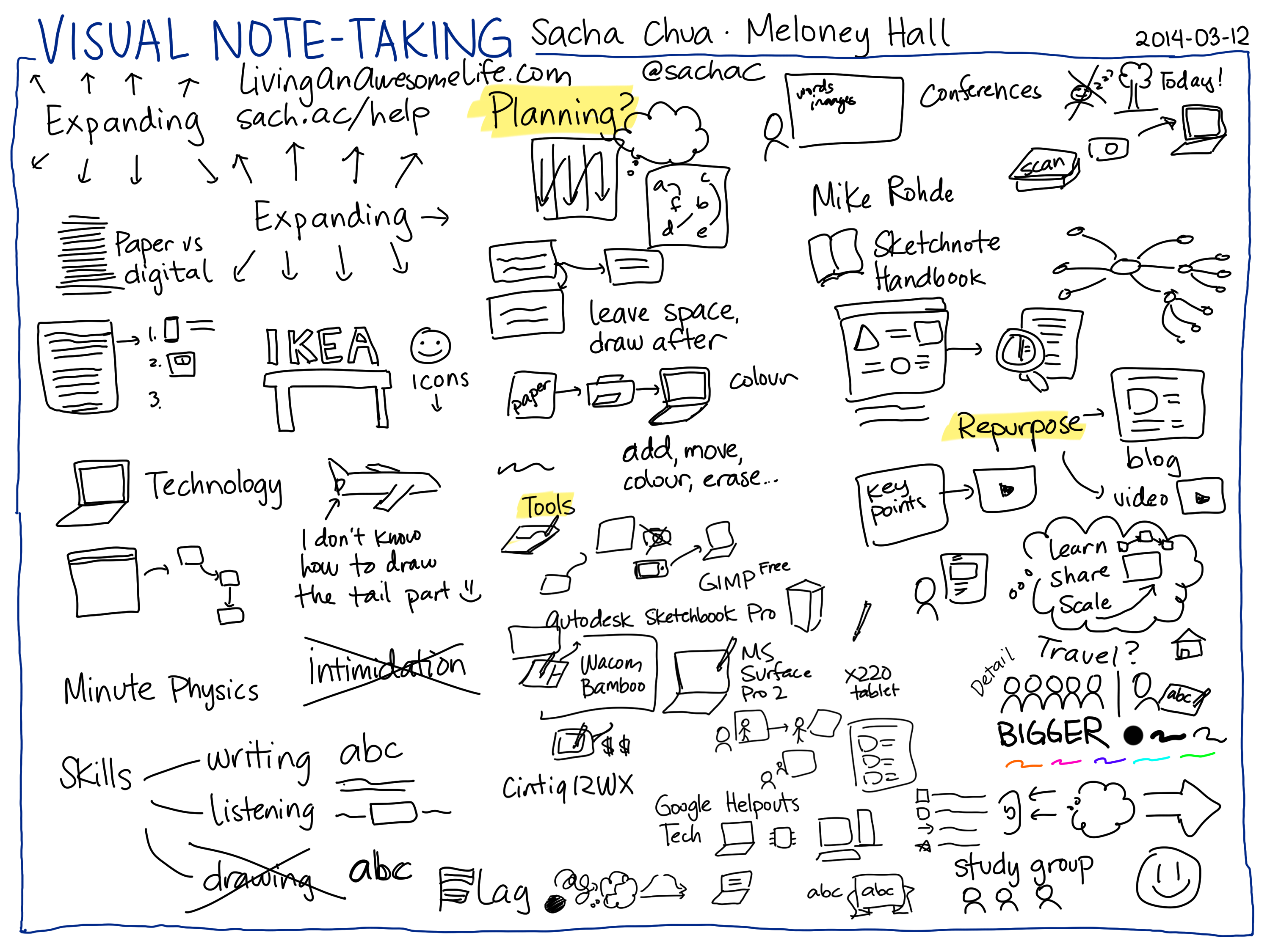
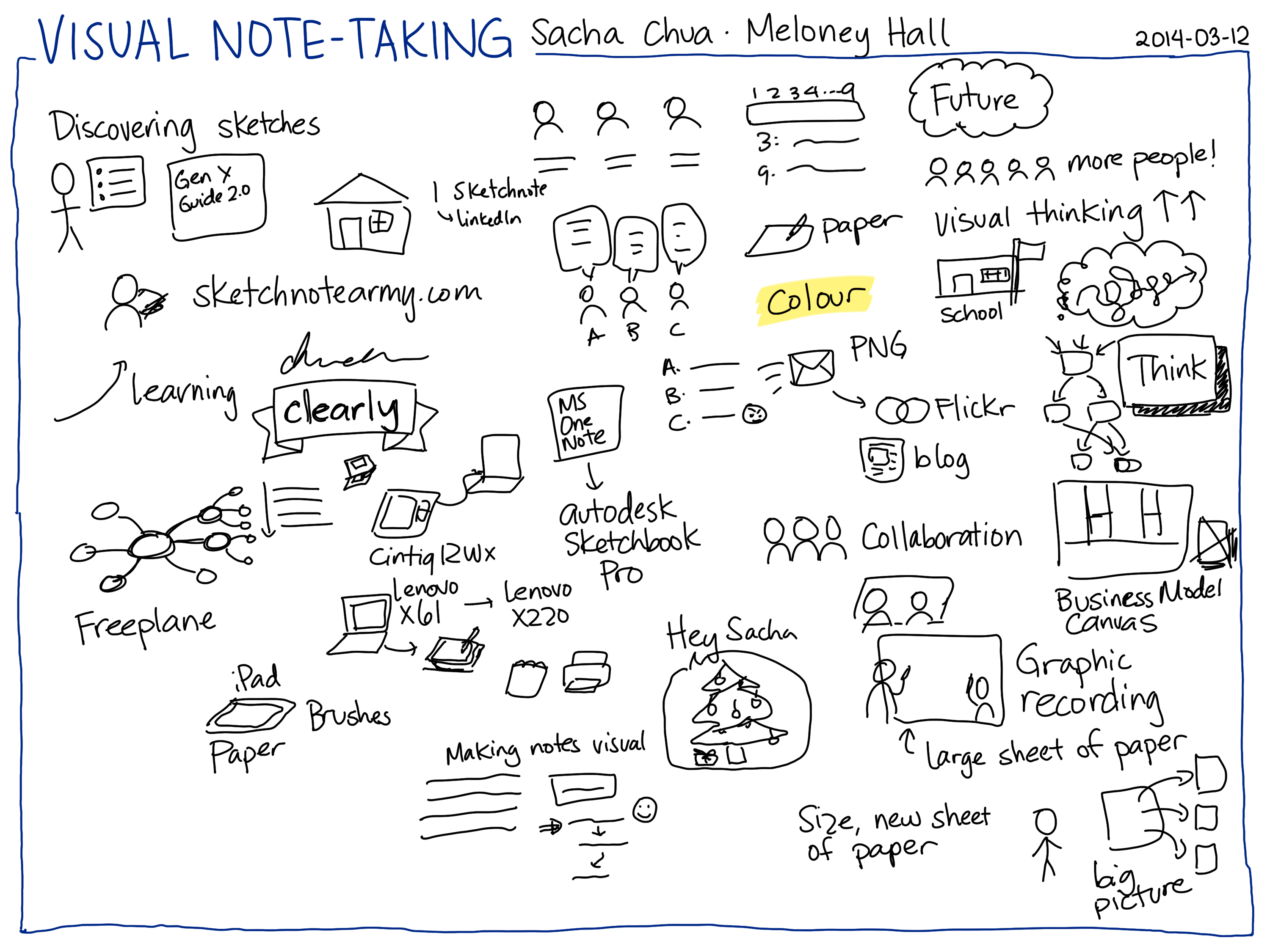
Meloney Hall interviewed me about sketchnoting. I managed to listen, talk, and sketch while doing this. Boggle! Although talking interferes a little with writing words, so my notes become more graphical. Hmm, maybe that's a way for me to experiment with more graphical notes… =)
Transcript
You can download the MP3 from archive.org
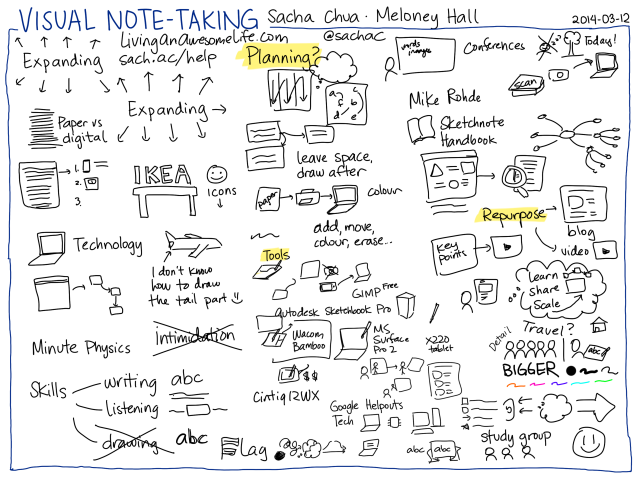
2014-03-12 Visual note-taking – Sacha Chua, Meloney Hall page 2 #sketchnoting #live #interview
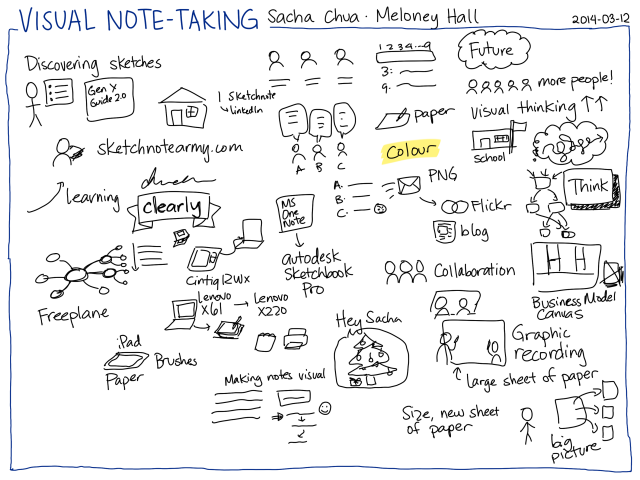
2014-03-12 Visual note-taking – Sacha Chua, Meloney Hall page 1 #sketchnoting #live #interview
See the event page for more details
Meloney Hall: Hello and welcome to tonight's broadcast with Sacha Chua. We are going to talk to her about how she uses sketch notes. I've been looking forward to this program for a while. Sacha is so ready to show us how she does these sketch notes, and all kinds of applications. Let me first introduce Sacha Chua. She currently lives in Toronto, Canada. Sacha, if you could let know a little bit more about yourself.
Sacha Chua: For sure. In terms of sketch noting, I mainly do the kinds of things that I'm figuring out or trying to learn. I also enjoy drawing technical topics, like guides for learning Emacs and other things that I'm learning more about.
In terms of all the rest of the stuff… I'm a geek. I love programming. I have a blog that I've maintained since 2001. It's been a while! I like that. I like always learning things and sharing them.
Meloney: I know you are a fellow Helpouts provider. Both of us, we have some listings as Google Helpouts providers. I first discovered you as that. When you were holding Helpout Hangouts, I was fascinated with that tool that you are using. I'm so glad that you agreed to show more of the world what you do.
Sacha: Of course. My pleasure. The show that you are referring to is theHelpersHelpOut show for other Google Helpout providers. The note-taking was just a great way for me to take notes as people shared their insights and shared their tips. I'd take notes. In that way, other people who didn't listen to the podcast can easily pick up those tips and apply them to their own Helpouts.
Meloney: It's fantastic. As I said–and as I mentioned in the event write-up–I used to draw and take notes as a youngster until my peers told me to stop doing that. What did they know? Now we have the ability to doodle and draw while we're taking notes through digital note-taking. We're ready to see this great thing that you do. We're all in for a treat.
Sacha: Okay. All right. Where do you want to start?
Meloney: Well, I know you said that you can talk and do this at the same time. Why don't you tell us a little bit about how you discovered sketchnotes and why you preferred this over other software packages that you used?
Sacha: I first started sketching things in 2008, really. I wasn't the kind of person who always sketched, who always doodled. No. I was the sort of person who prefers reading, prefers typing, reads a lot of books, works with the computer a lot.
As you can see from my sketches today, I really just draw stick figures. But these stick figures turn out to be surprisingly useful. When I was a consultant in IBM, I found myself getting tired of giving the same old presentations with bullet points on them. So I started drawing my presentations instead.
One of the presentations that I made was something called the“GenYGuidetoWeb 2.0 atWork.” This turned out to be surprisingly popular. It has had thousands and thousands of views, or tens of thousands, I think.
“Gen Y Guide to Web 2.0 at Work” was one of the things that showed me that people actually really like hand-drawn images. It saved me a lot of time because I didn't have to go look for stock photos, which look fake anyway. I didn't have to do a lot of design. I could just draw the storyboard for my presentation, and that turned into my actual presentation.
So I drew all these presentations and I was going to all these conferences. I figured since I was at these conferences, I might as well draw my notes of other people's presentations as well.
It turns out that sketch noting is a thing. Other people do it. There's a lot of inspiration out there. If you go to places likeSketchnoteArmy, you can find all sets of examples from other people who are doing this as well. It turns out that simple stick figures… The fact that you don't have to be able to draw a Mona Lisa, you don't have to be able to draw a realistic portrait, or even a fancy architectural house… You can draw just a triangle, a square, a door and a window, and everyone will recognize that as a house. Even simple drawings like that get people to imagine things, get people to understand things. When you combine that with a little bit of an explanation, they like that. People find it a lot friendlier and more encouraging.
I started off by drawing my presentations. I moved to taking notes of other presentations. Now that I've got the space to think, and learn, and explore some more, I've been focusing on drawing my own thoughts, going back full circle to that. Sketchnotes have been a really great way to do that.
Meloney: Is there a large learning curve to learn sketchnotes?
Sacha: You don't have to be a Fine Arts graduate in order to do this. You can start with where you are. You can start with handwriting for example. Don't review your notes because your chicken scratches are really hard to read afterwards? You can start by simply writing things down in print instead of cursive. Slowing down, writing just the important words so that you can write clearly and slowly. That way, afterwards, you can read your notes again–and other people might be able to read them too. You can start with that.
Then you can go on to say, “Okay, then how do I dress this up a little bit more? How do I make it easier to see the important parts?” For example, you might double-write some letters in order to make them darker, or you might add a box around certain elements in order to emphasize them. Then if you want to get extra fancy, just a little bit of work makes it look like you've done something amazing, when really you just start from small steps.
Meloney: Did you start out with sketchnotes? Or did you explore other programs before you settle it on sketchnotes?
Sacha: There are lots of different things that you can do if you want to represent what you're thinking about more visually. For example, mind maps are a popular technique. You'll find lots of computer programs as well as paper-based ideas for doing this. The basic idea is that instead of taking your notes in a linear way, going from the top of the page to the bottom, one row after the other, you can mind map. You put your idea in the center and then you put the other ideas around, taking up more the page and then branching off into sub-ideas as necessary. I do a lot of this mind mapping. I like using the program Freeplane, which is free and open source, and cross-platform, and all sorts of other good things. That gives me a lot of flexibility. If I want to work with an idea that has many levels, I want to outline it, I want to maybe focus on one part of it or the other, that's really handy.
Then in terms of drawing on the computer itself, instead of just having something as structured as a mind map, I've tried a lot of different programs. I've tried a lot of different hardware too. In the beginning, I started off with a tablet that you could plug into your computer. Actually even before that, I had a Nintendo DS which is a gaming device. It's one of those kids' gaming devices. I drew on that because it had a stylus, and I copied those files to my computer. That was great. I was like, “This is working out well.”
My step up from there was actually a big step up, because I got the Cintiq which I'm actually drawing one right now. I have a Cintiq 12WX. It's a tablet you can draw on that has a screen as well, so you can see what you're drawing. It plugs into your computer. That's kind of handy. I said, “This is great but it's really not portable.”
Eventually I got myself a Lenovo X61 tablet. This is a tablet PC. It's a full computer that I could program on. I can do all sorts of things with. I found it was a lot of fun because you can turn that into a tablet that has a keyboard underneath it (but you can't access the keyboard when it's folded over). You can draw on it. I liked it so much that I upgraded to the Lenovo X220, which I'm using today. That's my evolution in terms of hardware.
Lately, I've been doing a lot of sketches on paper too. I rip those pages out and I scan them in a Fujitsu ScanSnap which lets me then get all those sketches quickly into my computer. I've scanned a lot of notebooks already.
Then in terms of software, I started off with just drawing things using Microsoft OneNote, which is super awesome. You should check that out as well. I've run into some bugs that made it unreliable and not as easy to work with. Eventually I found AutoDesk Sketchbook Pro, which is what I use now. I really like it because it's got this lovely interface that's very friendly for a stylus, and that's what I've settled on using.
Meloney: I want to remind our viewers that you are live doing this. To prove it, I will say, “Hey, Sacha, draw a Christmas tree.”
Sacha: My Christmas trees are always just these triangles. Maybe you would like Christmas lights and ornaments.
Meloney: I just wanted to show the viewers that it is really a very responsive application that you're using. When we talk about the learning curve, would this be something that would be very quick to learn, a college student can learn this right away and start implementing it in note-taking in classes?
Sacha: Well, considering people in high school and earlier are using it… college does not seem to be a requirement.
The interface is super simple. If you've got a tablet that you can draw, it's certainly much easier. I like using this with a full computer like the X61 or X220 because I can draw on the screen, and it has enough horsepower.
But in case you're working with an iPad, for example, there are apps like this too. People are making amazing sketchnotes with things like Paper, or Brushes, or lots of other apps that I don't know about because I don't use an iPad.
The tools are super easy to use. A technique which you can start off with is just writing words. Maybe drawing a couple of boxes. We'll let you in on a little secret. The trick is when you're taking notes… Most of the time, people just take notes linearly. They go from one row to the other. If you leave yourself space, you can go back in there, and you can draw afterwards. You can do this with whatever you're using. You do this on paper, you're fine. You do this on the computer, you're fine. And those are just little ways that you can make your notes a bit more visual.
Meloney: If you are in a business situation or a conference and there are several people talking, how would you use these sketchnotes to imply that there are several people talking.
Sacha: Sometimes I take notes on panels. One of the things you can do is, if you don't really care who said what, you can always just write everything down. The other thing you can do is, say, you can have a three-person panel, and then you write down what they say underneath them or above them. If you want to do it like this, you can always have your talk clouds over here, or you might have A, B and C. Then you just say A said this, B said this, C said this and was not happy about it. You can play around with it. There's really no fixed way to do it.
If you want to say that somebody said something, you can go ahead and write their name. For example one time I took notes on a nine-person panel or something. I simply made a note of where they were in terms of seating. I had a legend that allowed me to look them up. For example, “Joe” whatever, then when I was taking notes from them, I didn't even have to remember who said what. I just had to remember where they were sitting. 3 said whatever and 9 said whatever. Different ways you can keep track of who said something.
Meloney: That is really interesting. Then this is also editable? You can go back and edit your sketch notes, is that right?
Sacha: That's one of the benefits of working with a computer. If I want to move this a little bit closer, because now I think I'm going to want space for doing things, or if I want to erase stuff, I can do that on a computer or a tablet..
On paper, you can always use more paper. You can always take out another page and start drawing if you need more space, or you can clean it up afterwards.
Meloney: Then, do you have a colour palette over there and do you usually add colour afterward, or can you do it during your sketchnoting?
Sacha: My sketchnotes tend to be very simple. I'd probably have one colour for emphasis, or highlighting, or whatever. If I'm trying to keep up with a lot quickly, then I hardly use any colour at all.
But the nice thing about this is that you can always add colour afterwards. For example I like using a highlighter – a virtual one of course – so you just quickly add colour underneath the layer. If I add it on the same layer, it wipes it out, but if I add it in layer underneath it, then it looks like I'm highlighting it, and I don't have any problems with ink smearing or things like that.
Meloney: Then you can email your finished notes to others? Does it create it as a JPEG or what format?
Sacha: I like saving things as PNG. Usually things get saved at maybe 3 MB. You can optimize them to 1 MB or whatever. They're very easy to email. But what I like doing particularly is, I like posting these things on the web. I share them on Flickr instead or I put them on my website, too. That way, it's not just the person who I email it to… Other people can learn from the sketch as well. It also means that if I want to refer to a sketch in the future, I can simply send somebody a link.
Meloney: Can sketchnotes be collaborative where you can combine your sketch notes with someone else's? Say you both attended the same conference and you wanted to combine collaboratively?
Sacha: Absolutely. In fact I've actually done a couple of conferences where there were other sketchnoters who were doing it, too. I've read books and summarized them and other people sketchnote those as well. If you want to keep them as separate images or combine them into one image, that's straightforward–just basically images. You can also make a new image twice the size and put both of them in it. A lot of interesting things happen when you're working on different images at the same time.
The collaborative tools we have aren't quite there yet, I think, in terms of two people working on the same sketch. But what I've seen people do – and this works out really well in person – is you can take a large piece of paper, and you can have two people drawing on it with markers. The term for this is graphic recording. You'll find plenty of great examples of this where people are working with large sheets of paper, and then you can have one or two people working on that, for sure.
Meloney: Now as your image grows, you're going to scroll up, either down or to the side, do you have to watch how large your project becomes?
Sacha: It's like on paper, I could always use another sheet. Sure, sometimes if I really wanted to end up with one image, I might move things around, I might re-size things. I can take this entire thing, for example, and then I can say, “All right, let's make everything smaller.” But really, for the most part, it's there, it is what it is. If I need more space, I can always hide the layer and then add a new one.
Meloney: That is super handy. What would be the youngest age a person could use sketchnotes reasonably comfortable.
Sacha: I think as long as we don't teach them out of it, right? People draw earlier than they write.
Meloney: That's right.
Sacha: If you see your kids drawing stick figures and trying to tell stories, then stay with that. I've heard from people who are working with their kids, they're trying to explain to their kids what the kids are learning in school. That's one way to do it. You can start even before school. You can have people say, “I want to tell a story.” And they're making their own comics, or they're drawing things and they're labeling them. Really, I don't think there's an age limit to this.
Meloney: What do you think future is going to be for this type of digital note-taking will be?
Sacha: I'd like to see more people give themselves permission to do it. I really don't think there's any sort of technical limitation. Of course, technology can always advance, but it's really more like people realizing that, “Yes, this is totally all right.”
There are some research-backed benefits to doodling your notes. It can be surprisingly useful in terms of both learning from other people's notes and making your own – giving yourself permission to say, “You know what? I might not be the best artist but I can write, I can draw a little bit.” And that's useful.
I'd like to see more people give it a shot shot. You don't have to do anything fancy. Just play around with maybe how you write words or how you emphasize different concepts, and then go from there.
Meloney: When I think back, when I was a kid, I used to do that before peer pressure took me away from it. I can retain more because with this system that you're doing, you are using more of your senses.
Sacha: And visual thinking is on the rise. People are very interested in info-graphics these days because they address more of your senses. They gave you that visual feeling right away. Instead of reading everything, you can get the gist of an idea very quickly. Yes, I think the trend is moving towards that.
Meloney: And you could use sketchnotes for any environment – for school, business, just for your own personal gratification.
Sacha: Yes, for sure.
Meloney: Well, what has been the most interesting thing that you've utilized sketchnotes for in your life?
Sacha: I do a lot of thinking, now, with sketchnotes. I start with a question or a thought, and I explore that. Sometimes, especially when you're thinking, you don't really know exactly where you're going to end up. But the nice thing about sketchnotes is that you have that record of the things that you've considered along the way.
For example, I've been thinking a lot about the goals that I have and how those goals relate into each other. Because I can map them out, I can say, “Okay, this goal leads to those goals and that goal leads to these other goals. Actually, that goal helps that goal as well.” And so forth. Then you can think, “What are the things that I do that go towards those goals? Are there more effective ways to do that?”
I've been using sketch notes as a way to think. That, actually, is really, really useful.
Meloney: I just had a very adventurous thought. For a person going into business, it would be really interesting if you composed your business plan for your bank loan in sketch note form.
Sacha: Well, business model canvasses are a thing. Business Model Canvas, the ideas in Business Model Generation and other books like Lean Startup and so forth. It's the idea that you should be able to explain the core of your business on one sheet of paper. You can doodle this if you want to, use PostIt notes, or whatever. But yes, being able to summarize that and say, “Hey, this is what the business is about,” versus having this 97-page business plan that nobody actually reads.
Meloney: That's for sure. I wrote a marketing plan and it was 47 pages long. Somebody said, “I cannot read 47 pages.” It's like that way, you're capable of it but really for the [inaudible 0:23:16].
Sacha: You're asking people to do a lot when you're giving them a big document like that. You're asking them to keep all of the structure and all these important ideas in their head. But if you can come up with a summary of it – a visual summary especially – then you can show them that structure. Even if they have to go into the document for more detail, they can use that sketch as a way to remind their brain of the big picture. It really is. It's the big picture that you have.
Meloney: When I look at your sketchnote screen, you have quite a bit there. Could you, if you wanted to expand on one idea, could you isolate one of those layers and expand it on another page?
Sacha: Yes. I can just start a new page if I wanted to. Like so! And the old stuff is still there. I can even come back if I want to.
Meloney: Yes, but are you able to copy-paste a certain section of that?
Sacha: Yes.
Meloney: That's really neat, too.
Sacha: Because it's a computer. It's just a digital image. Okay, you want this expanding thing. I'm going to take that, I'm going to copy it and I'm going to drop it in somewhere else. That's one of the nice things with working with a digital system for drawing.
Meloney: If you're into saving paper, this is it. This is really it. When I think of our aging society, I think as more people… With our seniors, if their cognitive understanding begins to weaken, sketchnotes will be a very good way to explain the doctor’s prescription, or a therapy that they're going through, because it can really simplifies. I can see it in the medical arena as well.
Sacha: Absolutely. I like the fact that it gives you the quick way to check the steps or to get that overview instead of having a lot of text. You might say in case, “First step, do this. Second step, do whatever.” And you still have the details, but you have the icons to help people make that connection.
Meloney: Yes. Reminds me of Ikea putting it on their instructions. Except with Ikea, you don't have any text because it's all over the world, and that way they don't have to translate it into different languages. They just have icons that are very easy to understand. That's how I see the sketch notes.
Your stick figure person is a universal figure. The Christmas tree is a universal figure, an icon. We see icons all over the place in our advertisements, our restroom signs, our food signs, I think it's great that we have now pretty much an established universal language known as these little icons.
Sacha: It is a great way of getting past the language barriers. That's one of the reasons why I like looking at the sketchnotes from other people in other countries. You might not understand Russian or whatever else they're writing in, but you can get a sense of the flow of it. If you really are interested, you can always dig into the topic a little bit and learn more.
Of course, abstract concepts… For example, I use a laptop a lot to represent things like technology. You have the image and the word. You just have a little bit of the language barrier there, and the combination allows you to be more expressive, too. But I like thinking that it does make it a little bit easier to understand and to connect with.
Meloney: Yes. I could easily see. If you are going on a business trip and you're on a plane, and you're sitting beside someone, and both of you did not speak the same language, but you still wanted to communicate… If you had sketch notes, you could communicate that way and then you could email that conversation’s sketchnotes to the person who are sitting right beside you. It would be a lasting conversation.
What is the most fantastic thing that sketch note offers? What's the big wow of sketchnotes in your opinion?
Sacha: I really like the way that they make things less intimidating. For example, Emacs is a pretty technical topic. It's a text editor that happens to be extensible and can do all sorts of crazy stuff. It has been around for decades. But people find it intimidating to learn.
If I start making sketch notes about how you learn it, how you break it down to smaller things that you can learn, and what are some ways that you can understand it – it becomes friendlier and easier for people to try out.
I like the fact that you can take something like Physics… If you look for Minute Physics, someone is doing an excellent job of animating these. Again, very simple drawings, very simple animations. You got a way to explain things. It cuts out people's fear or their intimidation. I really like that part of it.
Meloney: If someone was wanting to start with sketchnotes, what would be the skills that they would need?
Sacha: Self-acceptance. The basic skills are: writing, which you probably are fine with–and you can always improve your handwriting so that you can actually read it afterwards… But really, the hard work here is not in writing everything neatly. Basic writing is fine.
There's listening, especially if you're doing this when you're listening to a presentation. You're sketching your notes of it. You're not capturing everything. You want to capture the important concepts. You don't have to write everything down. Listening plays a really big role in that.
Drawing… It's completely optional because you can draw pretty good sketch notesjust by writing stuff. You can play around with making some letters bolder, or some letters bigger, or playing around with how some letters look. For example a flag might actually look like a flag. You can play around with how your letters look, even without actually doing any real “drawing.”
Drawing is not actually on that list. Listening is probably the core skill if you're doing this based on other people's content. Writing is really just the basics. Can you write in a way that you can read it afterwards?
Meloney: Do you have to plan ahead of time to make sure that you… Well, if you're listening, you need to be able to summarize, get rid of it and just keep the core idea. But before you begin at sketchnote projects, say, you're attending a conference, do you have to prepare your mind, like maybe lay the sheet out in columns or quadrants? or do you just encourage free form?
Sacha: I tend to be mostly free form because even if you plan ahead, you have no idea where the person is going to go. Even if you've got an outline, or the presentation slides, or whatever else, they can go on interesting tangents.
I don't think that you need to spend a lot of time thinking about columns. I tend to like having a small grid in my background, just so that I can get a sense of sizes if I'm all zoomed in. I tend to work in roughly a column-row fashion. I start at the top, I go down a little bit. Then I go to the next column over and then I do the next one and so forth. But that's just the way that I like doing things.
Another popular layout–some call it the “popcorn” layout–where you're just putting things randomly around the page, and then after a while, you can connect them if you want to. You can show the flow between ideas. Or you can just leave it as randomly scattered over the page and that's fine.
You don't have to plan ahead. It does help if you give yourself a little bit of space. For example, if you've got your notes on something, don't immediately follow it with your notes in the next thing. Give yourself a little bit of space. Then that allows you to emphasize something if that's important, or draw the connectors to things that are related to it.
That's how you can fake planning ahead.
Meloney: Because if you're able to edit it, it doesn't matter how detailed or general you are.
Sacha: Absolutely.
Meloney: Could you take a note on a piece of paper, then scan it into a sketch note background and then draw on top of it because it's layer-based?
Sacha: Yes.
Meloney: Oh, you can?
Sacha: I actually do a lot of that. I take my paper notes and then I’m like, “No, I want to clean this up a little bit.” Or, “I want to add colour to it.” Because you could do that as well in your computer. You can do all sorts of stuff with it. You can say, “Okay, I'm going to add colour.” “I'm going to erase things.” “I'm going to move things around. I'm going to completely replace these bits.”
Yes, you can scan things in and then play around with it afterwards. I often add colour afterwards because colour on paper is not always the best thing. You have a pen, and then if you try to highlight it, it smears. So I tend to do my highlighting and the colouring on the computer. It's super easy to do that.
Meloney: How did you discover sketch notes in the first place? Did you see it in action? Did you read about it? Hear about it? How did you discover it?
Sacha: That's one of those things where a lot of people come to it on their own. It's something that they've always done. Me, it wasn't something I've always done, but I gave up on trying to find stock photos from presentations, which is why I started sketching them. Afterwards, I realized people really like this sort of stuff.
For me, it was like, “I'm doing these presentations. Stick figures seem to work. Let's see what else I can use stick figures for.” People really liked my notes of other people's presentations. Now I'm in the audience, I'm taking notes of other people's presentations and look, there's this entire blog of other people who are doing this sort of stuff. Checking out Sketchnote Army, and books, and Flickr groups, and all of that… This is a thing apparently.
Once you've realized that A, yes, it's totally all right; B, there are lots of other people doing it and; C, you can explore and experiment on your own… then it becomes a whole lot more fun to try things out.
Meloney: Then that would be why you're very useful as a Google Helpouts provider, because they can talk to you about how they can use their ketch notes, because there's a lot of people using sketchnotes.
Sacha: Yes. For example, today I talked to somebody who's working on building his visual vocabulary. He was curious about how I organized my visual library.
The idea here is you're drawing a lot of things again and again. Maybe you want to think about how you draw certain things. You want to collect examples of how other people draw that. For example, technologies and abstract concepts. I often draw it as a laptop, but I use the laptop for drawing all sorts of other things too. I use a laptop for drawing “writing” because I do a lot of writing on my laptop.
If I think, “Okay, for technology, what are some other ways to explain it?” I might think in terms of chips, I might think in terms of desktop computers. You're building this visual vocabulary. Sometimes people talk to me over Google Helpouts for tips on building their visual vocabulary. Sometimes people talk to me… “All right, this looks really interesting. How do I get started with that? How do I go from ABC to maybe ABC with a bit more space around it, and then starting to draw more visual elements? How do I go from boring meeting notes to notes with little check boxes in the left sides?” Really simple stuff that you can start with – arrows, stars and so forth to add a bit more of that visual structure.
Meloney: Are there sketchnote communities that you guys share ideas back and forth and best practices?
Sacha: For sure. Sketchnote Army is a great blog that has a lot of people sharing their sketch notes, sharing their first sketch notes especially. It's always nice to see how other people who are learning about this are getting started with it.
There are other places. If you look for visual thinkers, on LinkedIn there's a group called I Sketchnote, there's a Visual Thinking Hub [on Google+], there's all sorts of other places where you can find visual thinkers.
Meloney: What is the investment if they're starting with sketchnotes, what should they prepare their wallet for?
Sacha: If you already have a tablet, then there's no sense in getting another device. You can always start there. If you already have an iPad or an Android tablet and you want to do digital stuff, that's a perfectly good place to start. If you want to get started with even cheaper stuff, maybe you don't have a tablet yet, but you could always start with pieces of paper, and a camera. But really, you could use the camera in your phone. If you have a smartphone already, then you can use that. You take pictures of that and you share it on the Internet. That's sketchnoting.
There are free [or low cost] programs to edit things. For example, the GIMP is one of those free image manipulation tools. Autodesk Sketchbook Pro itself which I really like using and which makes sense if you've got a tablet PC or a tablet that you can plug into your computer. You can find cheap tablets that don't have screens on them if you want to. Autodesk Sketchbook Pro is about $60 I think. This is not expensive, and there are free alternatives such as paper.
Meloney: With the Sketchbook Pro, is that a one-time cost with all the bells and whistles?
Sacha: Yes. It's awesome. I think I bought an upgrade a couple of years ago, or a year or so ago. But it's a piece of software that you buy and you don't have to subscribe to. If you want to play around with working on your computer, then a tablet–maybe the Wacom Bamboo for example– is probably an inexpensive way to get started with it. Now there are all sorts of other options as well. This one, it's a surface that you can write on that plugs into your computer. You don't see what you're drawing, but you can watch it on the monitor and see how things are changing.
Then of course if you're in the market for a new computer, like everything else there's no limit in how much you can spend on this. You can get something like the Surface Pro 2 which is a Microsoft one, or you can get a Lenovo [like the one] that I like using. I'm on a X220. Nhey have all sorts of other computers in that line now, if you're looking for something with a pen on it so you can draw. Again, there are all these different systems now that allows you to do that.
Meloney: You can do Windows or Mac?
Sacha: I like using Windows. I know somebody else who uses Linux on an X220. If you have a Mac, then you're mostly limited to either using the iPad, or something like the Wacom Bamboo, or the Cintiq which is that screen and tablet thing that I mentioned earlier. That one's kind of pricey though. Macs generally don't come in this tablet form where you have a pen and you can draw on it. Maybe someday they will.
Meloney: How long have sketchnotes been around?
Sacha: It turns out that graphic recording which is a version of this is done on large sheets of paper, but the same basic idea of words, images, and everything has been around for decades really. There are conferences and stuff like that. This is not something that's a new invention for conferences. (This probably gets harder when you're talking at the same time…)
[Also, people have drawn in their notebooks and on cave walls since forever!]
The term “sketchnotes”… I think that was popularized by Mike Rohde who made this excellent book Sketchnote Handbook, which you should check out if you're getting started. But people have called it all sorts of other things. They've called it doodling, and this is probably something you've heard.
You know what it's like. You've been doing this stuff from when you were a kid. It's been around forever. It's nice to see that with the Internet, because we now have all these ways to scan, or take pictures of our stuff, and share them online, that people are connecting with each other and saying, “Hey, here is what I've been working on.” “Here is what I took notes on.” I guess that's why the reason why the community is growing so much now.
Meloney: Are there limitations to the sketchnotes?
Sacha: Different limitations depending on what you're comparing it against. One of the things that I like computer-based mind maps for is that you can easily hide or show different parts of it. For example if you have a really detailed mind map, then you can hide this part or you can show it depending on whether you're interested in seeing that detail. You don't quite have that with sketchnotes yet. What you see is what you see and what you get. It becomes another tool in your toolkit in terms of this compared to text, or transcripts.
A sketch note is a lot easier for people to share on Twitter, or to briefly look at and get the basic idea from. But it's not quite as searchable. If you want to make something the kind of thing that you can find later on, you want to make sure that you have the title and text somewhere, maybe it has some keywords to make it more findable – and then for the things that are just too important, maybe you do have transcripts that people can go in there and see what was actually said.
People are summarizing this on the fly. It won't capture as much as the full video or the transcript. But I think the sketch notes, because they're so easy to understand and share, do offer a ton of value for that.
Meloney: It also seems that you could repurpose those. For instance the project that you're doing today live, you could manipulate that in number of ways to create a blog out of it, a video out of it, you could add text to it to make it more searchable. So you're repurposing it over and over as many times as you want?
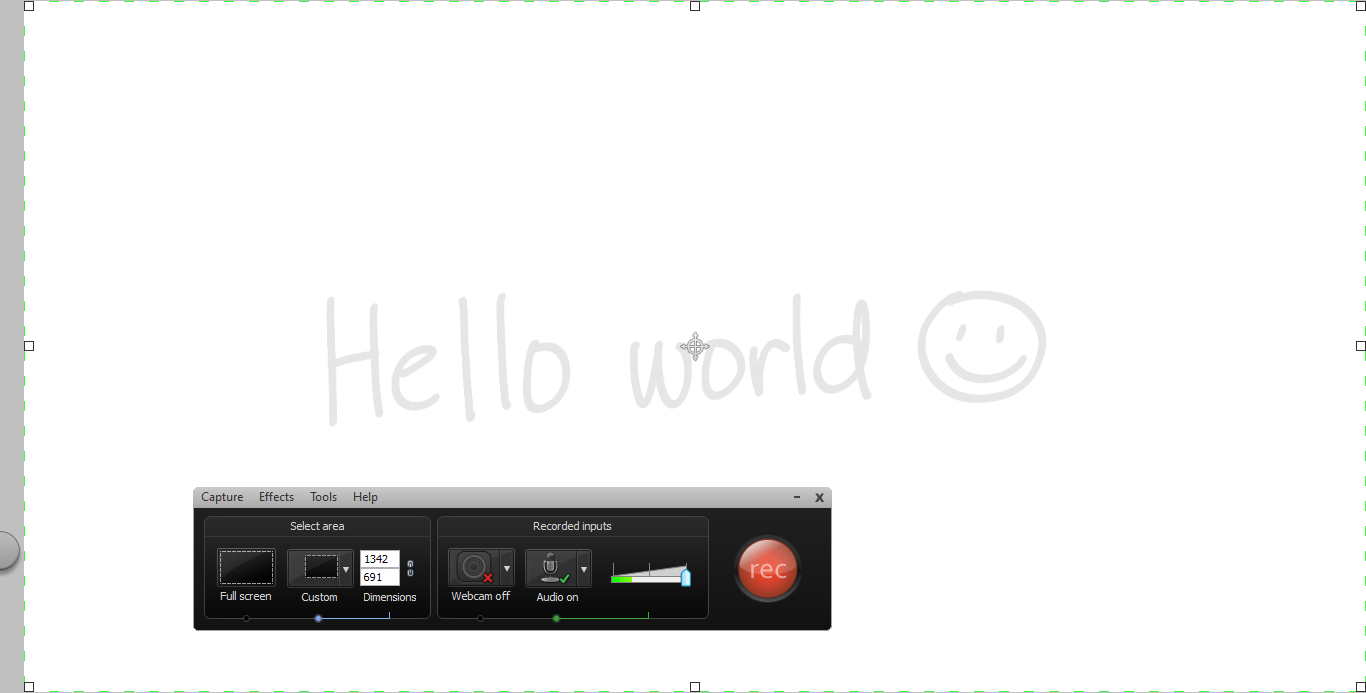
Sacha: Yes, absolutely. Especially if you're working on the computer, it's very easy to capture this while you're drawing and turn that into a quick animation, which I think we might actually be able to pull off because they're on YouTube. We can just say, “We can speed it up a little bit.” And then you have this fancy quick drawing animation.
This is the kind of thing that you can turn to all sorts of purposes. You can use this for example as a summary. It says, “These were the key points that we discussed. If you want to learn more, look at the video.” Or “go to this webpage,” or “read this document,” or “dig into this 97-page file.” It's an additional tool for your toolkit, as I said.
Meloney: It is. What is your most favorite part of sketchnotes? What do you absolutely adore about it and you couldn't live without feature-wise?
Sacha: I try to have very few things that I can't live without.
Autodesk Sketchbook Pro, the thing that I really like about this particular piece of software is that I can work with it really easily with just the pen, or the pen and the keyboard. For example, zooming in and out is very easy to control with just the pen. I can draw things and it's very fairly straightforward. I can flip my pen and it erases things. Design interface makes a difference.
Then in terms of sketchnoting as a whole. I really like the way that I can talk about something and I can say, “If you want to learn more, here is a link to the sketch note,” or to the set in Flickr, or a blog post where I have explained things. The sketch becomes something then that I can build on in future conversations, or blog posts, or sketches.
Meloney: When you're doing the things with your stylus, the pen, you're doing those with the pen and you're not doing keyboard shortcuts when you're zooming in and out?
Sacha: If I'm doing this with a pen, I can just click on that toolbar over there and zoom in and that's really just me dragging. It's kind of like the way you pinch-zoom on a tablet to zoom in. It's not quite that sophisticated because I just have one pen to work with, but it is really easy to work with anyway.
Meloney: Wow! I just have all these questions, and it probably represents a lot of questions that viewers have. What would be your pie in the sky for using sketch notes? What would be your dream sketchnote project that you would love to use this for?
Sacha: Well, I'm currently using it to understand and learn things better. Understand, learn share. Actually the way that I think of it is like… it's learn, share, and scale up.
I guess this is the master project that I keep working on. I use sketchnotes in the learning part so that I can understand things more clearly and so I can map things out. That way I don't get overwhelmed. I can say, “Okay, I'm going to learn about this thing first, then I'm going to learn about that thing later.” And I'll get to that thing eventually. I use it to share when I'm learning, too. That's another useful thing.
Then in terms of scaling up, this is about being able to help people learn or explore things even when I'm sleeping or even when I'm focused on something else. I think sketchnotes do a great job with that as well.
Meloney: I think it would be fun if you had a super project where you could travel to different parts of the country and helping maybe a visual blog of where you're visiting and the people you're talking to, and getting their live expressions to see if they are understanding what you're doing. That would be super.
Sacha: Fortunately, there are actually lots of sketchnoters, and graphic recorders, and other people like that. So I don't have to do any traveling myself. I actually don't like to travel that much. I like being home since: three cats, husband, etc, etc.
But there are a lot of other people who like drawing things. What I also like telling people is, “Don't wait until you find someone for a sketchnote, or a graphic recorder, and illustrator.” This is not something that only other people can do. This is something that you can do yourself, to understand things better, to try things out, to share what you want to say to other people. You don't have to do anything super fancy. You can get started with pen and paper if you want. You can get started with writing if you want to.
Just play around a little bit, keep playing around, take a look of what you're doing, and see what you like about it, and see what you want to improve, and gradually you'll get there.
Meloney: If you wanted to get more detail with your sketches, are there different weighted lines? Like right now your lines are about the same size. Could you have finer lines and thicker lines?
Sacha: Absolutely. We can do anything on a computer.
I tend to not flip around lines as much when I'm recording somebody else's presentation, and certainly when you're trying to talk and draw at the same time. It becomes a little harder to think. So, I use colour instead afterwards to emphasize things. But you can certainly do that. The other thing I like about Autodesk Sketchbook Pro is it makes it really easy to adjust your pen size.
For example, that's a really big pen. I might do that for colouring. I can drag this little circle at the top left corner to change my pen size to something smaller and so forth.
You have an infinite variety of pens and an infinite variety of colours, which is one of the things that I like using computers for. You can just, like, “I want to draw in red.” Or, “I want to draw in shocking pink or blue” and so forth, and you have all of that in a computer.
Meloney: That is just really something. What are you going to do with this fantastic project from today? If I looked at this and I didn't know what you were talking about, we'd just be all over the map.
Sacha: It will be all over the map. So maybe it's something people will watch in the process of listening to the video.
But actually when I'm looking at this, and because we've been in this conversation together, I can remember parts of it. I can remember the time that we talked about Ikea, and I can remember this tip that I keep telling people about leaving space, or the response to your question about planning. It becomes something that I can easily use to launch a thousand blog posts or whatever I want to do with it afterwards.
Meloney: You are so correct because when I saw you zoom out and I saw the big thing, I was looking at different parts that brings to mind. We did talk about the “Popcorn” method, and the column. I'm convinced.
Sacha: One of the things that I find useful, even in regular conversations… I might not have my computer handy, but I'll have a sheet of paper and do that there.
When you're doing this, it helps you listen better, and it allows you to go back then and ask questions about interesting topics, or follow up on topics that you want to explore further. You're listening to that, and you're drawing, and you're remembering, and then you can share based on what you remember.
Meloney: Is it a hard transition to when you're first starting out and you're trying to listen, to summarize, and then do the drawing part, that you have to stop yourself from daydreaming?
Sacha: Doodling actually helps you avoid daydreaming, or at least that's been my experience so far. If you're daydreaming, it happens. It probably means you've got other things on your mind or the thing is not as important. Research actually said that people doing even a mindless doodling-type task that was completely unrelated to what they were listening to still manage to remember things better than people who didn't do any doodling. It's kind of funny how that works. It does help even if it's not related.
And if it is related, if you're writing things that are directly related to the thing that you're listening to or what you're trying to learn, then the benefits are even bigger because you're learning, and you're drawing, and you can use those notes to jump back in when your train of thought derails.
Meloney: This would be a great thing to use if you were in college and you have study groups. Just as you are taking notes, you can have one note-taker, getting the input from everyone, and then you just share the notes altogether. There are just so many applications that I can see, so many uses.
Sacha: Yes. You might actually read other people's notes instead of just glossing over them.
Meloney: That's right and your Grade Point Average might even go up.
Sacha: Yes, for sure.
Meloney: Imagine you could actually remember your chemistry tables much better.
Sacha: Do you want to see me actually drawing things? Michael is curious about what I'm using in my hand to do the drawing. What I can do is, I can switch out of screen sharing, and then you can actually watch me draw through video.
Meloney: Yes please, absolutely.
Sacha: That's the device. Here you go.
Meloney: And you are on a 10-inch tablet?
Sacha: This is a 12-inch tablet. This one is Cintiq 12WX, and that's how I work. Sometimes I'll draw on the computer as well. So, this is the computer that I've got on the other side. It won't actually work here but that's the basic idea. You have a pen, you have a screen and stuff happens.
Meloney: That is really amazing. The hour has gone by really super fast and we have about four minutes left.
If people want to contact you, Sacha, and learn more about sketchnotes, or how you start it, or how they can get in touch with some clubs, or groups, communities, how would they do that?
Sacha:sachachua.com is my website. If you find that hard to spell, you can always go tolivinganawesomelife.com.
Meloney: That's a great website name, isn't it?
Sacha: It's longer but it's easier to remember.Livinganawesomelife.com is the same website really. If you're like, “Yes, I can spell Sacha” you can always go toSach.ac which is the same thing. I'm onTwitter so people can always ask me questions over there too. Questions for both in Google Helpouts, you can ask me stuff over there. That'sHelpouts.Google.com, or you can go tosach.ac/help and you'll get there, too.
Meloney: How many people do you feel that over your span of teaching or helping that you've helped? A hundred people?
Sacha: I don't know but I think the last time I checked, even after Google changed the way that the reviews are done… Each five star review comes from one person even if they have taken several of your Helpouts. I think I've got 40+ five star reviews in that note-taking Helpout. That's really cool. That's 40 people who are experimenting with other ways to take notes, and to doodle, and to draw, and have fun.
Meloney: That's just the tabulation from Google Helpouts. You're helping people way before them.
Sacha: Yes. The nice thing about the blog is it goes back to that learning, sharing, and scaling thing. I love the fact that people's questions help me learn even more. For example, in our interview, we covered a lot of things that maybe we want to turn into blog posts and other conversations. I certainly hope that you get to start drawing things again and then I can learn from you. That's part of my evil plan: get people to the point where they've caught up with whatever I've learned and then I can learn from whatever that they're learning next.
Meloney: I miss it. If I would just maintain keeping the notes, doing the notes with the doodles, I probably would have a better Grade Point Average myself.
Sacha: That's okay. It's a sort of thing that I wished I discovered when I was still in school too. It turns out that I'm not an auditory learner. I do not like listening to lectures. I end up falling asleep in lectures instead. Sketchnotes turned out to be a good survival mechanism for not falling asleep as much. I wish I had known that in university. My average might have been better.
You know what they say. The best time to plant a tree is twenty years ago. Second best time, today.
Meloney: That's right. I hope that all educators today will encourage their students while they're doodling in class. It's okay. That's how they're going to learn. So may all educators let their students doodle.
Sacha: For sure.
Meloney: I really want to thank you Sacha for being this special, special guest on this really cool Hangout. I was really looking forward to it for a long, long time.
Sacha: My pleasure.
Meloney: What we'll do is afterward, if there are questions in the comment section, we can answer those. The easiest way to do that, if you have a question specifically for Sacha, then just put +Sacha Chua and then that will notify her that you're asking your question or for myself specifically in there.
But we can carry on the conversation for a couple of days. You can also share the replay of this Hangout any time you want. It's posted on YouTube already, live, and it’s recorded.
Sacha, any closing words and then we will say, “Good night.”
Sacha: Just start doing it, I guess. It's not intimidating. You don't have to have a fine arts degree. You can start with just handwriting, and boxes, and arrows. You can cheat. Leave yourself space and play around. Ttry things out.
Meloney: I think you make it so user-friendly. I think you're going to have a lot more conversion to this idea.
Thank you very much, Sacha and we will see you on Helpouts. I'll see you on one of your other Hangout. You have a regular Hangout On Air, is that a Thursday show?
Sacha: It's moving around a fair bit. Basically just check my Google+ stream, add me to your circles, and you can see whatever comes up.
Meloney: Yes. I will catch you and I hope that others do too. Thank you so much, Sacha and let us all sketchnote from this point forward.
Sacha: For sure. All right then, see you around.
Meloney: All right, bye bye.
Podcast: Play in new window | Download
Subscribe: