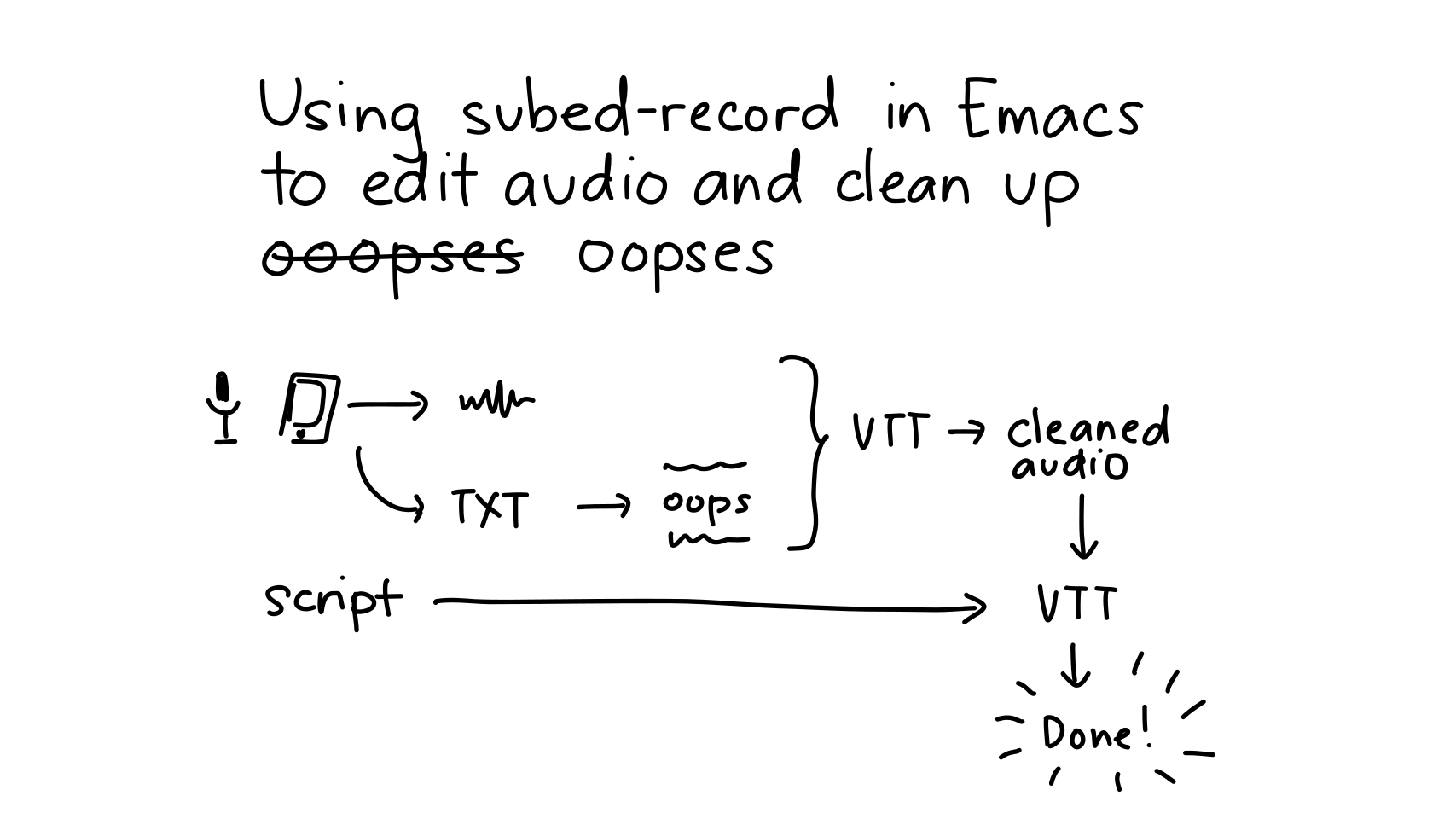
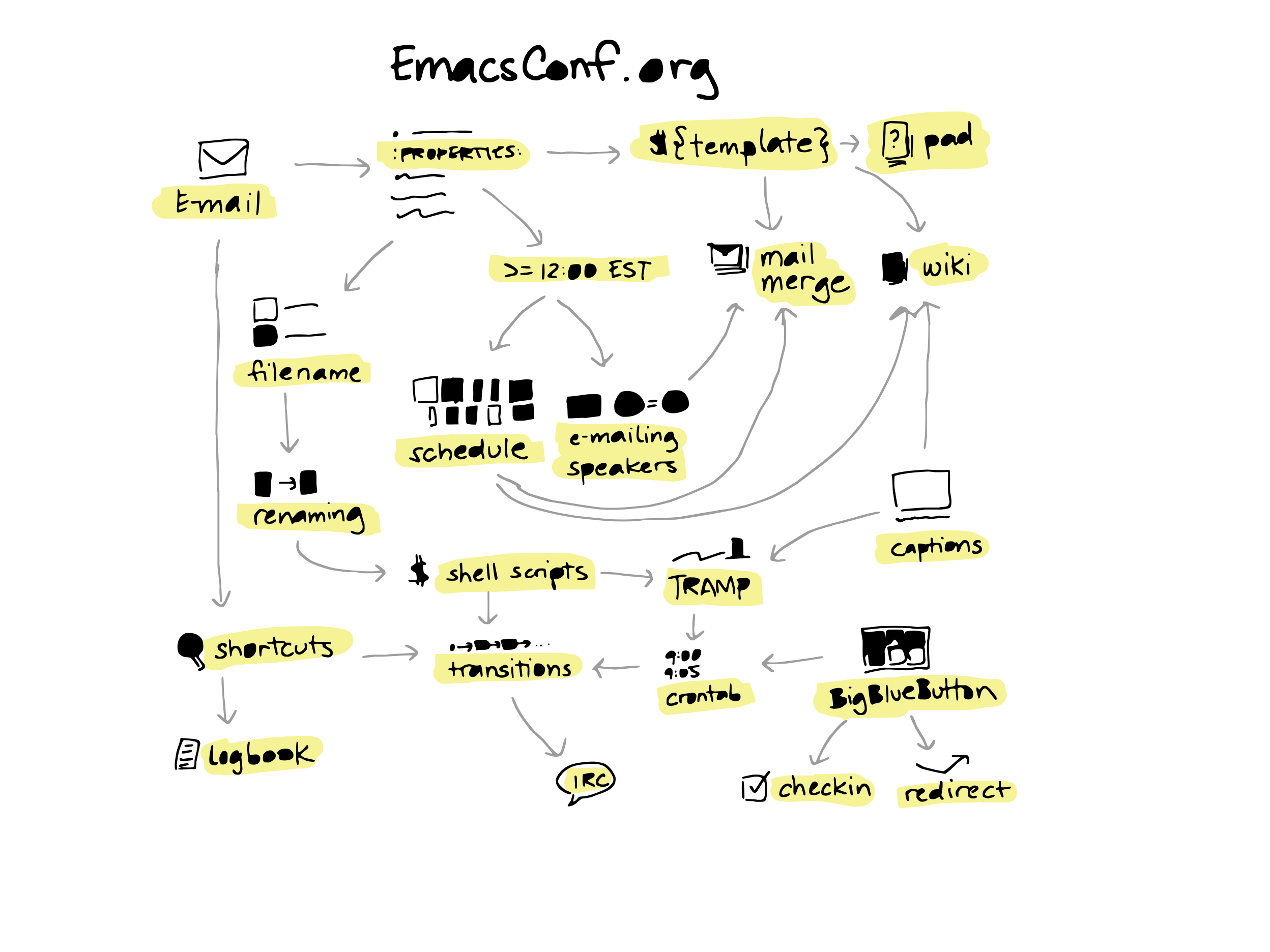
I like adding chapters to my videos so that people can jump to sections. I can figure out the sections by reading the transcript, adding NOTE comments, and extracting the times for those with my-youtube-copy-chapters. It could be nice to capture the times on the fly. org-timer could let me insert relative timestamps, but I think it might need some tweaking to synchronize that with when the stream starts according to YouTube. I've set up a capture, too, so I can take notes with timestamps.
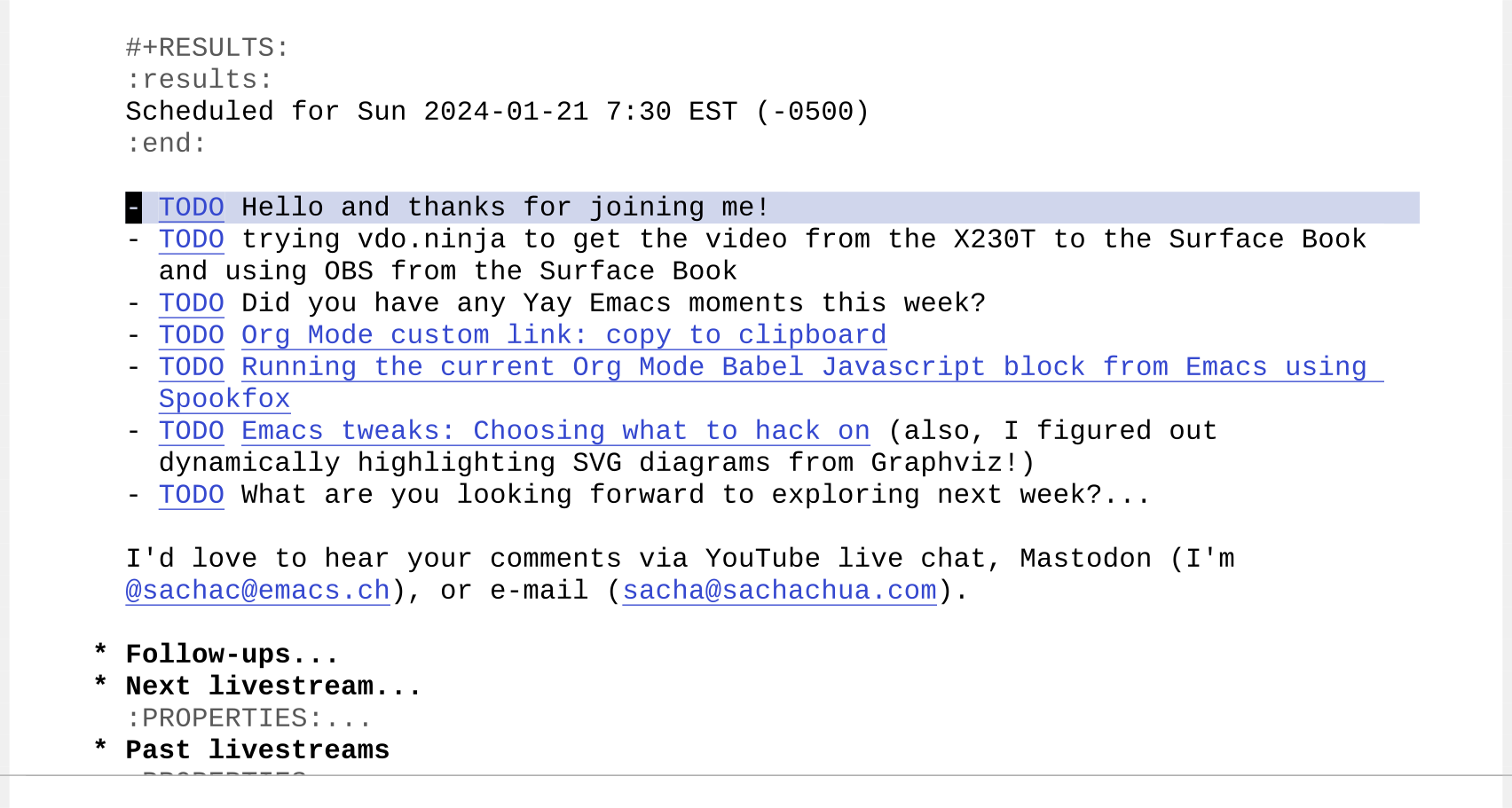
It turns out that I don't have a lot of mental bandwidth when I'm on stream, so it's hard to remember keyboard shortcuts. (Maybe if I practise using the hydra I set up…) Fortunately, Org Mode's elisp: link type makes it easy to set up executable shortcuts. For example, I can add links like [[elisp:my-stream-message-link][TODO]] to my livestream plans like this:
Figure 1: Shortcuts with elisp: links
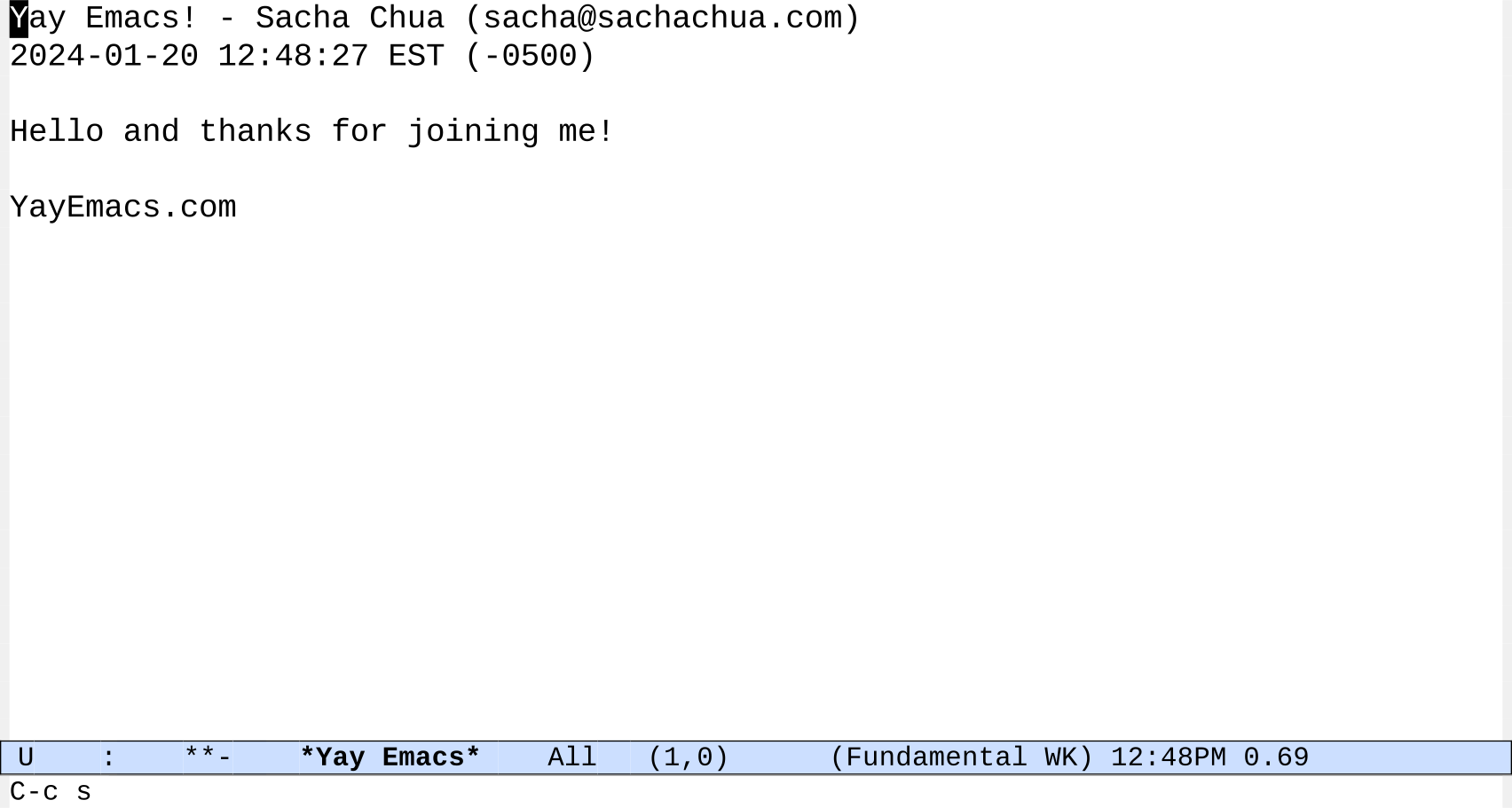
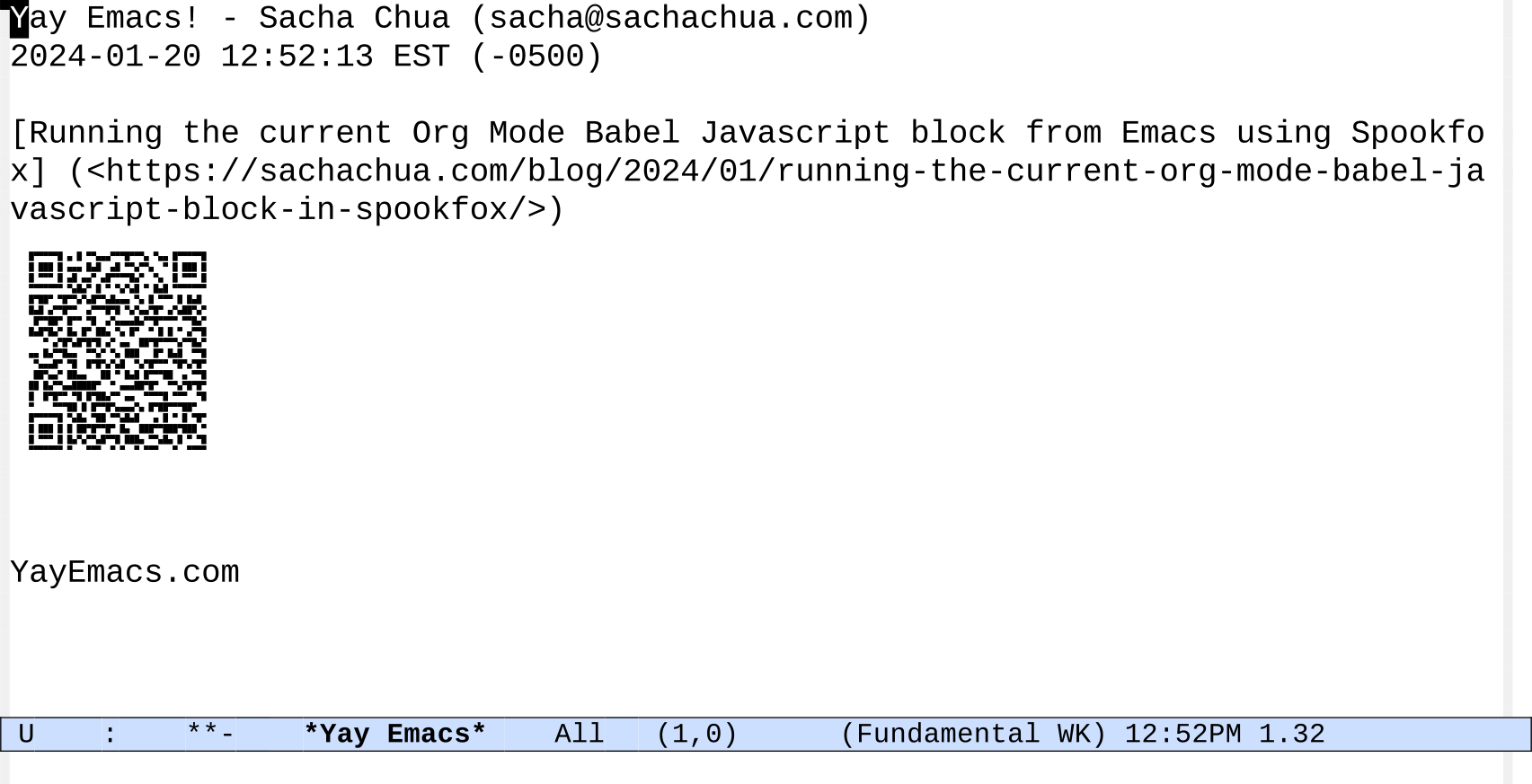
I can then click on the links or use C-c C-o (org-open-link-at-point) to run the function. When I follow the TODO link in the first item, Emacs displays a clock and a message based on the rest of the line after the link.
Figure 2: Displaying a clock and a message
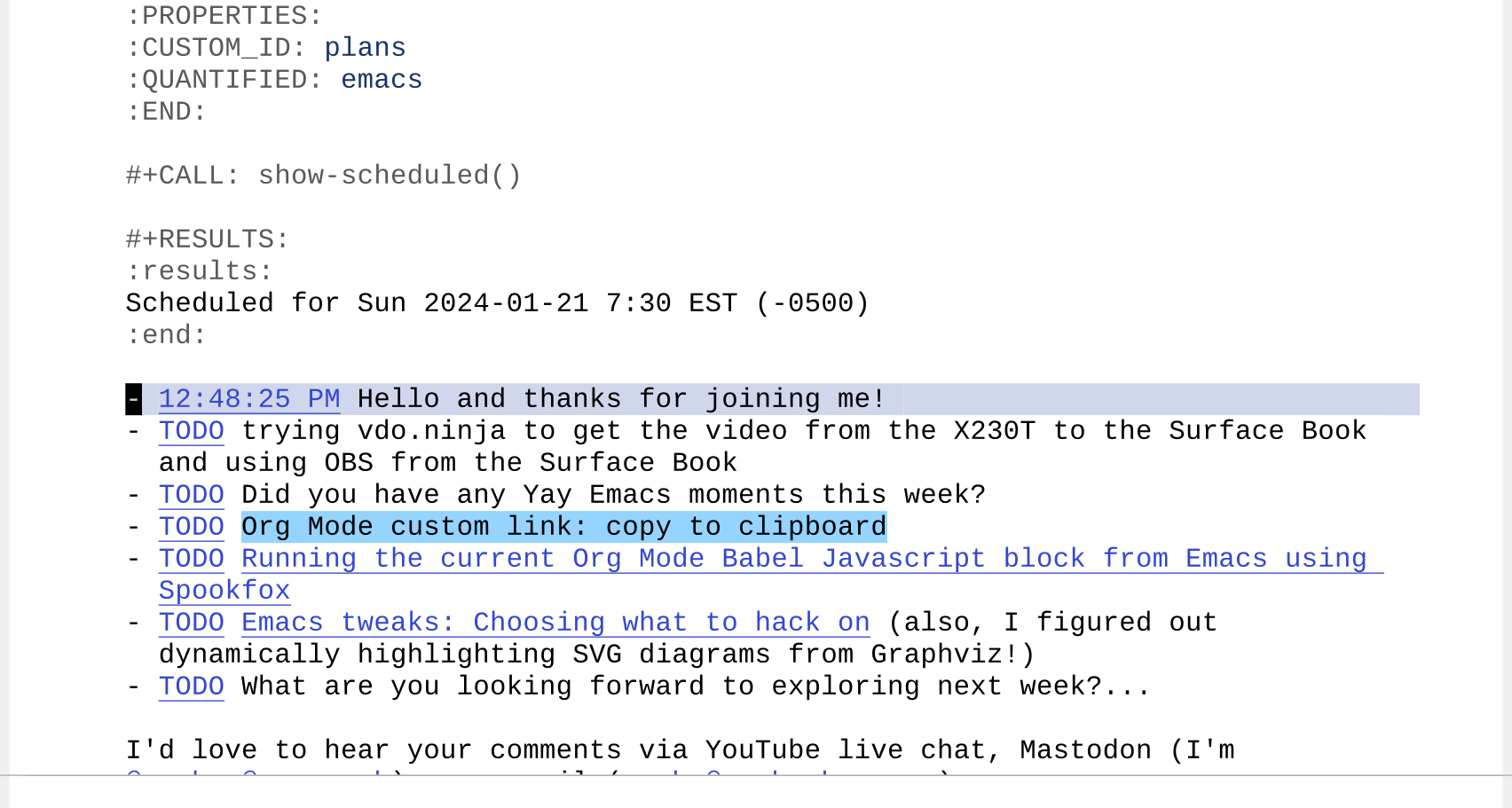
In the background, the code also sets the description of the link to the wall-clock time.
Figure 3: Link description updated with the time
If I start the livestream with a clock displayed on screen, I can use that to translate wall-clock times to relative time offsets. I'll probably figure out some Elisp to translate the times automatically at some point, maybe based on something like org-timer-change-times-in-region.
I often want to send Javascript from Emacs to the web browser. It's handy for testing code snippets or working with data on pages that require Javascript or authentication. I could start Google Chrome or Mozilla Firefox with their remote debugging protocols, copy the websocket URLs, and talk to the browser through something like Puppeteer, but it's so much easier to use the Spookfox extension for Mozilla to execute code in the active tab.
spookfox-js-injection-eval-in-active-tab lets you evaluate Javascript and get the results back in Emacs Lisp.
I wanted to be able to execute code even more
easily. This code lets me add a :spookfox t
parameter to Org Babel Javascript blocks so that I
can run the block in my Firefox active tab.
For example, if I have (spookfox-init) set up, Spookfox connected, and https://planet.emacslife.com in my active tab, I can use it with the following code:
I usually edit Javascript files with js2-mode, so I can use my-js-spookfox-minor-mode in addition to that.
I can turn the minor mode on automatically for :spookfox t source blocks. There's no org-babel-edit-prep:js yet, I think, so we need to define it instead of advising it.
Let's try it out by sending the last line repeatedly:
Sending the current line
I used to do this kind of interaction with Skewer, which also has some extra stuff for evaluating CSS and HTML. Skewer hasn't been updated in a while, but maybe I should also check that out again to see if I can get it working.
Anyway, now it's just a little bit easier to tinker with Javascript!
I have a tiny corporation for my consulting. I do
all of my own paperwork. I have lots of notes in
Org Mode for infrequent tasks like the tax-related
paperwork I do once a year. My notes include
checklists, links, and Org Babel blocks for
calculations. I often need to copy standard text
(ex: the name of the company) or parts of the
output of my Org Babel blocks (ex: tax collected)
so that I can fill in web forms on the Canada
Revenue Agency website.
This little snippet makes it easy to copy text for
pasting. It defines a custom Org link that starts
with copy:. When I follow the link by clicking
on it or using C-c C-o (org-open-at-point), it
copies the text to the kill ring (which is what
Emacs calls the clipboard) so that I can paste it
anywhere. For example, [[copy:Hello world]]
becomes a link to copy "Hello world". Copying
means never having to worry about typos or
accidentally selecting only part of the text.
I can use these links as part of my checklist so
that I can quickly fill in things like my business
name and other details. I can put sensitive
information like my social insurance number in a
GPG-encrypted file. (Just set up your GPG keys and
end a filename with .gpg, and Emacs will take
care of transparently encrypting and decrypting
the file.)
I can also export those links as part of my Org
Babel output. For example, the following code
calculates the numbers I need to fill in a T5 form
for the other-than-eligible dividends that I issue
myself according to the T5 instructions from the CRA.
tldr (2167 words): I can make animating presentation maps easier by
writing my own functions for the Emacs text editor. In this post, I
show how I can animate an SVG element by element. I can also add IDs
to the path and use CSS to build up an SVG with temporary highlighting
in a Reveal.js presentation.
Convert PDF to SVG with Inkscape (Cairo option) or pdftocairo)
PNG / Supernote PDF: Combined shapes. Process
Break apart, fracture overlaps
Recombine
Set IDs
Sort paths -> Animation style 1
Adobe Fresco: individual elements in order; landscape feels natural
Animation styles
Animation style 1: Display elements one after another
Animation style 2: Display elements one after another, and also show/hide highlights
Table: slide ID, IDs to add, temporary highlights -> Reveal.js: CSS with transitions
Ideas for next steps:
Explore graphviz & other diagramming tools
Frame-by-frame SVGs
on include
write to files
FFmpeg crossfade
Recording Reveal.js presentations
Use OCR results?
I often have a hard time organizing my thoughts into a linear
sequence. Sketches are nice because they let me jump around and still
show the connections between ideas. For presentations, I'd like to
walk people through these sketches by highlighting different areas.
For example, I might highlight the current topic or show the previous
topics that are connected to the current one. Of course, this is
something Emacs can help with. Before we dive into it, here are quick
previews of the kinds of animation I'm talking about:
Figure 1: Animation style 1: based on drawing order
Animation style 2: building up a map with temporary highlights
Getting the sketches: PDFs are not all the same
Let's start with getting the sketches. I usually export my sketches as
PNGs from my Supernote A5X. But if I know that I'm going to animate a
sketch, I can export it as a PDF. I've recently been experimenting
with Adobe Fresco on the iPad, which can also export to PDF. The PDF I
get from Fresco is easier to animate, but I prefer to draw on the
Supernote because it's an e-ink device (and because the kiddo usually
uses the iPad).
If I start with a PNG, I could use Inkscape to trace the PNG and turn
it into an SVG. I think Inkscape uses autotrace behind the scenes. I
don't usually put my highlights on a separate layer, so autotrace will
make odd shapes.
It's a lot easier if you start off with vector graphics in the first
place. I can export a vector PDF from the SuperNote A5X and either
import it into Inkscape using the Cairo option or use the command-line
pdftocairo tool.
I've been looking into using Adobe Fresco, which is a free app
available for the iPad. Fresco's PDF export can be converted to an SVG
using Inkscape or PDF to Cairo. What I like about the output of this
app is that it gives me individual elements as their own paths and
they're listed in order of drawing. This makes it really easy to
animate by just going through the paths in order.
Animation style 1: displaying paths in order
Here's a sample SVG file that pdfcairo creates from an Adobe Fresco
PDF export:
Adobe Fresco also includes built-in time-lapse, but since I often like
to move things around or tidy things up, it's easier to just work with
the final image, export it as a PDF, and convert it to an SVG.
I can make a very simple animation by setting the opacity of all the
paths to 0, then looping through the elements to set the opacity back
to 1 and write that version of the SVG to a separate file.
From how-can-i-generate-png-frames-that-step-through-the-highlights:
my-animate-svg-paths: Add one path at a time. Save the resulting SVGs to OUTPUT-DIR.
Figure 2: Animating SVG paths based on drawing order
Neither Supernote nor Adobe Fresco give me the original stroke
information. These are filled shapes, so I can't animate something
drawing it. But having different elements appear in sequence is fine
for my purposes. If you happen to know how to get stroke information
out of Supernote .note files or of an iPad app that exports nice
single-line SVGs that have stroke direction, I would love to hear
about it.
Identifying paths from Supernote sketches
When I export a PDF from Supernote and convert it to an SVG, each
color is a combined shape with all the elements. If I want to animate
parts of the image, I have to break it up and recombine selected
elements (Inkscape's Ctrl-k shortcut) so that the holes in shapes are
properly handled. This is a bit of a tedious process and it usually
ends up with elements in a pretty random order. Since I have to
reorder elements by hand, I don't really want to animate the sketch
letter-by-letter. Instead, I combine them into larger chunks like
topics or paragraphs.
The following code takes the PDF, converts it to an SVG, recolours
highlights, and then breaks up paths into elements:
my-sketch-convert-pdf-and-break-up-paths: Convert PDF to SVG and break up paths.
(defunmy-sketch-convert-pdf-and-break-up-paths (pdf-file &optional rotate)
"Convert PDF to SVG and break up paths."
(interactive (list (read-file-name
(format "PDF (%s): "
(my-latest-file "~/Dropbox/Supernote/EXPORT/""pdf"))
"~/Dropbox/Supernote/EXPORT/"
(my-latest-file "~/Dropbox/Supernote/EXPORT/""pdf")
t
nil
(lambda (s) (string-match "pdf" s)))))
(unless (file-exists-p (concat (file-name-sans-extension pdf-file) ".svg"))
(call-process "pdftocairo" nil nil nil "-svg" (expand-file-name pdf-file)
(expand-file-name (concat (file-name-sans-extension pdf-file) ".svg"))))
(let ((dom (xml-parse-file (expand-file-name (concat (file-name-sans-extension pdf-file) ".svg"))))
highlights)
(setq highlights (dom-node 'g'((id . "highlights"))))
(dom-append-child dom highlights)
(dolist (path (dom-by-tag dom 'path))
;; recolor and move
(unless (string-match (regexp-quote "rgb(0%,0%,0%)") (or (dom-attr path 'style) ""))
(dom-remove-node dom path)
(dom-append-child highlights path)
(dom-set-attribute
path 'style
(replace-regexp-in-string
(regexp-quote "rgb(78.822327%,78.822327%,78.822327%)")
"#f6f396"
(or (dom-attr path 'style) ""))))
(let ((parent (dom-parent dom path)))
;; break apart
(when (dom-attr path 'd)
(dolist (part (split-string (dom-attr path 'd) "M " t " +"))
(dom-append-child
parent
(dom-node 'path`((style . ,(dom-attr path 'style))
(d . ,(concat "M " part))))))
(dom-remove-node dom path))))
;; remove the use
(dolist (use (dom-by-tag dom 'use))
(dom-remove-node dom use))
(dolist (use (dom-by-tag dom 'image))
(dom-remove-node dom use))
;; move the first g down
(let ((g (car (dom-by-id dom "surface1"))))
(setf (cddar dom)
(seq-remove (lambda (o)
(and (listp o) (string= (dom-attr o 'id) "surface1")))
(dom-children dom)))
(dom-append-child dom g)
(when rotate
(let* ((old-width (dom-attr dom 'width))
(old-height (dom-attr dom 'height))
(view-box (mapcar 'string-to-number (split-string (dom-attr dom 'viewBox))))
(rotate (format "rotate(90) translate(0 %s)" (- (elt view-box 3)))))
(dom-set-attribute dom 'width old-height)
(dom-set-attribute dom 'height old-width)
(dom-set-attribute dom 'viewBox (format "0 0 %d %d" (elt view-box 3) (elt view-box 2)))
(dom-set-attribute highlights 'transform rotate)
(dom-set-attribute g 'transform rotate))))
(with-temp-file (expand-file-name (concat (file-name-sans-extension pdf-file) "-split.svg"))
(svg-print (car dom)))))
You can see how the spaces inside letters like "o" end up being black.
Selecting and combining those paths fixes that.
Combining paths in Inkscape
If there were shapes that were touching, then I need to draw lines and
fracture the shapes in order to break them apart.
Fracturing shapes and checking the highlights
The end result should be an SVG with the different chunks that I might
want to animate, but I need to identify the paths first. You can
assign object IDs in Inkscape, but this is a bit of an annoying
process since I haven't figured out a keyboard-friendly way to set
object IDs. I usually find it easier to just set up an Autokey
shortcut (or AutoHotkey in Windows) to click on the ID text box so
that I can type something in.
Autokey script for clicking
import time
x, y= mouse.get_location()
# Use the coordinates of the ID text field on your screen; xev can help
mouse.click_absolute(3152, 639, 1)
time.sleep(1)
keyboard.send_keys("<ctrl>+a")
mouse.move_cursor(x, y)
Then I can select each element, press the shortcut key, and type an ID
into the textbox. I might use "t-…" to indicate the text for a map
section, "h-…" to indicate a highlight, and arrows by specifying
their start and end.
Setting IDs in Inkscape
To simplify things, I wrote a function in Emacs that will go through
the different groups that I've made, show each path in a different
color and with a reasonable guess at a bounding box, and prompt me for
an ID. This way, I can quickly assign IDs to all of the paths. The
completion is mostly there to make sure I don't accidentally reuse an
ID, although it can try to combine paths if I specify the ID. It saves
the paths after each change so that I can start and stop as needed.
Identifying paths in Emacs is usually much nicer than identifying them
in Inkscape.
Identifying paths inside Emacs
my-svg-identify-paths: Prompt for IDs for each path in FILENAME.
(defunmy-svg-identify-paths (filename)
"Prompt for IDs for each path in FILENAME."
(interactive (list (read-file-name "SVG: " nil nil
(lambda (f) (string-match "\\.svg$" f)))))
(let* ((dom (car (xml-parse-file filename)))
(paths (dom-by-tag dom 'path))
(vertico-count 3)
(ids (seq-keep (lambda (path)
(unless (string-match "path[0-9]+" (or (dom-attr path 'id) "path0"))
(dom-attr path 'id)))
paths))
(edges (window-inside-pixel-edges (get-buffer-window)))
id)
(my-svg-display "*image*" dom nil t)
(dolist (path paths)
(when (string-match "path[0-9]+" (or (dom-attr path 'id) "path0"))
;; display the image with an outline
(unwind-protect
(progn
(my-svg-display "*image*" dom (dom-attr path 'id) t)
(setq id (completing-read
(format "ID (%s): " (dom-attr path 'id))
ids))
;; already exists, merge with existing element
(if-let ((old (dom-by-id dom id)))
(progn
(dom-set-attribute
old
'd
(concat (dom-attr (dom-by-id dom id) 'd)
" ";; change relative to absolute
(replace-regexp-in-string "^m""M"
(dom-attr path 'd))))
(dom-remove-node dom path)
(setq id nil))
(dom-set-attribute path 'id id)
(add-to-list 'ids id))))
;; save the image just in case we get interrupted halfway through
(with-temp-file filename
(svg-print dom))))))
Then I can animate SVGs by specifying the IDs. I can reorder the paths
in the SVG itself so that I can animate it group by group, like the
way that the Adobe Fresco SVGs were animated element by element.
The way it works is that the my-svg-reorder-paths function removes
and readds elements following the list of IDs specified, so
everything's ready to go for step-by-step animation. Here's the code:
Animation style 2: Building up a map with temporary highlights
I can also use CSS rules to transition between opacity values for more
complex animations. For my EmacsConf 2023 presentation, I wanted to
make a self-paced, narrated presentation so that people could follow
hyperlinks, read the source code, and explore. I wanted to include a
map so that I could try to make sense of everything. For this map, I
wanted to highlight the previous sections that were connected to the
topic for the current section.
I used a custom Org link to include the full contents of the SVG
instead of just including it with an img tag.
#+ATTR_HTML: :class r-stretchmy-include:~/proj/emacsconf-2023-emacsconf/map.svg?wrap=export html
my-include-export: Export PATH to FORMAT using the specified wrap parameter.
I wanted to be able to specify the entire sequence using a table in
the Org Mode source for my presentation. Each row had the slide ID, a
list of highlights in the form prev1,prev2;current, and a
comma-separated list of elements to add to the full-opacity view.
Reveal.js adds a "current" class to the slide, so I can use that as a
trigger for the transition. I have a bit of Emacs Lisp code that
generates some very messy CSS, in which I specify the ID of the slide,
followed by all of the elements that need their opacity set to 1, and
also specifying the highlights that will be shown in an animated way.
my-reveal-svg-progression-css: Make the CSS.
(defunmy-reveal-svg-progression-css (map-progression &optional highlight-duration)
"Make the CSS.map-progression should be a list of lists with the following format:((\"slide-id\" \"prev1,prev2;cur1\" \"id-to-add1,id-to-add2\") ...)."
(setq highlight-duration (or highlight-duration 2))
(let (full)
(format
"<style>%s</style>"
(mapconcat
(lambda (slide)
(setq full (append (split-string (elt slide 2) ",") full))
(format "#slide-%s.present path { opacity: 0.2 }%s { opacity: 1 !important }%s"
(car slide)
(mapconcat (lambda (id) (format "#slide-%s.present #%s" (car slide) id))
full
", ")
(my-reveal-svg-highlight-different-colors slide)))
map-progression
"\n"))))
Since it's automatically generated, I don't have to worry about it
once I've gotten it to work. It's all hidden in a
results drawer. So this CSS highlights specific parts of the SVG with
a transition, and the highlight changes over the course of a second or
two. It highlights the previous names and then the current one. The
topics I'd already discussed would be in black, and the topics that I
had yet to discuss would be in very light gray. This could give people
a sense of the progress through the presentation.
As a result, as I go through my presentation, the image appears to
build up incrementally, which is the effect that I was going for.
I can test this by exporting only my map slides:
Graphviz, mermaid-js, and other diagramming tools can make SVGs. I
should be able to adapt my code to animate those diagrams by adding
other elements in addition to path. Then I'll be able to make
diagrams even more easily.
Since SVGs can contain CSS, I could make an SVG equivalent of the
CSS rules I used for the presentation, maybe calling a function with
a Lisp expression that specifies the operations (ex:
("frame-001.svg" "h-foo" opacity 1)). Then I could write frames to
SVGs.
FFmpeg has a crossfade filter. With a little bit of figuring out, I
should be able to make the same kind of animation in a webm form
that I can include in my regular videos instead of using Reveal.js
and CSS transitions.
I've also been thinking about automating the recording of my
Reveal.js presentations. For my EmacsConf talk, I opened my
presentation, started the recording with the system audio and the
screen, and then let it autoplay the presentation. I checked on it
periodically to avoid the screensaver/energy saving things from
kicking in and so that I could stop the recording when it's
finished. If I want to make this take less work, one option is to
use ffmpeg's "-t" argument to specify the expected duration of the
presentation so that I don't have to manually stop it. I'm also
thinking about using Puppeteer to open the presentation, check when
it's fully loaded, and start the process to record it - maybe even
polling to see whether it's finished. I haven't gotten around to it
yet. Anyhow, those are some ideas to explore next time.
As for animation, I'm still curious about the possibility of
finding a way to access the raw stroke information if it's even
available from my Supernote A5X (difficult because it's a
proprietary data format) or finding an app for the iPad that exports
single line SVGs that use stroke information instead of fill. That
would only be if I wanted to do those even fancier animations that
look like the whole thing is being drawn for you. I was trying to
figure out if I could green screen the Adobe Fresco timelapse videos
so that even if I have a pre-sketch to figure out spacing and remind
me what to draw, I can just export the finished elements. But
there's too much anti-aliasing and I haven't figured out how to do
it cleanly yet. Maybe some other day.
I use Google Cloud Vision's text detection engine to convert my
handwriting to text. It can give me bounding polygons for words or
paragraphs. I might be able to figure out which curves are entirely
within a word's bounding polygon and combine those automatically.
It would be pretty cool if I could combine the words recognized by
Google Cloud Vision with the word-level timestamps from speech
recognition so that I could get word-synced sketchnote animations
with maybe a little manual intervention.
Anyway, those are some workflows for animating sketches with Inkscape
and Emacs. Yay Emacs!
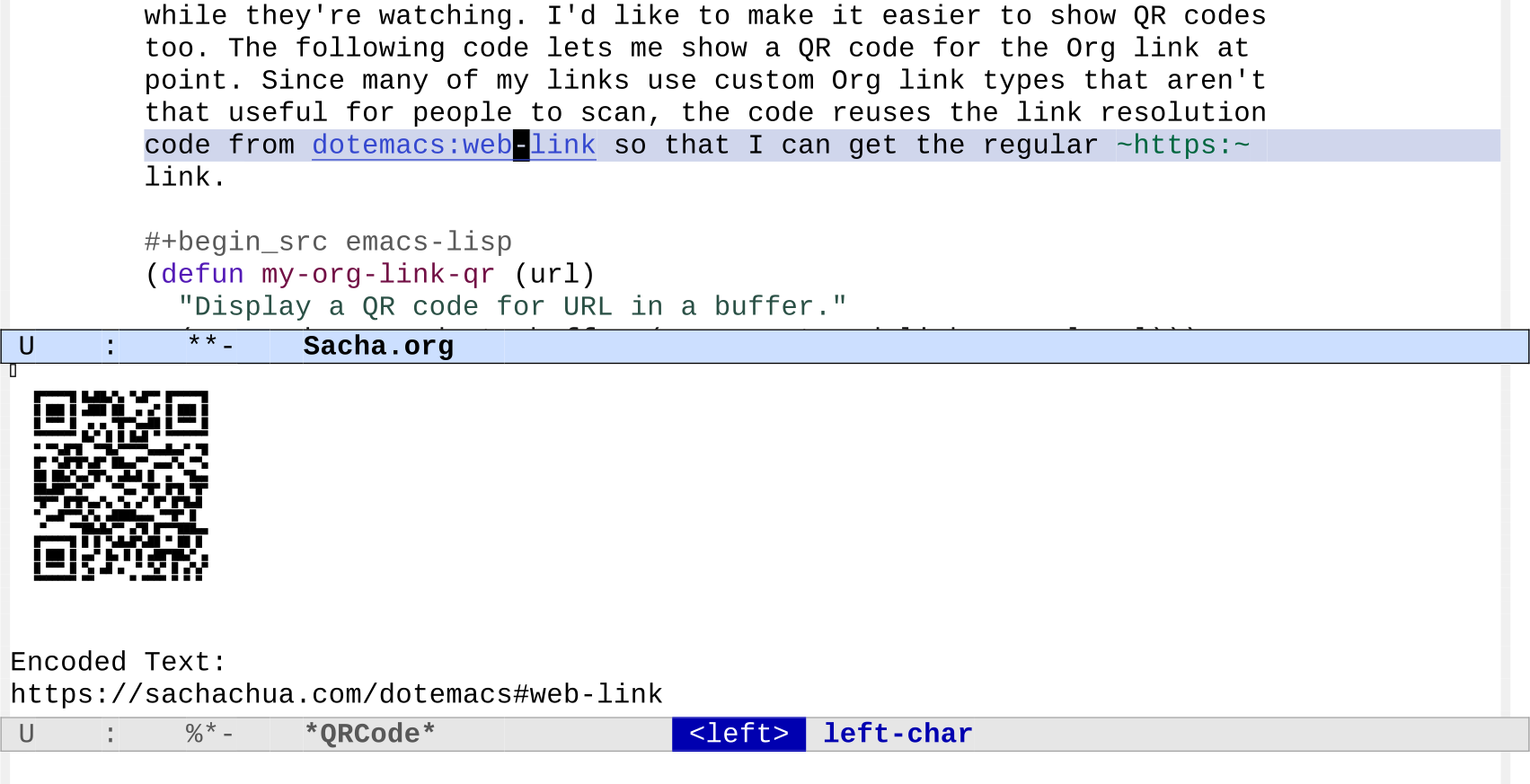
[2024-01-12 Fri]: Added some code to display the QR code on the right side.
John Kitchin includes little QR codes in his videos. I
thought that was a neat touch that makes it easier for
people to jump to a link while they're watching. I'd like to
make it easier to show QR codes too. The following code lets
me show a QR code for the Org link at point. Since many of
my links use custom Org link types that aren't that useful
for people to scan, the code reuses the link resolution code
from https://sachachua.com/dotemacs#web-link so that I can get the regular
https: link.
(defunmy-org-link-qr (url)
"Display a QR code for URL in a buffer."
(let ((buf (save-window-excursion (qrencode--encode-to-buffer (my-org-stored-link-as-url url)))))
(display-buffer-in-side-window buf '((side . right)))))
(use-packageqrencode:config
(with-eval-after-load'embark
(define-key embark-org-link-map (kbd "q") #'my-org-link-qr)))
Figure 1: Screenshot of QR code for the link at point
[2024-01-12 Fri] Added embark action to copy the exported link URL.
[2024-01-11 Thu] Switched to using Github links since Codeberg's down.
[2024-01-11 Thu] Updated my-copy-link to just return the link if called from Emacs Lisp. Fix getting the properties.
[2024-01-08 Mon] Add tip from Omar about embark-around-action-hooks
[2024-01-08 Mon] Simplify code by using consult--grep-position
Summary (882 words): Emacs macros make it easy to define sets of related functions for custom Org links. This makes it easier to link to projects and export or copy the links to the files in the web-based repos. You can also use that information to consult-ripgrep across lots of projects.
I'd like to get better at writing notes while coding and at turning
those notes into blog posts and videos. I want to be able to link to
files in projects easily with the ability to complete, follow, and
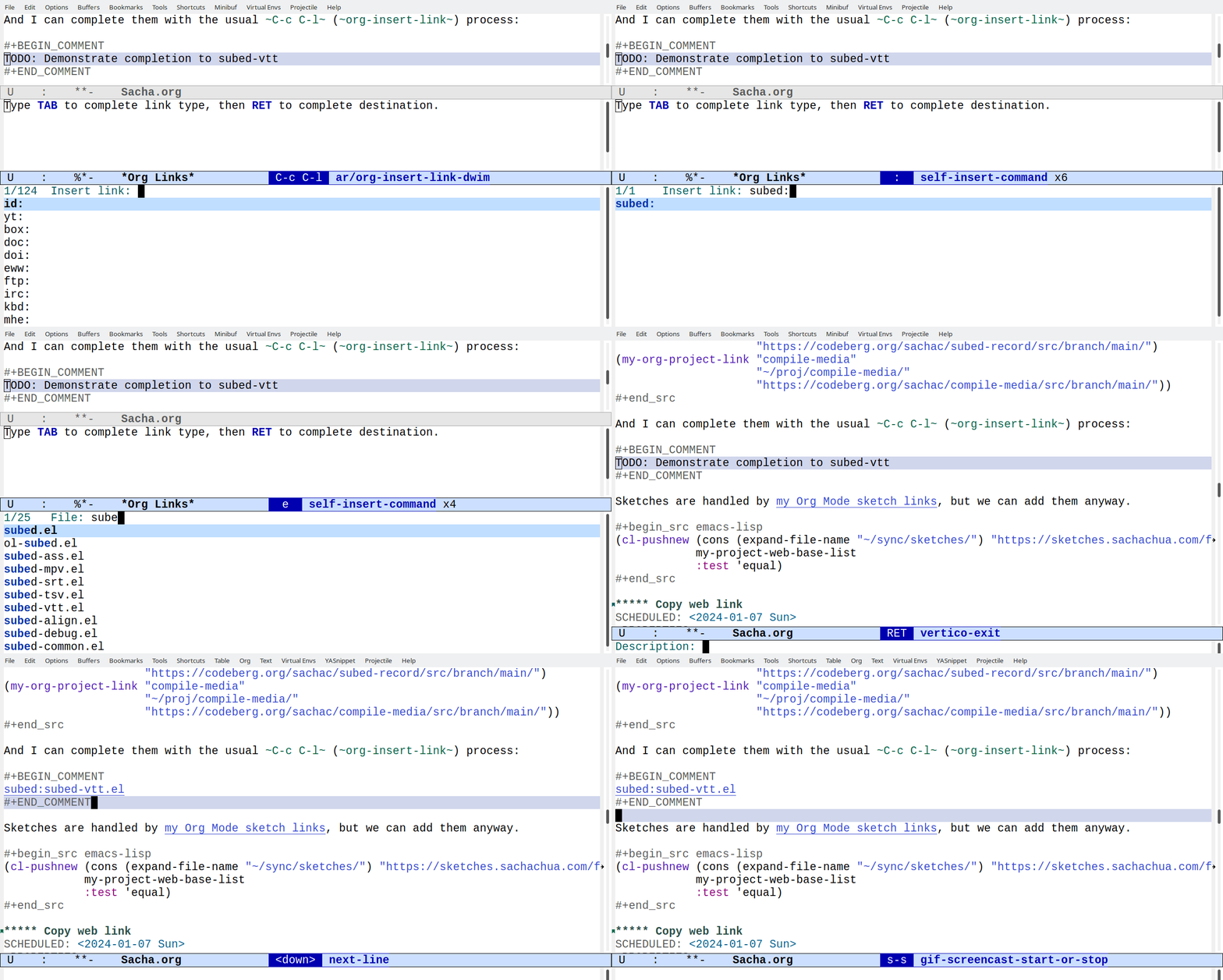
export links. For example, [[subed:subed.el]] should become
subed.el, which opens the file if I'm in Emacs and exports a
link if I'm publishing a post. I've been making custom link types
using org-link-set-parameters. I think it's time to make a macro
that defines that set of functions for me. Emacs Lisp macros are a
great way to write code to write code.
I've been really liking being able to refer to various emacsconf-el
files by just selecting the link type and completing the filename, so
maybe it'll be easier to write about lots of other stuff if I extend
that to my other projects.
Copy web link
[2024-01-19 Fri]: Add Wayback machine.
Keeping a list of projects and their web versions also makes it easier
for me to get the URL for something. I try to post as much as possible
on the Web so that it's easier for me to find things again and so that
other people can pick up ideas from my notes. Things are a bit
scattered: my blog, repositories on Github and Codeberg, my
sketches… I don't want to think about where the code has ended
up, I just want to grab the URL. If I'm going to put the link into an
Org Mode document, that's super easy. I just take advantage of the
things I've added to org-store-link. If I'm going to put it into an
e-mail or a toot or wherever else, I just want the bare URL.
I can think of two ways to approach this. One is a command that copies
just the URL by figuring it out from the buffer filename, which allows
me to special-case a bunch of things:
(defunmy-copy-link (&optional filename skip-links)
"Return the URL of this file.If FILENAME is non-nil, use that instead.If SKIP-LINKS is non-nil, skip custom links.If we're in a Dired buffer, use the file at point."
(interactive)
(setq filename (or filename
(if (derived-mode-p 'dired-mode) (dired-get-filename))
(buffer-file-name)))
(if-let*
((project-re (concat "\\(" (regexp-opt (mapcar 'car my-project-web-base-list)) "\\)""\\(.*\\)"))
(url (cond
((and (derived-mode-p 'org-mode)
(eq (org-element-type (org-element-context)) 'link)
(not skip-links))
(pcase (org-element-property :type (org-element-context))
((or"https""http")
(org-element-property :raw-link (org-element-context)))
("yt"
(org-element-property :path (org-element-context)))
;; if it's a custom link, visit it and get the link
(_
(save-window-excursion
(org-open-at-point)
(my-copy-link nil t)))))
;; links to my config usually have a CUSTOM_ID property
((string= (buffer-file-name) (expand-file-name "~/sync/emacs/Sacha.org"))
(concat "https://sachachua.com/dotemacs#" (org-entry-get-with-inheritance "CUSTOM_ID")))
;; blog post drafts have permalinks
((and (derived-mode-p 'org-mode) (org-entry-get-with-inheritance "EXPORT_ELEVENTY_PERMALINK"))
(concat "https://sachachua.com" (org-entry-get-with-inheritance "EXPORT_ELEVENTY_PERMALINK")))
;; some projects have web repos
((string-match
project-re filename)
(concat (assoc-default (match-string 1 filename) my-project-web-base-list)
(url-hexify-string (match-string 2 filename)))))))
(progn
(when (called-interactively-p 'any)
(kill-new url)
(message "%s" url))
url)
(error"Couldn't figure out URL.")))
Another approach is to hitch a ride on the Org Mode link storage and
export functions and just grab the URL from whatever link I've stored
with org-store-link, which I've bound to C-c l. I almost always
have an HTML version of the exported link. We can even use XML parsing
instead of regular expressions.
(defunmy-org-link-as-url (link)
"Return the final URL for LINK."
(dom-attr
(dom-by-tag
(with-temp-buffer
(insert (org-export-string-as link 'html t))
(xml-parse-region (point-min) (point-max)))
'a)
'href))
(defunmy-org-stored-link-as-url (&optional link insert)
"Copy the stored link as a plain URL.If LINK is specified, use that instead."
(interactive (list nil current-prefix-arg))
(setq link (or link (caar org-stored-links)))
(let ((url (if link
(my-org-link-as-url link)
(error"No stored link"))))
(when (called-interactively-p 'any)
(if url
(if insert (insert url) (kill-new url))
(error"Could not find URL.")))
url))
(ert-deftestmy-org-stored-link-as-url ()
(should
(string= (my-org-stored-link-as-url "[[dotemacs:web-link]]")
"https://sachachua.com/dotemacs#web-link"))
(should
(string= (my-org-stored-link-as-url "[[dotemacs:org-mode-sketch-links][my Org Mode sketch links]]")
"https://sachachua.com/dotemacs#org-mode-sketch-links")))
(defunmy-embark-org-copy-exported-url-as-wayback (link)
(interactive"MLink: ")
(my-embark-org-copy-exported-url link t))
(defunmy-embark-org-copy-exported-url (link &optional wayback)
(interactive"MLink: \np")
(let ((url (my-org-link-as-url link)))
(when (and (derived-mode-p 'org-mode)
(org-entry-get-with-inheritance "EXPORT_ELEVENTY_PERMALINK")
(string-match "^/" url))
;; local file links are copied to blog directories
(setq url (concat "https://sachachua.com"
(org-entry-get-with-inheritance "EXPORT_ELEVENTY_PERMALINK")
(replace-regexp-in-string
"[\\?&].*"""
(file-name-nondirectory link)))))
(when (and wayback (not (string-match (regexp-quote "^https://web.archive.org") url)))
(setq url (concat "https://web.archive.org/web/" (format-time-string "%Y%m%d%H%M%S/")
url)))
(kill-new url)
(message "Copied %s" url)))
(with-eval-after-load'embark-org
(define-key embark-org-link-map
"u"#'my-embark-org-copy-exported-url)
(define-key embark-org-link-map
"U"#'my-embark-org-copy-exported-url-as-wayback)
(define-key embark-org-link-copy-map
"u"#'my-embark-org-copy-exported-url)
(define-key embark-org-link-copy-map
"U"#'my-embark-org-copy-exported-url-as-wayback))
We'll see which one I end up using. I think both approaches might come in handy.
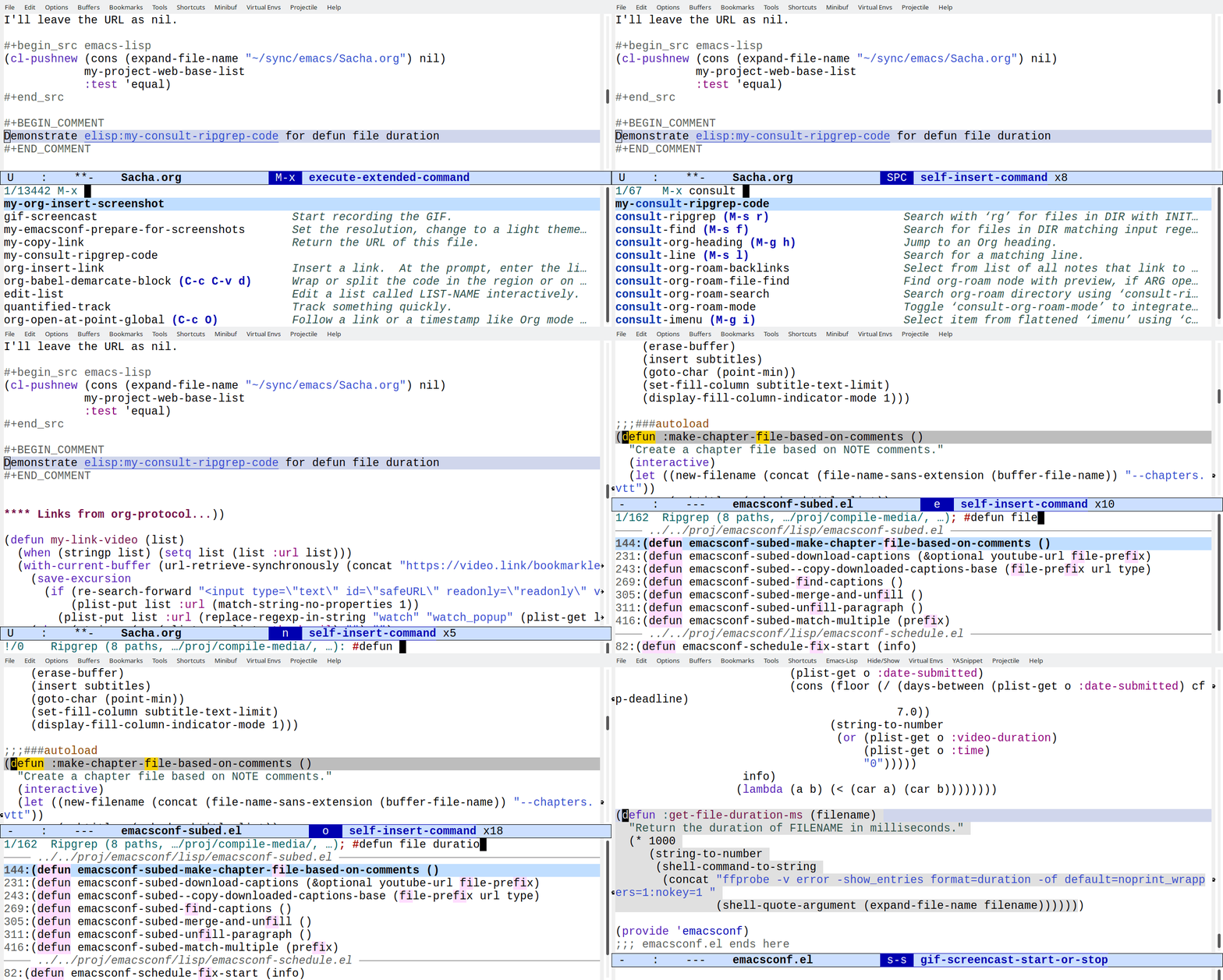
Quickly search my code
Since my-project-web-base-list is a list of projects I often think
about or write about, I can also make something that searches through
them. That way, I don't have to care about where my code is.
I can add .rgignore files in directories to tell ripgrep to ignore
things like node_modules or *.json.
I also want to search my Emacs configuration at the same time,
although links to my config are handled by my dotemacs link type so
I'll leave the URL as nil. This is also the way I can handle other
unpublished directories.
Actually, let's throw my blog posts and Org files in there as well,
since I often have code snippets. If it gets to be too much, I can
always have different commands search different things.
At some point, it might be fun to get Embark set up so that I can grab
a link to something right from the consult-ripgrep interface. In the
meantime, I can always jump to it and get the link.
Tip from Omar: embark-around-action-hooks
[2024-01-07 Sun] I modified oantolin's suggestion from the comments to work with consult-ripgrep, since consult-ripgrep gives me consult-grep targets instead of consult-location:
(cl-defunembark-consult--at-location (&rest args &key target type run &allow-other-keys)
"RUN action at the target location."
(save-window-excursion
(save-excursion
(save-restriction
(pcase type
('consult-location (consult--jump (consult--get-location target)))
('org-heading (org-goto-marker-or-bmk (get-text-property 0 'org-marker target)))
('consult-grep (consult--jump (consult--grep-position target)))
('file (find-file target)))
(apply run args)))))
(cl-pushnew#'embark-consult--at-location (alist-get 'org-store-link embark-around-action-hooks))
I think I can use it with M-s c to search for the code, then C-.
C-c l on the matching line, where C-c l is my regular keybinding
for storing links. Thanks, Omar!
In general, I don't want to have to think about where something is on
my laptop or where it's published on the Web, I just want to
I want to get better at looking in my Org files for something that I
don't exactly remember. I might remember a few words from it but not
in order, or I might remember some words from the body, or I might
need to fiddle with the keywords until I find it.
I usually use C-u C-c C-w (org-refile with a prefix argument),
counting on consult + orderless to let me just put in keywords in any
order. This doesn't let me search the body, though.
org-ql seems like a great fit for this. It's fast and flexible, and
might be useful for all sorts of queries.
I think by default org-ql matches against all of the text in the
entry. You can scope the match to just the heading with a query like
heading:your,text. I wanted to see all matches, prioritize heading
matches so that they come first. I thought about saving the query by
adding advice before org-ql-search and then adding a new comparator
function, but that got a bit complicated, so I haven't figured that
out yet. It was easier to figure out how to rewrite the query to use
heading instead of rifle, do the more constrained query, and then
append the other matches that weren't in the heading matches.
Also, I wanted something a little like helm-org-rifle's live
previews. I've used helm before, but I was curious about getting it to
work with consult.
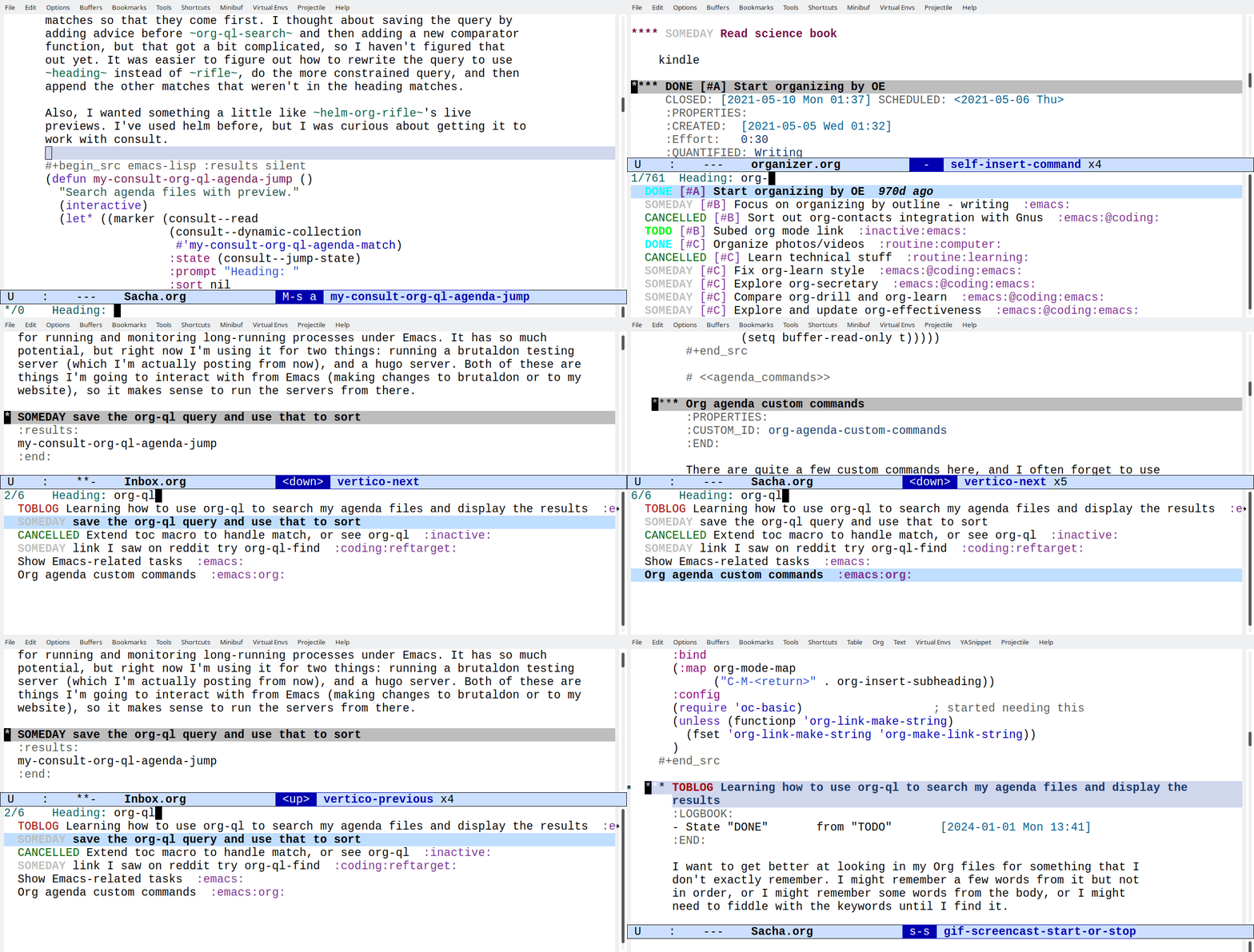
Here's a quick demo of my-consult-org-ql-agenda-jump, which I've
bound to M-s a. The top few tasks have org-ql in the heading, and
they're followed by the rest of the matches. I think this might be handy.
Figure 1: Screencast of using my-consult-org-ql-agenda-jump
(defunmy-consult-org-ql-agenda-jump ()
"Search agenda files with preview."
(interactive)
(let* ((marker (consult--read
(consult--dynamic-collection
#'my-consult-org-ql-agenda-match)
:state (consult--jump-state)
:category'consult-org-heading:prompt"Heading: ":sort nil
:lookup#'consult--lookup-candidate))
(buffer (marker-buffer marker))
(pos (marker-position marker)))
;; based on org-agenda-switch-to
(unless buffer (user-error"Trying to switch to non-existent buffer"))
(pop-to-buffer-same-window buffer)
(goto-char pos)
(when (derived-mode-p 'org-mode)
(org-fold-show-context 'agenda)
(run-hooks 'org-agenda-after-show-hook))))
(defunmy-consult-org-ql-agenda-format (o)
(propertize
(org-ql-view--format-element o)
'consult--candidate (org-element-property :org-hd-marker o)))
(defunmy-consult-org-ql-agenda-match (string)
"Return candidates that match STRING.Sort heading matches first, followed by other matches.Within those groups, sort by date and priority."
(let* ((query (org-ql--query-string-to-sexp string))
(sort '(date reverse priority))
(heading-query (-tree-map (lambda (x) (if (eq x 'rifle) 'heading x)) query))
(matched-heading
(mapcar #'my-consult-org-ql-agenda-format
(org-ql-select 'org-agenda-files heading-query
:action'element-with-markers:sort sort)))
(all-matches
(mapcar #'my-consult-org-ql-agenda-format
(org-ql-select 'org-agenda-files query
:action'element-with-markers:sort sort))))
(append
matched-heading
(seq-difference all-matches matched-heading))))
(use-packageorg-ql:bind ("M-s a" . my-consult-org-ql-agenda-jump))
Along the way, I learned how to use consult to complete using
consult--dynamic-collection and add consult--candidate so that I
can reuse consult--lookup-candidate and consult--jump-state. Neat!
Someday I'd like to figure out how to add a sorting function and sort
by headers without having to reimplement the other sorts. In the
meantime, this might be enough to help me get started.