
Sketchnotes from #torontob2b (antispam, mobile websites, marketing programs)
Posted: - Modified: | sketchnotes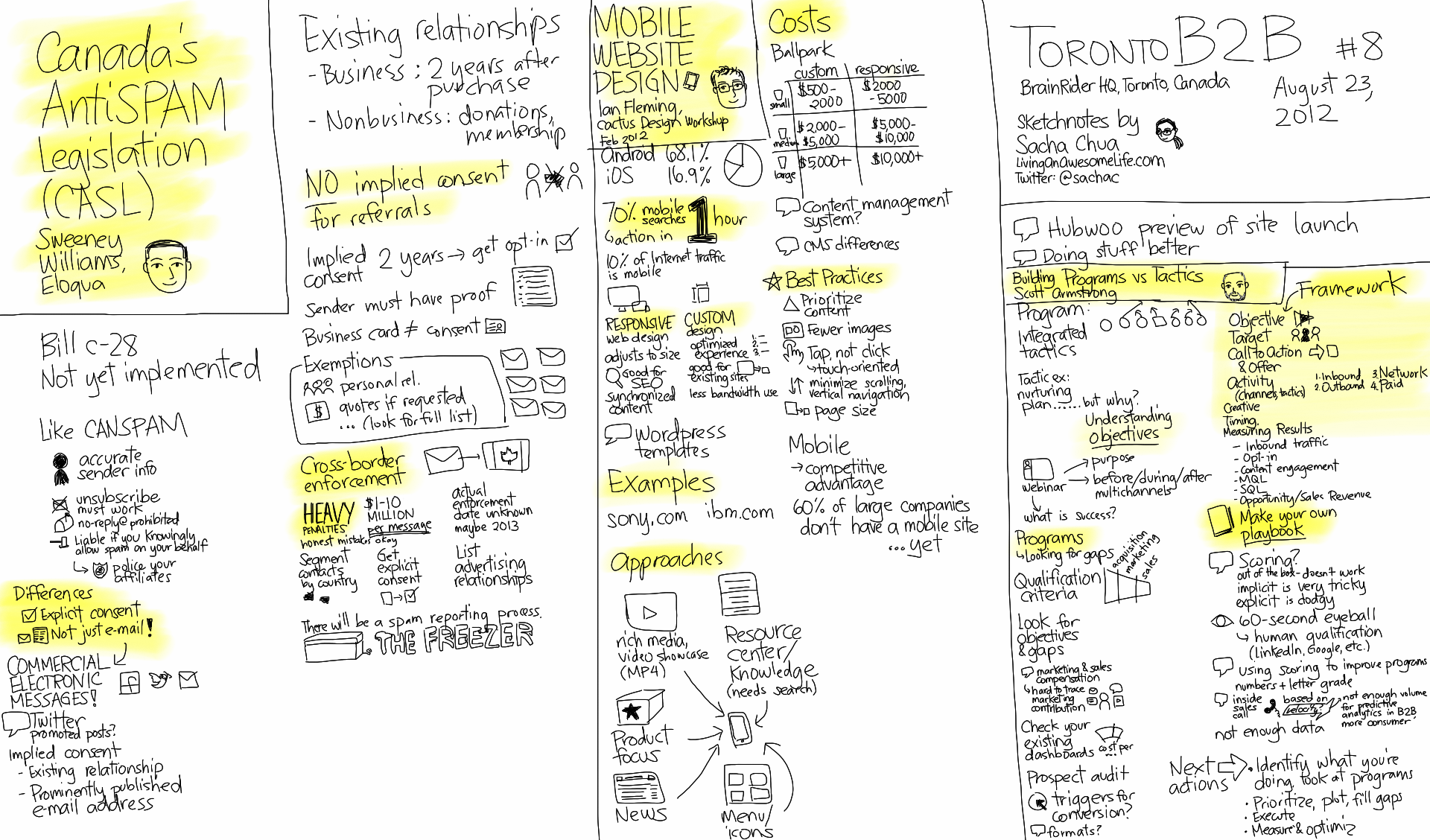
Click on the image for a larger version.
At today’s TorontoB2B Marketers Meetup, Sweeney Williams told us about Canada’s upcoming anti-spam legislation, Ian Fleming shared different approaches to mobile website design, and Scott Armstrong talked about how they’re working on a program-based marketing playbook at Brainrider.
I’ve just put my Evernote sketchnote collection online, and you can browse and search within it on the Web. If you use Evernote, you can add the notebook and browse through it there. =) Enjoy!
Like these? Check out the sketchnote for the previous #torontob2b meetup (lead generation, Q&A) or my other sketchnotes!
2 comments
se7en
2012-08-30T06:58:34ZSacha
I'm kind of fascinated by this unique form of taking notes. I've always been a visual learner and I've never been very good at taking notes. I guess it's a skill I never bothered to learn as I was never a good student. This however fascinates me and gives me hope that if I leverage this I can take more learnings/ knowledge away from meetings.
Im wondering do you try to confine your sketch notes to one page for any given meeting? If so how do you plan the space to use? Can you recommend an iPad app?
Sacha Chua
2012-09-03T07:02:03Zse7en: Try it out! Check out sketchnotearmy.com for more inspiration. I wish I'd figured this out in university! Don't let past perceptions about "not being a good student" stop you from getting better at learning how to learn. =) Play, learn, have fun.
I'm still working on laying out my sketches more effectively. I used to make these really long sketchnotes using Microsoft OneNote, but it was difficult to review those sketchnotes or print them out. The single-page landscape image seems to be working out well for me. If I need more space, I add a new layer and keep on drawing.
Maybe practising on paper will help me get the hang of layout, as it's harder to get a sense of how everything is on the page when you're zoomed in on a tablet. Still, I like the ease of colouring, erasing, highlighting, and sharing on a tablet, so we'll see.
I have an Android tablet instead of an iPad. On the Android, I like Autodesk Sketchbook Pro. Some people really like Brushes on the iPad, so that might be worth a shot. Autodesk Sketchbook Pro is also available for the iPad.
Hope that helps!