
Developing a workflow with Autodesk Sketchbook Pro
Posted: - Modified: | drawing, sketches, speakingJ- is digitally inking her writing assignment using Autodesk Sketchbook Pro on the Cintiq 12WX drawing tablet downstairs. I’d become a big fan of Autodesk Sketchbook Pro while working on it on my laptop, so I thought she might prefer it over GIMP. The pen-based controls are intuitive, and the feel of digital drawing is better than the frustration of redoing and reinking on paper. Now she’s off zooming in and out, adjusting her brush sizes, and working with a large and zoomable canvas. =)
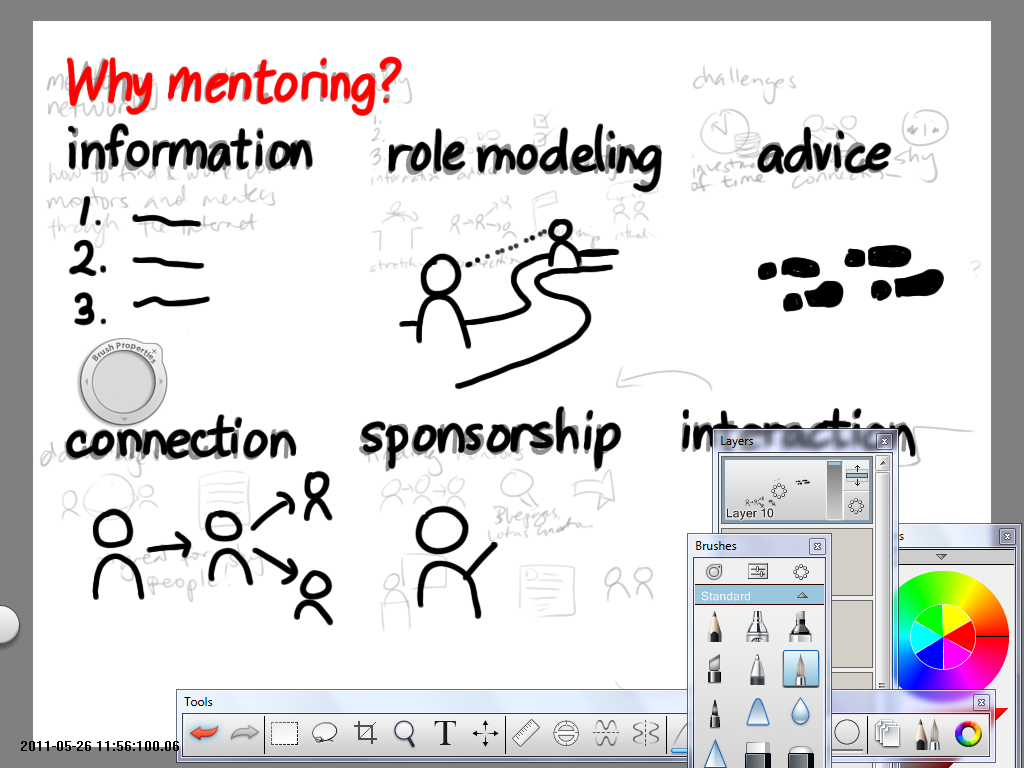
I’ve been using Autodesk Sketchbook Pro to do more and more of my presentation planning, too. The workflow is slightly different from Microsoft OneNote. With OneNote, I can draw storyboards, then scale up the storyboards without any loss of information and without jaggy lines. (The joys of vector drawing!) Autodesk Sketchbook Pro lets me scale up rough sketches, but the interpolation isn’t always smooth. Instead, I storyboard everything. Then I hide any layers I’m not working with, lower the opacity of my storyboard layer, add new layers on top, and draw each slide as a full-size layer. I do any colouring on a second layer below the ink, so that the black lines stay crisp. The finished layers are easy to copy to a separate presentation program.
So how does my Autodesk Sketchbook Pro workflow compare to Inkscape? When I use Inkscape (a proper vector drawing program) for presentations, I usually set up an infinite canvas, and clone a series of rectangles for my storyboard. Inkscape makes it easy to sketch elements here and there, rearranging them on my storyboard, rotating and scaling them to fit. After I do a little masking and line adjusting, I import the finished slides into a presentation program. Simple shapes are easy to colour. If I need to shade things more, I can import the images into GIMP.
I can still do text presentations, but they’re a little less fun. ;) Drawing takes time, but I like the practice. How do you do your presentations or drawings?
3 comments
Ramon
2011-05-29T08:57:44ZHi Sacha... I know I know...3 comments in 1 day after months of silence...
But - can you make a video of your work flow with Sketchbook Pro? I think I get what you're trying to say, and I'm willing to try out new methodologies to clarify my thoughts.
Thanks. I guess it's time-consuming to make a video - but if you put aside your perfectionist hat and just stream-of-consciousness make the video it'll help not just US but your colleagues as well.
Jerry
2012-05-18T07:02:10ZHi Sacha,
I know this post is over a year old, but I've been using inkscape recently, and like the ability to scale up as needed, as you mentioned. So, I was wondering what the advantages of using sketchbook pro are for your workflow. Can you explain? I have not used sketchbook pro yet, but may try it soon.
Thanks.
Sacha Chua
2012-05-18T15:01:42ZMore natural erasures, which comes in handy when I'm sketching my notes. Amazing pen interface. More of a painting approach than a vector drawing approach, which can be useful too.
Also, my Inkscape on Windows is rather jittery, so I have to simplify lines and handwriting is all shot. I've tried tweaking my smoothing threshold, but I can't quite find the sweet spot. Pity! So I use it mostly for bezier drawing these days, or vectors where I know I'll move the nodes around a lot in order to get to the shape I want. I like vector drawing's clean lines, though.