After our first informal field trip to the Art
Gallery of Ontario, I got my own 13" iPad Air so
that I can play with digital painting beside A+.
Using the same apps might make it easier for her
to pick up ideas from me and for me to pick up
ideas from her. We mostly draw in Procreate, and
I'm starting to get the hang of its brushes and
features.
It's been nice doing moments from daily life
again. It's been a while since I got to play with
colour this easily.
A+ and I are both interested in piano, singing,
and drawing, so we're experimenting with the
Simply family subscription (CAD 46.49+tax/month).
A+ likes to draw in the evening as a way of
postponing bedtime. I could probably find lots of
free drawing tutorials like the ones that Simply
Draw has, but it's nice that it's already set up
with the video in a corner and it pauses at the
appropriate steps, so A+ can independently do it.
She's starting to see shapes and shade a bit
better now, although she doesn't yet have the
patience to blend things slowly. I'm developing
that patience, yay me. I wish I could zoom in on
the reference image, though.
Here are some drawings I made following the Simply
Draw tutorials.
One of the things I like about digital drawing and
painting is that I can sneak up on blending by
using different opacity settings and colours
instead of either accurately controlling the
pressure in my hand or switching between pencil
and eraser. I also love the way I can use layers
to build up an image gradually, how I can erase or
undo, and how I can just use whatever colour I
want without having to hunt for the right colour
pencils or put things away afterwards. I haven't
really played around with drawing with art
supplies, although the watercolour tutorials that
cross my feed seem fascinating. Maybe someday.
There's a glimmer here of how this might become a
relaxing thing to do, different from untangling a
thought or condensing a book into a sketchnote.
I'm slowly getting to the point where, when I
notice I'm starting to get anxious or when I'm
tempted to nag A+ about procrastination, I can
tell myself that I'm going on an art/music break
instead and that usually keeps me busy enough
until the urge passes. I think this might be
useful for our sanity, especially if A+ picks up
the idea too. When I'm on a music break, she often
gets inspired to kick me off the piano and do her
own music lessons, so that's a win. Art is
something we can do side by side, and I can always
make a drawing more elaborate since A+ likes to
stay at roughly the same stage as I am.
I remember enjoying art enough as a kid to have
fun at a summer camp where we did things like sand
art and papier mache. I think I worked on an
illustration of a sparrow that made it into a book
of poetry or something like that. By the time we
got to drafting classes in high school, I was
feeling a bit more meh about art. I got back into
art again with the Colors app on the Nintendo DS
and then ended up getting into drawing and
sketchnoting. I'd like to play around more with
colour, and maybe I'll do more doodles and more
drawing just because. I like drawing nature, and
I'd like to get better at drawing characters too.
I'll put the sketches on my blog and in my online
sketches, and it'll fun to see how I grow over
time.
A+ asked me to take her on another informal field
trip to the Art Gallery of Ontario to check out
that special exhibit on modern art that we didn't
have the energy for last time. I decided that was
worth taking her out during a school afternoon. I
figured there'd be plenty of time to catch up with
schoolwork over the long weekend, and besides, I
was curious too.
We explored the kids' area downstairs, climbed up
the winding stairs, and then wandered over to
Moments in Modernism.
Moments in Modernism
Ellsworth Kelly's White Blue (1960) was my
favourite. I liked the clean, intense, simple
colours. The description beside it said that it
was based on the magnification of a drawing of an
apple.
Figure 1: My very amateur take on Ellsworth Kelly's White Blue (1960) from the AGO
I didn't do this one while looking at it; A+
wanted to keep moving on. I remember it felt a
little brighter than the picture from A line on
Ellsworth Kelly | Foyer, though, but maybe not
quite this blue. My white forms don't feel as
rounded and as organic as the ones in the
original. Anyway, I liked the swooshiness of
White Blue.
I liked the airbrushing of Rita Letendre's
Daybreak (1983). The orange made me think of
sunset more than sunrise, though. It was
interesting to contrast the hard lines of
Multinoir and White Blue with the airbrushed
softness of Daybreak and the brushiness of Mark
Rothko's No.1, White and Red (1962).
I brought our iPads so that we could try some
digital painting. A+ didn't find anything in the
modern art exhibit that inspired her at that
moment, so she asked a volunteer for directions
back to the Canadian landscape gallery from our
previous trip.
Back to the landscapes
After looking at a few paintings, A+ decided to
draw her own landscape with snowy mountain peaks.
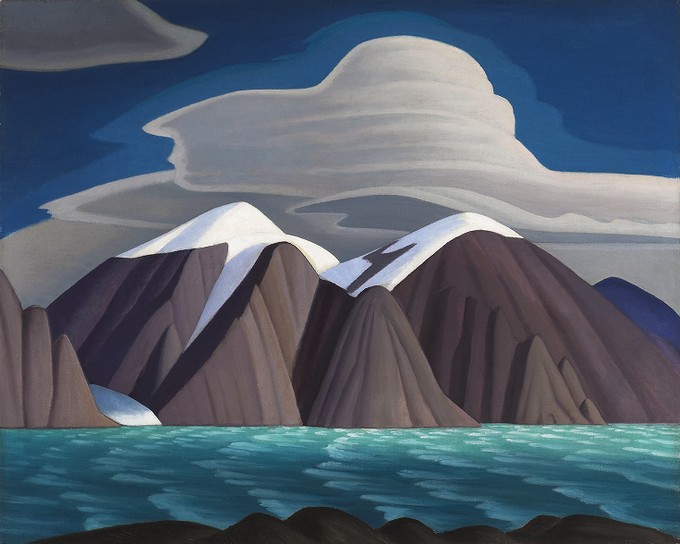
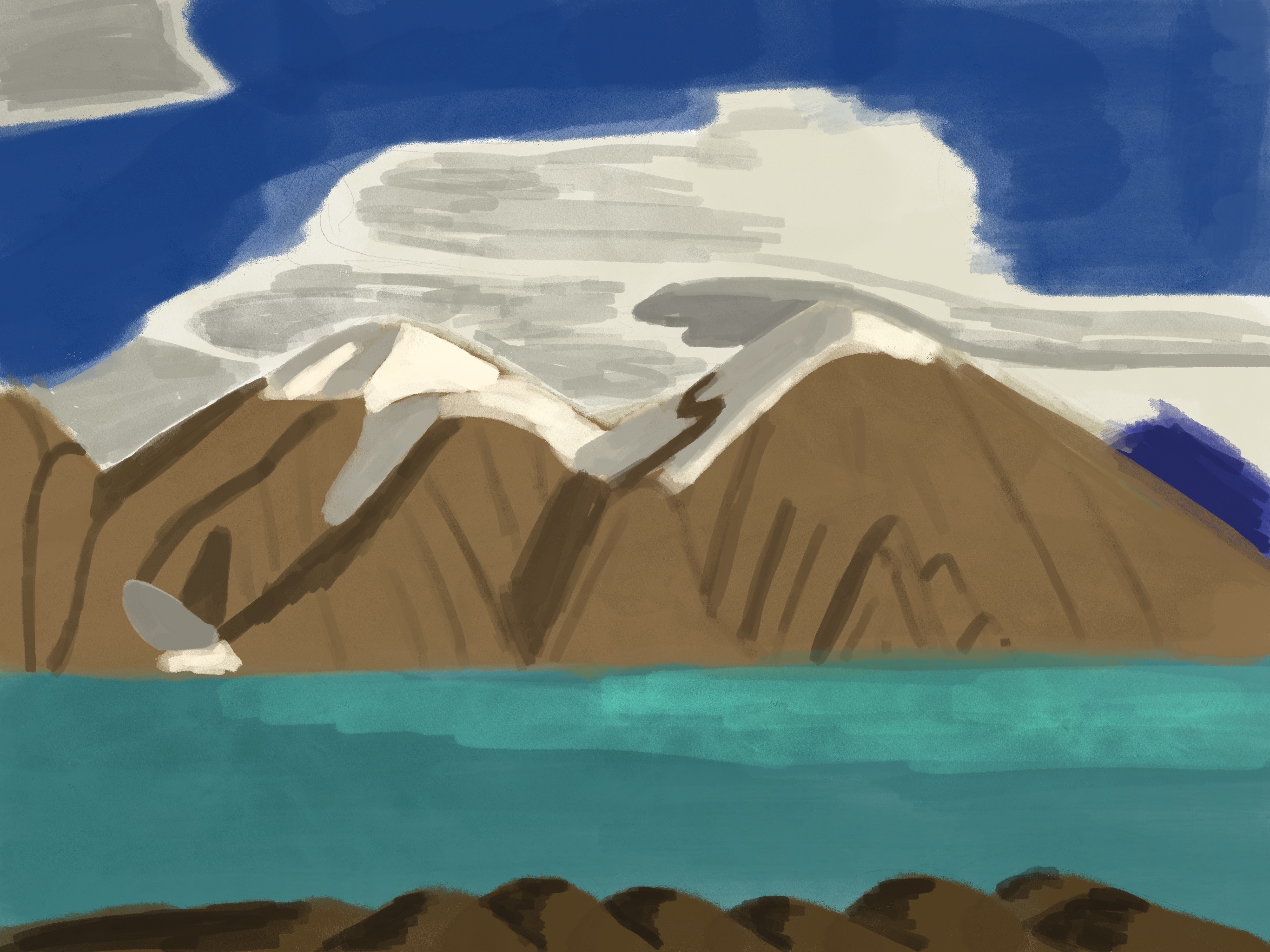
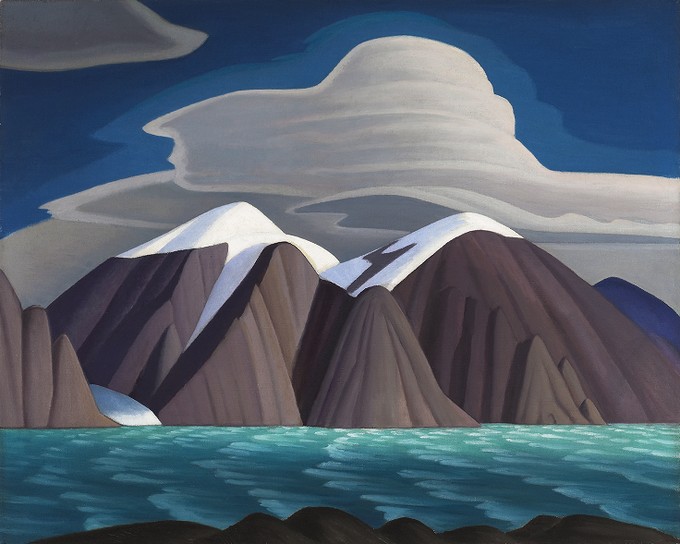
I revisited Lawren S. Harris's South Shore, Bylot
Island (1931) from our last trip and used it to
practise painting on my new iPad Air.
Figure 2: Lawren S. Harris, South Shore, Bylot Island (1931, ago.ca)Figure 3: My very amateur take, limited by skill and A+'s attention span
It was fun trying to get a sense of light and
shadow. I like the yellow-white and shade of the
snow on the mountains. I could dial down the
saturation a bit.
On the way back, I mused on how Harris had been
painting for decades before he made that painting,
and even then, he had done quite a few studies of
that scene before settling on that particular
painting. So it totally makes sense that these
first attempts have a long way to go.
Ideas for upcoming AGO field trips
We could check out that Letendre/Morrisseau
exhibit I mentioned earlier (Gallery 126), maybe
tied to some experiments with airbrushes in
Procreate. A+ and her class did a
Morrisseau-inspired art project with lots of
bright colours, so I think that part might appeal
to her too. She's also enjoyed playing "Spot the
Difference" with similar paintings, so that might
be good to do with Norval Morrisseau's Man
Changing into Thunderbird (1977).
A+ mentioned looking forward to the Yayoi Kusama
Infinity Mirrored Room installation this April, so
we'll probably be back for that one. Two years
ago, A+ and her class did two art projects
inspired by Kusama's pumpkins. One was a drawing
exploring polka dots, and another was a
three-dimensional pumpkin made out of strips of
paper and photographed between mirrors for an
infinity(ish) effect. I think A+ will enjoy seeing
the scaled-up version.
For amusement, here's my version of the pumpkin drawing project:
A+ finds it easier to learn about art when I'm
learning beside her, and I'm glad to be able to go
through these lessons and prompts with a
grown-up's patience and curiosity.
As it turns out, the AGO collection website does
not include all of their objects (or maybe I just
can't find it with the search), so I'll take more
pictures next time, and I'll bring A+'s camera
too.
How lucky we are to be able to learn about art with this kind of resource!
A+'s class is working through a variety of assignments while reading through The Wild Robot. They've done chapter 1-11 so far. One of the assignments is to visualize things from the book, like sketching 6 things Roz has seen in nature so far. I figured I'd practise drawing too.
A+ thought that Roz encountered a beaver, but I
think she might have mixed it up with the otters.
It was fun to draw a beaver anyway. I'm getting
the hang of blocking out the shapes with a
highlighter and then going over it with the pen.
The sheepdog wasn't from the story. It's from
another reflection that I've been noodling on
about how A+'s teacher often tries to herd 17 kids
to be on the same literal page during virtual
class. It's a hard job.
Learning about sheepdogs sent me on this fun tangent
A tangent on herding dogs: heelers (Heelers! Like Bluey!)
nip at the heels; headers stare down the animals
with a strong eye; some breeds use both methods
and also run along the backs of the sheep; some
are moderate to loose-eyed; some use barks; some
are tending dogs who fence the sheep in.
Fascinating. This Reddit thread is interesting
too. And sheepdog training tips sound surprisingly
relevant, like the importance of figuring out what
distance the dog is ready to work at (which is not
always the same as the distance the dog thinks
they are ready to work at). Sometimes I'm the
shepherd, sometimes I'm the sheepdog, sometimes
I'm the sheep I want to herd.
As for A+ and art, she still gets very frustrated.
"I can't do it!" she wails. But she's starting to
be able to say things like "I see there's a circle
here." I think it might be helpful for me to
borrow a bunch of drawing books that emphasize
sketching on top of basic shapes, instead of those
drawing videos that just tell you the lines and
curves to draw. Maybe Ed Emberley's drawing books.
It might also be interesting to look through some
digital art tutorials and tips, like this thread
on the Procreate forum (oooh, monsters with eyes).
Getting even more tempted to get an iPad for
myself so that we can learn side by side. I've
tried drawing on Android tablets/phablets before
and Medibang Paint was pretty nice, but one of my
goals is making it easier to bounce ideas and
discoveries off each other.
I want to get better at helping A+ learn more
about art, and I want to learn more about art
myself. She'll learn whatever she's ready to
learn, but maybe I can help her get past the
initial frustrations by breaking it down into
smaller skills. As for me, there's plenty I can
learn about seeing, getting stuff to look like
what I'm seeing, imagining things, and
communicating them. If I go about learning the
things I want to learn, maybe she'll come along
and pick things up too.
A+'s grade 3 virtual teacher assigned a landscape
art project focusing on depth (foreground, middle
ground, background) and value (highlight, midtone,
shadow) using images from The Hidden Worlds of the
National Parks. A+ was curious about Glacier
National Park, and following that thread led us to
this photograph of Saint-Mary Lake by Angelo
Chiacchio (2018), so we used it as a reference.
Angelo Chiacchio took this picture during a
300-day solo journey focusing on the
precarity of our relationship with the world
around us. He called this project .
Anyway. Back to the assignment. When A+ started
her artwork in Procreate the other day, I noticed
she was getting frustrated with her lines and
curves not going where she wanted them to go. I
suggested approaching it as a painting instead,
blocking in masses of colour (… am I even using
these words correctly?) and then gradually
refining them based on what she sees, kind of like
how you can smoosh some clay and then push it
around until it feels right. She liked that
approach better. We talked about fractions as we
figured out how much space the background features
took, and she painted land and sky and land and
sky until things felt right to her. As she added
details, I sometimes mentioned things I saw in the
photo that I was trying to add to my painting, and
she figured out her own interpretations of those.
I liked how we both got the foreground/middle
ground/background distinction using size and
detail, and how the shadows helped the rocks look
like they were part of the landscape.
Here's my take on it. Not entirely sure about the
derivative work status of these ones, but I'm
fairly sure they're no threat to Angelo
Chiacchio's professional prospects as a
designer/photographer/filmmaker. The first one is
done using the Atelier drawing mode on my
Supernote A5X, and the second one using the
regular note app on the Supernote and just
white/black:
Now that I've had a chance to look at the
reference photo on my external monitor instead of
on my phone screen, I can see a few more details,
like peaks behind the forests on the left side.
Working with just black/white is handy as I don't
need to slow down to change pen colours. Maybe I
can experiment with a midtone background so that I
just need to add white and black.
Yesterday, we logged off from virtual school early
to go to the Art Gallery of Ontario. I knew the
class was going to do some more work on landscape
art, so I figured it might be nice to check out
the gallery and see things at a different scale.
We could look at actual landscape paintings. As we wandered through the galleries, A+
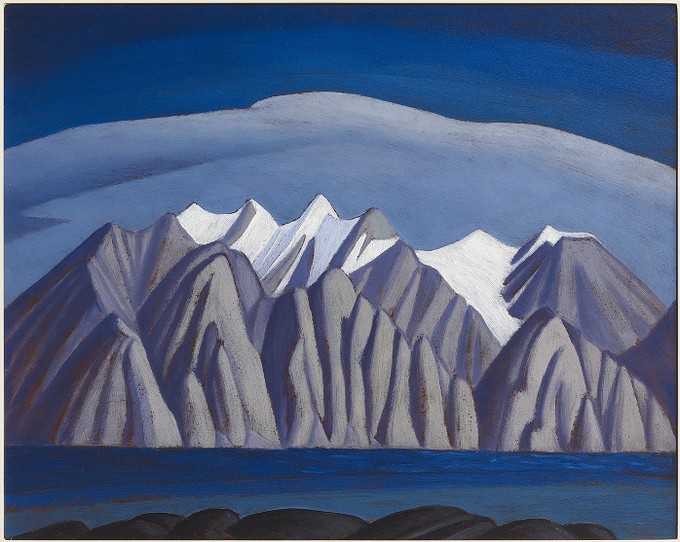
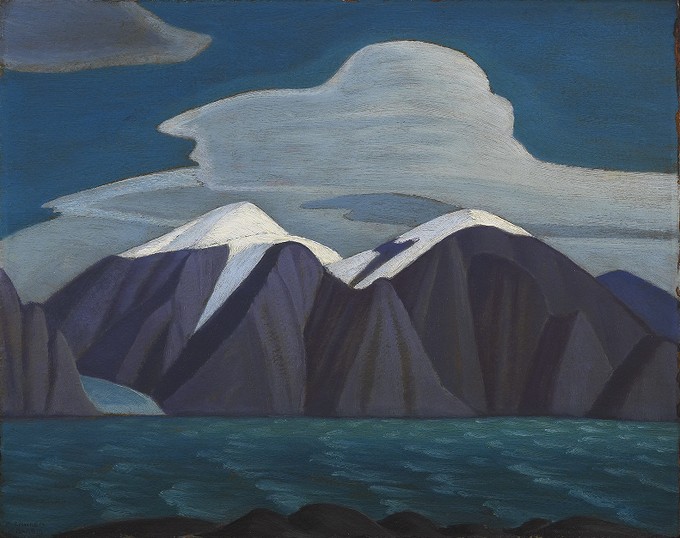
was particularly interested in the Lawren S.
Harris paintings like South Shore, Bylot Island,
which had two other variations:
We looked at the foam on the waves, the contrast
of the mountains, the clouds, the light, the shape
of the peaks and the level of detail, the
overlapping of the ridges of the mountains, the
proportion of water to land to sky. She pointed to
the elements of the paintings and looked closely
at how it was put together.
By Lawren S. Harris, paintings from https://ago.ca, all rights reserved:
Figure 1: Sketch XXXIIFigure 2: Sketch XXXIVFigure 3: South Shore, Bylot Island
(I think it's okay to use these thumbnails under the Fair Dealing clause of AGO Terms of Use.)
Reading more about Lawren S. Harris, I learned
that he invited artists to come together, provided
them an inexpensive space to work, and financed
trips for them, and helped form the Group of Seven
(of which he was one) in 1920. That reminds me a
little of William Thurston's thoughts on how
mathematical knowledge can move so much more
quickly through informal, in-person discussions
compared to lectures or published papers.
Connection: A group of painters thinking about
Canadian art together. And a small-scale
connection: the bouncing around of ideas in the
Emacs community. But I am trying to squeeze too
many tangents into this post.
I liked being able to look at versions of the same
idea and discuss the differences between them.
Today I looked up the paintings so I could write
about them. I told A+ about how the two sketches
were numbered #32 and #35, which means the artist
probably did lots of studies to figure out how to
paint what he wanted to show, and that even
accomplished artists try lots of things in order
to figure things out. It's interesting to get a
glimpse of what happens behind the scenes of a
polished piece of art.
I brought the iPad and my Supernote so that A+
could finish her digital landscape painting and so
that I could work on mine. A proper class field
trip came in, too. We watched the grade 6/7
students sprawl on the floor, pick paintings to
study, and sketch with pencil and paper. A+ got
her painting to a point where she really liked it.
I liked the way her digital brushstrokes textured
the rocks in the foreground where mine still felt
flat, and the attention she paid to the snow in
the peaks. Anyway, homework done, we explored some
more. She found the AGO energizing and pulled me
from exhibit to exhibit, although we did have to
reluctantly save some galleries for the next trip.
I was a little envious of A+'s familiarity with
Procreate. Maybe when I get the hang of value and
if art becomes more of a thing, I might consider
getting my own iPad for digital painting, since
she often uses W-'s iPad for reading, watching, or
drawing. I'd love to work with colours again. In
the meantime, I still have much I can learn on the
Supernote, even though it can only do white,
black, and two levels of gray. When I browse
through /r/supernote for inspiration (there's a
filter for just artwork posts), it's… ah… easy
to see that the hardware is not the limiting
factor. Besides, I can practise using Krita on the
X230 tablet PC. And it's been helpful, actually,
limiting myself to just what the Supernote can do.
I don't have to spend time trying to figure out
colours that reflect what I see and that somehow
work together with the other colours in the image.
I can focus on learning how to see in terms of
value first, and maybe dig into more of the
techniques around black and white drawings.
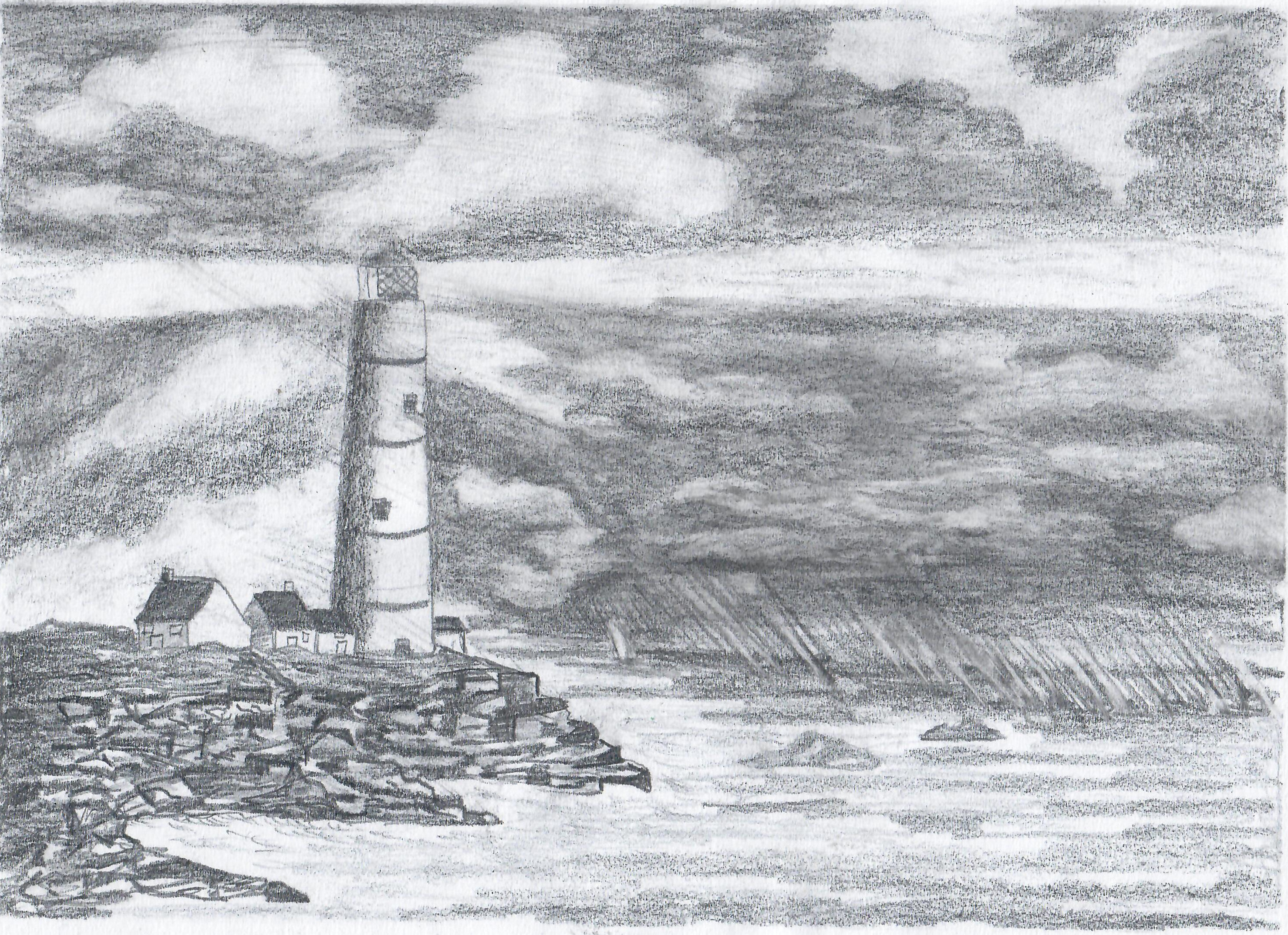
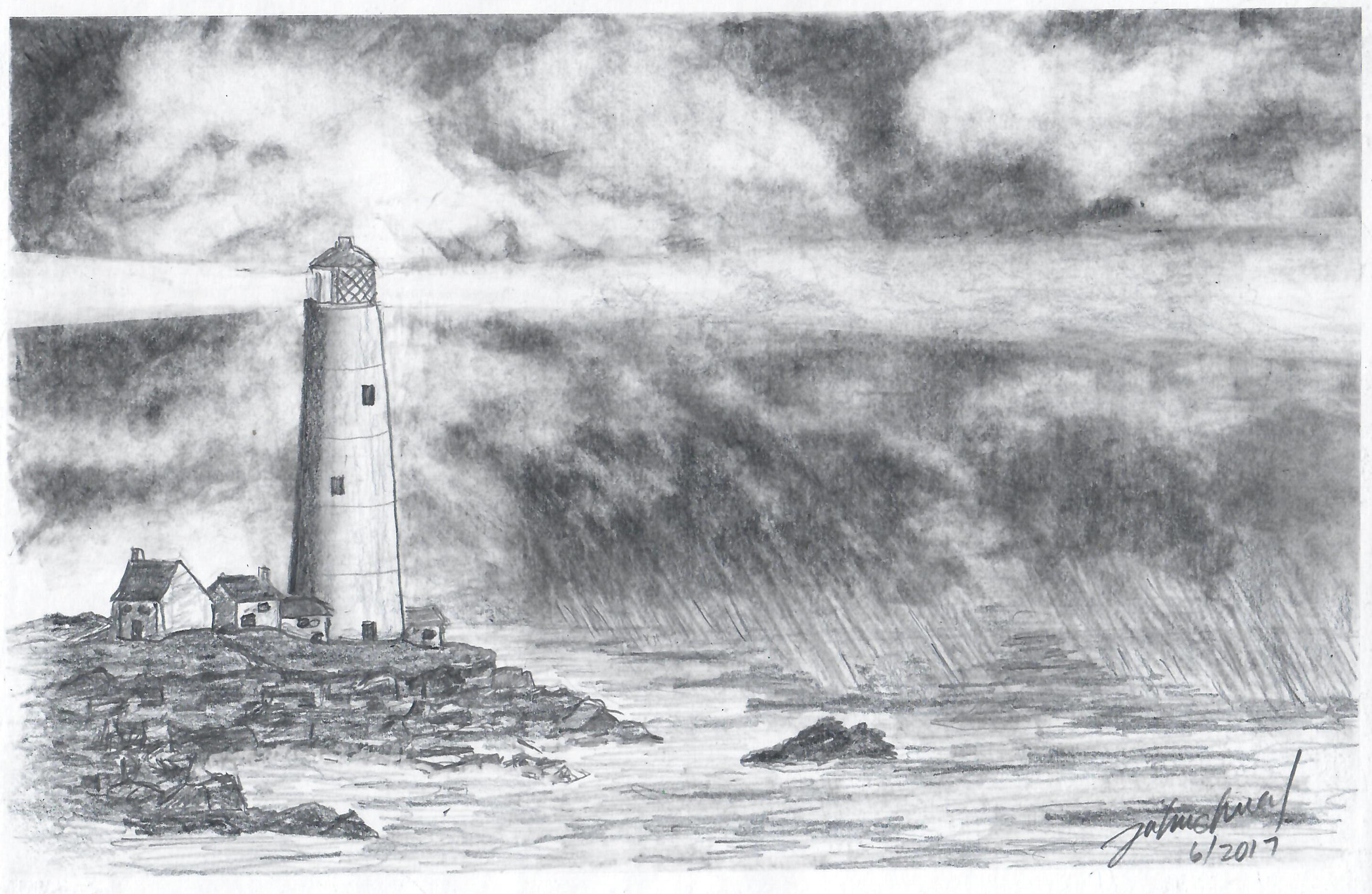
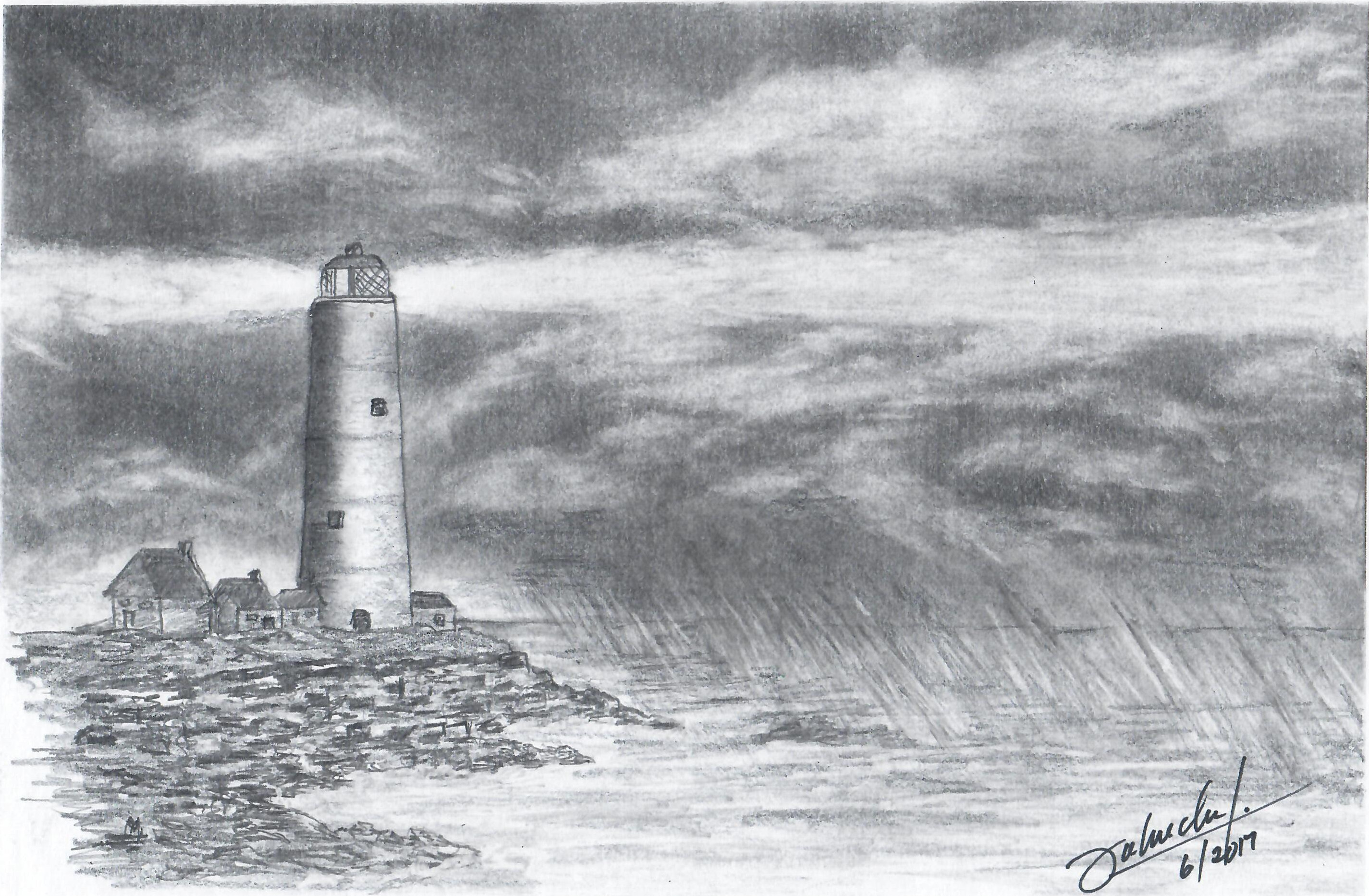
Towards the end of my father's life, he took up
drawing and watercolour painting, teaching himself
through YouTube tutorials and tons of practice. As
an advertising photographer, he had already spent
decades thinking about composition and light, so I
think he had a bit of an unfair advantage,
especially since drawing meant that he didn't even
have to have the right dramatic sky to Photoshop
into an image.
When my dad asked me which of his drawings or
paintings I wanted to keep, I asked for his
sketchbook. I wanted the rough sketches, the
in-between steps, the experiments. He gave me his
one sketchbook and a bunch of loose sketches in a
small case. I think he must have drawn in other
sketchbooks, but maybe he didn't keep them, or
maybe he really just leveled up that quickly. So
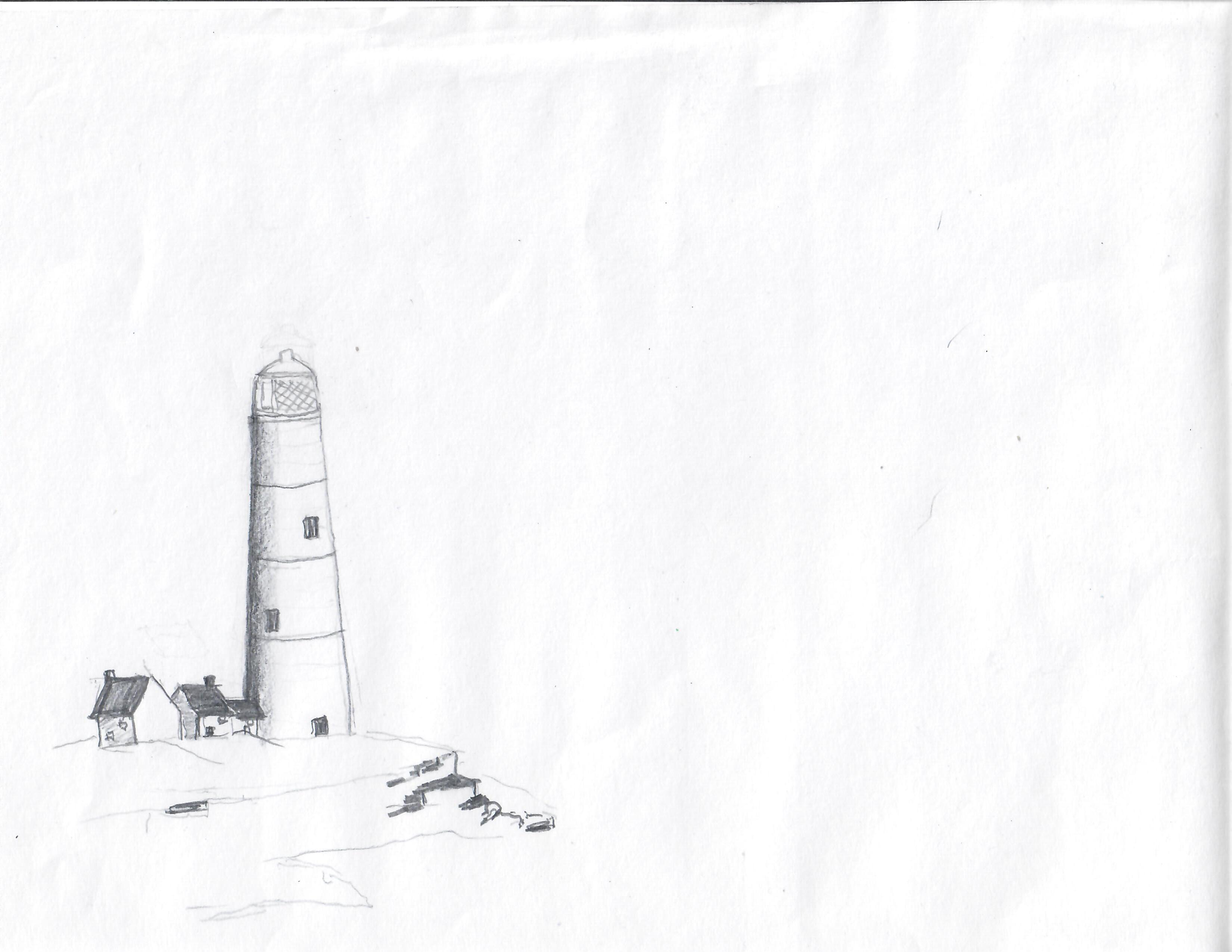
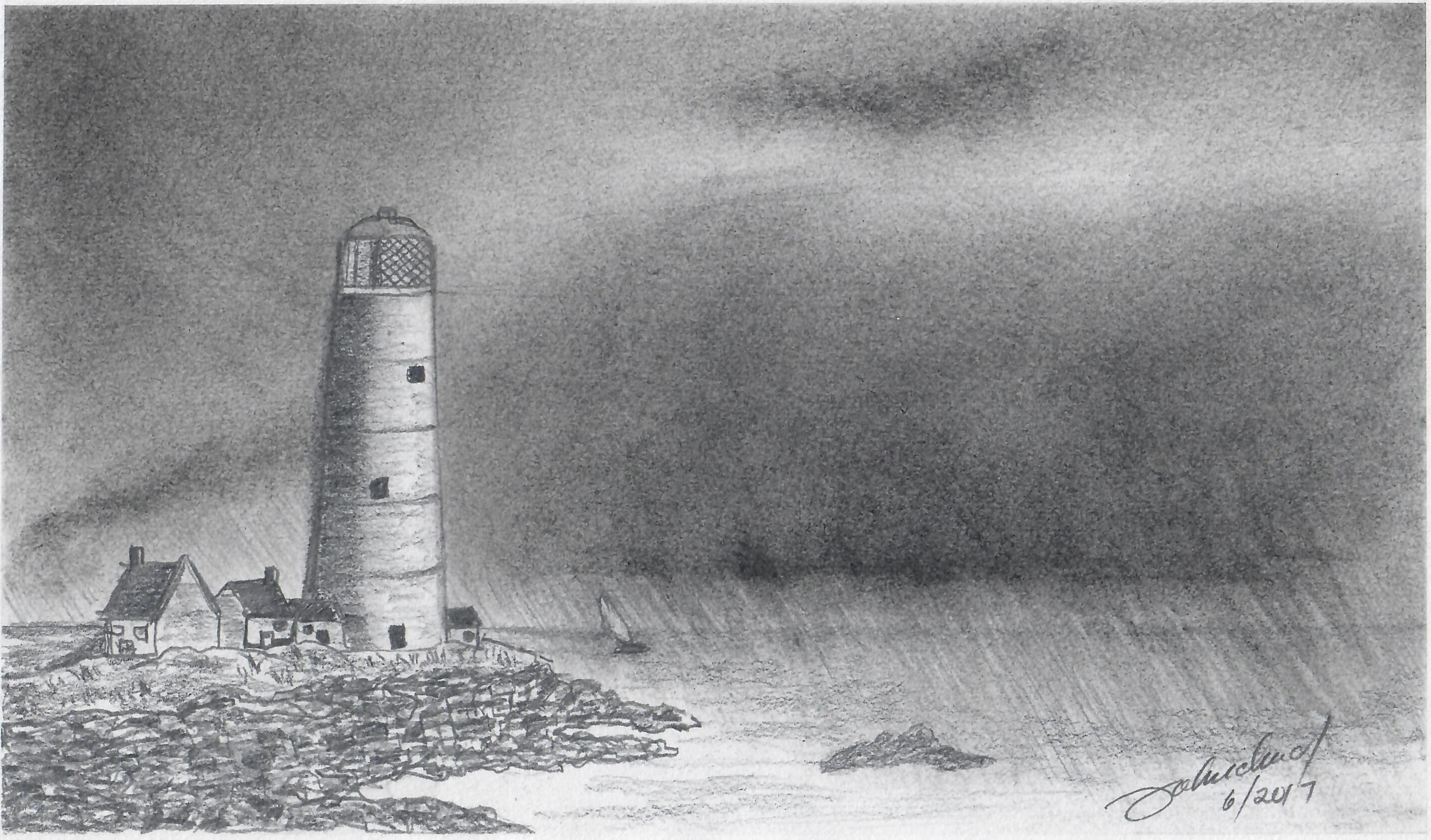
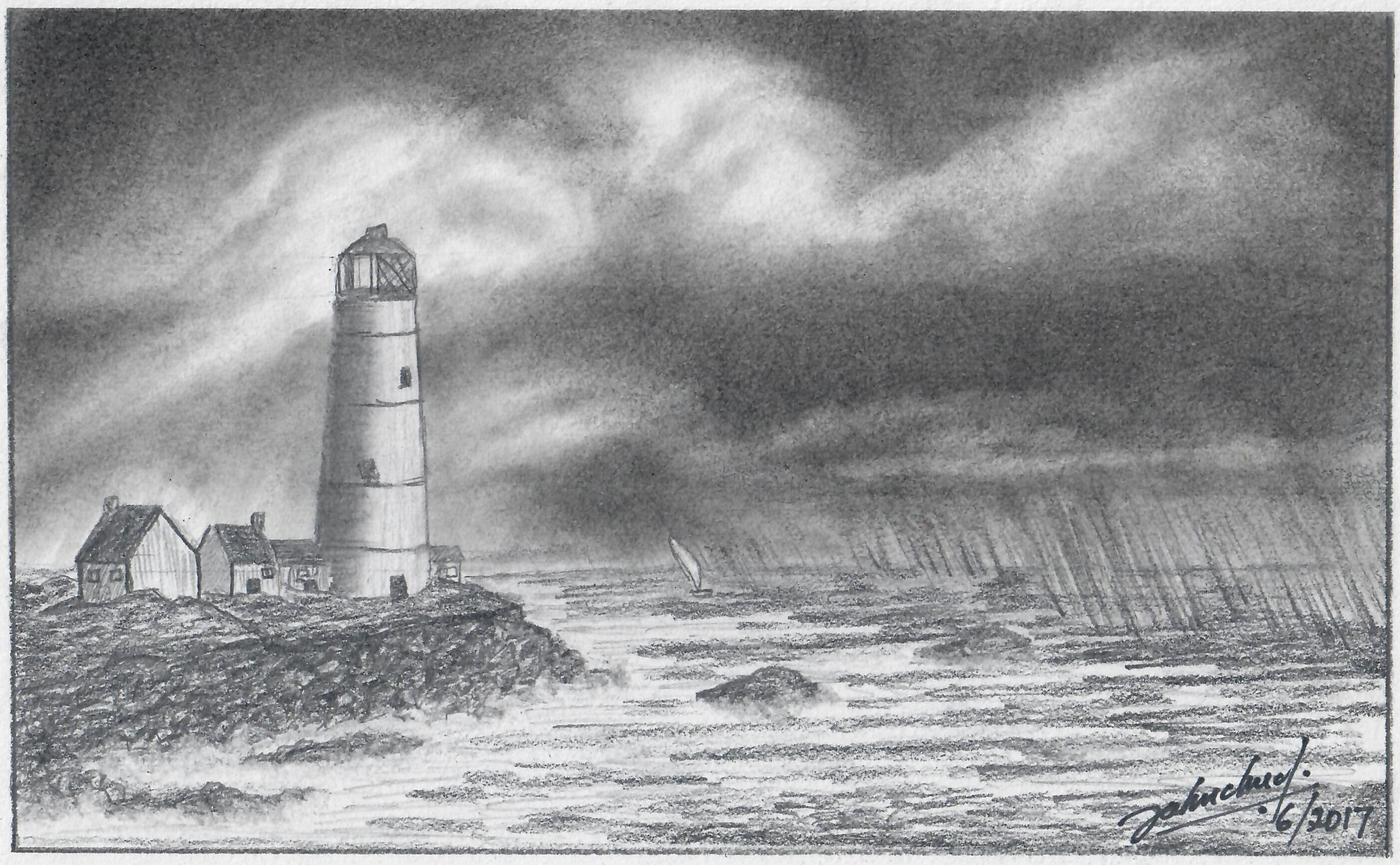
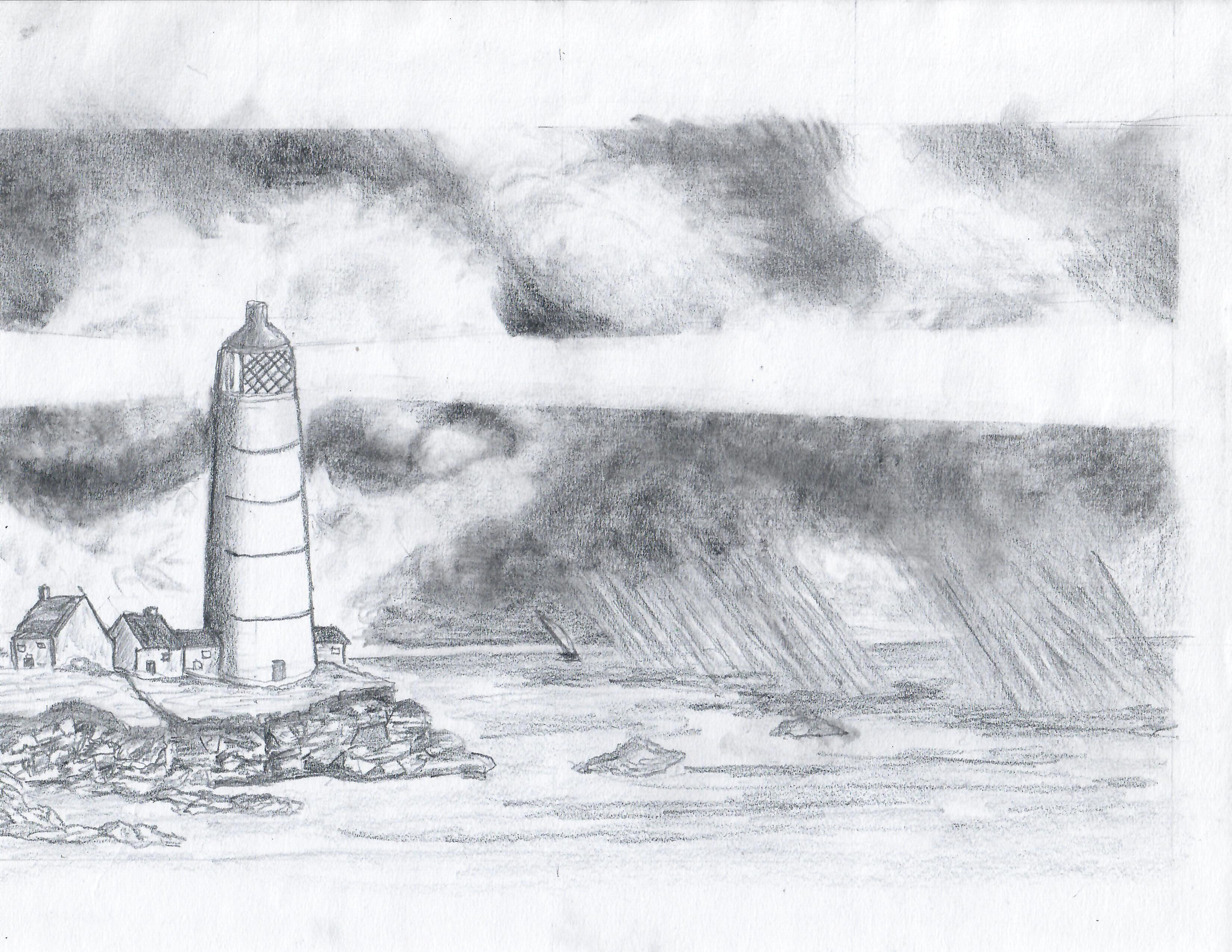
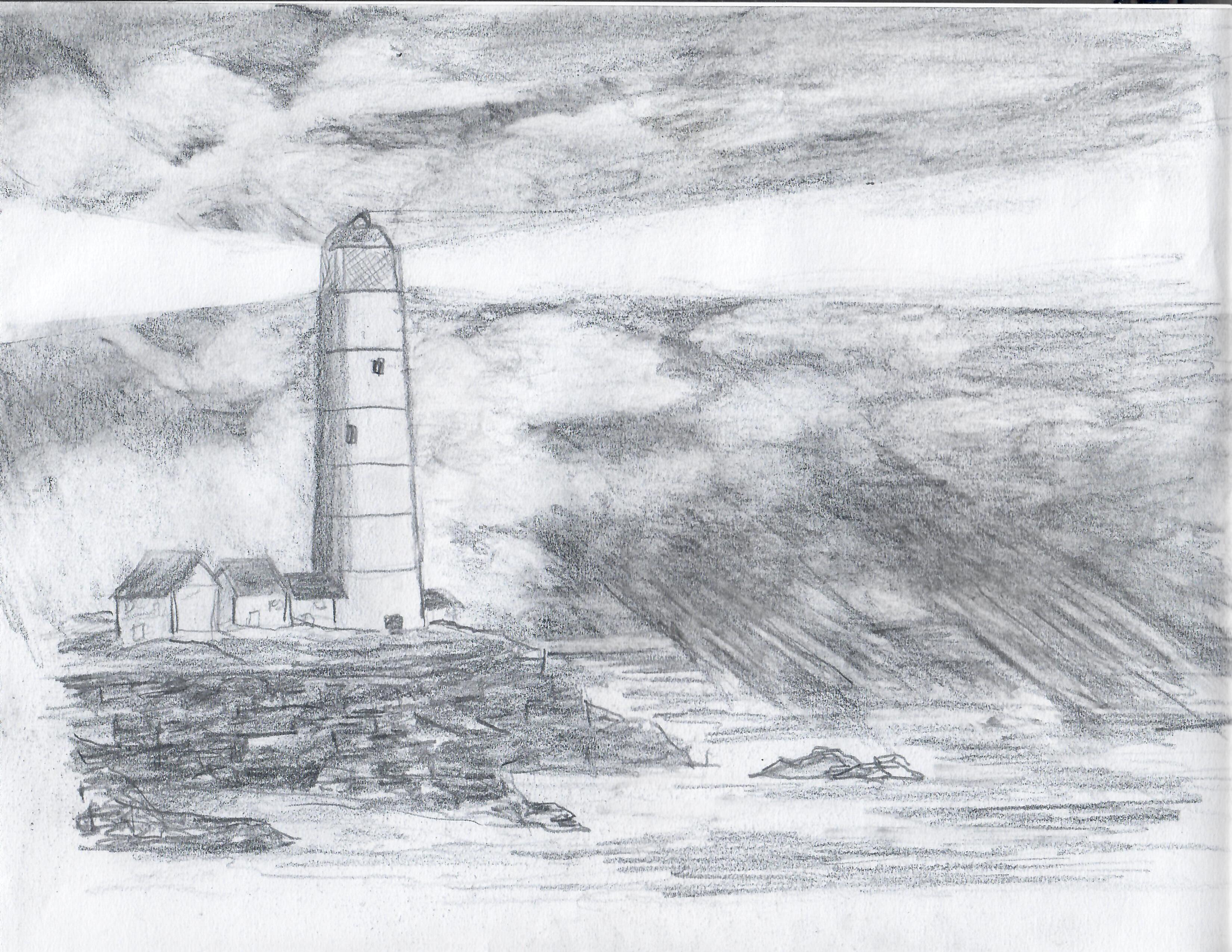
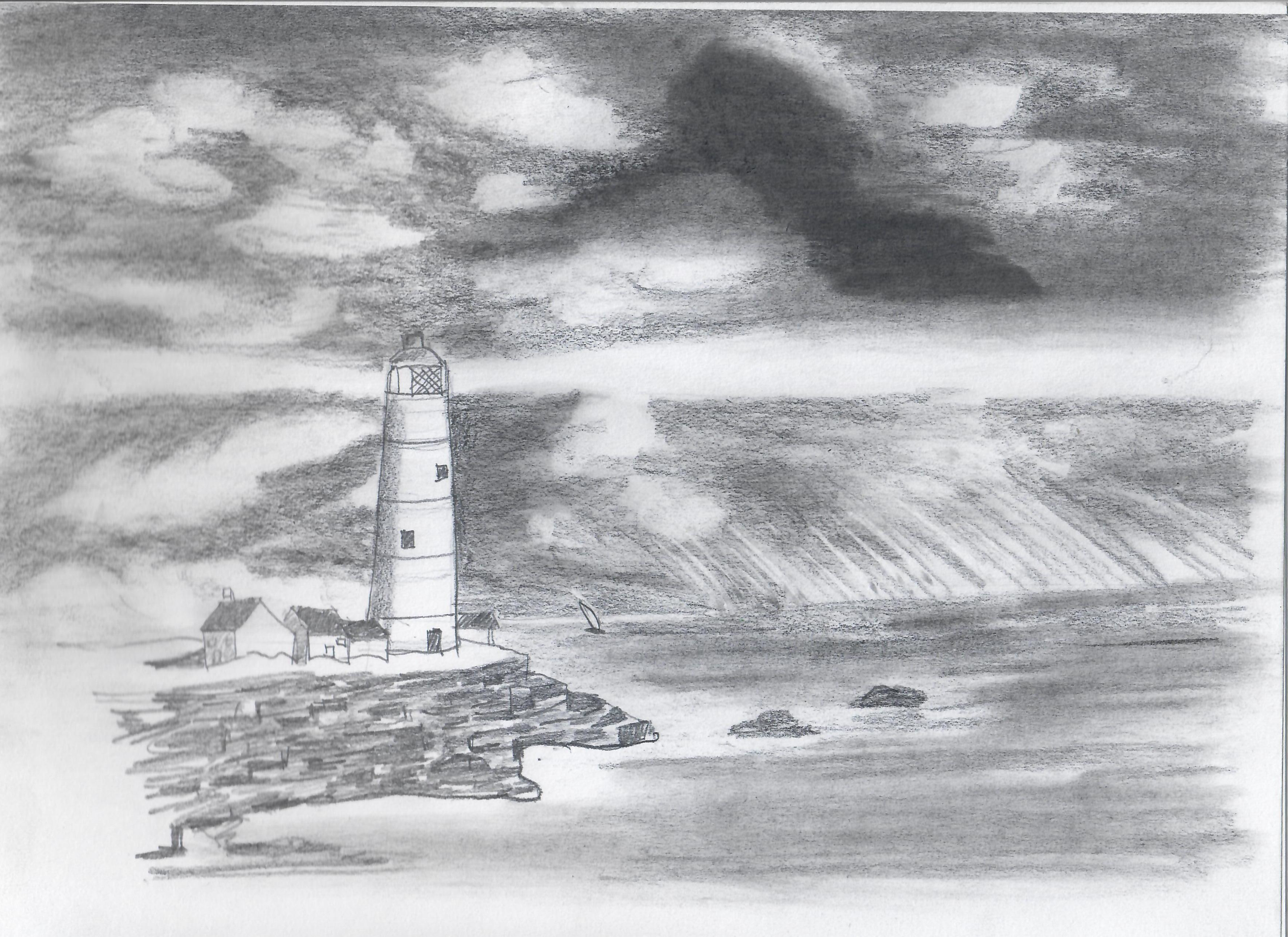
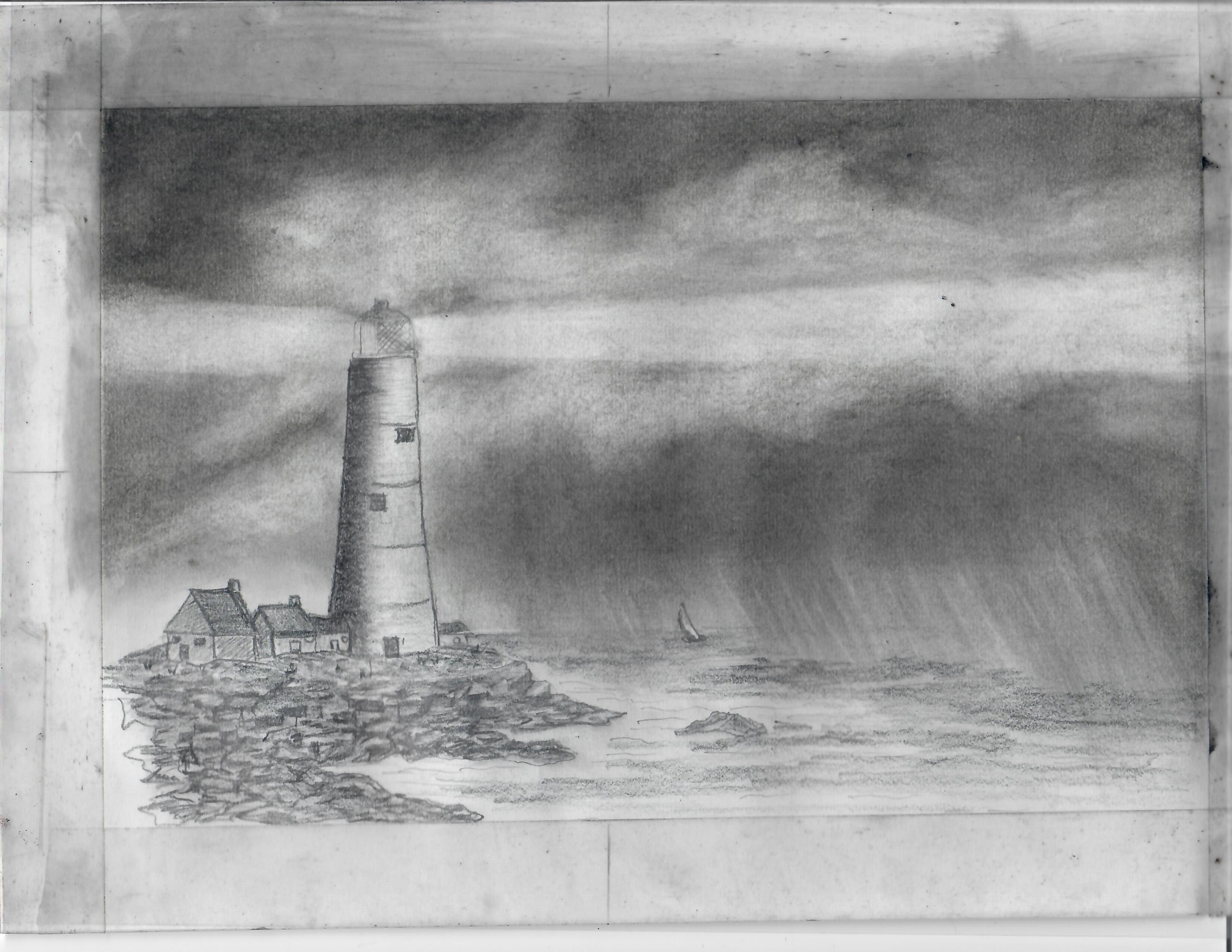
here's a series of sketches by John K. Chua (all
rights reserved). I'm pretty sure he was following
this tutorial on How to Draw a Lighthouse, the Sea
and Sky, but I'm just guessing at the sequence of
these sketches.
This was about half a year before his death.
Cancer meant he couldn't get out as much as he
used to, so he had to channel his passion for
photography and learning into something else. It's
interesting to see him experiment with the shapes
in the sky, the contrast and shape of the shore,
the rocks, the light from the lighthouse. He made
many other sketches and paintings, often with
several variations in the sketchbook. It would
have been nice to see what he could've done with
years more experimentation, but ah well.
While reading about art studies and iteration, I
came across these posts:
I've been having fun drawing more. I could pick a
tutorial, a Creative Commons image, or a public
domain image as a reference so I can freely share
my iterations. It'll be interesting to do that
kind of iteration. I'm not sure A+'s at the point
of being able to do that kind of study yet. I'm
not totally sure I'm at that point yet either. My
mind is often pulled in other directions by ideas
and novelty. I am definitely going to lose her if
I insist she repeats things.
That reminds me a little of another reflection
I've been noodling around on interest development.
The article Enhance Your Reference Skills by
Knowing the Four Phases of Interest Development
and this presentation mention that in the phase of
emerging personal interest, when people are
starting to become curious and independently
re-engage a topic, they're not particularly
interested in being advised on how to improve what
they've currently got. It's better to acknowledge
the effort they're putting in and to be patient.
So I might as well just learn beside her,
experimenting on my own stuff, letting her peek
in, and see where that takes us.
This is hard. But life is long (generally), and
she can learn things when she's ready. She can
only learn things when she's ready. There's
time. I didn't grow up particularly confident in
art. I still mostly draw stick figures. But to my
great surprise, I've managed to get paid for a few
of them as a grown-up, and I use them myself to
think and grow. Sometimes I discover myself
drawing for fun.
At 41 years, what am I ready to learn about art?
About life?
I have that sense of discrepancy between my clumsy
lines and blobs and actions, and the shapes and
results I want. This is good. I can imagine that
there's something better, even if that's often
unclear, and it's not… whatever this is. That is
the gap between taste and skill that Ira Glass
described.
Nobody tells this to people who are beginners, I
wish someone told me. All of us who do creative
work, we get into it because we have good taste.
But there is this gap. For the first couple years
you make stuff, it’s just not that good. It’s
trying to be good, it has potential, but it’s not.
But your taste, the thing that got you into the
game, is still killer. And your taste is why your
work disappoints you. A lot of people never get
past this phase, they quit. Most people I know who
do interesting, creative work went through years
of this. We know our work doesn’t have this
special thing that we want it to have. We all go
through this. And if you are just starting out or
you are still in this phase, you gotta know its
normal and the most important thing you can do is
do a lot of work. Put yourself on a deadline so
that every week you will finish one story. It is
only by going through a volume of work that you
will close that gap, and your work will be as good
as your ambitions. And I took longer to figure out
how to do this than anyone I’ve ever met. It’s
gonna take awhile. It’s normal to take awhile.
You’ve just gotta fight your way through.
With any luck, I'm never going to outrun the gap.
An important part to learn (and share) is how to
let go of the frustration and self-doubt that get
in the way, so that we can get on with the
learning. That's hard. I am learning to
experiment, even if it looks like I'm only
changing a little bit at a time, and even if I
often go sideways or backwards more than forward.
I am trying to get better at sketching and taking
notes so that I can see things side by side. In
life, part of the challenge is figuring out the
characteristics of this quirky medium–what it
permits at this particular moment. I just have to
keep trying, and observing, and thinking, and
changing; not quite the same thing again and again.