
Live
- Livestream
- STARTED Current / notes for next time
- Emacs by Voice meetup
- Yay Emacs 62: Working on Emacs News
- Yay Emacs 61: editing videos and subtitles
- Yay Emacs 60: speech recognition: let's add a voice cursor!
- Yay Emacs 59: Updating subed, maybe working on open captions for subed-record and compile-media
- Yay Emacs 58: Org by voice: change task status, reschedule
- Yay Emacs 57: Working on Emacs News
- Yay Emacs 56: Switched to VAD + ASR python script
- Experiment with clipping something
- STARTED finalize the short for Prot so that we can post it.
- Yay Emacs 55: Speech mode switching
- Yay Emacs 54: Working on Emacs News
- Yay Emacs 53: Drafting my responses for the community panel
- Yay Emacs 52: Drafting my responses for the community panel
- Yay Emacs 51: Dusting off my EmacsConf code
- Yay Emacs 50: Trimming audio from my French tonguetwister practice
- Yay Emacs 49: Back to editing the VTT for my conversation with Linkarzu
- Yay Emacs 48.2: Working on Emacs News
- Yay Emacs 47: Editing the VTT for my chat with Linkarzu
- Yay Emacs 46: Tinkering with my speech+typing workflows
- TODO make something that easily gets the VTT for an MKV or a video link. Just in case it hasn't been inscribed yet. Maybe I can run it through auto keep.
- search - How can I find a message by Message-ID in Gmail? - Web Applications Stack Exchange
- Yay Emacs 45: Working on Emacs News
- DONE fix my indentation. I wonder if it's Org indent getting in the way ▶️ screenshot
- Yay Emacs 44: More conversational voice interfaces
- Yay Emacs 43: Defining voice commands with phony.el
- TODO Try out the STT model that yantar92 uses
- CANCELLED trying out the burnish package
- SOMEDAY reply to this about scrolling the other window backward
- SOMEDAY have a voice command for jumping to the recently created task
- SOMEDAY set up a stopwatch and a timer that I can trigger by voice
- Yay Emacs 42: Working on Emacs News, happy Canadian Thanksgiving!
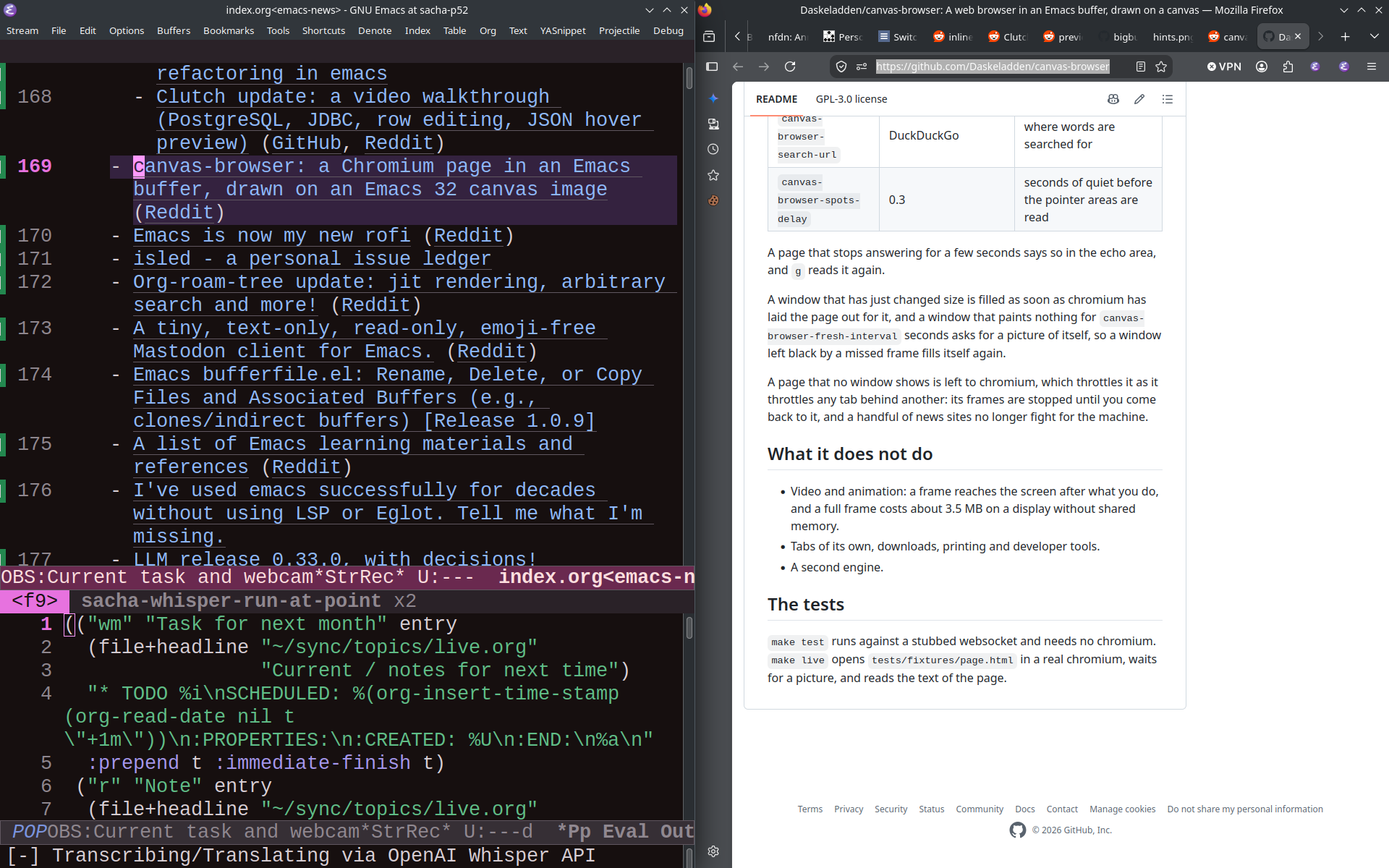
- CANCELLED try Canvas browser to see if I can embed a browser in my Emacs ▶️ screenshot
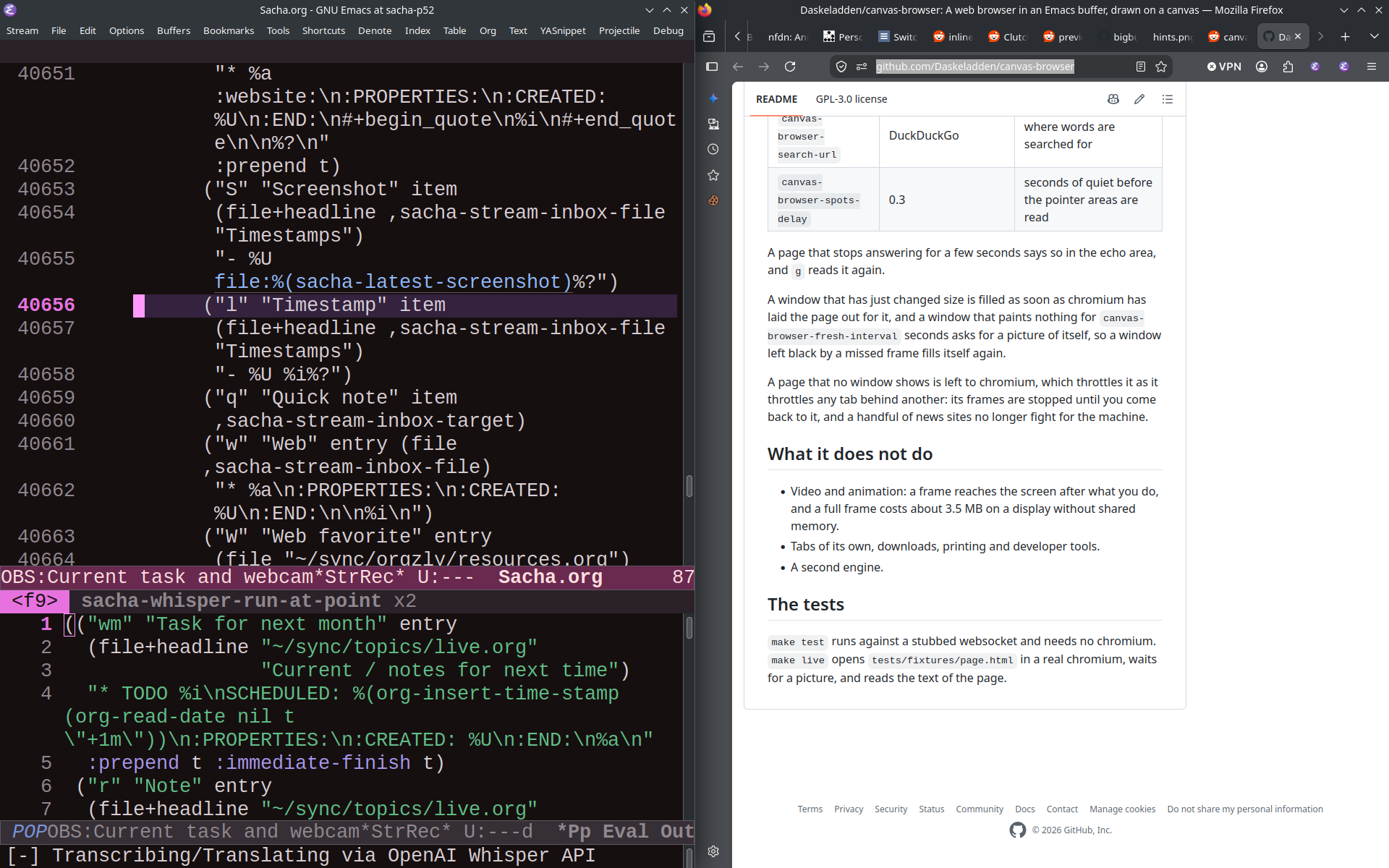
- DONE implement a remind me next month command ▶️ screenshot
- Yay Emacs 41: Working on Emacs News, tinkering with more speech commands
- DONE move my speech based commands from my personal configuration to speech input, maybe
- CANCELLED try out Jinx and Jinx Occur, because that seems to be editable in occur edit mode
- SOMEDAY watch Eric Nantel's video about Spacemacs in French.
- SOMEDAY check out the type safe compatible providers such as Ollaya
- TODO IRC for chat - thanks Guest24
- TODO Figure out what happened to my pasting into Emacs
- Yay Emacs 31 livestream: Working on Emacs News
- SOMEDAY https://recurse.social/@shapr/116534824687970707
- TODO Make it easy to add a comment by e-mail link to my blog posts
- TODO add this to my config https://emacs.dyerdwelling.family/emacs/20260430074958-emacs–a-tiny-header-line-tweak:-image-dimensions-in-image-mode/
- TODO keymap-popup
- TODO Ask at the next Org Meetup
- Timestamps
- Updates
- Ideas
- Some things we can talk about if people are curious
- TODO Improve my audio setup
- CANCELLED Modify my sacha-mastodon-save-toot-for-emacs-news
- TODO Suggest fido-vertical-mode maybe for newcomers-presets?
- TODO Add a nginx redirect for emacsnews (no dash)
- TODO Figure out how to get https://sachachua.com/blog/category/emacs-chat-podcast/feed/ to be a podcast feed again
- Inbox
- TODO update etherpad role etc
- TODO upgrade etherpad to version 3
- TODO respond to this about dictating notes
- TODO global shortcut to complete text from anywhere on the screen
- STARTED implement a sort command that moves things into a
- DONE define the voice command for emojis.
- DONE implement a look for the Emacs news item for the current tab.
- TODO check out fsfsys to see whether the Savannah Git is linkable
- STARTED open captions implementation update.
- STARTED implement a a LaTeX title card with a QR code.
- TODO recompile FFmpeg with some kind of A V one support.
- TODO add a quotes around command that lets me just specify visible text and then add symbols around it like quotation marks or you know, the the verbatim markers or whatever.
- STARTED implement a voice context with an overlay.
- STARTED implement a voice cursor mode.
- CANCELLED be able to quietly turn off dictation mode.
- STARTED double-check BigBlueButton after http2 mitigation, maybe figure out the layout, and try the script update
- DONE phony afternoon command.
- DONE don't go to the other line if I've just cited a comment.
- STARTED getting open captions to work again.
- TODO try out putting the boom arm somewhere else.
- TODO package sub ed.
- TODO make the grid format a custom string and write about it
- TODO figure out my emergency unbroadcasting system.
- DONE do a very important thing.
- STARTED make a demo of my speech commands for rescheduling and creating tasks. I mean, updating task setters.
- TODO send captions directly to YouTube using an HTTP endpoint.
- TODO share a demo of my rescheduling and task status update.
- TODO to
- TODO
- DONE implement some kind of chat command that ignores what I am saying screenshot
- TODO submit a patch for ement for the json-array-type
- TODO look into timestamp based undo for speech commands based on maybe the local talk at EmacsConf.
- DONE figure out what my whisper shortcut should do if I'm using this ASD plus sorry, ASR, automatic speech recognition and voice activity detection constantly in the background.
- TODO d'investiguer ou d'explorer JPTL Prompt.
- TODO d'explorer gptel-org à partir de la présentation de Caetano.
- DONE monkey patch the Mastodon timeline thing so that I can fake a link for my aggregated toots, but let's let's just fix it for temporarily.
- TODO add snippet support to typing in other applications. I mean, with voice, dictating to other applications.
- TODO someday to make a consult option command that lets me select one of the visible links from Spook Fox.
- TODO someday to automatically strip out tracking information from YouTube URLs for Emacs news.
- CANCELLED play around with a Vertical canvas in YouTube.
- STARTED figure out any other automations that I can do for BigBlueButton.
- TODO set up the camera dock position to the left side.
- STARTED verify the EmacsConf infrastructure.
- TODO grab the clip of defining some extra voice commands from today's stream.
- TODO document how Whisper maybe type works in other applications.
- TODO explore using a macro to set up a phony dictionary so that I can uh easily parse different alternatives for a voice command.
- Scheduled livestreams
- Previous episodes
- Meta
Livestream
2026-11-27 Fri 07:00 (UTC -0500 America/Toronto) = Fri Nov 27 0700H EST / 0600H CST / 0500H MST / 0400H PST / 1200H UTC / 1300H CET / 1400H EET / 1730H IST / 2000H +08 / 2100H JST
Emacs, speech recognition, dictation, voice commands, speech synthesis
https://bbb.emacsverse.org/rooms/sacha
See other scheduled livestreams or add the iCalendar feed to see upcoming events in your calendar (Shortcut: Google Calendar) You can also subscribe to the RSS feed.
STARTED Current / notes for next time stream emacs
Emacs by Voice meetup
(UTC -0500 America/Toronto) = Fri Nov 27 0700H EST / 0600H CST / 0500H MST / 0400H PST / 1200H UTC / 1300H CET / 1400H EET / 1730H IST / 2000H +08 / 2100H JST
Emacs, speech recognition, dictation, voice commands, speech synthesis
Yay Emacs 62: Working on Emacs News
It was fast. did did it? Yeah. Categorizing Emacs news. Let's see what else I have time for before the kiddo wakes up.
Raw links: https://sachachua.com/blog/2026/11/2026-11-23-emacs-news/
Yay Emacs 61: editing videos and subtitles
I want to demonstrate my workflow for editing the intro pronunciation videos. I also want to come up with chapter markers for or maybe edit the transcript for the Linux saloon open mic night last night.
https://www.youtube.com/watch?v=Myks3oJDIpQ
00:00:50 Introductions 00:03:30 Local voice commands and dictation 00:56:20 ✅StrawPoll: What is the net effect AI has had overall? 01:51:00 📅 Housekeeping 01:56:00 Last Call
https://cubiclenate.com/2026/11/21/linux-saloon-228-open-mic-night-ai-tools-discussion/
Yay Emacs 60: speech recognition: let's add a voice cursor!
I want to insert text at a specific location rather than the current cursor position. I have preliminary code to insert text at a marker or at the end of the currently clocked task. I plan to refine this code and integrate it more smoothly into my workflow, potentially adding commands to set or clear the cursor, such as "Voice mark" and "Voice clear."
I really like the implementation at https://lepisma.xyz/2024/09/12/emacs-dictation-mode/, so maybe I'll read that first and borrow some ideas.
So today I implemented a "voice mark" command that allows me to specify where the speech input should go. I also have a "voice clear" command that removes that, and a "voice clock" command that directs the speech to go into the current clock task. I added a voice context underline to show where the current speech recognition results are. In the future, I want to pass that to a large language model for easier rewriting or implementation of speech-based dictation commands like formatting or simple edits, but I'm not sure yet how to get the LLM to edit my text for disfluencies, but leave my actual wording alone.
Yay Emacs 59: Updating subed, maybe working on open captions for subed-record and compile-media
I need to update my release notes for subed, the package that I use for editing subtitles in Emacs. After that, I might update subed-record and compile-media. I need to get open captions working again, and I can test it with my French tongue twisters from yesterday's pronunciation tutoring session.
Yay Emacs 58: Org by voice: change task status, reschedule
I just added some commands for updating TODO status and rescheduling tasks, and they are surprisingly awesome. I want to do a quick demo before the kiddo comes out of school.
Yay Emacs 57: Working on Emacs News
Categorizing Emacs news. Let's see what else I have time for before the kiddo wakes up.
Raw links: https://sachachua.com/blog/2026/11/2026-11-16-emacs-news/
Yay Emacs 56: Switched to VAD + ASR python script
Erik and Michael over in the EmacsListen Matrix room suggested that I set it up so that "over" (for toggling dictation mode) can be interpreted at the end of the sentence, instead of having to be an utterance by itself. This gets around my latency thresholds for voice activity detection with the small trade off that I can't end sentences with that keyword. How often do I say "over" at the end of the sentence anyway, right? I mean, I probably could come up with a workaround if I really wanted to, like maybe saying it twice.
Anyway, I realized that I can get slightly faster perceived performance by using my Python script, which does the voice activity detection and the automatic speech recognition at the same time. Or at least by the time it gets to Emacs, it's just text events. I've got it configured with a slightly slower silence threshold, so now it only waits for two hundred milliseconds, I think, in order to mark an utterance as done, which means I just need to think in more connected chunks.
So let's try that new workflow and see what I need to change for my keyboard shortcut to do what I think it should do.
All right, so the goal is that I can just talk to my computer, but I don't get it confused if I want to talk to the stream instead. how do I do that? okay. At the moment, I've switched to using my Python script that does both the voice activity detection and the speech recognition at the same time See that..
Another change This is a change Hang on a second. Where where have I put it? Sorksley. I had cool cold yesterday. I have to go find it. It might be in my my secret inbox, my personal one, with all my other secret, secret tasks. Hang on a second. here it is, in fact. okay, let me copy it .what happens now
topics/
STARTED finalize the short for Prot so that we can post it.
pdftoppm -png -scale-to-x 1080 -scale-to-y 1920 ../community-prot-why.pdf community-prot-why
Trying to get the coordinates based on colors
file:///home/sacha/bin/find-colors.py
Hmm, this doesn't quite work…
(defvar sacha-image-find-colors-command '("/home/sacha/bin/find-colors.py"))

(defun sacha-image-get-coordinates (image-file labels)
  "Analyze IMAGE-FILE for rectangles matching LABELS.
LABELS is an alist of (label . color).
Return a list of ((label x1 y1 x2 y2) ...)."
  (with-temp-buffer
    (apply #'call-process
           (car sacha-image-find-colors-command) nil t nil
           (expand-file-name image-file)
           (seq-mapcat (lambda (o) (list (car o) (cdr o))) labels))
    (mapcar
     (lambda (o)
       (let ((list (split-string o " ")))
         (cons (car list)
               (mapcar #'string-to-number (cdr list)))))
     (split-string (string-trim (buffer-string))
                   "\n"))))
sacha-image-get-coordinates
(sacha-image-get-coordinates "~/proj/emacsconf-2026-community/prot-frames/community-prot-why-1.png" '(("webcam" . "808080") ("caption" . "00ff00") ("animation" . "0000ff")))
(("webcam" 1 16 1079 1081) ("caption" 1 1083 1079 1167) ("animation" 1 1169 1078 1918))
Converting Noteful notebooks to SVGs
openninoor/noteful-mcp reverse-engineered the Noteful format, so I can use svg_export.py (AI-generated) to convert it into strokes annotated with data-length. Example: 2026-Q4 - page 1
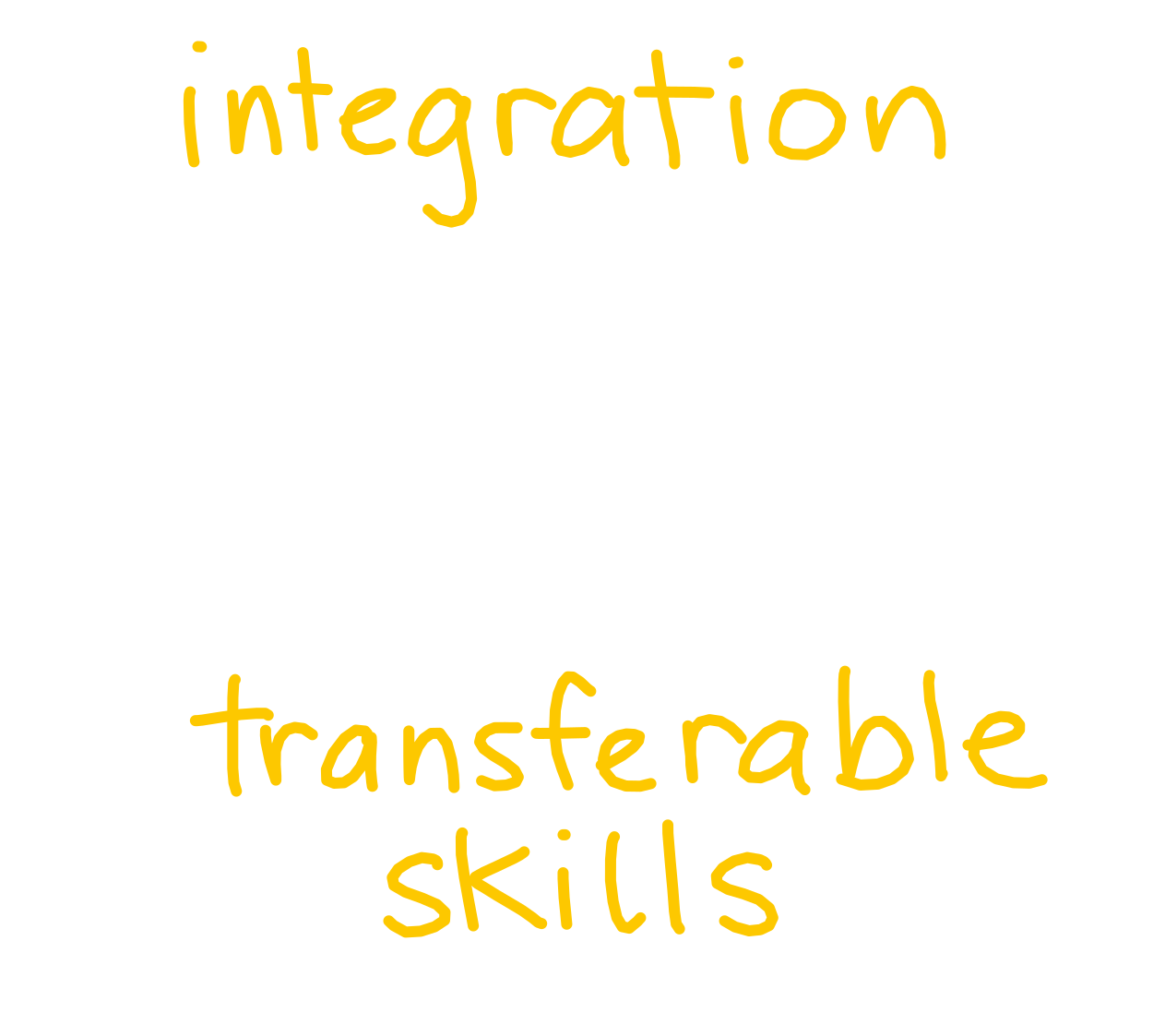
Animating the SVG by adding SMIL directives
(defun sacha-svg-animate-segment-lengths (svg &optional ids)
  "Return the sum of data-length in SVG split by IDS.
If IDS is nil, return ((nil . total-length))"
  (let ((total 0)
        results)
    (dolist (o (dom-by-tag svg 'path))
      (incf total (string-to-number (or (dom-attr o 'data-length) "0")))
      (when (member (dom-attr o 'id) ids)
        (push (cons (dom-attr o 'id) total) results)
        (setq total 0)))
    (if (null results)
        (list (cons nil total))
      (nreverse results))))

(defun sacha-svg-animate-parse-segments (s &optional start-time)
  "Parse S as an animation string.
The string should be of the form:

stroke-id start-timestamp --> end-timestamp optional-comment
stroke-id start-timestamp --> end-timestamp optional-comment
stroke-id start-timestamp --> end-timestamp optional-comment.

Return a list of (stroke-id start-ms end-ms)."
  (setq start-time (compile-media-timestamp-to-msecs start-time))
  (mapcar
   (lambda (row)
     (let ((o (split-string row " +")))
       (list
        (elt o 0)
        (- (compile-media-timestamp-to-msecs (elt o 1))
           (or start-time 0))
        (- (compile-media-timestamp-to-msecs (elt o 3))
           (or start-time 0)))))
   (split-string (string-trim s) "\n")))

;;;###autoload
(defun sacha-svg-animate-strokes-with-smil (input-filename bg duration output-filename &optional start-time)
  "Add SMIL directives to INPUT-FILENAME.
Animate it over DURATION on top of BG and save the result to OUTPUT-FILENAME.

DURATION can be the total number of seconds, or a list
of the form ((stroke-end start-ms stop-ms)),
such as the result of `sacha-svg-animate-parse-segments'.

If START-TIME is non-nil, offset all the timestamps by that."
  (interactive (list (read-file-name "Input SVG: ")
                     (read-number "Seconds: ")
                     (read-file-name "Output SVG: ")))
  (when (stringp duration)
    (setq duration (sacha-svg-animate-parse-segments duration start-time)))
  (let* ((svg (car (xml-parse-file input-filename)))
         prev
         (lengths (sacha-svg-animate-segment-lengths
                   svg
                   (when (listp duration)
                     (mapcar 'car duration))))
         segments)
    (dom-add-child-before
     svg
     (dom-node 'rect `((width . "100%")
                       (height . "100%")
                       (fill . ,bg))))
    (setq segments
          (mapcar
           (lambda (o)
             (let ((path-length (assoc-default (car o) lengths)))
               `((end-stroke . ,(car o))
                 (start-ms . ,(elt o 1))
                 (end-ms . ,(elt o 2))
                 (total-length . ,path-length)
                 (speed . ,(/ (* 1.0 (- (elt o 2) (elt o 1))) path-length)))))
           (if (listp duration)
               duration
             `((nil 0 ,duration)))))
    (setq prev (format "%.3fs" (/ (alist-get 'start-ms (car segments)) 1000.0)))
    (mapc
     (lambda (o)
       (let ((dur (/ (* (alist-get 'speed (car segments))
                        (string-to-number (dom-attr o 'data-length))))))
         (if (string= (format "%.3fs" dur) "0.000s")
             (progn
               (dom-set-attribute o "visibility" "hidden")
               (dom-append-child
                o
                (dom-node 'set
                          `((attributeName . "visibility")
                            (to . "visible")
                            (fill . "freeze")
                            (id . ,(concat (dom-attr o 'id) "a"))
                            (begin . ,prev)))))
           (dom-set-attribute o "visibility" "hidden")
           (dom-set-attribute o "pathLength" "100")
           (dom-set-attribute o "stroke-dasharray" "100")
           (dom-set-attribute o "stroke-dashoffset" "101")
           (dom-append-child
            o
            (dom-node 'animate
                      `((attributeName . "stroke-dashoffset")
                        (from . "101")
                        (to . "0")
                        (fill . "freeze")
                        (id . ,(concat (dom-attr o 'id) "a"))
                        (dur . ,(format "%.3fs" dur))
                        (begin . ,prev))))
           (dom-append-child
            o
            (dom-node 'set
                      `((attributeName . "visibility")
                        (to . "visible")
                        (fill . "freeze")
                        (begin . ,prev))))
           (setq prev (concat (dom-attr o 'id) "a.end")))
         (when (string= (dom-attr o 'id) (alist-get 'end-stroke (car segments)))
           (pop segments)
           (when segments
             (setq prev (format "%.3ds"
                                (/ (assoc-default 'start-ms (car segments) nil 0)
                                   1000.0)))))))
     (dom-by-tag svg 'path))
    (with-temp-file output-filename
      (svg-print svg)))
  output-filename)

(defvar sacha-svg-record-process nil)
(defvar sacha-svg-record-dir "~/vendor/svg_to_video")
(defvar sacha-svg-record-command `("node" "record.mjs"))

(defun sacha-svg-record (svg-filename output-webm length-ms callback)
  "Record SVG-FILENAME to OUTPUT-WEBM for LENGTH-MS."
  (let ((size (image-size (svg-image svg-filename) t))
        (default-directory sacha-svg-record-dir))
    (setq sacha-svg-record-process
          (make-process
           :name "svg-record"
           :buffer (get-buffer-create "*svg-record*")
           :command (append sacha-svg-record-command
                            (list
                             (concat "file://"
                                     (expand-file-name svg-filename))
                             (expand-file-name output-webm)
                             (number-to-string (car size))
                             (number-to-string (cdr size))
                             (format "%.3f" (/ length-ms 1000.0))))
           :sentinel (lambda (process event)
                       (when (string= event "finished")
                         (funcall callback)))))))

(defun sacha-svg-animate-and-record (svg-filename bg start-time end-time animation output-webm)
  "Animate SVG-FILENAME according to ANIMATION.
ANIMATION should be a list of the form ((stroke start-ms end-ms)
...). If ANIMATION is a string, parse it with
`sacha-svg-animate-parse-segments'..

Save to OUTPUT-WEBM. Offset by START-TIME and END-TIME."
  (let ((svg-temp (make-temp-file "animated-smil" nil ".svg")))
    (sacha-svg-animate-strokes-with-smil svg-filename bg animation
                                         svg-temp start-time)
    (sacha-svg-record
     svg-temp
     output-webm
     (- (compile-media-timestamp-to-msecs end-time)
        (compile-media-timestamp-to-msecs start-time))
     (lambda (&rest _)
       (delete-file svg-temp)))))

;; (sacha-svg-animate-strokes-with-smil "~/vendor/noteful-mcp/2026-Q4-prot-svg/2026-Q4-prot-p1.svg" "#000000" 22.451 "~/vendor/noteful-mcp/2026-Q4-prot-svg/2026-Q4-prot-p1-smil.svg")


;; (sacha-svg-animate-strokes-with-smil "~/vendor/noteful-mcp/2026-Q4-valerie-svg/2026-Q4-valerie-p1.svg" "#ffffff" 5 "~/vendor/noteful-mcp/2026-Q4-valerie-svg/2026-Q4-valerie-p1-smil.svg")
sacha-svg-animate-strokes-with-smil
This creates a file like 2026-Q4 - page 1.

Recording the animated SVG as a video: svg_to_video didn't like my SVG, but fortunately using Puppeteer to record it was pretty straightforward: record.mjs
node record.mjs file:///home/sacha/vendor/svg_to_video/prot/2026-Q4-prot-p1-smil.svg test-node.webm 22451 1263 1123 &
Figuring out how to synchronize stroke animations in an SVG with other timestamps
IDs are of the form s0015
Alright, let's say these are the intervals that I want to animate, starting with a timestamp of 00:09:55.413
| s0015 | 2980 | 5282 |
| s0018 | 11713 | 13914 |
| s0030 | 13915 | 15074 |
| s0039 | 16136 | 19137 |
| s0054 | 20208 | 21058 |
| s0056 | 21059 | 21418 |
| s0063 | 21059 | 21418 |
| s0093 | 28079 | 31172 |
(sacha-svg-animate-strokes-with-smil
 "~/vendor/noteful-mcp/2026-Q4-prot-svg/2026-Q4-prot-p1.svg"
 "#000000"
 (sacha-svg-animate-parse-segments "
s0015 00:09:07.620 --> 00:09:09.922 integration
s0018 00:09:16.353 -->a 00:09:18.554 email
s0030 00:09:18.555 --> 00:09:19.714 agenda
s0039 00:09:20.776 --> 00:09:23.777 rss
s0054 00:09:24.848 --> 00:09:25.698 prose
s0056 00:09:25.699 --> 00:09:26.058 code
s0063 00:09:25.699 --> 00:09:26.058 everything
s0093 00:09:32.719 --> 00:09:35.812 transferable skills
" "00:09:04.640")
 "~/vendor/noteful-mcp/2026-Q4-prot-svg/2026-Q4-prot-p1-smil.svg")
~/vendor/noteful-mcp/2026-Q4-prot-svg/2026-Q4-prot-p1-smil.svg
(sacha-svg-animate-and-record
 "~/vendor/noteful-mcp/2026-Q4-prot-svg/2026-Q4-prot-p1.svg"
 "#000000"
  "00:09:04.640" "00:09:55.410"
"
s0015 00:09:07.620 --> 00:09:09.922 integration
s0018 00:09:16.353 --> 00:09:18.554 email
s0030 00:09:18.555 --> 00:09:19.714 agenda
s0039 00:09:20.776 --> 00:09:23.777 rss
s0054 00:09:24.848 --> 00:09:25.698 prose
s0056 00:09:25.699 --> 00:09:26.058 code
s0063 00:09:25.699 --> 00:09:26.058 everything
s0093 00:09:32.719 --> 00:09:35.812 transferable skills
"
 "~/vendor/noteful-mcp/2026-Q4-prot-svg/2026-Q4-prot-p1.webm")
(- (compile-media-timestamp-to-msecs "00:09:55.410")
(compile-media-timestamp-to-msecs "00:09:04.640"))
#<process svg-record>
okay. so I want to be able to to do the animation and synchronize it with the audio. I thought about
Overlaying the videos - I think I got this working now!
  (compile-media-get-command
  '((video (:source "~/proj/emacsconf-2026-community/prot-frames/community-prot-why-1.png"
  :duration 1000)))
  (expand-file-name  "~/proj/emacsconf-2026-community/test.webm"))
ffmpeg "-loop" "1" "-t" "1.000" "-i" "/home/sacha/proj/emacsconf-2026-community/prot-frames/community-prot-why-1.png" "-filter_complex" "[0:v]scale=1280:720:force_original_aspect_ratio=decrease,setsar=sar=1,pad=1280:720:(ow-iw)/2:0+(oh-0-ih)/2,format=yuva420p[v]" "-map:v" "[v]" "-auto-alt-ref" "0" "-y" "/home/sacha/proj/emacsconf-2026-community/test.webm"
- Two images
(let ((compile-media-output-video-fps 1)
      (compile-media-output-video-height 192)
      (compile-media-output-video-width 108))
  (compile-media-get-command
  '((video
     (:source "~/proj/emacsconf-2026-community/prot-frames/community-prot-why-1.png"
  :duration 500)
     (:source "~/proj/emacsconf-2026-community/prot-frames/community-prot-why-2.png"
  :duration 500)))
  (expand-file-name  "~/proj/emacsconf-2026-community/test.webm")))
ffmpeg "-loop" "1" "-t" "0.500" "-i" "/home/sacha/proj/emacsconf-2026-community/prot-frames/community-prot-why-1.png" "-loop" "1" "-t" "0.500" "-i" "/home/sacha/proj/emacsconf-2026-community/prot-frames/community-prot-why-2.png" "-filter_complex" "[0:v]fps=1,scale=108:192:force_original_aspect_ratio=decrease,setsar=sar=1,pad=108:192:(ow-iw)/2:0+(oh-0-ih)/2,format=yuva420p[r0];[1:v]fps=1,scale=108:192:force_original_aspect_ratio=decrease,setsar=sar=1,pad=108:192:(ow-iw)/2:0+(oh-0-ih)/2,format=yuva420p[r1];[r0][r1]concat=n=2:v=1:a=0[v-input-0];;;;;;;;;[r0][r1][r2][r3][r4][r5][r6][r7]concat=n=8:v=1:a=0[v-input-1];[v-input-0][v-input-1]overlay[v-overlaid-1]" "-map:v" "[v-overlaid-1]" "-auto-alt-ref" "0" "-y" "/home/sacha/proj/emacsconf-2026-community/test.webm"
- With start and stop milliseconds for a video
(let ((compile-media-output-video-fps 1)
      (compile-media-output-video-height 192)
      (compile-media-output-video-width 108))
  (compile-media-get-command
  '((video
     (:source "/home/sacha/proj/emacsconf-2026-community/video/e1a70ff93d4dea24dd67698d54491f517bc91a62-1794057844816/medium-w_0drkrps80x7d-1794060192002.webm"
     :start-ms "00:09:05.042"
     :stop-ms "00:10:20.550")
    ))
  (expand-file-name  "~/proj/emacsconf-2026-community/test.webm")))
ffmpeg "-i" "/home/sacha/proj/emacsconf-2026-community/video/e1a70ff93d4dea24dd67698d54491f517bc91a62-1794057844816/medium-w_0drkrps80x7d-1794060192002.webm" "-filter_complex" "[0:v]select='between(t,545.042,620.550)',setpts=PTS-STARTPTS,fps=1,scale=108:192:force_original_aspect_ratio=decrease,setsar=sar=1,pad=108:192:(ow-iw)/2:0+(oh-0-ih)/2[v]" "-map:v" "[v]" "-auto-alt-ref" "0" "-y" "/home/sacha/proj/emacsconf-2026-community/test.webm"
- Let's do a smaller test so that iteration is faster
(let ((compile-media-output-video-height 1920)
      (compile-media-output-video-width 1080))
  (compile-media-get-command
  '((video
     (:source "~/proj/emacsconf-2026-community/prot-frames/community-prot-why-1.png"
  :duration "0:05"))
    (video
     (:source "/home/sacha/proj/emacsconf-2026-community/video/e1a70ff93d4dea24dd67698d54491f517bc91a62-1794057844816/medium-w_0drkrps80x7d-1794060192002.webm"
     :start-ms "00:00:00.000"
     :stop-ms "00:00:05.000"
     :output-pos (1 272 1080 1081)))
    (video
     (:source "~/vendor/svg_to_video/test-node.webm"
     :output-pos (1 1169 1080 1920)))
    (subtitles
     (:source "/home/sacha/proj/emacsconf-2026-community/community-prot-why.vtt"
              :open-captions t
              :start-ms  "00:09:04.640"
              :stop-ms "00:09:09.640"
              :output-pos (1 1083 1080 1167)
              :align (center center)))
    (audio
     (:source "/home/sacha/proj/emacsconf-2026-community/audio/e1a70ff93d4dea24dd67698d54491f517bc91a62-1794057844816-63694018.opus"
     :start-ms "00:00:00.000"
     :stop-ms "00:00:05.000")))
  (expand-file-name  "~/proj/emacsconf-2026-community/test.webm")))
ffmpeg "-loop" "1" "-t" "5.000" "-i" "/home/sacha/proj/emacsconf-2026-community/prot-frames/community-prot-why-1.png" "-to" "5.000" "-i" "/home/sacha/proj/emacsconf-2026-community/video/e1a70ff93d4dea24dd67698d54491f517bc91a62-1794057844816/medium-w_0drkrps80x7d-1794060192002.webm" "-i" "/home/sacha/vendor/svg_to_video/test-node.webm" "-i" "/home/sacha/proj/emacsconf-2026-community/audio/e1a70ff93d4dea24dd67698d54491f517bc91a62-1794057844816-63694018.opus" "-t" "5" "-filter_complex" "[0:v]scale,format=yuva420p[v-input-0];[1:v]select='between(t,0.000,5.000)',setpts=PTS-STARTPTS,scale=1079:809:force_original_aspect_ratio=decrease[v-input-1];[v-input-0][v-input-1]overlay=x=1+(1079-w)/2:y=272+(809-h)/2[v-overlaid-1];[2:v]setpts=PTS-STARTPTS,scale=1079:751:force_original_aspect_ratio=decrease[v-input-2];[v-overlaid-1][v-input-2]overlay=x=1+(1079-w)/2:y=1169+(751-h)/2[v-overlaid-2];[v-overlaid-2]subtitles=/tmp/compile-mediaIY4mRT.ass[v];[3:a]aselect='between(t,0.000,5.000)',asetpts='N/SR/TB'[a]" "-map:v" "[v]" "-map:a" "[a]" "-auto-alt-ref" "0" "-y" "/home/sacha/proj/emacsconf-2026-community/test.webm"
- The first section
(let ((compile-media-output-video-height 1920)
      (compile-media-output-video-width 1080))
  (compile-media-get-command
  '((video
     (:source "~/proj/emacsconf-2026-community/prot-frames/community-prot-why-1.png"
  :duration "0:50.770"))
    (video
     (:source "/home/sacha/proj/emacsconf-2026-community/video/e1a70ff93d4dea24dd67698d54491f517bc91a62-1794057844816/medium-w_0drkrps80x7d-1794060192002.webm"
     :start-ms "00:09:04.640"
     :stop-ms "00:09:55.413"
     :output-pos (1 272 1080 1081)))
    (video
     (:source
      "~/vendor/svg_to_video/2026-Q4-prot-p1-smil.webm"
     :output-pos (1 1169 1080 1920)))
    (subtitles
     (:source "/home/sacha/proj/emacsconf-2026-community/community-prot-why.vtt"
              :open-captions t
              :start-ms  "00:09:04.640"
              :stop-ms "00:09:55.413"
              :output-pos (1 1083 1080 1167)
              :align (center center)))
    (audio
     (:source "/home/sacha/proj/emacsconf-2026-community/audio/e1a70ff93d4dea24dd67698d54491f517bc91a62-1794057844816-63694018.opus"
     :start-ms "00:09:04.640"
     :stop-ms "00:09:55.413")))
  (expand-file-name  "~/proj/emacsconf-2026-community/test.webm")))
ffmpeg "-loop" "1" "-t" "50.770" "-i" "/home/sacha/proj/emacsconf-2026-community/prot-frames/community-prot-why-1.png" "-to" "595.413" "-i" "/home/sacha/proj/emacsconf-2026-community/video/e1a70ff93d4dea24dd67698d54491f517bc91a62-1794057844816/medium-w_0drkrps80x7d-1794060192002.webm" "-i" "/home/sacha/vendor/svg_to_video/2026-Q4-prot-p1-smil.webm" "-i" "/home/sacha/proj/emacsconf-2026-community/audio/e1a70ff93d4dea24dd67698d54491f517bc91a62-1794057844816-63694018.opus" "-t" "595" "-filter_complex" "[0:v]scale,format=yuva420p[v-input-0];[1:v]select='between(t,544.640,595.413)',setpts=PTS-STARTPTS,scale=1079:809:force_original_aspect_ratio=decrease[v-input-1];[v-input-0][v-input-1]overlay=x=1+(1079-w)/2:y=272+(809-h)/2[v-overlaid-1];[2:v]setpts=PTS-STARTPTS,scale=1079:751:force_original_aspect_ratio=decrease[v-input-2];[v-overlaid-1][v-input-2]overlay=x=1+(1079-w)/2:y=1169+(751-h)/2[v-overlaid-2];[v-overlaid-2]subtitles=/tmp/compile-mediaIFE4Xp.ass[v];[3:a]aselect='between(t,544.640,595.413)',asetpts='N/SR/TB'[a]" "-map:v" "[v]" "-map:a" "[a]" "-auto-alt-ref" "0" "-y" "/home/sacha/proj/emacsconf-2026-community/test.webm"
Yay Emacs 55: Speech mode switching
I have about 20 minutes. Let's see if we can get speech recognition mode-switching to work!
So the here's the challenge. I want to be able to fluidly use voice activity detection and speech recognition in Emacs while still also being able to tell the difference between when I'm talking on stream or to myself and when I want to have it processed for dictation inserted into the buffer, or if I wanted to just listen to commands. So Let's let's try let's try to separate separate out this those different cases. first, if I'm talking to talking to stream, I I want to be able to run some commands on it. And the way that I can do that is I can just pause before and after saying the command so that it's just one clean utterance. Other buffer. okay. Now it switches. So now it is no longer sleeping. I really should have that as an indicator somewhere.
All right, now I should be able to c talk and have that show up as dictation. Yay! okay, okay. So the way that it works is if I if I talk, then by default, it's going to come out as dictation or have commands processed. And if I keep talking, it'll just keep processing these things in the background because it's all cued. It listens for the pauses in between utterances so that it can segment the text properly. If I want to stop the dictation, I would say over by itself. I'll just move my cursor manually. I need to fiddle with that some more. Anyhow, this is exciting because that means I can distinguish between what I'm talking to my computer and what I'm talking on stream, and all it needs now is to add a little indicator to my mode line.
okay, now we're listening. okay, so now when I'm talking, it will go into the computer. I just need to tweak the voice activity detection threshold so that I don't have to pause for such a long time before and after my my my my command. Or what I could do is I could have it always trigger. Uh Hmm, tempting. Yeah, okay, so I customize the cursor when it's ready for voice. I'm thinking it's just a matter of adding it to my moodline indicator.
(add-to-list 'mode-line-format 'sacha-whisper-mode-indicator) (setq sacha-whisper-mode-indicator "x") (setq mode-line-front-space (cdr mode-line-front-space))
and-now-we're-in-kebab-mode And now we should be able to say things and it should just be sentences. Sentences are great. Maybe there wasn't enough time there. oh, actually, hmm, yeah, that no, no, no. The thing there is it it's it's still doing the the speech recognition. okay, so I think the easiest way to do this kind of switching between modes is just to use my keyboard shortcut. So ignore that part about over, because a keyboard shortcut, I think, is going to be better for that. But the continuous mode, I think, will be helpful. So this might be useful in between. I I'll think about it some more. but it should be interesting.
Yay Emacs 54: Working on Emacs News
Time to work on Emacs News!
Raw material: https://sachachua.com/blog/2026/11/2026-11-09-emacs-news/
Yay Emacs 53: Drafting my responses for the community panel
We have a recording session for https://emacsconf.org/2026/talks/community/ tomorrow, so I need to get my thoughts together. Also, if there's time, I want to to document and demonstrate my video workflow so that I can do it again next year, and maybe look into organizing my windows and workspaces in preparation for trying to manage everything everywhere all at once. Aaah! Totally not panicking.
Yay Emacs 52: Drafting my responses for the community panel
We have a recording session for https://emacsconf.org/2026/talks/community/ tomorrow, so I need to get my thoughts together. Also, if there's time, I want to to document and demonstrate my video workflow so that I can do it again next year, and maybe look into organizing my windows and workspaces in preparation for trying to manage everything everywhere all at once. Aaah! Totally not panicking.
Yay Emacs 51: Dusting off my EmacsConf code
EmacsConf has two days of two tracks, and my brain is not very good at paying attention to things that have to be done at a certain time. So I use cron to schedule the playback of talks at the scheduled times during the conference, including:
- announcing the talk on IRC
- playing the recorded intro, if it exists
- playing the video file or joining the talk's BigBlueButton room
- going to the Q&A session, which could be in BigBlueButton, Etherpad, or IRC
- publishing the talk video files on the wiki and on media.emacsconf.org
This came in really handy last year because I had to manage EmacsConf by myself for part of the conference. This year, I think I might need to do the same.
One of the challenges of automating something that I do only once a year is that I tend to forget about things, especially if I quickly put together the automation in a rush because I was trying to get things done. If I didn't take the time to document them while it was still fresh in my brain (because I needed to move on to doing something else), now I need to dust off the code, figure out how it works, and fill in those missing notes.
Today I want to get that automatic schedule working again. If I have time, maybe I will record the introductions.
orga - user that the /usr/local/bin/handle-session script connects to
Yay Emacs 50: Trimming audio from my French tonguetwister practice
I can demonstrate my workflow for extracting the clips from my recording of a pronunciation practice session with my teacher.
workflows#extract-my-french-pronunciation-lessons-tongue-twisters-virelangues
Yay Emacs 49: Back to editing the VTT for my conversation with Linkarzu
I'm about halfway through editing the transcript. I would like to get it nicely edited so that it'll be easy to pull out snippets of it as text.
Draft: https://sachachua.com/blog/2026/11/my-chat-with-linkarzu/
Yay Emacs 48.2: Working on Emacs News
Time to work on Emacs News!
Raw material: https://sachachua.com/blog/2026/11/2026-11-02-emacs-news/
Yay Emacs 47: Editing the VTT for my chat with Linkarzu
I finally get to work on this, at least until the kiddo wakes up! I want to turn this into the usual nicely searchable transcript. Draft: https://sachachua.com/blog/2026/11/my-chat-with-linkarzu/
Yay Emacs 46: Tinkering with my speech+typing workflows
Possible things to show
process of drafting a blog post
- Why:
- I like writing blog posts because it's a lot easier for people to skim than a twenty-minute video.
- People can copy code from it, I can search it, um, I can update it as I learn more or as I fiddle with the code.
- Text is so much easier to work with.
- Challenges:
- Some people think very logically.
- They can start with a top-down outline and then systematically fill it in.
- Some people work bottom up.
- They collect a lot of notes which they organize them into larger and larger chunks, and they they make something useful that way.
- My mind tends to wander all over the place.
- Sometimes I work from the top down.
- Sometimes I want to jump to a different part of my outline to fill something in.
- Sometimes I just have some sentences and then I need to figure out how to get from one place to another.
- Some people think very logically.
- How
- I wrote about my writing workflow in 2025 (Finding the shape of my thoughts).
- My workflow has changed a little bit since then.
- I spend much less time waiting around during playdates these days; it's getting colder because the kiddo now mostly prefers to spend time with me or playing Minecraft. Instead of using my phone for outlines, snippets, placeholders, Uh, she's, you know, maybe she and her friends are growing a little bit apart. Middle school is hard, etc., etcetera.
- Um
- So most of my writing now is done on my laptop and the audio br brain dump then doesn't come as a monolithic audio file or this big wall of text that I then have to edit and sort through.
- It by using this.
- This workflow.
- I can.
- Um, use the outline as a visual anchor for my thoughts while using dictation to quickly jot things down.
- And all of that is very useful and I should have remembered to
- Publishing.
- Next steps.
- If I'm untangling my thoughts about a complex topic, sometimes I start with a sketch to figure out what I want to say and the order in which I want to say them.
- Normally, when I'm writing, I do like to play around with sometimes putting one sentence per line.
- This allows me to move the sentences around very quickly using Org shortcuts, and it also helps me see the variety in the lengths of sentences.
- I do tend to have very long sentences.
- It reminds me to break them up into shorter ones.
- getting the captions for the current recording
Since I can use Emacs and a bit of Python to visualize the gaps and the conversation balance in real-ish time, and I can use speech recognition to see if I've said any of my target words or phrases, why not use that speech recognition result to make a proper VTT of the current recording on the fly so that I can jump to things or extract stuff?
I generated a modified asr.py that gives me Unix timestamp * 1000 + milliseconds. I can check the timestamps against the timestamp in the filename of the latest recording, which OBS is still adding to. This lets me approximately synchronize things so that I can jump to parts of the current recording while I'm recording it, and I can adjust the timestamps further by referring to the waveforms.

search - How can I find a message by Message-ID in Gmail? - Web Applications Stack Exchange website
rfc822msgid:20050329231145.62086.mail@mail.emailprovider.com
Yay Emacs 45: Working on Emacs News
Time to work on Emacs News!
Draft with the raw links: 2026-10-26 Emacs news
Yay Emacs 44: More conversational voice interfaces
Yesterday, I added voice in and voice out to M-x doctor. I think I've figured out how to get gptel to do the same so that I can practice talking in French with Emacs. There are a number of mobile applications that offer similar kinds of AI voice conversations for a subscription, but I'd prefer to do things in Emacs, of course, so that I can use the data and tweak things more. I'll demonstrate what I've got working so far and then tinker with it to see what else I can come up with.
Outline:
- M-x doctor and sacha-whisper-conversation-mode
- sacha-gptel-practice-french
- https://github.com/jwiegley/pending would be nice
- speech recognition
gptel chat
(use-package pending
  :vc (:url "https://github.com/jwiegley/pending"))

(defvar sacha-whisper-pending-overlay nil "Overlay that will have the pending indicator.")
(defvar sacha-gptel-pending-overlay nil "Overlay that will have the pending indicator.")

;;;###autoload
(defun sacha-whisper-run-with-pending-indicator ()
  "Display a pending indicator while waiting."
  (interactive)
  (if (process-live-p whisper--recording-process)
      (pending-update sacha-whisper-pending-overlay
                      :label "💭")
    (setq sacha-whisper-pending-overlay
          (pending-insert (point) "👂")))
  (whisper-run))

(defun sacha-whisper-pending-remove-overlay (text)
  "Add to `whisper-insert-text-at-point'."
  (when (overlayp (pending-ov sacha-whisper-pending-overlay))
    (delete-overlay (pending-ov sacha-whisper-pending-overlay)))
  text)

(defun sacha-gptel-pending-remove-overlay (&rest _)
  "Add to `gptel-pre-response-hook'."
  (when (overlayp (pending-ov sacha-whisper-pending-overlay))
    (delete-overlay (pending-ov sacha-whisper-pending-overlay))))

(defun sacha-gptel-pending-show-indicator (fn &rest args)
  "Show the indicator in the buffer while waiting."
  (apply fn args)
  (pending-insert (point) "💭"))

;; (with-eval-after-load 'gptel
;;  (advice-add 'gptel-send :around 'sacha-gptel-pending-show-indicator)
;;  (add-hook 'gptel-pre-response-hook #'sacha-gptel-pending-remove-overlay)
;;  )
;; This is a test.
sacha-gptel-pending-show-indicator
Yay Emacs 43: Defining voice commands with phony.el
I used to define voice commands with regular expressions, but I think I've mostly figured out how to use phony.el to define commands using grammar so that I can reuse different components. Let me go play around with this some more.
- on my computer
- on my phone with termux?
TODO Try out the STT model that yantar92 uses
OpenVINO/whisper-large-v3-turbo-int4-ov
SOMEDAY set up a stopwatch and a timer that I can trigger by voice
https://fosstodon.org/@eludom/117422669292878212
(defvar my-talk-start-time nil
  "When non-nil, the time the talk started (via `current-time').")
(defvar my-talk-timer nil
  "Timer object for updating the mode line.")

(defun my-talk-elapsed ()
  "Return elapsed time string, or nil if no talk is active."
  (when my-talk-start-time
    (let* ((elapsed (float-time (time-subtract (current-time)
                                               my-talk-start-time)))
           (minutes (floor elapsed 60))
           (seconds (floor (- elapsed (* minutes 60)))))
      (format " [talk: %d:%02d]" minutes seconds))))

(defun my-talk-start ()
  "Start the talk timer and enable mode-line display."
  (interactive)
  (setq my-talk-start-time (current-time))
  (unless my-talk-timer
    (setq my-talk-timer
          (run-with-timer 0 1 #'force-mode-line-update)))
  (message "Talk timer started."))

(defun my-talk-stop ()
  "Stop the talk timer and remove the mode-line display."
  (interactive)
  (setq my-talk-start-time nil)
  (when my-talk-timer
    (cancel-timer my-talk-timer)
    (setq my-talk-timer nil))
  (force-mode-line-update)
  (message "Talk timer stopped."))
Yay Emacs 42: Working on Emacs News, happy Canadian Thanksgiving!
Probably just a quick session working on Emacs News today.
Yay Emacs 41: Working on Emacs News, tinkering with more speech commands
I'll work on Emacs News. If there's time, I can show some of the other speech commands I've been playing around with.
- "remind me to…" now saves a screenshot
- "open …" works elsewhere
- "comment …" works in code and subtitle files
TODO IRC for chat - thanks Guest24
##yayemacs on libera.
TODO add this to my config https://emacs.dyerdwelling.family/emacs/20260430074958-emacs--a-tiny-header-line-tweak:-image-dimensions-in-image-mode/
TODO Ask at the next Org Meetup
- Is there a way to make headings (ex: Org Babel result block, custom link output)? I'd love it if the headings could get picked up by TOC. Org Babel block reevaluation ends up with duplicates if the result has headings.
Timestamps
- Sacha and Prot Talk Emacs: May I recommend… sach.ac/yay-emacs
- Sacha and Prot Talk Emacs: May I recommend… YayEmacs.com
- Sacha and Prot Talk Emacs YayEmacs.com
- Sacha and Prot Talk Emacs YayEmacs.com
- Sacha and Prot Talk Emacs YayEmacs.com
- Sacha and Prot Talk Emacs: YayEmacs.com
- Sacha and Prot Talk Emacs: Under-appreciated Built-ins YayEmacs.com
- Emacs Chat en français
- Emacs Chat en français
- Panicked
- Panicked
- Panicked
- Panicked
- Panicked
- Panicked
- Panicked
- Panicked
- Panicked
- Panicked
- Panicked
- Panicked
- Panicked
- Panicked
- Panicked
- file:///home/sacha/recordings/2026-11-23_09-48-32.mkv
- file:///home/sacha/recordings/2026-11-23_09-48-32.mkv
- file:///home/sacha/recordings/2026-11-23_09-48-32.mkv
Ideas
Future: Org Mode LaTeX export - Tinkering with my PDF export
After reading tecosaur's emacs config PDF (source), I have a case of literate config envy. I want to tweak my custom link types so that they export something sensible to LaTeX.
- https://sachachua.com/dotemacs
- https://codeberg.org/sachac/.emacs.d
- https://sachachua.com/dotemacs/index.pdf (big file, doesn't display on mobile yet)
- https://sachachua.com/dotemacs/Sacha.pdf (smaller sections, still broken)
- Video thumbnails
- Replacement for
my_details - Emojis
Update How to Learn Emacs
https://sachachua.com/blog/2013/05/how-to-learn-emacs-a-hand-drawn-one-pager-for-beginners/
- Minor updates:
- change planet.emacsen.org to planet.emacslife.com
- change irc.freenode.net to libera.chat, include link to EmacsChannel
- Include link to EmacsNewbie and the visual guide
- Include Emacs News for staying connected
- Learn how to learn
- Built-in tutorial
- Start small
- Part-time is okay
- Sticky notes
- How to use a starter kit
- Getting help
- Other resources
- Explore
It might be interesting to have some kind of a skill tracker or progression tree type of quick reference also… =)
Some things we can talk about if people are curious
- Now I can have shortcuts like delete-other-windows-vertically
- Emacs News
- my Emacs configuration
- bug-hunter: Ooh, pierre-rouleau/elisp-bug-hunter has my header/footer code and some new fixes, let me try that
- probably should put together the which-key-display-prefix patch
- sachac/learn-lang: Some tools for learning languages with Emacs - Codeberg.org
- sachac/speech-input: Experimenting with a speech-based interface for Emacs - Codeberg.org
TODO Improve my audio setup
- Boom?
- Tonor T20 CAD 39.99
- InnoGear 2026 Low Profile Arm
- Shock mount?
- Auphonix Shock Mount For Blue Yeti Microphone?
CANCELLED Modify my sacha-mastodon-save-toot-for-emacs-news
so that it lets me select the link and prompt for the summary right away
Move the functionality of emacs-news-summarize-mastodon-items into it
TODO Add a nginx redirect for emacsnews (no dash)
Also yayemacs.com/news and emacslife.com/news
TODO Figure out how to get https://sachachua.com/blog/category/emacs-chat-podcast/feed/ to be a podcast feed again
Inbox
- conversation
- practice French
learn-lang-flycheck-gptel
(gptel-make-ollama "Ollama" :host "localhost:11434" ;; Replace 11434 if your port is different :stream t :models '(qwen3.6:35b-a3b qwen3.5:4b))
TODO update etherpad role etc
ansible-galaxy role install –force systemli.etherpad Starting galaxy role install process
- changing role systemli.etherpad from 2.3.3 to unspecified
- downloading role 'etherpad', owned by systemli
- downloading role from https://github.com/systemli/ansible-role-etherpad/archive/3.1.0.tar.gz
- extracting systemli.etherpad to home/sacha.ansible/roles/systemli.etherpad
- systemli.etherpad (3.1.0) was installed successfully
(emacsconf-ansible) ➜ emacsconf-ansible git:(main) ✗ ansible-playbook -i inventory.yml prod-playbook.yml –tags pad,proxy
DONE define the voice command for emojis.
All right, it is time to write down what I'm getting confused by. When I run my emoji command, it switches buffers instead. I wonder if my other in s my other phrase related commands work.
STARTED open captions implementation update.
My next step is to write a test so that I can figure out how to include open captions and finish the implementation in compile media.
STARTED double-check BigBlueButton after http2 mitigation, maybe figure out the layout, and try the script update
I need to disable HTTP two for HA proxy and engine X. also I wanted to try presentation layout, but presentation only disables webcams. So that's a no-go for us. And presentation focus tucks the chat into tucks the videos into the chat, but you can't show just the public chat by itself. You always have to show the chat list, the user list as well, which takes up a lot of horizontal space.
Smart layout does actually move it. It is, however, a bit larger than when you use a custom layout and you drag it manually.
STARTED getting open captions to work again.
I have gotten open captions added as a directive and as a track. And what I need to do next is to parse the uh Parse it on the compile media side so that if I don't specify a source, I can create one from the subtitles that are passed to it. So instead of using a text track, I want to just pass the the subtitles, and I need to use per line directives maybe to uh To do the, to do the setup. I'd probably that's probably what I need to do instead of trying to rely on a default style.
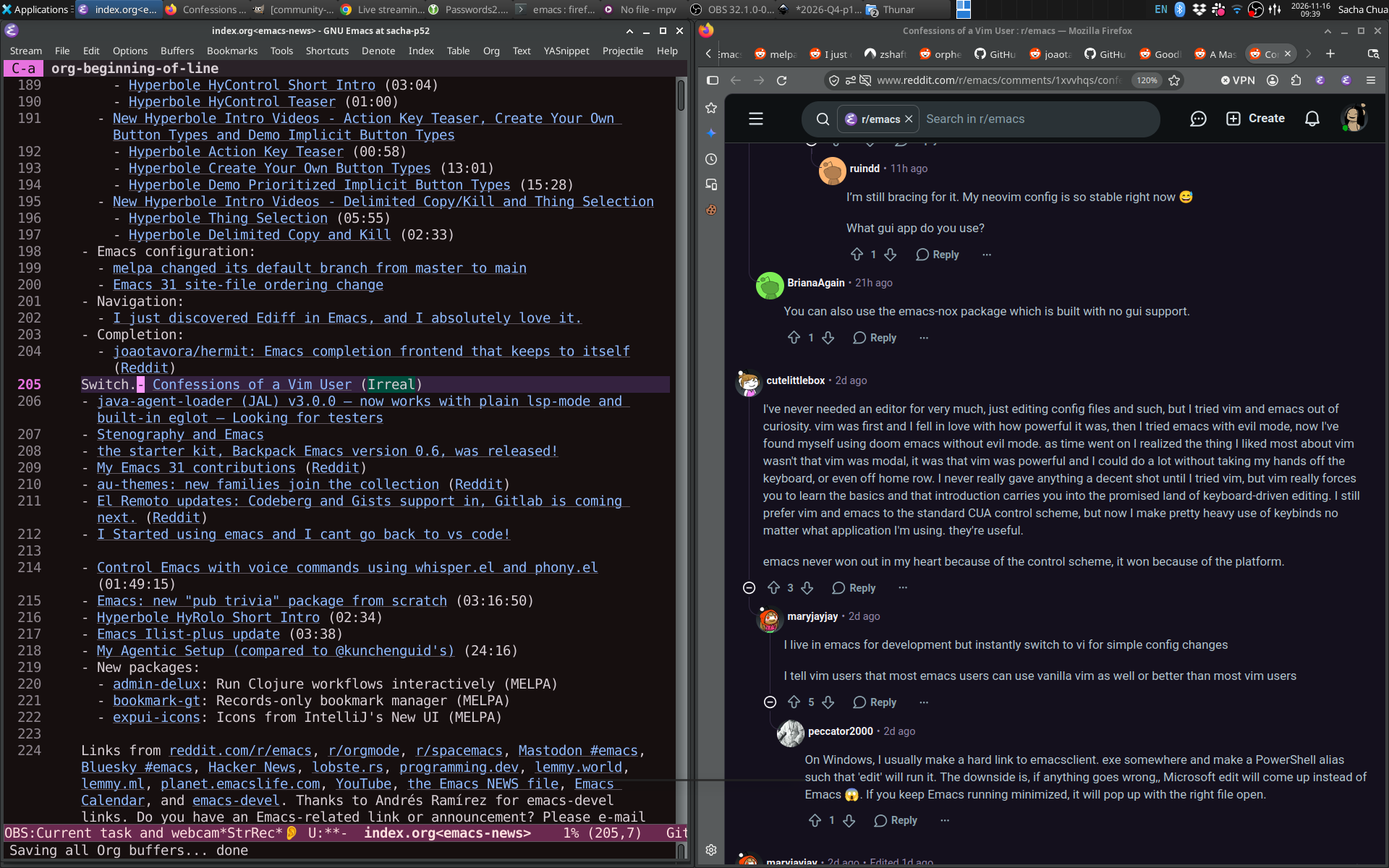
DONE figure out what my whisper shortcut should do if I'm using this ASD plus sorry, ASR, automatic speech recognition and voice activity detection constantly in the background.
So let's try this now
Yeah. If I use Undo Tree Visualize, then I can press T to change to the timestamp mode, although I don't think it works for historic data.
This just works. I can just keep talking. I don't have even have to press my keyboard shortcut. I will just have to remember to switch between talking and oh whatever else it is.
CANCELLED play around with a Vertical canvas in YouTube.
I'm not going to worry about that for now.
TODO document how Whisper maybe type works in other applications.
@SLURMInitiative
Scheduled livestreams
Times are in America/Toronto. If you have Javascript enabled, click on a time to translate it.
Oct 2 - Emacs Chat 31: Pedro A. Aranda Gutierrez
https://sachachua.com/blog/2026/10/oct-2-emacs-chat-31-pedro-a-aranda-gutierrez/
On Oct 2, we'll chat with Pedro about Org Mode, LaTeX exports and font management including alternatives and things you can and can't do depending on your choices. He'll share some tips on fallbacks and emojis, which can help a lot with presentations and documentation. We might also discuss recent patches and realistic objectives.
2026-10-02 Fri 06:00-07:00 America/Toronto = Fri Oct 2 0600H EDT / 0500H CDT / 0400H MDT / 0300H PDT / 1000H UTC / 1200H CEST / 1300H EEST / 1530H IST / 1800H +08 / 1900H JST
Previous episodes
- Yay Emacs 40: Tinkering with my speech commands and working on the schedule for EmacsConf - YouTube
- Yay Emacs 39: Testing my new streaming functions - YouTube
- Yay Emacs 38: Working on Emacs News - YouTube
- Yay Emacs 37: Working on Emacs News - YouTube
- Yay Emacs 35: Reacting to Linkarzu's reaction to my video with Prot about newbies and starter kits - YouTube
- Yay Emacs 34: editing YE33 transcript - YouTube
- Yay Emacs 33: Sacha and Prot Talk Emacs: Built-ins - YouTube
- Yay Emacs 32: Sacha and Prot Talk Emacs: May I recommend… - YouTube
- Yay Emacs 31 livestream: Working on Emacs News - YouTube
- YE30: Suggest find-user-init-file, work on newbie docs - YouTube
- YE29: Sacha, Prot, and Philip Kaludercic Talk Emacs: Newcomer Experience
- YE28: Work on Emacs newbie documentation
- YE27: Working on Emacs News
- YE26: Process notes from EC21 with Amin, commit my changes to subed - YouTube (1:55:37)
- Emacs Chat 21: Amin Bandali
- YE25: Working on Emacs News, getting ready for Emacs Chat today - YouTube (2:27:55)
- YE24: Sacha and Prot Talk Emacs - Newbies/Starter Kits (YouTube, 1:05:10)
- YE22.3 Hanging out: Working on Emacs News
- YE21 April 23: Continuing to think about newbies / starter kits (YouTube) 1:00:51
- YE20: Emacs Carnival: newbies / starter kits (YouTube)
YE19: Make an Org Mode file from YouTube upcoming broadcasts
- YE18 putting together Emacs News for 2026-04-20 - YouTube
- Mentioned bitspook/spookfox: A tinkerer's bridge b/w Emacs and Web Browser (Firefox and Chrome) · GitHub, sacha-spookfox-scroll-up, and sacha-spookfox-scroll-down from my Emacs config
- YE17: Livestream conveniences, editing yesterday's transcript
- 0:00 Intro
- 0:58 Scheduling livestreams
- 4:58 Listing livestreams
- 9:58 https://sachachua.com/blog/2026/04/ye16-sacha-and-prot-talk-emacs/
- 15:58 Let's add some code to import chapter comments
- 38:58 Back to editing the captions
- 43:58 Getting distracted by wanting to put time in my header-line-format
- 44:58 Back to captions
- 47:58 Calculating offset into streamed video
- YE16: Sacha and Prot talk Emacs (YouTube 1:13:00)
- Emacs config modularization
- Keyboard shortcuts: C-z, one-shot modifiers, tap vs hold
- Livestreaming
- Announcing
- Converting time zones: Time zones
- Displaying strings and QR codes
- Processing the recordings
- Announcing
- YE15: Fiddling with my Emacs config and streaming setup - YouTube
- YE14: Putting together Emacs News for 2026-04-13 - YouTube
- YE13: Working on modularizing my config - YouTube (1:23:26)
- YE12: Putting together Emacs News for 2026-04-06, epwgraph for Pipewire, learning languages - YouTube (1:19:48)
- YE11: Fix find-function for Emacs Lisp from org-babel or scratch (8:19 + post)
- YE10: Emacs coaching with Prot: Emacs workflows and streaming (1:06:30 + post)
- Extract PDF highlights into an Org file with Python (4:27 + post)
- YE9: Trimming/adding silences to get to a target; subed-record-sum-time (0:56 + post)
- Emacs Carnival February 2026: Completion
Meta
I want to get better at livestreaming while I tinker with Emacs because:
- Getting into the habit of talking out loud while I code might help me retrace my steps or my logic, like Bookclub tapas.
- I want to turn those demonstrations or discussions into blog posts with screenshots or video clips. If I note down rough timestamps or capture screenshots, I can use those for chapters, and then I can review the transcript once it's available.
- Other people might notice something that I take for granted and then I can help them learn more about it. I can share more of my implicit knowledge.
- Other people might even help me get unstuck or let me know about things I haven't gotten the hang of yet.
- There might eventually be a time when it will be difficult for me to get outside, so it might be helpful to have more ways to enjoy social interaction and mental stimulation.
A few other Emacs streamers:
- Protesilaos: themes, utilities, community, philosophy; site, Emacs config
- DistroTube
- Andrew Tropin
- Xah Lee
- Divya: Canvas patch / Emacs Reader, sometimes pair-programs via CRDT
- David (System Crafters): Doesn't use Emacs as much these days, interested in AI and LLMs
- lcolonq: Long streams, coding, hanging out; occasionally tweaks Emacs; lcolonq/wasp - Emacs bits for stream setup
- Incidental:
sources: Reddit