
Une navigation simplifiée sur mon blog grâce à EWW (et Emacs !)
| emacs, french, tagalog
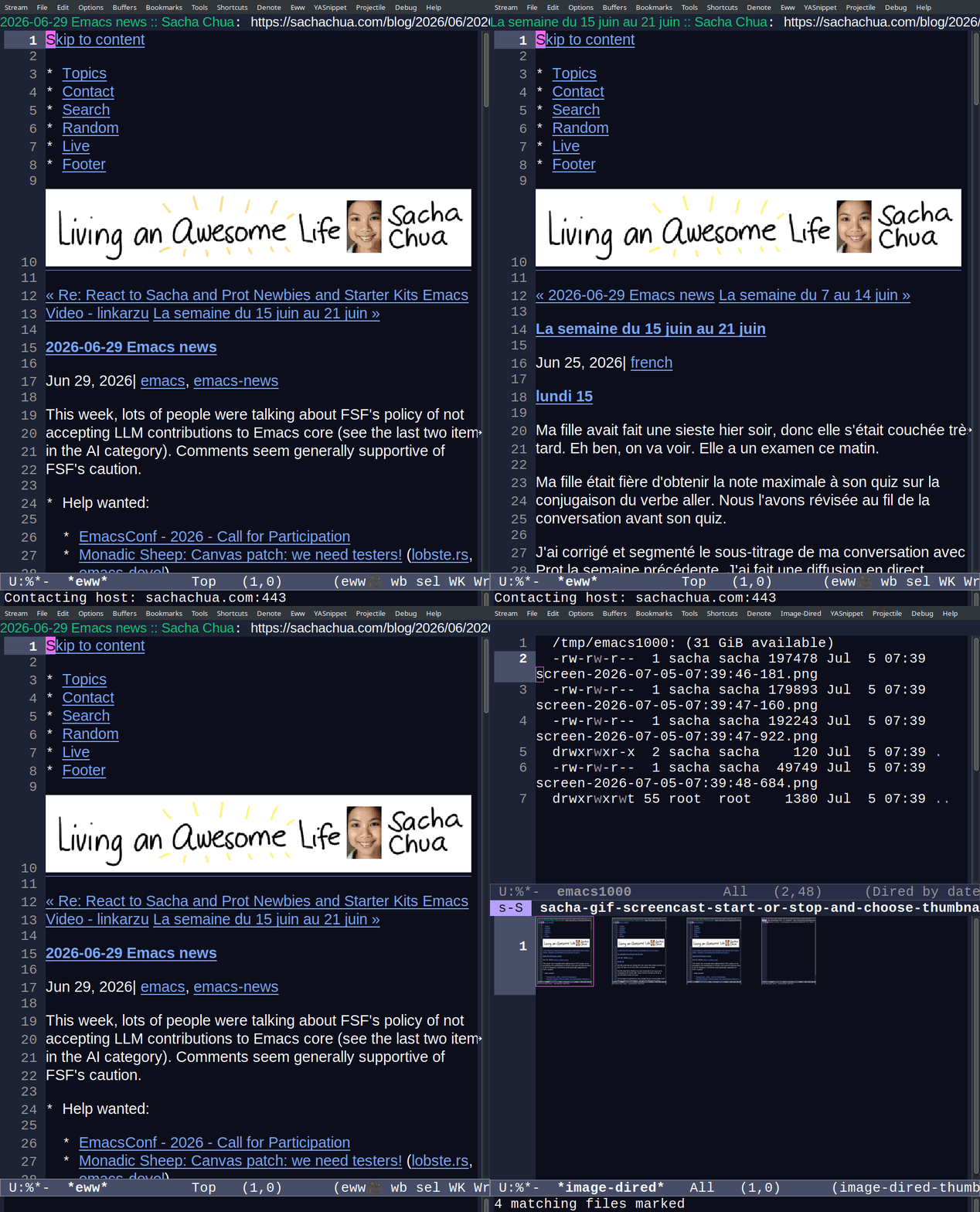
Quick English translation: You can now navigate my blog with n and p (eww-next-url, eww-previous-url) in the EWW browser in Emacs.
(C'est aussi une traduction en tagalog après la version française pour Amin, qui est en train de l'apprend󠆻re !)
Pour le carnaval d'Emacs en mai, Omar Antolin a écrit un article qui recommande vivement le navigateur EWW sous Emacs. Grâce au commentaire de technomancy concernant celui-ci, j'ai appris qu'il peut naviguer vers la page suivante et la page précédente avec les raccourcis clavier « n » (eww-next-url) et « p » (eww-previous-url) si la page inclut les liens dans son en-tête comme ça :
<link rel="next" href="https://sachachua.com/blog/2026/06/2026-06-29-emacs-news/">
<link rel="prev" href="https://sachachua.com/blog/2026/07/semaine-du-22-au-28-juin/">
J'ai donc ajouté cette fonctionnalité à mon site en modifiant ma configuration du générateur de site statique 11ty. D'abord, j'ai ajouté les données à tous les articles dans mon eleventy.config.js.
  eleventyConfig.addCollection('_posts', function(collectionApi) {
    const posts = collectionApi.getFilteredByTag('_posts');
    for (let i = 0; i < posts.length; i++) {
      const next = i > 0 ? posts[i - 1] : null;
      const prev = i < posts.length - 1 ? posts[i + 1] : null;
      posts[i].data.navLinks = {
        prev: { url: prev?.url, title: prev?.data?.title },
        next: { url: next?.url, title: next?.data?.title }
      };
    }
    return posts;
  });
Ensuite j'ai modifié l'etiquette d'en-tête.
const navLinks = data?.page?.url && data?.navLinks ? data?.navLinks : {
  next: { url: data.pagination && data.pagination.pageNumber < data.pagination.hrefs.length - 1 && data.pagination.hrefs[data.pagination.pageNumber + 1] },
  prev: { url: data.pagination && data.pagination.pageNumber > 0 && data.pagination.hrefs[data.pagination.pageNumber - 1] }
};
const nextLink = navLinks?.next?.url ? `<link rel="next" href="${navLinks?.next?.url}" />` : '';
const prevLink = navLinks?.prev?.url ? `<link rel="prev" href="${navLinks?.prev?.url}" />` : '';
J'avais déjà les liens vers l'article suivant et l'article précédent, il m'a juste suffi de les ajouter à l'en-tête. Si vous lisez un article spécifique sur mon blog, vous pouvez y naviguer de cette façon. Voilà !
in Tagalog
Para sa Carnival ng Emacs noong Mayo, sumulat si Omar Antolin ng isang artikulo tungkol sa EWW browser na kasama sa Emacs. Dahil sa komento ni technomancy, nalaman ko na pwede palang mag-navigate sa susunod at nakaraang pahina gamit ang mga keyboard shortcut na "n" (eww-next-url) at "p" (eww-previous-url) kung kasama sa header ng pahina ang mga link katulad nito:
<link rel="next" href="https://sachachua.com/blog/2026/06/2026-06-29-emacs-news/">
<link rel="prev" href="https://sachachua.com/blog/2026/07/semaine-du-22-au-28-juin/">
Gusto kong idagdag 'yung feature na 'to sa site ko. Gumagamit ako ng static site generator (11ty) para gawin yung site ko, kaya dinagdag ko 'to sa kanyang configuration:
  eleventyConfig.addCollection('_posts', function(collectionApi) {
    const posts = collectionApi.getFilteredByTag('_posts');
    for (let i = 0; i < posts.length; i++) {
      const next = i > 0 ? posts[i - 1] : null;
      const prev = i < posts.length - 1 ? posts[i + 1] : null;
      posts[i].data.navLinks = {
        prev: { url: prev?.url, title: prev?.data?.title },
        next: { url: next?.url, title: next?.data?.title }
      };
    }
    return posts;
  });
Pagkatapos noon, pinalitan ko yung header tag ko.
const navLinks = data?.page?.url && data?.navLinks ? data?.navLinks : {
  next: { url: data.pagination && data.pagination.pageNumber < data.pagination.hrefs.length - 1 && data.pagination.hrefs[data.pagination.pageNumber + 1] },
  prev: { url: data.pagination && data.pagination.pageNumber > 0 && data.pagination.hrefs[data.pagination.pageNumber - 1] }
};
const nextLink = navLinks?.next?.url ? `<link rel="next" href="${navLinks?.next?.url}" />` : '';
const prevLink = navLinks?.prev?.url ? `<link rel="prev" href="${navLinks?.prev?.url}" />` : '';
Mayroon na 'kong mga link sa susunod at nakaraang artikulo. Kailangan ko lang silang isama sa header. Kung nagbabasa ka ng isang artikulo sa blog ko, kaya mo nang mag-navigate sa ganoong paraan. Ayan!