
EmacsConf: recording and re-recording introductions
| emacs, emacsconf, subedI record brief introductions for all the EmacsConf talks so that they can be played automatically. That way, hosts don't have to worry about pronunciations on air, and there's one less changeover that might introduce technical issues. We can cut to the next talk a bit abruptly because everything runs off a crontab-powered schedule to keep things running on time on multiple tracks, so it helps to have a little transition between Q&A and the next talk. It's also nice having some kind of pronunciation reference so that when people discuss the talks or even just think about them with their internal monologues, they might have a better sense of how to say the speakers' names. We ask speakers to say their names at the beginning of their presentation, but people don't often include their last names, so the intro gets that consistently. The intro videos are available on the talk pages after the conference, and I've occasionally used them to remember how someone's name is pronounced.
Here's an example intro from EmacsConf 2025:
Here's my process for preparing those intros with Emacs.
First, I create all the intro slides with LaTeX and TikZ using the function emacsconf-stream-generate-in-between-pages from emacsconf-stream.el. This year, the template I'm using is _template.tex and the background image is _template_bg.pdf.
I used to use an SVG and just replace the elements within it (template.svg, emacsconf-stream-generate-in-between-page-svg). This year, some of the talk titles are very long and SVG doesn't have widespread support for wrapping.
LaTeX handles wrapping and positioning beautifully. This even allows me to have ligatures like the "ff" in Jeff Trull's name.
I noticed those ligatures disappeared when I used Inkscape to convert to PNG, so I needed this command instead:
inkscape --pdf-poppler --export-type=png -w 1280 -h 720 --export-background-opacity=0 --export-text-to-path

This is the function that generates the individual intro slide:
emacsconf-stream-generate-in-between-page
(defun emacsconf-stream-generate-in-between-page (talk &optional prev info force)
  "Use LaTeX to generate the intro slide for TALK based on assets/in-between/_template.tex."
  (interactive (list (emacsconf-complete-talk-info)))
  (let* ((prev (or prev (emacsconf-previous-talk talk info)))
         (dir (expand-file-name "in-between" emacsconf-stream-asset-dir))
         (template
          (with-temp-buffer
            (insert-file-contents
             (expand-file-name "_template.tex" dir))
            (buffer-string)))
         (default-directory dir))
    (write-region
     (emacsconf-replace-plist-in-string
      (list
       :current-title
       (or (plist-get talk :title) "")
       :current-speakers
       (or (plist-get talk :speakers) "")
       :current-details
       (format "%s\\\\\n%s"
               (or (plist-get talk :absolute-url) "")
               (pcase (plist-get talk :q-and-a)
                 ((rx "live") "Live Q\\&A after talk")
                 ((rx "pad") "Etherpad")
                 ((rx "IRC") "IRC Q\\&A after talk")
                 (_ "")))
       :previous-title
       (or (plist-get prev :title) "")
       :conf-name emacsconf-name
       :conf-year emacsconf-year
       :previous-speakers
       (or (plist-get prev :speakers) "")
       :previous-details
       (format "%s\\\\\n%s"
               (or (plist-get prev :absolute-url) "")
               (pcase (plist-get prev :q-and-a)
                 ((rx "live") "Live Q\\&A after talk")
                 ((rx "pad") "Etherpad")
                 ((rx "IRC") "IRC Q\\&A after talk")
                 (_ ""))))
      template)
     nil
     (expand-file-name (concat (plist-get talk :slug) ".tex") dir))
    (shell-command
     (format "lualatex -shell-escape %s && inkscape --pdf-poppler --export-type=png -w 1280 -h 720 --export-background-opacity=0 --export-text-to-path %s"
             (expand-file-name (concat (plist-get talk :slug) ".tex")
                               dir)
             (expand-file-name (concat (plist-get talk :slug) ".pdf")
                               dir)))))
and here's an example slide it creates:
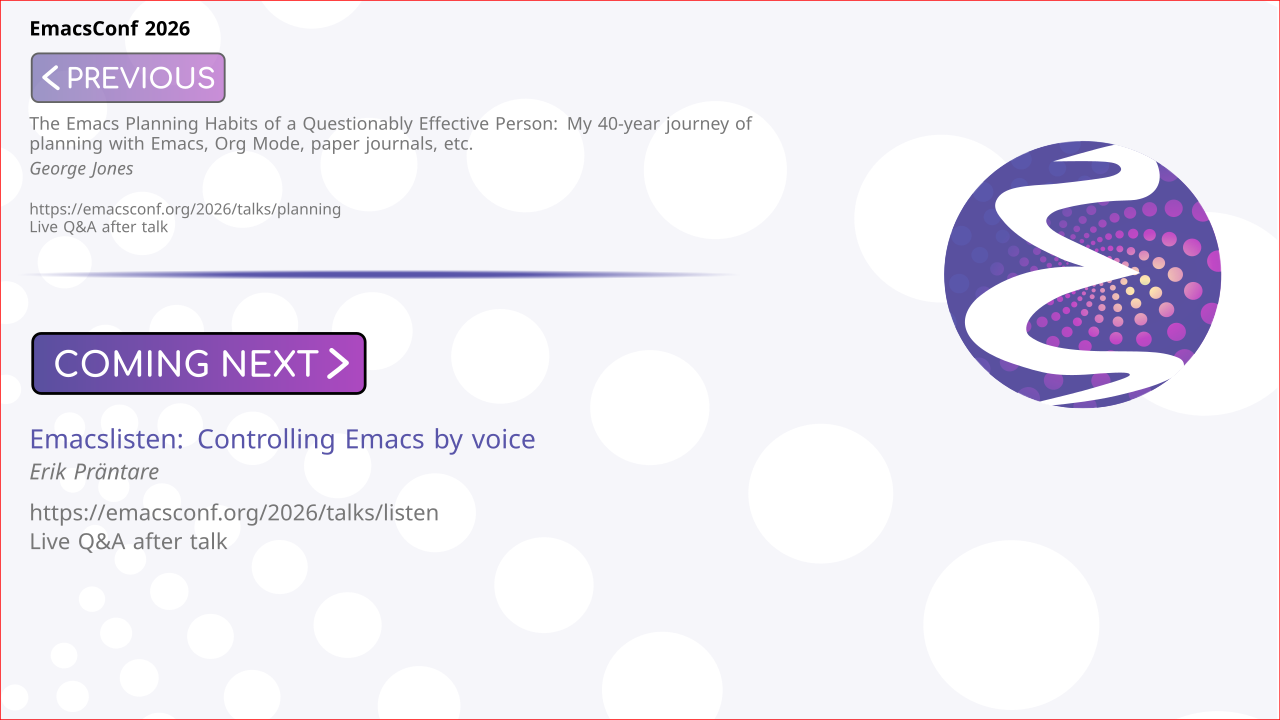
Once I had the intro slides, I prepared my script. I called emacsconf-subed-intro-subtitles from emacsconf-subed.el to create a VTT captions file that starts like this:
WEBVTT


NOTE
#+OUTPUT: emacsconf-2026-sat-open--saturday-opening-remarks--sacha-chua--intro.webm
[[file:/home/sacha/proj/emacsconf/2026/assets/in-between/sat-open.png]]

00:00:00.000 --> 00:00:00.000
Next, we have "Saturday opening remarks",
by Sacha Chua.
You can ask questions via Etherpad.

NOTE
#+OUTPUT: emacsconf-2026-planning--the-emacs-planning-habits-of-a-questionably-effective-person-my-40year-journey-of-planning-with-emacs-org-mode-paper-journals-etc--george-jones--intro.webm
[[file:/home/sacha/proj/emacsconf/2026/assets/in-between/planning.png]]

00:00:00.000 --> 00:00:00.000
Next, we have "The Emacs Planning Habits of a Questionably Effective Person: My 40-year journey of planning with Emacs, Org Mode, paper journals, etc.",
by George Jones.
You can ask questions via web conference by joining from the talk page
or ask questions through Etherpad or IRC.
The text is based on the Org entry properties for each talk in our conf.org file. It used subed-record directives to define the output files and the visuals.
Then I used subed-record to start recording each segment. I pressed <left> (subed-record-retry) to re-record a segment as many times as I needed to. This adds or updates an #+AUDIO directive that points to the current recording and it also updates the timestamps. When I was satisfied, I pressed <right> (subed-record-accept-segment) to update the ending timestamp and move on to the next segment to record. Whenever I needed to take a break from recording, I used RET (subed-record-accept-and-stop) to accept the last segment and stop.
After recording, I used subed-waveform-show-all to see the waveforms for each segment. I left- and right-clicked on the waveforms to refine the start and end timestamp, getting rid of the sound from the keyboard shortcuts, and I used subed-split-subtitle to split each long cue into the proper lines for the subtitles.
Here's the livestream where I worked on some of the intros.
After editing the audio this way, I used subed-record-compile-video (C-c C-c after subed-record-set-up) to create all the videos by using compile-media and FFmpeg. I could also regenerate just one or two videos by selecting the region and then using the same function..
Once the videos finished, I uploaded them to our password-protected backstage area, and emacsconf-publish-backstage-index added them to the page.
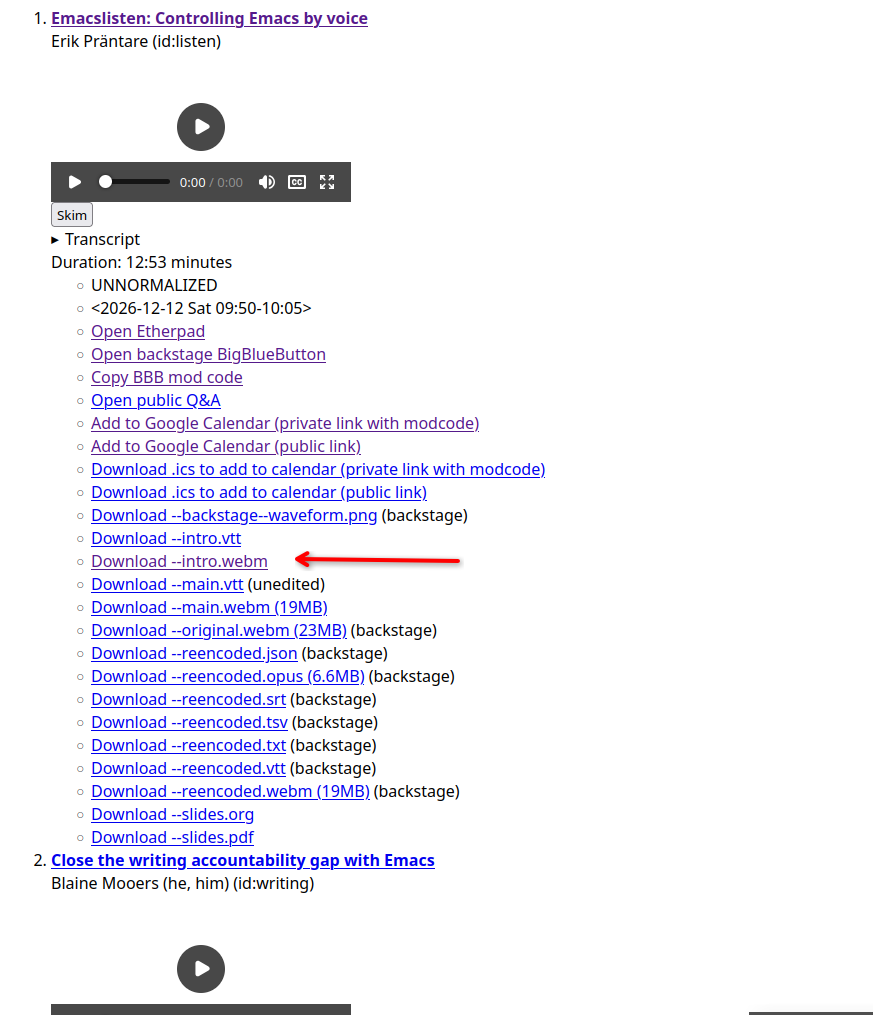
Then I used emacsconf-mail-intro-to-all to send emails to all the
speakers with the links to the intros for review. Many speakers
confirmed that their pronunciations were fine, and some replied with a
recording of their name so that I could use it for reference. I added
those in the comments so that I could replay them while recording with
R (learn-lang-subed-record-play-current-reference) or
learn-lang-subed-record-play-reference-and-current-subtitle. I also
copied and pasted the relevant part of the caption file so that I
could record different variations with subed-record. It's just text,
after all, so it's easy to do all sorts of things the way that you
would do them normally in Emacs. For example, here's what it looked
like when I was editing the versions for Erik's name:
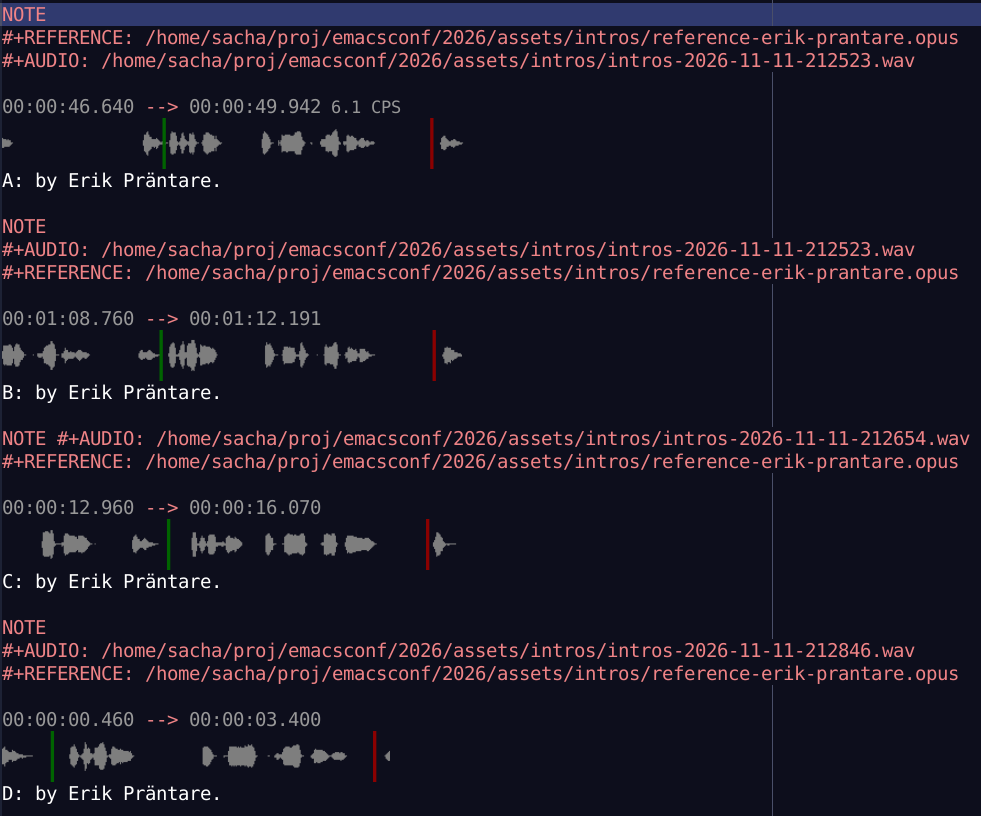
Erik said option B sounds closest. It's not quite perfect, but it's closer than the pronunciation I started with. I might circle back around to this and try again sometime. =) Anyway, to use option B in the final video, I can just delete the cues for the other versions and remove the part where I said option B. Then I can select that part of the subtitles and compile just his video.
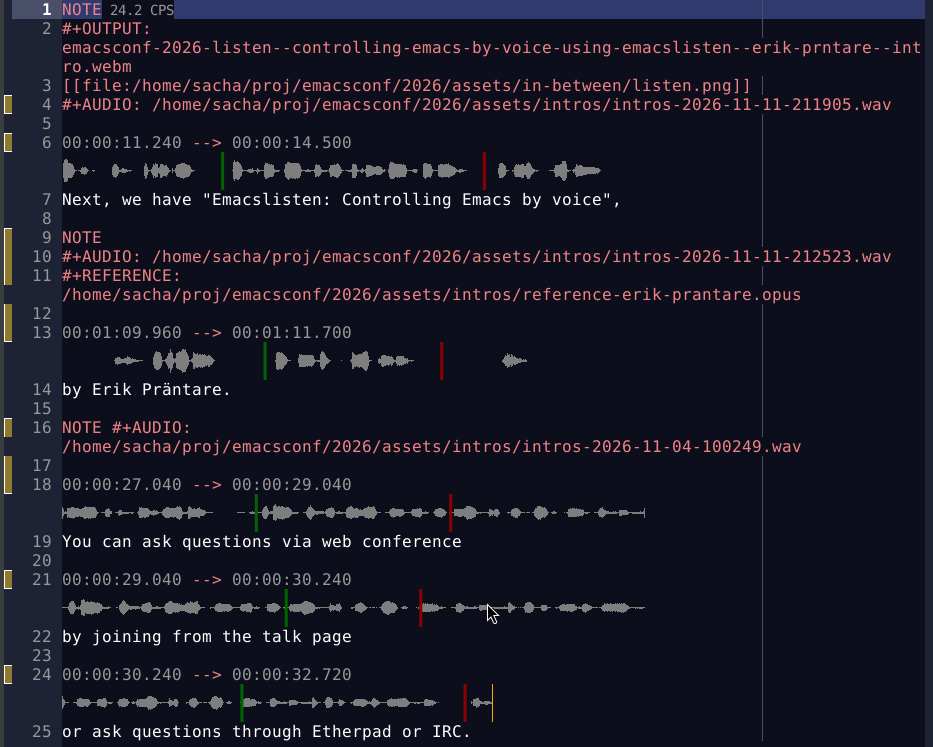
This makes it easy to update the intros whenever something changes. For example, if a speaker turns out to be available during the conference for a live Q&A session, I can update the Org entry for their talk (set :Q_AND_A: live), regenerate the intro slide, and re-record the Q&A explanation or even copy-and-paste one from a different intro. They can also change their talk title and that's totally okay. Yay Emacs!