Categories: community

RSS - Atom - Subscribe via email

Emacs Carnival May 2026 wrap-up: "May I recommend..."

| emacs, community

: Thanks to everyone who participated! I've included the links below.

It's May and I like puns, so I'm going to suggest "May I recommend…" as our Emacs Carnival theme this month, building on lively conversations about people's favourite packages on lobste.rs, Reddit, and Hacker News. Let's go beyond packages and talk workflows, tips, practices, perspectives… whatever you'd recommend!

It was pretty nice having a wiki page that people could edit without needing to wait for me, so if you write about this topic, feel free to edit the wiki page and add your link. If you run into problems doing that, please e-mail me and I can add the link for you.

People have already started sharing their recommendations:

(Still got ideas, just a bit late? Let me know and I can add it here as well as to Emacs News!)

View Org source for this post

Yay Emacs 32: Sacha and Prot Talk Emacs: May I recommend...

| emacs, community, yay-emacs

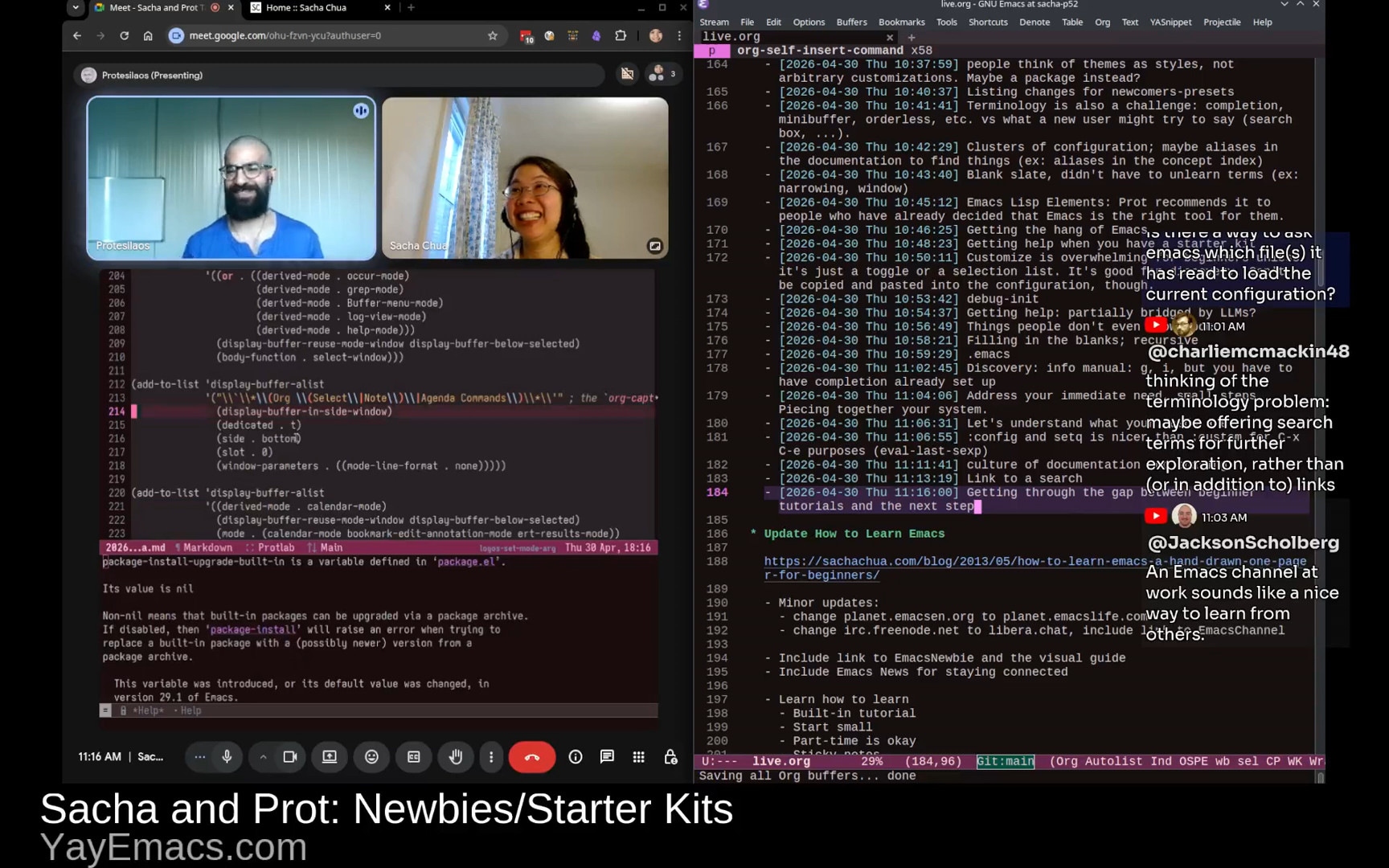
In this livestream, I chatted with Prot about the May 2026 Emacs Carnival theme "May I recommend". It was a joint braindump of quick recommendations for people at different points in their Emacs journey, building on our conversation about newbies/starter kits and the newcomer experience all the way up to power users, Emacs Lisp coders, and package developers.

View in the Internet Archive, watch or comment on YouTube, read the transcript online, download the audio or the transcript, or e-mail me.

Related links

You can add the iCal for upcoming Yay Emacs episodes to your calendar. https://sachachua.com/topic/live/upcoming-livestreams.ics

Find more Yay Emacs posts or join the fun: https://sachachua.com/topic/live

Chapters

  • 0:00 Opening
  • 2:27 Tip: Less is more. Start small.
  • 4:07 Tip: Start with what is built in
  • 4:27 Skill: Figuring out the words to look for
  • 6:25 Tip: Be okay with starting over
  • 8:26 Skill: Learning to discover
  • 8:42 Tip: Read manuals for fun
  • 10:16 Tip: Use Emacs bookmarks to save your place in the manual
  • 10:43 Tip: Generally, investing time into navigation and note-taking workflows pays off
  • 12:19 Skill: Keyboard macros
  • 12:53 Skill: Modifying the behavior of code via hooks and advice
  • 13:15 Tip: Learn to think in terms of buffers and windows
  • 14:07 Skill: Reading the source code; Tip: Just jump in
  • 15:33 Tip: edebug is great for exploring code
  • 16:26 Tip: Reading tests can help you understand code, too.
  • 17:02 Skill: Idiomatic Elisp
  • 17:17 Tip: Write tests.
  • 17:52 Tip: When writing Emacs Lisp that expects a list, use plurals
  • 18:59 Tip: When naming, be verbose rather than terse
  • 19:46 Tip: Iterate on your workflow in small steps
  • 20:20 Tip: Make things more automatic, and use context-sensitive clues
  • 24:48 Skill: Thinking in terms of elements
  • 26:16 Skill: Reading other people's configuration and adapting ideas to yours
  • 27:07 Tip: Start with focusing on just one thing
  • 27:33 Blog posts and videos are useful
  • 28:09 Tip: Take notes as you learn, and ideally, share them too.
  • 28:54 Tip: Accept being a beginner.
  • 31:16 Group: Power users
  • 32:13 Tip: Browse through package lists
  • 32:25 Tip: Dive deeply into the packages you have: customization options, code, etc.
  • 32:41 Tip: find-library gets you to the source code, occur can help you browse it
  • 33:29 Tip: You can also browse through Customize
  • 33:48 Tip: Have fun with randomness and serendipity
  • 34:32 Tip: Check out people's workflow descriptions and stories
  • 35:42 Resources: manuals, Mastering Emacs, Emacs Lisp Elements
  • 37:29 Skill: Figuring out what's possible and making a habit of writing tiny functions
  • 37:45 Skill: Being mindful of what you do over and over again
  • 38:26 Tip: Keyboard macros can help you jumpstart custom functions
  • 39:11 Tip: Use C-h k (describe-key) to describe shortcuts or menu items
  • 40:04 Tip: You can set up M-x to show keyboard shortcuts too (Marginalia?)
  • 41:26 Resource: Emacs from Scratch series by System Crafters
  • 41:50 Tip: Old tutorials can still be useful, although don't treat them as the sole source of truth (things may have changed since then)
  • 42:55 Skill: Finding preferred resources
  • 44:12 Tip: If you find your tribe, look for ways to keep in touch with them
  • 45:00 Tip: Manage unequal RSS frequencies with folders or tags
  • 46:33 Tip: Doing more things in Emacs has compounding benefits
  • 48:31 Tip: Learn to think of it as just text
  • 49:46 Tip: Take notes along the way
  • 50:16 Tip: Explore different ways to navigate and act on things
  • 51:09 Tip: Learn to combine different building blocks
  • 52:47 Tip: Get the hang of keybinding conventions
  • 56:06 Tip: Use which-key for keybinding help
  • 57:41 Tip: Figure out your ergonomics

Transcript

Expand this to read the transcript

0:00 Opening

image from video 00:00:38.400Sacha: My typing is still going to be very loud, but that's okay.

Prot: That's part of the charm.

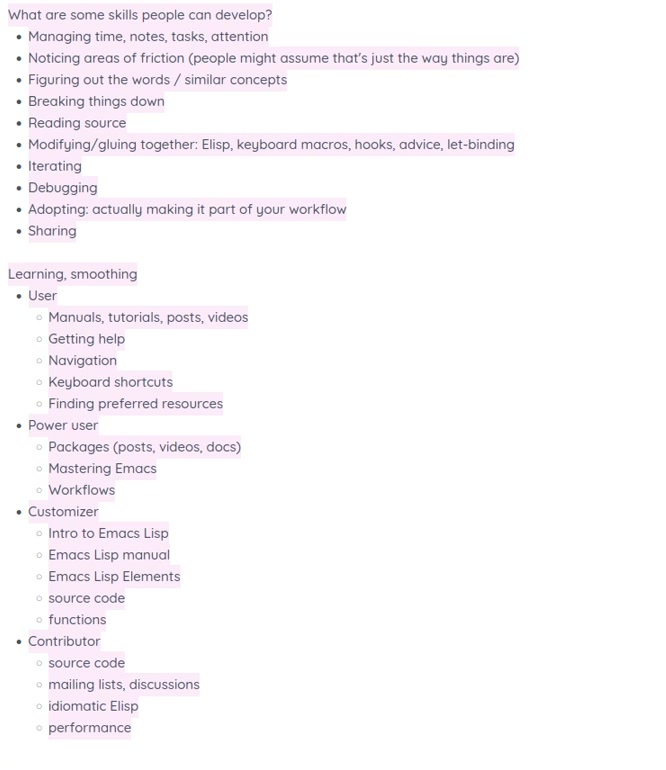
Sacha: Okay. All right. Here we go. Let's go live. Hello, everyone. This is Yay Emacs [32]. I forgot which number. Anyhow, I'm here with Prot because it's Emacs Carnival for May 2026, and the theme is "May I Recommend" because I like puns and couldn't pass up the chance to say "May." So "May I recommend..." is our topic, and our goal for this one is to brain dump a whole bunch of things that people might find useful in their Emacs learning journey. We've already talked about newbies and starter kits in the previous two conversations we've had in Sacha and Prot Talk Emacs. This time, we're going to focus more on *users* who are getting started with... They've decided this is going to be their everyday tool. They want to learn more about keyboard shortcuts and finding their way around, building the habits, finding their preferred resources. *Power users*, maybe, who are starting to look at different packages, these are maybe the people who are saying, okay, maybe let's try this package for working with Org Mode in addition to the basic stuff, or let's try doing email in Emacs. *Customizers*, who are beginning to get into Emacs Lisp to write functions. This is where you start to customize it a lot more to your tastes and your workflows. *Contributors*, people who are sharing their source code, maybe even turning it into packages, participating mailing lists and discussions. So this whole range of people all working on different skills at different levels. What I think we're going to do with this is we're just going to braindump a whole bunch of recommendations. You're welcome to ask questions, and I'll ask you questions as well. We'll just untangle everything and organize everything afterwards.

Prot: That's great.

Sacha: There we go. In this list of skills that people can develop, are you thinking of other skills that aren't on this list yet that do make a big difference to how people use and learn Emacs?

Prot: I need to enlarge my screen a little bit. I think what you have there is good.

2:27 Tip: Less is more. Start small.

Prot: What I had in mind also is more of a meta-point, or more general thing, like an approach style, which is "less is more," if I were to condense it. Start small. Make sure you make it work when it's small. Extend it from there. Don't start big and try to simplify it, because that doesn't work.

Sacha: I grouped that idea under managing time, notes, and attention and also breaking things down, because the overwhelming nature of things is something a lot of people struggle with, both Emacs and elsewhere. Even just that meta-skill of saying, "Okay, this is a small chunk that I'm going to focus on because I know that's what my brain can handle" versus "let's architect this entire thing" and you're six hours down the line and you're nowhere near the thing that you want it to do.

Prot: And of course Emacs invites you for that because it's like, here are like a hundred powerful tools for you to combine in ways that nobody else has thought of before, right? So it's like asking you to do that, but it's a trap. You don't want to go down that route. Or at least don't go there too early.

Sacha: Managing the rabbit hole. Yes, there are going to be a lot of temptations and some of those temptations are quite legitimate. Yeah, you do have to figure this part out in order to get this other thing that you wanted working. But sometimes it's just a trap.

Prot: Yeah.

Sacha: So that's managing. What other meta-skills here should we talk about as a framework so that when we dive into the specifics, we know we're covering a lot of the ground people need?

4:07 Tip: Start with what is built in

Prot: Not so much a meta skill, but consistent with this line of reasoning is as a good heuristic, start with what is built in and extend from there, because usually what is built in will give you a baseline of functionality. It works with a "less is more" approach.

4:27 Skill: Figuring out the words to look for

Sacha: I feel that sometimes figuring out the words to look for, finding out what it might be called in Emacs source or in the built-in packages... That's something that's hard to develop unless you're reading manuals and reading other people's posts because the terminology can be quite arcane.

Prot: Oh yeah, for sure.

Sacha: Getting a sense of what might be built in and what it might be called and where to look for it, I think, is definitely a skill.

Prot: One good way to think of this is, what do I want to do? In the most simple form, if you forget about Emacs for a second, and you're like, what am I trying to do? I'm trying to write a blog, or I'm trying to deal with email correspondence, or I'm trying to manage my TODOs. In its most simplest form, how can I solve this problem? That can already help you formulate the questions.

Sacha: Formulating the questions is actually really hard. Sometimes people don't even notice that there's a question that they can ask, and they don't know what kinds of solutions might address that problem actually. They get distracted by A, but actually it's B that will solve the problem. Considering the different kinds of solutions that can address the same problem, developing a sense of which ways are easier to do the Emacs way versus harder to do. Why make something really complicated when a built-in package or whatever can solve that problem in a more elegant way? All of these things require the development of intuition.

Prot: Yes, yes, and with some experience, of course, that helps, for sure. But then it's the other, which you can also consider as a meta skill.

6:25 Tip: Be okay with starting over

Prot: I believe there was also a point of this, be okay with declaring bankruptcy in Emacs. Bankruptcy, I think... the essence of that is not really much bankruptcy, but be okay with trying something, which is an experiment, and then learning something from it, distilling the essence of that, and then trying something else. I think a sense of experimentation will help you build that skill of, okay, now I can intuitively figure out what works and what doesn't work.

Sacha: I think that's a really interesting point because sometimes you get very attached to "there's this thing that I've started to build" and then you start bolting more and more things onto it, when really, sometimes the prototype is your way of understanding the problem. Then you take it all out and you say, okay, now that I understand a little bit more, what can I make? How do I change my workflow with that new understanding? Sometimes it's as extensive as declaring Emacs bankruptcy and starting again from scratch. Sometimes it's just maybe "The approach that I'm taking is not a fruitful one. I should go try something else."

Prot: Yeah, exactly. You can only have that feedback loop if you try, so trial and error is the way to go.

Sacha: @gcentauri has a question or a comment about discoverability, figuring out how to navigate Emacs in order to discover things. Where would we put that in this skill? This is figuring out the words as well, right? Isn't it?

Prot: Yeah, by the way, I'm in the chat here.

Sacha: Where did you read that?

Prot: I see it here. It was off my screen. I see it now. And of course Christian... I'm reading the temperatures in Western Europe. They are terrible. Yes, I know.

Sacha: Yeah, big heat wave.

8:26 Skill: Learning to discover

Sacha: So, figuring out discoverability, learning how to navigate Emacs. Emacs is lovely. It's self-documented, everything at your fingertips, but you've got to know how to get those fingers on them.

8:42 Tip: Read manuals for fun

Prot: The manual helps. It will present some of that. But of course, you have to read the manual. So you are in a situation where you have to have the skill of reading the manuals in order to discover, but to discover... So yeah, it's a tricky thing. You have to know where the manuals are.

Sacha: Yeah, and you have to be unintimidated by them, I think. I got into it easy because I've always been used to reading books above my level. Even as a kid, I was reading my sister's data structures and algorithms books. I didn't understand anything the first time around. But after nine times through, you start to understand some of the concepts and how they go together. The more you read something, the more of those concepts start to make sense to you. You read it, you read other things around it or related to it, and then the jargon becomes less impenetrable. You begin to understand it. So one of my recommendations is I recommend reading the Emacs manual, the Org manual, all these book-shaped things for fun. Even if you don't think you're going to immediately use 90% of the things, every time you read it, you're going to learn something.

Prot: Yeah. Plus, of course, you will know you are an Emacs user if you are reading manuals for fun.

Sacha: How else are you going to find out about Org spreadsheets and whatnot, right? It's just too big to fit in your brain.

Prot: Correct. Yeah, that's really good. You could even make it a habit of, okay, this day I will read one chapter from the manual.

10:16 Tip: Use Emacs bookmarks to save your place in the manual

Prot: Actually, to say something on this, if you learn about the bookmark mechanism of Emacs, you can bookmark info manuals. So if you are reading the manual from inside of Emacs, you can use the bookmark facility to be like, last point in the Emacs manual. You could have a bookmark that is a rolling bookmark, right? So you could be updating it whenever you go to the next chapter. This way, little by little, you can read the manual.

10:43 Tip: Generally, investing time into navigation and note-taking workflows pays off

Sacha: In general, figuring out your navigation and note-taking workflows so that they're super convenient for you, whether that's Denote or Org Mode Capture or whatever else that you're using... As you read, taking notes on the things that you find interesting in a way that makes it easy to jump back to more information is definitely worth the upfront investment of learning.

Prot: Yeah, 100%.

Sacha: @gcentauri confirms they are actually a true blue Emacs geek. "Was reading the manual right before bed and came across the forms library. No idea it existed." Read stuff, make it easier for you to jump back to the place that you left off or the parts that you found interesting. That's a great recommendation.

Prot: Just to add another metaskill related to this. Don't read it before going to bed because if you discover something useful, you are not going to sleep.

Sacha: I think the idea there is get really good at telling your brain, yes, that's really cool, but if you stay up until 1, you are going to regret it. So just add a TODO and let it go.

Prot: Exactly.

Sacha: This may have happened to me a number of times.

Prot: Yeah, yeah, same. So, only read the manual in the morning or when you wake up.

Sacha: Are there other metaskills that are not yet captured in this or do we start digging into each of these skills?

Prot: I say we dig in and if we think of something we can always add it later.

Sacha: All right. What strikes your attention here? Which of these things?

Prot: No, no. You can go wherever. I don't mind. Anything will do well.

12:19 Skill: Keyboard macros

Sacha: There's a whole lot of stuff here in the customizer, packager thing around modifying or gluing together code that is not something easy for people to pick up because they're just not used to it in other programming languages or platforms or whatever. Things like: you could use keyboard macros to cobble together a quick workflow. You don't even have to write a big function. Just developing the intuition that, oh, this is a set of repeatable functions or repeatable commands is one thing,

12:53 Skill: Modifying the behavior of code via hooks and advice

Sacha: all the way to "this is how I use hooks and advice to either modify the behavior of something where the person who coded it has anticipated that a hook will be needed here, or advice in case they didn't plan for it at all." You're just going to override things yourself. How do people develop this sense of what's possible and how to do things?

13:15 Tip: Learn to think in terms of buffers and windows

Prot: Yeah, it's a difficult skill but it's something you develop by experience. The point to remember is that in Emacs, at its core, you have buffers and everything is a buffer and buffers are displayed in windows If you think in terms of that abstraction, something like a keyboard macro becomes a tool that will jump between buffers, will switch windows. It has no problem doing any of that. You are not limited in your thought to, okay, I have to work exactly where I am right now. I think that's a general approach that goes very far with what you do. Of course, when you are thinking of the advice and the hook, that I think is a little bit more advanced because you need to also have the skills to write advice. With hooks, maybe not. But for advice, you will need to understand exactly what is happening.

14:07 Skill: Reading the source code; Tip: Just jump in

Sacha: I have definitely jumped ahead here because this also requires the skill of reading people's code in order to find out there is a hook or there is some advice that you can do, or there's a variable and this is how you can let bind it to temporarily change its value during this part of the code. Let's talk about reading source. What sorts of things help people develop that skill of reading the source code?

Prot: You have to just jump in at some point. Like, you might do it by accident when you are in a help buffer and either you misclick S, which goes to the source, or you follow the link from above. But anyway, the point is it's a good skill to just, a good habit rather, just jump in and try to read it even if you don't know any programming. Try to read it as if it's English and try to see what you can understand. And of course, some functions will be extremely difficult. Others will be more straightforward. So I think eventually by exposure through osmosis, as it were, you will already learn something.

Sacha: I love the fact that our functions in variable names are often very long and it makes sense in English because we're not trying to squeeze into some very concise, very terse convention. Just put a full sentence in there. It's fine. We just use completion anyway. It's all good.

15:33 Tip: edebug is great for exploring code

Sacha: One of the tips that I'll put in here because people sometimes miss it is the power of Edebug. If people haven't come across Edebug yet, it's great because you can interactively step through what the code is actually doing and you can evaluate what the value is of this variable at this point. And every so often I had to go into the Edebug menu bar and remind myself, okay, you can set conditional breakpoints and all these other things that I have to remember that exist and can be used. But Edebug, if you're going to learn Emacs Lisp, learn Edebug.

Prot: Edebug is really powerful for sure and it's especially useful when you have functions that are relatively long. I mean what they are doing like they have a lot of steps and you have to understand the flow. Like if it's a very short function maybe you don't benefit all that much from eDebug but in practice you will need it. It's very powerful.

16:26 Tip: Reading tests can help you understand code, too.

Sacha: And the other thing I want to point out is that sometimes packages have tests and reading the tests can give you even more of an idea of how this function is supposed to behave. It's not always the case, but when there are tests, they're great.

Prot: In an ideal world, we will update our tests.

Sacha: Alright, so that's reading source code. There's so much that's really interesting to read. Sometimes you come across interesting idioms for Emacs Lisp and you're like, oh yeah, that's a great way to iterate through all the buffers and match a certain thing, whatever.

17:02 Skill: Idiomatic Elisp

Sacha: And so if you're in this customizer phase of things and you want to move to the contributor level, learning idiomatic Elisp is definitely like, okay, it makes things a lot easier.

17:17 Tip: Write tests.

Sacha: Charlie says, "Edebug and ERT tests change the way I develop Elisp. No longer flying blind." Yeah, great. In particular, I tend to break things whenever I make changes, so it's really nice to be able to say, okay, I'm going to nail down this behavior, at least for now. With a little bit of thinking, sometimes you can write tests for things that you would do interactively. So you can test a whole lot more because you have buffers and windows than you might in other languages.

Prot: Yeah, correct, correct. And you get to see it live.

17:52 Tip: When writing Emacs Lisp that expects a list, use plurals

Prot: Just to say on this point of when you are going through the tests and through everything, one basic thing which is in idiomatic Emacs Lisp is when you are writing the parameters of a function, if you are expecting a list, you use plural. For example, you have a function that goes through buffers. Your parameter is just called buffers. That alone should tell you that it's a list of stuff. You don't say "list of buffers," right? That's superfluous. You just say buffers. This automatically means it's a list. So that's very common. You will see this a lot.

Sacha: Here I am, I've been calling my variables buffer-list. Sometimes figuring out what I should call a function or call an argument is a bit challenging, but I figure I'll just name it whatever comes to mind and then I can defalias it or do a search and replace afterwards.

18:59 Tip: When naming, be verbose rather than terse

Prot: When in doubt, of course, be verbose rather than terse.

Sacha: Oh, yes. When you find yourself still using the wrong words to try to find it again, just add more aliases and you'll find it eventually.

Prot: More verbose. More words. All the words.

Sacha: All the words. All right. What are the things here do we want to dig into? Adopting is always an interesting challenge and it's a challenge at all levels here, right? From the user trying to figure out "How do I remember to use this keyboard shortcut?" to "I've written this new function, it's great, but I have to remember to use it." Do you have any recommendations around changing the workflow?

19:46 Tip: Iterate on your workflow in small steps

Prot: In accordance with what I said in the beginning, iteratively. Try to memorize one. You have this new function that, let's say, streamlines how you list files in a directory, whatever, I don't know. Use it. Don't have all 10 functions and try to remember them. Just use one. After two weeks, use the next one. After four weeks, use the third one, and so on. Little by little, make it something that you just do automatically, you don't think about it, with the recognition that you want to remember them all.

20:20 Tip: Make things more automatic, and use context-sensitive clues

Sacha: In fact, going on that point of automaticity, I also like making sure this stuff happens without me having to think about it. If there's a hook that I can take advantage of to just have it automatically turned on, or if there's a context menu I can add it to so that I know, okay, if I do this, then I'll see it in a shorter list. I can get to it more easily instead of having to remember how to find it and all these details. All these little ways to make it easier for myself to automatically enjoy the improvements, or at least have a chance of finding it again.

Prot: Yeah, yeah. This is in the spirit of prefix keys, with the help of the which-key package, for example, or what Embark is doing. Of course, there are different approaches. Maybe you want to set up a transient and in the given mode, you just type question mark, for example, and it breaks up your transient with what you want to do. There are various strategies you can go about to do something like that. I lost your audio, just to say. Yeah, no problem. Let's see. Of course I can sing in the meantime, but I don't think the audience will like it. Let's see. Yeah, no problem. No stress. Of course we could do this. Don't forget that there was a time in history where cinema thrived with technology like this. So it will work. Okay, I can read a little bit from the chat. So something I love doing is after I've learned that one function at the late...

Sacha: Can you hear me now? No. Test. Okay, okay, okay. Woohoo! Successful panicking. Alright. Great. Great. Magic? Something is happening? I don't know what is happening. My video is less important. It's fine. You may continue. Oh yeah, for sure.

24:48 Skill: Thinking in terms of elements

Sacha: Even just thinking, okay, here are the elements that it can work on and here are the actions that I want to associate with those elements. I guess it starts with the intuition of what are the things that I can address. And what I do is I just look at the embark source code and I'm like, oh yeah, okay, Org headings, that makes sense, and variables and all that stuff. I always like looking at people's setups. Okay, this one says you are now too quiet. Can you say something? Okay, okay, this is definitely a me problem. Hang on a second. Oh, okay, okay, okay, I think... Ah, technology. Why is it so fun? Test. Test. No, this is not right. No, no, no.

Prot: Let me know if you can hear me now. And of course, in the meantime, I can comment on the weather. I don't know if I can be heard. But in Western Europe, the temperatures are record high. And here in the mountain of Cyprus, it's like 20 degrees Celsius max.

Sacha: Okay. So did you hear any of the stream? Is Prot's audio okay now? You've got to keep talking, I guess.

Prot: Yeah.

Sacha: Oh, my goodness.

Prot: It's completely different.

26:16 Skill: Reading other people's configuration and adapting ideas to yours

Prot: "We can hear him loud and clear." Wonderful.

Sacha: Back to braindumping. Very good. So we talked about Embark and other things and practices and workflows. I learned by reading other people's configurations, but it does take a fair bit of intuition in the first place to realize this part of the configuration means this, and how to adapt that into my own workflow. Is there a way for people to develop that aside from just reading tons and tons of configs?

Prot: At some point you just have to try. You just have to be like, "Okay, this package everybody raves about, they must be doing something good. I don't know what that is, so I have to try it and see for myself."

27:07 Tip: Start with focusing on just one thing

Prot: Then for something like Embark... We are just using it as an example, but I think it's a good example for other things. Something like Embark can do a million things, but you can also use it for just one thing, right? Find the one thing that you can use it for, use it for that, then figure out what is the second thing and take it from there. The same can be said for Org and all sorts of packages.

27:33 Blog posts and videos are useful

Sacha: I find that sometimes videos are useful for it in terms of seeing it in context, but on the other hand, sometimes I don't have the patience to watch a whole video. I particularly enjoy the posts that are both blog posts plus videos, so I can just skim the blog post, copy the code without having to pause and type things in manually, but also see how it works by somebody showing me how they use something.

Prot: Yes. That's the idea.

28:09 Tip: Take notes as you learn, and ideally, share them too.

Sacha: I do want to sneak in this recommendation to share. I keep beating this drum. But whenever I write about something that I've learned, I always end up getting these comments from people who point out other things that I should check out too. So I highly recommend, whether you're a beginner or whether you're a power user of Emacs, try blogging. I am happy to add people's blogs to Planet Emacs Life so people can read your stuff. All the notes are great for both crystallizing what you know as well as possibly inviting other people to share other tips and comments that point out that what you just worked on is actually a built-in package and all you have to do is configure this. Happens to me often.

28:54 Tip: Accept being a beginner.

Prot: And what can help with blogging, especially once you are blogging about something that you know has a very high skill level, is to approach it in a diary-like way, where it's like, today I learned about such and such. I am not an expert, I am learning, and this is fun. That's your blog post. You don't have to present yourself as the foremost expert on the matter, because then of course you will have to wait many years to write that blog post.

Sacha: I think that goes under this separate intuition thing for mindset and accepting the fact that no matter how many years of Emacs experience you have, you're going to be a beginner in 90% of the things that Emacs can do. So we can totally just accept the beginner's mind. There's no need to worry about imposter syndrome because we're all like this. We're all figuring things out. If you want, you can put in a disclaimer. You can say, "I'm totally a beginner. Read this for the idea and not the Emacs Lisp style," if you're embarrassed, you're self-conscious about sharing your code. But yeah, we're all just starting out, essentially. I like the fact that people in the community are so accessible. There's no one really saying, oh, I'm an expert. You should do it. You should do it this way and only this way, because we're all aware that again, we've done it this way, but there are probably five or six other implementations that could be even better that are really out there.

Prot: Yeah, exactly. Exactly.

Sacha: Charlie says, "The leverage of blogging is unique in the Emacs community. Incredibly supportive, knowledgeable, and social group of people." That's another encouragement to go try it. That is all good. In fact, there are a few days left in this May carnival for "May I Recommend." If other people have recommendations, I'd love to hear about them too. Okay, so let's talk about... Actually, what do you want to talk about? What do you want to talk about?

Prot: Let's go and do something with the power users.

31:16 Group: Power users

Prot: With the power users, of course, you have a group that is, I would think, in some ways more diverse. Because of course there are different ways to become a power user. One, for example, is using Org more; another is using it as an IDE. So the common thread I would say here is that you are the kind of person who is digging deep. That's what you are as a power user. So if you want to become a power user, you have embedded as skills reading manuals and checking the source code, that sort of thing.

Sacha: At this point, you're like, "Emacs is going to be my tool. There's a lot of depth to it." And this is where you start reading, okay, "How do I use Org Mode?" Or "How do I set up my IDE so that it's just the way that I want it?"

32:13 Tip: Browse through package lists

Sacha: For fun, I will sometimes look through the package lists just to see what's out there that I can easily reuse. But often, it isn't even a matter of adding additional packages to your configuration.

32:25 Tip: Dive deeply into the packages you have: customization options, code, etc.

Sacha: It could just be diving deeply into the ones that you do already have, looking for options, looking for little things that you can toggle on and off, or considering how the different functions can be integrated into your workflow.

32:41 Tip: find-library gets you to the source code, occur can help you browse it

Prot: And to this end, I will add something that I do frequently because it combines the elements of what we have already covered, which is M-x find-library. You select the package you are interested in. You go there, then you do M-x occur. And you search for defcustom with a parenthesis in front. "(defcustom". This will produce an occur buffer with all the user options. So you do two things now. You learn about the user options, and you are looking at some source code. That's one way I can start reading source code.

Sacha: This goes back to why we don't just tell people... You don't like Customize, so the M-x customize + regular expression is off your list. Just look at the source code.

Prot: You'll be happier. Yeah, exactly.

33:29 Tip: You can also browse through Customize

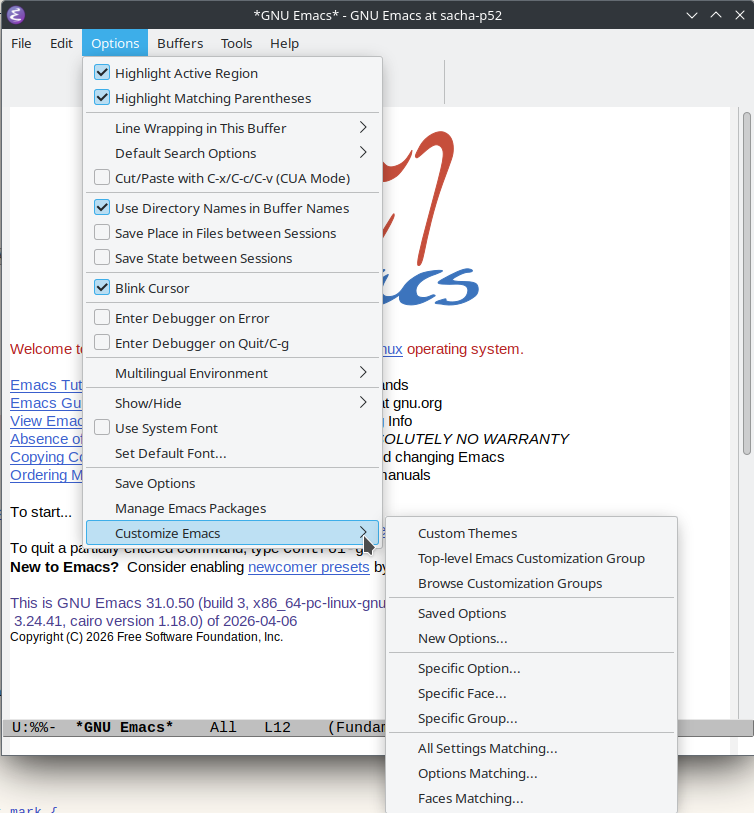
Sacha: Browsing through Customize is also an option because it'll tell you about the things. You don't have to use the Customize interface to set it, but I have come across very interesting options that way, just clicking around.

Prot: Yeah, for sure.

Sacha: @gcentauri's like, yeah, I'm bored, M-x list-packages.

33:48 Tip: Have fun with randomness and serendipity

Sacha: Sometimes I randomize these things. I think for EmacsConf, either last year or the year before, we had random packages being displayed as a screensaver. I know people have sometimes on their dashboards, they'll display random inspirational quotes. It could be a random Emacs package. I think at one point I had it display random interactive functions, just so I could stumble across more commands. Taking advantage of serendipity can be a fun way to squeeze in a little bit of learning.

Prot: Nice, nice, yes. That's good.

Sacha: All right, so Jason Torres says, "I use custom just to explore."

34:32 Tip: Check out people's workflow descriptions and stories

Sacha: Another recommendation I'd like to put in here is reading other people's workflow descriptions. Again, going back to blogs and videos and all of that. It's because a lot of these things are not obvious from looking at the source code, but when somebody tells you a story about what problem they had and how they combined pieces of different packages to solve a problem, then it becomes a lot more real.

Prot: Yes. Plus, it puts you in the spirit of Emacs, which is you can be creative and piece together different elements of functionality and have a workflow that works for you.

Sacha: Let's try plugging in, re-plugging in my webcam. Let's see what happens.

Prot: Let's see, let's see. The moment of truth.

Sacha: Everyone will just have to imagine my eyebrows of agreement. Okay, so that's the power user. This is how you get even better at it.

35:42 Resources: manuals, Mastering Emacs, Emacs Lisp Elements

Sacha: I think Mastering Emacs would probably be like a book recommendation in this area. And for customizing Emacs and actually writing Emacs Lisp, there's your Emacs Lisp Elements book. What other things would you recommend aside from, yeah, read the intro to Emacs Lisp and the Emacs Lisp Memo for fun?

Prot: Of course, what you have listed there are all useful. The other one would be in the spirit of what we said earlier of trial and error. Learn how to, or rather get in the habit of writing little snippets of code. They don't have to be the best code of your life. Just something that gets the job done. Of course you can improve it later, but by getting in the flow of writing your own code, eventually what happens is you write better Emacs Lisp. You develop intuitions of what could go where, and eventually, before you know it, you are better at Emacs just because you were doing this little routine.

Sacha: Noticing the questions. This is also a skill. This is also something that you develop. A lot of times people do not even know what's possible because they're so used to just taking for granted that this is a limitation of the system. So sometimes we have to see somebody else, you know, fly through the code without worrying about like, okay, I have to go do this and do that and whatever. Oh, somebody says it's OBS, thank you. @ashraz has pointed out that OBS has my webcam, which is why the browser couldn't find it. So I will think with that some more, but in any case, we will continue.

37:29 Skill: Figuring out what's possible and making a habit of writing tiny functions

Sacha: Yes, so figuring out what is possible and then writing a tiny function for it and developing that habit of not tolerating these little bits of friction, I think is a skill. It's a thing you can develop.

37:45 Skill: Being mindful of what you do over and over again

Prot: Yeah, and another skill which is along the lines of writing your own code but maybe also a meta-skill is: be mindful of what you do over and over again. For example, let's imagine now you have a command that switches to the other window and then blinks the cursor or whatever, right? And these are two commands and you do them all the time. You do the one, you do the other, okay? Now you can write one command, which is a wrapper of those two, and all it does is call interactively the first, call interactively the second. Just by piecing those together you already have your own little command.

38:26 Tip: Keyboard macros can help you jumpstart custom functions

Sacha: Oh, I definitely want to point out here that you can use keyboard macros to generate the Emacs Lisp for it. So even if you're not that comfortable with Emacs Lisp, or you don't remember what the keyboard shortcuts do, you can record a keyboard macro. So you've definitely learned how to do that. And then you can get it to print out the Emacs Lisp that the set of keyboard actions ran. Or at least the Emacs Lisp to repeat the same keyboard shortcuts and then it will all figure it out. Anyway, so that's there. You can save that sequence of commands as a Lisp function in your config. So that's one thing, using keyboard macros to jumpstart your Emacs Lisp.

39:11 Tip: Use C-h k (describe-key) to describe shortcuts or menu items

Sacha: And the second thing is using C-h-K or Describe Key to see what a given keyboard shortcut or menu item will actually run. So that's all very useful stuff for figuring out the Emacs list to do something you're doing interactively.

Prot: I think that's the most used help command I do. C-h k. It's super useful all the time. It's very, very helpful. And not only you learn what command it calls, but also in which key map it is bound. So for example, C-c C-c in an Org buffer, it is telling you what the command is, and it is telling you this command is bound in the Org mode map. So if you want to change something, you know that you also have to be mindful of the key map. So there is your key map.

40:04 Tip: You can set up M-x to show keyboard shortcuts too (Marginalia?)

Sacha: Yes, it tells you other shortcuts. Oh, and along those lines, one of the M-x variants shows key bindings as well, which I recommend. If you're a power user, you'd like to become more of a power user, even a regular user, right? You want to start moving to using keyboard shortcuts for your more common commands and setting up your M-x command completion so that it hints at the keyboard shortcuts. Emacs by default also tells you about it after you run a command that had a shortcut. But at least that way, when you're looking through the command list you can see, "Oh yeah, this has a shortcut!" And then you can maybe even cancel out of your M-x and practice using that shortcut right away.

Prot: Exactly.

Sacha: And along those lines, I like using Marginalia and Consult because then I can see the command descriptions alongside the command name. So there's a little bit more detail there.

Prot: Yeah, I think you meant Vertico and Marginalia.

Sacha: Oh, yes. It's one of those things, yes. It just works with everything. So yes, Vertico for completions that show you a lot of detail, and then Marginalia to actually show the thing on the side, which is helpful.

Prot: Consult is wonderful as well, of course.

Sacha: Yes.

41:26 Resource: Emacs from Scratch series by System Crafters

Sacha: @ashraz would like to recommend the Emacs from Scratch series by System Crafters. They say it's a bit dated from 2020, but still mostly relevant in general. There are a lot of video resources out there.

Prot: That's good. 2020, oh my goodness. It's been so long, I can't believe it.

41:50 Tip: Old tutorials can still be useful, although don't treat them as the sole source of truth (things may have changed since then)

Sacha: It's really interesting because I've been trying to organize the tutorial resources that people who are new to Emacs will come across. And a lot of times, some of the Org videos are from 10, 20 years ago. But they're still valid, so we have to make sure people don't immediately get turned off by the date in the video. But at the same time, they can start to tell the difference. Okay, this stuff is still applicable. But this stuff over here, it needs to be translated into how you do it in modern times. It's a little challenging for people to navigate this.

Prot: Which of course points to another meta skill which is generally information related to Emacs is useful and it will work long into the future. But don't take a tutorial or a video as the source of truth. Always use it as a proxy. Okay, I get the idea. Now I will have to check the documentation and so on.

42:55 Skill: Finding preferred resources

Sacha: I think that part of the learning journey as a user is also finding your preferred resources. A lot of times, you're not going to learn everything the first time around. Everyone thinks in different ways. You do need to spend some time looking for the kinds of resources that jive with the way that you think, with the task that you want to do or the workflow you want to have. It's using the language at the right level for you, et cetera, et cetera. Even knowing, going in, that you're not going to find one-size-fits-all tutorial because Emacs has so many different workflow possibilities... Spending some time to figure out what you like as a tutorial or as a reference, and then going back to that again and again as your understanding develops, I think is a thing worth doing.

Prot: Yes, exactly. That's the whole point of Emacs more broadly: that it accommodates the different kinds of people because it's so customizable. If something doesn't work for you, don't try to force yourself to work the way it is. Rather, change Emacs to work the way you think.

44:12 Tip: If you find your tribe, look for ways to keep in touch with them

Sacha: On a meta note, finding people who think the kind of way you do is super helpful, like the tribe within the tribe. For example, you've got this cluster of people who like using Denote because their brain works the same way that yours does when it comes to filing their notes. Once you find that connection, finding ways to keep up with what those people are doing, and often this is RSS because that's a great way to get the updates without getting buried in email. That can be a great way to keep stumbling across things that might help you.

Prot: Yes, that's a very good point.

45:00 Tip: Manage unequal RSS frequencies with folders or tags

Prot: On the topic of RSS, just to say something that I learned many years ago the hard way: RSS works best if you subscribe to resources that don't post 30 or 50 or 100 articles a day. If you subscribe to the BBC or whatever, that will not work because it will crowd out the blog that posts once every month.

Sacha: What I do with that is I have different folders.

Prot: Folders, filters, etc.

Sacha: Yeah, folders or tags or whatever. So all the microblogs or all the very prolific things go into one folder, which I generally ignore because it's hard to go through.

Prot: Fair enough. Subscribe.

Sacha: Yeah, the people who post once a day or once a week or once a month or once every blue moon, then it's easier to keep up with them because it's not buried in all of that stuff. You can look into your RSS readers to support for keywords maybe in order to do some more filtering and prioritization. This is one of the things that I've always envied about people who use Gnus for reading RSS. Because there's nnrss. Then you can use Gnus scoring to prioritize the RSS items automatically for you. But that's definitely a power user thing, because it's Gnus.

Prot: I think that's a power user among power users. That's really an exception.

46:33 Tip: Doing more things in Emacs has compounding benefits

Sacha: Actually, that touches on an interesting thing about becoming more of a power user of Emacs. If you let Emacs assimilate more of your life, if you start to use Emacs for more and more things, you get not just linear improvements but compounding ones as the things that you have can interact with other things. Even just for the base case of if your to-do list is in Emacs and your coding is in Emacs, then you can create to-do items that link to your code, all the way to if your email is in Emacs, then you can make your to-do refer to your email and stuff like that.

Prot: Exactly. That's where it gets really powerful.

Sacha: If you want to get even deeper into the power of Emacs, try to push more of your life into it. I love seeing the things that people do with browsing the web in Emacs. What kinds of things do you do in Emacs that make you go like, this is where the power of having everything together works out really well.

Prot: You already mentioned them, like email in Emacs together with your agenda, but also Dired, because you can mark files and attach them to the message composition buffer. You can run a M-x shell and your three marked files in Dired, you type w or 0 w and you get their path and then you can do something with them from a shell, if you cannot do it directly from calling a shell command from Dired. There are many ways like that. The keyboard macros where you can jump from a Dired buffer to a shell buffer, or from one buffer to another. All these little things. For me, it's very powerful. You use it all the time.

48:31 Tip: Learn to think of it as just text

Prot: At some point, you don't even think about it. It's just text laid out in windows, each of which shows a buffer. So at some point, it doesn't matter if it's email or programming or prose. At some point, they are all the same. So it doesn't matter at all.

Sacha: Developing that mindset of "it's just text" and the facility for working with text, such as keyboard macros, or being able to jump around, or writing your own functions to manipulate it, or even just using isearch to go through it or using undo in different contexts. I think that's definitely something that people develop and when they develop that intuition, it really helps.

Prot: Yes, exactly. In the beginning you won't think about those linkages. They won't be obvious to you. But just be mindful that they are there. They are possible. As you use Emacs, at some point you just feel naturally about them, and they happen. You're like, oh yeah, of course that was always possible. Of course, with the benefit of hindsight... In the beginning, you will be like, "Wow, I can do that!"

49:46 Tip: Take notes along the way

Sacha: That's the other reason why I want to encourage people to take notes along the way, ideally sharing them, of course, but even just for yourself, because a lot of times you will get to the point where this is just the way you've always done it. On the other hand, if you had those notes as you're figuring out how to do it, and you share those notes, then you're leaving these breadcrumbs for other people who are traveling down the same or similar path. That's something that would be very helpful for people.

Prot: Yeah, exactly.

50:16 Tip: Explore different ways to navigate and act on things

Prot: Even if you don't have external packages... For example, a workflow that for me was so powerful that I was like "Yeah, this is the way to go" involved the grep and then editing the grep results. But even if you don't use a bespoke package for that, which of course is also built into Emacs now, the functionality, you can use the grep results just as a way to jump to the result. If you hit RET, it takes you to the buffer at the point where the result is. You can have a keyboard macro that jumps to the result, makes some edit, goes back, jumps to the next result and repeat, right? You can do that even without the package. The point is that you can collect results and edit them in like a second or a minute, whereas you would need literal hours to do that and it would be error-prone.

51:09 Tip: Learn to combine different building blocks

Sacha: Yeah, and this points to the skill of being able to see and work with different building blocks. You have a block for, this is how to navigate. There are different ways to navigate. You could navigate to something based on some matching text, or you can navigate to something based on a line. You can set up your windows so that you can switch between windows or whatever. Then if you can combine that with, okay, these are some building blocks for acting on something, or this is how I can use the kill ring to take it to... or this is how I can use registers so that I can save some text or save a position or whatever else. The more of these building blocks that you can develop slowly, because being able to internalize the concept takes time, then all these different ways that you combine it to solve a problem makes Emacs very powerful.

Prot: Yeah, exactly. That's a good way to think of it, as building blocks.

Sacha: I don't know how people will do that either, aside from read the manual for fun and watch Emacs videos and read other people's posts. Often I think, what if we make a skill tree, right? Because people like gamification... But then this is going to be a really ridiculous, large skill tree with arrows going all over the place.

Prot: No, no, you don't want to do that. It will be the RPG that never ends. There is no final boss.

Sacha: @yogi583 asks what is a built-in function's name to edit grep result in Emacs?

Prot: I don't know but what I usually do is... Grep edit mode I think. It's new, right? It's new. It's built into Emacs 31 I believe.

52:47 Tip: Get the hang of keybinding conventions

Sacha: What I think of it is I go to the grep buffer and I press C-x C-q because that's the general "toggle read only"... That's another mental concept there, right? Getting a sense of the key binding conventions that might be translated into different actions in different places.

Prot: Yes. There is an annex to the Emacs Lisp manual, the Emacs Lisp reference manual, which talks about the key binding conventions, which is very useful for people to read. Even after you read that, it's a little bit hard to reason about the key bindings if you are getting started, but trust the process. You will see the patterns as you go. Generally, you can expect C-x to be global key bindings, and C-c followed by control something to be major-mode-specific key bindings.

Sacha: One of the things I like about reading other people's configs is that they'll rebind something and I'll be like, yeah, I can totally take advantage of that keybind because I'm not using the standard one as much.

Prot: Let me tell you about one I used. Of course, there are many, but by default, you close Emacs with C-x C-c.

Sacha: Who closes Emacs?

Prot: Yeah, people who make mistakes in life, such as myself. So because I would fat finger that the whole time, you want to unbind C-x C-c and then do C-x C-c C-c then you can exit. I would do it by mistake the whole time and I would destroy whatever I was working.

Sacha: Yeah, key binding design is this whole other thing that I haven't really mastered myself either. We've talked before about making the key bindings make sense. When they're mnemonic, they're easier for people to remember, right? But this is definitely something that I struggle with.

Prot: So think of it this way, of course assuming there is a space for it or you unbind something. C-x something is a global key potentially with a prefix, as a prefix. C-x r is a prefix, C-x p is a prefix and they have global scope, right? If you are doing something that is global in nature, it should work everywhere. You may want to do the same if you are okay with overriding default key bindings, right? Otherwise, you want to do something that is more specific. C-c C-something for a mode. Again, optionally overriding what a major mode is doing. Then you have to work with that. Use mnemonics. Use words that make sense. For example, C-s is the default key for searching. M-s is the prefix for alternative search. Think of it. Alt-S, right? All the alternative kind of searches, such as M-s o, right? So you can now think of M-s and then g would be my grep. M-s and f would be my find and so on. You can think in concepts like that.

56:06 Tip: Use which-key for keybinding help

Sacha: When in doubt, keep which-key enabled so then it will remind you at least of what else you've had configured for that prefix. That's the other recommendation. which-key mode, it's built in now. Just go use it.

Prot: Yeah, which-key mode is very useful. If you are using the Embark package, it has a key that will take over C-h. So actually that works even with default. If you type an incomplete key sequence, C-h will produce a listing with all the keys that complete that sequence. So it will be a help buffer that will tell you, okay, C-x, C-h, for example, will list everything that follows C-x. And it will name the command and all that. So that's also something to consider. I think if Embark were to add the which-key functionality where it's like C-h on a timer, I think then Embark would be a straight upgrade over which-key. In that regard. So Omar, if you are listening... Asking for a friend.

Sacha: @gcentauri says, "I recommend learning how to define a key map and put it under a leader key. I have M-m as my personal key map and then the things I find very useful I add to my key map." For this one, I've been experimenting with bind-key, which makes all of this stuff much easier in terms of defining prefix key and adding a docstring and all those other lovely things.

57:41 Tip: Figure out your ergonomics

Sacha: I like your other meta tip about experimenting with how your keyboard is set up. So for example, even on my laptop... I have a ThinkPad. So even on my laptop keyboard, there's no QMK, but I can use Kanata, which you've also recommended elsewhere. to try experimenting with one-shot modifiers and home row mods or other things like that that I want to, making it easier to press key bindings that have different modifiers. I don't want to have to press ctrl and shift and super all at the same time. If I set up one-shot modifiers, I can just tap tap tap and it becomes easier to press.

Prot: Yes, exactly. That opens up a lot of possibilities in terms of mnemonics, but also in terms of prefix combinations and all that. You can go a very long way.

Sacha: And I think there's a meta thing here also about getting a sense of what would make it easier for you to be able to continue enjoying this long term? Because RSI is not conducive to enjoying Emacs long term.

Prot: No. For sure. Something that I think I learned the hard way through pain is that you want to consider your desk, how you sit at the desk - you want to consider everything, not just the keyboard. For example, I have adopted a standing desk since forever. I do that all the time. I never sit, because it works better for me. I have the keyboard set up the way that makes sense to me. I can write all day. It's what I do. I don't have any pain. Whereas before I would sit on an awkward chair, the desk was not optimized, the keyboard was definitely not something I had thought of, and I had pain. It was really difficult, and I reached the point where I couldn't write. I was like, okay, I have to quit.

Sacha: If Emacs is something that pays off better in the long term, it's good to have a long term.

Prot: Exactly.

Sacha: Speaking of my very short term, in about one minute, I'm going to go off and help with the kiddos' lunch break. I very much appreciated this brain dump. This is great. I'm going to do all the usual transcription and things like that, start pulling out some of these ideas. Chat, if you found anything super interesting that you would like fleshed out into a blog post, say it so we know what to focus on for priorities, right? This was a lot of fun. Are there any key recommendations you want people to make sure they check out or is it just generally like, everyone...?

Prot: No, I think what you have here is good because, of course, you can always say more. So I will conclude with what I started. Less is more, seriously. For life, not just for email.

Sacha: Your brain is surprisingly small. If you break what you learn down into tiny steps, you have a higher chance of it actually sticking. Once you get something in, then it makes things a little bit easier. You have a little bit more space to learn the next thing, and so on and so forth. Otherwise, if you bite off too much, you get overwhelmed.

Prot: Very nice, very nice. And that ties into the lunch break. Yes.

Sacha: All right. Thank you so much. I will skedaddle and yeah, I will do all the things afterwards. Thanks everyone also for dropping by and hanging out. All right. See you around.

Prot: Take care. Take care. Goodbye. Goodbye.

Chat

  • ChristianTietze: ​🥁
  • protesilaos: ​Hello world!
  • MichaelVash7886: ​hello Prot
  • ChristianTietze: ​In (comparatively) ice cold Germany we had ~30ºC this week and there's Prot with 3 layers of clothes 🙂
  • chelmikador: ​​Hello!!
  • gcentauri: ​Hello!
  • gcentauri: ​totally
  • gcentauri: ​nerd sniping minefield
  • gcentauri: ​Emacs gives us Discoverability, and learning which tools enhance it for you is really important. Consult for example, and Helpful
  • sachactube: ​​https://pad.emacsconf.org/yay-emacs
  • gcentauri: ​i was literally doing that last night before bed
  • gcentauri: ​i came across the Forms library I had no idea existed
  • CharlieBaker707: ​​edebug + ert tests changed the way I develop elisp! No longer flying blind 🤣
  • ChristianTietze: ​end-to-end tmux snapshots – you can assert on the modeline contents and other 'ui' of Emacs too, at least in terminal rendition of course
  • gcentauri: ​because in Lisp its lists all the way down :)
  • CharlieBaker707: ​​something I love doing is, after I've learned that 1 function, at a later point I'll meta-x for that package's namespace, then embark-collect into a buffer and explore what other user-facing exist.
  • sachactube: ​​ugh hang on
  • CharlieBaker707: ​Stole that trick from Prot ;-)
  • ChristianTietze: ​🎶
  • sachactube: ​​hahaha, you can just keep braindumping tips while I panic
  • sachactube: ​​I will continue to panic
  • blaiseutube: ​​don't panic
  • CharlieBaker707: ​we can hear you!
  • CharlieBaker707: ​but not Prot :-D
  • blaiseutube: ​​oooh much better!
  • yogi583: ​​we cant hear prot
  • blaiseutube: ​prot is too quiet
  • gcentauri: ​@sachactube - prots audio is very low
  • renaudbussieres: ​​Is Prot only in your headphones?
  • sachactube: ​​I will look into that
  • blaiseutube: ​his audio is completely different
  • chelmikador: ​​now!
  • yogi583: ​​we can hear him
  • blaiseutube: ​yes!!!
  • CharlieBaker707: ​​loud and clear Prot!
  • MichaelVash7886: ​​all set now
  • gcentauri: ​Yes!
  • gcentauri: ​good!
  • blaiseutube: ​perfect!
  • blaiseutube: ​ooooh, Cyprus is nice
  • blaiseutube: ​Massachusetts is also 20C
  • ashraz: ​​Is prot's sound only clipping for me a bit or also for others?
  • MichaelVash7886: ​​maybe a little but it's not bad on my end
  • sachactube: ​​That was me because I panicked about audio, returned to normal levels now
  • CharlieBaker707: ​​The leverage of blogging is unique in the Emacs community. Incredibly supportive, knowledgable, and social group of people.
  • gcentauri: ​We always need beginners to show us where things actually DONT make sense! A beginners mind see's all possibilities
  • gcentauri: ​yep. "i'm bored, M-x list-packages"
  • gcentauri: ​yeah i use Custom just to explore
  • gcentauri: ​Discoverability!
  • gcentauri: ​(btw this is shoshin from elsewhere)
  • renaudbussieres: ​​"M-x apropos-user-options" is another way to browser customizable options :)
  • gcentauri: ​@sachactube we can see you in the lower right, you've somehow gone to having your video floating
  • ashraz: ​​@sachactube Your webcam is shown as an overlay over the chat, which may be the reason why it cannot be shown a second time on Firefox
  • ashraz: ​​*Chrome
  • blaiseutube: ​​BRB
  • sachactube: ​​thanks!
  • blaiseutube: ​​…. seems like a "config profiler" would be handy, to produce a human readable summary of settings.
  • ashraz: ​​I also liked the Emacs From Scratch series by System Crafters. It's a bit dated (from 2020), but still mostly relevant in general, IIRC.
  • ashraz: ​​@blaiseutube Profiler as in loading time, or in "what is actually in that profile"?
  • gcentauri: ​is that Marginalia?
  • ashraz: ​​@gcentauri Aye, marginalia shows the shortcuts.
  • gcentauri: ​not Marginalia
  • gcentauri: ​i think maybe Vertico
  • ashraz: ​​2020 predates the minad-stack (vertico, marginalia, orderless, consult, corfu), it used ivy, swiper and company.
  • ashraz: ​​But the mindset is still in that series 🙂
  • valentinoslavkin6116: ​​Yeah, emacs from scratch is pretty good. Maybe it could explain a bit more the language or the use-package macro, but it works regardless
  • MichaelVash7886: ​yeah I haven't watched the series as so much changed since then
  • sachactube: ​​blaiseutube config profiler sounds interesting, what did you have in mind?
  • yogi583: ​​whats the builtin function's name to edit grep result in emacs?
  • gcentauri: ​Need multiple skill trees
  • gcentauri: ​different character classes
  • ashraz: ​​@gcentauri Also different positions on the alignment chart.
  • bledley99: ​​Lovely people, been watching/reading you two for years. Thanks for all you do. 🙌
  • gcentauri: ​I recommend learning how to define a keymap and put it under a leader key. I have M-m as my "personal-keymap" and then the things i find very useful i add to my keymap
  • gcentauri: ​and +1 which-key
  • ashraz: ​​See `D.2 Key Binding Conventions` in the manual for the conventions (for package maintainers)
  • ashraz: ​​*in the elisp manual, not the emacs one.
  • renaudbussieres: ​​I find "leader key" strategies better too, for example the C-x keymap, displayed with which-key, is too crowded and diverse to make sense
  • gcentauri: ​yes - i had to switch to xah-fly-keys because of RSI
  • gcentauri: ​but Emacs can change and adapt to YOU! which is important
  • MichaelVash7886: ​I want to look at Meow at some point for a leader key and modal editing
  • valentinoslavkin6116: ​​Meow is really great
View Org source for this post

YE29: Sacha, Prot, and Philip Kaludercic Talk Emacs: Newcomer Experience

Posted: - Modified: | emacs, community, yay-emacs, stream

: Updated transcript

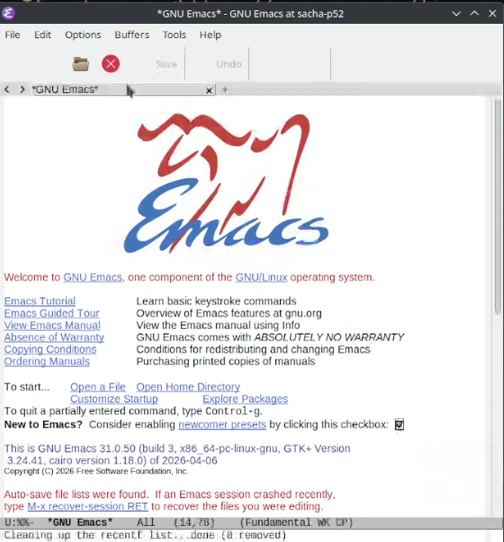
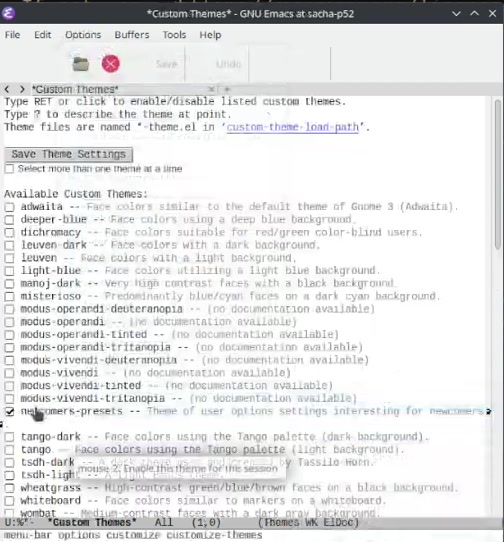
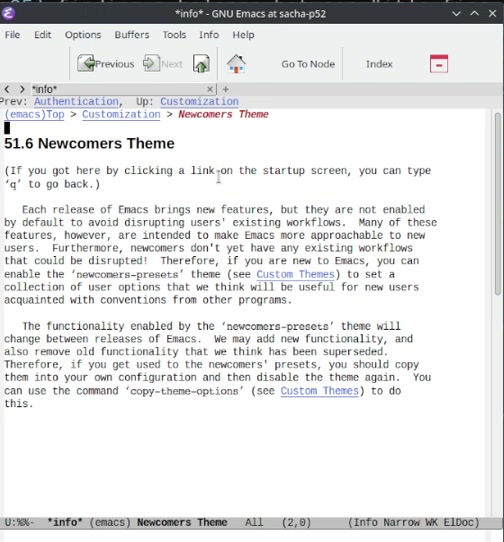
Philip Kaludercic wanted to continue the conversation from YE24: Sacha and Prot Talk Emacs - Newbies/Starter Kits. He's spent a lot of time thinking about this as one of the main contributors to newcomers-presets. We talked about newcomers-presets, the idea of a "reset theme" that lets experienced users pin defaults to a specific version of Emacs, upcoming changes, and working with emacs-devel.

View in the Internet Archive, watch or comment on YouTube, read the transcript online, download the transcript, or e-mail me.

Chapters

  • 0:00 Opening
  • 2:59 newcomers-presets user option theme; would be nice to explain what the changes are
  • 5:00 finding a balance between "it's fine the way it is" and "just use Doom Emacs"
  • 6:37 people value stability, but also conventions have shifted.
  • 6:50 ways Emacs does things differently: ex: terminal vs eshell, output is editable; new users want to edit the previous prompt; sometimes goes against people's intuitions
  • 9:21 How do people develop Emacs intuition? Immersion
  • 9:55 example: dabbrev, there's no undo? Ah, it's just the regular undo.
  • 11:00 newcomers presets: smooth over the intuition-disrupting things that are not actually necessary/beneficial; ex: enable which-key
  • 14:32 newcomers-presets choice is not saved at the moment
  • 17:08 newcomers without much computing experience might even find it easier (no C-c expectations, C-v etc)
  • 18:30 Focus group?
  • 22:15 Emacs survey before
  • 22:48 people's backgrounds influence their responses
  • 23:46 Hypothetical: Reset themes, to reset things back to the defaults of a specific Emacs version
  • 24:22 package-autosuggest-mode suggests based on file extension
  • 27:52 Emacs 32: bundled versions of Emacs (Big Emacs - distributions that include more packages)
  • 29:54 Selection versus multiple completion
  • 34:39 Manuals
  • 35:08 More examples?
  • 36:22 find-user-init-file?
  • 38:38 Getting over the reverence for Emacs's history
  • 40:11 Changes are more likely to happen when someone puts in the work to make a patch
  • 44:03 Preserving Git history of packages absorbed into the core
  • 46:00 Dealing with multiple types of Emacs
  • 48:09 Fat Emacs is just about bundling more packages from ELPA, not changing the configuration for them
  • 51:23 Customize
  • 54:41 CUA - Common User Access
  • 55:00 ini file format? https://sdf.org/~pkal//blog/emacs/ini-init.html
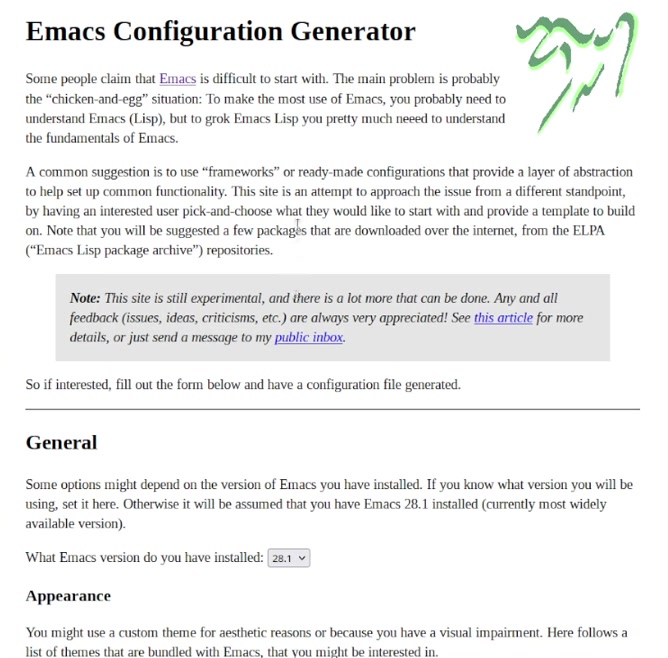
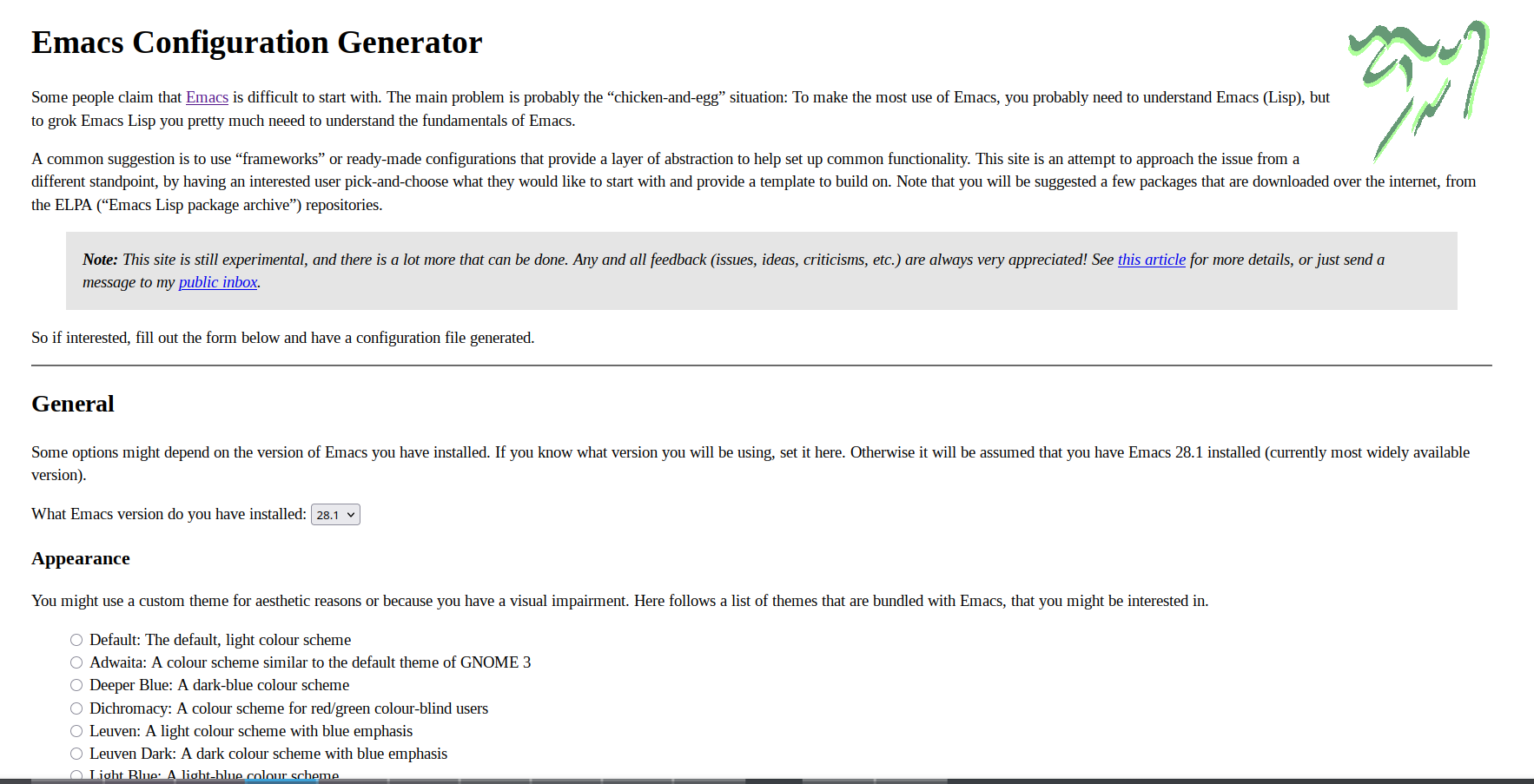
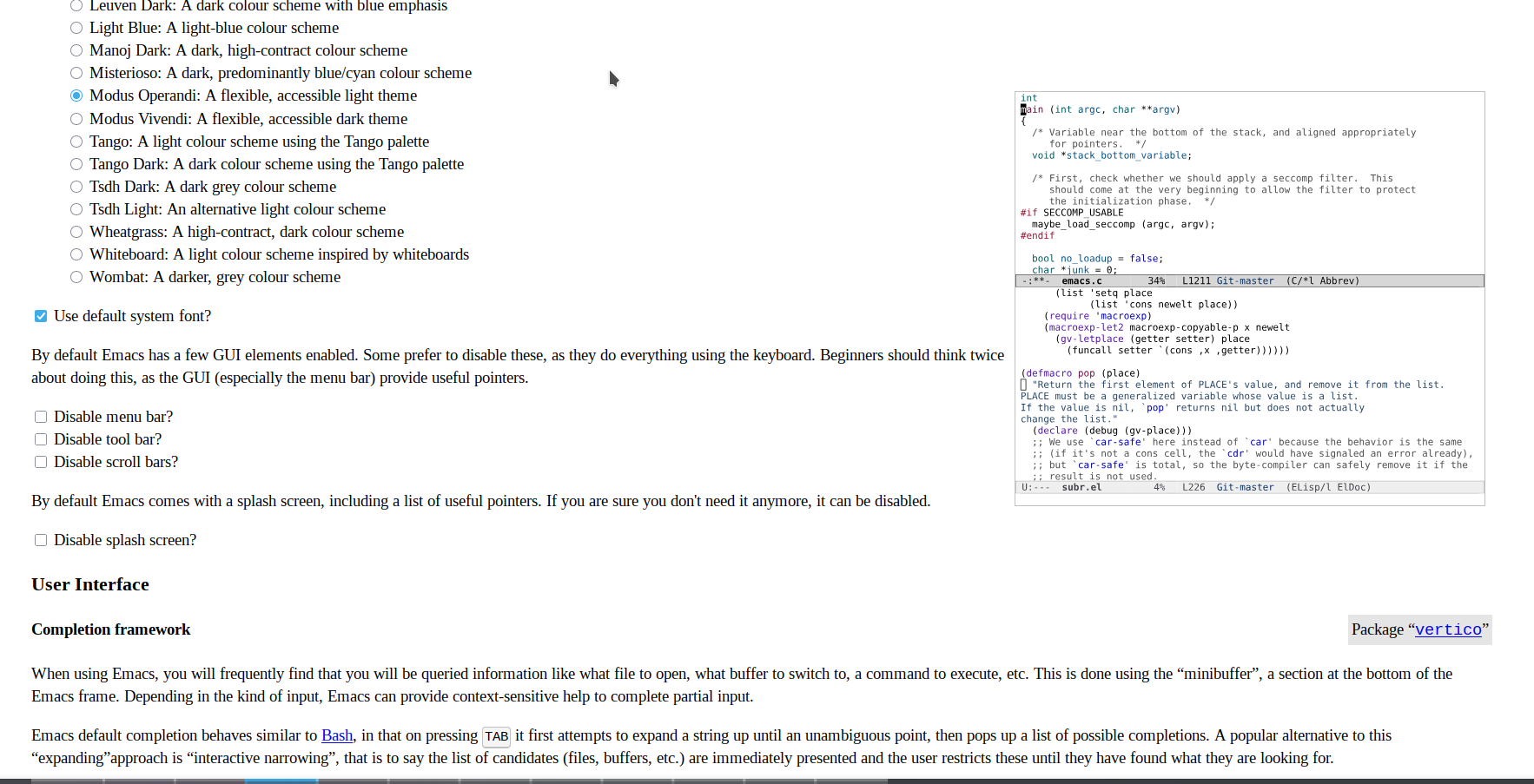
  • 55:10 Emacs configuration generator
  • 55:54 INI-style configuration
  • 1:00:21 Quick summary
  • 1:02:27 Continuing with INI
  • 1:04:42 Motivation
  • 1:06:50 Politics and philosophy
  • 1:09:23 Experimenting with things outside core
  • 1:10:42 Extending the core
  • 1:11:52 Guide to contributing to ELPA
  • 1:13:11 Making the newcomer experience better
  • 1:14:30 "user option themes" versus "appearance themes"
  • 1:15:24 find-library
  • 1:16:49 configuration generator in Emacs? maybe more wizards?
  • 1:16:59 Starter kits
  • 1:17:39 Configuration generator in Emacs Lisp?
  • 1:18:40 extending the archive format
  • 1:20:56 User interfaces

Transcript

Expand this to read the transcript

0:00 Opening

Sacha: I'm going to start recording. I'm going to do the thing. I'll let you know. Okay. Let's do this. Yeah.

Prot: Yeah.

Sacha: Yeah. Okay. Hang on a second. Starting, going live. Okay. So, hello, everyone. This is Yay Emacs 29. And today I am here with Prot and Philip Kaludercic. We're having this conversation about Emacs newcomer experience, which started off with an Emacs carnival last month about newbies and starter kits, which Cena started and you fleshed out with more questions. And now this is snowballing to, okay, let's figure out what we can do to make Emacs easier for newbies who are coming in, maybe they're non-developers who have heard good things about Org Mode, or maybe they're developers who want to try out what this Emacs thing is and what's all the fuss about having an editor that's been around for so long. Or maybe they're actually still VS Code or Vim fans, but they really just want to use Magit, so they're coming in just for that. A lot of different paths to coming into Emacs. We do have this live stream, so if people have questions, I will at some point figure out where the chat is on my screen so I can read them out to you. But my plan here is I'll just be in the background taking notes most of the time and interjecting with occasional questions. And maybe Philip and Prot, you can go brain dump all the wonderful things you've been thinking about the Emacs newcomer experience.

Philip: At this point, regret not having written down any notes from the last video or from your last recording of YouTube, because I noticed I had a few things I wanted to add or intersperse. But I guess we can take a look at two things. So first one is the state of introducing people to Emacs now. And the question there is, who are we introducing Emacs to? Just like you said, you sketched out a few different profiles of people who presumably have entirely different interests, motivations, like if someone wants to just use Magit like Emacs is there. It's the tool, it's the GUI that implements Magit, then these people have an entirely different motivation than someone who actually says, well, I'm coming at it from, I heard it's an interesting tool for free software development. Build your own or understand free software in a different sense, where you can actually do find-function and open the definition of the function you just used. I think malleable is the current catch word that people like to use in that context. So there's some issue in that sense.

2:59 newcomers-presets user option theme; would be nice to explain what the changes are

Philip: And then the specific comment from the last discussion which caught my attention was We were talking about Emacs 31, there's this preset theme, the newcomers-presets theme, which is implemented as a user option theme, or that's how I like to refer to it. And I probably should just briefly stop and say that everything I'm saying is from my own perspective. I don't feel comfortable saying that this is the Emacs-devel perspective or that any other of the Emacs developers necessarily have to agree with me. I just think that I might have a few things.

Prot: Sorry, I lost your audio. Just to say I lost your audio, Philip. Excuse me. Sorry, I lost your audio for a second. You could hear it fine. I will hear it in the recording.

Sacha: Okay, so basically, you can repeat it, I guess. Go ahead.

Philip: What did I say? So you were saying that... I'm not representing emacs-devel. These are my views which are informed by the discussions that we had in emacs-devel that I hope will be represented. I think I'm the maintainer of the preset theme, but of course other people are also contributing to it and adding other options. Specific points I had like the target audience of the preset theme was not people who would be particularly interested. What the options are. I think that was a discussion point last time. I admit it's a technical deficiency currently. There's no pretty way. I think it would be nice if we extended describe theme to actually list the options that are modified with hyperlinks so that you could look into these options. That's currently not there. We didn't add it in time for the feature cut for Emacs 31, but I think for Emacs 32 that's going to be an interesting Feature to have at some point.

5:00 finding a balance between "it's fine the way it is" and "just use Doom Emacs"

Philip: And actually the idea had been floating around I think like every time there was like there's a periodic, periodical discussions like how should we make Emacs more user-friendly on Emacs level and people say we have to like say the extremist position is what do you mean not user-friendly. It's perfect the way it is. It's God-given configuration. And the other people who say, well, why don't we just install Doom Emacs and make that the default then? Somewhere in between, I think there is a reasonable position to be had. But in these discussions, one of the reasons this came... I participated maybe in four or five of them, and then this point came up: why don't we have a theme, like a collection of user options, which you can toggle in one switch, which enable all the options from which we would not find, which existing users would not find interesting, which are always the bulk of the users. Most people are already existing users. They don't come in and... One of the things is, lots of existing users, I'm thinking of like a 60-year-old professor who has been using Emacs for 30 years, or a software engineer who's using it, and maybe consciously or unconsciously appreciates the fact that it doesn't change every few years. You don't have a graphic designer. This is, of course, me against graphic designers and UI designers who have a need to reinvent the UI interface every few years and then things change. And how do I save now? What's the... What's the button to do this? And the UI changes.

6:37 people value stability, but also conventions have shifted.

Philip: The people who value the stability. But of course, the common conventions have grown apart. What Emacs does and what people are used to from other programs.

6:50 ways Emacs does things differently: ex: terminal vs eshell, output is editable; new users want to edit the previous prompt; sometimes goes against people's intuitions

Philip: Now, at this point, we also have to distinguish that there are things which Emacs doesn't do the way other programs do, which are... Which I would argue are actually sensible. For example, I think one issue I remember was when I first started using Emacs, I had a terminal emulator. I wanted to have a terminal emulator within Emacs. Nowadays I use Emacs Shell, which to me seems like a more truer Emacs experience. It's an opinion, a strong opinion maybe. And it's also influenced by a history of using Plan 9 and that kind of terminal where actually the output is just as editable. You can just search it. You can edit it. You can cut it. You can interact with the output any way you would use a normal text, which is not something you can do with a terminal for purely historical reasons. At my university, the university where I studied computer science, I frequently helped people in the introductory Linux course. One thing you notice there, these are real newcomers. These are people who have never used Linux or a terminal or anything like that before. The first thing they do when they want to, like, they use the arrow keys expecting or click on, they use the mouse and click on the previous prompt. And they want to modify the previous prompt. Of course, that doesn't work because that's not how terminal emulators work. All the previous output, that's fixed. You don't touch that anymore. Everyone, I guess even people who we describe as newcomers, talking about Emacs, obviously know of course you don't touch the previous prompt in the terminal. These are some expectations you have, if you use Eclipse, if you use VS Code, if you use... I'm not sure how the NeoVim terminal emulator works. I know they have a built-in one. I think Vim also, but I'm guessing right now. So there are some accumulated intuitions which Emacs actually intentionally doesn't want to give, doesn't want to give in all purpose, because I'd argue that one of the strengths of Emacs is really having this uniform text interface where I can use isearch, I can use occur, I can use the highlighting commands, I can just select a region and write it out to a buffer, and stuff like that. That shell buffer is no different than anything else in that respect. Please interrupt me by the way. This is not supposed to be a monologue.

Prot: No, no, no. Go ahead.

Sacha: So it sounds like there's an interesting challenge here.

Philip: Breaking some of these intuitions is legitimate.

Sacha: Yeah.

9:21 How do people develop Emacs intuition? Immersion

Sacha: How do we help people develop the Emacs intuitions?

Philip: To some degree, it really feels like it has to be something that you immerse yourself in. The issue, I guess, is, well, I know, I mean, I knew people who actually used Emacs. I mean, you can help them in a face-to-face setting or like Prot does in his teaching settings. Then you communicate certain things, which I don't want to say they're ineffable. It's not like you couldn't write them down in a manual, but it's also... Like the mentality that people have.

9:55 example: dabbrev, there's no undo? Ah, it's just the regular undo.

Philip: A different example I have, like, I remember I was using daabrev for the first time or something. For a while I was irritated. There was no undo. Like, how do I go back to the previous text expansion? Until at some point I realized, oh wait, it's just regular undo. That's just the way you undo it. But somehow writing this down in a manual is... It's not an easy thing to always think of these things. For me it seems obvious now, but at that point I specifically remember it was unintuitive. I had this accumulated expectation from other programmers if I have a text expansion in this case that I'm actually cycling through some special sort of menu, not thinking of it as just regular text buffer operations. Just text editing in some fancy way. But that's one We should keep in mind. This was all related to the preset theme in some way, right? You're writing this down.

Sacha: Yes, I'm writing this down. That's why we have notes.

11:00 newcomers presets: smooth over the intuition-disrupting things that are not actually necessary/beneficial; ex: enable which-key

Sacha: So what I'm thinking is you wanted the idea behind the newcomers presets is to kind of smooth over some of those intuition disrupting things where people are coming in with maybe expectations of how stuff should work in a modern editor.

Philip: Specifically, the intuition. Specifically, the intuition-disrupting things which are not necessary, in some sense. Like, we wouldn't want to be an intuition disrupt... like you could probably... Like Cua mode or something, that would be something where people if they would start using... If you would enable Cua-mode by default, that would inhibit further development, because then it might be confusing with using C-c, like if you... because suddenly Delay becomes a user input, which is usually not the case with Emacs. I know which-key is an exception in that case, because which-key pausing actually is an action and displays a pop-up buffer. And we do enable which-key due to popular requests and the preset theme. I personally was a bit hesitant about that one, but it seems to be something. where you have to really weigh it on a case-to-case basis. But, Sacha, do you have the... What version of Emacs do you have running there? I can't make it out.

Sacha: Yeah, this is Emacs 31, so I do have...

Philip: So you can open the preset theme, right?

Sacha: Yeah, yeah. Hang on a second. Let me bring up a... I have now a terminal, so I can... Let me bring up a completely fresh Emacs.

Philip: No, I just want you to open the file. Because in the file there is a prelude. There's a commentary section that actually explains the curve. It's not a library.

Prot: Yeah, that's part of the problem with those themes.

Philip: That's the problem. Themes are not libraries.

Prot: It would be easier if they were all there. It's a kind of an implementation detail that from a user, it doesn't really make a difference.

Sacha: All right, newcomers-presets.

Philip: If I remember correctly...

Prot: Yeah, yeah, exactly.

Philip: Yeah, and you see up there the commentary section?

Sacha: Yeah.

Philip: If you scroll up a bit, it's above line 37. The theme configures which we can reasonably expect the average user to want to enable, but would otherwise be unlikely to discover on their own. That's sort of the overall guide of what options we want to add. That's why it's also an option on the splash screen. You just tick it, and then the user options enabled in the theme should be activated by default. That's sort of the idea.

Sacha: It is available on the splash screen. So if I say display-splash... Oh my goodness, how do I get to the splash screen?

Prot: It's C-h C-a or not? I forgot. C-h a maybe?

Philip: There are two things. There's a splash screen and there's the...

Sacha: Hang on a second. I'm just going to start a new Emacs.

Prot: Yeah, I haven't done that in, like, I don't know...

Philip: That's the about Emacs screen. But you have a display splash screen.

Prot: C-h C-a on mine. About Emacs. M-x about-emacs.

Sacha: No, I have a better idea. I'm going to start this new Emacs person. Okay, here we go. New Emacs. Fresh person.

image from video 00:14:32.733Sacha: So we click on this, right? And it turns on a bunch of things including the tab bar.

14:32 newcomers-presets choice is not saved at the moment

Sacha: I wasn't entirely sure how people would save that so that it happens again next time. Is the idea that they just keep checking that box?

Philip: That's not done currently. That's something we haven't simply decided on. The current presentation is you enable it in that mode and then you'd have to, which is of course saying it out loud makes it sound stupid, but you'd have to persistently save the themes. So then I think it's optional to save themes and then...

image from video 00:15:14.000Sacha: It is possible for people to get to it if we leave them a breadcrumb. But it's not going to occur to them because it would never occur to them to say customize Emacs, custom themes, and then I can pick newcomers themes from here.

Philip: It's a point that I at least intended to mention at some point on emacs-devel, whether we want to make this, because currently it just loads the theme, but it doesn't persist the choice, but it could just as well persist the choice. There's a discussion to be had which of these two behaviors is more intuitive, because of course, if you persist the option, then you have the disadvantage that someone might enable it, but doesn't actually want it, but now somehow their Emacs is broken from their perspective. I don't want tabs or whatever they say, or I don't want which-key, and they don't know how to disable it. So this is... I wouldn't say it's an obvious decision in either direction.

Prot: Like if there is an enable button or save, there should be a disable and unsave, like remove.

Philip: Yeah, that's the checkbox idea in that case.

Prot: That would be the tricky part. And especially, finding the place on the splash screen so that this actually works for everyone... Because if you open it in a TUI mode, I think then initially, if I remember correctly, we had this button or this new to Emacs line was underneath the copyrights. No, no, that was a different thing.

image from video 00:16:46.233Prot: If you click on newcomers preset, for example, then you are redirected to the manual entry. And I think we had some, yeah, there's this, the top line. If you got here by clicking the link on the splash screen, that was on the bottom. That was on the bottom of the manual entry. But if you open it up in an 80x24 terminal, you wouldn't see this line.

Sacha: You can't see it and you don't know how to... These are the complications that you have to keep in mind in that case.

Philip: You might not have the intuition that SPC is scroll, which I think that's the case in less. But yes, again, you have this accumulated intuition from using Unix tools. Which is one of the points I wanted to bring up.

17:08 newcomers without much computing experience might even find it easier (no C-c expectations, C-v etc)

Philip: Who is this mythical newcomer? What's their actual background? Because I claim, and this might be controversial, that if someone's actually new to using computers at all, which is something I have seen, like people who have never programmed, people who have never used Unix, people who have never used more than a web browser, to exaggerate, they appear to do fine with Emacs because they have no expectation of using C-c, C-v, C-c, and so on. They know that they have to use the buttons up there. So in that sense, they're fine. There's an optimization loop when you're used to these shortcuts and a few of these conventions how to move around, that Emacs defaults appear to be inconvenient. So that's also a distinction you have to make in that setting.

Prot: Exactly, exactly. Plus you cannot optimize for everybody. Eventually you just have to make some assumptions.

Philip: Exactly. But what these assumptions are is the controversial...

Prot: I think the way you approached it makes sense. This is the reasonable way, I think, to do it. You have to assume that they have this background knowledge. And if they don't, it's what you said. They don't have to relearn something because they didn't know it to begin with. So they start from a good basis.

18:30 Focus group?

Sacha: Is there interest in having some kind of focus group or something like that so that if we come across newbies, we can say, hey, you know, the developers would like to be able to float some questions once in a while to see what actual newbies would think of this?

Philip: I have actually tried this once. I was in a hacker... what's it called? There's this computer club in Germany and they have local events on a regular basis and I was going to one anyway because a few friends of mine were going there and then I did an introduction to Emacs course there and printed out a survey basically, a questionnaire for Emacs neophytes. I think if you search for that string on the Emacs development list, you're going to find that. And I gave a few people these texts. I printed it out. It was actually pieces of paper, so it wouldn't be personally identified. There wouldn't be any information there. And one of the things I thought was interesting in the results was that the main thing people were saying was it's overwhelming. Like the amount of things... Just the default Emacs. No configuration, no options, no auto-completion, no fido, whatever. It was just so many new things, so many differences that they lost an overview, basically. This was a group of people who, I think there were questions, and they were like, how long have you been using computers? Because, of course, it was so generic. What previous UIs have you had experience with? Most people use Eclipse or Vi, NeoVim and even reasonably complex Vim configurations. Of course, this is a bias due to the setting in which I was asking these questions. I'm actually planning to repeat this experiment because I'm going to another one of these congresses or these meetups in a month or so. I wanted to offer this again to people, specifically seeing if these newcomer presets are valuable or if they help people or not. But of course, doing this in a properly scientific setting would be much more difficult. Yeah, of course. We need money. Difficult steps of doing this.

Sacha: Maybe even like a mailing list. We can say, hey, you know, you're new to Emacs, but you kind of want to make it better. Email this person. And every so often when developers have a question, they can say like, does this make sense to you? Here's a screenshot. Or would you prefer this versus this?

Philip: As in, we would send an email to all the people, but then I think, I mean, the big question, difficulty in that sense is then data protection, I think. That's what I was trying to avoid with having this just printed out and no personal identification, because then we have to store email addresses.

Sacha: Okay, all right. That's fine. That's fair.

Philip: So, sounds like an excuse. Partially it is, but something like, I mean... I'm not saying that my approach, what I was doing was unbiased. There are people who would be more willing to answer these things and people who are less willing. I know the bias in this case because I actually saw the people and I had a feeling for what kind of people they were. So I think I'm in a better position to factor it out. But if it's actually properly, if you just have people who you send emails to

22:15 Emacs survey before

Philip: I'm not sure if it remains represented because there have been these Emacs surveys in the past. I remember at least two generations. And they're of course the ones which are circulated on Reddit, on Hacker News, on IRC, which I still think is a bubble of maybe 200 people. Like mainly 200 people and some people who are Surrounding these groups. So I'm always sort of dubious because these are the people.

22:48 people's backgrounds influence their responses

Philip: I mean, these are people who are much more likely to have heard of, what's it called, Evil Mode or something like that, or had some experience with other editors. And these things all influence their responses. always taints the results. Every time these discussions are brought up on Emacs devel, people have some level of doubts as to how reliable the results are.

Prot: Correct, correct. It's hard to get reliable results, though some data is still better than nothing. But granted, you don't want to base decisions on those results, of course not.

Philip: Yeah, that shouldn't be the last decision-making factor. You should just have a function where the input is whatever the data is, and then the output is mechanically determined by that. Yes?

23:46 Hypothetical: Reset themes, to reset things back to the defaults of a specific Emacs version

Philip: Now, related to the preset theme, there's also been a discussion (I don't think this has been mentioned much online) of so-called reset themes. I'm not sure if you've heard of these. So the idea would be, additionally to having preset themes of options, which we have changed, which we would recommend because the newcomer preset theme makes no real assumption that the options will be stable, so we might change them from version to version, this gives us some flexibility to say we have a new option. Like, for example, if the preset theme had existed since Emacs 29, and now in Emacs...

24:22 package-autosuggest-mode suggests based on file extension

Philip: That was actually the reason this entire discussion started when Emacs 31, that's the current release... to be released, there's this package-autosuggest-mode so that's a little prompt, when it's enabled, a little prompt in the mode line. You can click on it, Emacs installs the package which it believes to be the right one for the current file.

Prot: The major mode, right?

Philip: No, it's a minor mode. It's a global minor mode.

Prot: No, no, I mean, but it installs based on the major mode, right?

Philip: Ah, yes, yes, yes. It installs a major mode package, which matches the current file format being used based on auto-mode-alist or the magic, what's it called, magic file alist and all these things, and it can... We didn't want to enable this by default, but we wanted to enable it for newcomers. That was actually the first option in the newcomers preset. If the preset had been older, we would have still wanted to add this to the preset theme. It's not supposed to be set in stone. Now the idea with the reset theme is, and this is still hypothetical since we haven't implemented it, is to have reset themes for specific Emacs versions. So we, in Emacs 32, we might have an Emacs 31 reset theme for all the options that we have changed in Emacs 31, in Emacs 32, so that we could reset them to the previous option. So that in this sense too, if the discussion, if the question is really just, we don't want to annoy people who have... When upgrading, of course, it's still a minor inconvenience because they have to write load-theme emacs31-reset in their configuration, but it would be easier for them to actually undo any changes. And in future versions of Emacs, hopefully also persist these changes so that you can really sort of like pinning your version of Emacs, a soft pinning of options. So this is something for the future. Consider as well, which would be reusing the theme approach, which is another reason why I hope that the notion of user option themes will become more, because it's been there from the beginning. The Customize system has always supported user options to be added, but people have always only customized, not only... I'm not sure no one has ever done it, but it has not been a popular approach to use the user options, even though the technical facilities have been there all the time. That's also going to be interesting if the reset theme would be forwards compatible. But that's another discussion that makes it even more complicated. So that you could add them hypothetically to ELPA as a core package.

Prot: Nice. Yeah. Of course, the reset themes, if you implement them, that's great because it opens up the possibility to be a little bit more ambitious with the defaults and break.

Philip: Yeah. Because that's exactly... Every core... Every default discussion boils down to: if we break this, people won't understand what changed. If we change this, people won't understand what broke. But on the other side, people like all new... Can we reasonably assume that all new people would actually want this theme? Then we want to give us some sort of more flexibility in this sense without actually the support, because I think that the value proposition of having a stable interface where you can expect the appearance of the theme to be somewhat stable over time, how Emacs behaves, that's actually a positive thing.

27:52 Emacs 32: bundled versions of Emacs (Big Emacs - distributions that include more packages)

Philip: And finally, in Emacs 32, this is also a finally. For now, one thing I just thought of, which I was reminded of, there's a big plan for Emacs 31. This is one of, I've never pronounced his name, Sean Whitton, I think it should be pronounced. He said that one of his plans as a maintainer will be to work on the bundled version of Emacs, which some people, including myself, have been calling Fat Emacs. So adding, selecting certain packages from ELPA, from GNU ELPA, and bundle a secondary distribution of Emacs which would include additional packages, Which are currently, so for example, one example would be org-tex. And then you could, when you install Emacs, you could install, I don't know, big or fat or whatever... Big Emacs with all these packages pre-installed, which would be pinned to the right version which we would have hopefully ensured that they're actually compatible with one another. And then you have the normal Emacs, which would be the thinner one. And an interesting corollary of all of this would also be that if the way from ELPA into the core would be made easier, that the way out of the core into ELPA would also be made easier. Because that would mean it's more easier to deprecate packages over time since you can install it. This protective layer, let's say, protective layer, protected merely by inconvenience and the annoyance of moving these packages in and out, would fade away over time. Some cruft within Emacs itself, within core Emacs, could be moved to ELPA. So we could actually thin down Emacs. That's one possibility. Oh, that's big. Yeah. One strand of commentary in that direction. That's something that I'm planning to help in the Emacs 32 development cycle. Because these options then could also be in... Any options related to this could also be added to the newcomers preset theme.

29:54 Selection versus multiple completion

Philip: So one could of course... Vertico or these interactive selection packages... I think I've commented that before there is a certain controversy there. I think that there's a certain controversy that selection is not always the same as text expansion, which is sometimes like... There are, I think, the certain... skeleton, or there's this insert... what's it called, auto-insert command... It's not auto-insert, something like that, that prompts the user for multiple things, but it's not written using [completing-read-multiple], but it's written in a way that there's a manual loop, which waits for an empty input to occur. But if you're using vertico or fido, by default, if you just press RET, you don't actually have an empty input. You just select the default option. There's settings like these which where these sort of these two kinds of completion diverge from one another which which is also something I've been talking about for a few years but never came around to implementing that there should be an API distinction between actually selecting user options from a list and the completion interface which we have for files or commands currently. These are semantically two different things, which would be interesting to see if it would be worth distinguishing the two in a technical sense, because that would mean that in certain settings, we could enable Fido. I totally admit that Fido and Vertico have their advantages when it comes to discoverability over standard text completion. The compromise now was that in Emacs 31 there's this option, I think it's eager completion updating or something. It's a combination, it's a permutation of these words in some sense. So that's if the completions buffer pops up. No, you don't have to... It doesn't matter. You don't have to visualize it. Yeah, where they update as you type. Updates as you type, yeah. But that doesn't occur down there, but it only occurs in the completions buffer. That's sort of a compromise. That's Fido, right?

Prot: But the generic completions has had a lot of improvements over the last few years. And in Emacs 31, it's in a very good state, all things considered.

Philip: Which was also partially driven by your MCT package?

Prot: MCT, yeah. Which was an experiment, of course. But yeah, it's basically that idea. Because I have used this in earnest, like the default like this, I have used it for a long time in earnest, like just defaults. It's very good. It's for sure very good. Whereas Fido and Vertico are better if you are just getting started and you don't know that there is a completion on the mini buffer and somehow there is a distinction between the two. Like, for somebody who is getting started especially, I think this interface is not good. But if you know what you are doing, I think this interface actually works perfectly. And it has a lot of options. So, Sacha, what you are showing there is the absolute default, but it has so many options that you can make it look actually quite different from this and very similar to Vertico, for example, in terms of the user experience. I just realized that...

Sacha: Oh, I just realized that if you do the TAB TAB, if you do the TAB TAB, it now goes to that one, which is great, but you can't filter it from there. You can't type into it and have stuff happen.

Philip: Yeah, it's not down there. If you're down there in the mini-buffer, you type. There you have just a regular text buffer, so you can search or you can select stuff out of there.

Prot: And that's also an option, by the way. So what happens on the second tab, for example, so you can configure that.

Sacha: Right, so that was the second tab behavior from newcomer-presets.

Philip: That's the option I proposed and then objected to.

Sacha: Yes, work in progress. So basically, you have these newcomers. We're trying to figure out how to get them through their learning journey. The newcomer presets can smooth over some of the edges. It can get over that "Yes, there are a lot of options, but at least M-x with tab completion will show you the things so that you don't have to memorize the names as much." You can recognize them from the list. You can narrow it down.

Philip: The behavior is supposed to actually be similar to Bash, the way Bash does completion.

34:39 Manuals

Sacha: It's probably still... we're going to need them to read the tutorial, and we're going to need them to use a lot of patience as they get used to Emacs. I am not quite sure yet if we can get them all the way to, all right, here's how you open your config file and define your own keyboard shortcuts, for example. Bit of a journey.

35:08 More examples?

Prot: I think that one way to do that is to have more examples in the manual. Like, here is how you do this, here is how you do that.

Philip: Or there's this other manual, the Emacs FAQ.

Prot: I don't mind where it would be, like FAQ is totally fine. I don't mind exactly where it would be, but somewhere in the documentation, like common patterns of Emacs configuration kind of thing. Maybe it already exists, so if it exists, then of course even better.

Philip: Emacs FAQ has some things on finding related packages, common requsts, bug reports, but maybe it was... I remember there's something. If I link to it...

Prot: Where is the FAQ?

Philip: It's a separate manual.

Sacha: We do not have it from here, not from the splash screen, but it is available from the Help menu.

Philip: I think it's not been that thoroughly maintained.

36:22 find-user-init-file?

Sacha: I'm going to take advantage of the fact that you've actually been reading emacs-devel. Has there already been a long discussion about whether a M-x visit-user-init-file makes sense? An interactive command that you can use to open... I was trying to find it, but even with Yhetil's search, I was like, okay, there are four threads. One of them was a long time ago, and the other one was from even longer than that, so I didn't know whether it was some other discussion.

Philip: I don't recall any such discussion recently, but I also don't think that anybody Objection to it. So it's really just a matter of someone writing it down and adding the documentation.

Sacha: I would like to do that.

Philip: It would be quite likely 24 hours.

Sacha: Okay.

Philip: On the master branch and not Emacs 31 branch, which would be slightly... It's fine.

Sacha: If it makes it in someday, it doesn't have to be in the splash screen. It just has to start off being available through... And then we don't have to keep telling people, oh yeah, do a describe-variable on the init file just in case your init file is actually .emacs instead of the .emacs.d/init.el that other people are telling you to use instead. It's a bit of a mess, right?

Philip: I think some people have been recommending doing M-: and then calling the [find-file] function with the user init... What's the name of the variable again?

Sacha: user-init-file.

Prot: User Emacs file.

Sacha: Here we go. user-init-file. Here we go. That's the thing. Yeah, exactly.

Philip: And if you do M-: (find-file user-init-file), then it would basically do the same thing. That's why I'm saying it's such a minor function that I don't expect any objections.

Sacha: Okay, okay. So I'm going to suggest that to Emacs Devel at some point.

Philip: I've had the same idea many times myself, but the transience of memory has thrown its way before I actually ended up doing it.

38:38 Getting over the reverence for Emacs's history

Sacha: Sometimes I am reluctant to suggest things because I figure Emacs is such a long history. Probably someone has thought of this already, and it's probably been discussed and bike-shedded. But I think there are little things that we can do.

Philip: Yeah, but then in that case, Yeah, but I think that's actually related to another thing I wanted to talk about. There's a certain sort of reverence that people have for Emacs, because it's such a historical project. But I mean, the preset theme was something that was discussed for many times, and there were basically no objections. No one said, no, we shouldn't do this, this is a bad idea. I hope it's not only because I proposed it or something, or like the package also suggests that. Most of the things I've been working on for Emacs 31, no one objected to. And there's two sides to this. There's some people who actually go overboard with this and try and reinvent. Like when reviewing packages, you see this a lot of people try and reinvent functionality, which is basically just giving a new name Combining two things and giving it a new name which isn't always necessary but might be useful and then it's some discussion like can we actually make more out of this and that's a different thing but then there's the people who I probably lean more towards that side when I think to myself the way I'm doing this is stupid or this is not as efficient people have been using Emacs for 40 years of course there probably has to be a better way to do this

40:11 Changes are more likely to happen when someone puts in the work to make a patch

Philip: And sometimes it turns out it simply hasn't been implemented and no one has simply done this actually small effort of preparing a patch and ironing out the details just some people don't like discussions of course and it's understandable but you can I mean there's really no harm in sending a patch and then saying I'm sorry I don't have It's annoying, of course, from a maintainer's perspective. I don't recommend doing it, because if you prepare a patch but don't have the time to finish it up, then if it's a useful thing and you actually get someone to be interested in maintaining it, then bringing the patch to completion, then it's well worth just sending a feature. Even sending a feature request, you don't even have to... I mentioned the idea of this preset theme many times. I wish people would be more conscious of this mentality, but I totally understand people who think otherwise, because when the first time I sent a patch to a mailing list, I was, I don't want to say I was sweaty, but I was really nervous because I don't know what if they insult me or they say, "you fool, you didn't format the test properly, [??] secret handshake you have to do every time you send a patch. Begone." Whatever. Which is of course not the case. Which is not to say that there are no unpleasant people on mailing lists but I think that there is especially the GNU Kind Communication Guidelines, which are supposed to give some sort of goodwill, good faith, attention to how people should behave on mailing lists, how they should treat each other. Lots of these preconceptions turn out to be false in there. That's why I also wanted to participate in this, so that people see, oh, the people maintaining Emacs aren't wizards locked up in a tower, but just, I hope, normal people who happen to spend more time with Emacs.

Prot: Yeah, that's a very good point.

Philip: Which is why they're valuable, these discussions.

Prot: And I think, Philip, just to add to this, your example of leading with a patch, I think, is also key here for someone who can write a patch, of course, because it cuts out a lot of that noise, that initial discussion of, well, maybe yes, maybe no, because it frames minds. It focuses the attention on something concrete. And that can also... Yeah.

Philip: Yeah. And... I mean, having a patch is useful, but getting someone interested is also helpful. Like the discussion when we merged which-key, I helped with that process. And I'm not, I think it was, I don't remember his last name, Jeremy, who actually did most of the work. And I was reviewing his patches. I was helping along, but I wasn't actually writing most of the code. I was just going over the proposals and helping along and basically pushing the... Stunning the process whenever it got stuck so that we actually made the necessary changes for it to get merged.

44:03 Preserving Git history of packages absorbed into the core

Philip: And then I did the last finishing touches of merging, because that was also something... Every time... We'd like to preserve the Git history of packages we merge upstream, which is probably something we won't be doing in that way when we do the Fat Emacs releases. But the entire history of Eglot and the entire history of which-key is actually preserved in the Emacs Git repository. So if you open the file, you have, it's not anymore a tree in a computer science sense, but it's actually a proper DAG, because suddenly you have multiple roots of the project which come together with the history preserved. And that's an annoying thing to do with Git, but you can do it. And not everyone knows how to do it, but a few people have the commands written down somewhere or look it up on a mailing list, as I do. Then that goes through, but that's...

Prot: So they are wizards after all.

Philip: Wizards just reading pre-written down spells.

Sacha: It'll be interesting to see if some of the starter kits move to using that kind of fat Emacs infrastructure once that's in place. Because a lot of times the starter kits are there to package together. Okay, here's a list of the packages that it uses. Here's the configuration that makes them play nice together. And then here's some kind of Documentation or videos or a demonstration on how to use it to help people get started.

Philip: So I'm curious to see, I mean, I went reviewing the options to add to the preset theme. I actually went through a number of these starter kits to see the options they suggested. Selected those out which seemed reasonable to me. And of course, this was discussed and people objected or added other things. But I am curious to see how the starter kits will evolve in the future, because that's also something we should mention.

46:00 Dealing with multiple types of Emacs

Philip: I mean, there is a big problem with the fat Emacs approach and suddenly you have two versions of Emacs. You can write a package which appears to work fine in fat Emacs, but it depends on a package which is not in the core Emacs release, and then that's something we will have to deal with in the future as well. Yeah, that's a tricky part indeed. Yeah, but another thing relating... Yeah, the sort of fragmentation of what core Emacs is. It might be a showstopper, so maybe everything I'm telling here is just a wishlist. It doesn't end up actualizing. And that fragmentation of the setup is one of the things... Because it's not actually really difficult to solve. I mean, if you have a package that depends on something from Fat Emacs who just added to the package requires lines, you explicitly state the dependency. But if people are sloppy, then they might not notice this immediately. And you have runtime issues when people are slow.

Sacha: It's a little bit more than that, right? So for example, if you have a newbie asking a question, because they're using a starter kit or in the future, a fat Emacs thing with different packages installed and different configuration things that they have not personally set up. And they don't have the experience to know, oh yeah, this is going to be related to that. So I should mention it in the help message. I mean, large starter communities like, like Doom Emacs and Spacemacs will have their own Discord or mailing list where people can go and ask for help. And so people will say, okay, I think I kind of know which starting point you're coming from because it's the base. But if we're, you know, with the smaller starter kits, they don't even know how to ask for help. And everyone is like, on the regular Emacs communities, there's a lot of back and forth if you want to dig into, okay, what do you have enabled? What is affecting your setup? Fat Emacs is going to run into that problem.

48:09 Fat Emacs is just about bundling more packages from ELPA, not changing the configuration for them

Philip: To be fair, my understanding currently is that it wouldn't enable any other options. It would just bundle more packages.

Sacha: I see.

Prot: So it would be more of an issue for package authors.

Philip: Yeah, for package options. The idea is, I mean, I've used Emacs in offline settings where it's like, really inconvenient or impossible to install additional packages, and just having more functionality out of the box which ELPA provides and you don't have to install additionally, is basically the idea. Because this has been a project which has been ongoing for years. I think this is ever since the conception of ELPA itself, which is precisely the reason why GNU ELPA requires all packages to be signed or to be covered by the copyright assignments, while NonGNU ELPA does not: so that this is possible. It's just that finally it looks like we're starting to move somewhere in that direction. It would be interesting if a decision were to be made that we're going to give up on this sort of bundling, what decisions that were made for the legal status of GNU ELPA, if we would merge GNU ELPA and NonGNU ELPA together, which is unlikely currently. This is just pure speculation at this point, but it's something that might be a discussion, which will be had in the future.

Sacha: Okay, so it dispenses with a package install part, and so people don't have to worry about, okay, how do I make sure The package archives are set up, and how do I install the packages? All that stuff will be pre-installed. The auto-mode-alist will be... Oh, sorry, go ahead.

Philip: The package archives wouldn't matter that much, since we are just talking about the GNU ELPA packages, which are installed by default. It's really just that you don't have to install additional packages. You don't need a network connection. You don't need to know about the package existence. It would be registered in the auto-mode-alist anyway. So if you open a, I don't know, what's the package, some major mode that's not going to open, which is not in the core.

Prot: I think you might [??] earlier. I think that would qualify. I think you mentioned auctex earlier, which is on ELPA, but not in Core.

Philip: The tricky thing there is that Emacs already has a LaTeX mode by default, and that already applies, but auctex extends it. That's why I was looking for another example. Okay, that's the idea, but it wouldn't only be major modes, I assume. There's going to be some discussion as to what packages we want to add. Currently, it's not certain. Because we're working on finishing up Emacs 31. That's where most of the bug fixing efforts are going in right now before we progress to any further developments. But that also includes proposals. That includes proposals as to the preset theme, which I am still interested in reading.

51:23 Customize

Sacha: I want to come back to something Prot mentioned in my conversation with him about newcomers, and that is the Customize interface versus getting people to the Emacs Lisp directly. And I think, Prot, you were not very keen on Customize.

Prot: Yeah, basically if I say it in one sentence is: I think the earlier they get into Emacs Lisp, like seeing it and interacting with it, the better it is for them long term. Granted, I am making the assumption that this is a user that will be there long term, right?

Philip: Of course. And this is specifically about the Customize UI, right?

Prot: Yeah, yeah, not the underlying functionality, like, yeah.

Sacha: It's great for simple options like, yes, we can check the checkbox, or we can select from the drop-down list or whatever, but browsing it is, as you mentioned, overwhelming in the general sense of Emacs being overwhelming, and when you start wanting to do something slightly more sophisticated like you know, let's add some more capture templates, then it's challenging for people to do. So I'm wondering whether, in general, we should be... Is our general strategy to be guiding people to, yes, Customize is there, but really you want to be doing Emacs Lisp as quickly as possible. Let's make it easier for you to get your init file. Let's make it easier for you to test your init file and not fall apart when you miss a parenthesis and all, things like that. Do we want to guide people that way?

Philip: One question I think we should distinguish is the idea of a UI the problem or is it really... Because I personally I have a new Emacs configuration at my day job, and I do everything using Customize. I don't even care about using use-package or whatever. Just customize the stuff using... There's a big blob of user options which I've modified, and that goes through, and I don't care about it, but I claim to have some understanding of what's going on, and the rest of the function is just some defuns which I find convenient. But for me, it's okay, because I have some sort of intuition of how the Customize UI works. If there were a better UI for Customize, would you still say that if it were written in an intuitive way, say using Fido modes. So that's, it would use interactive narrowing and it would somehow work in a build on existing intuitions because the current Customize, the Customize UI, the easy customization interface I think is a technical term to use is based around this widget library interface and sort of make replicating a TUI menu but not... And then you have to... And yeah, of course, the intuition... Like, if you click on things, it doesn't always behave the same thing you would expect from a regular settings menu, which is by the way also something that CUA specifies.

54:41 CUA - Common User Access

Philip: I recently looked into what CUA lists. Like, if you look at the Wikipedia page, CUA specifies that every application has to have these settings menu with tabs on the bottom on the top where it lists all the options you can specify and interestingly C-c and C-v is not listed as...

55:00 ini file format? https://sdf.org/~pkal//blog/emacs/ini-init.html

Philip: Apparently not CUA, but Shift Insert and Control Insert... I might be misunderstanding this, but this seems to be a misnomer.

55:10 Emacs configuration generator

image from video 00:55:45.367Philip: But if we had some sort of a UI like this CUA configuration UI, would that be something where you'd say as an intermediate stage for just setting options? Because that was part of my thought process with Emacs Configuration Generator. Just configuring Emacs is such a subset of Lisp as it's actually not programming Lisp. You can easily get by by just using add-hook, set up or setq, and add to list or stuff like that. But you don't really have to understand. It's just a peculiar syntax for how to program Lisp.

55:54 INI-style configuration

Philip: I'm not sure if either of you have seen, I wrote a blog post last March, no, not March, what's the name of the month? November, October or something, where I gave a prototype for a INI-like configuration syntax.

Prot: I must have read it, but I don't remember it. You must have read it. Yeah, yeah, yeah, because I always read my feeds, but now it doesn't ring a bell.

Philip: Exactly. You see there's this basically a simplified syntax, which should be... The idea was it should follow a conventional configuration-like format, and each of these lines gets translated directly to an Emacs Lisp expression. And due to this, I don't want to call it an isomorphism, but the easy translation in both directions, I think that the expectation of saying write Emacs Lisp... There has to be some defun or something if you're writing Emacs Lisp. That's to exaggerate. If you're just writing setq, set, add-hook, add-to-list, these common configuration patterns, which are well worth documenting in the manual, to understand what are the patterns that you have to use to configure a package, even understanding the signature... The distinction between add-to-list and add-hook is that hooks are lists which can have mode-local extensions but also inherit from global settings. Not obvious from the beginning to everyone. This is not list programming.

Prot: Yeah, fair enough. Though even then, they start to see the parentheses, get used to the syntax. They have to remember to quote stuff. Even though it's not really programming, I see what you're saying. They put themselves in the situation.

Philip: One of the ideas precisely in the config syntax is that if you have an option like set, you see the first line, set mode line compact long. Long is a symbol. I just use regular read to read this, and it's not evaluated. There's an option down there somewhere, I think, eval set, where the format expression is an S expression that's evaluated to a string. So you have to opt into evaluation. which seems more intuitive to me for a regular configuration when you're writing it, because all these things... Like, I have to think about quoting. Then there's the issue like with with-eval-after-load... Can I customize this variable before the package is loaded, after the package is loaded? If it has, like... If you're adding something to a list and the list has a default value that you don't want to set the value of the default, don't want to add it to the list because then it's not loaded, and it could trigger a undefined variable signal. So these are other inconveniences that I don't, I personally do not see any value in teaching people or having people to deal with these sorts of issues before they have any broader intuition. Which is a very idiosyncratic take perhaps, but...

Prot: No, no, it's fair.

Philip: What I'm trying to get at is this sort of any configuration syntax would be something that a UI could generate a lot easier and in a way that wouldn't have this artificial split between your own personal handcrafted configuration and the generated part of the configuration. Mechanically changing this, finding the section package avy, because it has all of these primitives which didn't exist early on in Emacs, like packages and features exist and so on. The sort of structure which use-package usually provides.

Sacha: I have about one minute before the kiddo starts on lunch break, so I'm going to interrupt a little bit and do a quick summary. But the two of you are welcome to keep hanging out and chatting. I'll leave the Big Blue Button room open. And if you want, I can set it up so people can join you, depending on your time, et cetera, et cetera.

1:00:21 Quick summary

Sacha: But basically, what I'm getting for a quick summary of the conversation: Emacs 31: the newcomer presets is work in progress. People are definitely open to improvements, ideas, other suggestions for other features. The kiddo is just running out now. I will put the chat in the thing.

Prot: Yeah, of course, of course. That's fun. So, what's happened?

Sacha: Do you want me to open up the chat to everybody? Or do you have other things?

Prot: Me, I can stay for another 20 minutes. Just to say I can stay for another 20 minutes because then I have to take the dog.

Sacha: Yeah, and Phil? Oh, you have to leave.

Philip: 20 minutes is fine. 20 minutes is fine for me as well.

Sacha: Okay, okay. I will put the thing in the chat and people can continue because the kiddo was like, ah! Okay, yes.

Prot: Okay, okay, okay. Good. So, yeah, of course, there is a chat going. Yeah, let's see. So, Sacha, you will link it there. Ah, nice.

Philip: So, I presume there has been an idea of people watching this.

Prot: So this is live.

Sacha: And I can copy the chat thus far since we didn't even get to any other questions. Hang on a second. Where am I even?

Prot: We're trying to deal with those, right? Yeah, yeah, yeah. Well, eventually to have a discussion and also take questions, eventually you need to have more time, I guess.

Sacha: Yeah, yeah. But thank you all so much.

Prot: Yeah, yeah, yeah. That's good. Yeah, yeah. Thank you, Sacha. Thank you very much. And of course, the kiddo overrides all.

1:02:27 Continuing with INI

Prot: That thing with the INI, I think it's very promising. I mean, if you flesh that out. Because the other thing is, yeah, with the INI configuration, because what would be, though, the fate of what is now added, you know, when you modify something and it adds this, you know, this has been set by Custom, do not touch it kind of thing. You know what I'm talking about, right?

Philip: Yeah, you mean the generated user glob. Well, my idea, or if I were, if I had the time /motivation/whatever to flesh this out, because currently it works... Currently it's an actually existing Elisp file which you could use, but I think it would be most interesting if it would be upstreamed. It would sort of be like, if you don't have a .el file, Emacs would look for it .ini file, or emacs.ini file or something like that. Then, of course, you can check, like, does the INI file exist or does the .el file exist? Probably there would be a user option to select into which it would inject the new options. And by default, it would select, for example, if the INI file exists, then it would use the INI file. But there is some controversy to this, because I totally understand the sentiment we're coming from with... You're using Emacs, so you have to learn Lisp. But for me, the bar is a bit higher than just the inconvenience of writing out this more or less. It's, as Joel Sussman referred to it, this ritualistic Lisp. You always have to repeat the same stuff all over again, like with eval, afterload, set. add-to-list, then you have to quote the option in one case. And if you change something in a map, then you don't have to add it. And of course, if you know Lisp, then you know that in one case, a keymap is a cons cell, so you're actually modifying the rest of the cons cell. That's why you don't need to quote it. But in the other case, you're accessing it via symbols, so you need to quote it. But this is all technical details. There's no necessity in it. It doesn't have to be that way.

Prot: Yeah, yeah, yeah, that's fair, that's fair, of course.

1:04:42 Motivation

Philip: One thing I wanted to bring up in the discussion when we were talking about reverence was there is, I mean, one part of the thing that gave me the motivation to go through with learning Emacs, even though I didn't use the tutorial initially, was sort of a reputation I heard about Emacs. And the videos I saw, wow, you can do these cool things. And this motivation, this image I had of Emacs help me go through, but if you overshoot this approach, then people expect too much in the beginning and are disappointed in the end and don't pull through. There's this question of having, how's it called, the ??... How to motivate people enough to be interested in Emacs, to actually learn it, but not to oversell it. If you give some sort of a demo of using Emacs, which is simply not representative of how it actually works, then that's something which would backfire. But I guess we can take a look at the questions, right? Yeah, let's see. Let's see.

Prot: Yeah, yeah, yeah. So yeah, I didn't read them. I had the chat open, but I didn't have the time to read them. Sorry? Is this from top to bottom? arrived in the chat. The top is the earliest.

Philip: The usernames are mentioned below.

Prot: I guess that's a copy-paste thing. Yeah, yeah, yeah. So there are some...

Sacha: I gave the kiddo some packed lunch, so I'm back.

Prot: Oh, hello there!

Philip: We were just wondering about how to read the comments you posted. Maybe you have a better UI.

Sacha: I pasted them into the chat. So in the Big Blue Button...

Philip: But that's the order of occurrence?

Sacha: That's order of occurrence. It's totally not very... It's just like a big paste.

1:06:50 Politics and philosophy

Prot: While you read it, let me... Yeah, there is a comment there from LC2000 about the splash screen having a lot of emphasis on the legal side, which is a fair comment. I think the legal side is important though, because of course, free software and all that, but of course, it could be rearranged. So maybe you don't want to have it at the top front and center, you want to have it further down. Maybe. I don't know. I don't have a strong opinion, but I think the legal side is it should be there at some point. I feel like it's a political minefield though.

Sacha: Just leave that alone. Otherwise: 200 comments on emacs-devel, one of those really long threads.

Philip: I cannot under-emphasize how surprised I was when my suggestion to add a checkbox on the splash screen just went through. Because I expected people to object, no, we can't add it there because of some system. It wouldn't look the way it should look and that would be confusing or whatever. But apparently change is possible. You have to be careful and be patient.

Prot: And I guess here there is an assumption, right? There is also an assumption that people will attack you or be unreasonable. And I think this is not true. You mentioned it earlier as well. Eventually you have to get on the mailing list because people, if they don't hear the opinion, the counterpoint, they will never know what to do with it.

Philip: But it's not entirely unreasonable because there are discussions that can be... There are people on emacs-devel, it's sad to admit it, but there are people who voice strong opinions, like strong opinions, with no power behind them, which can scare people away because there's no... There are no tags. There's no index of people on emacs-devel, so you don't know if some John Doe responding to your message, if he's actually responsible for this and makes a decision, or if it's if Eli is sending a message and his decision on the discussion actually weighs a lot more than other matters.

1:09:23 Experimenting with things outside core

Sacha: I feel like sometimes experimenting with newbie-focused resources, like the unofficial ones that are around... At least we can try the ideas out and then say, hey, here's the patch and also here's what people have been using it for, so you can see it a bit more concretely, than dropping an idea into the discussion and then having the whole bike-shedding happening without as much data.

Philip: That's seriously my main recommendation. If you want to propose something, add a prototype, add a patch, add something to narrow down the discussion. That's something people would take away from this discussion, from my experience.

Prot: I 100% agree. I think that's the way to go. Just implement something so that it focuses the attention. Otherwise, you will get those endless discussions very quickly.

Sacha: Or try it as a package first, and then it can be core.

Philip: Excuse me?

Sacha: Oh, I was thinking if it's possible to prototype something as a package, now that Emacs has made it a lot easier for people to install packages, then at least it can be tested before having all the conversations about whether it should be as part of core or part of the splash screen or everything else.

1:10:42 Extending the core

Philip: The counter tendency I feel obliged to mention is that many times proposing something as a package or as an extension to the core can actually simplify the implementation vastly. Especially if you need to make one or two twists upstream and you need something like an additional hook or something to exist upstream. If it's a package in the core, then it's a lot easier to explain why you have to make this change than having to deal with some sort of advice and changing a lot of things. There was a certain tendency during the mid-2010s, which I only know from history, was to re-implement a lot of stuff in logs, in packages, instead of working on them upstream. That created a lot of divergence between packages, and in my opinion, complicated things because it introduces this entire choice fatigue. Should I use Flymake? Should I use Flycheck? Should I use LSP mode? Should I use Eglot? Which is not a historically accurate example in the stats that I'm given, But I'm certainly in favor of at least considering upstream contributions.

1:11:52 Guide to contributing to ELPA

image from video 01:12:27.567Philip: Even like packages, of course, it's the way we recently published these guidelines, or not guidelines, this contribution guide to publishing packages on ELPA, which is on, if you want to open it in the browser, it's on the ELPA homepage, which lists sort of these hard criteria which we require from ELPA. Just elpa.gnu.org, yeah, it's... That's going to be a link to the page.

Sacha: Yeah, this is pretty recent.

Philip: This is recent, and then there's a list of suggestions. But this is getting off the actual point. I'm just saying that relating to the general point, my experience is that proposing something concrete but also be open to hearing the opinions of other people These are the two necessary but maybe not always sufficient ingredients to making the changing stuff. Because if you just say, I want this to be different but don't put in the work, then everyone's going to forget it. But if you propose something and then insist that it has to be exactly this way, then you're just creating social tension. Maybe missing out on interesting things.

1:13:11 Making the newcomer experience better

Sacha: And especially since people are using Emacs for so many different reasons and coming from so many different backgrounds, what you are very firmly committed to might very well work for one set of people, but will run into these issues for all these other people. So if we want to bring it back to this, you know, how do we make the newcomer experience better? It's great that in core, there's starting to be a little bit more infrastructure for supporting things like sets of reasonable defaults for people. And maybe we as a community need to figure out, all right, how do we write documentation around it? How do we make tutorial videos? How do we encapsulate, okay, this is what this typical newcomer experience is like for this set of people and maybe these options or packages or a glue code might be helpful for this group? Maybe.

Prot: Yeah, like in theory, you can imagine something like, if you are a Python developer, here is your Python presets theme. If you are doing Org or whatever, here is your LaTeX and friends, right, and you could also have extensions like that in the future.

Philip: I mean nothing about the idea is... It could have been used as a package people can load otherwise.

1:14:30 "user option themes" versus "appearance themes"

Philip: And hopefully, as I said, there is certainly additional work which can be put in to support making user option themes better supported. I think one of the things that will be useful is actually referring to them just in nomenclature points as user option themes to distinguish them from.

Sacha: From themes.

Prot: From color themes, yeah.

Philip: Color themes, yeah. We even introduced the distinction that themes have kinds since like Emacs 20.

Prot: 29, I think.

Philip: 29.

Prot: I think you did that, right?

Philip: I think I worked on a patch. But that was exactly, I mean, that was already where the seeds for the current theme were started, because we wanted to distinguish between these different kinds of things. Were there any other questions?

Prot: I don't think so.

1:15:24 find-library

Prot: But yeah, as we saw now with the find-library that Sacha did in the beginning, it would be nice to also eventually be able to find the theme or whatever. Maybe it's a different find-theme, if for whatever reason it cannot be find-library.

Philip: That's actually no reason why that shouldn't be the case. I mean, you could just extend the logic to not only consider the load-list, but also the... Whatever the variable is for the list, then it should be able to find that as well, even though it's strictly speaking, that's a library. But that's a decision that someone has to make at some point or convince someone.

Sacha: I think find-library does work for it. Like, find-library will find it only if it's loaded. And then since I can't, like, undo it...

Prot: If it's a package...

Sacha: Yeah, yeah.

Prot: If you install it as a package, yes.

Philip: Because then the theme is in a directory which package.el has added to a load list. me correct, then find library only looks through load-path.

Sacha: I see, I see. And etc/themes is not in the load-path.

Philip: Exactly. Because these aren't, this is, I don't know why. It's not...

Sacha: Okay, all right. That's another message to emacs-devel.

1:16:49 configuration generator in Emacs? maybe more wizards?

Philip: It's the sort of annoyance which from my perspective is so inconvenient that I forget it every time and then you don't change it.

1:16:59 Starter kits

Sacha: @brongulus says the Doom Emacs module approach is very nice for beginners and entices them to get into things more. People interested in a certain common set of functionality can get an opinionated starting point in Emacs, rather than worrying about what to install. And someone else in the previous That's sort of like the theme approach, isn't it? Sort of, yeah. It's not just, hey, these are the packages and you can comment and uncomment lines that load the different modules, but also here's the glue to sort of start to make some of them work better together or to change them to reasonable defaults.

1:17:39 Configuration generator in Emacs Lisp?

Sacha: I was wondering, actually, along those lines, any thoughts about making your configuration generator type thing in Emacs?

Philip: The reason I, in the configuration generator, did not implement it in Emacs was precisely due to if it were in Emacs and would use, for example, something like the widget library and there would be these fine UI discrepancies which people wouldn't expect to behave the way they do, then scrolling doesn't behave exactly the way they expect it to do. But there has been an idea, I think, when I mentioned the configuration generator the first time. It was the notion of having actually a shared file format behind it, just some S expression, which could be loaded by both the configuration generator and a generic configuration wizard, which could also be used like every package could define their own configuration wizard for asking the user selected options and configuring these.

1:18:40 extending the archive format

Philip: That's also another thing in Emacs 32 which I plan to work on, to extend the package archive format. Among other things, allowing for multiple packages to be listed in it, because GNU ELPA and NonGNU ELPA both store multiple versions of all packages, but you can only install the most recent one. That's why pinning doesn't work. Absolutely no technical reason why this shouldn't also list other versions as well. And then you could have pinning without having to use Git. Packages as well. And there are a few others. There was a thread I think earlier this year where I collected a number of these extensions for the archive formats which could be extended. And now I forgot my thread. Now I lost my thread of those.

Prot: But basically extending package.el and the archive, yeah.

Philip: Specifically the archive, so that...

Prot: Showing the previous versions which are already listed, like you said.

Philip: Yeah, so that you could pin the version so you could install the version. I honestly do not remember what I was saying just a few seconds ago, which is embarrassing. Okay, that's another problem.

Prot: Things happen, no worries.

Philip: You were talking about Doom Emacs?

Prot: There was a comment about the Doom Emacs and specifically the fact that there are these modules and you can load the module without thinking specifically about the packages. But then Sacha told you about your package configurator wizard.

Philip: Package configurator wizard and then extending the metadata could also include this sort of configuration option. So that packages, in some sense, could specify what options the user would primarily be interested in and what order they should be traversed. And you could have some sort of dependency, of course. This is some effort which has to be put in, but it's not something that's unreasonable, from a technical perspective, from implementing this. And it would make, I think, it could make, if you have the infrastructure for that, that would make installing and using packages a lot nicer. It sounds very promising, for sure.

1:20:56 User interfaces

Philip: The UI question remains the thing. Do you want to reuse the Customize UI, which has its historical warts? Of course, can they be ironed out? That's a different question. Or do you reinvent something from scratch? And I'm usually not that big of a fan of reinventing the UI. I'm more in the reuse existing interfaces, just into the back end.

Prot: Plus, if you were to invent a new UI, you wouldn't have this new feature already because you have too many things that you need to implement. Whereas just using custom UI allows you to just implement the feature and then the interface, maybe it's something that somebody else will work on or you work on at the latest.

Philip: Yeah, but then, of course, that's... Even if that is the case, then you have to make sure that you don't make assumptions that depend on your own customizer in the future. It's a whole list of dependencies which is just complicated.

Sacha: That sounds like a newcomers presets to un-wartify Customize, a reset theme to put the warts back on as needed, and then we can use the slightly more modern interface for the things that we had wanted to do, maybe two or three years down the line.

Philip: Maybe something like that. A little long-term planning.

Prot: I think just to say this, but of course everything we have covered thus far, always we have to state it. Newcomers with an asterisk, right? With the caveat that you still have to put in the work, read the manual, be patient, all that, right?

Philip: Ideally, it would be nice if you could even start without it. I mean, I started without it, but it took me three or four years to actually write this one. I didn't want to write defun. I thought, what? I don't write my own functions. I just want to set options, which was wrong and appealing to this. That was the point from the beginning. But I think, Sacha, you wanted to close there.

Sacha: Oh, I just wanted to acknowledge that we are coming up in the 20 minutes that you said you were available for. Yeah, yeah, yeah, I need to go. Yeah, yeah, the dogs and everything.

Prot: Yeah, yeah, I have to take them for a walk because I have a meeting afterwards.

Sacha: Right. I wanted to thank both of you. I really like this conversation and the heads up and the interesting things coming down the pipeline. So thank you for that. We're going to continue, I think, working on the user experience for newcomers. which will probably be a mix of documentation and packages and other experiments and occasional email to emacs-devel suggesting things like the find-user-init-file and whatever. But thank you so much to you and to everyone who's tuned in.

Prot: You're welcome.

Philip: Thank you for hosting.

Prot: Thank you.

Philip: Thank you, Prot, for your comments as well.

Prot: Take care.

Philip: Bye-bye.

Prot: Goodbye, goodbye. Where do we close from here?

Philip: I'm just going to close the tab. Bye.

Chat

  • protesilaos: ​Hello folks!
  • MichaelVash7886: ​hi
  • protesilaos: ​We still have a few more minutes. Looking forward to it!
  • MichaelVash7886: ​ended up starting on doom and the nice thing is anything I want to try out is either in there or it's a simple tweak away. but it's several layers of abstractions to change certain things
  • MichaelVash7886: ​for me to go from using doom to being able to program with a vanilla emacs I know it's going to be a journey to get things like completion, eglot, etc all setup
  • MichaelVash7886: ​also looking at moving away from evil to using something like Meow and vanilla emacs binds
  • lc2000: ​​Speaking of splash screen, there's still plenty of room, why not inline the GPL, and a small essay. Kidding of course, but what of slaying that sacred cow…?
  • lc2000: ​(As it stands, it prioritizes ideology, laywer-mandated stuff from before case law, credits, funding via manual ordering… and if new users don't recoil some things they may actually need/want.)
  • takoverflow: ​​Hello Prot, Sacha and Philip!
  • takoverflow: ​Thanks for this discussion
  • RandCode: ​​greetings, everyone!
  • RandCode: ​​emacs has a place for chatting in all of irc, matrix, xmpp and telegram room! (also email)
  • lc2000: ​​Packages are great at bundling functionalities, but Doom/Spacemacs/etc also fix the multi-package integration "glue", which technically could be packages (see all prior "config modules" attempts…).
  • sachactube: ​​https://bbb.emacsverse.org/rooms/chat
  • protesilaos: ​Come join us :)
  • lc2000: ​Probably best to talk of modern de facto "standards" (vs full CUA as then-defined), e.g. if there's a "region" new users expect C-c (or C-c C-c in anger) to work, and idem C-x/etc - easy wins maybe.
  • brongulus: I do prefer the idosyncracies of with-eval-after-load and actually explicitly binding and creating hooks, rather than relying on use-package is that it tells me explicitly the order in which things would be evaluated. In contrast to use-package where I would have to know about defer and how to properly define the order of loading of different packages.
  • Protesilaos: @brongulus Fair point! I also like it. The thing with use-package is that you understand it better if you know what it does under the hood.
  • brongulus: This is where the doom emacs' module approach is very nice for beginners and entices them https://github.com/doomemacs/doomemacs/blob/master/modules/README.org
  • brongulus: People interested in a certain common set of functionality can get an opinionated starting point in emacs rather than worrying about what to install
  • brongulus: This is how it looks https://github.com/doomemacs/doomemacs/blob/master/static/init.example.el
  • brongulus: Thank you for the meeting o.

Some types of new users to think about

  • Non-programmer interested in using Org Mode for notes and task management
  • Researcher interested in publishing, reproducible research, literate programming
  • Programmer interested in coding with Emacs
    • Coming from VSCode
    • Coming from Vi
  • Programmer still using a different IDE, just interested in Magit
  • Long-time Emacs user who hasn't explored Emacs Lisp

Sketching out their learning journey

  • Install Emacs
  • Use Emacs via the menu bar and toolbar
  • Get a little overwhelmed
  • Use M-x to call commands by name
  • Learn how to set up completion
  • Use some keyboard shortcuts
  • Figure out how to learn and connect
  • Customize some options
  • Eureka!
  • Define their own keyboard shortcuts
    • Challenge: init file
  • Define their own functions
    • Challenge: Emacs Lisp

Other notes

Learning how to modify Emacs with Emacs Lisp can help people really appreciate its power. For example, you need Emacs Lisp to set your own keyboard shortcuts. You can't set them through the Options menu or the M-x customize interface. One challenge is that the Emacs Lisp configuration file that is loaded at the start of every Emacs session might be in one of several places, which means that in order for newbies to understand how to add something like:

(bind-key "C-c r" 'org-capture)

we need to either include a link to something like EmacsWiki: Init File, or repeat the instructions and the troubleshooting steps in beginner tutorials.

  • user-init-file defaults to .emacs for new users if none of ~/.emacs, ~/.emacs.el, ~/.emacs.d/init.el, and ~/.config/emacs/init.el exist.
  • After you select newcomer-presets from the splash screen, this is not persisted automatically. "Options > Save Options" doesn't save it either. Because people usually think of themes as cosmetic, they're not likely to find it under "Options > Customize Emacs > Custom Themes; newcomers-presets; Save Theme Settings." The "Options > Save Options" will save the change that newcomers-presets made to the tab bar, thus creating a ~/.emacs.
  • https://doc.emacsen.de/gallery.html - gallery of themes built into Emacs

Some screenshots of a fresh Emacs

2026-05-12_08-59-17.png
Figure 1: The splash screen for a new Emacs
2026-05-12_09-01-50.png
Figure 2: File menu
2026-05-12_09-02-43.png
Figure 3: Customize menu
2026-05-12_09-03-37.png
Figure 4: Help menu

Trying pkal's Emacs Configuration Generator

Emacs Configuration Generator - old source code, site is no longer live

sbcl --load ecg.lisp --eval "(ecg:start)"
2026-05-13_21-36-30.png
Figure 5: Web interface
2026-05-13_21-37-11.png
Figure 6: Theme preview, other options

Sample generated configuration:

;;; Personal configuration -*- lexical-binding: t -*-

;; Save the contents of this file under ~/.emacs.d/init.el
;; Do not forget to use Emacs' built-in help system:
;; Use C-h C-h to get an overview of all help commands.  All you
;; need to know about Emacs (what commands exist, what functions do,
;; what variables specify), the help system can provide.

;; Load a custom theme
(load-theme 'modus-operandi t)

;; Use whatever the default monospace font is
(setq font-use-system-font t)

;; Miscellaneous options
(setq-default major-mode
              (lambda () ; guess major mode from file name
                (unless buffer-file-name
                  (let ((buffer-file-name (buffer-name)))
                    (set-auto-mode)))))
(setq confirm-kill-emacs #'yes-or-no-p)
(setq window-resize-pixelwise t)
(setq frame-resize-pixelwise t)
(save-place-mode t)
(savehist-mode t)
(recentf-mode t)
(defalias 'yes-or-no #'y-or-n-p)

;; Store automatic customisation options elsewhere
(setq custom-file (locate-user-emacs-file "custom.el"))
(when (file-exists-p custom-file)
  (load custom-file))
View Org source for this post

YE24: Sacha and Prot Talk Emacs - Newbies/Starter Kits

Posted: - Modified: | emacs, community, yay-emacs

: Added chapters, transcript, and Prot's defaults.

Context

The Emacs Carnival theme for April 2026 is newbies/starter kits. I chatted with Prot about helping people get into Emacs and also supporting lifelong learning.

Prot had some notes on how he started with Emacs in 2019 in All about switching to Emacs (video blog) | Protesilaos. These notes were just a few months after he started, so his experience was pretty fresh.

In Computing in freedom with GNU Emacs | Protesilaos (2026), he said:

Remember that I started using Emacs without a background in programming. … I learnt the basics within a few days. I started writing my own Emacs Lisp within weeks. And within a year I had my modus-themes moved into core Emacs.

Prot has several projects that might be of interest to many newcomers to Emacs:

  • modus-themes, which are part of Emacs core and are therefore just a M-x load-theme or M-x customize-themes away
  • Emacs Lisp Elements, a book that helps people learn Emacs Lisp
    • Where does this fit into people's learning journeys? How can they come across it and use it?
  • perhaps Denote
    • What would it take for people to learn enough to be able to use this?

I'm also curious about his thoughts on the general Emacs newcomer experience and what we can do to make it better.

He also offers Emacs coaching. I wonder if any newbies have taken advantage of that. There are a few other coaches listed on the EmacsWiki. (Ooh, Emacs buddy, that was neat.)

Other possible topics: Philip suggested the following general themes for the Emacs Carnival:

  • What are your memories of starting with Emacs?
  • What experiences do you have with teaching Emacs to new users?
  • Do you think if starter kits are more of a hindrance in the long term or necessary for many users to even try Emacs?
  • What defaults do you think should be changed for everyone (new and old users)?
  • What defaults do you think should be changed for new users (see NewcomersTheme)?
  • What is the sweet-spot between starter-kit minimalism and maximalism?

Chapters

  • 0:00 Intro
  • 0:08 Warming up
  • 2:36 C-g is supposed to get you out of everything, but it doesn't work for the minibuffer
  • 3:11 Anything related to display-buffer is hard for people to configure. Many windows do not focus by default. You have to switch to the other window to q.
  • 4:28 Good defaults
  • 4:35 How do I set my fonts? Which is the one I should be using?
  • 5:13 ediff is unusable by default for everyone, not just newcomers
  • 5:52 Packages to install
  • 6:28 People muddle through, but it's confusing
  • 8:20 The wiki might be a good approach for the community. Start here.
  • 9:33 The direction of the newcomers theme is nice
  • 10:45 Themes versus minor modes
  • 12:19 People think of themes as styles, not arbitrary customizations
  • 13:55 Listing changes for newcomers-presets
  • 16:10 Terminology is also a challenge
  • 16:52 Maybe documentation aliases?
  • 17:56 Learning Emacs as a nonprogrammer
  • 19:29 Emacs Lisp Elements
  • 20:28 Getting the hang of Emacs
  • 22:28 Getting help when you have a starter kit
  • 24:25 Customize is overwhelming for beginners
  • 27:53 debug-init
  • 29:06 Getting help: partially bridged by LLMs?
  • 31:01 Things people don't even know about
  • 32:42 Filling in the blanks
  • 33:37 .emacs
  • 37:04 Discovery and the info manual
  • 38:34 Address your immediate need; small steps
  • 41:45 :config and setq is nicer than :custom for C-x C-e purposes (eval-last-sexp)
  • 45:28 Culture of documentation and sharing
  • 47:11 Link to a search
  • 49:48 Getting through the gap between beginner tutorials and the next step
  • 51:08 Predictability
  • 51:51 Brief mention of Popper
  • 52:25 Earlier is better than later for Emacs Lisp. Take it as is.
  • 55:17 Before and after comparisons
  • 56:04 user-init-directory
  • 57:20 Emacs core
  • 59:02 Getting past the initial awkward phase
  • 59:34 Even reporting an issue is a great contribution
  • 1:00:44 Next steps: adding to the wiki
  • 1:02:37 Core longevity

Transcript

Expand this to read the transcript

0:08 Warming up

Sacha: All right. Hello, this is Yay Emacs 24, I think. And today I'm going to be talking to Prot, who is going to join eventually. In about five minutes is our scheduled time. And I want to pick his brain about newcomers, the newcomer experience for Emacs, the starter kits, what we can do to make it easier for people to get into Emacs, and how we can support lifelong learning. So let me spend a few minutes here getting all set up so that if you have any questions, you can use the YouTube chat during the live stream so that I can read your questions out loud to Prot. And also so that I can share everything. I think my audio is working. And also in the meantime, I can tell you what I've been doing lately. I have just posted a guide to newcomers presets, which is a new feature in Emacs 31. It's a theme that enables a bunch of defaults. Sorry, that changes a bunch of defaults to make it a little bit nicer for people. And let's see, what was that? I don't know what that sound just meant. Okay, Prot, it says he's in the Google Meet room. So I will now admit him. And I think we should be live. Fantastic. Hello. Hello, hello. All right.

Prot: Hello, Sacha. Good day.

Sacha: Hello, Prot. Good day. Thank you for joining early. I was just doing my pre-session panicking and warming up. But since you're here and since I have a hard stop in about one hour, a little over one hour since I have to make the kid a grilled cheese sandwich, let's dive right into it.

Prot: Yes, yes. The grilled sandwich cannot wait.

Sacha: No, no, no. She'll be hungry. So, the theme for the Emacs Carnival this month was newbies and starter kits. And it gives us a good excuse to start thinking about How do we make the Emacs experience better for new users? Now I know you probably have run into a lot of new users from the talks that you've been giving, the packages you make, everything, the coaching. So tell me about what you've been thinking about this so far.

2:36 C-g is supposed to get you out of everything, but it doesn't work for the minibuffer

Prot: Yeah, yeah, yeah. So broadly speaking, there are a few pain points that I think every new user experiences. One is the behavior of C-g. The fact that you have the mini buffer open and you do C-g because C-g is supposed to get you out of where you are and the mini buffer will stay open by default. And I have seen people struggle live. It's like, oh, I am, you know, they have the mini buffer open, they click somewhere else, then they type C-g, the mini buffer stays there, and they're like, what is happening? Why is this not working? It stopped working. That's the one thing.

3:11 Anything related to display-buffer is hard for people to configure. Many windows do not focus by default. You have to switch to the other window to q.

Prot: The other big area where a lot of people, not just beginners, struggle with is anything related to display buffers, which can be configured, of course, via the display-buffer-alist. And some of the common pain points with that are the fact that many windows do not focus by default. For example, you open a helper buffer, it doesn't focus the window by default. So if you want to type q to dismiss it, you have to switch to it, then type q. You do a care, it doesn't focus a care by default. You have to go there and then interact with it. These sorts of things. And then there are a few other things. I have written some settings that I can share with you as well. Maybe I can, I don't know, email them to you and then you can... I don't hear you now. One second.

Sacha: Sorry, I turned on mute. Do you want to share your screen? Because that's another thing you can do.

Prot: Yes, of course, of course, of course. But I meant to say that, so I have this here, and I was of course about to write a blog post and all that. Let me increase the font size. Is this font size okay or is it too small?

Sacha: Oh, this is good. Yeah, yeah, yeah.

Prot: Okay, so I have written a few things, so I don't have to go through all of them.

4:28 Good defaults

image from video 00:04:28.800Prot: But these are basically good defaults based on what I have noticed.

4:35 How do I set my fonts? Which is the one I should be using?

image from video 00:04:36.367Prot: Another thing that is really common is how do I actually set my fonts, right? Because there are like a million ways to do this as well. And the people are like, okay, but which is the one that I should be using? And of course, when I pick one option, I don't mean to say that this is the right option, but it's just to not be technical about it. Like, okay, just use this and forget about it.

image from video 00:05:01.467Prot: A few other settings and a few common packages. And at the end of this... Oh, sorry. I have to really make this point.

5:13 ediff is unusable by default for everyone, not just newcomers

image from video 00:05:13.567Prot: Ediff by default is unusable. Out of the box, Ediff is literally unusable. I cannot excuse that. Everything else I can excuse, this is not excusable. Sorry. This is the minimum viable setup for it.

Sacha: So maybe that's something to suggest for newcomer presets or maybe even the defaults.

Prot: I would say the defaults. This is not a newcomer thing. Basically, if you want to have that default layout, you just have to opt into it. Sorry if I'm offending anyone, but I don't mean to say that. You have to consider the ergonomics of it.

5:52 Packages to install

Prot: And then towards the bottom of this list, some packages, third party packages. that I recommend for installation. This is not exhaustive. I try to be minimalist here. So, of course, there are many, many good, excellent, top-notch packages that I don't recommend here. And, for example, I don't recommend any of my packages here. But I just included some for people to get started.

Sacha: So it sounds like we should have a Prot starter kit.

Prot: No, no. I already have too many packages that I maintain.

6:28 People muddle through, but it's confusing

Sacha: It also sounds like you are talking to a lot of newbies and you are hearing about a lot of pain points and frustrations. How are people finding information in the first place? How are people finding this information? Do people tell you about their experience of getting into Emacs? Where are they finding the stuff? How do they find their way to you?

Prot: Generally they muddle through. So they will find a blog post, they will find a video, they will just do some search. Now, of course, there is also LLMs providing feedback. So it's a combination of all those and they try to piece together whatever kind of knowledge those sources provide. The thing with the newcomer experience is that there isn't a curation of content. Like of course you were doing that thing with the wiki, right? So of course you are working towards that. But what I mean is there are like options like, oh, you can do it in these 10 different ways. But for a newcomer, this is just details that don't make sense. Because the newcomer cannot weigh the pros and cons of each option, or even if they have pros and cons, or they are just different ways of expressing the same intent. Such as with the fonts, for example. You can do the frame fonts, or the faces, or whatever.

Sacha: Okay, so if there was something more curated, what would that look like? I know you spend a lot of time thinking about the, you know, the information architecture of your documentation, which is the lovely thing about your pack, one of the many lovely things about your packages. But what could that kind of newcomer experience look like for documentation?

8:20 The wiki might be a good approach for the community. Start here.

Prot: What you were doing with the wiki, I think is the right approach from a community perspective, meaning like, yeah, here is the single point of entry. Take it from there. Basically, don't look elsewhere. Start with this. No matter what you do, start with this. I think that's a good approach and basically in the community we should be agreeing on that. I didn't see all of your videos yesterday. I don't have the time to watch all of it. But basically on the Emacs subreddit, which is basically where a lot of people find information. That's the first thing that should be on the sidebar or basically it could even be pinned on the on the top of the tips and tricks section, the thread there. So that's the one thing. Yes, please.

Sacha: Yes, so the Emacs subreddit does have in its sidebar a link to the Emacs Wiki. Not calling out the Emacs Newbie page specifically, but there is a page. There's a link to the Emacs Newbie page from the Emacs Wiki homepage, I think. But yeah, as long as we can come up with a reasonably coherent starting point for people, then that will inevitably show up in people's recommendations as they respond to all these threads.

Prot: Yes, yes, very well, very well.

9:33 The direction of the newcomers theme is nice

Prot: Other than that, I really like the direction of the newcomers theme. I don't know exactly now if newcomers theme works in practice. Like, I don't know what happens if you do Emacs disable-heme, or specifically what I mean.

image from video 00:10:01.967Prot: I haven't tried this but what I mean if you do this: mapc disable-theme right, the custom enabled theme maybe you have seen this right so you want to disable all the other themes before loading your theme right I'm sure somebody has written something like this maybe I have done it and then it's like you know load your favorite theme now right and then you do your favorite theme or whatever For example, here. So in this case, I don't know what happens to the newcomers theme. I will assume that it will disable it. In which case, I think that has to be prevented.

Sacha: Oh, but then it wouldn't be treated the same as other things.

Prot: Which you can do. Which you can do, for example, if I go to Fontaine. And of course, I got this from use-package. But you can do it with a synthetic theme. So there is a little trick you can do.

10:45 Themes versus minor modes

Sacha: I was looking at newcomers presets recently, and when I was trying to make instructions for people to actually use this stuff, I ended up leaning towards just telling them to use either the splash screen, of course, or M-x customize-themes, from where they can check and uncheck things if they wanted additional themes layered on top of that. It's not like you can't uncheck it and then all of your settings go back to what they were before. Some of the things are still left over.

Prot: That's why I like the direction. I'm not sure if it should be a theme though. I think it should be a minor mode. And the minor mode should be like here is the opinionated settings and here are the default settings.

Sacha: Do we already have like a mechanism for letting minor modes override the variables in a nice way but let you go back to the previous version? Because it's not just restoring the default customized ones either.

Prot: I do something like that in Logos but I'm not sure to be honest right now how I even do it. Set arg and maybe this was a wrong time ago so I cannot even recall what exactly I was doing but actually this was contributed by Daniel Mendler so of course something like this could be added to Core Emacs as part of the newcomers theme eventually. If not, somewhere in core anyway.

12:19 People think of themes as styles, not arbitrary customizations

Prot: But I think it shouldn't be a theme. Basically, I like the idea, I don't think it's the right tool. Because themes are... It's also confusing language, you know? Because theme, when you talk to the average person, they will think of the style. And they won't think about arbitrary customizations. Whereas in Emacs we have this idiosyncratic conception of theme where it's like any kind of a user option as well as faces.

Sacha: So it sounds like if it were a package that defined a minor mode that people could turn on and off Even better, yes, exactly.

Prot: And there is this user option. I forget, do I even have it here for the built-in packages? I don't remember if I added it here. No, there is something like update the built-in packages. Yeah, so there is an option like that. So, of course, it could be like built into Emacs 31 as well as ELPA, kind of like Eglot. And then users could be like, okay, update this. So going forward, they can also benefit from whatever comes from Emacs 31. Or, you know, the development target of Emacs going forward.

13:55 Listing changes for newcomers-presets

Sacha: One of the challenges that I encountered when I was starting to play around with newcomers presets or other things like that is that it turns on all these options, but there's no easy way for people to say, okay, this is what has changed. This is how to use it. So I've started documenting that. And I think this is a challenge generally for many of the starter kits. It takes already a lot of work to make the configuration and maybe answer people's questions or It's a tricky situation how best to do it.

Prot: I guess the natural place for that is the manual. And the manual, I believe right now the manual mentions something along the lines of, well, newcomers can just toggle this on kind of thing, but it doesn't really tell them what that will entail. So I think it's worth actually keeping track of all the changes and be like, well, the newcomers theme will change this and that and the other. And it could just be a bullet point of items. Maybe it doesn't have to go into all the technicalities like, hey, we are changing, I don't know, the isearch so that it shows the counter. By default, it doesn't show the counter, right? Like, it doesn't need to be as detailed. It can just say, okay, these are the user options that are affected.

Sacha: or the minor modes that are enabled. You know, the specific commands and variable settings, whatever. It's like, how do I combine these different concepts to do something? Or taking a step back further, something we've talked about in previous conversations, how do I even begin to learn this overwhelming number of concepts? You know, how do I start to memorize all these keyboard shortcuts? And I'm not sure we have a lot of support for that yet.

16:10 Terminology is also a challenge

Prot: No, because I think part of the challenge here is the terminology. For example, if we say completion like me and you and other users, we kind of know what we are talking about, right? So minibuffer and orderless and all that, right? But if the user wants to express something along the lines, they may say the search box. Or, you know, like the interaction panel or whatever. So they don't have a language of the completion framework or the mini buffer or whatever. So even then it can be tricky for them to kind of narrow down what they are searching for.

16:52 Maybe documentation aliases?

Prot: And maybe then it makes sense to also think in terms of clusters of configuration, kind of what starter kits do with the various modules they define. And you can have aliases for them. Aliases in the manual, I mean. Like in the manual, if you type i, it goes to the index, right? And you can have a concept index. So you can have a concept index for the search panel or whatever. And that means the minibuffer and friends.

Sacha: So it's like we're doing search engine optimization so that people can find things with the words that they use. I'm not sure that will be in the Emacs manual itself, but one of the things I've appreciated about people sharing their notes through blog posts and things like that is because they're using their words to describe a concept, and they're linking it to the code that uses the words that Emacs does. So then people can then say, oh, I'm looking for this. It's actually called this in the Emacs world. But this takes time for people to kind of make those connections.

17:56 Learning Emacs as a nonprogrammer

Sacha: What was it like if you can look back to like 2019 when you were learning all of this stuff for the first time? What was it like for you as a non-programmer to come into this world where people are using all these strange terms?

Prot: Yeah, it was a challenge for sure. But I think actually the fact that I started out as a beginner, as a beginner into programming, I mean, benefited me in the sense that I was a blank slate. I don't have to unlearn terms. So I didn't have a concept of, okay, in other, I don't know, programming IDEs, for example, they call this the narrowing framework or whatever. I was like, completion. Okay, let's move on. It was the first time I was introduced to such concepts. So I think in that sense, I was lucky. That granted, there is a lot of reading involved. I was reading the manual and learning from it.

Sacha: And that's something I do too. I mean, I'll still casually flip through the Emacs manual or the Org manual because every time you read it, there's something else that catches your eye and makes you think, how do I use that? How do I do that? And I like that, you know, you and Mickey Peterson and other people have also been organizing these thoughts into like a linear arrangement of logical progression. So that's the books that There aren't a lot of books about Emacs that people can read.

19:29 Emacs Lisp Elements

Sacha: But how do people get to something like your Emacs Lisp elements? How do we support their learning journey from, I have absolutely no idea how to do anything in Emacs to, okay, I'm ready to read this book and get stuff out of it?

Prot: Yeah, yeah. When I recommend that book, I recommend it to people who have already decided that Emacs is the right tool for them. So I would basically say, look, Elisp is for you if you are already sold on Emacs, because what Elisp gives you is that extra you need to make Emacs do what you want, basically to tap into the potential programmability of Emacs. But to get to that point, you have already been convinced that you already like Emacs. If you don't vibe with it at the outset, you won't learn Elisp, not least because it's a niche language.

20:28 Getting the hang of Emacs

Sacha: Okay, so how do we get people to the point where they can vibe with Emacs? Where they can appreciate it? Because when they start off, it's this clunky text editor that has these weird keyboard shortcuts and strange terms, and all we can do is offer them videos and blog posts from people who say, this is totally awesome. I've been using it for three years or 20 years or whatever, and I love it. That's the light at the end of the tunnel, but there's a lot of tunnel to get through.

Prot: correct correct correct it's difficult and i think that's why something like the newcomers theme ultimately is the way forward where it's like yeah opt into this and that's already a good set of defaults and i think what really matters is to reach a point where you can actually open your files actually move around and that happens with the very basics like that happens with the tutorial already what the tutorial doesn't give you is the basic interface, such as the mini-buffer. The default mini-buffer, I don't think it's good for beginners. Actually, maybe it's not even good for advanced users, but that's another. You have to have a few of the basic packages enabled, and then the tutorial, I think, is enough for that initial push. Then, of course, it's also up to the user to do some reading, based on what you will provide them with.

Sacha: I know when I was trying this, I started a fresh Emacs so that I could see what it's like when people don't have their accumulated cruft of 20 years of configuration. And I was like, I need some kind of completion that I don't have to keep pressing tab for. So maybe Fido vertical mode can be part of that, you know, standard, at least in ?? or whatever, that would be nice. But yeah, there are a lot of these niceties that reduce the friction enough that people can then start enjoying things more and more.

22:28 Getting help when you have a starter kit

Sacha: Newcomers presets are some kind of starter kit. They're great at getting people over that initial hump. But the challenge with starter kits and probably things like the newcomers presets has also been that when people ask for help, it's hard because they don't know the things that have changed under the hood. So they're asking for help and the people who are helping them are like, I don't know what's going on there.

Prot: More so if the starter kit has its own macros and way of doing things, such as Doom Emacs. On the one hand, Doom Emacs does an excellent job at integrating everything, providing a polished experience, comprehensive configuration and so on. On the other hand, they have their own way of doing things like they have their own macros. You have to use Doom sync or whatever to do things from the command line. So somebody who is not using Doom basically has no means of knowing what is happening in that world. So that is definitely a challenge. So for me, a good starter kit is one that at the very least uses what a generic configuration would use, meaning no macros, no weird shell scripts and that sort of thing.

Sacha: And I did spend some time going over the starter kit list in the Emacs wiki to try to sort it by minimalist, stays close to vanilla, all the way to the changes a lot of things about Emacs and you probably should ask the community of that starter kit first if you need help. So that's kind of like Doom Emacs and Spacemacs at that end of the spectrum and things like better defaults would be like at the Like just a little bit of smoothing over of things. But then also, it was interesting to see some of the starter kits focus on saying, okay, you don't have to write any code to extend this further. A lot of the things are available through Customize.

24:25 Customize is overwhelming for beginners

Sacha: Now, Customize is pretty overwhelming also for a newcomer. So how do we get people to the point where they might feel comfortable going through this Customize interface And saying, oh, I can find what I want to change and I can change it and I'm not worried about breaking everything.

Prot: Yeah, I actually, when I was trying to use Customize with people, I gave it an honest try. Like, for example, we tried to do Emacs Customize the org capture templates. And I was seeing it live. Impossible for people to understand what is happening. Like, Customize has this concept of the insert button, right? So if you have a list of things, you can do insert to add the next element to the list. If you have an Elisp understanding of what you are actually interacting with, you kind of know what to do, right? But otherwise, I was seeing it live. It's like... I have no idea what is happening. What is this? So for me, my approach is basically skip customize altogether. For me, it's a lost cause. Unless it's completely rewritten, I mean in its current form, it's not good for beginners unless it's for toggles, like true or false kind of thing. If it's for anything more involved, it's not good. And what it is good for is for discovery, discovery of user options. But it presents the user options in a human-readable format which you cannot just copy-paste into your configuration. So, for example, it doesn't have the dashes for the names.

Sacha: Yeah, and getting it out of the customized variables if you wanted to keep a nice clean Emacs is hard. Although I would say that's more of an intermediate level concern. When they start caring about having a beautiful Emacs that other people can learn from. A couple of comments in from people who are watching the stream. Hello, folks! Hello! @hajovonta6300 says, "Hi legends." @JacksonScholberg and @petertillemans2231 say, well, @JacksonScholberg says hi. @petertillemans2231 says, "I am not worthy." @takoverflow says, "Thank you for these streams." @ShaeErisson says, "I love Emacs but haven't really learned Elisp." And I know Shae has been using Emacs for a long time. So that's interesting that you have people who enjoy using Emacs. I don't know whether something is getting in their way when it comes to learning Emacs Lisp or whether it's just totally fine already the way it is. So that's different things. @JacksonScholberg says, oh, so @hajovonta6300 says, "you are worthy if you are willing to learn." Maybe the resources are there as people start digging into EmacsLisp. Maybe the combination of looking at other people's source code and trying to ask on Reddit or whatever is enough. @JacksonScholberg says," I vibe with Emacs after using other text editors that were not minimalist enough for my preferences, plus having experience with other open source software like Linux." @petertillemans2231 says, "Well, Emacs and minimalist in the same sentence. Strange concept, but I know what you mean." There's a whole spectrum of things you can do with Emacs, right? So yeah, people can just use basic Emacs.

27:53 debug-init

Sacha: And then @petertillemans2231 says, "I guess learn starters quickly to use emacs --debug-init. Maybe not in the first hour, but close to it. Close to tweaking.

Prot: Yeah. Which of course doesn't help. It's very useful, of course, but it doesn't help beginners because they cannot read the backtrace.

Sacha: Yeah, it is hard to navigate even for people who are experienced like there's a whole bunch of things and what you need to change is like a small thing and you don't know about edebug and all that other stuff.

Prot: But of course debugging it many times of course it is a lifesaver for sure.

Sacha: Yeah, and I think a lot of these things can be stepped around if you have, you know, like you, someone more experienced with Emacs to watch over your shoulder either in person or virtually and say, you know, do it this way instead, or have you heard about this package? But this is an experience that I think not a lot of people have because many times they're isolated, right? They're the only Emacs person they know around them. And maybe they'll go to meet up, but maybe they're intimidated by the idea of asking about their beginner problem with all these other people talking about arcane Emacs list things. So how do we get people to the point where they can get help?

29:06 Getting help: partially bridged by LLMs?

Prot: Yeah, I think this is partially bridged. This gap is partially bridged by LLMs. Like a lot of people will just check with a bot and get something useful out of it and basically continue from there. And that's why I said earlier they muddle through because LLMs of course will give you what you ask. So if you kind of don't know what to ask, you will get something that may be useful, maybe needs a further tweak to it. That's why sometimes it's hit or miss.

Sacha: And I am seeing that in a lot of the discussion threads now. Of course, people are concerned about the environmental impacts and the ethical considerations around large language models, but there are also people who are saying, you know, this is what helped me write my first bit of Emacs Lisp, or this is what helped me figure out how to configure Emacs to do the thing that I wanted to do. So for that, I'm like, okay, then maybe there's something there. Challenge, of course, if it's hallucinating something, you're like, no, that function does not actually exist. You got to do it this other way. But if you can get them over some of the humps, maybe that's useful for them.

Prot: Yes, yes, yes. I think, of course, it's not 100% good, but I think it is, on the balance, I think it is good.

Sacha: So when people are too embarrassed or too intimidated to ask people in person, and when I go to these meetups, everyone's always super friendly. Sometimes we're live debugging someone's configuration or someone's function in real time. But sometimes that is a little difficult for people to get to for schedule or other reasons. There are other ways to understand something and ask questions about it and figure it out.

31:01 Things people don't even know about

Sacha: But sometimes you don't even know what to ask questions about. How do we help people in that situation where they don't even know that they're doing something inefficiently and that the solution for their problems is just one package away? How do we help?

Prot: That's difficult because it's on a case-by-case basis. I think you cannot optimize for that because each person will have different intuitions or different pain points, let's say. And maybe you can do it by having the most exhaustive kind of documentation with the equivalent of search engine optimization, as you were saying earlier. But I think eventually people will still have questions and even the formulation of the question may be idiosyncratic. So even if the concept is there, the way it is presented, you might not have a perfect match.

Sacha: And the idiosyncrasy of things is something that it's definitely a challenge for us when we're working with Emacs because everyone has their own way of doing things and everyone therefore has their own... How they set it up or the keyboard shortcuts that they use or the ways that they want the functions to work. Even trying to write documentation to say, if you're learning this, you might want to check out this stuff next, I have a hard time figuring out how to make that make sense to as many people as possible without overwhelming them with 20 different questions.

32:42 Filling in the blanks

Prot: That's the difficult part. Actually, I think that's the part where you have to assume that people will fill in the blanks. For example, I think yesterday you were doing this thing where, well, somebody needs to use Git, but what is even Git? So you have to even know about Git, right? And that's recursive because, well, how do you install Git? Well, you need a terminal. What is a terminal, right? Well, you need to have this thing called Linux. What is a Linux? So basically at some point you have to just say like I will give you as much as I can but I will limit it to the scope of this like Emacs basically. Because otherwise it has infinite scope.

Sacha: And I find that hyperlinks help a lot with that then because we can say, if you need a more detailed description, you can go over there. So now I'm trying to make it easier for myself whenever I say, oh yeah, put this in your .emacs.

33:37 .emacs

Sacha: I'm just like, oh, I'm just going to link to the Emacs wiki page on init files. Because there's this whole discussion that you have to have about what is your .emacs and sometimes it's actually your .emacs.d/init.el but sometimes it's actually your .config/emacs/init.el and, like, pass that off to a page to explain all that stuff.

Prot: Actually I want to say something about this because now it reminded me. So many people nowadays will use .emacs.d/init.el or .config/emacs/init.el But Emacs defaults to reading the .emacs file from your home directory. And I had this case where a user was writing their init file in one of those specified locations, but they did something with Emacs Customize beforehand and Emacs Customize wrote to the .emacs file. So they were loading Emacs and nothing was showing up and they were like, what is wrong? My init file is there. Why is it not working? I'm loading, you know, this dark thing. Why is it white? or whatever. And eventually it was because of the .emacs file. I'm not sure how best to resolve that given that you want to also be backward compatible.

Sacha: No, no, no. Okay. So when I tell people just, you know, here's the link to the init file page in the Emacs wiki, it also includes a describe-variable user-init-file, which will tell you which one is actually loading. And I have a to-do to suggest on emacs-devel, if they haven't already discussed it endlessly, that maybe there should be kind of like a M-x find-user-init-file that just opens that specific file. Would be nice. But yeah. Going back to the chat because people have been sharing great comments as well. Shae says, "I learned about new Emacs packages by pairing with other users and asking, how did you do that thing?" Which I think is a great thing for screencasts. People sharing videos as well because when people share a video, sometimes they see things that they wouldn't have mentioned because they totally take advantage of it. It's just something they take for granted. For example, in your live stream package maintenance sessions, I'm sure you've had this a couple of times. People are asking, what is that that you just did? Videos are great for this.

Prot: Let me open the door for my puppy. I'll be back.

Sacha: In the meantime, let's see if there's anything here I can address by myself. The puppies cannot wait.

Prot: No, the puppies cannot wait.

Sacha: Small mammals in general are like, they need us, they need us. @hajovonta6300 says, "I used Emacs since 2010 and had become a power user, but in the last year, I feel LLMs took over most of the tasks I usually solved with Emacs." I mean actually it's a bit of a tangent here but we're seeing that also with some of the long-term users of Emacs moving on to other editors because whatever they had customized on top of Emacs could be replicated by a custom application written by an LLM. The movement is going both ways. People leaving Emacs for other things, people coming into Emacs because LLMs can help them with stuff. So I just wanted to mention that because things are happening.

37:04 Discovery and the info manual

Sacha: @petertillemans2231 says, "Emacs documentation is very extensive, but I feel discovery of the docs is a problem for new users." And I want to dig into that a bit more. How do we help with this discovery thing?

Prot: In the info manuals, if you know two key bindings, it really helps a lot. One is g, the other is i. But you have to have completion already set up, like vertico-mode, for example.

Sacha: I also like using s for search.

Prot: Or s for search. Those help a lot, because then you can jump to a node or an index. Without those navigating, the manuals can feel cumbersome. That granted, we are back to the point where the user also has to do some research on their own. You cannot compensate for drive, motivation. No matter how much we write, no matter how many themes or minor modes we define, the user also has to be searching.

Sacha: Yeah. And it's going back to the challenge of being overwhelmed. You know, sometimes it's difficult for new users to say, okay, there's so much to learn. How do I scope this so that I don't go crazy? You know, what is the most important thing that I need to learn about first? And then what is the tiniest step after that that I can take? And so forth. Otherwise, it's just like, I want to learn about everything.

38:34 Address your immediate need; small steps

Prot: Based on the discussions I have had, I think the consensus is address your immediate needs. For example, you want to write a to-do list, all you need to know at this early stage is Org Mode. And not all of Org, because Org has approximately one zillion commands. Just to-do and done. And maybe schedule a date. Just learn that, and by learning that, do that for a week, do it for a month, however long it takes for you to embed it as part of your knowledge . And then once you have done that, move on to the next thing. Like, okay, now that I am solid on my to-do's, how do I do the agenda, for example, and incrementally add to that. And the idea is by piecing together your system this way, you achieve two things. First, you build on a solid foundation of knowledge where you know what you are doing. And two, you understand how your system is pieced together. So if something breaks, you already have an intuition of what it could be. Even if you don't know Emacs Lisp, you can guess like, oh, I added this thing the other day and now my Emacs is broken. So probably the breakage is there.

Sacha: And this decomposing it into those tiny steps so that you can piece them together and build slowly understanding each step along the way is something that new people struggle with because they don't have experience to know what the small step is. And I think that's where coaching and mentoring and you know sometimes If you're lucky enough to be able to sit with somebody who says, okay, your next step is just to do this. That would be super lucky. But most people will just have to content themselves with sometimes there's a playlist of videos that they can follow in sequence. Or maybe there's someone, you know, maybe they'll post on Reddit saying, okay, I know this. What should I learn next? I just wish it were easier for us to say... Let's imagine this from the helper point of view. How do we make it easier for people to say, all right, this is where you are. Here's some things that you can look into next. What do you do when you're coaching someone?

Prot: Yes, I always ask them what their needs are. There are some needs which are common. For example, completion. Vertico, for example, I think basically everybody can benefit unless you have a really special use case. But other than that, it's like, well, we don't need to fix everything. Let's understand what your needs are. Let's work towards that goal. And one way to break it down also conceptually is with use-package blocks. I think use-package is an excellent, of course, it's an excellent tool in its own right, but it's an excellent way of saying, you know what? This is one thing. This is one step. And this is the next step. And so people can start thinking in terms of each use-package is a step.

41:45 :config and setq is nicer than :custom for C-x C-e purposes (eval-last-sexp)

Sacha: I sometimes feel like I'm going back and forth. use-package is nice because it allows us to add the hooks and say this stuff happens after the package is loaded, so I don't have to keep having lots of with-eval-after-load. But on the other hand, it becomes harder for people to copy and paste things because then they have to know it needs to go inside the use-package. Do I use the custom keyword or do I just use setq because it looks more copyable?

Prot: This is why me, I don't use the custom. It's not that I have anything personal against it. It's that I found that it's unusable. If you have the equivalent of this in a custom, you cannot do C-x C-e. If you say use-package is syntactic sugar... I have read this before. To somebody who doesn't speak programming lingo, syntactic sugar doesn't mean anything. To me, it barely means anything after knowing all this stuff. So what does syntactic sugar actually mean? So what do I have to do to evaluate this, right? So I am like, okay, the more minimal you can do is just have a config and then you can do add-hook there, bind-key there or whatever. Granted, I don't do this here. I don't follow this. But I mean, if you want to have like a combination of what you were saying of the back and forth while still retaining use-package, you salvage that by doing the equivalent of this. Just this. And then everything goes under config.

Sacha: And that's what I end up doing too. Just making it easier for me to change things and re-evaluate them with C-x C-e is definitely one of the major considerations. Okay, I've temporarily misplaced my... Some people are very lucky. They actually have an Emacs channel at work that they can ask for help or they can come across recommendations for. That's nice for learning, @Rossbaker9079 says. It's not a full replacement for these other ideas, but it brings together people solving the same problems with Emacs. Some people are lucky enough to work in a large company where other people are using Emacs. You should definitely take advantage of that. I hear there's actually a Discord server as well, and of course there's IRC, where people can also hang out and hear other people talk about Emacs, ask questions, learn from other people's questions. I don't think you hang out in IRC or any of these places.

Prot: No, no. I haven't done it in a very long time. I have an account there on IRC. I think the last time I did, it was in the last EmacsConf I could attend, which is like maybe two or three years ago. I forgot already.

Sacha: It's yet another thing that kind of distracts your attention. I also find Mastodon to be very helpful for this stream of little updates from people sharing their Emacs questions or their things that they've just figured out. That's another useful resource for people. I've started trying to get people... to support them in hooking up with this community, connecting with this community. The Emacs Newbie page has a link to learning Emacs, and one of those things says links to category community. Because if you're learning these things in isolation, you will get really, really stuck. And you will not progress. I think being able to connect with the Emacs community is great for inspiration and figuring things out.

Prot: Yes, yes, I agree, I agree.

45:28 Culture of documentation and sharing

Prot: Plus, it's another reason to hang out, basically, like the social aspect of it. Like, well, of course, I use it as a tool, but there is a cultural component to it.

Sacha: So tell me, what is your impression of the Emacs culture so far?

Prot: Oh, it's, of course, we are talking about people who stick around, right? Not people who will use Emacs once and then leave. I think fundamentally it's people who care about sharing. I think the essence of it, it's really sharing. And then, of course, that is expressed sharing code, sharing ideas, and then, of course, documenting things. So the documentation culture of Emacs, I think it's really strong. Like in other free software communities, they are like, okay, we are sharing code, but then code is its own documentation kind of thing. Good code speaks for itself kind of thing. Whereas in Emacs land, we are like, okay, good code speaks for itself, but here is this wall of text just in case.

Sacha: And, you know, this is probably something only two other people in the world will ever want to do, but here it is just in case. I love those. I'm like, yeah, that's exactly what I wanted to do, actually. Thank you.

Prot: Yeah, yeah, I agree.

Sacha: It's a wonderful community, and I'm very glad that you're part of it, and I'm very glad that lots of other people have joined in as well. Okay, let me go. Once again, I have misplaced my... Okay, here we go. @ShaeErisson asked, "Is there a way to ask Emacs which file it has read below the current configuration?" That's the user init file variable, Shae, so you can just describe that.

47:11 Link to a search

Sacha: @charliemcmackin4859 says, "thinking of the terminology problem, maybe offering search terms for further exploration rather than or in addition to links." Which I guess like instead of just looking to a specific resource which may or may not still exist. I was going through my beginner resources and it's like this page no longer resolves but like saying okay this is this is what it's called and you can go search for your own resources, or this is the link, but also here's some other terms that you might find useful.

Prot: Yeah, yeah. Just to add to what this person was asking, was suggesting is like, because we had something like this in Denote and eventually I implemented it. So there are two kinds of links. One is a direct pointer where it's like, go there. The other is basically the equivalent of a button that triggers a search. For example, let's imagine in terms of files and directories, like a direct link goes to a file. A query link, you click on it, it opens a directory listing of all files that match the query. And that is basically evergreen. It will always show you whatever is matching. And maybe we could have something like that for info buffers, where instead of a link to a node, you do that and it produces a listing of all nodes that match the query.

Sacha: Hmm, that's quite interesting. Or like when we, you know, if we're writing about something, we can say, you know, here's the apropos command to go find all the commands, things that are related to this concept. Even just getting people to learn about how to use apropos, I think, would be a great step in helping them. Even before that, just getting them to a completion setup where they can ideally use something like orderless to just find things. Yeah. I think it would definitely help with the discoverability thing.

Prot: Yes. I think like Vertico and Orderless are like... if you have to install two packages, it's those two.

Sacha: Yeah. It is great. Okay. Where are we now? I keep... We've talked about the sandwich that has to be made. We've talked about getting people into it, helping them discover concepts, helping them connect with the community. And then there's a thing about how do we support people as they do their lifelong learning.

49:48 Getting through the gap between beginner tutorials and the next step

Sacha: A lot of people, maybe they'll get through the tutorial fine, but then when they start to try to do something more sophisticated, like, oh yeah, I need to do something similar to my IDE. I want to have all these different bits and bobs working the way that they do in my other editor. That's where things break down because the tutorial gets them through the, you know, here are the basics, but then there's this huge gulf before that, okay, this is how I can be more productive with it. How do we fix that?

Prot: Yes, that's very difficult because part of that requires Emacs Lisp knowledge. Like, for example, an IDE, of course, I haven't used one myself, but from what I understand, there is a sidebar with the tree view of your files. At the bottom, there is a shell. Maybe there is some debugger there, some other sidebar on the side. So to replicate that, you really need to massage the display-buffer-alist which I think requires a lot of knowledge, like you need to understand the display buffer, you need to know about window... what's it called? Even I forget. Attributes and all that.

Sacha: I don't even do it myself. If I feel like I need to do anything related to display-buffer-alist, I'm just like, okay, I'm going to look for an example and I'm going to copy it very carefully.

51:08 Predictability

image from video 00:51:10.900Prot: Okay, so this is for you. It's like too much work, but I must say. This looks like arcane knowledge but this sort of thing actually is a quality of life improvement to your Emacs because one thing that I think is bad about the default Emacs experience is uncertainty about where things will show up. Like, you never know. Like, you cannot predict it. Because Emacs tries to be sensible about it or whatever, but you cannot predict it. Whereas things that are ancillary should have kind of a more predictable behavior.

51:51 Brief mention of Popper

Prot: And by the way, there is a package by Karthik Chikmagalur called Popper. I didn't mention it, but yeah, it's basically another way to do the display-buffer-alist.

Sacha: Mm-hmm. So there's an interesting thing here where you have the beginners. Okay, they're just getting through the tutorial. If they can get to the point where they can edit the file, click on, even just use the menu bar to say file save, file open and all that stuff, that's great. Then the step beyond that is, okay, how do they start to use packages? And quite...

52:25 Earlier is better than later for Emacs Lisp. Take it as is.

Sacha: It feels like in order for them to be able to use packages like Popper or all these, they gotta be unafraid to use Emacs Lisp. Because all the packages, you know, tell them, okay, just put this use package in your config, but you gotta be comfortable.

Prot: And that's why I think you have to basically circumvent Customize. Like the earlier you are exposed to Emacs Lisp, I think the better it is for you long term. Because there is no way around it. You will have to deal with it. and even if you don't quite know how things work, like even, for example, this thing here, where it's like, there is a line between them, even if you don't understand code, you can start to think in terms of blocks even if you don't understand this code... Maybe with a few comments here and there, that can become a bit more obvious as well. But of course, like you go to a package and the first thing it will tell you is, okay, add this to your config and it's a use-package declaration, for example. And you will be like, what is a config? The better solution is for you to know that quickly, learn it quickly.

Sacha: There's this whole intimidation factor, especially for people who are coming from non-programming backgrounds, and suddenly they're like, there are a lot of parentheses in this. Do I have to be a programmer in order to use this? You just go right into it, but I'm sure you've talked to people who maybe weren't sure about it. How do you get them over that hump?

Prot: Basically the idea is treat it as something that is inscrutable right now. Just take it as is. Take it at face value basically. You don't need to understand it. You don't need to be able to debug it. Take it as is and just make sure moving your cursor that this kind of balance is preserved by checking that there is a parenthesis at the beginning and there is a parenthesis at the end. So, show parent mode helps in that regard, which is enabled by default. Of course, you cannot really get around it. Like, you cannot have a training wheels mode for Elisp, unfortunately. You can do something like rainbow-delimiters, you know, the package. You can help, but I'm not sure that helps by a lot.

Sacha: Yeah, yeah. And it's like, OK, so you just got to do it. Don't be too scared. But it's OK to just copy and paste and trust that as you do this, you will learn enough that when you go back, you'll be able to understand more and more of it.

55:17 Before and after comparisons

Prot: Yes. What helps, for example, in this block here, of course, I don't have to describe the code. But if you do this iterative approach that we mentioned earlier of step by step, like you can try your Emacs before this and after this. And based of course on some comment or whatever, you can see what the difference is. So even if you don't understand the code, you understand the effects of the code.

Sacha: Yeah, yeah. Before and after comparisons. I'm guilty of not taking advantage of this enough myself. I'm just like, oh yeah, I'm just going to evaluate it in my current Emacs and sometimes the results are obvious and sometimes the results kind of break my Emacs and I'm like, okay, I got to restart Emacs instead. I should have just started a new Emacs and tried it there.

56:04 user-init-directory

Sacha: But with the new user... Well, I say new, but actually --user-init-directory has been around since Emacs 29. So it's pretty much widely available now. People can actually try, for example, a starter kit without committing to it. Do you see newbies actually use this? Because I tell people, okay, you can do this, but it requires using the command line and using command line arguments. Is that a thing they can do?

Prot: I have introduced it to some people and they have used it, yes. But I don't know if people use it as part of their workflow or maybe they have just a cheat sheet specifically for this where it's like, oh, I want to try this and I want to try that. But eventually they don't use it day by day, I think. They just settle.

Sacha: if you want to try something big, then you know you can say, try that starter kit, but don't necessarily go to the work of making it my .emacs.d and so forth. Yes, that's a good one. They just say put this in your init file so it's a lot easier to back it out and change your mind. I had a thought, but it has disappeared, so I will just read something else from the chat.

Prot: That's fine.

57:20 Emacs core

Sacha: @romsno says, "Do you fear that Emacs C core will go unmaintained? Deep knowledge is rare, held by few, like Eli. While finding Elisp maintainers is easier, like with elfeed, the core is hard to replace." So I guess if you're thinking about the long-term: newbie, to package user, to package developer, to who knows, Emacs core contributor, And then off to the C, like somebody who knows the C core, that's a very long and somewhat leaky pathway.

Prot: It is for sure, for sure. But of course, here we are talking about people who have expertise in those specific domains. And yeah, that's something that it's an experienced Emacs user already. Like we are talking about somebody who not only is actually an experienced Emacs user, but also knows the relevant technical knowledge. Right. I am an experienced user, for example, but I don't know C, so I'm useless in this regard.

Sacha: I guess if we zoom out a little bit, we can think about how do we help people connect with the long-term motivation that drives, that you mentioned earlier, to keep using Emacs, to learn more about it, to enjoy using it and fiddling with it and get deeper into it. For some people, Emacs clicks right away because they already tinker with other things and it becomes another thing to tinker with. For some people, it's like, I don't know, I've heard I should use this or I've heard people say good things about Org Mode or about Magit. I just want to see what it's like.

59:02 Getting past the initial awkward phase

Sacha: So going back to that, how do we get people hooked?

Prot: Yeah, yeah, yeah. It's that initial awkward phase. Like if they can get past that, and by awkward phase, here I mean to actually understand Emacs and the key bindings and how to move between windows and there is a mini buffer, that sort of thing. Once they get past that, I think that people stick around. Like if they have, for example, a use for it such as, okay, I use it for org, they do stick around.

59:34 Even reporting an issue is a great contribution

Prot: There are a lot of people who contribute, like even non-programmers. And this is something I encourage in my packages, for example, where it's like, write me an issue. You don't need to know any code. You don't have to tell me about how to do it. Just tell me what your idea is. And in all my manuals that I write, I have an acknowledgement section where I have, you know, ideas or suggestions or whatever. And I write the name of everybody who has ever created an issue because it's like you help even by telling me what your use case is. And that already helps. And it gets the people involved as well.

Sacha: They spend time trying it out and describing what the difference was between what happened and what they wanted to happen. And sometimes even just identifying the issue is a big part of it already because you can't test everything. So we can definitely help people feel more included in the community because they don't have to be core developers or package authors to be part of the community. Even using it and writing about it is a big help.

1:00:44 Next steps: adding to the wiki

Sacha: In the four minutes before I have to make a grilled cheese sandwich, shall we wrap up with some concrete things that you or me or somebody listening can do to help improve the newcomer experience for Emacs?

Prot: You were doing it already. You were doing the wiki. I think that's good. A link, a direct link to the newbie section I think is great. Maybe you can even have a permanent link in your Emacs News, like the topmost line. It would be like, well, new...

Sacha: Don't get overwhelmed by all these people talking about SDL graphics loops and Emacs and whatever. Very far down the path of the learning journey. So making one of these starting points where people can then kind of find the trail that then leads them to different places. I'm looking forward to reviewing the Emacs news things for beginner resources that I've already previously identified and then fitting them into the Emacs Wiki in various places where people might come across them. And then of course, it would be nice if we could test these with actual people. So in your coaching sessions, we can find out where the other gaps are. There's a lovely conversation in the chat about other things that I don't have the fast speaking rate to cram into the next three minutes. Thank you so much for this conversation. It was great. I always like picking your brain about things. It's a big project but Emacs is fun to play with and I hope lots of other people come to have fun with it too.

1:02:37 Core longevity

Prot: Yes, and maybe I can make a final comment about the C core and the fact that there are a few people such as Eli Zaretskii who have expertise in that. I am an optimist. I think things will be ironed out. I think they will work out on their own. There are people who have the expertise. Maybe it's a cultural issue or We could say like a bureaucracy issue, like they don't want to deal with mailing lists or whatever. Maybe they don't like the current style. I don't know. But I'm sure that when push comes to shove, somebody will step up.

Sacha: I think it's actually very encouraging that because Emacs has such a long history, we've actually seen this kind of generational transfer of knowledge already in the sense that the people who are maintaining Emacs now, aside of course from Dr. Stallman himself, they're not the originals who started this project. They came into it afterwards, decided they liked it, dug deep enough into it to learn all these different things and have continued from there. And we've also seen lots of, you know, lots of trends come and go. People leave Emacs for Atom. People come back when Atom gets discontinued. People leave Emacs for VS Code. Who knows what will happen then? But when they come back, they come back bringing even more ideas. Thank you for watching! Okay, so in about one minute, the kid is going to start barreling down the hallway and asking for a grilled cheese sandwich. I'm going to wrap it up nicely here so I can remember to copy the chat this time.

Prot: Very well, very well.

Sacha: Yeah, yeah. The notes are going to be in, like, you know, if you go to yayemacs.com, they're probably going to be in, like, yayemacs24. And you're going to send me this markdown file or whatever that you showed me, so I can post that as well. Thank you so much, everyone. Thank you, Prot, and thank you to the people who joined in the chat. We'll see where it goes. Okay, bye.

Prot: Take care. Take care. Bye, Sacha. Bye, folks. Take care.

Chat

  • protesilaos: ​​I am in the Google Meet room
  • protesilaos: ​​And hello, by the way!
  • hajovonta6300: ​​Hi legends!
  • JacksonScholberg: ​Hi
  • petertillemans2231: ​I am not worthy!
  • takoverflow: ​​Hello Sacha and Prot, thanks for these streams!
  • ShaeErisson: ​I love emacs, but haven't really learned elisp.
  • hajovonta6300: ​​@petertillemans2231 you are worthy if you are willing to learn!
  • JacksonScholberg: ​I vibe with Emacs after using other text editors that were not minimalist enough for my preferences, plus having experience with other open source software like Linux.
  • petertillemans2231: ​Well, Emacs and Minimalist in the same sentence… strange concept, but I know what you mean
  • petertillemans2231: ​I guess learn starters quickly to use emacs –debug-init. Maybe not in the first hour but close to tweaking.
  • JacksonScholberg: ​ChatGPT reminding me keyboard shortcuts helps a lot
  • ShaeErisson: ​I learn about new emacs packages by pairing with other users and asking "How did you do that thing?"
  • hajovonta6300: ​​I use Emacs since 2010 and had become a power user; but in the last year I feel LLMs took over most of the tasks I usually solved with Emacs.
  • petertillemans2231: ​Emacs documentation is very extensive but I feel discoverability of the docs is a problem for newer users.
  • 10cadr: ​​wow! ill watch the vod later,, nice buzzcut prot. i am between sessions rn also ill leave a comment on prot latest video later cheers
  • rossbaker9079: ​​We have an Emacs channel at work that's nice for learning. It's not a full replacement for these other ideas, but brings together people solving the same problems with Emacs.
  • ShaeErisson: ​Is there a way to ask emacs which file(s) it has read to load the current configuration?
  • charliemcmackin4859: ​​thinking of the terminology problem: maybe offering search terms for further exploration, rather than (or in addition to) links
  • JacksonScholberg: ​An Emacs channel at work sounds like a nice way to learn from others.
  • siredwardthehalf: ​​whats emacs
  • hajovonta6300: ​​it is an application platform with a great editor app
  • romsno: ​​hello guys do you fear the Emacs C core will go unmaintained? Deep knowledge is rare, held by few like Eli. While finding Elisp maintainers is easier (like with elfeed), the core is harder to replace
  • hajovonta6300: ​​@romsno true that
  • petertillemans2231: ​orderless is awesome
  • takoverflow: ​​Vertico can be replaced by icomplete-vertical-mode but there's no built-in corfu replacement
  • petertillemans2231: ​In the beginning, especially with use-package it is much more like yaml than a real programming language. That can ease people in.
  • satrac75: ​​i'm curious if other users split their init file into seperate files. my init file over the years continuea to grow and grow.
  • hajovonta6300: ​​@satrac75 I sometimes delete obsolete code I don't use anymore. I found my config became relatively stable after 2-3 years of initial trial-and-error. I heard other people experienced the same
  • petertillemans2231: ​I do … I go back and forth… single file … modularize … refactor/simplify in single file again… Like a dynamic tension field.
  • hajovonta6300: ​​My current config is 3099 lines long (org-babel format)
  • hajovonta6300: ​​the tangled output is 2345 lines.
  • charliemcmackin4859: ​​@satrac75 I did, yes. But this is mainly because I cherry-picked the configs from purcell's emacs config as I found I needed it. Then I converted it (mine) to use-package later
View Org source for this post

Working on the Emacs newbie experience

| emacs, community

The Emacs Carnival April 2026 theme of newbies/starter kits nudged me to think about how new users can learn what they need in order to get started. In particular, I wanted to think about these questions that newbies might have:

  • Is it worth it?
  • How do I start?
  • Should I use a starter kit? How?
  • I'm stuck, how can I get help?
  • This is overwhelming. How do I make it more manageable?

I worked on some pages in the EmacsWiki:

People often recommend Emacs News to people who want to learn more about what's going on in the Emacs community, so I added some notes to that one as well.

Just gotta find some newbies to test these ideas with… Email me! =)

View Org source for this post

YE20: Emacs Carnival: Newbies/starter kits

| yay-emacs, emacs, community

This was a rough braindump on what I might want to write or do for the Emacs Carnival theme this month.

Outline

  • Emacs Carnival April 2026: newbies/starter kits
  • Start with why
    • Curious
      • Cool demo
      • Reputation
      • Someone else (ex: professor)
    • Learning at leisure vs wanting to be productive ASAP
      • Coding professionally; used to VS Code or Vim
    • Journey:
      • Outsiders
      • Newbie
      • Basic working environment
      • Intermediate
        • Packages
        • Configuration
      • Advanced
        • Writing custom code
    • TODO: possibly a post about where people come from and typical resources, next steps
  • Challenges
    • Balance of time
      • Getting a basic environment working
        • Things like git performance on Windows, consoles / window managers taking over keybindings
        • Starter kit trade-off
          • Plus: Get stuff working quickly
          • Minus: Limits your help to the kit's community, can be challenging to customize further
    • Isolation
      • Don't know someone else who can watch them, lean over, fix stuff, suggest improvements, etc.
    • Overwhelm
      • Too much to fit into your brain
      • Don't know how to break things down into smaller steps (which steps, etc.)
    • Unknowns
      • Not knowing the words to look for
      • Not knowing what is close by, what is possible
  • What can help?
  • Stuff I work on / can tinker with
  • Continuous learning
    • Connecting with the community
    • Blogging
    • Managing overwhelm, etc.

Transcript

Transcript

00:00:04 Introduction
Alright, let's see. Hello stream, this is Yay Emacs 20, and today I want to brainstorm some thoughts for an Emacs Carnival post on newbies and starter kits. Okay, alright, and the audio works. Alright, so Yay Emacs 20, Emacs Carnival, newbies and starter kits. That is this page. Yes. So, every month or so, pretty much every month so far, people have been getting together to write about a shared topic. And this month's topic is newbies and starter kits. So, originally proposed by Cena, but Philip added some topics to start with. Things like, what are your memories of starting with Emacs? What experiences do you have with teaching Emacs to new users? Do you think starter kits are more of a hindrance in the long term or necessary for many users to even try Emacs? What defaults do you think should be changed for everyone? What defaults do you think should be changed for new users? And what is the sweet spot between starter kit minimalism and maximalism? So, let me get myself organized here. I want to start off by maybe making a mind map and seeing how that goes. Let's try sharing. I'll do some screen mirroring from my iPad. See if it works. It'll be fun. Okay, there's the pen. Okay, let me think. Newbies... Newbies and starter kits. I like starting with a mind map because I jump all over the place anyway. Starting with something non-linear helps a bit. Okay,

00:02:17 Overall structure
starting with why. People come to Emacs for many different reasons. Some people come because they're curious about something. They've seen a cool demo. They have someone they look up to and they say, how did they do that? When it shows there's a new feature, right? Interesting thing. So that's definitely something that gets people into Emacs. I also want to think about the Emacs news. Meetups, EmacsConf. Maybe do a reflection on how I can help more effectively. And then there's always this thing that I have about mapping and coaching. This is kind of the what's close by. How do I get to where I want? And lifelong learning, because it's not just about newbies... Keeping a beginner mind in Emacs is very handy. And so it's helpful to be able to keep thinking about, how do I want to learn? How can I keep learning? Okay, so at this point I'm really just thinking about topics and seeing where I want to go with this. do have chat open somewhere, so if you happen to drop by and have any thoughts, I think I can do that. Aside from that, you know, you can just also just keep me company, um, or, and, uh, something. Where is this, where is this chat window that I'm, yes, okay, there it is. All right, okay. So this is just me thinking out loud about newbies and starter kits because afterwards I can grab the transcript and start pulling things out into blog posts.

00:04:57 Starting with where people are
So starting from where people are. Sometimes people are curious, either just because of Emacs' reputation or because they've seen a cool demo somewhere and they want to be able to do stuff like that. Uh, sometimes people have kind of, you know, it's, it's totally open. They can, they can learn at leisure, uh, or sometimes there's some pressure to become productive right away. Let's say, for example, if they're coding as their main job, they know that switching to Emacs will help them learn it a lot faster, but at the same time, they still have to be able to keep up with their work. Which means figuring out things like compilation errors and all that stuff faster, which can be a bit of a struggle when you're new and you're trying to set up your environment for your coding system.

00:05:59 The built-in tutorial (C-h t or M-x help-with-tutorial)
@j7gy8b has a question. Do people still try the built-in tutorial? I think so. I see the built-in tutorial of C-h t highly recommended every time people come across, every time people post those threads on... I'm a beginner, how do I get started? Many people recommend using the beginner tutorial because it will teach basic navigation and concepts in a fairly interactive, easy to grasp manner.

00:06:30 Overwhelm
Oh, and somewhere in here, also in the beginner thing, there's probably something about dealing with overwhelm, because Emacs can be very overwhelming. And this is true even for experienced users. I am constantly running like this. I want to learn a long list of things, but there's only so much I can fit into my brain and have it remember things. Very little, actually. So, dealing with overwhelm is a big problem for new users.

00:06:59 Getting a basic working environment
Oh, and then there's something in here about... you're starting off with, like... a total newbie, you need to get over this hump of getting a basic working environment. And if you're a programmer, actually, that bar's a bit higher because you're used to IDEs and you might be coming from VS Code and Vim and have these expectations of what your editor should already be able to do out of the box or with just a little bit of configuration. So you need to be able to at least do some of your work in it without being very, very annoyed. And then you get to the point eventually where it becomes more fun. So this is like a big hurdle there. And then, I'd say intermediate users are people who are able to find and configure and use packages. @j7gy8b says, by the way, he's Jeff from Emacs San Francisco and doesn't know how to change his display name. I will try to remember that you are Jeff. Something about YouTube and Google, I don't really know either.

00:08:33 Sometimes keybindings don't work
@lispwizard says, one problem is platforms which usurp keystrokes which Emacs expects. I just wrestled with this on a Raspberry Pi, especially since there are so many keybindings. So for example, the GUI versus terminal thing. There are some keybindings that don't work if you don't have a GUI Emacs. And of course, if you have a GUI Emacs, and you're in a window manager, and the window manager also has a lot of global shortcuts that that override the ones that Emacs has. So when newbies come across, oh yeah, just use, meta shift left in order to do this thing in Org Mode, which is super cool. And they're like, it doesn't work for me. But they don't have the experience to know, oh, it's because it's a terminal, or oh, it's because, and so forth. So that's definitely all these little things that trip people up. Oh, and I was thinking about... Advanced would be like writing their own custom code. So, if you're trying... this thing here is a big hump, trying to get people through this journey.

00:09:52 Isolation
And, oh, there's also this... some people are isolated. Most people are isolated, I think. They don't know anyone who also uses Emacs. Maybe they're coming across Emacs because they found it in a book or they found it in a cool video, but they don't have someone who can physically sit with them and take control of their computer and set things up the way they want, solve their little Emacs Lisp issues or help them even just figure out the words to find things when they don't even know what they want to ask for. So isolation here. If you happen to be learning Emacs with the help of a mentor, or because your professor really likes Emacs and makes all of their students use it, at least for the course, for the term that they're taking it, then yeah, that's extra lucky because you have someone you can ask for help. But I think a lot of people are picking up Emacs without being able to sit next to someone or look over someone's shoulder in order to discover ways of doing things, which is why meetups helps. Meetups help a lot. Okay, so let's draw a connection between that and meetups. Isolation. Oh, there's also like, having like background expectations and knowledge. And here, these days, it's usually either VS Code or Vim. What other things? Ooh.

00:11:27 Programming vs non-programming backgrounds
Programming versus non-programming. There are a lot of people who actually get into this from a non-programming background. So, programming. Org is a big thing that's drawing in people who are writers and note-takers. This is a whole, like, other... Okay. So there are a lot of things that get in people's way when it comes to thinking about like when it comes to learning Emacs.

00:12:11 Students
Okay, Jeff says in the meetup we do see that young people who are inspired by a professor to try and a lot of Emacs transmission happens this way where you have your stalwart Emacs users who are faculty and who just basically say, all right, this year, you're going to learn... Could be Scheme, could be data science or whatever else. And we're going to do it in Emacs because all of their lecture notes are in Emacs, so it's much easier for them to say here's my literate programming example of what I'm talking about. I'm just going to evaluate it during the lecture itself. So you can see that. And you all should learn Emacs. Usually they'll hedge it and say, you can use other editors if you really, really want to. But there's definitely: here's how to get started. Here's the tutorial made for this course specifically. Here are all the modules that you need. And a lot of people go from there and, and just, it clicks into their brain and they have someone to talk to: both a professor and fellow students who are learning all of this arcane stuff for the first time. So that is an excellent situation to be learning Emacs in. But it's not everyone's experience, so it'll be interesting to see how to support that case as well as other cases. I should write that down somewhere. School. Okay. So, challenges, obstacles.

00:13:56 Basic working environment
This basic working environment thing, I think, is one of the struggles because, like, for example, if people want to get things working with the current best practices for coding JavaScript or coding Python, sometimes getting LSP working just the right way is a finicky process. And then, of course, there's platform differences, like Magit being very slow on Windows. Which can't actually get around because Windows just really sucks when it comes to lots of small file operations. And so people end up recommending using WSL, Windows Subsystem for Linux, instead, which, again, is something that a newbie might not consider or come across or feel comfortable setting up. And then, of course, just install Linux, which is not always an option for people. Let me think. Okay, where are we now? There's so much to write about. What else do I take into account? What else can I add to the conversation? Okay, the stuff that I specifically know.

00:15:31 Stuff I work on - Emacs News
Emacs News helps a lot with a number of things, actually. So I do find that in the conversations and people in the Reddit threads where people ask, oh, I'm new to Emacs, what should I read? People consistently recommend things like the Mastering Emacs blog and book... What else do people like that...? People often recommend Doom Emacs, especially if people are coming from a Vim background. And Emacs News often gets mentioned as one of the resources. I think this helps for a number of reasons, because first it gives people kind of some exposure to the cool stuff that people do with Emacs. So this is inspiration. I think it's primarily on the kind of aspirational stuff. People can see interesting demos and that motivates them to stay with Emacs. And so this is actually probably more of a kind of an Emacs news-ish thing here, from intermediate to advanced. From time to time, I do come across beginner-oriented things in my kind of survey of Emacs news-related items. So let's add that to use also EN beginner stuff. Maybe it's every couple of weeks that someone posts a link that's specifically beginner-related. And one of the things that I've been slowly doing is I've been trying to map it out so that people can find those resources.

00:17:28 Emacs Wiki
And actually I should add a thing here, Emacs Wiki. So one way I could improve is to take the links from Emacs News on a more regular basis and put them into the Emacs Wiki pages. There's like a page for newbies for example and so forth because... Not that newbies will come across those pages themselves, sometimes they do, but also because it makes it easier for other people to say, oh yeah, you want to learn more about that? Check out this page that has all these organized resources already. And one of the reasons why that's useful is because something that new people struggle with is figuring out what's close, what's close by... They know this, what's easy for them to get to? What's something they can learn with not much more effort? And this, I think, is one of the things that having a mentor helps with, or having a coach helps with. Because you can describe what it is that you're doing, or what it is that you're trying, and then they can say, oh yeah, you should check this out. I've started to try to do some of that.

00:18:53 Mapping resources
Let me bring up my map here. There you go. Beginner map. Clearly, that Org Babel needs to be connected to Org Mode. This, again, is not something that I think... Oh, there's actually another Org Babel over there. I need to deduplicate these things. But I'm trying to figure out how to represent the connections. Kind of like those choose your own adventure books, where you might only have some branching points to consider, so you're not overwhelmed by the whole graph. At the same time, you can sort of keep track of where you are. Does this thing still do the thing? Oh yeah, okay, okay. Alright, so this still does, in fact, keep track of what you clicked on. Okay, so I went through a lot of Emacs news links. I think those are the ones that were sort of beginner related. And then I started trying to organize them so that I can say, okay, all right, you've installed Emacs and Linux... I can go find Emacs installation instructions for other places. And then start to think, okay, from here, what are the kinds of things that people usually want to explore next? So, yeah, changing the colors is something that often people immediately want to do because they're used to a certain other look. And so, A tip and some resources, tips and resources, more things, back to the map, and so forth. So mapping the resources would theoretically help me or somebody else be able to say, okay, where are you in your learning journey? And what do you want to learn about next?

00:21:00 Clojure
Jeff says perhaps Clojure is a route to Emacs for experts. I've heard it's the best IDE for that language. And I should mention that too, because Clojure... Am I no longer sharing? Okay. because Clojure. Yeah, it is so far I think still one of the, like Emacs is still one of the reference IDE for it. So that is, we see a lot of people come into Emacs because They're working at a Clojure shop and they basically want to use the same IDE that everybody else is already using there. Or they're getting into Clojure, they want to do work in Clojure, and so they're learning Emacs because because that's kind of the standard IDE for now. I think the State of the Clojure survey recently said there are other editors gaining ground... More editors means more places to learn, more places to pick up ideas from, so that's not terrible. It's okay too. But that's definitely a reason why people come into Emacs. because it's the standard way of doing things. And of course, Org is wonderful, and Magit is wonderful, and people come into it just for those reasons. That is okay. And sometimes people use it only for those reasons, and that is also totally okay.

00:23:02 Emacs News and a map
Okay, so Emacs News is one of the things that I can fiddle with, and that can go into a map. And the map is more... Again, it's not quite in the state where newbies might navigate it, but if I were theoretically to have office hours, for example, then I might use that to quickly go through, like, okay, where are you? What do you want to learn? And here's some resources that other people have shared that might be helpful. And then theoretically, maybe they will keep exploring from there.

00:23:38 Cheat sheets
Oh yes, the How to Learn Emacs cheat sheet that I made ages ago. Learn Emacs. I think this is 2003. No, no, it's 2013, it feels like. I should include here. How to learn Emacs. Yeah, 2013. Okay. And the idea there was kind of a one page sheet with sort of like the most common things. What the difference is between a frame and a window, and what's the mode line, and some pointers to other things that you might want to learn. And this was... I think this was before starter kits like Doom Emacs. I don't even have Oh, this is an old URL. In fact, I should go change that. I don't even have a recommendation to learn Org first thing. Take your notes in it. Oh, no, I do have. See, it's Org Mode. Is it Org-mode? Is that even still? Yeah, okay, okay, that's still on it. Thank goodness. Okay, okay, here we go. Let's add that as a thing. So that's still being recommended, but the idea of having a single page cheat sheet, there are actually quite a few of these cheat sheets anyway. Making one yourself is always a good idea. It's a good way to deal with the overwhelm, so cheat sheet. Jumping all over the place. That's just how my brain works. It's okay. Okay, so the things that I can fiddle with. Emacs news. I have a beginner section up there. I could add an introduction to do. Add intro. So when people get to Emacs News, can I get to it? Yes. Right now, there's just this very basic subscription options, feed XML, mailing list, index.org. But I can add a little more information here for new users. to say, okay, this is how you set up elfeed. This is what Emacs News is. It's a little bit overwhelming, but you can use it for... you can keep an eye out for the beginner thing. You can look through the archives for beginner related links. And you can also start to look for recent resources related to the topics that you're interested in. So that's something I can do. There's probably an interesting way I can mark that in the audio. "Hey Sacha, do this." So that's one thing I can work on.

00:27:04 Meetups
Meetups are great for newcomers because you can get over that challenge of isolation, especially when they realize that it's totally okay to ask questions at meetups and show the things that you have that aren't working and then other people will help you think about them and figure something out. I've seen a fair bit of live debugging at places like Emacs Berlin and the Org Meetup. It's hard to ask questions sometimes on Reddit, although a lot of people do. It feels a little bit like Reddit is more effective as a help platform than Stack Exchange. But sometimes you need a bit more back and forth, and that's where the meetups can be helpful. So I guess the progression there is ask on help-gnu-emacs or, well, ask on your project-specific mailing list or help-gnu-emacs or Reddit or the Emacs subreddit. And if it feels like it needs a bit more back and forth or showing things, the meetups are helpful for that. I've also seen people asking questions in Mastodon, which is very nice. But Mastodon is a little bit more of a technical thing, I think. It's not something that a lot of newbies will be on. Anyway, the meetups. People come across meetups. Not that often. But Emacs News helps with coming across meetups because I include upcoming events in the first section here. And so what I should do is in the intro, I should also mention how to subscribe. Meetups are great. Inspiration. Okay. And that's there. We run the Emacs Big Blue Button web conferencing server year-round. We don't leave it scaled up all the time because that would be expensive, but we usually keep it as a Nanode so that I don't have to spend the week before the conference scrambling to get everything sorted out and hoping that the latest install script didn't break anything. So it's fine. We just run it year-round and then scale it up for meetups. Right now it's scaled up monthly for the Emacs Berlin, Emacs APAC, and Org Meetup meetups. But if there are other meetups that would like to have a free and open source software platform to do it, we can certainly do that. We can add them to the list there. Anyway, so that's Emacs. It goes into Emacs News.

00:30:19 Emacs Calendar
There is also an ical for it, which I could mention more prominently. Oh yeah, I actually do already mention it fairly prominently over there, so that's fine. Although I guess some people might not know that ical files can go into your calendar. So I should mention calendar in this intro for newbies that I should write, kind of like how to make the most of Emacs News. And that actually takes, is generated by this Emacs calendar thing. So that lists upcoming events. I also update the Emacs Wiki page for it with a copy of the thing, and I generate HTML calendars as well, in case that's what people prefer. Calendars. Calendars all over the place. I even generate org files in a gazillion different time zones, so that people can just include that. And I think then the time zones are all sorted out automatically. Because we... I don't think we still have time zone... We have time zone support yet in Org Mode? Anyway, it's there. Meetups. Where was I with... Yes. I need to add this to the intro. Let's highlight that in the thing that I need to do. Emacs news.

00:31:54 EmacsConf
EmacsConf is more of a, again, it's an inspiration sort of thing. We like to start the day with more beginner-oriented talks. So I'm always looking out for presentations that that makes sense to share and encourages people to kind of get into Emacs less slowly or workflows for Org Mode that can inspire them to try it out and make it a little bit more manageable. So that's in a yearly kind of schedule, students, rhythm. And so I guess the Emacs News and Emacs Conf ones are definitely more about inspiration, giving people reasons to stick with the learning curve because they can see what Emacs can do in other people's hands. And the meetups sort of help with the getting over the hump of getting a basic working environment going. Although actually people don't usually ask about basic working environments because they feel maybe a bit embarrassed. About asking about such?

00:33:15 Where people ask for help
I see more of those, like, okay, I'm trying to set up this, you know, this LSP thing, and I'm getting stuck on this thing. I see more of that on Reddit. It might also be in help-gnu-emacs, but I haven't actually been reading help-gnu-emacs, because I feel like it might be a high-traffic mailing list. I should find out, okay, what's help-gnu-emacs like these days? Because I want people to be able to... Okay. So this, I feel like, is more of... It tends to be more of a... More of an intermediate resource at the moment. Now we need a place where... Okay, so Reddit seems to be a place where people are not intimidated by the thought of posting beginner questions. And there's also Emacs Stack Exchange, but I don't think people use that as much these days. Some... Maybe... I think there's... Again, this is sort of still... Still kind of intermediate-ish questions. Maybe what I should do is...

00:35:12 Emacs Clinic?
This actually set up kind of that Emacs clinic sort of idea, which could be Thursday. Tomorrow could be a good time to experiment with it. Okay. Whenever my iPad display times out, the UX screen mirroring becomes unhappy. So let me go restart that. I need to configure a longer timeout. Let me kill that all. Kill all uxplay. All right, let's try that again. Once more with feeling.

00:36:09 My TODOs
Okay. So that's probably my big to-do out of this, is Emacs news and how to learn Emacs. Both tend to be starting points. Emacs news more than how to learn Emacs, since how to learn Emacs is a little bit dated and I need to update the URL anyway. Update URL. Where was I going with this? Anita, what was I just talking about? And the inspiration part is actually also useful for encouraging more people to try out Emacs in the first place. So that is part of the journey. Usually it's curiosity drawing people in. Sometimes it's someone saying, I'm your professor, we're going to use this. But usually it's curiosity drawing people into Emacs. So if I wanted to write a blog post about or a reflection about what I can do to help people get into Emacs more effectively, I'm still kind of focusing... I still tend to focus on the intermediate part because... Why do I? Because that's the fun part for me. When you can start to customize Emacs to fit what you want. But in order for people to get to that point, they have to be able to get Emacs to the point where they can use it for their day-to-day stuff. And then they will want to spend more time in it, and then customize it to their particular needs. So, if my evil plan is to continue enjoying the cool stuff that people come up with in Emacs, it does make sense for me to help people get their basic working environment set up.

00:38:39 Videos
@benmezger says, there are quite some interesting YouTube channels to learn Emacs too. Yes, yes. There are great video series that people have done in the past. System Crafters is often recommended, although I think David has moved on to focusing on other things lately, like AI. But his videos on Doom Emacs, though, are still often recommended as resources. Video is helpful because it shows people how it fits together and how the workflow works. Things that are hard to see from articles and blog posts. Videos are a little bit frustrating sometimes because they are slow. You actually have to watch them. But I like the way that people have been posting Videos with detailed show notes in a literate programming style, with embedded snippets, and often they will even use this blog post as the starting point of or the final product of their video. I would like to be able to do more of these myself, but it may require that I learn how to organize my thoughts, which is part of this whole brainstorm things, and then ideally turn it into a blog post or series of blog posts. The videos are great because they help people show workflows, which is good for inspiring people to put in the effort to then go through the show notes and try the steps, but also kind of see other things that the person making the video might not have even mentioned. Often people will make a video, and a lot of the comments are like, what is that theme that they are using? Or they do this thing which changes the window configuration, and what is that? Delete other windows vertically. And the presenter might not even have thought of mentioning that. but because we are virtually looking over someone's shoulder, you get to see that. Ben continues, videos, indeed videos help show how powerful Emacs can be. Simply installing Emacs doesn't give you that viewpoint.

00:41:12 Learning curve
So that's it. I think, especially since our learning curve is, remember that meme that got passed around before really memes were codified, invented? Where the learning curve of Emacs is kind of like this. This is the learning curve of Emacs. It's just very fractal. We need that inspiration to help us get through the afternoons of, ah, why doesn't this thing just break out of the box? Why do I need to write Emacs Lisp to configure this? It's definitely a very different expectation from many other editors, where you're just expected to either have it, or check a checkbox, and then it's there. But because Emacs, there's so many different ways to use Emacs, it's really hard to say, okay, this stuff is going to be hard-coded for everyone, or this stuff is going to be the easy way. Anyway, and people come into Emacs with all sorts of different expectations too, right? So it really helps to see other people use Emacs in a way that suits them And to know that it is possible to have something that suits you as well. So making more videos. I would like to get the hang of doing that also. But I like blog posts and I like transcripts. So I want to be able to improve my workflow for making these videos and live streams so that They also make sense to people who don't have the time to watch a video stream for one hour or whatever. And it would be great for the video to make sense even if you're not looking at the video directly, you know, to make the audio make sense in case you're listening to it like a podcast while you're washing the dishes or going for a walk. So blog posts and podcasts.

00:43:21 emacs.tv - TODO: Add more to the beginner tag, make a playlist
Which reminds me that Emacs TV is a thing, although that's not super beginner-friendly in the sense that I can't just say, here's all the beginner-related topics. I should go back over the 3,000 plus videos over that and maybe index the beginner ones. Let's see what we got here anyway. Emacs TV. How many do we have now? Yeah, 3000 something. Do I have beginner? I do have beginner as a tag. 26 things flagged as beginners. Some of them are in different languages, but that seems like the sort of thing. That could be fun as a YouTube playlist, because people like to just play through a playlist. And then I can try to sort them, I guess? Maybe. Beginner playlist. Beginner playlist. That's another to-do. Okay. Interesting. This is great. I'm identifying a number of to-dos for myself. All right. Lifelong learning, which is how I want to take this idea of newbies and starter kits and apply it to everybody because many of the same problems that we run into, many same problems that newbies run into with regard to isolation and overwhelm and the balance between tinkering with your config and getting stuff done. Let's write that down somewhere. and Isolation. Unknowns. Okay, so four common problems that newbies run into. Isolation, overwhelm, balancing, tinkering with your setup and getting stuff done, and kind of getting the set like Dealing with unknowns. Let me turn down the filter. It's a little too strong. Now can I make hand gestures? Not really. Okay, I will tinker with that eventually. okay um the same kinds of problems that we run into even if we've been using Emacs for decades uh and this uh uh emerald that i'll uh establish in the video it's a lifelong journey uh okay so

00:46:36 Isolation
Isolation. Meetups help. But meetups are harder for people to get to. You might not find something that's the right schedule for you. I highly, highly recommend writing about your Emacs learning. Blogging is a great way to connect with other people who are interested in the same kinds of things. And we've got Planet Emacs Life. Ooh, I should write that down as a thing. Planet Emacs Life. And we've got Emacs News to help kind of keep the conversation circulating. So that's there. @Mtendethecreator says, what's up? What's up, @Mtendethecreator? Currently I am brain dumping various things for various ideas for the Emacs Carnival April. Okay, so isolation, overwhelm, balance of time, unknowns. So here I want to think about, okay, even for people who might not consider themselves as total newbies anymore, It's always good to keep a beginner's mind in Emacs because there's so much to learn. Just the other day, I was reading a discussion thread where one of the commenters was singing the praises of Org Remark, so now I have a new thing that I want to go figure out how to add to my workflow. There's always something interesting to tinker with and learn. Anyway, so everybody can benefit from the things that we can do in this area. Isolation, I'd strongly recommend blogging, Meetups This is where the aggregator goes in.

00:48:54 Overwhelm
Overwhelm, figuring out how to take notes and how to bring up your notes... Customize interface So that's how people start to deal with that. Balance of time... I don't know. I think this is a much... This is an ongoing problem. And... Well, ongoing challenge. Because the... You know, tinkering with Emacs becomes more fun as you get used to it.

00:49:35 IRC
Oh, IRC. Yes, IRC. I should mention... We should definitely mention that. IRC. Helps with isolation and getting help. Although people also... like some... are they still having issues with spammers and needing to restrict the channel? I've been meaning to write a page that explains what to do in that situation. I should drop in to see what's going on there. Reddit, I think, is where people... Okay, I need to... Okay, let's label these things. A, B, C, and D. And this balance of time is actually related to getting a basic working environment started out. So if the reddit is good at A and C and also D actually. Isolation and balance of time. A little bit. People have to learn how to use pastebin and it's a little bit harder on IRC to say, oh yeah, this is the... People do pastebin the problem and then people sometimes do pastebin the solutions. Sometimes a lot of things can be handled by a quick question, so that's good. Okay, I said isolation. Balance of time is always still a problem, but people develop their own productivity prioritization type things. Structures? Frameworks? And for lifelong learning, this unknowns part becomes really interesting and powerful. Yeah, and this is where bumping into ideas helps. Through IRC, through Reddit, through all the Emacs News, etc.

00:52:19 Learning from other people's configs; TODO maybe a livestream?
Charlie says, searching through GitHub for Emacs keywords to see how other people configure things helped my Emacs customization understanding. If Emacs customization is one of the things that helps people move from being a total newbie to an intermediate user, then maybe it makes sense to have and in addition to the clinics that I mentioned, some kind of a live stream where we just go read other people's configs and then talk about how to adapt it and show a demonstration of a way that fits into the workflow. I think that could be a lot of fun. I've been enjoying going through Prot and tecosaur's literate configurations, and slowly assimilating some of those snippets into my configuration. So it might be interesting for people to see more of that process of not just copying and pasting the code, but trying to figure out, okay, what can support me as I try to make this part of the way that I do things? Or how do I tweak it so that it's a blend of what they came up with and also what I want. So yeah, @mtendethecreator says, tsoding's config also. Yeah, whoever's config is posted, we can go through it. And then I can say, oh yeah, that's really cool. Like for example, reading Prot's config. I learned about delete-other-windows-vertically, which I think he had assigned to C-x !, like C-x !, I think, yeah, which is cool because it's like C-x 1 except it's shifted. So that teaches me about the function and also a convenient shortcut that makes sense it's easy to remember so reading through other people's config could be a thing that might be helpful for you to do and because again because video is annoying to go through if i can have my workflow for Adding chapter markers into it. Then I can jump into... Then people can jump to just a section. Charlie says, that sounds nice. I cherry picked a lot of Purcell's config as I hit modes I wanted to use, and then later I adapted it to use-package. And now it's mine. Yes. Yes, that's the... That's wonderful. That's the basic idea. That's one of the reasons why I love it when people share their configs. Okay, so that gives me plenty of things to do. And if I want to think then about this blog post... Let's write in a different color. I can use colors! Let's write in... Can I write in green? Okay. Okay. That's too... Okay. Blue looks... Blue looks linky. Let's write in... Okay. Maroon? Alright. What does this feel like? I have seven minutes before I should probably go check on the kid for maybe doing math together with her. She gets really bored in her math class, so I tried to do... I offered to do some math with her that's a little bit higher level. uh

00:56:07 Discord?
@mtendethecreator says please create a discord for your channel. IRC is cool but the new wave of devs prefer discord. Think about it. I know system crafters runs a discord for their community. Are there other discord places that emacs people hang out in? Yeah, there's like... I have to look into whether it's possible. @DavidMannMD says, I can highly recommend Prot's book on Emacs Lisp. Yes.

00:57:10 Thinking about the blog posts
So this sounds like maybe there's a blog post here about the factors that people... Like, trying to give some basic recommendations on where people... If this is your background, this is why we make this recommendation. These are the recommendations people often make. And this is why. And here's some basic resources. So this sounds like possibly a blog post. Post about where people come from. And typical resources. Next steps. And there is probably a blog post here about the challenges. which I can address from both a new user perspective as well as the, hey, this continues to be a challenge. And then there's one here about following up on my to-dos. And let's highlight these, make it easier. Someday I will actually pick colors that go together.

00:58:55 Books
Ben says, would including books be a good option for lifelong learning? There's some interesting books I've seen throughout my journey. Yes, yes. I love how the books, there aren't a lot of books because Emacs keeps moving, but it takes a lot of effort to make a book. But the people who have written books, like Prot, like Mickey, do an amazing job of organizing things into a linear structure that makes sense. Books are great for this, especially for dealing with the sense of overwhelm and unknowns. Let's take a few a little bit at a time.

00:59:46 Manuals
The manuals are great too. Just even going through the Org Manual once in a while helps me stumble across things that are helpful. So getting people to feel like they're ready to read a book earlier rather than later, or feel like they're ready to read the manual. and maybe modeling how to do it, like showing them, okay, you can be reading this. The manual doesn't have a lot of examples, but this is how you can dig around for examples to see how it works. Could be helpful.

01:00:25 Maybe annotating the manual?
I feel like if we have like an annotated Org Mode manual, here's the manual, but here are also some links to videos where people are demonstrating this concept, it could be interesting. One of my to-do's for a while has been do that do that kind of beginner map, but for Org, because people have shared a ton of Org resources in Emacs News. Where was I? Books. Yes, that is. Okay, so there are three things... probably more.

01:01:04 Starter kits
Oh, starter kits! That's a whole other thing. Starter Kits. I think that if people are coming from a, let's say they're coming from a programming background, and there's pressure on them to be productive as soon as possible, then Starter Kits are a great idea, possibly. If they find a Starter Kit that fits the way they think, and gets the stuff they need working as soon as possible, fantastic. Hats off to them. Go for it. And then they can ease into more Emacsy things later on. The challenge, of course, with starter kits is because they change Emacs a lot, it makes it harder for newbies to get help outside that community. So they should pick a starter kit with a community they can ask for help within. Other people will be just like, I don't know what kinds of things are going on there. And of course, the newbie has no idea how to disable things or turn things off or go back to vanilla for some things. And so it's, it's, it's just complicated. Can't really expect people helping to go install this separate starter kit and figure that things out. The starter kits are useful in that situation, but in other cases, like for example, if you're getting into Emacs slowly and you're curious, it can help to start from vanilla so you know what things you're adding to it.

01:02:32 Navigating source code
@lispwizard says M-x apropos, looking at Emacs source files for related stuff are also helpful. And learning how to navigate source code to find examples and read it is also a skill that nobody is born with. Figuring out how to help people develop that skill is interesting. But I will go check on the kiddo now.

01:02:51 Braindumping with company
This has been very helpful for me. Kind of brain dumping random ideas onto... It's not even really a mind map. It's just bleargh onto this sketch. But doing it with people hanging out and helping me remember stuff or think of stuff is helpful and well worth my voice getting extra tired. So thank you for coming and hanging out with me today. And I will go work on turning these things into blog posts and possibly videos and live streams going forward. I will skedaddle now. Today I need to sew a hat for my kiddo, but tomorrow, I will probably hang out with you maybe slightly roughly at the same time. Thanks, everyone, and see you!

Chat

  • @j7gy8b: ​​do people still try the built-in tutorial?
  • @j7gy8b: I'm Jeff from Emacs SF and I don't know how to change my display name
  • @lispwizard: ​​One problem is platforms which usurp keystrokes which emacs expects (I just wrestled with this on a raspberry pi).
  • @j7gy8b: ​in the meetup we do see that, the young people who were inspired by a professor to try
  • @j7gy8b: ​Perhaps Clojure is a route to Emacs for experts. I've heard it's the best IDE for that language
  • @benmezger: ​​There are quite some interesting youtube channels (yours included) to learn Emacs too
  • @lispwizard: ​You can often watch videos at 2x speed…
  • @benmezger: ​indeed. Videos help show how powerful emacs can be. Simply installing Emacs doesnt give you that viewpoint
  • @mtendethecreator: ​​wazzup
  • @mtendethecreator: ​​someone says pi-coding-agent is the emacs for ai agents. thoughts?
  • @benmezger: ​IRC perhaps? although a little complex, you learn tons from the Emacs channel
  • @charliemcmackin4859: ​​Searching through Github for emacs keywords to see how other people configure things helped my Emacs customization understanding.
  • @mtendethecreator: ​tsodings config lol
  • @charliemcmackin4859: ​​That sounds nice… I cherry picked a lot of purcell's config as I hit modes I wanted to use… and then later I adapted it to use-package…and now it's mine :D
  • @mtendethecreator: ​please create a discord for your channel. irc is cool but the new wave of devs prefer discord. think about it
  • @DavidMannMD: ​​I can highly recommend Prot's book on Emacs lisp.
  • @charliemcmackin4859: ​​(as an idea for looking at other's configs as a method of learning… "how would I adapt this to use use-package?" is something I find myself thinking a bit)
  • @benmezger: ​Would including books be a good option for lifelong learning? There are some interesting books I've seen throughout my journey
  • @lispwizard: ​​m-x apropos, looking at emacs source files for related stuff are also helpful
  • @lispwizard: ​​Thank you.
View Org source for this post

YE21 April 23: Continuing to think about newbies / starter kits

| emacs, community, yay-emacs

I continued thinking about the Emacs Carnival April 2026 theme of newbies / starter kits. Here are my notes and transcript from my previous livestream on the topic.

Overview

My goals for this 1-hour session:

People often recommend Emacs News to people who are looking for resources or inspiration. I want to make it easier for newcomers to Emacs to:

  • feel more connected with the community and find sources of inspiration that can encourage them to keep going
  • find recent beginner-related resources without needing to page through the archives
  • find examples of workflows and tutorials for common needs
  • not feel overwhelmed by all the links; be able to focus on the things at their level

Some things I can do:

If there's time, I can flesh out my outline further. YE20: Emacs Carnival: Newbies/starter kits

Chapters

  • 0:00 Intro
  • 0:01 Starting up
  • 3:23 Newbies and starter kits
  • 5:55 Emacs News
  • 7:14 Let's move the mailing list option up
  • 7:51 An aside talking to Prot
  • 9:52 Challenges: Isolation
  • 10:45 Overwhelm
  • 11:14 Balance of time
  • 11:33 Unknowns
  • 14:00 Post-its
  • 14:21 Finding help
  • 14:53 Testing BigBlueButton
  • 17:02 Thinking about reviving Emacs Hangouts
  • 17:48 Emacs News as a newbie
  • 18:29 Aside: Jeff is looking into making VS Code plugins
  • 18:57 Notes on making the most of Emacs News
  • 20:50 RSS
  • 23:42 newsticker
  • 27:25 Stream delay
  • 28:31 Reading news with newsticker
  • 29:04 The usefulness of screenshots and videos
  • 34:20 Back to Emacs News
  • 35:00 Prerequisite knowledge for Elfeed
  • 37:29 Other resources that people might find useful
  • 40:56 Beginner map
  • 42:44 emacs-news/index.org is 5.5 MB of plain text
  • 43:55 consult-focus-lines
  • 44:13 Organizing the links
  • 45:02 Organizing screenshots and videos by package
  • 45:49 Info pages
  • 47:08 Remembering keybindings
  • 48:40 The guided tour
  • 50:07 Recap
  • 53:12 newcomers-presets
  • 57:52 Wrapping up
  • 58:19 Remembering keybindings
  • 59:13 Picking Prot's brain next week about the newcomer experience

Transcript

Transcript

0:01 Starting up

Alright everyone, this is Yay Emacs 21 and I think it's a good opportunity to continue with thinking about newbies and starter kits. Also, theoretically, you might be able to join via Big Blue Button. I will put the link in the chat and we can experiment with it because I have no idea if it works or not. Let's go see. That's not it. Let's get the right one. I need to have shorter URLs, but that will come eventually. Step two, find the chat window. I have too many windows. Okay, let's see if that works for now. And then, let's find out if everything gets crazy if I share my... Like, how does this work? I unmute myself. Testing. Okay, that shows up. I am logged in with the EmacsConf user at the moment. I probably have a me account on this as well. I just don't remember if I've got that set up yet. Anyway, we're experimenting with these because next... next week? Next next week. Next next week or so. Yes, next next week I am chatting with Amin Bandali and we're going to start doing some Emacs chats, possibly on BigBlueButton because it's free and open source. So that is all goodness. And let's share screen one, I think. Could not share the screen. Hmm. I'm going to try this with the other browser. Let's paste in my join link. Let's log in as me. Microphone. Ah, it doesn't like my microphone. Fine. Let's see if this lets me share my screen. Entire screen. Share. Okay. Alright. So now I'm sharing. I am not sharing. It's not happening. Well, it's thinking about it. So my goal is to get to the point where I can use big blue button to share my sub goal, my side quest, to share my screen so people can see what I'm talking about and stream at the same time. But it doesn't seem to be happening, so that might be something I need to fiddle with off screen. OK, I will just save this for if anyone wants to drop by and share their stuff. OK, that is cool. I will live.

3:23 Newbies and starter kits

Okay, let us get back to whatever I can do. So yesterday I was thinking about this Emacs Carnival April 2026 topic of newbies and starter kits. And I wanted to start thinking about what I can do to help people with isolation, overwhelm, and these little challenges that come with being new to Emacs, but actually there's still challenges that we deal with, even when you're experienced. And I'm seeing people in the chat, but it's not showing up in the chat of social stream. Boo. So @Mehrad42 says hello, and @JacksonScholberg also says good morning. Good morning to you too. I have, in the notes and transcript... I've actually updated this with a transcript, I think. So now my post from yesterday has the video from yesterday, which is great. It also has my outline, which might be slightly easier to read in non-dark mode. Dark mode, dark mode, dark mode. Tough. One second, thought. Never mind, you can you can deal with the dark mode flipping yourself. So I have the outline, I have some to-dos for myself, and I have this lovely transcript which I edited and added chapters to because text is wonderful. So all of that is there. Probably there's still some misrecognized words in it, but handy. And then the outline up there has the links. So theoretically, I can start taking this and doing stuff with the thoughts and with the text to figure out how that goes. Let's see. Reload. Ah! Did the reload work? No. Okay. Things that I don't quite understand, but that's okay. I'll live. Okay. Let's get on with it then.

5:55 Emacs News

So a lot of people recommend Emacs News to new users or to other people who are interested in keeping up with what's going on in the Emacs world. I want to make it easier for people to find the resources and know what to do with things. So here's where they often end up. One of the things I've just added is a note that you can get to this page using a shorter URL, like https://sachachua.com/emacs-news or https://sacha.ac/emacs-news. And I should probably make it also work without the dash because then peoplethey don't have to remember, okay, does it have a dash? Does it not have a dash? And so forth. So that can be a to-do for me. Add an nginx redirection for Emacs News. No dash. All right. And I've also added this. Are you new to Emacs? Check out these tips for making the most of Emacs News. Plus quick subscription options, elfeed and nnrss for your favorite newsreader, MailChimp, or whatever.

7:14 Let's move the mailing list option up

I feel like it's slightly easier for newbies to deal with mailing lists because everyone knows how to do email and not a lot of people know how to use the awesomeness of RSS readers. So let's in fact switch this around so that the mailing list is up there. And let's make elfeed a link. Where is elfeed?

7:51 An aside talking to Prot

Hey, bonjour, Prot! Okay, Prot is also dropping in. I actually wanted, so I have the session with Prot next week and I actually want to pick Prot's brain about the newcomer experience as well. I've decided to draft some notes around that in here. So instead of my just telling you about all the cool stuff that I've been building for updating, you know, updating YouTube related entries on my blog or whatever. I want to pick Prot's brain about newbies and starter kits, which is great because Prot had some contemporaneous notes in 2019 when he started with Emacs. There's a video blog and he shared his experience starting as a non-programmer. And in his recent 2026 talk, for which the transcript and the video are also available online, these are both in the emacs.com page. You can follow these links yourself, but I will copy them because I can. Let's copy, copy, copy, copy as. Why do I have too many options there? Okay. So I will copy these links in. Prot says, starting Emacs without a background in programming, he learned the basics within a few days, started writing his own Emacs Lisp within weeks, and within a year, he had contributions to core Emacs. So I'm curious about how we can make the newbie or starter kit experience better for people. And as a quick summary of what I discussed yesterday in my brainstorming thing, it's in posts.org, which I have a sketch of. Sketch of? Yes.

9:52 Challenges: Isolation

We are thinking about the problems of isolation, where people generally don't know somebody else in real life who is into Emacs and can just lean over and fix stuff for them. And also they're not looking over someone else's shoulder and getting inspired by The cool things that they're doing. I'm not sure you can get much more isolated than being a mountain hermit in Cyprus, so Prot is an excellent example of still managing to be virtually connected, even though he's physically isolated. Oh, wait, actually, we do have some monks and we have some mountaineering guides who still manage to make interesting completion frameworks, like Helm. That's Thierry. Anyhow, so isolation is something that a lot of people feel is very challenging for them when it comes to learning.

10:45 Overwhelm

There's overwhelm, so just the sheer number of things that you need to learn, the new terms for everything, the keyboard shortcuts, the things that you've got to do in order to get a basic working environment set up to the point where you feel comfortable spending some time in it every day without feeling like it's holding you back. Cheat sheets and actually things like menu items and toolbars can be helpful for that.

11:14 Balance of time

Third problem is balance of time. You know, spending time tinkering with your config versus spending time getting things done, which is less of an issue if you're learning it at a leisurely pace, but more of an issue if you are under some pressure to become productive as soon as possible.

11:33 Unknowns

And the fourth is the things that you don't even know to look for. This is where Emacs News and other sources of inspiration can be helpful because then you come across a video or a blog post and you say, I can do that. And if you're lucky, that video or blog post will be accompanied by a tutorial that says, okay, this is step-by-step how to do it. But often there's still a lot of translation that's needed so that it can fit with your particular environment or your particular workflow. @JacksonScholberg shares that they gave up on using Emacs yesterday, and then they realized they could use VS Code to get things done while they're learning Emacs. So it's not an all or nothing thing. You can learn, you know, you can still use another editor to do most of your work, but use Emacs for a small set of things that you know how to do with it. You know, you might just know how to edit a file and save it. And that's it. That's good. That's great for starters. And then every day you might learn one new shortcut or one new thing that you can do. Gradually, your use of Emacs will grow and grow and grow until you start thinking, hey, why can't I just read my email in Emacs like all the cool kids? Or why don't I just go figure out how to browse the web in Emacs or keep track of my sewing in Emacs. That does actually happen. So yeah, totally just start small. But this process of breaking things down into tiny steps is something that newbies might not know. There are a number of different ways where people can get this sort of advice on how to break things down to make things simpler. One is, you know, every time people post this challenge on Reddit or elsewhere where they say, OK, I want to learn Emacs, but there's so many things. How do I learn this? Everyone keeps saying, OK, start small.

14:00 Post-its

Maybe have a Post-it note, which cannot be seen, a Post-it note on your monitor with the keyboard shortcuts that you are trying to learn. or have one text file where it's just your notes about what you're learning. Just break it down.

14:21 Finding help

Or people can go to, if they're having a hard time finding out what to break it down into, they can go to places like Reddit or IRC, the Emacs channel there on libera.chat or in meetups and say, okay, this is where I am now. How do I do this? How do I get there? And that might be helpful. Anyway, so those are the four challenges.

14:53 Testing BigBlueButton

What I want to do today with the one hour I have is I want to, unless other people happen to drop into the Big Blue Button, I think that I am also trying to experiment with except for some reason I'm not sure I can share my screen, which is a little inconvenient. I will debug that later. Anyway, what I can do in the background is start to think about the experience of coming to Emacs News as a newbie. Hey, @JacksonScholberg is in there! Okay, theoretically this sort of works. I don't know if people want to say things. What is going on? Hang on a second. uh okay uh. Call from the school so we'll have... I asked him to call me back in one hour and we'll see how that goes. Hello, @mtendethecreator! Feel free to unmute yourself and share anything if you want to in the Big Blue Button. In the meantime, I will continue... I have not actually spent some time yet thinking about how audio will work with this because Google Chrome and Mozilla Firefox have a little bit of a problem, I think, with sharing my audio. Actually, maybe this. This is a test. Can you hear me through Big Blue button? Maybe that works. Maybe that doesn't. We'll see. Okay. And in the meantime, I can just continue with this until people want to experiment with that part. All right. Emacs News. So Emacs News. Hello. It works! It works! People are talking. I mean, people can talk. Thank you very much. I can actually hear you. Feel free to jump in. And for anyone else who also wants to be on stream, kind of, I will paste the Big Blue Button thing again. And all y'all are going to behave yourselves, I hope. We'll see.

17:02 Thinking about reviving Emacs Hangouts

One of my long-term goals would be nice to revive these Emacs Hangouts that I used to do on Google Meet, I think, a long time ago. But of course, we've got Big Blue Button now, so we can do it on proper free and open source software, where people just come and share what they're working on, what they're curious about, what they want to learn. And then we can try these sort of... Now I'm going to try to remember to pause every moment so people can interject.

17:48 Emacs News as a newbie

Emacs News as a new person is a little bit overwhelming. Imagine a newbie says, okay, I'm new to Emacs, what should I read? And people recommend things like, oh, check out the Mastering Emacs book. Read the C-h t tutorial. It's great. It is a great starting point. Oh, if you want to keep up with what's going on, interesting things, and how you get connected to the community, read Emacs News or subscribe to it. So this is a little overwhelming for people.

18:29 Aside: Jeff is looking into making VS Code plugins

Jeff says that he's researching making a VS Code plugin, actually. Good luck! If you run out of things, like if you run into things that you can't do with VS Code, I think some people have experimented with doing Emacs-y things inside VS Code or vice versa. I'm not entirely sure. I can rummage through my notes and see who has mentioned that before. If there was an EmacsConf proposal for it before.

18:57 Notes on making the most of Emacs News

Okay. Anyway, Emacs news. So I have this now where I say, okay, check out these tips for making the most of Emacs news. So like I was saying, I was thinking maybe starting with... Let me find the page that edits this. Topics, Emacs News. Okay. Starting with email is probably the easiest, so I will do that. Do I even want to nudge people to use MailChimp? I don't particularly like MailChimp. This is just Emacs News as either HTML or plain text emails. Includes Org version if you prefer. Oh yeah, I mentioned that here. So that's mine, and then I have an explanation of... If you are reading email email in Emacs... Yes! You can read email in Emacs. You have... All right, so there's that. RSS. So now I have more of a description of how to get it by email. And this goes to the subscription page. People can fill it in. It works like all the other mailing lists people are used to.

20:50 RSS

If people want to subscribe to RSS, new users for Emacs will probably not even know what RSS is. Why they might want to do it. Um... Do I want to explain this here? Okay. Does elfeed come with enough of an explanation so that a user can get started with it? Not very much of an explanation. Okay, is there an elfeed tutorial that I can... I feel like this is not really an elfeed tutorial. I feel like there needs to be like a basic from scratch, "I don't even know which init.el or .config/emacs/init.el or .emacs or whatever thing I should use." There should definitely be a tutorial here. Let's add a comment. I need to actually probably add a tutorial for setting up elfeed from scratch. Okay, is there a feedreader that people like to use? So why RSS? RSS lets you read updates from sites that support it in a way that's more structured, that's separate from email, without using your email client. Why RSS? This is like a nice friendly description. Get updates. You can also... That's not very much of a Why RSS sort of thing. Why RSS versus email... Which is handy when you find email overwhelming. If you find email overwhelming.

23:42 newsticker

Okay, newsticker. I will also add... @charliemcmackin4859 suggests newsticker. It seems pretty friendly. There is a newsticker feed reader for Emacs. Okay. Is there a newsticker Emacs tutorial that I can link to? Okay. So this is like... use customize-variable... Is there a newsticker? There's load-library, newsticker. newsticker-url-list. Okay, let's go see what that looks like. Okay. I need to load the library before I can do that. load-library newsticker to load it. newsticker-url-list. Okay. Click on INS and add... Oh, as a URI... Click on INS. Emacs News URI. That... Okay, let's try it ourselves. Emacs News. And that is the URI. Huh, I never actually used this. Okay, I'll click on apply and save. And then, how do you actually watch it? I mean, look at it. newsticker. newsticker-start? No, it's not like that. Okay. newsticker-show-news. Oh, okay, okay. newsticker-show-news. Alright, okay, okay. That is newsticker. That is fairly easy to get started with. So let's recommend that. So this is set up.

27:25 Stream delay

We are slightly delayed, @charliemcmackin4859 says. It is because I am trying to have a 10 second stream delay in case I do silly things like accidentally show my entire email screen online and other such things. I have a panic keyboard shortcut and a panic menu item. This is the panic menu item. See, it says panic, which kills the stream. I previously had another OBS that this could stream to in order for it to switch to a backup message if I cut the streaming, but for some reason that one is segfaulting constantly when I start streaming from that second OBS instance, so I need to look at that more. But yes, now we have a little bit of a stream delay, and 10 seconds is a bit long, but apparently my reflexes and my panicking are still kind of tough at the moment. Eventually, when I get better at saying okay, I know which keyboard shortcut to go, I can reduce the delay, but yes. All right.

28:31 Reading news with newsticker

Reading news... This is.. what is this again... That was newsticker-show-news. Thank you so much. So that was a very helpful tip from @charliemcmackin4859. Okay so there's the tutorial, mini tutorial... Elfeed is slightly more complicated, but also quite useful. Okay, so we can just move this one for now. We should show people what it looks like.

29:04 The usefulness of screenshots and videos

So @mehrad42 says, when I started with Emacs, one of the biggest issues was not to know what each package does. Some have a picture or video or ASCII cinema, but most of them don't. Yeah, that's definitely a thing. It would be great for more packages to have screenshots and descriptions, and videos show workflows better than just... Since the people making packages and the people making videos or screenshots or blog posts are not necessarily the same people, we should have a different way of finding the resources related to a package that might be helpful. Where was I? I was actually taking a picture, adding a screenshot of this, right? Okay, so let's show this screenshot over here. And I want to show, this is what it looks like. And I take a screenshot using my [super-s] and this is the newsticker thing. And then I'm going to stick that in this page. And this is what it looks like. This is what I'm saying. Insert screenshot. That is not the last screenshot. Where did the screenshot go? Oh, hang on a second. Okay, newsticker. There we go. That's because the recording keeps getting bigger. So this is a screenshot of newsticker. There you go. People can then see and decide for themselves: is this worth it? Because inspiration is... The things that people struggle with when it comes to overwhelming, there's a lot of stuff to get through. The main question that newbies will have is, is this worth it? Is it worth it to read this tutorial or figure out how to fit this package into my config, figure out how to set up my config in the first place? Having a screenshot or a video up front makes it much easier for people to say, "Yes, I want that, and I'm willing to spend one

or two hours to figure out how to get that working." I want to add a screenshot to this one, of course, so that people can see what it looks like. And in fact, why don't I stick this up here so people can see right away. Let's see what that page looks like if I have that. Blog Emacs News. Oh, that's not it actually. This is topic Emacs News. All right. It is not actually showing up. Why isn't it showing up? That shows up there. Okay, good. My export is not exporting. Fun. Okay. Hang on a second. Let's look at the HTML. I expect that to just have ~/proj/static-blog/topic/emacs-news/index.html. I expect that to have the image. It does not have the image. Why does it not have the image? Is it because it has a description? Derp. Okay, let's try that once more with feeling. Yes! Okay, okay, okay. Almost. All right. Now my caption is not captioning. Is it because... Is it because it's a list and it's getting confused because it's not a block? Okay, okay, okay. Here's a preview. Here's what newsticker looks like. Built into Emacs. Progress! Progress. @JacksonScholberg says it's gotta be ASCII Cinema. I actually haven't been using ASCII Cinema. I should probably check that out too. I've just been recording videos.

34:20 Back to Emacs News

Okay, okay. So now on my topic, Emacs News. Has it been copied over yet? We are making things better live. This is great. Okay. Do I want to always, like... People are scrolling through this. Yeah, it's fine. I can put that in a details disclosure thingy if they want to not see it unless they click on it. It's there. People can scroll. It's fine.

35:00 Prerequisite knowledge for Elfeed

Elfeed is a separate package. You'll need to know how to install packages. You'll need to know how to add... Is it available? Where is it available? It is MELPA or el-get so people would have to know how to to enable MELPA, which is not listed here, so this is a bit more advanced. You'll need... Then nnrss and Gnus is like way advanced, so Elfeed is more of an intermediate. Newsticker's basic. You're right, this is what we should probably recommend if people are just getting started. Which means I should include it in here. News... Do I say elfeed somewhere here? Oh actually, emacs-news.html. This is the header part here. Use newsticker. That means I a tip instead. This is like, topic emacs news, how to subscribe. Oh, I'm not in Org Mode. I can't just use those links. I'm sad. Topic, Emacs News. Fine. Write HTML. Okay, here we go. So now the tip is there. and I can send that to my blog in the background. Progress is being made! Where are we now?

37:29 Other resources that people might find useful

Other resources that people might find useful... EmacsWiki has a newbie sort of page. Here we go. This is where I want to gradually start adding stuff. I cannot... Emacs newbie page on Emacs wiki. Okay, so if people are starting out, I want them to come across the Emacs Newbie page for sure. What else should they find out about? So let's go see. Fairly straightforward. I don't know if Emacs Newbie with Icicles is, uh... Well... I feel a little uncertain about this recommendation, but I don't want to take it all away, because someone's put a lot of work into it. Maybe it might be helpful to add some other stuff. Okay, anyway. Help. So i need to make sure there's a way for people to get help. Yes. Okay. The beginner map thing that I mentioned, which I do not have... I should have as a... Beginner resources from Emacs News Archives. And How to Learn Emacs. That's definitely a thing. Oh, yeah, let's mention Planet Emacslife. So we're just going to link up a bunch of things here for now. And, um... Where are we? I'm very confused. Did I accidentally close my Big Blue Button thing? Oh, no, we're still here. Planet Emacslife aggregator brings together lots of Emacs-related blog posts.

40:56 Beginner map

You know, this thing over here needs to have me saying, Hey, if you need help navigating this, please email me. Where is this even? Beginner map. Okay, if you need help navigating this or would like to suggest other beginner related resources, please email me. Alright. Let's explain why I'm doing this. I want to make a map of those things people often wonder about when they're learning so that you can find what's close by. Maybe we'll add... Theoretically, unless weird things happen, I should have that introduction. It's always good for people to have contact information. There you go. Okay. So that gives them a list of the things that are in this, and then it gives them, like, themes.

42:44 emacs-news/index.org is 5.5 MB of plain text

Okay, okay, okay. Back to Emacs news. So Emacs Newbie, plan an Emacs life, map of some beginner resources. What do people also find helpful? Yeah, there are tons of resources. So @JacksonScholberg says, I didn't know there were so many resources for Emacs. There are tons of resources for Emacs. In fact, if you want to go through all the ones that I've posted in my Emacs news thus far, this file over here is five megabytes and basically includes all the links, links, links, so many links. ever since the first one that I have in this thing. It's long and it's in Org Mode, so you can you can just search through the categories you're interested in, or you can use occur or this new command that I just found out about.

43:55 consult-focus-lines

If you have consult, you can consult-focus-lines and it will do kind of like occur but within your regular buffer. So it just focuses on the lines that match or don't match a specific expression. Anyway, there are a lot.

44:13 Organizing the links

What I'm thinking of doing is I'm thinking of going through all the things that said beginner, anything that I stuck in the beginner category, and filing that somewhere in the map. So for example, here, this is a kind of a meta discussion. How do you deal with that overwhelm problem where you're like, I'm overwhelmed by the number of key bindings that I want to learn. And there's a discussion here about, yeah, you know, do the tutorial, then take advantage of which-key, make sure which key is enabled, memorize the basic movement keys, and then start, you know, start using Post-it notes. Everything's fine. You can just stick a Post-it note on the thing. Yeah. So there are a lot of beginner related resources and there are a ton of other resources for other things.

45:02 Organizing screenshots and videos by package

So what I probably can do is to help with a newbie issue where they're curious about learning Emacs, they don't know whether it's going to be worth spending the time to do it, is I can look for or keep an eye out for interesting videos that come, you know, or screenshots that come along with detailed tutorials on how to get started. Let's say, for example, Org Mode Latex Export or how to set up your Emacs for JavaScript development. And then I can say, okay, if you're starting out, these are some of the things that you might typically be interested in. How do you get started with it for note-taking, for example.

45:49 Info pages

@mehrad42 says, also info pages are a very good source of information. The info pages' key bindings are a bit odd at first, so need some explanation. We should say that in the Emacs news, assuming people are starting out from scratch and they don't know how to get help. It's kind of something about... Also the Emacs and Org Mode manuals are great. You can read them as within Emacs with C-h i, with M-x info. Yeah, that's C-h i. Or find them on... Emacs manual, and the Org one is here as well. Okay.

47:08 Remembering keybindings

@maxfriis says try to articulate what you want to do with words that start with a key binding. To easily memorize key bindings. I like to use M-x. M-x also shows keybindings. I have it set up with marginalia and consult, which I think might be too advanced for newbies, but definitely completion is one of the things I like to get people up and running first. Is there like a recommended quick start? Here, you're brand new to Emacs. Get this going. I guess that's where the newcomer presets thing comes in and I should see what's inside it. Emacs says try to articulate what you want to do with words that start with a keybinding to easily memorize keybindings with the letter used in the keybinding. So this is advice to make your keybindings mnemonic, to make them make sense. And it's probably useful for newbies to learn that you can easily change your keybindings so that they can make more sense to you. Sorry, C-c plus a letter is reserved for your use so you can stick whatever keybindings make sense to you on there with regular letters and everything.

48:40 The guided tour

So I want to link to something from Emacs News that gets people started on that journey, which I think might be the Emacs Newbie page. So the Emacs Newbie page will link people to is a guided tour. Guided tour. This is not very much of a guided tour. There used to be a better guided tour. Where is it? That's a guided tour. Okay, that's a guided tour. Okay, that's a guided tour. All right. So it gets people through navigation, but it does, can you, does it talk about configuration? It does not talk about getting started with your configuration. Okay, where do we start telling people about getting started with configuration? Learning Emacs. Okay, maybe I should include all these things. I cannot decide.

50:07 Recap

Okay, well, we'll start with the Emacs New page, which is already better than it used to be before. Okay, so today I wanted to: update the header of the Emacs news page to make it easier for people who are new. I've got the short URL so that people who are recommending them, it's easier I think maybe to stick it in people's brains. Although, challenge as always, spelling my name is tricky. So maybe I need to make sure that yayemacs.com/news goes to this as well. which I don't think it currently does. So, did I already add that as a TODO? Ah, here we are. Also, yayemacs.com/news and emacslife.com/news. I mean, I have domains. I might as well use them. Okay, so that's done. And I've updated this. so that people can start to connect with the community and find ways to work, you know, find better, find ways to use this Emacs beginner thing. It's still a little hard for people to read. You know what I should do is I should take this beginner resources So my beginner resources org is in ~sync/web/beginner-map.org. So if I make this part of... sacha-copy-filename. Okay, if I make this part of my... I want to say it's like a refile target. Yeah, here we go. And I want to say, okay, add that to my refiles. So then if I... think about this carefully... C-u C-c C-w, which is org-refile, then I should be able to go to, all right, the beginner maps. Ah, perfect. Okay, okay. So now if I'm talking to somebody and I say, oh, okay, they want to learn more about customization, I can jump to this, which actually reminds me, what?

53:12 newcomers-presets

Newcomer, preset, Emacs. Newcomers presets. Is there like a thing that says what this is? Has anyone written a blog post about it yet? Where do I even find this? Okay, okay. Splash screen. It was in the splash screen, wasn't it? How do I... Okay, display splash screen. Splash screen. That is not it. Okay, how do I find this newcomer presets? So I can tell people, this is what you do in order to do it. Chapter 51 of the manual. Read the manual. Emacs. Newcomer. Okay, newcomer theme. Okay, fine. If I say load-theme newcomers-presets... Okay, I don't actually want to load the theme though. Can I say find-theme? I cannot say find-theme. Can I say... Oh, fine. I load the theme and then it'll be loaded. Interesting. So now is it loaded. Newcomers theme. Okay, here we go. I can just find the function newcomers-presets-mode... Okay, now I see it. newcomers presets theme Okay, line number, flymake, flyspell. That makes sense. So, does it... Let's do it in emacs -q. What do I type here in order to get that to work? load-theme newcomers-presets. Completion is still not there. I want completion as part of the newcomer's theme. I should mention that in emacs-devel. Because M-x, it's not obvious that you should type tab in order to complete things. I just do want to have... ido-vertical maybe? fido-vertical-mode. I mean, this by itself would already be nicer, I think. Okay. I need to suggest fido-vertical-mode, maybe, for newcomers-presets. Okay. And then, want to say... this would be nice to have a crash course: here's how you get a reasonable Emacs for the basic working environment that you want, but it's really better than it was before. And I think newcomers-presets is actually even... It's in Emacs 31, so most newbies will not even be on this yet. Okay, so that is... that's more of a future recommendation, I think. Okay, I got two minutes! I got two minutes before it's lunchtime.

57:52 Wrapping up

Okay, where was I? I'm going to go take this transcript for this session as well and then do my tinkering with the spelling and things like that. But I did set out to do the things, I got the things done that I set out to do, so yay! Thank you so much for the chat because that was very helpful. I learned all sorts of things. I learned about newsticker which I've never used before.

58:19 Remembering keybindings

I should also note, @maxfriis says, I almost never use operations rectangles, but I remember C-x r and then I can use which-key. So you only need to remember the letter R, @JacksonScholberg says. And @maxfiis says, refer to the operation as an operation or a rectangle. So I remember the R. So if you can get the logic behind the keyboard shortcuts, they become a lot easier to remember. It helps to make your own cheat sheets for that because you can say, all right, C-x 5 is all the frame related things. And here I have which-key kick in automatically after a short while. And it says, okay, these are the things. I've got this like weird highlighting going on. These are the things that start with C-x 5.

59:13 Picking Prot's brain next week about the newcomer experience

Prot, if you're still listening, I would like to pick your brain next week about what you think about improving the newcomer experience. Especially since we can take advantage of the fact you came in without a programming background. A lot of people are coming into Emacs for surprising reasons, like they've heard awesome things about Org Mode, and they're not programmers, they're writers, or they do other stuff. Sometimes they're teachers, sometimes they just do things, and Org Mode sounds like a thing that might help their brain from going to twenty different places. What can we do to make it better for newcomers to Emacs? What paths can we build? What resources can we share that people can then link to that helps address that? Prot says, yeah, he's listening, happy to discuss this with me and with all y'all if you want to join us next week. But right now the kid is going to come out and have lunch break, so I'm going to have lunch break too. Thank you for joining me. This was fantastic. I'm going to post the notes, the live stream video will already be immediately available from yayemacs.com. If you search for ye21, then you will find wherever the notes end up. Thank you everyone again, and I'll see you around!

Chat

  • @mehrad42: ​​hand-pink-waving
  • @JacksonScholberg: ​Good morning Sacha
  • @protesilaos: ​Bonjour Sacha!
  • @JacksonScholberg: ​I gave up on Emacs yesterday then I realized I could use VSCode to get things done while I am learning Emacs.
  • @JacksonScholberg: ​First just edit a file.
  • @mtendethecreator: Hello. From the other side lol
  • @j7gy8b: I'm researching making a VSCode plugin actually
  • @j7gy8b: ​for comparison
  • @mehrad42: ​​there is an org-mode extension in vascode that is hoping to do things is Emacs way. i'd stick to Emacs, but it someone find it useful, use it.
  • @charliemcmackin4859: ​​newsticker just happens to be the first one I set up, but seems pretty friendly too
  • @JacksonScholberg: ​Outside of email would be good. I ignore email sometimes.
  • @mehrad42: ​​when I started with Emacs, one of the biggest issues was not to know what each package does. some have a picture or video or asciinema, but most of them don't.
  • @JacksonScholberg: ​That's why I ignore email haha
  • @charliemcmackin4859: ​newsticker-show-news
  • @charliemcmackin4859: ​hah, we are delayed
  • @JacksonScholberg: game over
  • @JacksonScholberg: ​It's gotta be ascii cinema
  • @mehrad42: ​​also infopages are very good source of information. The infopages keybindings are a bit odd at first, so need some explanation.
  • @JacksonScholberg: ​I didn't know there were so many resources for Emacs
  • @JacksonScholberg: ​Post its are great
  • @maxfriis: ​​Try to articulate what you want to do with words that start with the keybinding.
  • @maxfriis: ​​to easily memorize keybindings
  • @maxfriis: ​with the letter used in the keybinding
  • @JacksonScholberg: ​Good idea thanks
  • @maxfriis: ​I almost never use operations on rectangles, but I remember C-x r - then I can use which-key
  • @JacksonScholberg: ​Only need to remember letter r
  • @maxfriis: ​and refer to the operation as an operation on a rectangle so I remember the r
  • @charliemcmackin4859: ​👋 fun stuff
  • @protesilaos: ​​I am listening. Happy to discuss this with you.
  • @JacksonScholberg:​ ​Bye!
  • @maxfriis: ​thanks
  • @mehrad42: ​awesome. thanks
View Org source for this post