
Emacs Chat 24: Omar Antolin Camarena
Posted: - Modified: | emacs, emacs-chat-podcast, emacs-chat: Updated transcript and added a link to Karthik's notes.
I chatted with Omar Antolín Camarena about Emacs, keyboard macros, temporary buffers, Embark, and other workflow tips.
View in the Internet Archive, read the transcript online, watch or comment on YouTube, download the audio or the transcript, or e-mail me.
Related links:
- Omar Antolín Camarena: a researcher at Instituto de Matemáticas, UNAM in Mexico City
- M-x apropos Emacs
- oantolin/emacs-config: My personal Emacs configuration · GitHub
- oantolin/placeholder: Emacs package to treat any buffer as a template with placeholders to fill-in · GitHub
- oantolin (Omar Antolín Camarena) · GitHub
- Omar Antolín (@oantolin@mathstodon.xyz) - Mathstodon
- u/oantolin on Reddit
- #Emacs #Embark with Omar Antolin, Ramin Honary and Kent Pitman #lisp and more #interview #lispyGopherClimate - toobnix
- Karthik's notes on Emacs Chat 24: Omar Antolin Camarena
You can add the iCal for upcoming Emacs Chat episodes to your calendar. https://sachachua.com/topic/emacs-chat/upcoming-emacs-chats.ics
Find more Emacs Chats or join the fun: https://sachachua.com/emacs-chat
Chapters
- 0:00 Ignore this part
- 0:18 Opening
- 0:46 How did you get into Emacs in the first place?
- 6:01 Repeating edits
- 7:28 dot-mode: repeating commands
- 9:24 block-undo: undo things as a chunk
- 10:29 Starting and stopping keyboard macros
- 12:15 Keycast and Embark
- 13:33 apply-macro-to-lines-of-paragraph
- 16:34 embark-on-last-message
- 18:06 tmp-buffer with a major mode
- 19:26 placeholder
- 20:38 enable-recursive-minibuffers
- 22:57 Overriding embark-select
- 23:32 quick-calc
- 26:30 Multiple cursors
- 27:40 Block-undo and regular undo
- 28:53 Cycling through Embark targets
- 31:39 Imenu for navigation
- 32:51 Collaboration
- 38:01 Technology adoption and Emacs packages
- 40:06 Personal packages and naming conventions
- 42:26 find-file-at-point and directory names
- 43:49 The value of using Emacs’s APIs
- 44:56 org-ql and usual files
- 47:06 Shortcuts for org-ql search syntax
- 47:43 Org TODO states: TODO, WAIT, DONE, NOPE
- 48:26 The inserter macro
- 50:05 luggage: generative art experiments
- 53:49 Teaching and Emacs
- 54:53 The print10 generator
- 56:23 arXiv
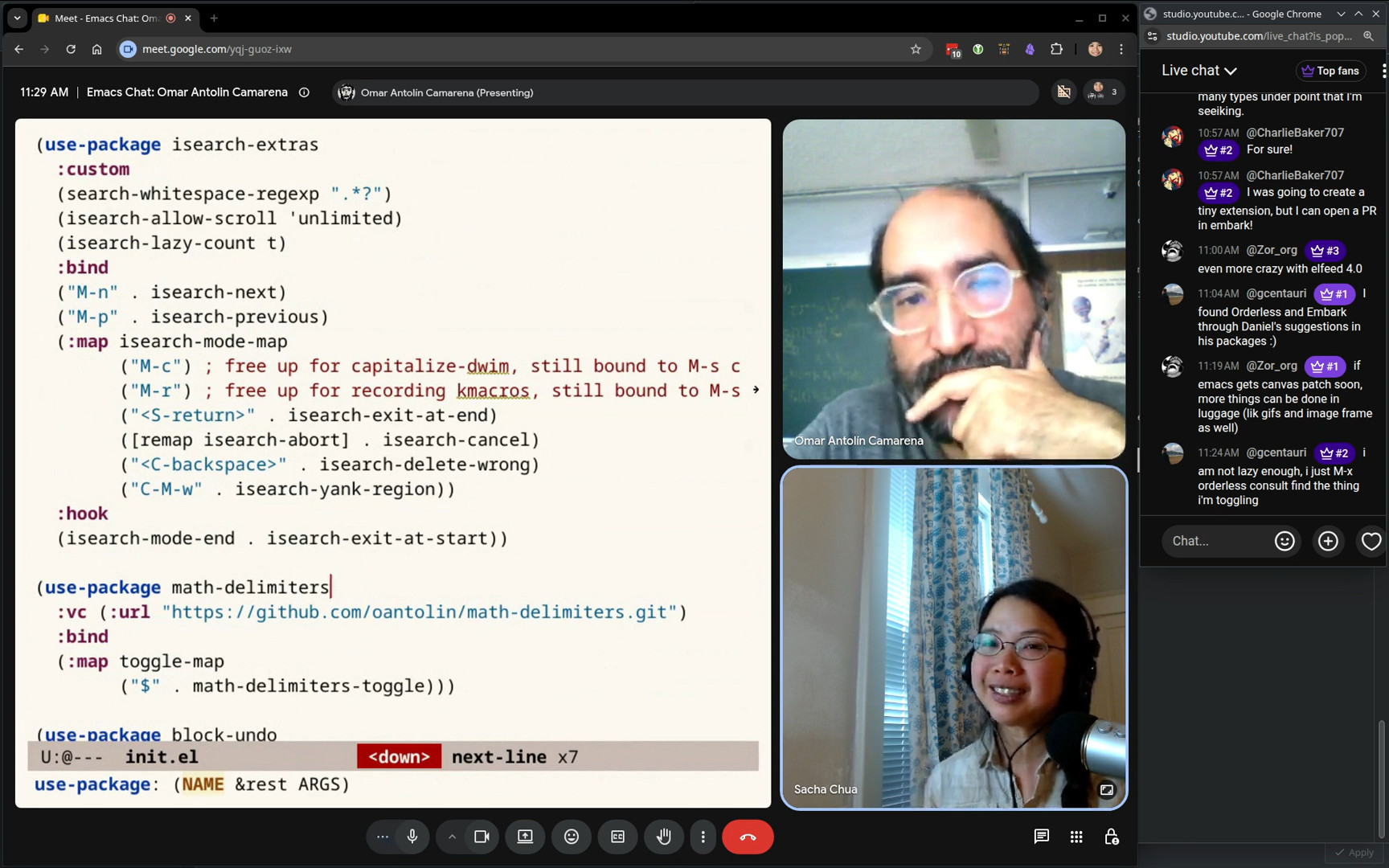
- 58:29 Toggle keymap
- 1:00:54 isearch-delete-wrong
- 1:03:14 isearch - continue from the beginning of the match
- 1:05:12 Using keymaps to remember sets of commands
- 1:06:04 Other things from the config
Transcript
Expand this to see the transcript and screenshots
0:00 Ignore this part
Sacha: Cut off at, you know, roughly an hour and seven minutes from now. She's going to come out and have lunch. Okay. All right. Going live. Alright folks, we are here a little bit early. 0:18 Opening
Sacha: This is Emacs Chat 24 with Omar Antolin Camarena, whom we know from Embark and Orderless and a lot of other little packages that I personally use on a daily basis. I'm very much looking forward to this conversation. Omar: Yeah, so am I. Very excited. Sacha: Of course, before we dive into all these lovely details, tell us a little bit more about your context. You're a researcher at the Mathematics Institute. I can see why Emacs would be a great fit for that. 0:46 How did you get into Emacs in the first place?
Sacha: How did you get into Emacs in the first place? Omar: I think it's just by virtue of being old. When I started out looking for a text editor, there were not that many great options. When I was a teenager, 30 years ago, I decided to install Linux because I heard about it. That was the era where you went to a newsstand and you bought a Linux magazine that came with a CD, and I installed Linux from that. I think it was Slackware, maybe. I was already a hobby computer programmer. I've been learning programming languages since I was a child, when my father gave me my first computer. I think that was the main reason I switched to Linux. I noticed that people wrote many more interpreters and compilers for Linux than for Windows. That's why I wanted to use Linux. I needed a text editor that handled all sorts of weird programming languages. I was looking for a general purpose one, not an IDE. I used IDEs, younger ones, like Turbo Pascal. Probably that was the main one. I loved that. It was great. I went through the Linux distro, tried a bunch of editors. I settled on Emacs and Emacs-like editors. I tried Jove, which stands for Jonathan's Own Version of Emacs. And there was also an editor called... Oh, I forget. There was one that had its own extension language called S-Lang. I used that for a while. A little later, I remember using Slava Pestov's jEdit. I really like that, too, although Java is not that fun to write extensions in. I was looking for an editor and I wanted it to be extensible, which is funny because I hardly ever extend it. I just wanted there to be the option. I used Emacs for a long time. But when I got serious at being efficient at text-editing, I actually switched to Vim. I switched back to Emacs many years later because of one very specific problem in Vim. The syntax highlighting for LaTeX files is pretty slow. On a normal computer, you won't notice that it's slow. But I had a little netbook that was like 10 years old when I had it. I took it to class to take notes in math courses. I was writing in LaTeX Live with a bunch of macros to insert things. The syntax highlighting meant that Vim lagged behind my typing. I'm not that fast of a typist, so it was problematic. The Vim manual has an entire section on what to do if text highlighting is slow. You can look for it with Vim :help tex-slow That pops up the right section of the manual. I tried everything that it said there and they all made it slightly faster, but none of them really solved the lag, other than turning off syntax highlighting. I turned off syntax highlighting and took notes for like half a semester, and then I decided to try Emacs on that old netbook. Its syntax highlighting was perfectly snappy. This is just a weird thing in Vim that specifically LaTeX syntax highlighting is slow. I never noticed it being slow in any other... I don't know what Vim calls them, what Emacs would call a major mode. It was only ever slow in LaTeX, but that was enough to get me to try Emacs. But by then in Vim, I had learned that you want very granular motion commands to move by word or by sentence, and you want to be able to be placed at the end of the word or at the beginning of the word. All of these higher-level editing constructs that Vim really pushes you toward. In Emacs, I hadn't done any of that before. I moved around with the arrow keys. But when I came back to Emacs after having been in Vim, then I wanted to get serious about editing efficiently in Emacs. I think I actually like it better than Vim now. But yeah, that's why I switched back to Emacs. It's just this quirk that LaTeX syntax highlighting is slow in Vim. Sacha: Well, their loss. So you tried a whole bunch of other editors. You got into Vim because you wanted to be more efficient. Getting deeply into Vim was great, but you ran into that bug. So you switched to Emacs because it was more efficient, more performant. All that experience with Vim has made you a better Emacs user because now you're like, okay, you appreciate all the navigation and movement. And you were telling me over email... Omar: Things I missed from Vim. Sacha: Yeah, You were telling me over email how the kind of the keyboard macros that you got used to in Vim, you've translated some of that over to Emacs and how you use them. We definitely want to get into that. Omar: Keyboard macro-like things. In Emacs, for a while, I used multiple-cursors. I liked it a lot. 6:01 Repeating edits
Omar: One thing I really missed from Vim is the dot command that repeats the last edit. But in Vim, edits are composite things. You have a command to change a sentence, for example. That will delete the current sentence, put you into insert mode, let you type a new sentence, and when you press escape, that concludes the edit. The whole edit is the operation of deleting the current sentence and replacing it with the specific thing you typed. That is a thing you can repeat. The repeatable edit commands in Vim are much coarser and more conceptually appropriate units than in Emacs. The repeat command repeats the last Emacs command, but everything runs a command in Emacs. You can repeat inserting the last character. That's not very useful. You want to repeat at least the whole consecutive stretch of characters you inserted. Undo in Emacs does do that. Undo coalesces. If you type a bunch of characters and you undo, it doesn't undo them one by one. It undoes them. It clumps them depending on pauses between your typing. That's fine. I want that sort of coarseness. I don't want to undo every single step at a time. Similarly, when you repeat things, you don't want to repeat every single step. I think Vim has like a pretty good unit of things you can repeat. I was missing that in Emacs. 7:28 dot-mode: repeating commands
Omar: There's a package called dot-mode which I used to use and I like a lot. I'm not exactly sure why I stopped using it. So this gives you a more Vim-like experience for repeating commands in Emacs and what it does is that it watches you as you type and it constantly makes a keyboard macro out of the last consecutive stretch of buffer modifying commands. So, for example, in Vim, if you want to change a word, there is a change word command, and you type c w, and then you change the word, and then that thing gets repeated. In Emacs, to change a word, it's not a single unit, right? You delete the word, and then you type in something new, and each character you type is running insert-char. dot-mode will coalesce all of that into a single keyboard macro that you can repeat, right? If you do some motion command that doesn't modify the buffer, and then you delete a word and type a new word, everything from the deletion to the end of the typing would be what dot mode repeats. The experience is actually very similar to using dot in Vim. In my opinion, a little bit better, because in Vim, I often had this problem. It gets you into this competitive video game mentality. How do I do the edit in a single repeatable command? I want to be able to use dot to do this again. So that you have to think ahead. It's kind of distracting. Of course, if a sensible person would not get caught up in that, it would just... do the edit whichever way they can, but I wanted to maximize the repeatability. dot-mode lets you be a little bit more relaxed. It still catches all of the thing that should have been a single edit. So yeah, I like it a lot. Sacha: So that's dot-mode. 9:24 block-undo: undo things as a chunk
 Sacha: You also mentioned block-undo. Omar: That is a package of mine I can show you. That's the entire package. It just uses this
 with-undo-amalgamate command. Whatever you run inside with-undo-amalgamate undoes in a single step. I use it for executions of keyboard macros. A keyboard macro, if you run it all over the place, if you apply it to every line in a region, or you just repeat it a hundred times, that is a lot of tiny individual edits. If you undo that, you do not want to undo them one by one. This just makes them all undo in a single step, which is what Vim does, actually. This is one of the things that I said, no, Vim has this right. I need this in Emacs. Sacha: Okay, that makes sense. So dot-mode is more like implicit keyboard macro boundary definitions. This one is like the undo-ness of it. 10:29 Starting and stopping keyboard macros
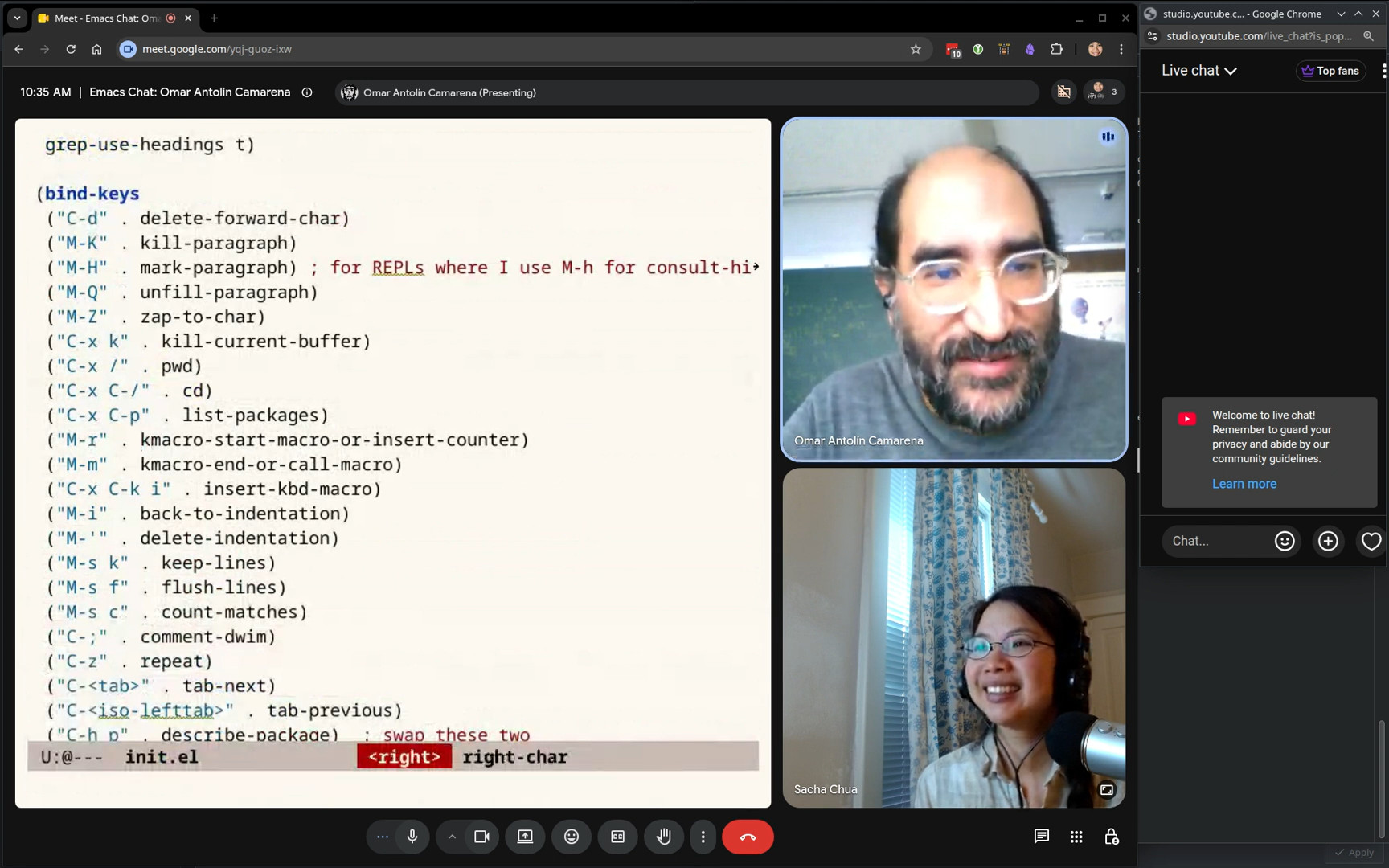 Sacha: I saw in your config, you also have more convenient shortcuts for starting and stopping keyboard macros. It's like a modifier and the keystroke instead of two or like function keys, which are further away. I'm guessing you use keyboard macros a lot. Omar: Yeah, I do. When I got rid of dot-mode, it was an experiment to see if I could just remember to record keyboard macros. The thing that the dot-mode or the dot command in Vim solves is that you don't always have the foresight to record a keyboard macro. Sometimes you realize, oh, I need to do the same at some other places, but you didn't record it ahead of time. Then you wind up doing it once, realizing you need to do it a bunch of times, then recording the macro, then doing it again. I wanted to see if I could remember to record macros. I decided that I needed to make it as as frictionless as possible. This is the command that is bound by default to F3. I like it better than the thing that's bound to C-x ( because this
 kmacro-start-macro-or-insert-counter does both things. It could start a recording, or if you are recording, it will insert the keyboard macro counter. Sacha: For folks who are like, what? Macros? Counters? Yes, you can have your keyboard macro automatically add one to a number, for example. There you go. 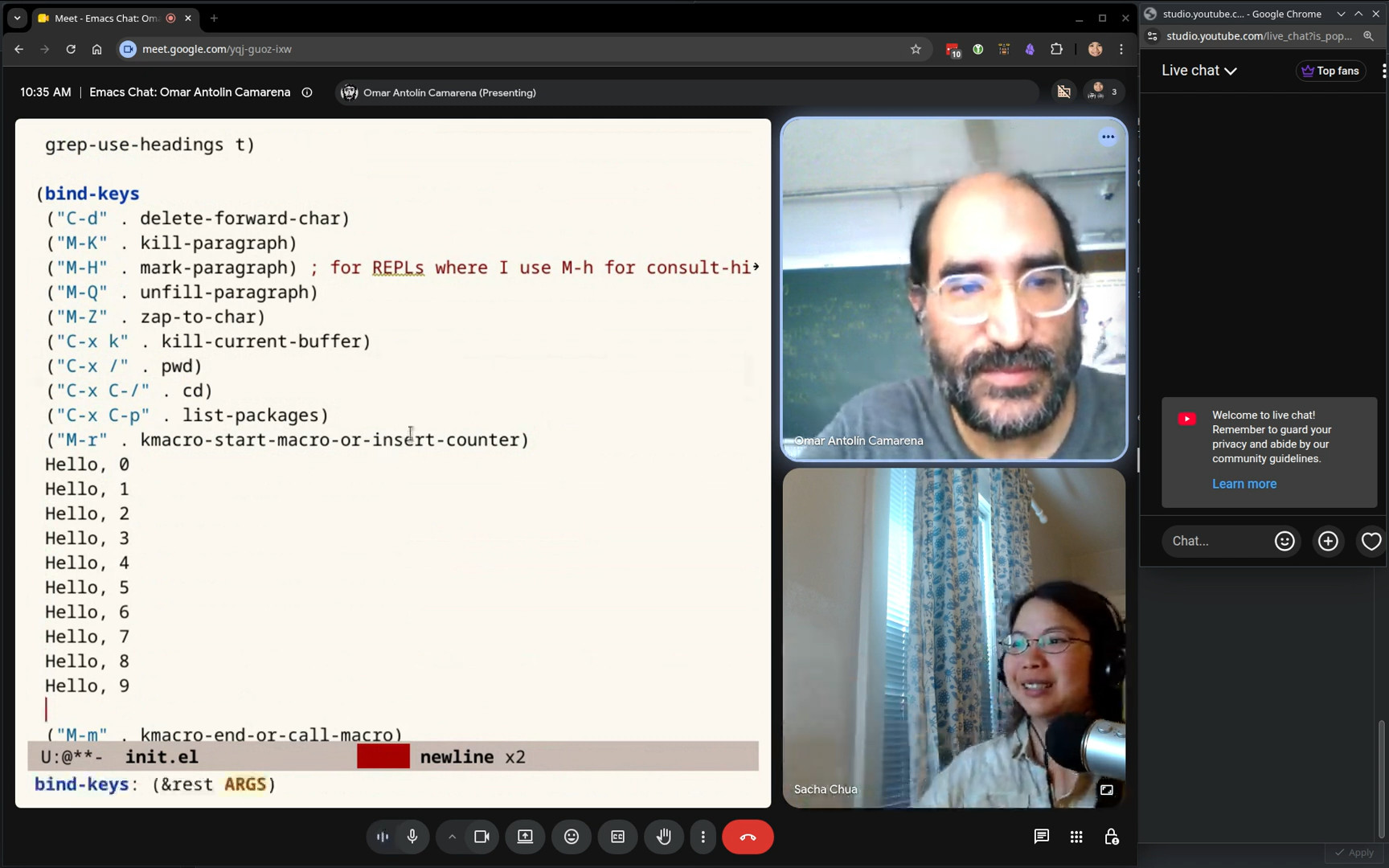 Sacha: Hello, hello, hello.
 12:15 Keycast and Embark
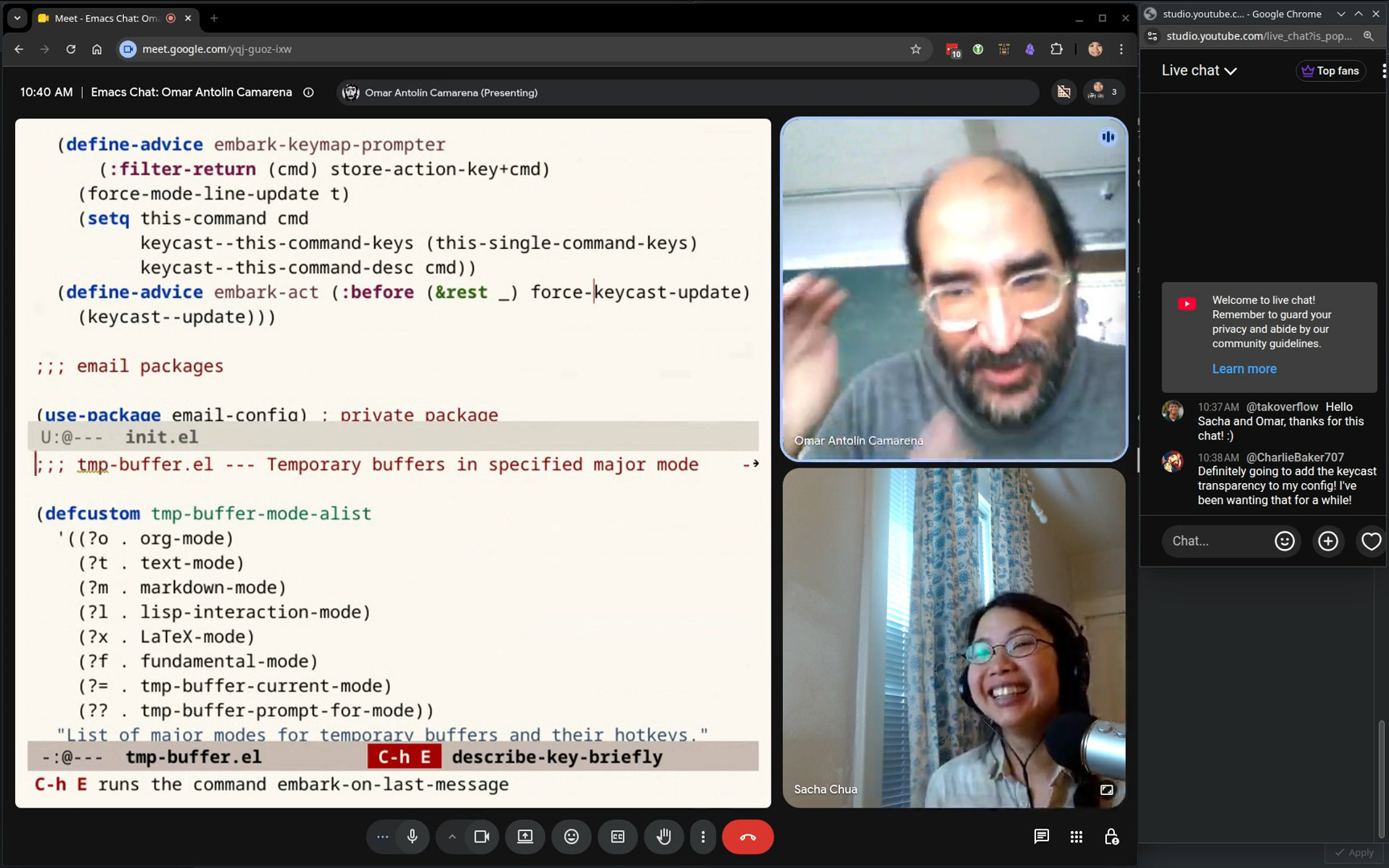 Omar: I also activated keycast. I hope people can follow along. I have some small modifications to make embark transparent to keycast. If I use embark, you see embark-act, but then you also see what command I call. Sacha: I just stole that from your config. I wasn't entirely sure if I was using it correctly, but it definitely looked like something interesting and useful. Omar: If you don't use that change, then keycast doesn't see through embark and you don't get which actions you called. Sacha: Yeah, the opacity of some of these kind of key binding niceties... they hide a lot of stuff from the standard Emacs ways of doing things. That's one of the criticisms of transient and other tools. I'm glad that you're finding these ways to make these packages work well with other packages. Omar: I think this was by request. Somebody requested it. Maybe it was Prot. It's definitely a good idea. The code for that is on the Embark Wiki as well.
 13:33 apply-macro-to-lines-of-paragraph
Sacha: The other thing that I wanted to point out that you make a convenient keyboard shortcut for in terms of keyboard macros is apply-macro-to-lines-of-paragraph, which I
personally had not been using until I saw your config. And I was like, that is a thing. Omar: Yeah. Well, that's a command that I wrote. It’s a wrapper around apply-macro-to-region-lines, but it automatically uses the paragraph. That way you don't need to select it. I find that extremely convenient. What would be a good example of that? You want to wrap something. What should I do as an example of this? For some reason, I needed to convert these things to, say, unwrap the parentheses and turn them into an Org Mode table. Sacha: Yeah, that makes sense. Omar: I just apply it to the rest of the paragraph. Sacha: Magic. That's great, because I would normally just start executing the macro and hope I remember to stop at the end, but then I overshoot, and then I have to undo,
j and then it's a mess. Omar: Or you could select the paragraph and then just use the built-in apply-macro-to-lines-in-region. Sacha: Yes, yes, that's a possibility. Omar: It just saves you the step of marking the paragraph. I found that I most often when I used apply macro to lines in region, the region was exactly a paragraph. So I figured like there's no point in... Sacha: All right, all right. Omar: It's undone in a single step. Like the application. The thing I recorded as a macro, that is not coalesced. Yes, of course. Sacha: Because that's the actual recording of it. Charlie Baker in the chat says, "Definitely going to add the keycast transparency to my config. I've been wanting that for a while." These little demos of like, oh, this is what this thing in your config does. It's very helpful for people to be able to see its awesomeness. Omar: Where is that? Sacha: One of the other interesting things you mentioned was your placeholder package. I can see how the keyword macros help you with text that's already there. Then you've got these placeholders for informal snippets or quick snippets. Show us that. You use it a lot. Omar: Yeah, I do. Oh, that tmp-buffer is a command I have for popping up temporary buffers in specific major modes. Maybe I can quickly show that first. Yeah, yeah, yeah. So let's see. Oh, yeah. So let me... 16:34 embark-on-last-message
Omar: There I used another little command I have. embark-on-last-message It just calls Embark on the last thing in the messages buffer. Often I want to act on the thing that is the last word in the echo area, so that's what this does. Sacha: Okay. Omar: The last thing in the echo area was this symbol embark-on-last-message so I can act on it directly. Sacha: Which is brilliant because I keep switching to the messages buffer to try to copy something, and by the time I switch, sometimes there are other messages, so it's great to just be able to do something. Omar: If there are other messages, then I also switch to the messages buffer, but if I want to act on the very last thing, I have that command for it. Sacha: Yeah. I'm saying this is faster, so I get the chance of just hitting the shortcut before another timer goes in and messes around with my messages. So yes, shortcuts. Okay, temp buffer. Tell us about that. Omar: You can configure single... Wait, where am I? Transcribing job. I ran Whisper by accident. Sacha: Which is another thing I wanted to check. Many things I want to talk to you about… Omar: The idea of using Whisper, I stole from you using it to dictate. I thought, oh, this looks convenient if the model is good. I tried it and it is very good. 18:06 tmp-buffer with a major mode
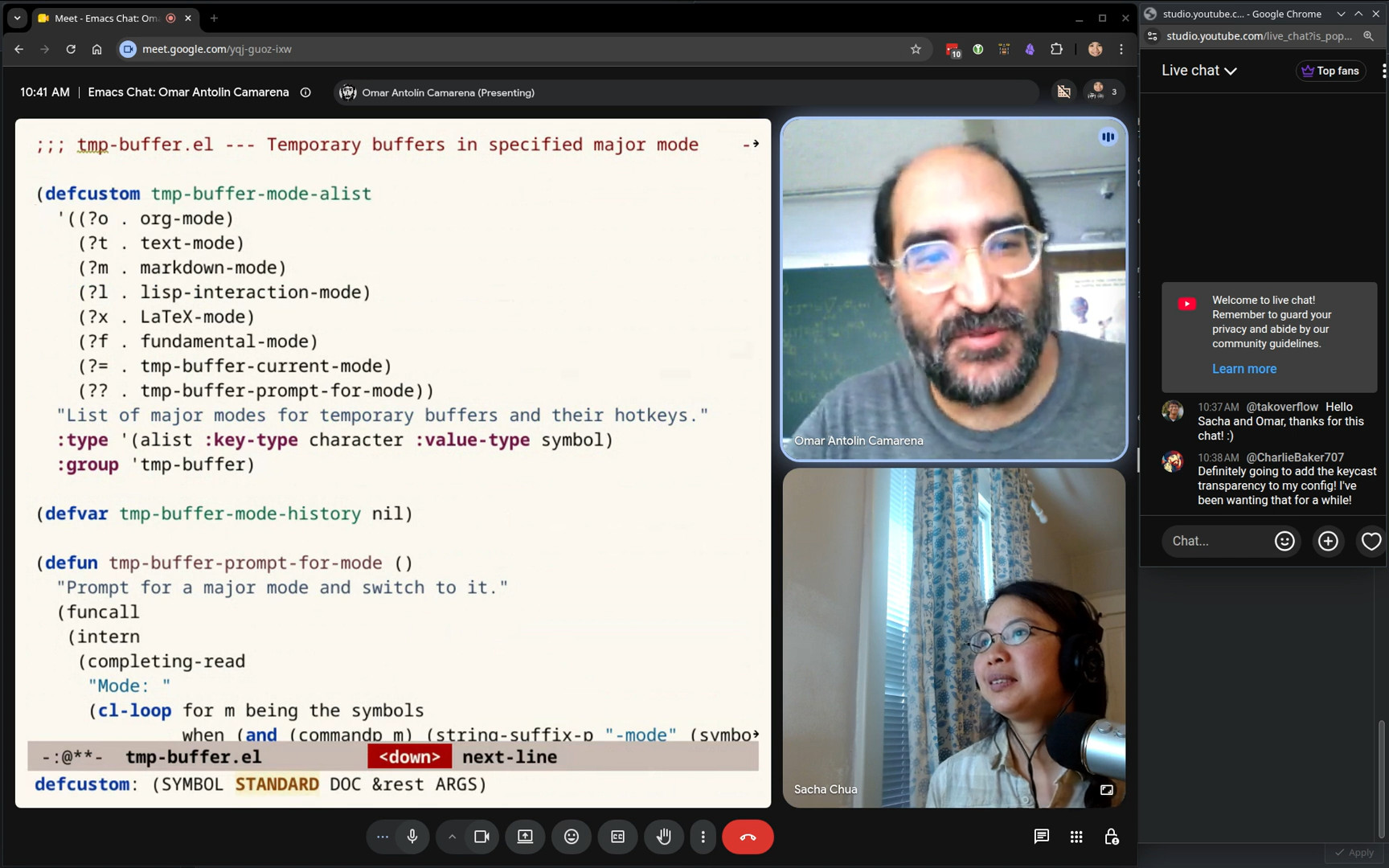 Sacha: Temp buffer. Omar: Different major modes. It has a customizable list of bindings for specific major modes.
 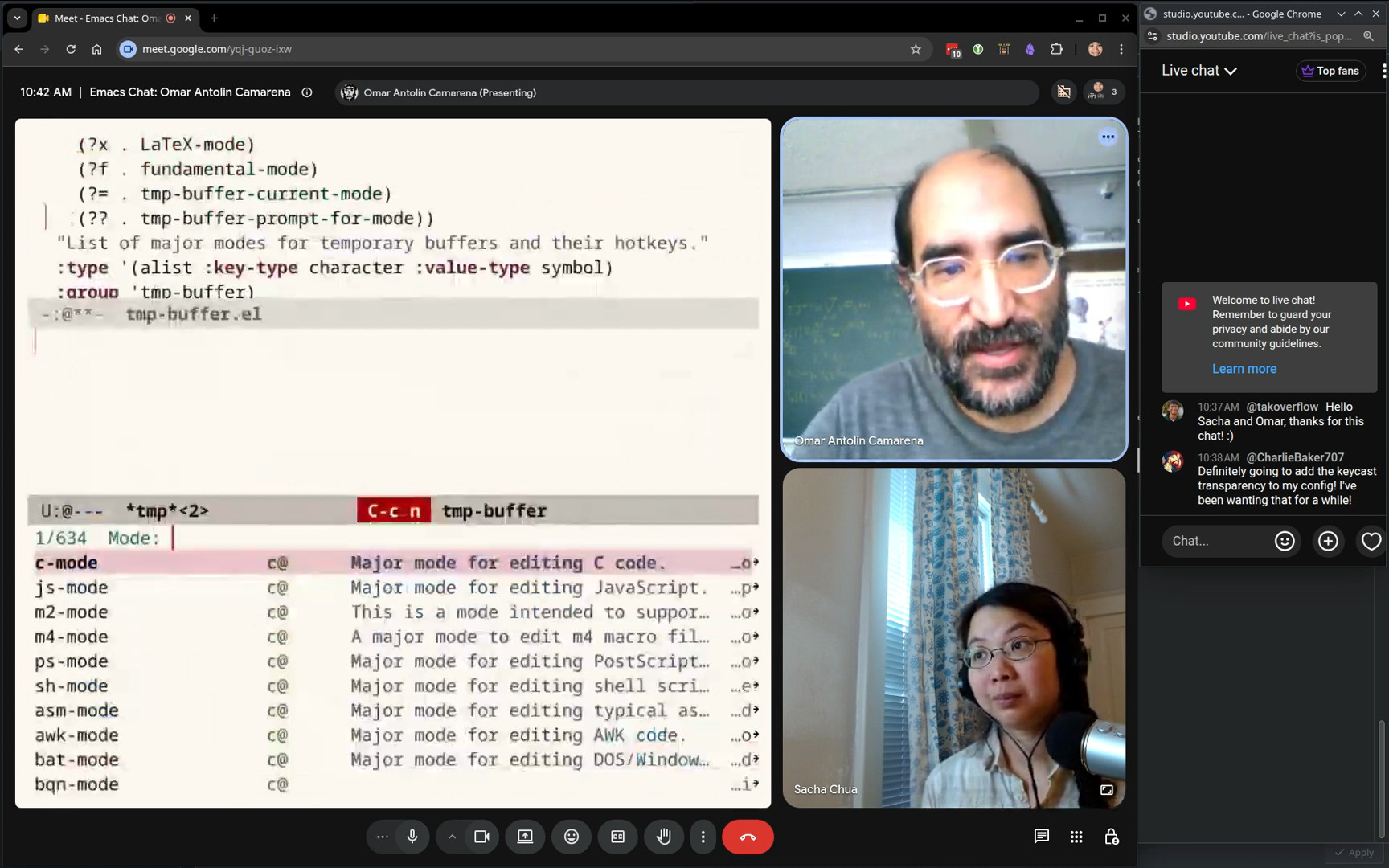 Omar: It also has an option to just prompt you for a major mode. It pops up a temp buffer in whatever major mode you chose. I use it all the time to make new scratch buffers. Sacha: Yeah, I can see that's useful. I switch to a buffer that's got a name that doesn't exist yet, and then I have to press more keys to get to the major mode. Omar: But if you're doing certain things, just type random letters to make a new buffer, this is much better. They might as well all be called temp. Sacha: Do you reuse the buffers, or it's always just the one buffer? Omar: New buffer, then I kill it. Sacha: Very temporary. Gotcha. Omar: By the way,
 kill-current-buffer doesn’t have a default key binding. I don't understand why not. OK. I bind it to C-c C-k, which normally, I think, is kill-buffer, but why would you want to kill a buffer that's not the one you're looking at? Wait, what was I going to show you? Sacha: You were going to show me placeholders. Omar: Right. 19:26 placeholder
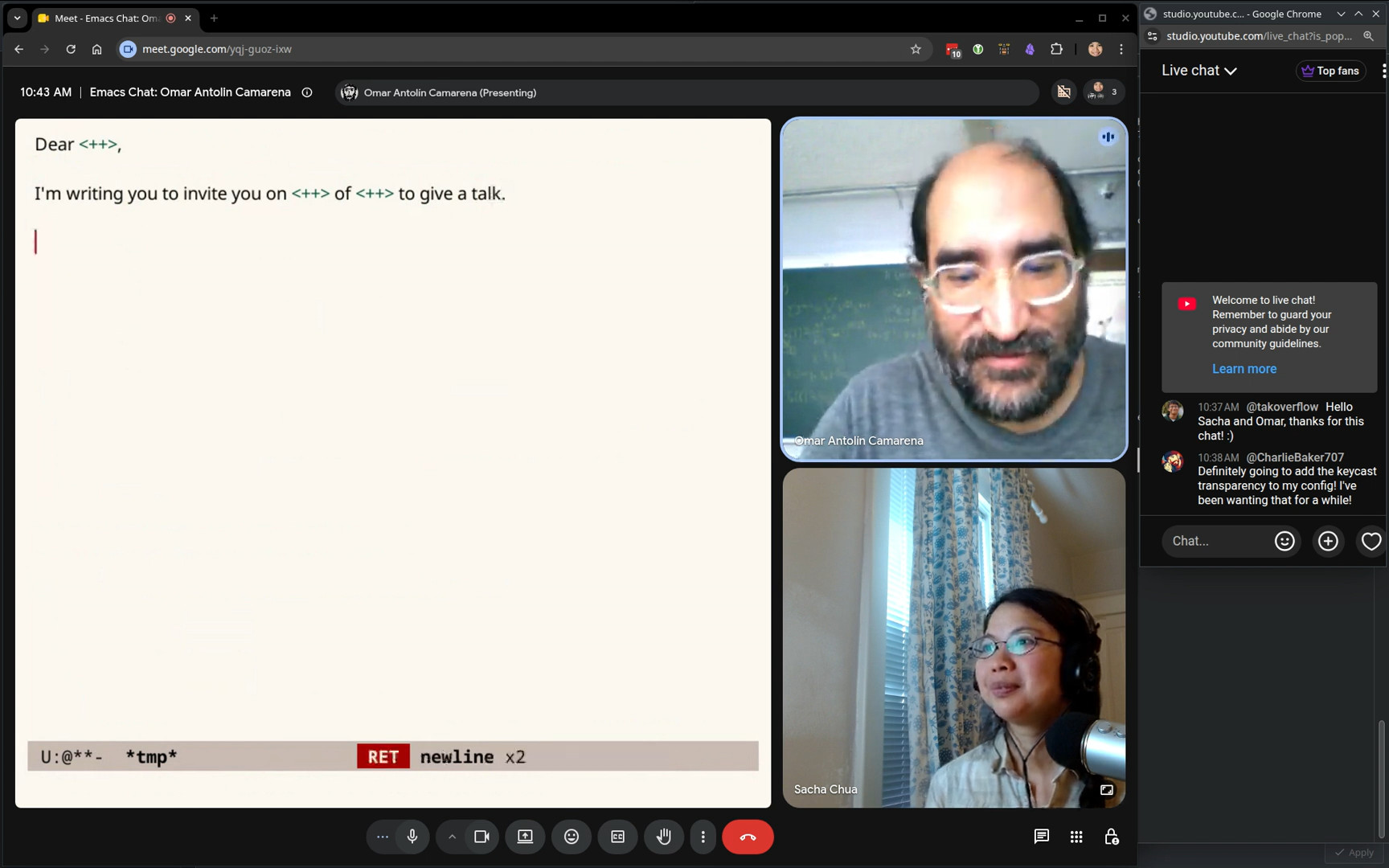 Omar: I often need to send several similar email messages. I'm going to invite you on some day of some month to give a talk, etc. That's the body of an email. I'll write it once. Here I’m using
 placeholder-insert to insert this
symbol. It appears in green, but it doesn't matter. It's just text. You could type that symbol yourself. 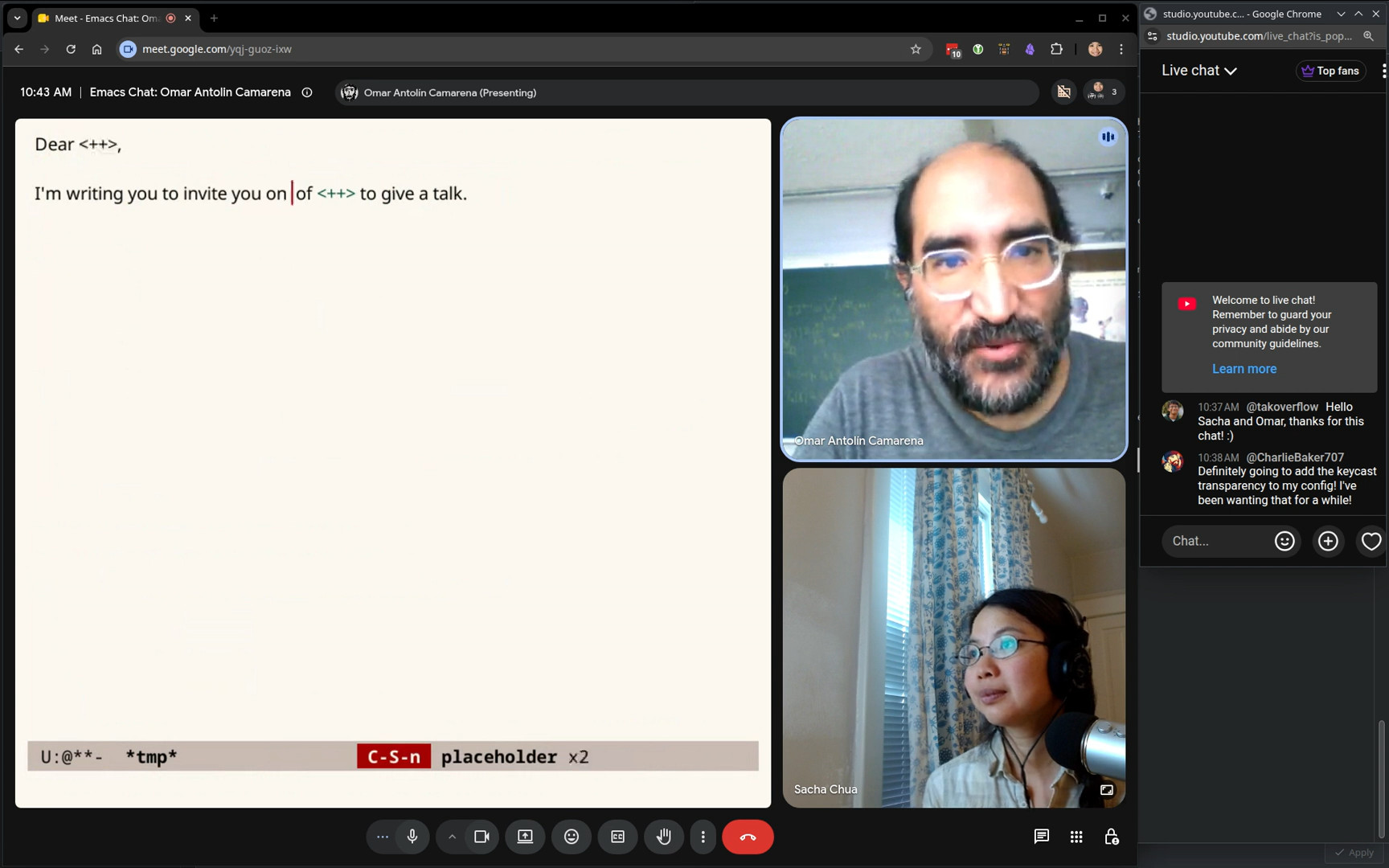 Omar: Then the
 placeholder-next and -previous commands will cycle among those and let you fill each one in. You don't have to fill it in right now. If you repeat the command, it restores the placeholder and moves you to the next location. Sacha: That's one of the things I liked about the implementation compared to yasnippet, because yasnippet, you’ve got to actually remember to fill in the fields before you move on to something else. If you get out of it, you can't tab to the next field. The placeholders will let you go and come back and look up some information and put that in and so forth. 20:38 enable-recursive-minibuffers
Omar: Yeah, there's lots of things I loved about Vim, but one thing I grew to strongly dislike is modal computer programs. Not just modal editing, modal anything. I don't like being forced to finish what I started. I want to be able to get distracted and go off and do something else. For example, in Emacs, I very much dislike the default value of enable-recursive-minibuffers. The default value is nil. They don't let you use the minibuffer if you're already using the minibuffer. Emacs is supposed to be about freedom. Why is that the default value? So I set it to t, which is more sensible. That way you're not stuck in the minibuffer. Sacha: Actually, one of the things that I've been trying to figure out is when I'm in a minibuffer, sometimes I want to use Embark to insert something into the minibuffer, but then I end up inserting it into the buffer buffer. Omar: Yeah, there's no... Embark doesn't have any solution to that problem. It doesn't always do that. It does that if you're in the minibuffer in a completion session. If you're in the minibuffer in a non-completion session, then it acts as a regular buffer. So if you're in eval and here you had... You can use embark-insert in the usual way to duplicate stuff. Sacha: I have a workaround. I just use kill. I copy the text instead of inserting it and that works out fine. Omar: Yeah, I do too. The behavior of inserting into the previous buffer is so useful that I don't think I would want to change that. But yeah, it is unfortunate that for that specific instance, you can't use insert. Sacha: I appreciate that Embark allows us to have all of these key bindings that we can do stuff with. I noticed in your config, in addition to Embark, you also modify a lot of the standard key maps to add other shortcuts to rebind things that make sense to you. Key bindings are something that a lot of people struggle with, trying to figure out more places to put more shortcuts that make sense. What are the key shortcuts that work really well for you? 22:57 Overriding embark-select
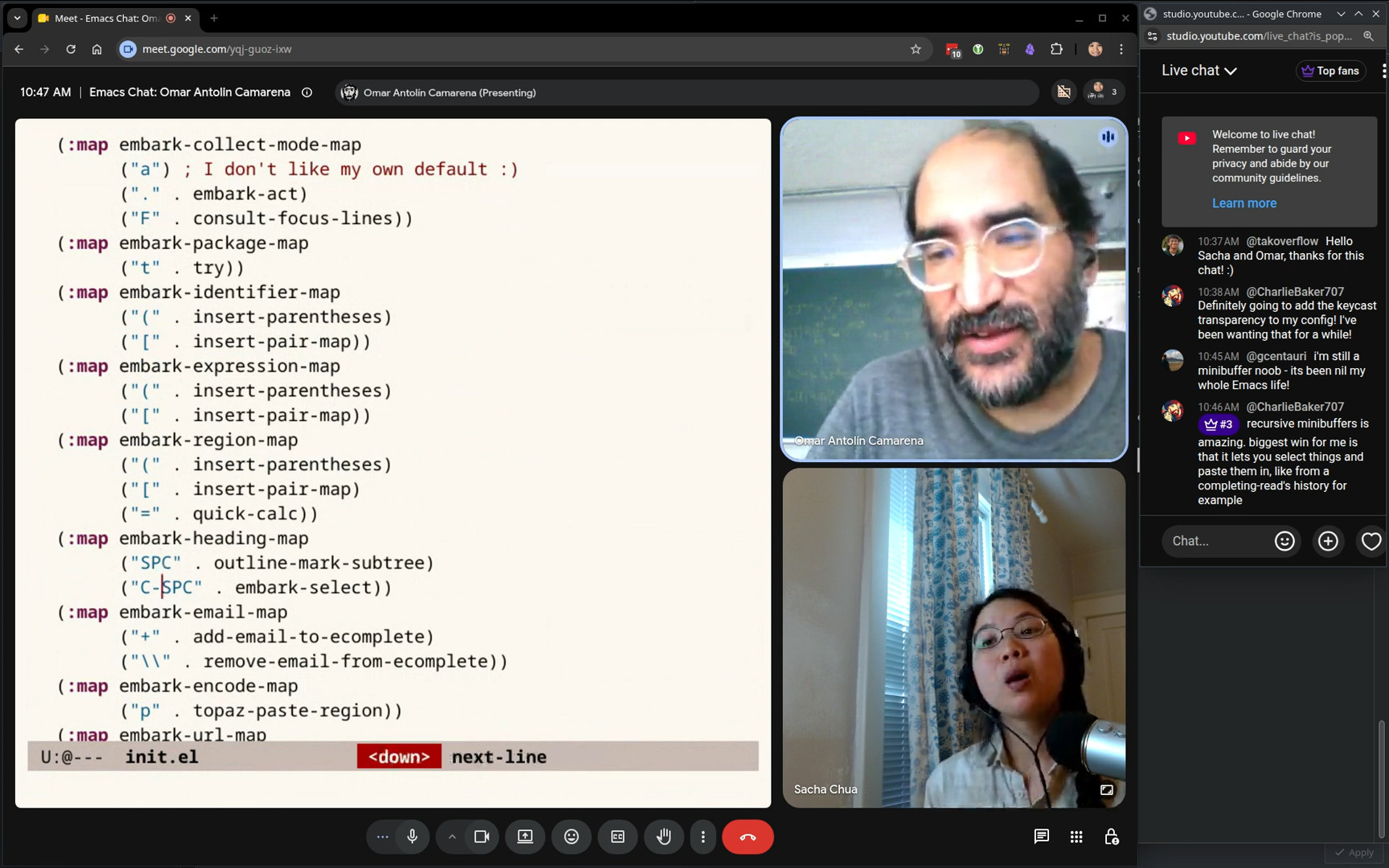 Omar: One thing I don't like about the default Embark configuration is that
 SPC is used for embark-select, which marks a target for later use. I hardly ever use embark-select, so I would rather SPCbe for marking the region, which is something I do pretty often, and have embark-select on C-SPC, which is not a
command I use very often. I swapped those. I think most of this is just adding new actions that feel specific to me. 23:32 quick-calc
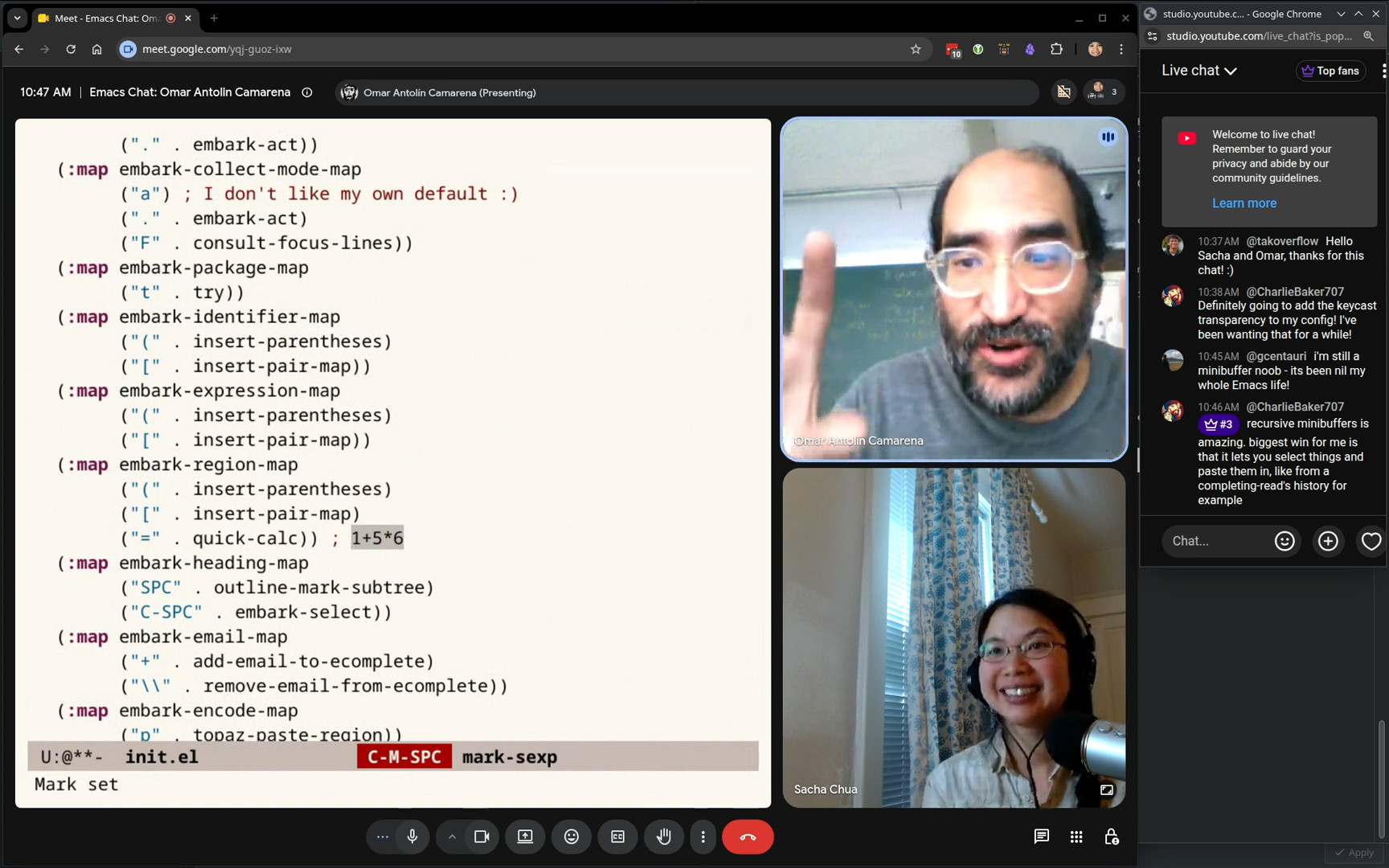 Omar:
Omar: quick-calc is the thing usually found to C-x *… calc-dispatch is the command. It’s C-x * q. That’s quick-calc. It's useful as an Embark action. If you have an expression and you... Wait, what am I doing wrong? I forgot what my binding to mark what Vim calls a word in capital letters, which means a consecutive stretch of non-space characters... If you mark this, I can act on it with =, get the result. Sacha: And specifically this embark-region-map is what you can add in the selected region. Incidentally, I've been playing around with using the Selected package for this because it also gives you the key map. Omar: Yeah, yeah. I love the Selected package and recommend it often. I don't use it myself just because the only thing it would save me is calling embark-act, because the commands I would put in the selected key map are exactly the commands I have in the embark-region-map. For me, Selected would only save me one keystroke, which is Embark Act, so I don't feel it's worth it, but it's a great idea. For example, I do use the rectangle keymap. Yes. So they're the only difference. It's equally good an idea as Selected is. The only difference is that the rectangle keymap comes with Emacs and Selected is an external package. I decided it's not worth installing an external package when I could just use Embark Act, which I do have to use because otherwise
I won't understand people's bug reports. But the rectangle mode there, that one is built in, so I just found a bunch of useful stuff in it. Sacha: Yeah, and I noticed you have also like you have a narrow-to-point so that you can use your rectangle commands to yank something into it, so I get the sense that you use rectangles a fair bit. Omar: You've really read my configuration very carefully. This narrow-to-point is subtle. I am very impressed that you figured out the reason for it. Sacha: I started digging through narrow-extras because I saw your narrow-or-widen-dwim and I said, yes, I need that in my life. Omar: I don't think... I took it from somebody. Endless Parentheses, probably. The issue with narrow-to-point, the reason you need it, is that if you insert a rectangle somewhere, try to insert it in a blank line, and it'll overlap with what was after it. But if you first narrow to the point and then insert the rectangle and then widen again, it gets its own blank lines. That's the reason I have it. 26:30 Multiple cursors
Sacha: @zor_org asks, was there a time you wanted multiple cursors? Have you ever been tempted? Omar: Multiple cursors. I think it gave me a false sense of security which is why I experimented not using it and then the experiment just never stopped. The thing with multiple cursors... Multiple cursors are more interactive than keyboard macros, because if you can see several cursors on the screen, you can visually make sure that what you're doing does apply correctly at each of those locations. But then I started noticing that that made me feel very confident I was doing things the right way in multiple cursors, but there were some cursors offscreen where I wasn't paying attention to what was happening there, and then I got it wrong and was more confused. Just psychologically, a keyboard macro, since I know I don't see the other places where I'm going to run it, I'm more careful when I record the keyboard macro. It's a psychological trick I'm playing on myself. By using keyboard macros instead of multiple cursors, I force myself to pay more attention to what I'm doing. 27:40 Block-undo and regular undo
Sacha: Does the block undo still let you select a region in order to undo just the part that was within it, in case you notice offscreen that it's done something bad in just these entries? Omar: Yeah, that's completely independent. That built-in Emacs behavior is not affected by undo boundaries. Sacha: Wait, is it? Omar: If it overlaps with part of... I don't know. Sorry, sorry. I don't know. So if I have a big change that I amalgamated into a single undo, and then I pick a region that overlaps partially with that but not completely, what would undo and region do? I don't know. I think it... I'm just guessing. I would just think that it sees that the affected region by the big block undo is not completely contained in the region and then it doesn't undo it. Sacha: Okay, so I'm just going to conclude that you do not make mistakes with your keyboard macros. Omar: I can easily undo them instead of having to keep running on undo. So it's not that I don't make mistakes, but that I try to fix them right after running the keyboard macro. Sacha: All right, all right. I had another question. 28:53 Cycling through Embark targets
Sacha: Ou've got a lot of different Embark maps and you've got a lot of different Embark targets. How do you handle going through the different ones that are at the point? At the moment, I've got the label at the top and I just flip through it. I know sometimes I need to hit it twice or sometimes I need to hit embark-act three times for this kind of thing. How do you distinguish between lots of them when you're just going through it? Omar: I think that's the poorest part of the user experience with Embark Act currently. I don't really like it, but I don't have a good alternative. A lot of people like expand-region and I don’t like it because I feel like I have to hammer it off. I prefer to have a lot of… This is another thing I learned from Vim: have a lot of commands to mark specific things and just memorize all of them. But expand-region says, no, don’t memorize that. Just hammer on expand-region until you get the thing you want. Ffor me, even though it's objectively fast, it just feels very slow. It feels like I have to hit it four times whenever I want to mark something. I get the same feeling from cycling in embark-act. I don't really like it. But if we had come up with a better alternative, and I say we because I discussed this in the GitHub issues with with Daniel Mendler and Prot, and I think @hmelman was also in those discussions, and maybe Clemens Radermacher? I just couldn't come up with a much better alternative, so I put up with it. I don't need to cycle that much. I almost always want to act on the first target. Which is unfair, because I decided what the first target is in the default configuration, so it's sort of tuned so that I hardly ever need to cycle. I apologize if it means other people need to cycle a lot. Sacha: Nonsense. We can all modify our target list, so we can always tune it to what we want. Omar: I mean, it's a lot of work, right? I think the default Embark configuration is over half of the source code of Embark. The configuration is... Where does that start? Oh, I wish the autoload cookies were not in the outline. Sacha: If you do a space, oh, I guess it doesn't do that, right? Omar: Oh, yeah. For orderless, I use the escapable spaces, so I can do that. 31:39 Imenu for navigation
Sacha: I should also point out that your config uses a lot of imenu also, which was another interesting thing I picked up. Omar: Yeah, I like imenu, yeah. I should add imenu for this. One thing I did to imenu is I added a section for key maps. Sacha: I saw that. You have a regular expression so you can see it easily. Omar: Right. It's not half, but a big chunk of Embark is just the default configuration. It would be a lot of work to configure Embark from scratch. That's why the package comes with an extensive default configuration. Sacha: Charlie Baker says, “I have embark-act set up to expand in the same way expand-region does, but with Embark’s type
awareness, it's easy to add a contract function.” I guess maybe also some highlighting helps with that. Charlie also says, “I also have a completing read interface in the transient menu to jump directly to one of the many types under point that I'm seeking.” Charlie, you're going to share somewhere so I can steal that part of your config, right? Omar: I mean, that would be something I would consider adding to Embark itself. 32:51 Collaboration
Sacha: You mentioned having all these conversations with Daniel and others through GitHub and other things. I wanted to touch on that because I think in the Emacs community, it's pretty rare to find people who are collaborating on packages and packages that work so well together. The partnership between your packages and Daniel Mendler or Minad's packages with Consult and Vertico and Marginalia is really nice. We don't see a lot of examples of that kind of inter-packaged conversation as much. How did that start? Omar: I think it was mostly Daniel's initiative. I had started work on Orderless and Embark. I think his first package was Consult, maybe, of this family of packages. I remember Embark was a pretty sad shape when Daniel started raising issues on the Github. He really lit a fire under me to improve Embark. It started with him complaining about things in Embark, and I immediately realized that he was thinking very carefully about the user experience, so I thought he is full of good ideas and I should listen to them. Back then at the start of Embark and Orderless, Prot was also very involved in discussing the design. All of this is on GitHub issues. Some software archaeologists can find all of it. So I think we started working together when we realized we were both writing Marginalia, so we decided to merge those two packages into a single one. I think maybe the name Marginalia was suggested by Prot, I don't remember, but it's a very good name. The collaboration was completely unplanned. We just did it because we had already talked on the Embark issues and Daniel's suggestions improved Embark a great deal in a short amount of time. So then when we both realized we were writing something like Marginalia, we decided to just merge those two packages and write a single one. Since that worked out well, we kept on collaborating. So far, we haven't co-written any other package. One thing like that is that now Daniel is a co-maintainer of Orderless, which is great because Daniel is extremely efficient at fixing bugs. He does it instantly. He figures out what's wrong and has a patch in a few minutes after he looks at the issue. He looks at the issue the day it was posted or the day after. I can't do things that quickly. It's great that he's helping out with orderless. It wasn't planned. It just felt right from the very beginning. I immediately realized he had some great ideas and implemented a lot of them. Then we started doing that the other way around. I started commenting on a bunch of issues in Consult and Vertico. I think I exerted some pressure on Daniel to add features to Vertico, like the grid view and the horizontal view. Or maybe specifically the grid view, because at the time I was... I'm sort of slow to switch basic Emacs infrastructure. I wasn't using Vertico for a long time, even though I was like opining on the Github issues for Vertico, and the reason was that I was stuck with the vastly inferior embark-live. There was this embark-live thing where you could pop up a buffer with the targets in the minibuffer, which just means a completion candidate. So you could use Embark as a kind of completion user interface. It was very slow, but it was very featureful. You could do a vertical list. You could do a grid. In the list, you could activate zebra stripes. Yeah, you can see that's been removed from Embark. But I kept saying to Daniel, I'll switch to Vertico if you add a grid view. He eventually did add the grid view. I kept my word and switched to Vertico, which is much better than the thing in Embark. I was just being stubborn by not switching earlier. But if I had switched earlier, maybe Vertico wouldn't have a grid view. Sacha: I think it's definitely a good example of a set of packages that has... So all this started in about 2020s or so. So we actually can see how people have gotten into using Vertico and all the other packages compared to, say, looking at more popular packages that have been around for a long time. "Of course everyone's been using Org Mode for a long time." It's there. It's part of the fabric. 38:01 Technology adoption and Emacs packages
Sacha: It's very interesting to see the technology adoption around it. A lot of the things that people struggle with as package authors is getting other people to try out their stuff. With Orderless and Embark probably in the early days, what was that like to put this thing out there in the world and have people start to try it? How did people find it? Omar: I personally found it very scary. At the beginning, I still thought Embark was a part of my personal Emacs configuration that sort of grew out of control and I decided to publish separately. But then I have all these people telling me how to improve what I still thought of as part of my personal configuration. I think one thing that helped was that people made very good suggestions. So I realized, no, no, it's worth publishing reusable parts of your configuration just for the GitHub issues, just for people finding bugs and suggesting improvements and so on. But yeah, I had to adjust to having some users. At first, it was very few people. But then they got added to Doom. I think they were made the default in Doom. That was a huge influx of users. That was very scary. We were suddenly flooded with new bug reports, like all of the packages in the family. I remember feeling like there's a horde of Doom users running at us. Sacha: All right. So, starter kit, then everybody gets into it, and then everybody starts talking about it because they're like, yeah, you know, it's great. You can specify things out of order. You don't have to remember what words come in, which order when you're completing things. Those of us who aren't on starter kits are like, yes, we should try that too. That's how it's done. Omar: Doom helped a lot to raise awareness and adoption. 40:06 Personal packages and naming conventions
Sacha: You've got a lot of other small packages. For something as small as block-undo, which you showed us, it really just fits in one screen. Is that something that you would set up as a different repository or just as a file within your current one? Omar: No, those are all in my user-lisp directory. Sacha: I have actually successfully used use package to grab stuff out of your user-lisp directory and use them in my config. Yeah, it works. I just say, all right, my load path is here where I've checked out your source code. It defines these commands. Then I can bind your functions to my shortcuts. Although, because your functions are named the way that I would expect Emacs functions to be named, I've been defaliasing them so that I don't accidentally say, oh yeah, that's totally built in when it isn't. Omar: Yeah, I'm inconsistent with these little packages in my user-lisp directory. In some of them, I do stick to the convention that the package name is a prefix for all the functions, and for some, I don't. For some, I just try to name them the way exactly what you said. Like, what would these be called if they were built into Emacs? Which means they don't share a consistent prefix often. I should probably make that more consistently use the package name as a prefix so that they're easier to dot. Sacha: Or I have another suggestion. You could get apply-kmacro-to-paragraph or whatever that is into core Emacs. That would be great for everyone. Omar: Yeah, maybe that one is useful enough. Some of these I don't use anymore because I think I've substituted them with workflows with Embark. For example, eval-region-advice. It bothered me that none of the evaluate commands are “do what you mean” in the most common sense in Emacs. The most common sense of do what I mean in Emacs is if the region is active, use the region. Otherwise, do the normal thing. All of the evaluate commands should evaluate the region if the region is active. So that's what this does. But I don't use that anymore, because to evaluate a region, I usually use embark-act e. What
else is here? 42:26 find-file-at-point and directory names
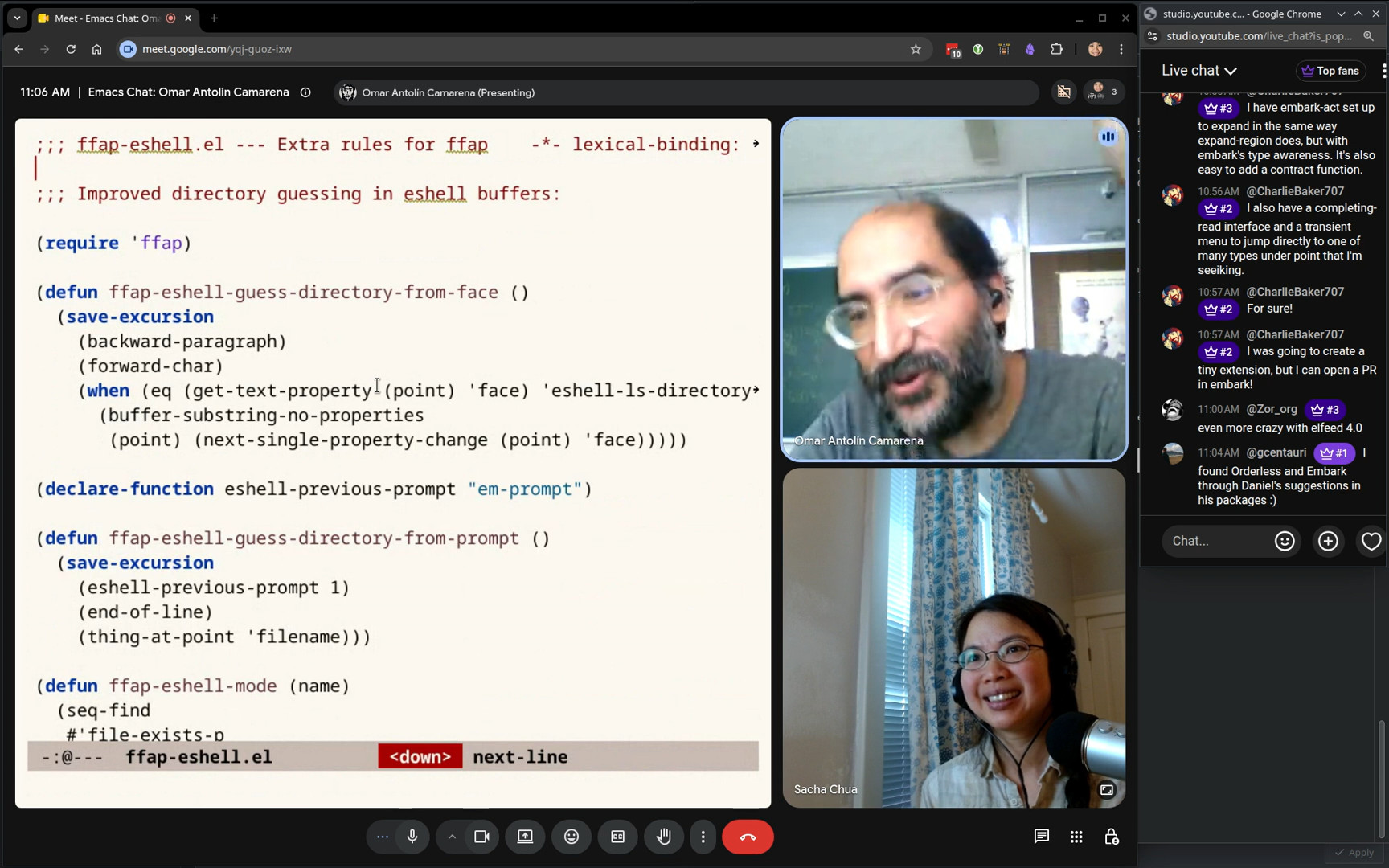 Omar: Oh, some of these things are like tiny things that are almost invisible, like this. In Eshell buffers, By default,
 find-file-at-point doesn’t realize that if it sees the filename printed in an eshell buffer, it won't look at the prompt to figure out what directory it came from. If you type ls and you're in your current working directory, all of those listed files, the find-file-at-point guesses that they are files in the default directory, and that guess is correct. But if, further above, you had gone into a different directory, called ls there, then those files are no longer in what is now the default directory. So this just adds a little bit of smarts to find-file-at-point. It looks at the prior prompt to see what directory that was run in, and then tries to see if the files it sees there are in that directory. Of course, the only reason I want this is because I sometimes use embark-act on files I see written in the Eshell buffer. Sacha: I love this. I love how all these little bits of code show that at some point you were annoyed by a tiny, tiny problem and you're like, that's it, I'm just going to write some code and it's never going to be a problem again. 43:49 The value of using Emacs’s APIs
Omar: One thing I like about this is it also shows sticking to Emacs APIs. Embark uses find-file-at-point to guess what things are referred to files. I did this to improve the functionality of Embark in Eshell buffers, but what it really does is improve the functionality of find-file-at-point, which I hardly ever use directly. I almost always use it through Embark. Sacha: Send it upstream! Okay, so you use Emacs for working with a shell, working with your files, doing math, doing some programming as well. Are there unexpected things that you use Emacs for? Omar: I don't think so. Mostly I write. It's mostly writing prose. I think I was slightly misled about what a job in academia is like. I mostly write emails. That's the bulk of my job by the time consumed. 44:56 org-ql and usual files
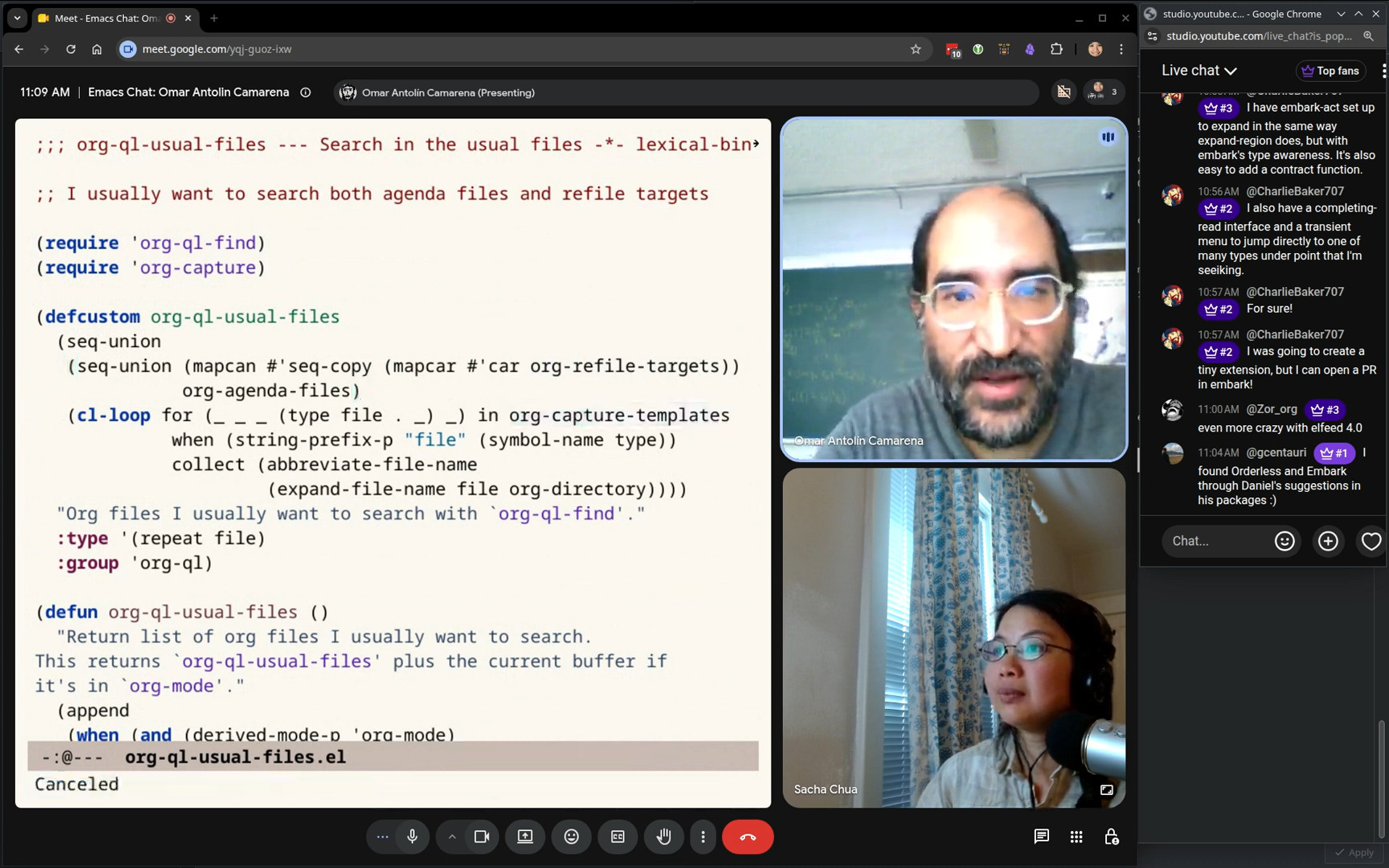 Sacha: You have some shortcuts around org-ql for managing your agenda or other things. Omar: This notion of the usual files. I was often using org-ql to search this set of files: every file mentioned in a refile target, every file mentioned in a capture template, and every file agenda file. Here it is. So I thought that's what I want to search. I want to search every file I mentioned in a refile target, every agenda file, and every file that I mentioned in some template. That's what this does. Sacha: I don't know if you trust your hiding things enough for us to try that. Since you put so much work into it... Or do you want me to hide the screen first and then you can let me know when it's safe to look? Omar: No, no, that's fine. I can show you the censorship process. What I thought I would do is I could show you the... Wait, what is this? Why is that not an action? Oh, library. Oh, I have not loaded this. Yes, now it's loaded. Oh, so this should be... Why is this not recognizing org-ql usual files as a variable now that this is loaded? Sacha: Oh, great. I'm also open to debugging demonstrations live because that is something that a lot of people do. Omar: Sorry, I think it just hadn't loaded this file. Now I ran a command from here and now I should have a variable. Yes, I have a variable. So we can go to Customize.
 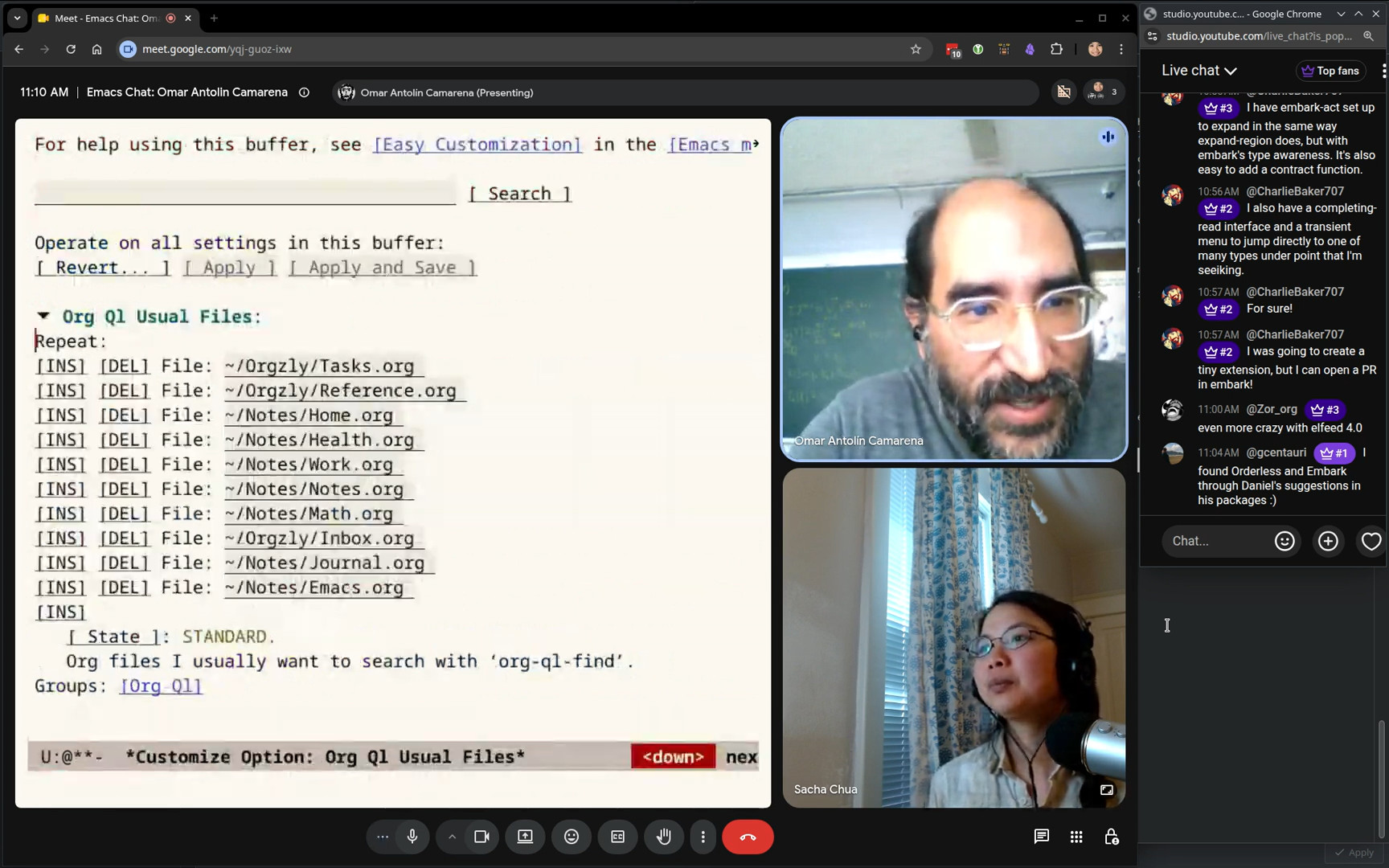 Omar: The ones that have sensitive information are tasks, home, health, Definitely work. Journal. I don't really mind people seeing my journal, but that's boring. There we go. Yeah. So now I got rid of all of the sensitive files. And so now I can show you. I usually just search through all of these files at once. So I had a list of things I wanted to tell you about.
 47:06 Shortcuts for org-ql search syntax
Sacha: I should also point out that your config has some stuff for inserting things into the org-ql search syntax. Omar: You're extremely prepared for this chat. Yes, C-,has a little key map that will insert stuff like priority. Oh, I don't have, let me remove “Sacha”. Oh, yes, everything that I have with priorities is in one of the files I removed. I only use priorities for work. Sacha: Okay, gotcha. Omar: We could use to-dos. 47:43 Org TODO states: TODO, WAIT, DONE, NOPE
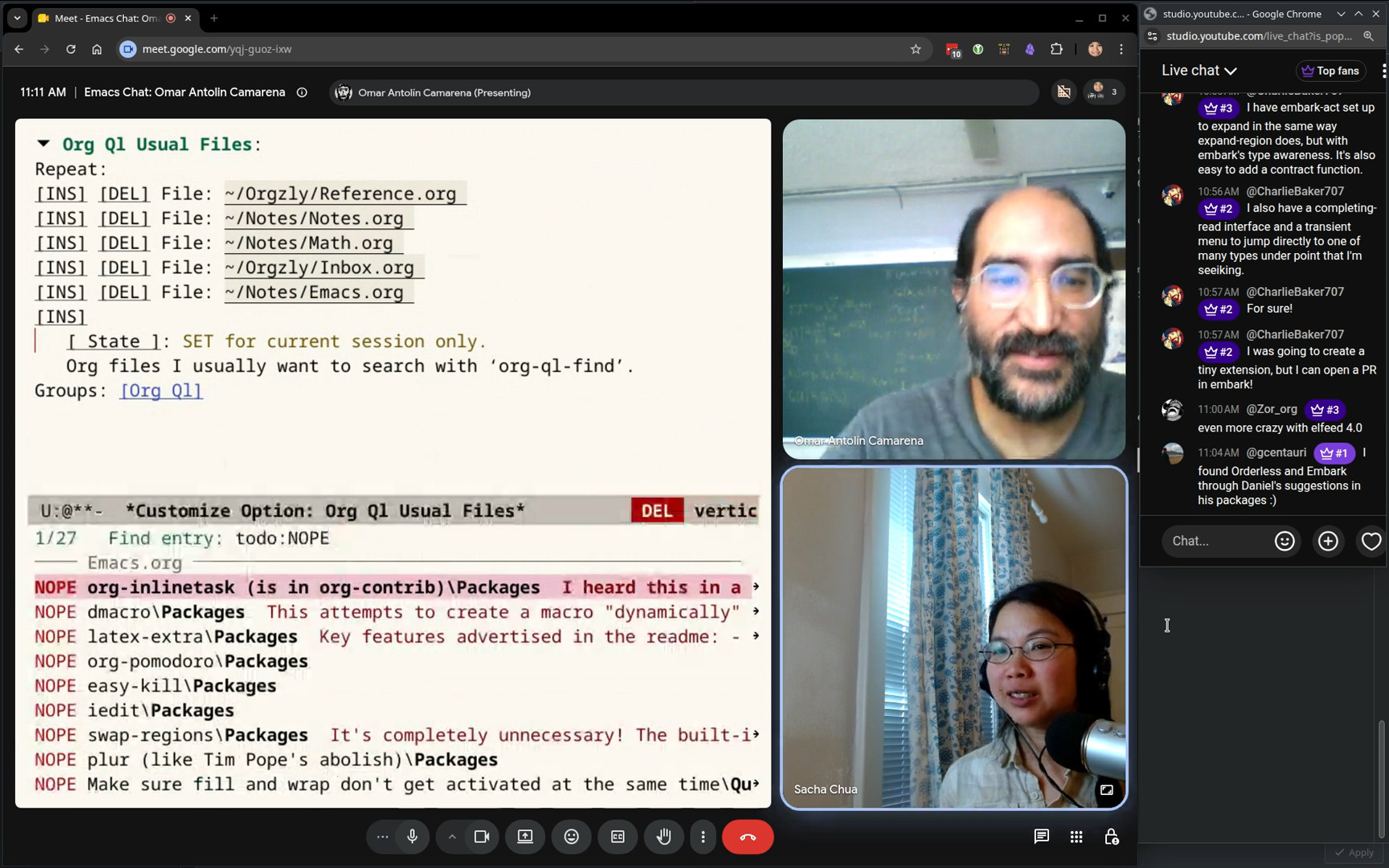 Sacha: I love that you have a to-do state called NOPE. Omar: It's for things that are cancelled, but I don't want to delete them yet. Actually, it's mainly there because when I archive them, I want to know that I had that task at some point, but decided not to do it. Sacha: Well, it's so much less verbose than CANCELLED, so I think I might actually just... Omar: For a long time, I was using monospace fonts, so I wanted to have everything fit in four letters. So I have... Yeah, all of my, I have TODO, WAIT, DONE, NOPE, and they're all four letters long. Sacha: Nope. Gotcha. Okay. So that's org-ql and that's your inserting thingy.
 48:26 The inserter macro
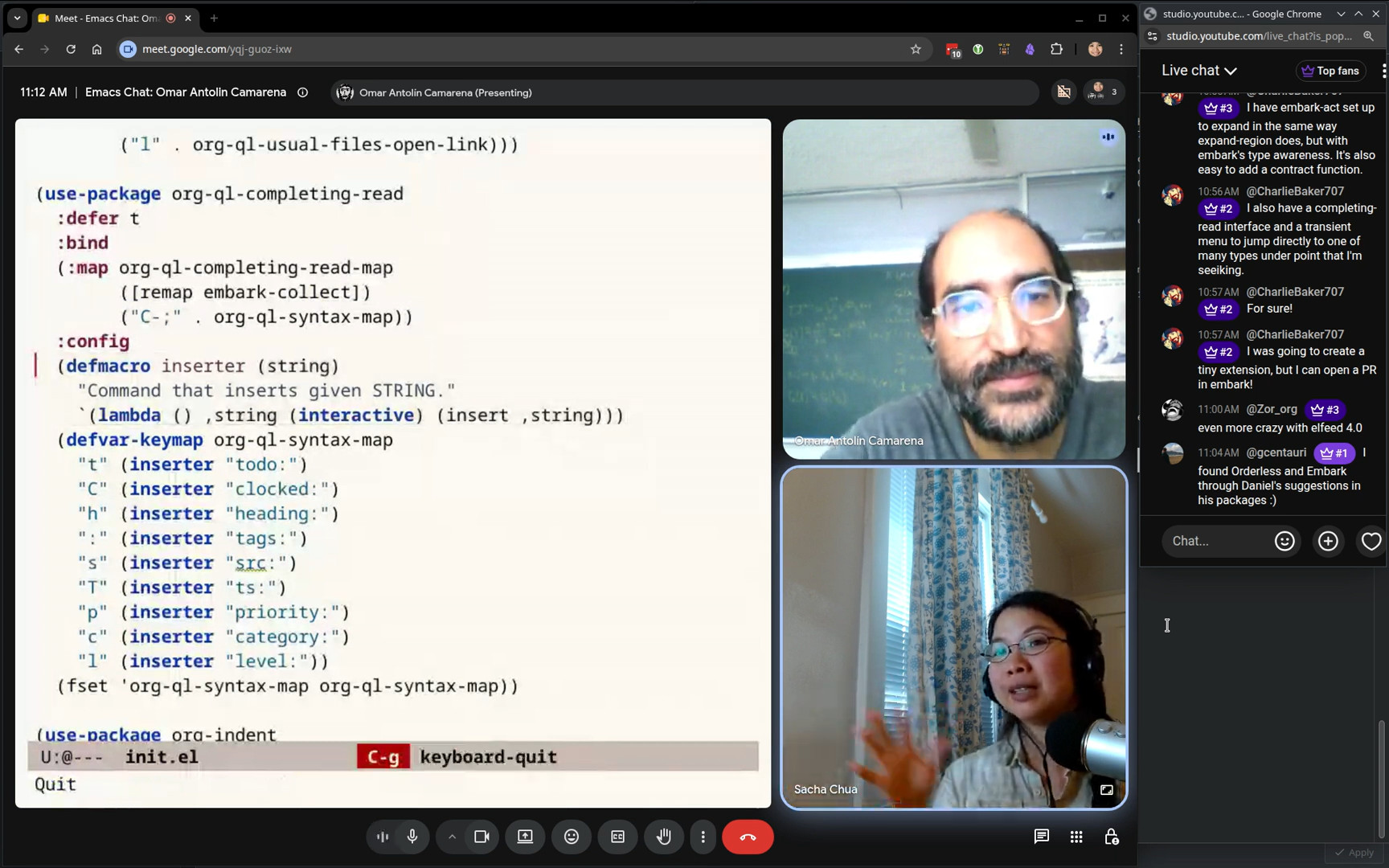 Sacha: The other thing that I wanted to point out that your definition of the inserter was nice because it's a macro. So you have this thing that allows you to just define all these interactive functions. You can add it to the key map because the key map expects interactive functions. If people are watching, yeah, this is something you can do. Omar: I should tell you that there was actually a serious performance bug previously. What I had before this… This string is a keyboard macro that inserts those letters. It is extremely slow if you do it that way for some reason. I think org-ql searches after the T, after the O, after the D, after the O, after the colon. For some reason, that was extremely slow. So I switched to these lambdas that just call insert. That does it in a single step, and it's instantaneous. But my first instinct was, oh, well, this is a good use of keyboard macros. I'll just assign these to keyboard macros. It's not a good idea in this particular case. Sacha: I imagine there should be some kind of debouncing on org-ql to make it not do that if you're typing very quickly, but... I don't think there is. Omar: Let me see if... Maybe also do a longer one so it... Sacha: That's okay. I take your word for the bug that you ran into. Omar: I wanted to show you just because it just feels like a really long pause, but it didn't work right now and I don't know why not. That's okay. Sacha: Curse of the live demo. So that's inserter.
 50:05 luggage: generative art experiments
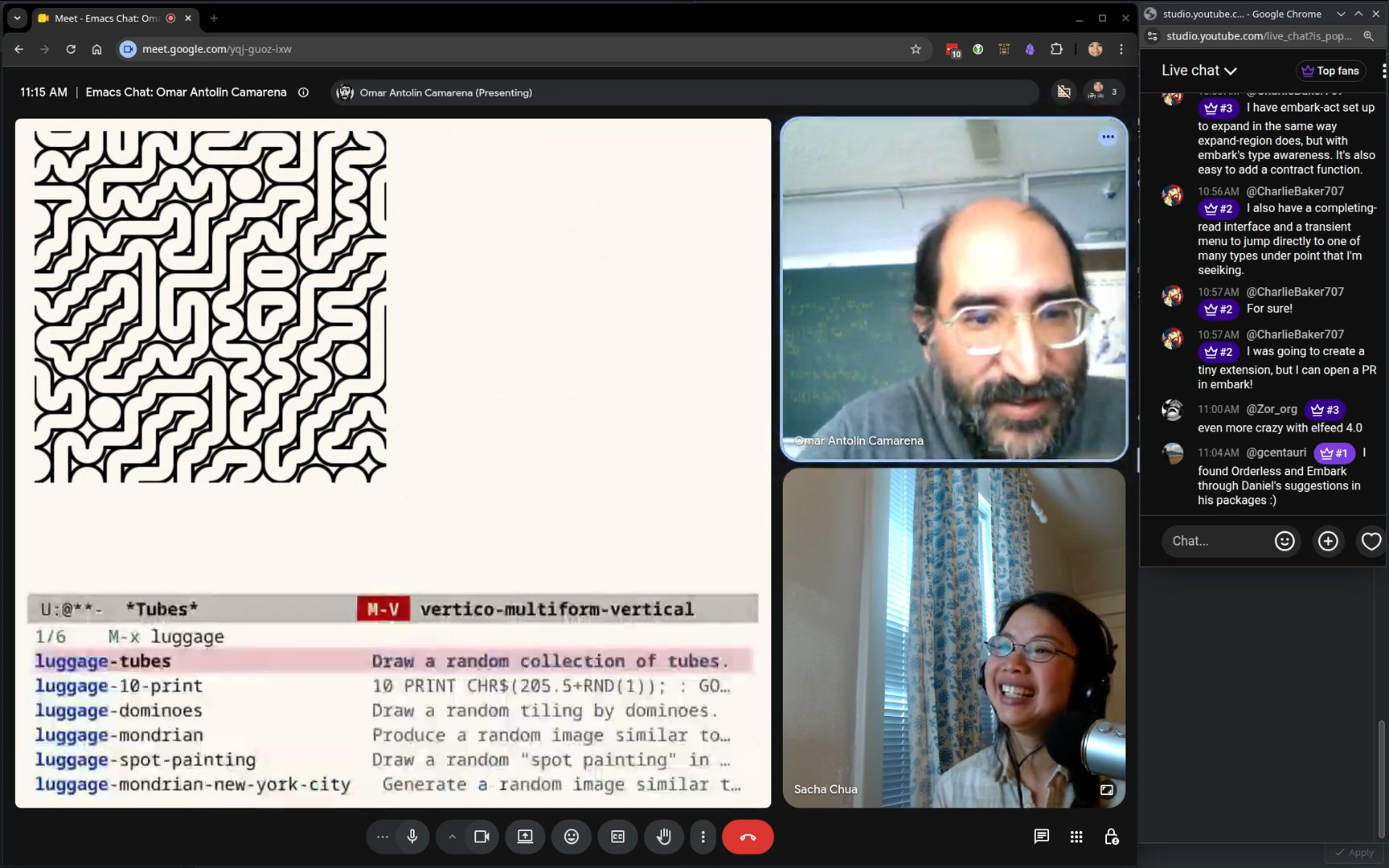 Sacha: One thing that I definitely want to make sure we had time for was your little generative art experiment,
 luggage, because you're having fun with Emacs. Omar: Yes. Yeah. There are some people doing amazing generative... Oh my gosh. I do not even have it installed. Yeah. Let's... I forgot that we were going to do that. That's okay. But it should be easy. How is :vc used? Sacha: (:vc (:url …)). Omar: I have to go to a previous example to figure out. Sacha: I'm surprised you don't have a consult-line and then just
embark-insert. Omar: I do that. I do that a lot. But I forgot this time. Sacha: Actually, looking at your config, I learned about consult-multi-occur because apparently there all these multi-buffer equivalents to the commands that I've been using. That is really useful for using stuff from buffers I'm not even looking at. Omar: Okay, load it. Sacha: Let's see if it actually can still do the thing. There we go. So you have some Emacs Lisp to generate this SVG. Yeah, and it's just got... Omar: And which other ones do I have? Luggage. There we go. Tubes. I think this one has some nice other color schemes. Classic? Classic is the one. Oh yeah, stained glasses is the one I wanted. Sacha: Nice. I wanted to mention it specifically because a lot of times people think, oh, Emacs is a text editor. But because it's also got support for SVG and other types of graphics, you can play around with it. Sometimes it's just doing it for fun like this, but also there might be some other visualizations that you can do with Emacs. That is actually pretty interesting. Omar: Yeah. 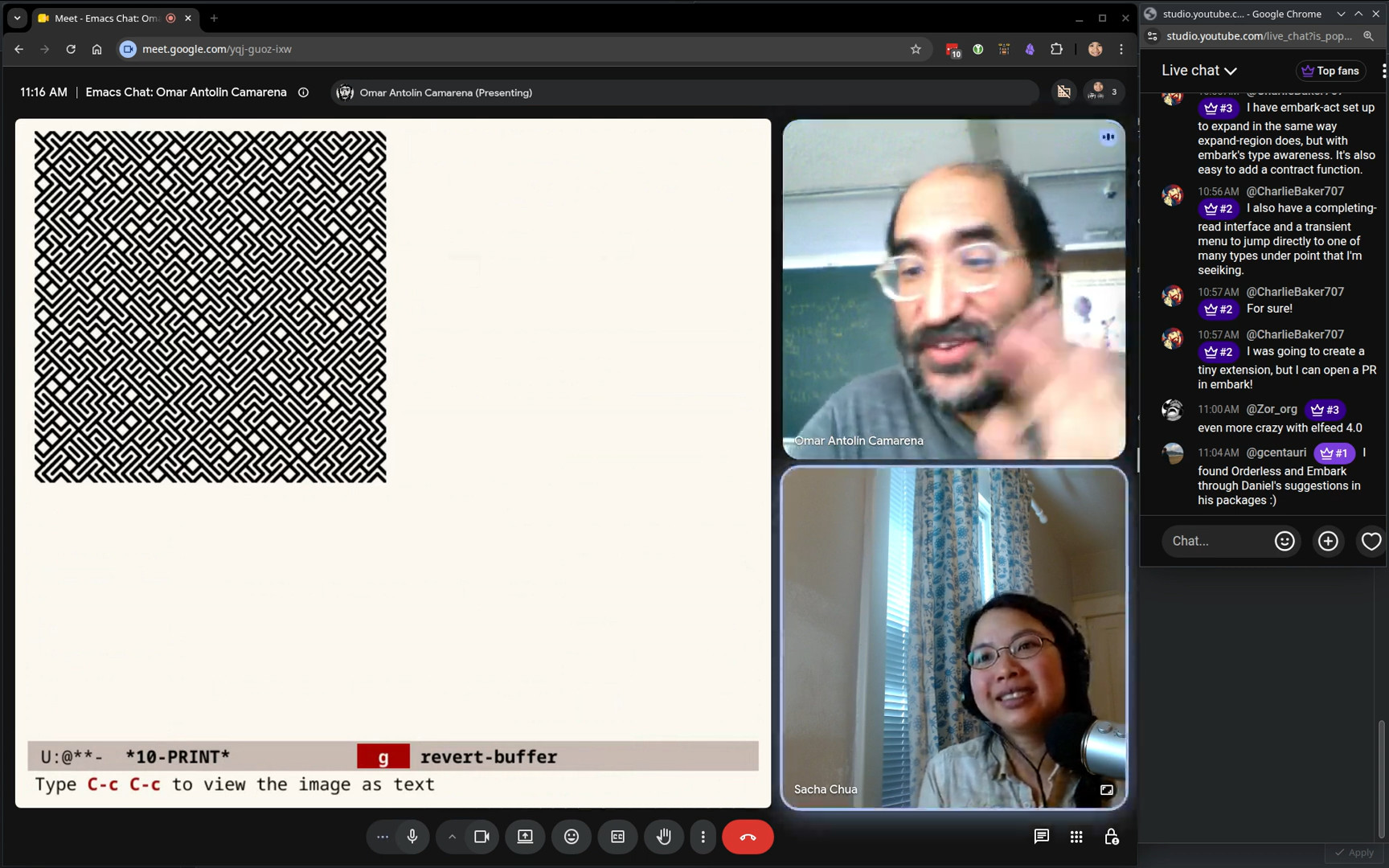 Omar: Have you heard of this program? Sacha: No, I haven't come across it. Omar: There's an entire book with this title. So it's a single line of BASIC. 10 print. Oh, I'm not, I don't know BASIC, but the idea is like you randomly pick either forward slash or backslash. Sacha: Oh, yeah, yeah, that makes sense now. Omar: I'm sure this is not correct BASIC, but, you know, something like that. Yeah, I get the idea. Yeah. And that's what this does. And then you GOTO 10. It's like... It makes these elaborate mazes. It's an extremely simple program. Sacha: So this is the kind of stuff you do for fun. I mean, you probably do lots of other things for fun, too. Omar: Yeah. But this... No, that's not the buffer I wanted. Where is... Did I kill it? I killed it. Yeah, one of these I did. What is it? Dominoes. Yeah, this I did for a math talk I gave. It just produces random domino tilings of the board. I gave that talk from an Org file using Prot’s Logos package. I usually use PDF slides, but that time I wanted to use an Org mode buffer because I was going to run code on the computer. Like this, for example, generating random domino tilings.
 53:49 Teaching and Emacs
Sacha: So you've given a number of talks. Do you also teach any courses? Omar: Yeah, I do teach both undergraduate and graduate math courses. Recently, mostly graduate math courses. But yeah, I really like teaching. You always learn something. Even the subjects that you think you know very well, teaching a course always teaches you something new. Sacha: Have you gotten students into Emacs? Omar: No, I don't even try. “I use this weird text editor Emacs, it's pretty cool, but it takes a while to learn. I'm not recommending it. I love it. If you do try to use it, you can ask me anything.” Sacha: Yeah, it's pretty hard. I know some professors are like, okay, this is what we're going to use for the course. But I imagine, depending on your subject matter, you might already have your hands full teaching the subject matter rather than adding it. Omar: Oh, yeah, yeah, definitely. No, no. The students I try to talk to Emacs about are like the students that are writing their thesis with me. No, never in a course. I never mention it. 54:53 The print10 generator
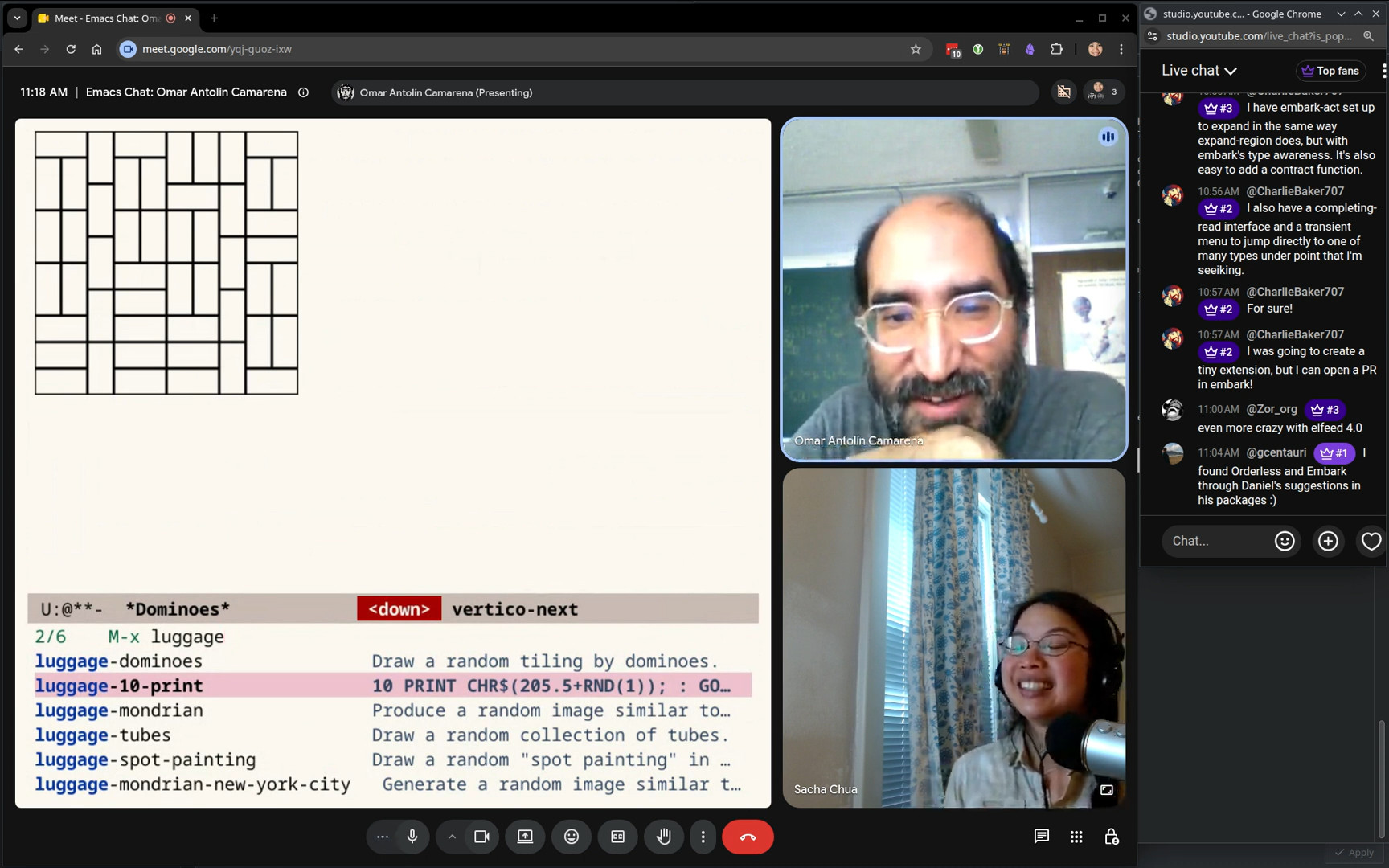 Omar: Oh, there it is. In the docstring, I have the correct program in BASIC. The backslash and the forward slash are consecutive ASCII characters. 206 and 207. You add a random number between 0 and 1 to this one and then round to the nearest integer. Sacha: All right. You can get surprisingly interesting patterns out of it. That is also very cool. Fun with Emacs. This could definitely be like a zone screensaver if you wanted to. Omar: Yeah. I just thought it was really nice that Emacs displays SVGs natively. Those are very easy to generate by text. Sacha: Are there other interesting corners of your config that might not be immediately obvious to people who are just reading the source code? What other workflow things are nice for you? Omar: Sorry, what were you saying? Sacha: I can also start just occurring through my config for all the things that I've stolen from your config in the last two days. Omar: I don't think I have any concrete idea of what to show now. I think we've covered most of the ones I wanted.
 56:23 arXiv
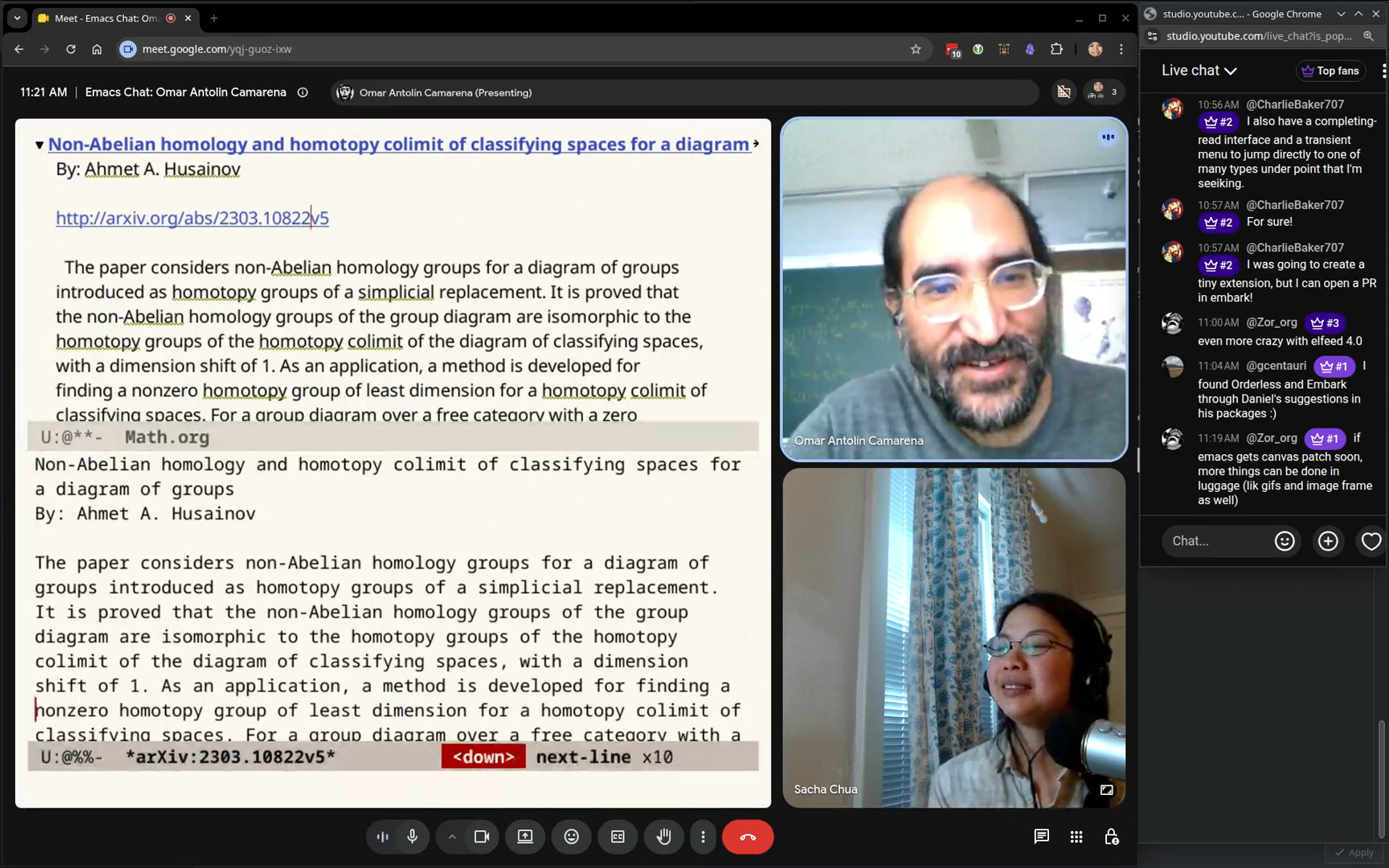 Omar: As an academic, I deal a lot with preprints on the arXiv, so I have a little library that will show me the PDF or copy the URL. I like personalized software because it does exactly what you needed to do. I noticed that there were a bunch of tags on Mastodon that related to archive papers. Often when I was in a Mastodon buffer, I wanted to do something to the paper mentioned at point. That's one of the acceptable inputs for my arXiv library. So, for example, this is an arXiv link and I can ask it to show me. So that's a bug. This should definitely have
 visual-line-mode activated. I can just quickly read the abstract without visiting the archive website. 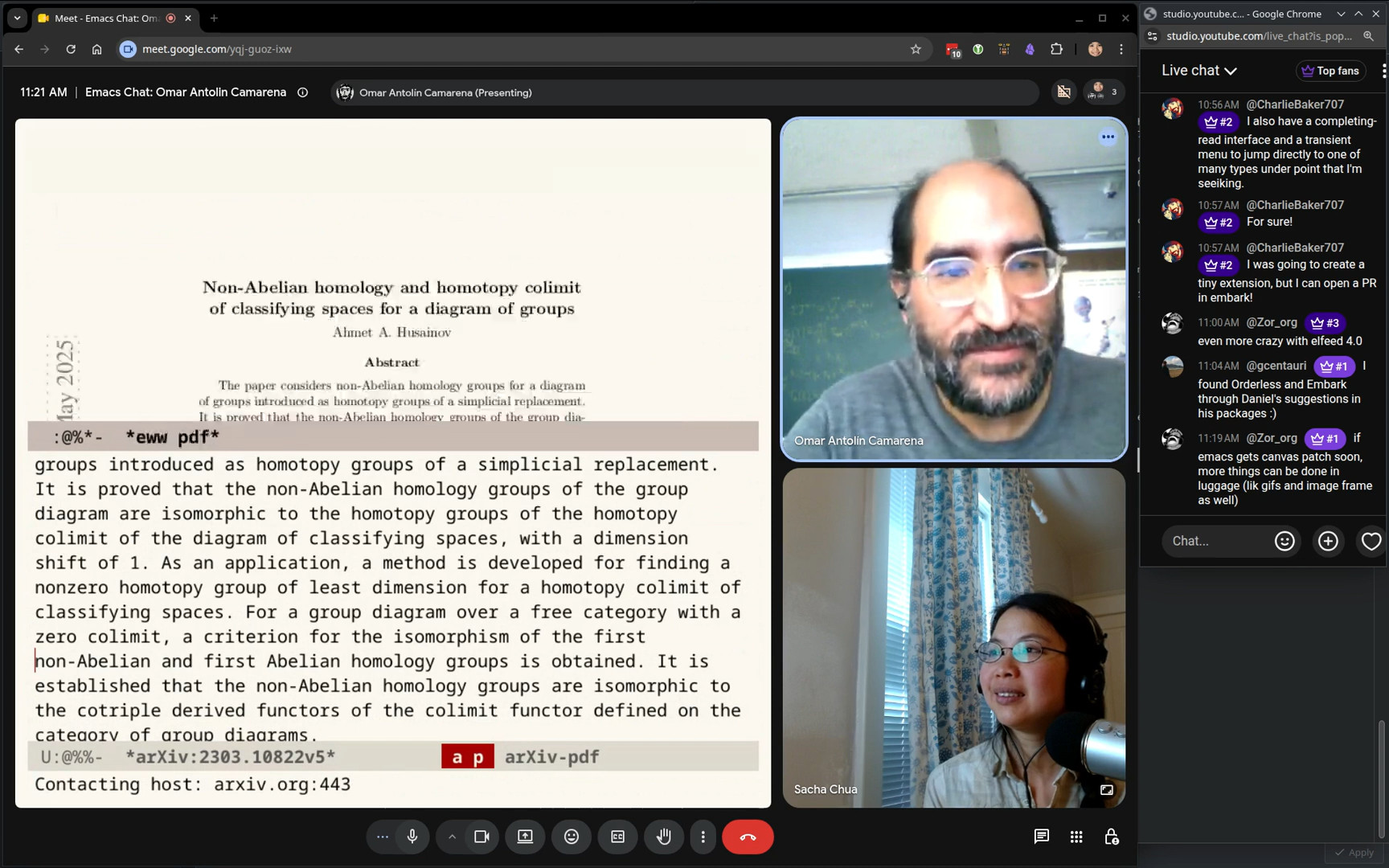 Omar: Or I can open the PDF. Sacha: Very cool. Very convenient. Omar: Yeah, so. I like that in Emacs you can do all these personal things that you'll need but are not likely to be needed by many people. They're just easy to do. Vim is also very configurable, but the Vim script language is sort of awkward, so I never did anywhere close to the amount of configuration in Vim that I do in Emacs. That's why I would never go back to Vim now. I would miss all the stuff I've written.
 58:29 Toggle keymap
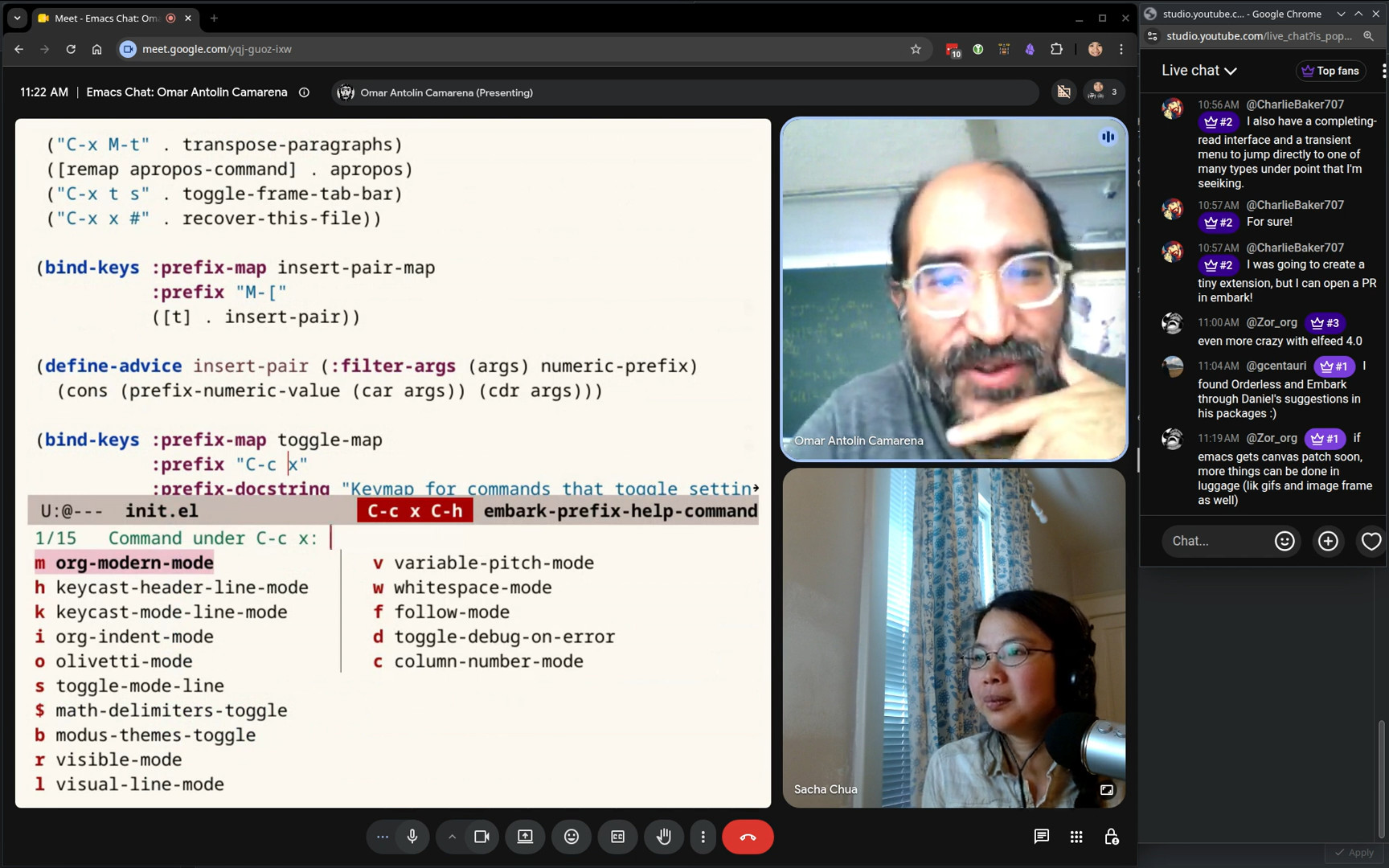 Sacha: One of the little personal customizations that I liked reading in your config was the fact that you have a key map just for toggling various things like the mode line or the header, you know? Yeah. You want to tell us more about your awesome key map for that? Omar: You don't need them that often, so it's OK if it's under a long prefix. It's just tedious when you want one of them, to have to type the command name. It also helps me remember which things I commonly toggle. I often have to hit
 C-h here and see what I have available to toggle. I don't know why toggle is a category for commands, because obviously these are very disparate commands that do very different things. But they're things that you occasionally turn on or off, and it's convenient to have them all together. Choosing the letters here was very difficult. Everybody wanted to have the same letters. L was for visual lines. P for variable pitch mode because I think of them as proportional fonts. It took a lot of tweaking. I'm sure if I looked through the GitHub history, you'd see a lot of tiny changes just changing the binding of one of these. Sacha: I find it difficult to get the hang of new key bindings, especially for things that I'm not using often enough for the key bindings to stick. Omar: I often forget that I have a key binding for something. Sacha: So how do you deal with that? I mean, yes, you stick it in an Embark keymap and you just bring it up to the target. Omar: Yeah, I do use Embark bindings in keymap a lot to just explore keymaps and remind myself. I don't need to memorize a binding. I just need to remember that I have a binding. If I have a binding, I can find it later. But sometimes I don't remember that I have a binding, so when I'm looking at my configuration, I'll just re-scan what things I have bound from time to time. Mostly I stick with just… I know under what the start of the prefix is, and then I'll just use Embark to remind me of what I have there. Which is nice, because you can also see the docstrings. 1:00:54 isearch-delete-wrong
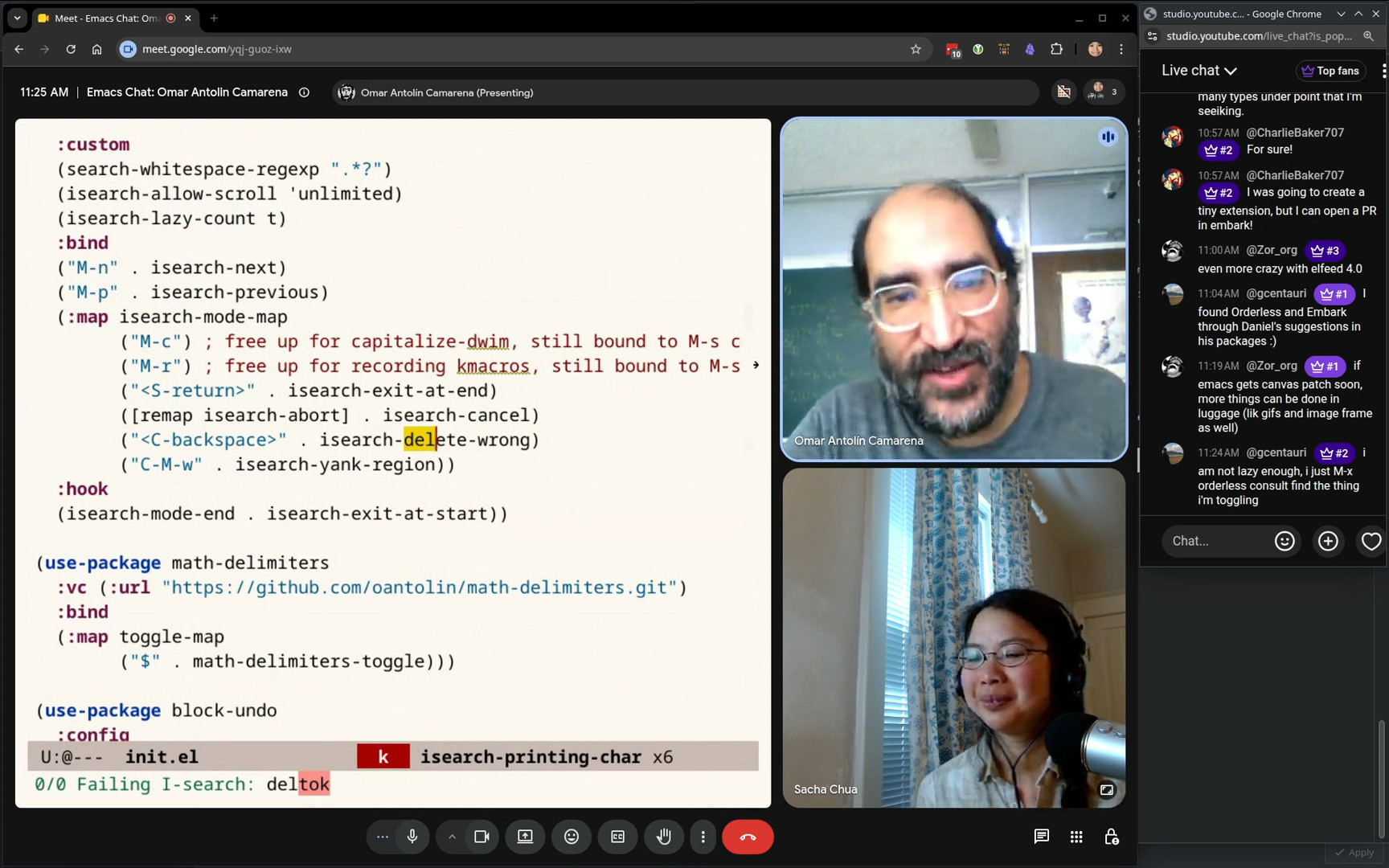 Sacha: I like how you try to use some of the conventions to make it somewhat easier to remember. One of the key bindings that you have that I want to point out, because I think it's a useful technique, is you have an
 isearch-delete-wrong. Omar: Right. isearch keeps track of where the last portion of the search string that matched is. You can see it highlighted in the buffer, right? So this means it found up to “del”, and then it didn't find "tok". isearch-delete-wrong will just delete that entire part. Sacha: So that way, you can just restart from what actually exists. Combining that with the fact that you've got your search whitespace regular expression to be a wildcard means you can... Omar: Oh yes, this I stole from Prot. He recommends this. Sacha: Yeah, which means you can use isearch to find things, even if there's other stuff in between them. When you can't find something, you can restart. Omar: I'm not sure... I'm not sure if this is the best setting. I want to be able to search this way sometimes, and sometimes with whitespaces treated literally, so I should keep statistics on how often I actually have to turn this off. It might be that for me the better default is the other way around. You can turn it off with M-s SPC. Match spaces literally. isearch-toggle-lax-whitespace. I don't know. Maybe for me the default would be to treat whitespace literally, because I find that if I have a space in my search string, I often want to turn on the literal matching. But it's probably still this is the better default. I think I do it less than half of the time I have a space. But it's not that far from half, it feels. I don't have statistics. Sacha: How do you even collect statistics on this? Aside from making a little note every time you're like, oh, I didn't like this. Omar: I mean, I would instrument isearch somehow, but I haven't thought about that problem. 1:03:14 isearch - continue from the beginning of the match
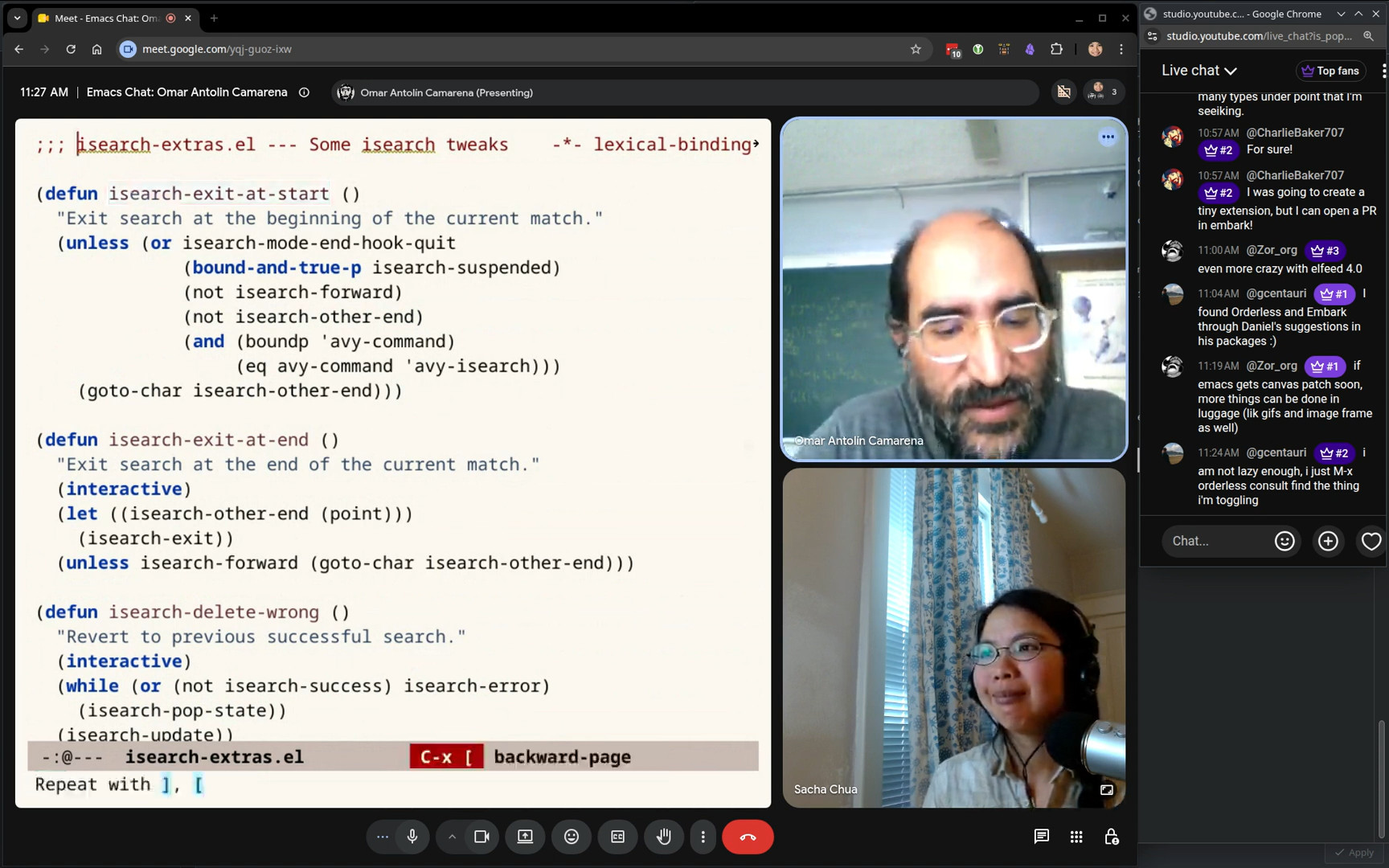 Omar: One nice thing I do with isearch is another one of those things I got from Vim. isearch, by default, leaves you at the end of the match. I almost always want to be at the beginning of the match, because that's what I got used to in Vim. I think it must be here. I have something exit at start. I tell isearch to exit at the beginning of the match. The way you use this is you install it as a hook, I believe. Is that right? Sacha: You seem to have options. Omar: Yes. Sacha: I see. So S-RET lets you exit at the end, and then by default... Yeah, which is Emacs default. Omar: But I find that the better default is to exit at the beginning. Yes, and that's the whole point of that. For example, if I want to mark until that parentheses, then I would search for the parentheses, and I don't want to include the parentheses. That's not a good example. But with a word, it's often like, I'm looking for a word, but I want to highlight up to the end of the word. It's just like, if you want to mark a region from point to some search term, with the Emacs default, what you have to search for is the thing that is at the end of the part you want to match. But often I want to say until like the thing that starts here. It's just my brain works that way. So for me, it's much better to exit at the start of the search. Which means I don't understand isearch on other people's Emacs. It just leaves the point in the wrong location all the time. If you're going quickly, you won't realize that it's just a mess. It does mean that I can only use isearch if it's configured this way. Sacha: Well, that's the thing about Emacs, right? Once you've got it set up, you've got to use your config because everything else just feels off. It just feels weird. Omar: Yeah, that's right. Sacha: All right.
 1:05:12 Using keymaps to remember sets of commands
Sacha: Going back to the toggle keymap, @gcentauri says, I'm not lazy enough. I just M-x orderless consult, find the thing that I'm toggling, which I do a lot also. I just use M-x for all the things because I can just specify parts of it. Omar: There's some toggles I don't have in the keymap because I use them very rarely, but yeah. What I like also about the keymap is that it's a place to remind myself of the toggle commands. I often just do this. What was the thing? I haven't used that in a while. Sacha: Having a shorter list, it means you can just use recognition instead of recall, right? Omar: It's short enough that I can read through it. Sacha: I like that a lot. I like the fact that with that Embark C-h screen, you can use completion even to select the commands from that subset. 1:06:04 Other things from the config
Sacha: A couple of other things that I picked up from your config: There’s your dired-open-externally, so it makes it very easy to open something in an external application. Omar: And it just calls Embark open externally. This function moved back and forth from different places. I think embark-open-externally used to be in consult. Daniel said he felt it didn't fit in with consult. Embark consult would put it in keymaps. He was right. Consult didn't have a very clear personality at the beginning. It was sort of like a grab bag of commands. Eventually, what gelled is that a command should be in Consult if there is a useful way to write previews for it. So, preview is the distinguishing feature of what is a good fit for Consult. Now, I hope Daniel would agree with that. That seems to be the criteria now. That's great. I absolutely love preview. That's one thing I miss a little bit with org-ql. I use org-ql mostly to search through Org files, but the preview is kind of manual in that I use Embark to do it. If I want to preview a command, I just use Embark to do what I mean. Sacha: Yeah, that's a good idea. I should try that. Omar: So any command that doesn't have a preview, I mean does, you can just use embark-dwim, it'll complete the command for you. Sacha: Okay, the kid has arrived, so I have to go off to lunch. But thank you so much for the quick peek into your config. I'll put the transcript together and then people can do that. But in the meantime, people can look at your config for all sorts of wonderful goodness. Omar: Thanks. Sacha: Thanks to everyone for hanging out. Looks like the isearch tip was popular, so you might see a lot of people getting that from your config. Anyway, thank you so much for this. I’ll see you around. Omar: Thanks, Sacha. This was fantastic. Sacha: Alright, nice.Chat
- takoverflow: Hello Sacha and Omar, thanks for this chat! :)
- CharlieBaker707: Definitely going to add the keycast transparency to my config! I've been wanting that for a while!
- gcentauri: i'm still a minibuffer noob - its been nil my whole Emacs life!
- CharlieBaker707: recursive minibuffers is amazing. biggest win for me is that it lets you select things and paste them in, like from a completing-read's history for example
- gcentauri: haha apparently i do have recursive minibuffers set to t, along with my Vertico config 🤔
- Zor_org: was there a time you wanted multiple cursors?
- Zor_org: if so, was there any workaround you thought of with embark or kmacro?
- gcentauri: keyboard macros are a fun mini-game
- CharlieBaker707: I have embark-act set up to expand in the same way expand-region does, but with embark's type awareness. It's also easy to add a contract function.
- CharlieBaker707: I also have a completing-read interface and a transient menu to jump directly to one of many types under point that I'm seeiking.
- CharlieBaker707: For sure!
- CharlieBaker707: I was going to create a tiny extension, but I can open a PR in embark!
- Zor_org: even more crazy with elfeed 4.0
- gcentauri: I found Orderless and Embark through Daniel's suggestions in his packages :)
- Zor_org: if emacs gets canvas patch soon, more things can be done in luggage (lik gifs and image frame as well)
- gcentauri: i am not lazy enough, i just M-x orderless consult find the thing i'm toggling
- PuercoPop: I didn't knew isearch had a built-in way to fix the isearch quirk. Now I can remove the snippet I use the implement it that I cribbed from the internets
- gcentauri: yeah adding something to a keymap you make does help recall
- PuercoPop: The isearch quirk is a common complaint from what I understand
- gcentauri: yeah i'm gonna use that iserach bit
You can e-mail me at sacha@sachachua.com.