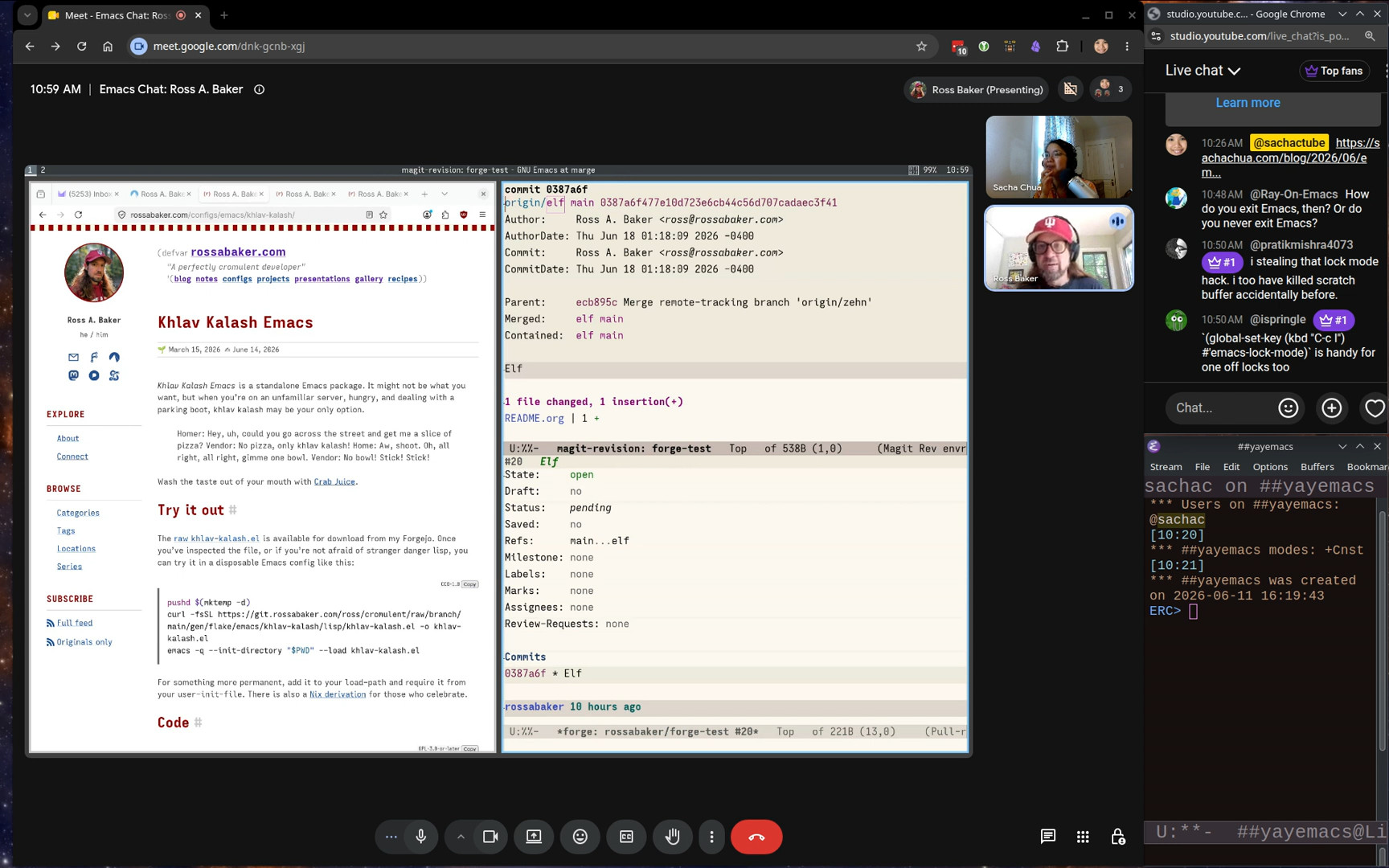
Categories: emacs-chat

View topic page - RSS - Atom - Subscribe via email

Emacs Chat 24: Omar Antolin Camarena

Posted: - Modified: | emacs, emacs-chat-podcast, emacs-chat

: Updated transcript and added a link to Karthik's notes.

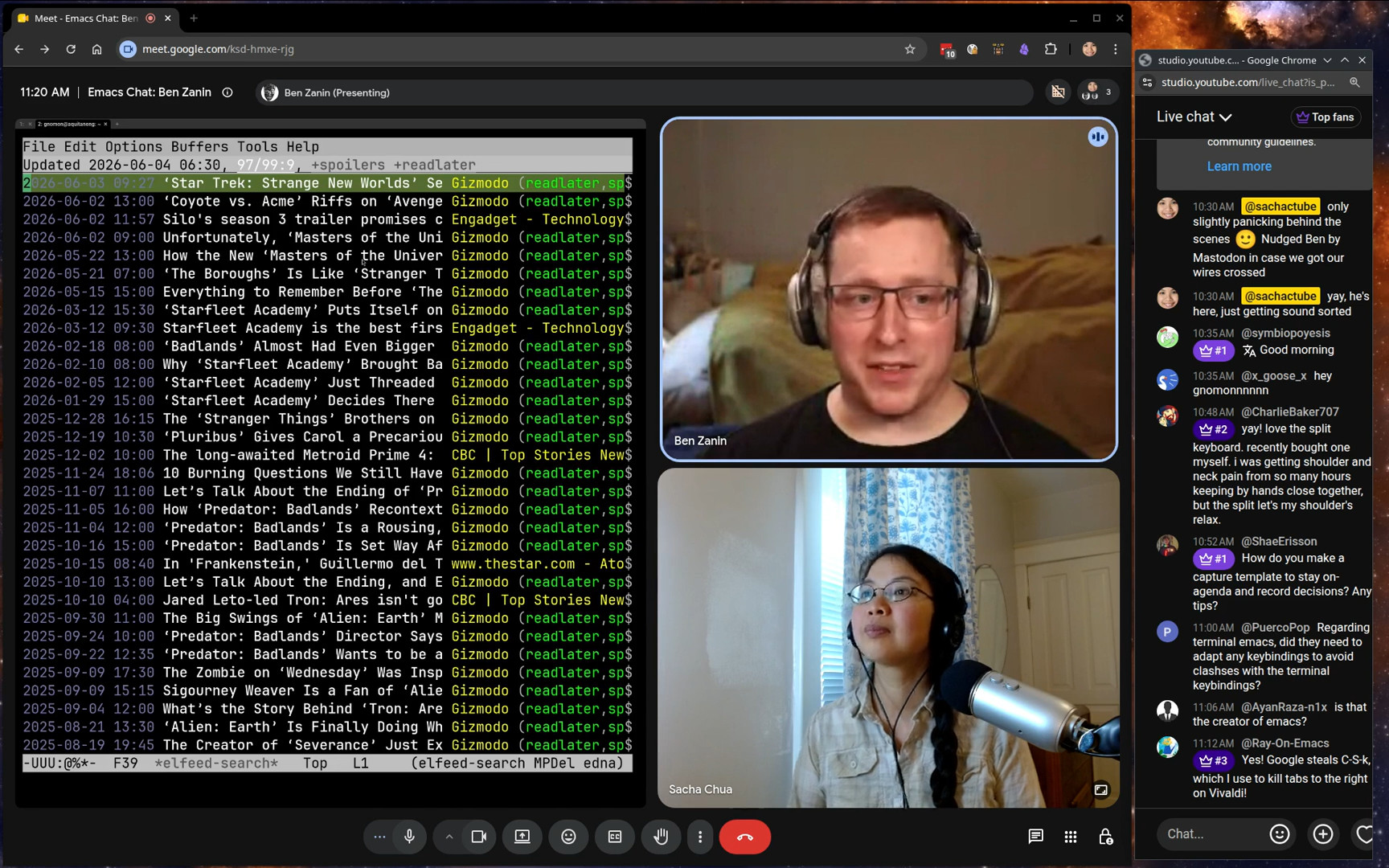
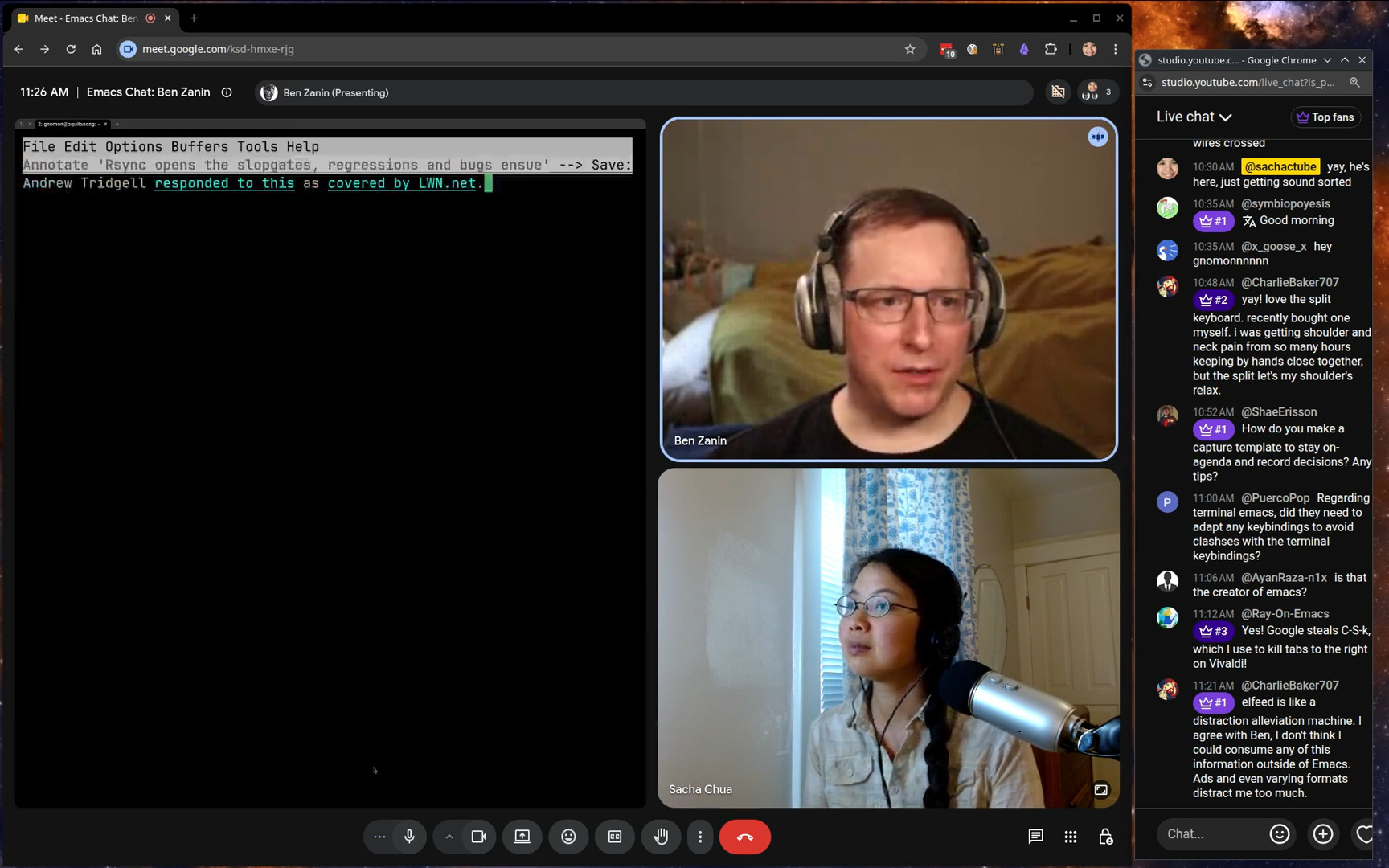
I chatted with Omar Antolín Camarena about Emacs, keyboard macros, temporary buffers, Embark, and other workflow tips.

View in the Internet Archive, read the transcript online, watch or comment on YouTube, download the audio or the transcript, or e-mail me.

Related links:

You can add the iCal for upcoming Emacs Chat episodes to your calendar. https://sachachua.com/topic/emacs-chat/upcoming-emacs-chats.ics

Find more Emacs Chats or join the fun: https://sachachua.com/emacs-chat

Chapters

  • 0:00 Ignore this part
  • 0:18 Opening
  • 0:46 How did you get into Emacs in the first place?
  • 6:01 Repeating edits
  • 7:28 dot-mode: repeating commands
  • 9:24 block-undo: undo things as a chunk
  • 10:29 Starting and stopping keyboard macros
  • 12:15 Keycast and Embark
  • 13:33 apply-macro-to-lines-of-paragraph
  • 16:34 embark-on-last-message
  • 18:06 tmp-buffer with a major mode
  • 19:26 placeholder
  • 20:38 enable-recursive-minibuffers
  • 22:57 Overriding embark-select
  • 23:32 quick-calc
  • 26:30 Multiple cursors
  • 27:40 Block-undo and regular undo
  • 28:53 Cycling through Embark targets
  • 31:39 Imenu for navigation
  • 32:51 Collaboration
  • 38:01 Technology adoption and Emacs packages
  • 40:06 Personal packages and naming conventions
  • 42:26 find-file-at-point and directory names
  • 43:49 The value of using Emacs’s APIs
  • 44:56 org-ql and usual files
  • 47:06 Shortcuts for org-ql search syntax
  • 47:43 Org TODO states: TODO, WAIT, DONE, NOPE
  • 48:26 The inserter macro
  • 50:05 luggage: generative art experiments
  • 53:49 Teaching and Emacs
  • 54:53 The print10 generator
  • 56:23 arXiv
  • 58:29 Toggle keymap
  • 1:00:54 isearch-delete-wrong
  • 1:03:14 isearch - continue from the beginning of the match
  • 1:05:12 Using keymaps to remember sets of commands
  • 1:06:04 Other things from the config

Transcript

Expand this to see the transcript and screenshots

0:00 Ignore this part

Sacha: Cut off at, you know, roughly an hour and seven minutes from now. She's going to come out and have lunch. Okay. All right. Going live. Alright folks, we are here a little bit early.

0:18 Opening

Sacha: This is Emacs Chat 24 with Omar Antolin Camarena, whom we know from Embark and Orderless and a lot of other little packages that I personally use on a daily basis. I'm very much looking forward to this conversation.

Omar: Yeah, so am I. Very excited.

Sacha: Of course, before we dive into all these lovely details, tell us a little bit more about your context. You're a researcher at the Mathematics Institute. I can see why Emacs would be a great fit for that.

0:46 How did you get into Emacs in the first place?

Sacha: How did you get into Emacs in the first place?

Omar: I think it's just by virtue of being old. When I started out looking for a text editor, there were not that many great options. When I was a teenager, 30 years ago, I decided to install Linux because I heard about it. That was the era where you went to a newsstand and you bought a Linux magazine that came with a CD, and I installed Linux from that. I think it was Slackware, maybe. I was already a hobby computer programmer. I've been learning programming languages since I was a child, when my father gave me my first computer. I think that was the main reason I switched to Linux. I noticed that people wrote many more interpreters and compilers for Linux than for Windows. That's why I wanted to use Linux. I needed a text editor that handled all sorts of weird programming languages. I was looking for a general purpose one, not an IDE. I used IDEs, younger ones, like Turbo Pascal. Probably that was the main one. I loved that. It was great. I went through the Linux distro, tried a bunch of editors. I settled on Emacs and Emacs-like editors. I tried Jove, which stands for Jonathan's Own Version of Emacs. And there was also an editor called... Oh, I forget. There was one that had its own extension language called S-Lang. I used that for a while. A little later, I remember using Slava Pestov's jEdit. I really like that, too, although Java is not that fun to write extensions in. I was looking for an editor and I wanted it to be extensible, which is funny because I hardly ever extend it. I just wanted there to be the option. I used Emacs for a long time. But when I got serious at being efficient at text-editing, I actually switched to Vim. I switched back to Emacs many years later because of one very specific problem in Vim. The syntax highlighting for LaTeX files is pretty slow. On a normal computer, you won't notice that it's slow. But I had a little netbook that was like 10 years old when I had it. I took it to class to take notes in math courses. I was writing in LaTeX Live with a bunch of macros to insert things. The syntax highlighting meant that Vim lagged behind my typing. I'm not that fast of a typist, so it was problematic. The Vim manual has an entire section on what to do if text highlighting is slow. You can look for it with Vim :help tex-slow That pops up the right section of the manual. I tried everything that it said there and they all made it slightly faster, but none of them really solved the lag, other than turning off syntax highlighting. I turned off syntax highlighting and took notes for like half a semester, and then I decided to try Emacs on that old netbook. Its syntax highlighting was perfectly snappy. This is just a weird thing in Vim that specifically LaTeX syntax highlighting is slow. I never noticed it being slow in any other... I don't know what Vim calls them, what Emacs would call a major mode. It was only ever slow in LaTeX, but that was enough to get me to try Emacs. But by then in Vim, I had learned that you want very granular motion commands to move by word or by sentence, and you want to be able to be placed at the end of the word or at the beginning of the word. All of these higher-level editing constructs that Vim really pushes you toward. In Emacs, I hadn't done any of that before. I moved around with the arrow keys. But when I came back to Emacs after having been in Vim, then I wanted to get serious about editing efficiently in Emacs. I think I actually like it better than Vim now. But yeah, that's why I switched back to Emacs. It's just this quirk that LaTeX syntax highlighting is slow in Vim.

Sacha: Well, their loss. So you tried a whole bunch of other editors. You got into Vim because you wanted to be more efficient. Getting deeply into Vim was great, but you ran into that bug. So you switched to Emacs because it was more efficient, more performant. All that experience with Vim has made you a better Emacs user because now you're like, okay, you appreciate all the navigation and movement. And you were telling me over email...

Omar: Things I missed from Vim.

Sacha: Yeah, You were telling me over email how the kind of the keyboard macros that you got used to in Vim, you've translated some of that over to Emacs and how you use them. We definitely want to get into that.

Omar: Keyboard macro-like things. In Emacs, for a while, I used multiple-cursors. I liked it a lot.

6:01 Repeating edits

Omar: One thing I really missed from Vim is the dot command that repeats the last edit. But in Vim, edits are composite things. You have a command to change a sentence, for example. That will delete the current sentence, put you into insert mode, let you type a new sentence, and when you press escape, that concludes the edit. The whole edit is the operation of deleting the current sentence and replacing it with the specific thing you typed. That is a thing you can repeat. The repeatable edit commands in Vim are much coarser and more conceptually appropriate units than in Emacs. The repeat command repeats the last Emacs command, but everything runs a command in Emacs. You can repeat inserting the last character. That's not very useful. You want to repeat at least the whole consecutive stretch of characters you inserted. Undo in Emacs does do that. Undo coalesces. If you type a bunch of characters and you undo, it doesn't undo them one by one. It undoes them. It clumps them depending on pauses between your typing. That's fine. I want that sort of coarseness. I don't want to undo every single step at a time. Similarly, when you repeat things, you don't want to repeat every single step. I think Vim has like a pretty good unit of things you can repeat. I was missing that in Emacs.

7:28 dot-mode: repeating commands

Omar: There's a package called dot-mode which I used to use and I like a lot. I'm not exactly sure why I stopped using it. So this gives you a more Vim-like experience for repeating commands in Emacs and what it does is that it watches you as you type and it constantly makes a keyboard macro out of the last consecutive stretch of buffer modifying commands. So, for example, in Vim, if you want to change a word, there is a change word command, and you type c w, and then you change the word, and then that thing gets repeated. In Emacs, to change a word, it's not a single unit, right? You delete the word, and then you type in something new, and each character you type is running insert-char. dot-mode will coalesce all of that into a single keyboard macro that you can repeat, right? If you do some motion command that doesn't modify the buffer, and then you delete a word and type a new word, everything from the deletion to the end of the typing would be what dot mode repeats. The experience is actually very similar to using dot in Vim. In my opinion, a little bit better, because in Vim, I often had this problem. It gets you into this competitive video game mentality. How do I do the edit in a single repeatable command? I want to be able to use dot to do this again. So that you have to think ahead. It's kind of distracting. Of course, if a sensible person would not get caught up in that, it would just... do the edit whichever way they can, but I wanted to maximize the repeatability. dot-mode lets you be a little bit more relaxed. It still catches all of the thing that should have been a single edit. So yeah, I like it a lot.

Sacha: So that's dot-mode.

9:24 block-undo: undo things as a chunk

image from video 01:06:05.633Sacha: You also mentioned block-undo.

Omar: That is a package of mine I can show you. That's the entire package. It just uses this with-undo-amalgamate command. Whatever you run inside with-undo-amalgamate undoes in a single step. I use it for executions of keyboard macros. A keyboard macro, if you run it all over the place, if you apply it to every line in a region, or you just repeat it a hundred times, that is a lot of tiny individual edits. If you undo that, you do not want to undo them one by one. This just makes them all undo in a single step, which is what Vim does, actually. This is one of the things that I said, no, Vim has this right. I need this in Emacs.

Sacha: Okay, that makes sense. So dot-mode is more like implicit keyboard macro boundary definitions. This one is like the undo-ness of it.

10:29 Starting and stopping keyboard macros

image from video 00:11:29.533Sacha: I saw in your config, you also have more convenient shortcuts for starting and stopping keyboard macros. It's like a modifier and the keystroke instead of two or like function keys, which are further away. I'm guessing you use keyboard macros a lot.

Omar: Yeah, I do. When I got rid of dot-mode, it was an experiment to see if I could just remember to record keyboard macros. The thing that the dot-mode or the dot command in Vim solves is that you don't always have the foresight to record a keyboard macro. Sometimes you realize, oh, I need to do the same at some other places, but you didn't record it ahead of time. Then you wind up doing it once, realizing you need to do it a bunch of times, then recording the macro, then doing it again. I wanted to see if I could remember to record macros. I decided that I needed to make it as as frictionless as possible. This is the command that is bound by default to F3. I like it better than the thing that's bound to C-x ( because this kmacro-start-macro-or-insert-counter does both things. It could start a recording, or if you are recording, it will insert the keyboard macro counter.

Sacha: For folks who are like, what? Macros? Counters? Yes, you can have your keyboard macro automatically add one to a number, for example. There you go.

image from video 00:12:10.867Sacha: Hello, hello, hello.

12:15 Keycast and Embark

image from video 00:16:44.033Omar: I also activated keycast. I hope people can follow along. I have some small modifications to make embark transparent to keycast. If I use embark, you see embark-act, but then you also see what command I call.

Sacha: I just stole that from your config. I wasn't entirely sure if I was using it correctly, but it definitely looked like something interesting and useful.

Omar: If you don't use that change, then keycast doesn't see through embark and you don't get which actions you called.

Sacha: Yeah, the opacity of some of these kind of key binding niceties... they hide a lot of stuff from the standard Emacs ways of doing things. That's one of the criticisms of transient and other tools. I'm glad that you're finding these ways to make these packages work well with other packages.

Omar: I think this was by request. Somebody requested it. Maybe it was Prot. It's definitely a good idea. The code for that is on the Embark Wiki as well.

13:33 apply-macro-to-lines-of-paragraph

Sacha: The other thing that I wanted to point out that you make a convenient keyboard shortcut for in terms of keyboard macros is apply-macro-to-lines-of-paragraph, which I personally had not been using until I saw your config. And I was like, that is a thing.

Omar: Yeah. Well, that's a command that I wrote. It’s a wrapper around apply-macro-to-region-lines, but it automatically uses the paragraph. That way you don't need to select it. I find that extremely convenient. What would be a good example of that? You want to wrap something. What should I do as an example of this? For some reason, I needed to convert these things to, say, unwrap the parentheses and turn them into an Org Mode table.

Sacha: Yeah, that makes sense.

Omar: I just apply it to the rest of the paragraph.

Sacha: Magic. That's great, because I would normally just start executing the macro and hope I remember to stop at the end, but then I overshoot, and then I have to undo, j and then it's a mess.

Omar: Or you could select the paragraph and then just use the built-in apply-macro-to-lines-in-region.

Sacha: Yes, yes, that's a possibility.

Omar: It just saves you the step of marking the paragraph. I found that I most often when I used apply macro to lines in region, the region was exactly a paragraph. So I figured like there's no point in...

Sacha: All right, all right.

Omar: It's undone in a single step. Like the application. The thing I recorded as a macro, that is not coalesced. Yes, of course.

Sacha: Because that's the actual recording of it. Charlie Baker in the chat says, "Definitely going to add the keycast transparency to my config. I've been wanting that for a while." These little demos of like, oh, this is what this thing in your config does. It's very helpful for people to be able to see its awesomeness.

Omar: Where is that?

Sacha: One of the other interesting things you mentioned was your placeholder package. I can see how the keyword macros help you with text that's already there. Then you've got these placeholders for informal snippets or quick snippets. Show us that. You use it a lot.

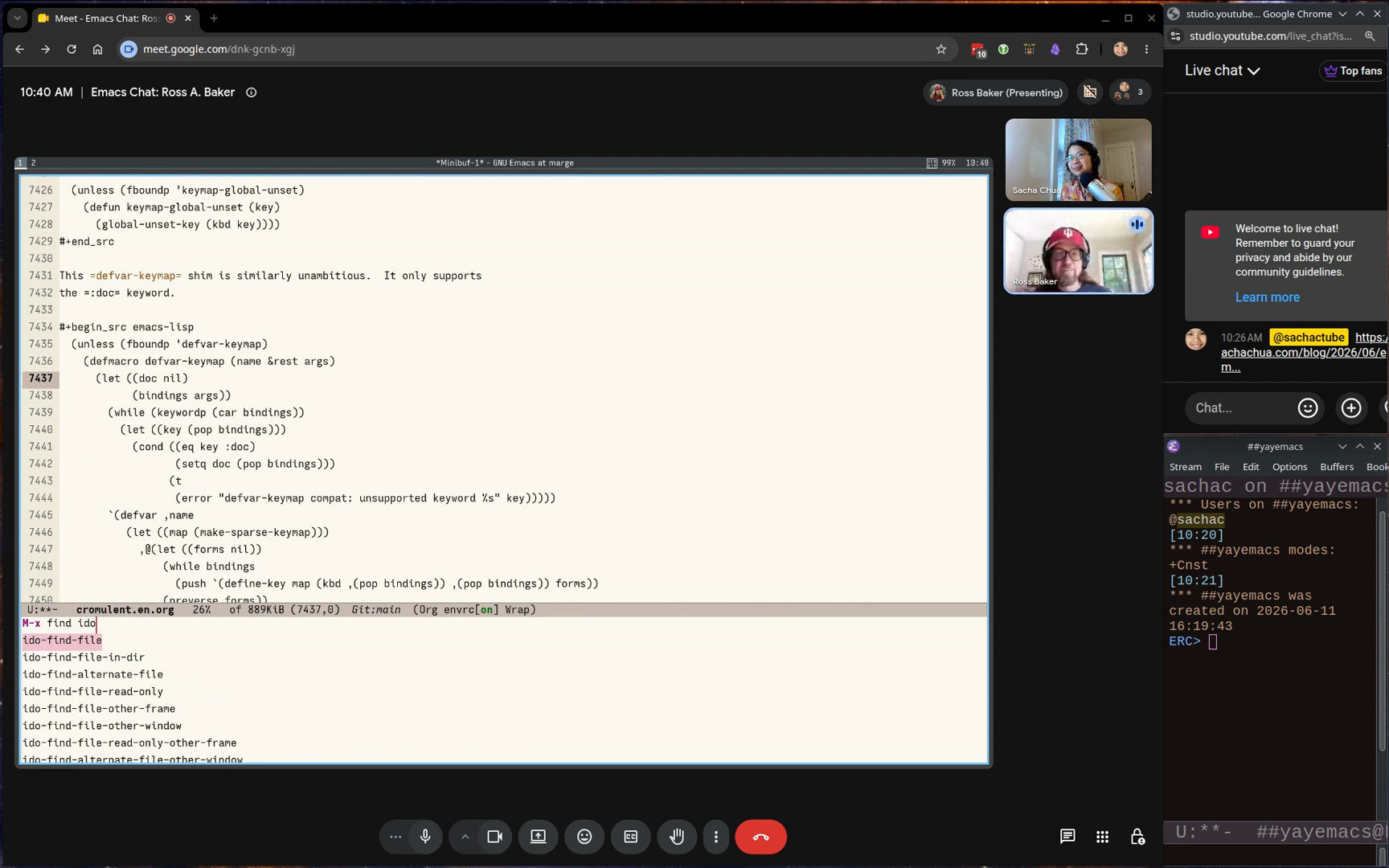
Omar: Yeah, I do. Oh, that tmp-buffer is a command I have for popping up temporary buffers in specific major modes. Maybe I can quickly show that first. Yeah, yeah, yeah. So let's see. Oh, yeah. So let me...

16:34 embark-on-last-message

Omar: There I used another little command I have. embark-on-last-message It just calls Embark on the last thing in the messages buffer. Often I want to act on the thing that is the last word in the echo area, so that's what this does.

Sacha: Okay.

Omar: The last thing in the echo area was this symbol embark-on-last-message so I can act on it directly.

Sacha: Which is brilliant because I keep switching to the messages buffer to try to copy something, and by the time I switch, sometimes there are other messages, so it's great to just be able to do something.

Omar: If there are other messages, then I also switch to the messages buffer, but if I want to act on the very last thing, I have that command for it.

Sacha: Yeah. I'm saying this is faster, so I get the chance of just hitting the shortcut before another timer goes in and messes around with my messages. So yes, shortcuts. Okay, temp buffer. Tell us about that.

Omar: You can configure single... Wait, where am I? Transcribing job. I ran Whisper by accident.

Sacha: Which is another thing I wanted to check. Many things I want to talk to you about…

Omar: The idea of using Whisper, I stole from you using it to dictate. I thought, oh, this looks convenient if the model is good. I tried it and it is very good.

18:06 tmp-buffer with a major mode

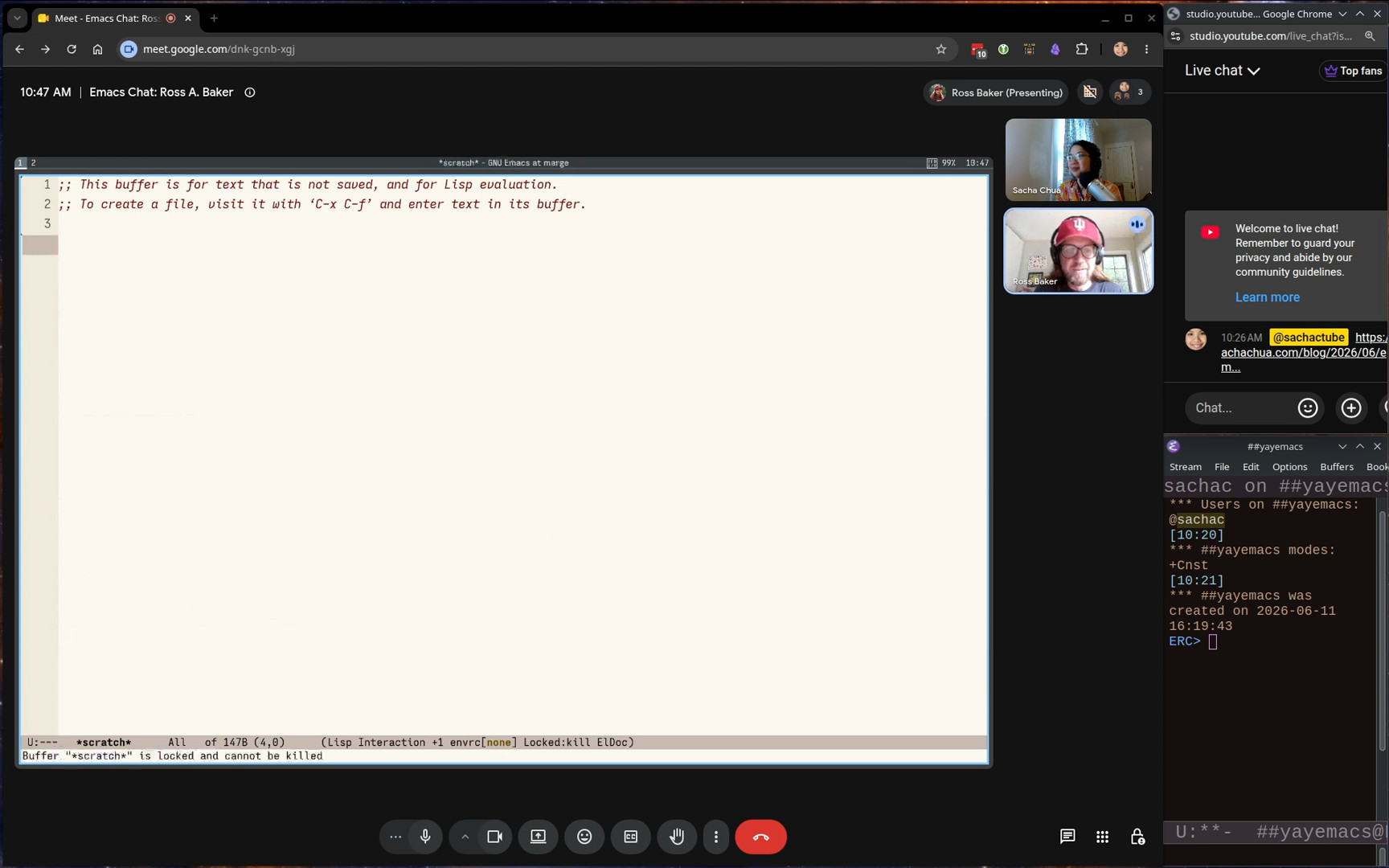
image from video 00:18:10.233Sacha: Temp buffer.

Omar: Different major modes. It has a customizable list of bindings for specific major modes.

image from video 00:18:19.533Omar: It also has an option to just prompt you for a major mode. It pops up a temp buffer in whatever major mode you chose. I use it all the time to make new scratch buffers.

Sacha: Yeah, I can see that's useful. I switch to a buffer that's got a name that doesn't exist yet, and then I have to press more keys to get to the major mode.

Omar: But if you're doing certain things, just type random letters to make a new buffer, this is much better. They might as well all be called temp.

Sacha: Do you reuse the buffers, or it's always just the one buffer?

Omar: New buffer, then I kill it.

Sacha: Very temporary. Gotcha.

Omar: By the way, kill-current-buffer doesn’t have a default key binding. I don't understand why not. OK. I bind it to C-c C-k, which normally, I think, is kill-buffer, but why would you want to kill a buffer that's not the one you're looking at? Wait, what was I going to show you?

Sacha: You were going to show me placeholders.

Omar: Right.

19:26 placeholder

image from video 00:19:42.100Omar: I often need to send several similar email messages. I'm going to invite you on some day of some month to give a talk, etc. That's the body of an email. I'll write it once. Here I’m using placeholder-insert to insert this symbol. It appears in green, but it doesn't matter. It's just text. You could type that symbol yourself.

image from video 00:20:05.633Omar: Then the placeholder-next and -previous commands will cycle among those and let you fill each one in. You don't have to fill it in right now. If you repeat the command, it restores the placeholder and moves you to the next location.

Sacha: That's one of the things I liked about the implementation compared to yasnippet, because yasnippet, you’ve got to actually remember to fill in the fields before you move on to something else. If you get out of it, you can't tab to the next field. The placeholders will let you go and come back and look up some information and put that in and so forth.

20:38 enable-recursive-minibuffers

Omar: Yeah, there's lots of things I loved about Vim, but one thing I grew to strongly dislike is modal computer programs. Not just modal editing, modal anything. I don't like being forced to finish what I started. I want to be able to get distracted and go off and do something else. For example, in Emacs, I very much dislike the default value of enable-recursive-minibuffers. The default value is nil. They don't let you use the minibuffer if you're already using the minibuffer. Emacs is supposed to be about freedom. Why is that the default value? So I set it to t, which is more sensible. That way you're not stuck in the minibuffer.

Sacha: Actually, one of the things that I've been trying to figure out is when I'm in a minibuffer, sometimes I want to use Embark to insert something into the minibuffer, but then I end up inserting it into the buffer buffer.

Omar: Yeah, there's no... Embark doesn't have any solution to that problem. It doesn't always do that. It does that if you're in the minibuffer in a completion session. If you're in the minibuffer in a non-completion session, then it acts as a regular buffer. So if you're in eval and here you had... You can use embark-insert in the usual way to duplicate stuff.

Sacha: I have a workaround. I just use kill. I copy the text instead of inserting it and that works out fine.

Omar: Yeah, I do too. The behavior of inserting into the previous buffer is so useful that I don't think I would want to change that. But yeah, it is unfortunate that for that specific instance, you can't use insert.

Sacha: I appreciate that Embark allows us to have all of these key bindings that we can do stuff with. I noticed in your config, in addition to Embark, you also modify a lot of the standard key maps to add other shortcuts to rebind things that make sense to you. Key bindings are something that a lot of people struggle with, trying to figure out more places to put more shortcuts that make sense. What are the key shortcuts that work really well for you?

22:57 Overriding embark-select

image from video 00:23:18.367Omar: One thing I don't like about the default Embark configuration is that SPC is used for embark-select, which marks a target for later use. I hardly ever use embark-select, so I would rather SPCbe for marking the region, which is something I do pretty often, and have embark-select on C-SPC, which is not a command I use very often. I swapped those. I think most of this is just adding new actions that feel specific to me.

23:32 quick-calc

image from video 00:24:05.733Omar: quick-calc is the thing usually found to C-x *calc-dispatch is the command. It’s C-x * q. That’s quick-calc. It's useful as an Embark action. If you have an expression and you... Wait, what am I doing wrong? I forgot what my binding to mark what Vim calls a word in capital letters, which means a consecutive stretch of non-space characters... If you mark this, I can act on it with =, get the result.

Sacha: And specifically this embark-region-map is what you can add in the selected region. Incidentally, I've been playing around with using the Selected package for this because it also gives you the key map.

Omar: Yeah, yeah. I love the Selected package and recommend it often. I don't use it myself just because the only thing it would save me is calling embark-act, because the commands I would put in the selected key map are exactly the commands I have in the embark-region-map. For me, Selected would only save me one keystroke, which is Embark Act, so I don't feel it's worth it, but it's a great idea. For example, I do use the rectangle keymap. Yes. So they're the only difference. It's equally good an idea as Selected is. The only difference is that the rectangle keymap comes with Emacs and Selected is an external package. I decided it's not worth installing an external package when I could just use Embark Act, which I do have to use because otherwise I won't understand people's bug reports. But the rectangle mode there, that one is built in, so I just found a bunch of useful stuff in it.

Sacha: Yeah, and I noticed you have also like you have a narrow-to-point so that you can use your rectangle commands to yank something into it, so I get the sense that you use rectangles a fair bit.

Omar: You've really read my configuration very carefully. This narrow-to-point is subtle. I am very impressed that you figured out the reason for it.

Sacha: I started digging through narrow-extras because I saw your narrow-or-widen-dwim and I said, yes, I need that in my life.

Omar: I don't think... I took it from somebody. Endless Parentheses, probably. The issue with narrow-to-point, the reason you need it, is that if you insert a rectangle somewhere, try to insert it in a blank line, and it'll overlap with what was after it. But if you first narrow to the point and then insert the rectangle and then widen again, it gets its own blank lines. That's the reason I have it.

26:30 Multiple cursors

Sacha: @zor_​org asks, was there a time you wanted multiple cursors? Have you ever been tempted?

Omar: Multiple cursors. I think it gave me a false sense of security which is why I experimented not using it and then the experiment just never stopped. The thing with multiple cursors... Multiple cursors are more interactive than keyboard macros, because if you can see several cursors on the screen, you can visually make sure that what you're doing does apply correctly at each of those locations. But then I started noticing that that made me feel very confident I was doing things the right way in multiple cursors, but there were some cursors offscreen where I wasn't paying attention to what was happening there, and then I got it wrong and was more confused. Just psychologically, a keyboard macro, since I know I don't see the other places where I'm going to run it, I'm more careful when I record the keyboard macro. It's a psychological trick I'm playing on myself. By using keyboard macros instead of multiple cursors, I force myself to pay more attention to what I'm doing.

27:40 Block-undo and regular undo

Sacha: Does the block undo still let you select a region in order to undo just the part that was within it, in case you notice offscreen that it's done something bad in just these entries?

Omar: Yeah, that's completely independent. That built-in Emacs behavior is not affected by undo boundaries.

Sacha: Wait, is it?

Omar: If it overlaps with part of... I don't know. Sorry, sorry. I don't know. So if I have a big change that I amalgamated into a single undo, and then I pick a region that overlaps partially with that but not completely, what would undo and region do? I don't know. I think it... I'm just guessing. I would just think that it sees that the affected region by the big block undo is not completely contained in the region and then it doesn't undo it.

Sacha: Okay, so I'm just going to conclude that you do not make mistakes with your keyboard macros.

Omar: I can easily undo them instead of having to keep running on undo. So it's not that I don't make mistakes, but that I try to fix them right after running the keyboard macro.

Sacha: All right, all right. I had another question.

28:53 Cycling through Embark targets

Sacha: Ou've got a lot of different Embark maps and you've got a lot of different Embark targets. How do you handle going through the different ones that are at the point? At the moment, I've got the label at the top and I just flip through it. I know sometimes I need to hit it twice or sometimes I need to hit embark-act three times for this kind of thing. How do you distinguish between lots of them when you're just going through it?

Omar: I think that's the poorest part of the user experience with Embark Act currently. I don't really like it, but I don't have a good alternative. A lot of people like expand-region and I don’t like it because I feel like I have to hammer it off. I prefer to have a lot of… This is another thing I learned from Vim: have a lot of commands to mark specific things and just memorize all of them. But expand-region says, no, don’t memorize that. Just hammer on expand-region until you get the thing you want. Ffor me, even though it's objectively fast, it just feels very slow. It feels like I have to hit it four times whenever I want to mark something. I get the same feeling from cycling in embark-act. I don't really like it. But if we had come up with a better alternative, and I say we because I discussed this in the GitHub issues with with Daniel Mendler and Prot, and I think @hmelman was also in those discussions, and maybe Clemens Radermacher? I just couldn't come up with a much better alternative, so I put up with it. I don't need to cycle that much. I almost always want to act on the first target. Which is unfair, because I decided what the first target is in the default configuration, so it's sort of tuned so that I hardly ever need to cycle. I apologize if it means other people need to cycle a lot.

Sacha: Nonsense. We can all modify our target list, so we can always tune it to what we want.

Omar: I mean, it's a lot of work, right? I think the default Embark configuration is over half of the source code of Embark. The configuration is... Where does that start? Oh, I wish the autoload cookies were not in the outline.

Sacha: If you do a space, oh, I guess it doesn't do that, right?

Omar: Oh, yeah. For orderless, I use the escapable spaces, so I can do that.

31:39 Imenu for navigation

Sacha: I should also point out that your config uses a lot of imenu also, which was another interesting thing I picked up.

Omar: Yeah, I like imenu, yeah. I should add imenu for this. One thing I did to imenu is I added a section for key maps.

Sacha: I saw that. You have a regular expression so you can see it easily.

Omar: Right. It's not half, but a big chunk of Embark is just the default configuration. It would be a lot of work to configure Embark from scratch. That's why the package comes with an extensive default configuration.

Sacha: Charlie Baker says, “I have embark-act set up to expand in the same way expand-region does, but with Embark’s type awareness, it's easy to add a contract function.” I guess maybe also some highlighting helps with that. Charlie also says, “I also have a completing read interface in the transient menu to jump directly to one of the many types under point that I'm seeking.” Charlie, you're going to share somewhere so I can steal that part of your config, right?

Omar: I mean, that would be something I would consider adding to Embark itself.

32:51 Collaboration

Sacha: You mentioned having all these conversations with Daniel and others through GitHub and other things. I wanted to touch on that because I think in the Emacs community, it's pretty rare to find people who are collaborating on packages and packages that work so well together. The partnership between your packages and Daniel Mendler or Minad's packages with Consult and Vertico and Marginalia is really nice. We don't see a lot of examples of that kind of inter-packaged conversation as much. How did that start?

Omar: I think it was mostly Daniel's initiative. I had started work on Orderless and Embark. I think his first package was Consult, maybe, of this family of packages. I remember Embark was a pretty sad shape when Daniel started raising issues on the Github. He really lit a fire under me to improve Embark. It started with him complaining about things in Embark, and I immediately realized that he was thinking very carefully about the user experience, so I thought he is full of good ideas and I should listen to them. Back then at the start of Embark and Orderless, Prot was also very involved in discussing the design. All of this is on GitHub issues. Some software archaeologists can find all of it. So I think we started working together when we realized we were both writing Marginalia, so we decided to merge those two packages into a single one. I think maybe the name Marginalia was suggested by Prot, I don't remember, but it's a very good name. The collaboration was completely unplanned. We just did it because we had already talked on the Embark issues and Daniel's suggestions improved Embark a great deal in a short amount of time. So then when we both realized we were writing something like Marginalia, we decided to just merge those two packages and write a single one. Since that worked out well, we kept on collaborating. So far, we haven't co-written any other package. One thing like that is that now Daniel is a co-maintainer of Orderless, which is great because Daniel is extremely efficient at fixing bugs. He does it instantly. He figures out what's wrong and has a patch in a few minutes after he looks at the issue. He looks at the issue the day it was posted or the day after. I can't do things that quickly. It's great that he's helping out with orderless. It wasn't planned. It just felt right from the very beginning. I immediately realized he had some great ideas and implemented a lot of them. Then we started doing that the other way around. I started commenting on a bunch of issues in Consult and Vertico. I think I exerted some pressure on Daniel to add features to Vertico, like the grid view and the horizontal view. Or maybe specifically the grid view, because at the time I was... I'm sort of slow to switch basic Emacs infrastructure. I wasn't using Vertico for a long time, even though I was like opining on the Github issues for Vertico, and the reason was that I was stuck with the vastly inferior embark-live. There was this embark-live thing where you could pop up a buffer with the targets in the minibuffer, which just means a completion candidate. So you could use Embark as a kind of completion user interface. It was very slow, but it was very featureful. You could do a vertical list. You could do a grid. In the list, you could activate zebra stripes. Yeah, you can see that's been removed from Embark. But I kept saying to Daniel, I'll switch to Vertico if you add a grid view. He eventually did add the grid view. I kept my word and switched to Vertico, which is much better than the thing in Embark. I was just being stubborn by not switching earlier. But if I had switched earlier, maybe Vertico wouldn't have a grid view.

Sacha: I think it's definitely a good example of a set of packages that has... So all this started in about 2020s or so. So we actually can see how people have gotten into using Vertico and all the other packages compared to, say, looking at more popular packages that have been around for a long time. "Of course everyone's been using Org Mode for a long time." It's there. It's part of the fabric.

38:01 Technology adoption and Emacs packages

Sacha: It's very interesting to see the technology adoption around it. A lot of the things that people struggle with as package authors is getting other people to try out their stuff. With Orderless and Embark probably in the early days, what was that like to put this thing out there in the world and have people start to try it? How did people find it?

Omar: I personally found it very scary. At the beginning, I still thought Embark was a part of my personal Emacs configuration that sort of grew out of control and I decided to publish separately. But then I have all these people telling me how to improve what I still thought of as part of my personal configuration. I think one thing that helped was that people made very good suggestions. So I realized, no, no, it's worth publishing reusable parts of your configuration just for the GitHub issues, just for people finding bugs and suggesting improvements and so on. But yeah, I had to adjust to having some users. At first, it was very few people. But then they got added to Doom. I think they were made the default in Doom. That was a huge influx of users. That was very scary. We were suddenly flooded with new bug reports, like all of the packages in the family. I remember feeling like there's a horde of Doom users running at us.

Sacha: All right. So, starter kit, then everybody gets into it, and then everybody starts talking about it because they're like, yeah, you know, it's great. You can specify things out of order. You don't have to remember what words come in, which order when you're completing things. Those of us who aren't on starter kits are like, yes, we should try that too. That's how it's done.

Omar: Doom helped a lot to raise awareness and adoption.

40:06 Personal packages and naming conventions

Sacha: You've got a lot of other small packages. For something as small as block-undo, which you showed us, it really just fits in one screen. Is that something that you would set up as a different repository or just as a file within your current one?

Omar: No, those are all in my user-lisp directory.

Sacha: I have actually successfully used use package to grab stuff out of your user-lisp directory and use them in my config. Yeah, it works. I just say, all right, my load path is here where I've checked out your source code. It defines these commands. Then I can bind your functions to my shortcuts. Although, because your functions are named the way that I would expect Emacs functions to be named, I've been defaliasing them so that I don't accidentally say, oh yeah, that's totally built in when it isn't.

Omar: Yeah, I'm inconsistent with these little packages in my user-lisp directory. In some of them, I do stick to the convention that the package name is a prefix for all the functions, and for some, I don't. For some, I just try to name them the way exactly what you said. Like, what would these be called if they were built into Emacs? Which means they don't share a consistent prefix often. I should probably make that more consistently use the package name as a prefix so that they're easier to dot.

Sacha: Or I have another suggestion. You could get apply-kmacro-to-paragraph or whatever that is into core Emacs. That would be great for everyone.

Omar: Yeah, maybe that one is useful enough. Some of these I don't use anymore because I think I've substituted them with workflows with Embark. For example, eval-region-advice. It bothered me that none of the evaluate commands are “do what you mean” in the most common sense in Emacs. The most common sense of do what I mean in Emacs is if the region is active, use the region. Otherwise, do the normal thing. All of the evaluate commands should evaluate the region if the region is active. So that's what this does. But I don't use that anymore, because to evaluate a region, I usually use embark-act e. What else is here?

42:26 find-file-at-point and directory names

image from video 00:43:06.133Omar: Oh, some of these things are like tiny things that are almost invisible, like this. In Eshell buffers, By default, find-file-at-point doesn’t realize that if it sees the filename printed in an eshell buffer, it won't look at the prompt to figure out what directory it came from. If you type ls and you're in your current working directory, all of those listed files, the find-file-at-point guesses that they are files in the default directory, and that guess is correct. But if, further above, you had gone into a different directory, called ls there, then those files are no longer in what is now the default directory. So this just adds a little bit of smarts to find-file-at-point. It looks at the prior prompt to see what directory that was run in, and then tries to see if the files it sees there are in that directory. Of course, the only reason I want this is because I sometimes use embark-act on files I see written in the Eshell buffer.

Sacha: I love this. I love how all these little bits of code show that at some point you were annoyed by a tiny, tiny problem and you're like, that's it, I'm just going to write some code and it's never going to be a problem again.

43:49 The value of using Emacs’s APIs

Omar: One thing I like about this is it also shows sticking to Emacs APIs. Embark uses find-file-at-point to guess what things are referred to files. I did this to improve the functionality of Embark in Eshell buffers, but what it really does is improve the functionality of find-file-at-point, which I hardly ever use directly. I almost always use it through Embark.

Sacha: Send it upstream! Okay, so you use Emacs for working with a shell, working with your files, doing math, doing some programming as well. Are there unexpected things that you use Emacs for?

Omar: I don't think so. Mostly I write. It's mostly writing prose. I think I was slightly misled about what a job in academia is like. I mostly write emails. That's the bulk of my job by the time consumed.

44:56 org-ql and usual files

image from video 00:45:18.667Sacha: You have some shortcuts around org-ql for managing your agenda or other things.

Omar: This notion of the usual files. I was often using org-ql to search this set of files: every file mentioned in a refile target, every file mentioned in a capture template, and every file agenda file. Here it is. So I thought that's what I want to search. I want to search every file I mentioned in a refile target, every agenda file, and every file that I mentioned in some template. That's what this does.

Sacha: I don't know if you trust your hiding things enough for us to try that. Since you put so much work into it... Or do you want me to hide the screen first and then you can let me know when it's safe to look?

Omar: No, no, that's fine. I can show you the censorship process. What I thought I would do is I could show you the... Wait, what is this? Why is that not an action? Oh, library. Oh, I have not loaded this. Yes, now it's loaded. Oh, so this should be... Why is this not recognizing org-ql usual files as a variable now that this is loaded?

Sacha: Oh, great. I'm also open to debugging demonstrations live because that is something that a lot of people do.

Omar: Sorry, I think it just hadn't loaded this file. Now I ran a command from here and now I should have a variable. Yes, I have a variable. So we can go to Customize.

image from video 00:46:33.967Omar: The ones that have sensitive information are tasks, home, health, Definitely work. Journal. I don't really mind people seeing my journal, but that's boring. There we go. Yeah. So now I got rid of all of the sensitive files. And so now I can show you. I usually just search through all of these files at once. So I had a list of things I wanted to tell you about.

47:06 Shortcuts for org-ql search syntax

Sacha: I should also point out that your config has some stuff for inserting things into the org-ql search syntax.

Omar: You're extremely prepared for this chat. Yes, C-,has a little key map that will insert stuff like priority. Oh, I don't have, let me remove “Sacha”. Oh, yes, everything that I have with priorities is in one of the files I removed. I only use priorities for work.

Sacha: Okay, gotcha.

Omar: We could use to-dos.

47:43 Org TODO states: TODO, WAIT, DONE, NOPE

image from video 00:47:45.733Sacha: I love that you have a to-do state called NOPE.

Omar: It's for things that are cancelled, but I don't want to delete them yet. Actually, it's mainly there because when I archive them, I want to know that I had that task at some point, but decided not to do it.

Sacha: Well, it's so much less verbose than CANCELLED, so I think I might actually just...

Omar: For a long time, I was using monospace fonts, so I wanted to have everything fit in four letters. So I have... Yeah, all of my, I have TODO, WAIT, DONE, NOPE, and they're all four letters long.

Sacha: Nope. Gotcha. Okay. So that's org-ql and that's your inserting thingy.

48:26 The inserter macro

image from video 00:48:36.667Sacha: The other thing that I wanted to point out that your definition of the inserter was nice because it's a macro. So you have this thing that allows you to just define all these interactive functions. You can add it to the key map because the key map expects interactive functions. If people are watching, yeah, this is something you can do.

Omar: I should tell you that there was actually a serious performance bug previously. What I had before this… This string is a keyboard macro that inserts those letters. It is extremely slow if you do it that way for some reason. I think org-ql searches after the T, after the O, after the D, after the O, after the colon. For some reason, that was extremely slow. So I switched to these lambdas that just call insert. That does it in a single step, and it's instantaneous. But my first instinct was, oh, well, this is a good use of keyboard macros. I'll just assign these to keyboard macros. It's not a good idea in this particular case.

Sacha: I imagine there should be some kind of debouncing on org-ql to make it not do that if you're typing very quickly, but... I don't think there is.

Omar: Let me see if... Maybe also do a longer one so it...

Sacha: That's okay. I take your word for the bug that you ran into.

Omar: I wanted to show you just because it just feels like a really long pause, but it didn't work right now and I don't know why not. That's okay.

Sacha: Curse of the live demo. So that's inserter.

50:05 luggage: generative art experiments

image from video 00:51:32.367Sacha: One thing that I definitely want to make sure we had time for was your little generative art experiment, luggage, because you're having fun with Emacs.

Omar: Yes. Yeah. There are some people doing amazing generative... Oh my gosh. I do not even have it installed. Yeah. Let's... I forgot that we were going to do that. That's okay. But it should be easy. How is :vc used?

Sacha: (:vc (:url …)).

Omar: I have to go to a previous example to figure out.

Sacha: I'm surprised you don't have a consult-line and then just embark-insert.

Omar: I do that. I do that a lot. But I forgot this time.

Sacha: Actually, looking at your config, I learned about consult-multi-occur because apparently there all these multi-buffer equivalents to the commands that I've been using. That is really useful for using stuff from buffers I'm not even looking at.

Omar: Okay, load it.

Sacha: Let's see if it actually can still do the thing. There we go. So you have some Emacs Lisp to generate this SVG. Yeah, and it's just got...

Omar: And which other ones do I have? Luggage. There we go. Tubes. I think this one has some nice other color schemes. Classic? Classic is the one. Oh yeah, stained glasses is the one I wanted.

Sacha: Nice. I wanted to mention it specifically because a lot of times people think, oh, Emacs is a text editor. But because it's also got support for SVG and other types of graphics, you can play around with it. Sometimes it's just doing it for fun like this, but also there might be some other visualizations that you can do with Emacs. That is actually pretty interesting.

Omar: Yeah.

image from video 00:52:26.800Omar: Have you heard of this program?

Sacha: No, I haven't come across it.

Omar: There's an entire book with this title. So it's a single line of BASIC. 10 print. Oh, I'm not, I don't know BASIC, but the idea is like you randomly pick either forward slash or backslash.

Sacha: Oh, yeah, yeah, that makes sense now.

Omar: I'm sure this is not correct BASIC, but, you know, something like that. Yeah, I get the idea. Yeah. And that's what this does. And then you GOTO 10. It's like... It makes these elaborate mazes. It's an extremely simple program.

Sacha: So this is the kind of stuff you do for fun. I mean, you probably do lots of other things for fun, too.

Omar: Yeah. But this... No, that's not the buffer I wanted. Where is... Did I kill it? I killed it. Yeah, one of these I did. What is it? Dominoes. Yeah, this I did for a math talk I gave. It just produces random domino tilings of the board. I gave that talk from an Org file using Prot’s Logos package. I usually use PDF slides, but that time I wanted to use an Org mode buffer because I was going to run code on the computer. Like this, for example, generating random domino tilings.

53:49 Teaching and Emacs

Sacha: So you've given a number of talks. Do you also teach any courses?

Omar: Yeah, I do teach both undergraduate and graduate math courses. Recently, mostly graduate math courses. But yeah, I really like teaching. You always learn something. Even the subjects that you think you know very well, teaching a course always teaches you something new.

Sacha: Have you gotten students into Emacs?

Omar: No, I don't even try. “I use this weird text editor Emacs, it's pretty cool, but it takes a while to learn. I'm not recommending it. I love it. If you do try to use it, you can ask me anything.”

Sacha: Yeah, it's pretty hard. I know some professors are like, okay, this is what we're going to use for the course. But I imagine, depending on your subject matter, you might already have your hands full teaching the subject matter rather than adding it.

Omar: Oh, yeah, yeah, definitely. No, no. The students I try to talk to Emacs about are like the students that are writing their thesis with me. No, never in a course. I never mention it.

54:53 The print10 generator

image from video 00:54:56.900Omar: Oh, there it is. In the docstring, I have the correct program in BASIC. The backslash and the forward slash are consecutive ASCII characters. 206 and 207. You add a random number between 0 and 1 to this one and then round to the nearest integer.

Sacha: All right. You can get surprisingly interesting patterns out of it. That is also very cool. Fun with Emacs. This could definitely be like a zone screensaver if you wanted to.

Omar: Yeah. I just thought it was really nice that Emacs displays SVGs natively. Those are very easy to generate by text.

Sacha: Are there other interesting corners of your config that might not be immediately obvious to people who are just reading the source code? What other workflow things are nice for you?

Omar: Sorry, what were you saying?

Sacha: I can also start just occurring through my config for all the things that I've stolen from your config in the last two days.

Omar: I don't think I have any concrete idea of what to show now. I think we've covered most of the ones I wanted.

56:23 arXiv

image from video 00:57:42.967Omar: As an academic, I deal a lot with preprints on the arXiv, so I have a little library that will show me the PDF or copy the URL. I like personalized software because it does exactly what you needed to do. I noticed that there were a bunch of tags on Mastodon that related to archive papers. Often when I was in a Mastodon buffer, I wanted to do something to the paper mentioned at point. That's one of the acceptable inputs for my arXiv library. So, for example, this is an arXiv link and I can ask it to show me. So that's a bug. This should definitely have visual-line-mode activated. I can just quickly read the abstract without visiting the archive website.

image from video 00:57:51.200Omar: Or I can open the PDF.

Sacha: Very cool. Very convenient.

Omar: Yeah, so. I like that in Emacs you can do all these personal things that you'll need but are not likely to be needed by many people. They're just easy to do. Vim is also very configurable, but the Vim script language is sort of awkward, so I never did anywhere close to the amount of configuration in Vim that I do in Emacs. That's why I would never go back to Vim now. I would miss all the stuff I've written.

58:29 Toggle keymap

image from video 00:59:06.133Sacha: One of the little personal customizations that I liked reading in your config was the fact that you have a key map just for toggling various things like the mode line or the header, you know? Yeah. You want to tell us more about your awesome key map for that?

Omar: You don't need them that often, so it's OK if it's under a long prefix. It's just tedious when you want one of them, to have to type the command name. It also helps me remember which things I commonly toggle. I often have to hit C-h here and see what I have available to toggle. I don't know why toggle is a category for commands, because obviously these are very disparate commands that do very different things. But they're things that you occasionally turn on or off, and it's convenient to have them all together. Choosing the letters here was very difficult. Everybody wanted to have the same letters. L was for visual lines. P for variable pitch mode because I think of them as proportional fonts. It took a lot of tweaking. I'm sure if I looked through the GitHub history, you'd see a lot of tiny changes just changing the binding of one of these.

Sacha: I find it difficult to get the hang of new key bindings, especially for things that I'm not using often enough for the key bindings to stick.

Omar: I often forget that I have a key binding for something.

Sacha: So how do you deal with that? I mean, yes, you stick it in an Embark keymap and you just bring it up to the target.

Omar: Yeah, I do use Embark bindings in keymap a lot to just explore keymaps and remind myself. I don't need to memorize a binding. I just need to remember that I have a binding. If I have a binding, I can find it later. But sometimes I don't remember that I have a binding, so when I'm looking at my configuration, I'll just re-scan what things I have bound from time to time. Mostly I stick with just… I know under what the start of the prefix is, and then I'll just use Embark to remind me of what I have there. Which is nice, because you can also see the docstrings.

1:00:54 isearch-delete-wrong

image from video 01:01:32.267Sacha: I like how you try to use some of the conventions to make it somewhat easier to remember. One of the key bindings that you have that I want to point out, because I think it's a useful technique, is you have an isearch-delete-wrong.

Omar: Right. isearch keeps track of where the last portion of the search string that matched is. You can see it highlighted in the buffer, right? So this means it found up to “del”, and then it didn't find "tok". isearch-delete-wrong will just delete that entire part.

Sacha: So that way, you can just restart from what actually exists. Combining that with the fact that you've got your search whitespace regular expression to be a wildcard means you can...

Omar: Oh yes, this I stole from Prot. He recommends this.

Sacha: Yeah, which means you can use isearch to find things, even if there's other stuff in between them. When you can't find something, you can restart.

Omar: I'm not sure... I'm not sure if this is the best setting. I want to be able to search this way sometimes, and sometimes with whitespaces treated literally, so I should keep statistics on how often I actually have to turn this off. It might be that for me the better default is the other way around. You can turn it off with M-s SPC. Match spaces literally. isearch-toggle-lax-whitespace. I don't know. Maybe for me the default would be to treat whitespace literally, because I find that if I have a space in my search string, I often want to turn on the literal matching. But it's probably still this is the better default. I think I do it less than half of the time I have a space. But it's not that far from half, it feels. I don't have statistics.

Sacha: How do you even collect statistics on this? Aside from making a little note every time you're like, oh, I didn't like this.

Omar: I mean, I would instrument isearch somehow, but I haven't thought about that problem.

1:03:14 isearch - continue from the beginning of the match

image from video 01:03:44.400Omar: One nice thing I do with isearch is another one of those things I got from Vim. isearch, by default, leaves you at the end of the match. I almost always want to be at the beginning of the match, because that's what I got used to in Vim. I think it must be here. I have something exit at start. I tell isearch to exit at the beginning of the match. The way you use this is you install it as a hook, I believe. Is that right?

Sacha: You seem to have options.

Omar: Yes.

Sacha: I see. So S-RET lets you exit at the end, and then by default... Yeah, which is Emacs default.

Omar: But I find that the better default is to exit at the beginning. Yes, and that's the whole point of that. For example, if I want to mark until that parentheses, then I would search for the parentheses, and I don't want to include the parentheses. That's not a good example. But with a word, it's often like, I'm looking for a word, but I want to highlight up to the end of the word. It's just like, if you want to mark a region from point to some search term, with the Emacs default, what you have to search for is the thing that is at the end of the part you want to match. But often I want to say until like the thing that starts here. It's just my brain works that way. So for me, it's much better to exit at the start of the search. Which means I don't understand isearch on other people's Emacs. It just leaves the point in the wrong location all the time. If you're going quickly, you won't realize that it's just a mess. It does mean that I can only use isearch if it's configured this way.

Sacha: Well, that's the thing about Emacs, right? Once you've got it set up, you've got to use your config because everything else just feels off. It just feels weird.

Omar: Yeah, that's right.

Sacha: All right.

1:05:12 Using keymaps to remember sets of commands

Sacha: Going back to the toggle keymap, @gcentauri says, I'm not lazy enough. I just M-x orderless consult, find the thing that I'm toggling, which I do a lot also. I just use M-x for all the things because I can just specify parts of it.

Omar: There's some toggles I don't have in the keymap because I use them very rarely, but yeah. What I like also about the keymap is that it's a place to remind myself of the toggle commands. I often just do this. What was the thing? I haven't used that in a while.

Sacha: Having a shorter list, it means you can just use recognition instead of recall, right?

Omar: It's short enough that I can read through it.

Sacha: I like that a lot. I like the fact that with that Embark C-h screen, you can use completion even to select the commands from that subset.

1:06:04 Other things from the config

Sacha: A couple of other things that I picked up from your config: There’s your dired-open-externally, so it makes it very easy to open something in an external application.

Omar: And it just calls Embark open externally. This function moved back and forth from different places. I think embark-open-externally used to be in consult. Daniel said he felt it didn't fit in with consult. Embark consult would put it in keymaps. He was right. Consult didn't have a very clear personality at the beginning. It was sort of like a grab bag of commands. Eventually, what gelled is that a command should be in Consult if there is a useful way to write previews for it. So, preview is the distinguishing feature of what is a good fit for Consult. Now, I hope Daniel would agree with that. That seems to be the criteria now. That's great. I absolutely love preview. That's one thing I miss a little bit with org-ql. I use org-ql mostly to search through Org files, but the preview is kind of manual in that I use Embark to do it. If I want to preview a command, I just use Embark to do what I mean.

Sacha: Yeah, that's a good idea. I should try that.

Omar: So any command that doesn't have a preview, I mean does, you can just use embark-dwim, it'll complete the command for you.

Sacha: Okay, the kid has arrived, so I have to go off to lunch. But thank you so much for the quick peek into your config. I'll put the transcript together and then people can do that. But in the meantime, people can look at your config for all sorts of wonderful goodness.

Omar: Thanks.

Sacha: Thanks to everyone for hanging out. Looks like the isearch tip was popular, so you might see a lot of people getting that from your config. Anyway, thank you so much for this. I’ll see you around.

Omar: Thanks, Sacha. This was fantastic.

Sacha: Alright, nice.

Chat

  • takoverflow: ​​Hello Sacha and Omar, thanks for this chat! :)
  • CharlieBaker707: ​​Definitely going to add the keycast transparency to my config! I've been wanting that for a while!
  • gcentauri: ​​i'm still a minibuffer noob - its been nil my whole Emacs life!
  • CharlieBaker707: ​recursive minibuffers is amazing. biggest win for me is that it lets you select things and paste them in, like from a completing-read's history for example
  • gcentauri: ​haha apparently i do have recursive minibuffers set to t, along with my Vertico config 🤔
  • Zor_org: ​​was there a time you wanted multiple cursors?
  • Zor_org: ​if so, was there any workaround you thought of with embark or kmacro?
  • gcentauri: ​keyboard macros are a fun mini-game
  • CharlieBaker707: ​I have embark-act set up to expand in the same way expand-region does, but with embark's type awareness. It's also easy to add a contract function.
  • CharlieBaker707: ​I also have a completing-read interface and a transient menu to jump directly to one of many types under point that I'm seeiking.
  • CharlieBaker707: ​For sure!
  • CharlieBaker707: ​I was going to create a tiny extension, but I can open a PR in embark!
  • Zor_org: ​even more crazy with elfeed 4.0
  • gcentauri: ​I found Orderless and Embark through Daniel's suggestions in his packages :)
  • Zor_org: ​if emacs gets canvas patch soon, more things can be done in luggage (lik gifs and image frame as well)
  • gcentauri: ​i am not lazy enough, i just M-x orderless consult find the thing i'm toggling
  • PuercoPop: ​​I didn't knew isearch had a built-in way to fix the isearch quirk. Now I can remove the snippet I use the implement it that I cribbed from the internets
  • gcentauri: ​yeah adding something to a keymap you make does help recall
  • PuercoPop: ​​The isearch quirk is a common complaint from what I understand
  • gcentauri: ​yeah i'm gonna use that iserach bit
View Org source for this post

Emacs Chat 23: Emacs Chat with Raymond Zeitler

Posted: - Modified: | emacs, emacs-chat-podcast, emacs-chat

: Fixed ICS link

I chatted with Raymond Zeitler about Emacs, life, automation, Org Mode, Diary, and Calendar. There were a couple of cuts to get rid of accidentally shown passwords, but it was a great glimpse into someone's system for managing things.

View in the Internet Archive, watch or comment on YouTube, read the transcript online, download the transcript, download the audio, or email me.

Related links:

You can add the iCal for upcoming Emacs Chat episodes to your calendar. https://sachachua.com/topic/emacs-chat/upcoming-emacs-chats.ics

Find more Emacs Chats or join the fun: https://sachachua.com/emacs-chat

Chapters:

  • 0:00 Opening
  • 0:58 Introduction
  • 1:59 I love automating workflows
  • 3:15 Org Mode switch
  • 4:08 diary-float
  • 6:48 Tip: Add links to task titles
  • 6:59 diary-float
  • 7:59 The difference between active timestamps and SCHEDULED
  • 10:06 Including other diary files
  • 11:26 cal-tex-cursor-week-iso, printing planner pages on index cards
  • 14:59 Holidays
  • 16:45 Making calendars for other people
  • 17:27 Keeping track of when things were done on the house
  • 18:49 My first customizations: backspace, buffers
  • 20:32 Windows and super key
  • 23:23 Org Mode class on Udemy, agenda custom commands
  • 25:00 toggling tags
  • 26:57 TODO states
  • 27:21 Functions for Org Agenda
  • 28:34 exeln, shellfn: executing things in DOS
  • 30:22 Middle mouse click
  • 31:59 Keybindings in other apps: Vivaldi
  • 34:09 M-s M-w, eww-search-words
  • 35:50 Saving links with org-store-link
  • 38:29 How I got into Emacs
  • 41:45 Maybe my own theme?
  • 42:26 Other editors? Always Emacs
  • 43:57 Package names
  • 45:54 What's next? Maybe auto maintenance
  • 48:31 Vibe-coding?
  • 50:53 Where people can find me
  • 52:02 Org Mode source blocks
  • 52:49 Slideshows?
  • 53:50 Emacs Chats?
  • 56:33 Other resources that would be nice to have

Transcript

Transcript

0:00 Opening

Sacha: I'll go live if that's okay with you. Yeah, good to go?

Raymond: Okay.

Sacha: All right, going live.

Raymond: Let me just stop sharing right now.

Sacha: Hi everyone, this is Emacs Chat. Emacs Chat 23. Today I'm here with Raymond Zeitler who has been using Emacs for a long time. Your EmacsWiki page says since 2000. And I know for sure that you've been commenting on my blog since about 2008, probably even earlier, I don't know. Everything gets lost in the mists of time. I would love to chat with you about the things that you've learned over the years, what you're still fiddling with, and the things in your configuration or workflow that aren't obvious to people who are reading configurations. It's just Emacs Lisp, but it doesn't show people what you do with Emacs that makes you stick with it over all this time.

0:57 Introduction

Sacha: So yes, but of course, we should do a bit of context setting. You have a lot of different hats. You're a historian, you're an electrical engineer. How would you describe yourself?

Raymond: Well, right now, I would say I'm an electrical engineer, but I spend most of my time, instead of designing stuff, I work on the workflow for the design. And I'm writing scripts, you know, to automate various parts of the design. Now, I just want to pause here because I hear like a 10-second delay.

Sacha: Yes. Oh, you have the video open in another tab. Yeah, so the 10-second delay is there in case we need to panic, you know, in case you accidentally flash something you'd rather keep private. But it can be quite disconcerting to hear yourself talking at the same time that you're trying to say something.

Raymond: Okay, I think I fixed that. Okay.

1:57 I love automating workflows

Raymond: Yes, so I'm an electrical engineer, but I also love to do scripting. Automating any kind of workflow is my favorite thing to do, and I would just love to go around and help people to find ways to automate the workflow. Basically, I was doing that ETL, you know, extract, transform, and load many years ago, I mean, dozens of years ago, and showing people how to do that too for them, and you know, when they look at me and they say, oh my god, thank you so much, I'm so glad... You know, it used to take me hours to do this. Automating a design flow is a good idea once you have all your script in place, that serves as your documentation. If there is a problem with the design, you can go back to the script and update it. So the next time, you're not going to have that problem, hopefully.

Sacha: You've been learning Python recently, too, right? I can imagine that helps a lot with automation. Are you taking advantage of things like Org Mode as well for the things that you can partially automate?

Raymond: Absolutely.

Sacha: Tell us about that.

Raymond: Oh, I figured that we should save for the last, because it could take the whole thing.

3:20 Org Mode switch

Raymond: But yes, I started using Org Mode after you jumped ship from Planner Mode. I know that you and John Wiegley were big on that, and I used to use Planner. And I delayed switching to Org Mode, but eventually I latched onto it really well. So one thing I used Org Mode for at home was for bill pay, you know, because you can schedule things recurring. So you got your mortgage, you can recur, you know, and the recurrence is well thought out. You know, you could have it scheduled exactly 30 days away or one month.

4:05 diary-float

Raymond: What I found recently, though, is you can use the diary: diary-float and diary-warning. Those functions can be used in Org Mode in place of the schedule. So that's really cool. I have a lot of meetings that occur, let's say, the second Wednesday of the month and stuff. There's really no way to easily do that out of the box with Org Mode. So that's fun to do. Let's see. I'm going to share my Org now, if you want.

Sacha: Sure, go ahead. If that's okay with you.

Raymond: Sure. Well, I deleted some of the stuff. You know, not all the files are there.

Sacha: Thank you. It's always interesting to see, because a lot of times, when we're trying to demonstrate Org to people, we're like, okay, here's a small example. But when you see it in the context of someone's actual life, with the tons of reminders they have... Your agenda is very full, for example. I'm not the only one with things that are scheduled for over 100 days.

Raymond: And actually, your talk isn't on here, so that's kind of strange. So, for example, I was talking about bills, right? I don't know if you can see that.

Sacha: Yeah, I can see that.

Raymond: It's not the same.

Sacha: Yeah, I see. And you're using the logbook. You can keep notes in a task. You can put all the things there.

Raymond: Yeah. So, you know, something like a mortgage or your utility, that's pretty standard. That's just +1m, you know, for the recurrence. Let's see. Yeah.

Sacha: Yeah. So basically, you have the regular or repeat things, plus one month or plus one week for the things that can be expressed that way. But you also use diary-float for the things that are second Wednesday of the month.

Raymond: Yes. So let me try a different Org file for that. Oh, everyone, I have to do this too.

Sacha: Oh yeah, you can set a global font default scale thingy. I don't remember exactly how to do that, but... [cut due to passwords] I'll move your screen off the thing first while you talk, and then I'll move it back when you're ready. So we had a bit of a "Oh no, he's showing me like meeting passwords online." So if you saw that, which probably you didn't because 10 second delay, just ignore it. And then we'll go back and scrub things later. Let me know when it's safe to look again.

Raymond: Okay, here we go. So here's a meeting.

Sacha: Okay, okay. We got this. We got this.

6:48 Tip: Add links to task titles

Sacha: I also want to point out, I love how you're using links in the task title. You know, that did not occur to me to have the links right there so it's easy to get to from just the overview.

6:59 diary-float

Raymond: [cut due to passwords] ...which works really in a diary file.

Sacha: All right. Let me move it back so people can see.

Raymond: It works. This is great because it works in Org Mode too. If anyone doesn't know it, this is the month. And true just means that this meeting occurs every month. And I believe this means Monday.

Sacha: No, Tuesday. Although... Your comment says Tuesday, yeah.

Raymond: Yeah, Tuesday. So that's the second day of the week, with Sunday being zero. And then this is the week number, the second week. Second Tuesday of every month. And then you could just put the time there as well.

Sacha: Yeah, yeah. I have actually personally never used this syntax, but I see people use it for things like Emacs meetups and they're like, okay, yeah, we meet every second Wednesday or whatever, but here's the thing that you can just put into your Org agenda and it'll work.

7:59 The difference between active timestamps and SCHEDULED

Raymond: But the problem with this, though, is that it doesn't obey the, you know, if you mark it done, it'll be marked done. So it won't show up again. So I'm actually starting to put these in my actual diary because you know, I don't really need to mark the meeting done.

Sacha: You know, you can take out, just remove the scheduled keyword. You can have the active timestamp and it will show up on your calendar, but it doesn't have to be marked as done. And it'll just keep showing up whenever you need to. So this is the distinction between scheduled, which is actually not like a scheduled appointment, it's like a task that you're scheduling for a specific day, versus just using an active timestamp, which is the stuff within the angle brackets. It can be anywhere in your entry. It doesn't have to be the second line after your heading. Then it will show up in your agenda, but it's not going to keep showing up like the next day. It's not going to say it's overdue. It's just going to be for that day.

Raymond: Okay. Yeah. There was somebody who tried to solve the problem, though. And they came up with next-spec-day, a function, but it's not possible to compile that with the modern Emacs. So I'm just happy with the way I have it now, though. Yeah. But when I first started using Emacs, the diary and the calendar were one of the first non-text editing uses that I had for it. And I'm really getting back into diary. I hope I don't show anything else.

Sacha: Tell you what, I'm going to move your window away. Okay. And then you can do your thing and then I can move it back when you're comfy.

Raymond: Okay.

Sacha: Yeah, I know how to do this now. This is good. I have two monitors so I can control.

Raymond: Where's my screen? Oh boy. So what I'm showing here

Sacha: I put it back so people can see.

10:06 Including other diary files

image from video 00:10:09.867Raymond: My main diary is just diary. What I'm doing is I'm using includes, because I like to break it up into various files that I can comment them out if I don't want something so busy. The reason I'm doing that is because I was tooling around in calendar in the calendar functions and there's actually cal-tex-cursor functions that so when you go into calendar, for example... That's also small, right?

Sacha: It's okay. Everyone has seen calendar. Well, most people have seen calendar at this point, so we know what the calendar is. Okay. What are we showing? What are we seeing?

Raymond: So if I wanted to, let's say for next week, what I could do is create a, let's see, cursor... I forgot the command.

Sacha: I'm surprised you don't have completion set up.

Raymond: Yes.

11:26 cal-tex-cursor-week-iso, printing planner pages on index cards

image from video 00:14:04.867Raymond: Okay, so this is what I like to do. So this function, cal-tex-cursor-week-iso

Sacha: It's okay. It's the curse of the live demo.

Raymond: All right, I'll create mine.

Sacha: Change cursor shape, huh...

Raymond: All right, so for some reason that's not working. But what you end up doing is you can create a weekly planner, kind of like a page in a date book, and it will show everything from your diary if you want...

Sacha: In a nice printed format or like a nice visual format.

Raymond: Yeah, I have to... How do I get that? I don't know why it's not working here. So...

Sacha: Certainly the layouts of things, the layouts of date planners is something that I sometimes envy about my paper planner days. Like you could see things. I also wanted to point out something that I hadn't considered. You were using diary for diary entries, it looks like also not just appointments and reminders, but also this is what happened that day. Ooh, that is pretty. Do you actually print these out or like read them on an e-reader or just look at them?

Raymond: I did. Yeah, I found out that my printer can print double-sided on index cards.

Sacha: Oh yeah, double-sided.

Raymond: So I actually created my own little book here. So what's nice about this is, you know, when you go into a store to look for some planner, many of them, like half of them, don't even have the lunar phases. And let's see if this has a lunar phase.

Sacha: So printing planner pages on index cards. Very cool.

Raymond: So you've got your full moon there. And because I was very active in photography, nature photography in particular, and doing landscapes and stuff. So it's really helpful to know when the full moon is, more so sunrise and sunset, which I have here. Because you get, especially in the winter, you get great shots at around sunset. Yeah, so that was something that I was really interested in.

Sacha: Oh, it's so cool. It's something I'd never considered using Emacs to generate your custom, you know, calendar planner thing that you then take offline because you're out there in the field. You're taking pictures. You don't want to open your laptop or look at your phone or whatever. It's just your index card. Nice.

Raymond: And there's some astrology in there.

Sacha: [cut due to password] We're back to streaming. Yeah, birthdays. Gotcha.

Raymond: Birthdays. And then, so I'll just... I wonder if I could do this safely.

Sacha: Give me a heads up, I'll move the screen off and then I can move it back when you give me the heads up again.

Raymond: I'm pretty sure my .emacs is pretty... If anyone wants to see this and download it, it's on emacswiki.org. Just look for the page RaymondZeitler.

Sacha: Yeah, it's in the related links now for the blog post. Gotcha.

14:59 Holidays

image from video 00:15:07.533Raymond: So what I was looking for here is my list of holidays. So what you could do with... This is basically a calendar thing, but you can set up all your holidays. For example, Towel Day is coming up. It will be Monday for you Hitchhiker's Guide geeks. You've got your Star Wars Day, you've got Pi Day, which you won't find on a regular calendar, of course. And that's an atrocious thing here.

Sacha: I was just admiring that. It's a very complicated expression, but you can do it.

Raymond: You can, right. So that's what I came up for Election Day. And if anyone's a Seinfeld fan, you've got your Festivus. So that's a neat thing. Yeah, and don't worry about the longitude-latitude. Everyone knows where I am.

Sacha: [another password hiccup] ... dealing with the panic, it's good. It's good practice. And also everyone is very nice, so afterwards, I'll just probably make this unlisted and then see if there's anything that actually needs scrubbing. But probably it's all good. Yes, so you've got calendar, you've got holidays, you print them out. Are there other ways that you use Emacs, kind of in this online-offline way? Are there any other things that you like to print out, or do you do the rest of the things in your computer?

Raymond: It's all on computer, yeah. So the only thing that's printed out is the planner datebook. By planner, I mean this thing. Okay. So...

16:45 Making calendars for other people

Raymond: Oh, yeah. Anyway, getting back to why I break up my diary into multiple files is eventually I may want to create these things for other people, right? Print out a date book for my wife, for example. So she's going to want to know when Towel Day is, right? Well, that's a different thing, but she's not going to want a lot of other things.

Sacha: Yeah, it's very customizable. You can just say, okay, include these, you know, modules in the calendar. Yeah. Yeah. Yeah. Cool.

Raymond: So, and then getting back to the diary again, yes.

Sacha: I can move this. We're safe. Yeah. We're safe.

Raymond: Okay.

17:27 Keeping track of when things were done on the house

Raymond: So one thing I like to do is keep track of when things were done on the house.

Sacha: You've got a license plate?

Raymond: No, there's really nothing bad here. For example, if you want to know when you have to register your car, you can put that in there and it'll show up on your little planner. So I thought that was pretty neat.

Sacha: And I like that you can say a number of years ago, so it automatically keeps track of that. You can wish somebody a specific number of years, happy birthday, instead of just a generic happy birthday. You don't have to do math. Nice, nice. Diary, I think it's underutilized.

Raymond: It is, yeah. And what I like about Emacs is that the people who are, you know, creating functions and adding to it use it and have really good design ideas. So, oh, this is, let's go back to something else here. Okay, so back to my .Emacs. Let's see. Let me just... In the interim, before we come up with something else to talk about, I'll just talk about some of the modifications.

18:49 My first customizations: backspace, buffers

Raymond: And by the way, when I first started using Emacs, I decided not to do anything. I'm a Windows user, so naturally you might want to use CUA mode, but I never did that. And the first customization I did was... For some reason the backspace key was doing the delete function. I think that was Emacs 19. So that was the one thing I changed. And then the other thing I changed is very soon I had multiple buffers. Like if you're using Emacs for any amount of time, even like 10 minutes, you'll have multiple buffers. And I was using a tabbed web browser at the time, so it's easy. To switch tabs by just pressing the Ctrl-Tab key or Shift-Ctrl-Tab key to switch between tabs. And I figured, let me do that with the buffers. And so that's somewhere in here.

Sacha: Oh yeah, there's a control tab, control shift tab, next buffer, and previous buffer.

Raymond: Yeah, so that was one of the first things besides the delete key modification that I did. But I'm also now, since I have multiple windows open as well, I'm using the windows... Next and Windows Prior. Next is, I think, the page down key, I believe. And Prior is the page up key.

20:33 Windows and super key

image from video 00:21:50.033Raymond: And how you can get to use the Windows key is, I got that from Xah Lee's website. And where is that now?

Sacha: Yeah, you make it the super key. I use Xmodmap but other people can use different things depending on their setup. Although lately I've been experimenting with using Kanata so that my modifiers are one-shot modifiers. I can tap the super key and then I can let go of it and then I can press whatever key is next so I don't have to hold them at the same time. Oh hey look at that it's actually an option! I didn't even know that it was. You can change it right from Emacs. Nice.

Raymond: Yeah, so this is what I set up. I lifted this from the website. There's the URL. And if you're curious, you can go to that Emacs wiki website and see this. The only thing that I wasn't able to get this to work until I added this statement, which I found in Stack Overflow or something like that.

Sacha: That is interesting. Yeah. All right. So does it mean that Emacs is entirely responsible for the Windows key? You don't do anything else with it outside Emacs?

Raymond: Right. So yes, it intercepts the Windows key before Windows does somehow magically, which can be kind of frustrating because sometimes I do want to open the start menu from within Emacs and I'm pressing it and saying, why isn't this working?

Sacha: This is where you just get used to having your own launchers within Emacs.

Raymond: Yeah, yeah. Well, you know that you're a good Emacs user if you start using the Emacs key bindings in other programs. You know, how many times I've used C-y to paste something in, you know, my web browser. Oh, boy.

Sacha: Yeah, it's not the C-y that gets me. It's the C-w because that closes your browser down.

Raymond: Yeah, oh yes, that can be dangerous. But actually C-y can be bad too, because it's like the redo function in a lot of programs. So if you've undone something, and then you redo it, you can get very confused very quickly. Anyway, so this is a neat thing to do. Some people might want to try that.

Sacha: Yeah, for sure. Having a super key means you can then go on and do other things with it. You can have all these key bindings because nothing binds to the super key. So you can have all the single character key bindings you like.

Raymond: Exactly, yeah.

23:23 Org Mode class on Udemy, agenda custom commands

Raymond: So I was taking, believe it or not, there's an Org Mode class on Udemy. And it's... Rainer König did it. I don't know if I pronounced his name right. But he inspired me to do custom commands. So for example, if I want to look at all my bills for the week, I would just press the b w.

Sacha: Do you want me to move the window?

Raymond: I don't know. Is there anything dangerous here? I'm not going to do it, but I'm just trying to point out my thing.

Sacha: Yeah, yeah, yeah. Different agendas for slicing and dicing your Org data in different ways.

Raymond: Yeah, yeah. Remember you pointed out earlier that my agenda was jam-packed with stuff. The way I manage that is I came up with a way to easily apply the today tag to all those things. And I came up with some functions somewhere which I bind to C-M-S-t. Let's see if I can find it.

Sacha: That is interesting. So you're using a tag for the things you want to do today.

Raymond: Yes.

Sacha: Versus scheduling them, because if you schedule them for today, then they will still show up tomorrow.

Raymond: Well, yes, that's true.

24:53 Toggling tags

image from video 00:25:00.400Raymond: So yes, so these are the two functions I came up with. Oh, you're toggling. What's that?

Sacha: You toggle that. You have something that lets you add or remove a tag.

Raymond: Yes, yes. Yes, exactly. And maybe I could demonstrate that without displaying too much stuff here. Okay, so here, so in the agenda, I'm a little bit worried about updating. See, okay, so I don't know if you can see it, but I just invoked it and then down here in a little.

Sacha: Oh, yeah.

Raymond: It says you have to press s r to save and refresh the screen. And the reason why I didn't automatically refresh and save files is because I think that's a dangerous thing.

Sacha: Yeah, because you've been removing things. Okay, okay. But the idea there is you can turn the tag on and off from your agenda directly, which is interesting. Yeah, it's there. And you have a different view that shows you just the stuff you're focusing on for today.

Raymond: And I have that bound to "C-c a .". This is going to be small. So there on the top are my things for today.

Sacha: Yeah, so different ways of prioritizing. So your agenda is the stuff that you want to keep on your radar. And the today stuff is the stuff like, okay, you got some time. This is what you're actually going to work on.

Raymond: Right, so.

Sacha: Yeah, there are different ways to approach it. Some people have a much more minimalist, okay, if it's on the agenda, it's because I want to do it that day. And then they have a different view showing them the stuff that they want to keep on their radar. But the nice thing about Org Mode is that it accommodates all these different ways of working.

Raymond: Yeah.

26:56 TODO states

Raymond: And getting back to the Rainer's class on Org Mode, you know, it's not like the way Carsten Dominik set it up with the default tags of to-dos. What is it? To do, started, waiting. He does something a little bit different, but it works for him. So I think that's kind of cool too.

27:21 Functions for Org Agenda

image from video 00:28:06.200Raymond: And by the way, you need two functions. You need one that works in an Org file and another one in the agenda because they don't work the same way.

Sacha: I have some functions that act that way, and I usually end up checking if the major mode is derived from the Org agenda. And then there's an with Org agenda. There's a macro that lets you run the code in the context of the task. So if you needed to kind of switch those together, it's possible. But you already have something that works, so it's fine.

Raymond: Yeah, and it's easy because, you know, I copied this from some existing function like, you know, when you press Z, for example, it creates a note. So you can leverage that code and write your own code instead.

Sacha: It's called org-agenda-with-point-at-orig-entry. It does the thing. You know, this part that you're doing at the moment with manually finding the marker and jumping to it and all that stuff. In the future, if you find yourself writing one of these agenda functions.

Raymond: Yeah.

28:34 exeln, shellfn: executing things in DOS

image from video 00:29:15.767Raymond: So what else do I have here? Oh, so sometimes I just like to execute. So I do a lot of batch files or scripts, and I'll just do C-c x to send that particular line to the DOS prompt just to execute it.

Sacha: Oh, execute line. Okay, so that's what EXELN means. That's cool. So it's basically you can evaluate things without having to switch and paste and switch and paste and all that stuff.

Raymond: Yes. And just to demonstrate, if I wanted to do the dir command.

Sacha: It's like an eval-last-sexp, but for DOS. Yeah, so this is... And hats off to you for, like, batch scripting with DOS. I'm very spoiled with my bash and zsh, but you're in Windows and you're making it work.

Raymond: Yeah. Which is like a handicap, isn't it? And then I can just send the whole buffer to the command prompt, which I think now there's a function that don't really does that, you know, out of the box. Maybe not. And then if I wanted to insert the date, you know, just some easy stuff like that.

Sacha: Yeah. Yeah. Yeah. I recently added this insert date and time thing as an abbrev, So I just type it and that frees up more of my key bindings for other things. Yeah. But it's surprising. You always find yourself wanting to refer to the time and that way you don't have to look.

30:27 Middle mouse click

Raymond: I don't remember how Emacs treated the scroll wheel or the middle mouse button, but I found that this was very useful. I believe what you can do is click the mouse. Let's see what happens. It pasted what I had there.

Sacha: Yeah, yeah. I think middle is usually paste, but it sounds like you've got it. Oh, okay. So, so you, you can scroll if you're dragging, but you can also click, just middle click to paste. Yes.

Raymond: Yeah. So it's fun. There are some things that down-mouse-2 does, and I'm not able to do that now. I think, for example, spell checking, if you want to correct a word at point, I think the command is to do the mouse-2 button, but I no longer can do that. But that's okay.

Sacha: Over 20 plus years of Emacs, I'm sure parts of your workflow have come in and out of viability as things change. I feel like Emacs does make more of an effort to keep things pretty stable for the most part, hence all the contortions that new Emacs development has to do in order to keep things working but also adapt to the times.

31:59 Keybindings in other apps: Vivaldi

Raymond: I think I mentioned before how I co-opted the ability to switch tabs. I got the idea from the web browser and incorporated it into Emacs. But I've started to do the opposite. So if you do C-k, which deletes anything from point to the end of the line...

Sacha: Yeah, you've up-cased a bunch of things.

Raymond: Yes, I am going to have to close this because I'm really scared now.

Sacha: revert-buffer, maybe? Or undo?

Raymond: Yes, I'm trying to do undo. That's what I meant to do. We're back. There we go. So, yeah, because I did C-x C-u instead of... whatever. So what I've decided to do then is if you're using a web browser and you're opening new tabs, which I do, so I am able to bind a key and I'm using control shift K to close all the tabs to the right of the current tab. So that's sort of like borrowing an Emacs keystroke and using it in my browser. [Sacha] How are you doing that? Are you using AutoHotkey or does Vivaldi let you do that automatically? into the Settings - Keyboard shortcuts... So actually, I don't know how to increase the size of this.

Sacha: That's fine. We can see it. People can go open up Vivaldi if they're curious. But the idea there is you get used to these conveniences or these ideas from Emacs. And now you're like, OK, I want to make my other apps feel at least a little bit this way.

Raymond: Yeah. Yeah, so.

Sacha: Yeah?

Raymond: And I still keep learning stuff about Emacs.

34:10 M-s M-w, eww-search-words

Raymond: Believe it or not, I didn't know that you could select a region and then do an internet search on it, right?

Sacha: Today I am learning. How do you select a region and do an internet search on it?

Raymond: So M-s M-w (Alt s and Alt w) is loading in EWW. And this is what Atomic Chrome Start Server is. And that's actually a Chrome extension that you can... Okay, so if I go to some... Okay, okay.

Sacha: It is EWW Search Words. Okay, good. Cool.

Raymond: So if I go to your website now and I want to type a comment, which I think I can do, right?

Sacha: Oh, I switched to just doing comments through email. Because Disqus was getting all ads-y and annoying and tracking JavaScript and stuff. So now it's like every post has an email me if you have thoughts. Sometimes it has a Mastodon link if I've remembered to post it to Mastodon beforehand.

Raymond: So... What I'm trying to do is find a window that I can type into.

Sacha: There's a search box up there to the top. But basically, you're going to show us how you can take stuff from the browser and put it into Emacs for easier editing.

Raymond: Yes.

Sacha: All right.

35:50 Saving links with Org-store-link

Sacha: Charlie has a question. So Charlie asks, do you use Org Mode protocol at all for browser to Emacs interaction? If so, were there any complications to set it up on Windows?

Raymond: I don't.

Sacha: Is there like bookmarklets for capturing or doing things?

Raymond: Yeah. So, oh yeah. So capture is just a wonderful tool. Okay. So I'm not sure I'm I can answer the question, but what I would say is, let's say if I wanted to... Alright, let's try this. This might not be too bad. So let's say I wanted to create a link to some ad. So no, I don't use EWW to capture the link. But I just learned out how you can do it. But if I wanted to go to another, all right, well, this is a silly example. But if I were to do just a help, Let's say, if I just wanted to find a place in the info, in info, if I do C-c-L, it'll create a link for me, and then if I wanted to here, put that link. So it's already there in the mode line. And I can have that there. So this will go, and I'll close this help.

Sacha: Okay.

Raymond: And then if I click this, it'll open back up.

Sacha: So you use the org-store-link a lot. Do you use org-capture as well?

Raymond: Yes.

Sacha: I saw your keyboard, your key binding for it. But you don't necessarily have bookmarks or extensions in Vivaldi to do the capturing with the context from your browser. You'll just copy and paste the link manually.

Raymond: Exactly. That sounds like fun, though. [Sacha] That's a nice thing about Emacs. There's always one more thing to tweak, one more thing to learn. You've been tweaking your Emacs for a long time, and yet there's still more to do, to fiddle with and explore.

38:24 How I got into Emacs

Raymond: Yeah if you can think way, way, way, back, how did you get into Emacs in the first place? So, you know, I was thinking about how my career, like the first half of my career, I've been using an IBM PC and MS-DOS, and it was all command line based. And as well, those machines were quite slow. So what we would often do is Write batch files and basically have things happen while we were away. Go and get a cup of coffee or leave for the day and come back the next day and hope it was done. I was working with text files for 20 years. I had a really good text editor. It was called Brief. And it had a lot of nice features. It was, of course... You could record and playback keystroke macros, right? Sounds familiar. It also had a scripting language. Of course, it had undo. But the nice thing I really liked about it is that you could do column editing, right? So you could delete columns of text, or add columns, or cut and paste and move them around, and stuff like that. Because if you're using a lot of csv files, it's really columnar in nature. I guess I can't pronounce that word. But when I moved to Windows, that text editor didn't work so well. It wasn't very happy in a multitasking environment And so I started looking around for stuff. I did find an editor actually that it had the same key bindings as brief, but it had one problem. And if you open, for example, if you opened a binary file, that had a null character, it would crash. So I don't know if that bothered me. So then I started looking around for another one. And then I guess it was in Usenet that somebody said, why don't you try Emacs? As if I heard of it and decided not to. So I did, and I really liked it. So maybe I'm going to go back and search for that conversation and thank the person. That'd be something I could put on my Org agenda.

41:05 Did it click for you right away or is it something that grew on you over time?

Sacha: Did it click for you right away or is it something that grew on you over time? I started right away with the tutorial And I said, ah, this is crazy to have to do. And I don't even know how to navigate with the original key bindings. So I expected to be able to use the arrow keys. And I don't think it was set up that way. But then I stuck with it. And like I said, I didn't adopt the CUA binding or anything like that. Yeah, and I just grew to learn it.

41:45 Maybe my own theme?

Sacha: I had thought about coming up with a theme for it, a different color theme. And I tried that for a while, but then when I would use a different mode, it just looked terrible. So I'm keeping the same mode now. doing is they'll take something like modus themes and then they can change the colors of it without necessarily having to make all the mappings of, okay, this thing in this mode, you should use this kind of face. So if you still want to have your customized colors, that might be an approach to consider.

Raymond: Yeah. Going to stop sharing for a second.

Sacha: Sure.

42:26 Other editors? Always Emacs

Sacha: Did you ever flirt with other editors again after getting into Emacs? Or has it basically been mostly Emacs for the last while?

Raymond: Oh my gosh, how could you even say such a thing? No, it never occurred to me to do that. But some of the guys were using Notepad++, which, you know, mine is the only computer with Emacs. But if I go to another computer, they have No pad++. I would be using that. And it's nice. It has a tabbed interface so you can switch between files very easily. But I've never considered switching to something else. And even, you know, I took a vibe coding class. So they have you use VS code or anti-gravity or something like that. And I'm thinking, wouldn't it be nice if I could You know, switch to my Emacs editor and do the typing there and then switch back to anti-gravity. I don't know. But I hear some people are vibe coding with Emacs, so I might look into that.

Sacha: Yeah, there's been an explosion of different ways that people are interacting with these systems. And of course, people are also totally welcome to keep using Emacs without it. But if people are curious, as the usual Emacs way of doing things, there are more than a handful of packages all with their different workflows. You'll find something that fits.

Raymond: Yeah.

43:57 Package names

Raymond: I wanted to ask you, speaking about EWW, do people pronounce that ew? The thing about a lot of these packages, they have these wonderfully self-effacing names. There's one called Dismal. That's the acronym for it. And it's Dismode Ain't Lotus. It's basically a spreadsheet. So I was just curious about that.

Sacha: I think we spend so much of our time reading rather than you know hearing or talking to people so then it's only in the middle of a conversation of a very rare conversation one can have about Emacs either on stream or in person when you're like okay is it Magit or magic you know do I say ew but that that seems so rude ew ew ew the Emacs web thing yeah sure

Raymond: And that's pretty new, isn't it? That mode? Because I remember doing W3 and then WW3.

Sacha: There was a w3m and elinks. I remember that too.

Raymond: Links, I had a version of that on my, you know, like a DOS version of it, believe it or not. But it was very utilitarian, you know.

Sacha: Yeah, yeah. Sometimes you just want to browse the web or get the information without all the clutter that goes on and, you know, just like all the layouts and the cookie pop ups and whatever. Just get me the stuff. Yeah. Yeah.

Raymond: Well, I do think I'm going to be incorporating EWW more as I think it was Charles who said, you know, creating a link using C-c l to create that link and it basically copies what's around it. I do see the usefulness of that.

45:54 What's next? Maybe auto maintenance

Sacha: Yeah, yeah, because org-capture and org-store-link can just pick up the context for you and then it's so easy to go back to things afterwards. I've also heard good things about org-remark. So that's something that's on my to-do list as well. There are always all these things to be curious about and learn. What are you looking forward to exploring? So there's EWW. What's next for you in this Emacs journey?

Raymond: Oh boy. I was thinking of using Org as a car maintenance tool. And as you know, Org is great for scheduling and projecting out things. The thing about auto maintenance, though, is a lot of times something has to be done at a certain mileage. Like every 5,000 miles, you have to rotate the tires, for example. If you're driving regularly, like maybe 100 miles a week, you could say, oh, that's going to happen in a year. But if you're driving as erratic, then you'll probably want a way to download your mileage from the car. Cars are basically just computers, aren't they? I mean, they're computers that we drive around, or sometimes they drive us around, frighteningly so. I'm sure someone is thinking about or has already come up with a link between a desktop computer and a car. Okay, I'm not seeing. Well, maybe. Maybe that's giving somebody an idea there. But maybe Lori Wired or something can come up with that.

Sacha: And even, you know, even a manually scheduled reminder, hey, you know, just write down what your odometer says, and then some kind of logic that takes a look at that reading and says, okay, it's past this threshold, schedule this task. And have that done semi-automatically. Sounds really interesting. Because then you could have all sorts of things to say, all right, I have this manually scheduled recurring task to manually log something. But then it kicks off these processes that then surface all these other tasks that I should do. Could be fun. How would you do that? That sounds really cool.

Raymond: So I don't know if I'll ever do that because I'm pretty lax with my car maintenance anyway.

Sacha: It could be like every six months check to see whether, you know, it's time.

Raymond: Yeah, yeah.

48:31 Vibe-coding?

Raymond: But I probably would try the vibe coding with Emacs eventually. You know, every so often I see it on Reddit or Stack Overflow. You know, somebody is trying this package or that package. Yeah, it might be worth trying.

Sacha: What are the challenges that people sometimes find when it comes to vibe-coded stuff? It's great for the initial prototype, but once you start digging into it, it's hard to modify it yourself, so then you become dependent on it. And then, of course, the large language model can't quite get some things. How are you finding this so far? I mean, this is very early in your journey. I think you're still experimenting with it. But do you find that it's working out for you? How is it with Emacs?

Raymond: It was just like you said, like it just can't get it. Like I told it, well, fix this because I don't like that format, and then it will do it differently. And then, no, but it changed something else that it was doing correctly, and I just couldn't get it to work. And the other thing is, so the course that I was taking, they wanted... Next.js And I just can't describe it. So I was trying to back up my computer one day after installing it, and it's doing on and on in like 20 minutes. Just because there's so many files and it's just crazy. So I thought it was fun to try it, but I think I'll just stick with what I know best.

Sacha: In a way, I'm delighted. We've come full circle. Emacs is now the lightweight solution. It is a lot of fun. Emacs, less AI. AI is not quite at the fun point yet, I think. But I'm glad that there's still more to tinker with and explore. I have about eight minutes before the kiddo runs out and starts lunch break.

50:52 Where people can find me

Sacha: I'm guessing if people want to keep up with your adventures they can check your EmacsWiki page for updates. You have some code shared on Codeberg and you mentioned your LinkedIn profile which is in my thing, but how can people keep up with what you're learning?

Raymond: I'm surprised that people would want to.

Sacha: I want to. I do not have an auto to maintain, but I have a cargo bike that I've got to keep up with also. So I'm very interested in these mileage-based task reminders, if you work something out.

Raymond: Yeah, I'm not pretty good about publishing stuff. I don't know. That's a good question. I'll come up with something. Maybe I'll be more diligent pushing my updates to the Lisp Codeberg repository. I don't know.

Sacha: Sometimes it just takes somebody saying, your stuff is interesting. I'm telling you, your stuff is interesting.

Raymond: Okay. Thank you so much.

52:02 Org Mode source blocks

Raymond: By the way, I am using source code blocks now. So like we talked earlier about executing the batch file, I can now put a little batch file inside a source code and execute it that way.

Sacha: You have those links in your heading and in your Org task bodies. I've been enjoying using Elisp and Shell link types so that I can put in those partially automatable things. In my workflows, because sometimes you're like, I do have to do it manually. I just can't write a function to do everything. But at least they can document it step by step and say, okay, do this, run this code block, you know, just do all that stuff.

52:49 Slideshows?

Raymond: And the other thing I'd like to try to do is I know some people can create slideshows with Emacs. And so that looks like it would be worth pursuing. I'd like to try that.

Sacha: Oh, yeah. Are you thinking of it for the history stuff that you're involved with or other things that you're teaching?

Raymond: So I'm starting to present my photography as a slideshow. And I thought I would try that. And now I see that Emacs can support images. I don't know how it would work as an export, but I look into that now.

Sacha: Yeah. And even, you know, the couple of times that I've wanted to use Emacs to create, you know, even just a PDF of these pictures, just being able to automate that instead of pasting and resizing, it's like, ugh, don't do that that way, just have the computer do it for you, and Emacs is great for it.

53:50 Emacs Chats?

Sacha: I've been meaning to ask you, what is your viewership with these Emacs chats?

Raymond: Are you starting to see a lot of traction with that?

Sacha: I have no idea. My goal here is just to get stuff out of interesting people's heads. Interesting stuff out of, yes, interesting people's heads. And I think mainly I'm using it as a way to keep improving my transcription workflow. I guess I like to train everything into text afterwards. That way it's searchable. But it's been really fun getting a sense of how people are using it because we all have such different workflows. And as I was saying in the beginning, you don't see that when you're looking at someone's config. You're like, okay, I see that the code that sets the key bindings, but how does it work together? And then seeing your Org file, I'm like, Oh yeah, why am I not putting the links right there so that I can just get to them from the agenda? Diary can do that? All that stuff is really, really interesting. It's been great revisiting it after such a long break, taking care of the kiddo. Now the kiddo is slightly more independent and even has moments where she's like, bye mom, I don't need any help. Like, okay, yes, I'm just going to do my Emacs thing.

Raymond: Asking for the car keys yet or not?

Sacha: No, no, no. Also no car, but someday she's going to, you know, and she actually already likes to bike to the park on her own. So she's 10. She's not at the car level yet, but definitely in the biking and walking by herself, she's keen on that. Gradually, independence for both of us and the ability to explore things. I'm really liking these Emacs chats. With you and Shay Arison, who's also been a long-time reader, it's like this continuation of a conversation we've been having over decades now. I can't wait to see where this goes next. I've picked up a lot that I, again, would not have really understood just by looking at your EmacsWiki page and I hope that other people watching can also get a sense of, like, this is what it looks like in use. Sometimes people think oh, I need to make a video that's going to be a snazzy demonstration of this really technical setup, but sometimes it's just the little things that make your life better.

Raymond: Well, I really want to thank you for doing this, not just this Emacs chat, but just having your web page and organizing all the Emacs information. It's just been a wonderful resource.

Sacha: Thank you. In the last two minutes I have before I get like, "mom!",

56:39 Other resources that would be nice to have

Sacha: what kind of resources would you like to see going forward? What would make your learning even better?

Raymond: Well, you know, it's just, you know, just saying something that you did... For example, when you were... So when I visited your site and you showed how you could show the time in someone's native time zone, right? Which is a wonderful thing, right? But I had my own time thing that I was wondering. Like, I wanted to know if someone had a date, like May 21, what day of the week is that? I know that I can't go on a meeting on Tuesday. I'm trippable. So I figured out a way you could select it and send it to a custom search engine that searches on DuckDuckGo AI and says, what day of the week is this? And just include the date. And it tells you.

Sacha: Yeah, yeah. It's nice to be able to modify things, not just in Emacs, but in browsers or anything else. And my personal approach for that date thing would be like, okay, I'm just going to do an insert date, like a C-c C-! in Org. Because if I type in, you know, the part of the date that will get it to show up, it will include the day of the week. But that only works in Emacs, of course. Everything should be in Emacs. So yeah, I guess one of these little workflows, oh, I just figured out something, sort of posts can ripple out into other people imagining other things that they can do. And on that note, I'm going to wrap this up very nicely. I will try to mark this as unlisted so I can see if I accidentally let any of your passwords slip past my 10-second panic window. You're okay with your coordinates. That's okay. Yeah. All right. Thank you so much, Ray.

Raymond: Oh, thank you.

Sacha: And I look forward to more conversations.

Raymond: Yeah.

Sacha: All right. Bye.

Raymond: Bye bye.

Chat

  • sachactube: ​​This is for https://sachachua.com/blog/2026/05/em
  • charliemcmackin4859: ​:D
  • charliemcmackin4859: ​do you use org-mode protocol at all for browser -> emacs interaction? If so, was there any complication to set it up on windows?
  • charliemcmackin4859: ​I did slideshows a few times at a previous job with org-reveal. I liked it decently.
  • mtendethecreator: ​Hello sacha
  • phyzixlab: ​​Thank you both. Great interview
View Org source for this post

Emacs Chat 22: Shae Erisson

Posted: - Modified: | emacs, emacs-chat-podcast, emacs-chat

: Transcript, yay!

I chatted with Shae Erisson about Emacs, keyboards, Org Mode, and life.

View it via the Internet Archive, watch/comment on YouTube, read the transcript online, download the video / MP3 / transcript, or e-mail me your thoughts!

Chapters

  • 0:00 Intro
  • 0:57 1999, IRC, community building in Haskell
  • 1:58 Emacs as a light-weight build-your-own-editor toolkit
  • 2:51 LSP, treesitter, Magit, jujutsu, C++, Python, Haskell, rust
  • 3:35 how does a new person experience Emacs? Emacs is always fun.
  • 4:03 Markov keyboard project, moving to Finland, right-handed Dvorak, split keyboard; Jeff Raskin; I am not a koala
  • 6:43 Purpose-specific function keys
  • 7:30 Trackballs, scroll
  • 8:14 1" trackpad rings
  • 8:54 Pair programming: ttyshare, shwim
  • 13:13 Recurse Center, "What is that keyboard? What is that editor?!", Emacs bankruptcy and starter kits
  • 16:06 hippie-expand
  • 17:14 yasnippet
  • 18:52 Function keys
  • 20:02 Org Mode
  • 21:14 Show Org agenda when idle
  • 21:58 Programmers want flow. When programming, light turns red
  • 24:25 ef-themes and modus-themes, season
  • 25:56 htmlize (does this still work on Wayland?)
  • 26:37 lsp-ui-imenu, jumping through rust code
  • 28:25 laptop with 126GB of RAM
  • 29:46 LSP coolness, Haskell, treesitter
  • 31:58 Combobulate
  • 32:46 What else are you using your 126 gigabytes of RAM for?
  • 33:25 TalonVoice
  • 34:45 NixOS, following Steve Purcell about 5 years behind
  • 35:03 envrc
  • 35:52 time-tracking
  • 37:01 taxes with Org Mode, remote lookup
  • 40:55 finding notes with C-s
  • 42:35 Org Mode, managing inbox
  • 46:28 Timestamps
  • 49:12 Org timers
  • 53:53 Org Mode snippets
  • 57:15 Compilation finish function: handle success

Transcript

Transcript

0:00 Intro

Sacha: Okay, so I'm going to actually remember to hit go live. I've got a 10 second delay, so if we need to panic, we can panic. Okay, so let's see. I think we are live. Hi, everyone. This is Emacs Chat number 22 after a long hiatus. And today, I'm here with Shae Erisson, who is also like an Emacs friend from a long time back. So this is it. As you were just saying, this is the first time we're actually talking live. And I'm looking forward to hearing about your configuration, how you use Emacs, Shae. But before we dive into that, can you give us a little bit of context? Who you are, what sorts of things you do, and how you use Emacs for that?

0:57 1999, IRC, community building in Haskell

Shae: I would say that... I guess I started using Emacs in 1999 when I moved to Finland. And I remember about the same time I was on IRC and I was really frustrated. I remember I got on the Perl IRC channel and I was like, hey, I want an editor that has syntax highlighting. I want to see colors to these words when I'm typing them. And they were like, noob, and they kick-banned me. And I was like, well, maybe I don't want to learn Perl, which I never did. And I guess that was an early introduction into I wanted to be part of communities where people were sharing positive things and building up each other. Actually, I ended up starting the Haskell IRC channel a couple of years later, and that became a very big thing. I would say that I'm mostly known for my work in community building in the Haskell programming language community, because I did that for, I don't know, 15 or 20 years. But I really like Emacs.

1:58 Emacs as a light-weight build-your-own-editor toolkit

Shae: So like last week at the same time I had the standing chat with a friend of mine who is also a programmer and he said oh so you're going to do this thing in a week do you want to give me like a preview of the talk and I was like yeah I guess so and some of the things that were really interesting was he was like I've never really tried Emacs I don't know much about it I kind of have this impression that it is a very lightweight build your own editor toolkit and I I was kind of taken aback because, you know, I guess I still have this long ago and far away. I don't know if you remember 8 Megs and Constantly Swapping is what people used to call Emacs and things like that. And I was, it was just kind of, I realized I'm still in my little echo chamber. And this is why I like to talk to other people all the time is because I want to have some exposure to what other people are doing.

2:51 LSP, treesitter, Magit, jujutsu, C++, Python, Haskell, rust

Shae: I guess things about Emacs that really changed stuff for me is language server protocol, TreeSitter. Those, I think, are two very powerful tools that are much more generic than, I mean, Magit, of course, is like magic. Although I've mostly switched to jujitsu lately instead for the last year. Let's see, I had, I guess, let's see, I did C++, I did Python, I did a whole lot of Python. And then I had Haskell jobs for five or six years. And then I switched to Rust about a year and a half ago. I now have a Rust job. And one of the things that Prot had asked, I think, or you had asked, and I forget exactly how this went.

3:35 how does a new person experience Emacs? Emacs is always fun.

Shae: It was great fun watching your livestream. And it was, how does a new person kind of get comfortable with using Emacs for a particular purpose. And I look for things, in fact, like how do I use Emacs for Rust, Rust development? And I found a couple of good guides on, and I was able to follow most of them, although my Yesnitit stuff is broken and I don't exactly know why tab doesn't work, right? But, you know, like there's always, Emacs is always fun, right? There's so many cool things you could do with it.

4:03 Markov keyboard project, moving to Finland, right-handed Dvorak, split keyboard; Jeff Raskin; I am not a koala

Shae: I noticed, I actually hadn't seen your preview page and I noticed that you found my Markov keyboard.

Sacha: When you say Emacs is fun, I'm reminded of all of your fun, crazy keyboard experiments. It's like, what? I have a feeling you like to tinker with things.

Shae: Yeah, so I think actually the influences as to how I got to where I am are pretty interesting. So the person that I ended up moving to Finland to for dating her, we started a company, we did projects, and I was the programmer. We had this pretty big project. I guess it was like 350,000 euros. And I mean, that was going to be over four years and we had to kind of complete the whole thing, and I was the programmer and we'd had the lowest bid... I had an IBM model M, you know, the super clicky with like all the... And about three years into it, my arm started really hurting a lot. But I was the only programmer. And nobody else knew all the code. And we had to ship it, because that's how we got paid. And so I ended up pushing through. And at the end of it, my arm just didn't work anymore. So for about a year and three months, what I did was I actually taught myself to type right hand. ...Dvorak, because I was already using two-hand Dvorak, and so I kept programming, but I just... One of the things was... like, I like programming, I like using computers, I don't want to wear out my arms again, I don't want to blow them out, so I ended up switching to split keyboards, and I will show you. This is very much the kind of thing that I like to use, and that is like this.

image from video 00:05:44.800Shae: This is an Ergodox Infinity, but there's a lot of other keyboard flavors like this. And one of the things that I particularly like about this... So around the same time I met Jeff Raskin, who wrote the Inhumane Interface. And so for this particular thing, this is like Control and Alt and Hyper and Super and Shift. And this means that under one thumb, I have a lot more modifier keys than you get off of a standard. And it also means... A lot of my problems started with Emacs pinky, the dreaded, the infamous... I think that one of my... I made a keyboard layout called "I am not koala." You may not know this, but koalas have two thumbs. They have one on each side. And that's cool, but I don't have two thumbs, and I realized that when I was trying to grab something, I didn't put my pinky on it. That would be silly, right? I want to put my thumb around it. And so I decided I would move all of my chording keys under my thumbs. And that's kind of how I...

6:43 Purpose-specific function keys

Shae: And another thing I did was when I was really only able to use one hand, was I made my function keys mostly purpose-specific. And that was from Jeff Raskin's writings in The Humane Interface. So I guess I'm a programmer who really likes writing code, doesn't want to wear out my arms, and likes to do fun keyboard things, yeah.

Sacha: Definitely. You're in it for the long term. You don't want to use up all of your arm capacity now and not be able to keep programming in the future. And now there's hardware to make that easier. So I'm glad. Split keyboards with extra thumb keys seem to be very popular in the Emacs community. I'm now tempted to find space in my desk in order to make that happen.

7:30 Trackballs, scroll

image from video 00:07:37.067Shae: Another thing I ended up switching to was I started using trackballs. Oh yeah, yeah. I tend to go completely overboard when trying out new things, so I bought 20 different models of trackballs and ended up settling on this one. The nice thing about this one is that this is how you scroll, and it has four buttons.

Sacha: That is really cool. I like using ThinkPads, so I've been just living off the tiny little mouse in the middle of the keyboard. But back in the day, I also used a trackball. If I can get to the point where I want to take my hands off the keyboard again in order to do mouse things, that would probably be the direction I would go.

8:14 1" trackpad rings

Shae: I had an experiment in that area, which is where I purchased a one-inch touchpad, and I strapped it to my finger. And it was a PS2, and it had a USB converter plugged into it. And the idea was I could keep typing, and then I could move the mouse around without taking my hands off the keyboard. And now they actually have touchpad rings. They came out six months or a year ago. It's relatively recent. But the idea is no change in context.

Sacha: I've only seen the scroll rings, but now there's a touchpad version. That is interesting.

Shae: Yeah, I think that's pretty cool stuff. Hardware is actually improving things.

8:54 Pair programming: ttyshare, shwim

Shae: Oh, another thing, one of the things you talked about with Prot was how do you learn other people's stuff? And one of the things that I use for pairing, so I have one coworker, and it's a strange, interesting job. I like it a lot. And I met this coworker at a previous job, and one of the things, let's see if I can find it. So we used to, at the previous job, we used this thing called ttyshare. Have you heard of it? ttyshare. It's great. You can run it in a terminal and then you can effectively share your terminal with someone else. And so you have multiplayer terminals and that's neat. It was kind of a pain to set up. You had to make sure that you weren't NATed, you know, like you had to have effectively... someone had to have a public IP. You had to do a couple of other things. And as part of my job, I'm now, I guess, part maintainer for Magic Wormhole, the software.

image from video 00:09:58.467Shae: And so one of the things that my coworker wrote was this nifty thing called ShWiM. And it's basically "shell with me." And it's a wrapper around TTY share so that with one single command, you can share a terminal. And the way that we use this is... We both run Emacs as a server, and then we use emacsclient in the terminal to connect.

image from video 00:10:41.967Shae: I don't know if you've ever done this, but I can have a terminal right next to this, and if I run emacsclient in a window, then I'm sharing the same thing. This is a graphical chat with Sacha, in the terminal or in the UI, and both of them are updated.

Sacha: That's fantastic. I remember people were using tmate for something similar before where you could share that. But yeah, it's just making it seamless, making it frictionless. And on the other side, I have also just been using wormhole to send large files back and forth between Karthik and John Wiegley because we have this other Emacs chat thing where we're going to post it eventually, once I finish figuring out how to redact all the personal information and Org files. But yeah, it's great for being able to send things without having to worry about, oh, you know, what's my public IP? Can I tunnel all the different things to get past whatever firewalls there are? So if this also works for terminal things plus Emacs client, that sounds really, really exciting.

Shae: We've tried some other experiments. One of the things we tried to do was, and the only downside is like, what if my terminal has a different size, then you have to kind of shrink and match. And so we tried to honestly directly bridge to Emacs clients. And because I don't know if you're aware that there's effectively a local socket for the Emacs client that you can have multiple things connect to. But it turns out there's some sort of like system so I couldn't like reach across the network and directly use my co-workers Emacs session and he couldn't use mine. Weird things happened when we tried to do this cross host. As far as I can tell the Emacs client only works in the same host.

Sacha: That's interesting. Lately, I've also been experimenting with CRDT, which has that Emacs-less plant as well. So that's been nice. But yeah, of course, a lot of people will be kind of stuck with the first challenge of finding someone that they can pair in Emacs with.

Shae: I understand. And I think I'm honestly very happy that my one single coworker at this job is also a big Emacs user. And so we exchanged cool ideas and worked on stuff. And I'm very happy about that.

Sacha: Were they already an Emacs person before they joined? Or did you pick the coworker because they were an Emacs person?

Shae: They picked me. They were pretty much the person who started this thing. And they picked me because they'd worked with me at the previous job. Although I did have an experience like that. I had this massive Emacs config file, like 20,000 lines, and half of it was comments because it had accrued over 20 years.

13:13 Recurse Center, "What is that keyboard? What is that editor?!", Emacs bankruptcy and starter kits

Shae: And in 2019, when I first went to the Recurse Center, well, my first batch, I just was extremely extroverted and social. But my second immediate following batch, which is not the common pattern, I was like, okay, my goal is to write a bunch of Haskell, get some Haskell jobs, And so I went to the quiet room on the quiet floor. But then someone else came in, Marianne, my favorite programming friend. And she was like, what is that keyboard you're using? And I was like, ah, this is an Ergodox thing. And then she's like, what is this editor you're using? And I was like, oh, that's Emacs. And I was kind of a grumpy, like, I'm trying to get stuff done. But she was persistent. She was like, show me this thing. And so I was like, I'll show you Emacs. And she was like, this is great. And I was like. This thing? OK, cool. And I was like, I don't think you want my config. You'll probably want a starter kit. And she was like, well, what are starter kits? And I was like, well, I've heard about Spacemacs. I've heard about Doom. And I would try one of those. So she tried Spacemacs. And I guess this next part happened over several months. She tried Spacemacs. And then she was like, I like it, but it's slow. So I'm switching to Doom Emacs. And I would pair with her. And I was like, wow, look at all these cool things that the starter kits can do. I ended up flushing my entire 20-year-old config and kind of starting over and stealing a lot of great ideas from the starter kits. And Marianne is very ambitious, independent, hardworking, very focused. I'm not very focused. But I've learned a lot of things from her and watching her kind of... I haven't done C in Emacs in a long time so it's great fun to watch her learn these new things and then I learned stuff too and yeah it's good to have collaborative people to work with.

Sacha: So it sounds like if people would like to encourage more people to talk to them about Emacs, feel free to use your strange keyboards out in public.

Shae: I like that. That's good. That is good. Yeah I think that's reasonable.

Sacha: Yeah, and I've just recently started digging into the starter kits too, because I realized I don't know much about them. It is really interesting going through them and discovering all these Emacs 31 options that you can enable to simplify your config or improve your workflow and all that stuff. So there's a lot of good stuff in starter kits, even for people who are not newcomers.

Shae: I agree. And I think there's nothing wrong with just learning a bunch of new things, trying them out, and also throwing them away if you don't like them.

Sacha: Now that you've declared Emacs bankruptcy and rebuilt your Emacs on top of other people's starter kits, what has made it into your config? What have you kept from those 20 years of tinkering with Emacs that you really wanted to stick around?

16:06 hippie-expand

Shae: I think the only thing that has absolutely stuck around is my use of hippie-expand, which is, I believe, a very old... an ancient tool from a different time. Most of the other stuff is kind of gone. Gone to the wayside. But I really like, I honestly really like hippie-expand. And I know that like, I have rarely heard of other people who use hippie-expand. But you use it? I think you just muted yourself.

Sacha: I also vote for hippie-expand. It's a nice way to try different functions and just say, I just want all these different possible completions to go in there.

Shae: Yeah. The thing for me that really sold me on hippie-expand is that most of the time when I am... When I'm doing something, I want to say, like, I can already see that word, just pick that one. And so I'll type the first characters and hit, like, meta forward slash, and ta-da, it's usually there. But then sometimes I do really want, like, some Elisp or some other stuff. And so I actually spent a lot of time tuning this the first time.

17:14 yasnippet

Shae: I actually only changed it for the first time recently because I was reading a how to write Rust well inside Emacs and they said oh well you want to use yasnippet and so I you know the funny thing is that yasnippet I believe is the thing that got me into Emacs like in 1999 I met this Finnish person Erno Kuusela in Oulu, Finland. Really cool guy. I was like, wow, how do you do this? As soon as you open a file, it's got a substructure and a skeleton. And when you type part of a function or something, it just populates it. And he was like, I'm using this snippet command in Emacs. That's why I was like, what's Emacs? It was very exciting. And at the time, I was using Vim. And Vim was not as, I don't want to say, automatable.

Sacha: Yeah, now with Neovim and Lua, people are writing more extensions for it. But before, you had to know a lot of magic in order to customize Vim.

Shae: Right, right. I agree. Let's see, what else do I do? I run my own email server, and I, of course, read my email in Emacs. In GNU, no less. Which is, I know, an NNTP reader, but it's still also a great... I used to use twiddle compile and I think that stopped working like six years ago, so I need to get rid of this comment, but there's still a lot of kind of cruft from earlier times.

18:52 Function keys

Shae: Remember how I said that I use function keys to have like purpose specific stuff? This was especially true because, I mean, I had my left arm strapped to my chest for like a year and three months before I even started regaining any flexibility, and that meant that... I'm amazed that you could just map them directly to single commands instead of giving in to the temptation to make them prefixes for longer keystrokes. I didn't really have the choice because I had only one arm that worked. It was just a lot harder to do any chording at the time. I still have a lot of these. F3 I use a lot, which is like, oh, what am I working on right now? That is org-clock-goto. A lot of times, I want to have a terminal that's in Emacs, so that's vterm,

20:02 Org Mode

image from video 00:20:17.133Shae: And I actually really do use the calendar all the time. This is like just switch to whatever it is. Of course, my email is here. You know what, let's see... So this... I don't know, have you seen this before? Have you seen this thing called STARTED in an Org mode file?

Sacha: I use a STARTED state, yes.

Shae: Well, I got it from you! So if I look at like, my Org Mode configuration, a lot of this STARTED stuff I have from you, I don't know when, but you were the person who introduced me to it.

Sacha: It's the reminder that I did start working on this. I tend to get distracted by intermediate tasks, so it's nice to be able to say, try to finish these ones first before you move on to the next thing, maybe?

Shae: I agree. I have the same thing, yeah. And I keep meaning, because this is... I know that you can put Org Mode configuration into the first TODO item. I would really like to move it into the elisp and I just haven't gotten around to it. And it's been 10 years. I mean, maybe I should just do it.

21:14 Show Org agenda when idle

image from video 00:21:23.933Shae: One of the things I did that I found fun... I really have written almost zero Elisp, but I did actually puzzle my way through this a year ago. Since so much of my life is in Org Mode, I learned how to make timers. This is very close to what you get directly out of how to do timers in Emacs. After some amount of time, I want my Org agenda to pop up because I want to say like, oh, what is the stuff I'm supposed to be doing? And what am I forgetting? What has been scheduled? And what is on my to-do list? And I also like to look at what is the stuff I've been working on lately? And I really like that a lot.

21:58 Programmers want flow. When programming, light turns red

image from video 00:22:16.067Shae: Another thing that I realized is that I had a blog post that was wildly popular. Where did I put it? And it was all about Emacs. I don't know if you saw the... Here we go. It was... Ah, here it is. So here it is in... This is very much an Emacs...

Sacha: Oh, yeah, I remember that one. I put it in Emacs News. I thought it was great.

Shae: All right, cool.

Sacha: I would like the kiddo to sometimes be able to acknowledge this, but this is not happening. Still, yes.

Shae: Right, right. Yeah, and so this was really fun because, like... I had a friend who was in development and there was like millions of dollars spent on how do you detect whether a programmer is in flow and it came down to if they're typing they're probably in flow so and that was it because they tried to look at EGs and doing all kinds of other stuff but it was like if they're typing don't interrupt them. And I don't know, because I do so much in Emacs, I'm not sure how accurate this was. But basically, that's where I learned to do timers the first time. Or maybe... I don't remember which one I did first. And the idea then was as soon as basically my average typing into Emacs has gone up a certain amount, then it will actually switch to busy. And it works just fine. It was a lot of fun to write.

Sacha: So yeah, interesting use of getting the activity. I've seen other fun implementations of this. I think there's a c-c-c-combo package that makes some fun animation appear if you're typing really quickly.

Shae: Oh, oh, yeah. I'm guessing because I think Atom, the Atom editor had that for a while. I guess that's where it came from.

Sacha: So yeah, because you can instrument Emacs and play around with it, you can certainly do all sorts of things based on that information. Okay, so you've got it, you've got it set up so that when you come back to your computer, it'll show you the stuff that you've been working on. And when you're working on the things, you can tell it to tell the rest of the world not to bug you. Gotcha.

Shae: That's right. [Sacha: What other fun stuff do you have in there?

24:25 ef-themes and modus-themes, season

Shae: I discovered that I love the EF themes. I love the Modus themes. They make me very happy. They're just unreasonably pleasant. As someone who has tried every single Emacs theme ever, they're just my favorite themes.

image from video 00:24:41.000Shae: And so, at the moment, it's summer... Where did my summer go? How can this be? There we go. How come I'm in spring? Wait, isn't spring over? Hasn't summer just started? You know what I was thinking would be fun would be take the time of day, and you know that the EF themes has spring, summer, autumn, and winter, and I'm not sure if there are dark versions of each of those, but I thought, like I know that Modus themes will do this like check for the local time of when it turns dark, and then it will go from the light theme to the dark theme as soon as the sun hits, and I was like, well, what if I do that for seasons, you know, wouldn't that be cool?

Sacha: There's this subtle sense of change as you go through the year. But of course you also have this thing there where you just randomize it.

Shae: Well, I like that. Sometimes it's like I'm just kind of like, ah, I'm bored. I'm just bored of what I'm looking at. And so I will just change my thing. And it's just time for something. I don't know. It seems to work. It's like it gives me a little brain break from what I was staring at. And I did not know I was going to reset the effects scale, but that's fine. Interesting. What else do I have in here?

25:56 htmlize (does this still work on Wayland?)

Shae: Oh, Emacs HTMLize. I'm a little sad. I switched to Wayland. And if I remember correctly, HTMLize only works with, or maybe HTMLize still works, and it's the SVG one that doesn't work. Emacs SVG is a thing that if you're running with an X11 backend, you can turn your current screen directly into an SVG, which is really cute. It does not work in Wayland. I think HTMLize does still work. What other things do I have in here? I don't know. I guess a lot of it lately has been trying to make Rust things work smoothly. I've been trying to do some... I wonder does... Oh, cool. That was not what I expected.

26:37 lsp-ui-imenu, jumping through rust code

image from video 00:26:41.100Shae: I just started doing this thing with imenu. imenu integrates nicely with LSP.

Sacha: That is a very pretty sidebar thing, and I need to learn how to do that.

Shae: So because I have all these extra modifiers, my s-i is lsp-ui-imenu. And the reason that what I mostly use that for is when I have like a bunch of Rust code and I want to quickly jump through the structure of it. Basically that integrates with LSP, finds all the definitions, and I can quickly jump through it. I used to use lsp-treemacs for that, but lsp-treemacs puts things in its own order, not quite the same order I want, although treemacs is quite nice. I think that the thing to do is that you and I at some time maybe the next time if we do this again we should set up with a Shwim connection and you and I can both share our Emacs and then you can show me cool things that you do and I can show you cool things that I do and then we can start filing over some of the things. How about that?

Sacha: That sounds fantastic. I know we'd wanted to experiment with pair programming a long time ago so that sounds like a seamless way to do it. And therefore I will go and figure out how to install shim and get it working. I will probably need your help to actually test it. I don't know, I think I can rustle up. Maybe it'll work off my phone. You haven't tried that. But lspui, okay, so I've just been using straight up imenu, like on Neanderthal, but lsp-ui has this fancy grouping of things and colors and stuff, so I definitely want to check that out.

Shae: I'm a fan, yeah. I don't know. Do I have anything else exciting that goes with this in here?

28:25 laptop with 126GB of RAM

Shae: I will say that at the moment, the system I'm working on, I like buying unreasonably powerful laptops. And so, like, this system has 128 gigs of RAM and 24 cores. My previous laptop has 192 gigs of RAM. Long story short, I end up in a lot of cases where I want to use more memory. I've got all these cores. Can you do something with them? Perhaps you've already seen things like LSP doctor, which will say, have you tried this thing? Have you done this other thing? LSP has really changed

Sacha: I have not. Sorry, would you like to show me this LSP doctor thing? Because I have not ever seen it.

Shae: Yeah. Do you use language servers much for your development?

Sacha: I am only just getting used to having a relatively modern 2018 instead of 2010 laptop. And so I have the red squigglies and various things, but I don't know what to do with them yet.

Shae: Well, I mean, I'm doing a lot of this. So I have...

29:46 LSP coolness, Haskell, treesitter

Shae: Originally for me it was like I spent a lot of time with the Haskell language server because I was doing so much Haskell and it was a super powerful thing. In fact, somebody decided to hammer in half of a proof assistant into the Haskell language server and that was magic. You could do incredible stuff with that because you could just grab all of your local variables and transform the whole shape of your function and you could just write little snippets and just have it work. And that was amazing. It wasn't quite... One of the goals that I believe is... For future development of all programming editors, I believe that something like Emacs macros, but instead for abstract syntax trees, I believe this is an essential ingredient that we do not yet have. And I think that TreeSitter is the first step towards there. We now have one of the hats, right? Which is where we can take... TreeSitter is, you know, if you've used it... It is like you write some effectively C code to produce a really fast parser. Or is it like JavaScript that then compiles to C code? I forget exactly how it works. But the nice thing about TreeSitter is, I don't know if you remember, I'm sure you do remember, that if you were writing Python code and you used a triple-quoted string, you had to then add a comment with another quote because regular expressions is how Emacs was doing all the syntax highlighting. And honestly, that was kind of crap. And then there were projects like the Semantic Bovinator that made a full parsing suite in Elisp, which to me is half brilliant and half insane. And then there was TreeSitter, which kind of took over the world because it was... I think that the language server and TreeSitter are the first two of these editor generic pieces, and I suspect there will be more. I think that something where you can modify the abstract syntax tree and then put back to the source is one of those potential paths forward. I hope so.

Sacha: Yeah, that would be great if you could just do the manipulations and then roundtrip it back into source code. Just regenerate the changed part of your code. That sounds fantastic. So it sounds like you were able to do some kind of manipulation with the Haskell use case that you were describing. Any chance you can show us like the awesomeness?

Shae: Sadly, that sadly does not work anymore.

31:58 Combobulate

Shae: But you know, if you're looking for something in that area, have you heard of a Emacs library called Combobulate?

Sacha: I have heard of it. I haven't dug into it.

Shae: So it uses TreeSitter for source code manipulation by, and it's a lot closer to the way that like, you know, in Org Mode, you can like hold meta and arrow to kind of move things around. It uses TreeSitter to let you both move around in the context as well as actually alter the shape. And to me, this is the first step towards this tool that I want, which is where I can write a keyboard macro and have it edit an abstract syntax tree and then spit the results back into the buffer. Yeah.

Sacha: All right.

32:46 What else are you using your 126 gigabytes of RAM for?

Sacha: What else are you using your 126 gigabytes of RAM for?

Shae: Let's see. Honestly, I'm going to tell you that Rust Analyzer can take a lot of memory. And a Rust compilation can take a lot of cores. And I'm okay with that because I actually, I do like, and I will say that this laptop is actually from this year. So it's a brand new, like, top of the line. But then like, how would I, because I've got like, which I think is a bunch of matrix multiplication hardware. How do I use that from Emacs? I don't know. I'm sure I can find something, you know.

33:25 TalonVoice

Sacha: Maybe voice computing?

Shae: Oh, that's an idea. Yeah, one of my friends, she's using Talon. Have you heard of Talon?

Sacha: Yeah, I've heard of Talon. There are a couple of videos about people using Talon to code by voice, usually involving memorizing kind of a different alphabet for very quickly accessing different shortcuts. But it sounds really cool, and you sound like you've got the hardware to do something amazing with it.

Shae: That's true. Well, you know, Talon actually lets you do something very similar to Combobulate, where you can navigate the AST of your source code. You can kind of move around very quickly. I don't know, like, are we like at the end of our? No, no, we're halfway through, right?

Sacha: We're halfway through. I have about 28 minutes before the kiddo runs out and starts demanding lunch.

Shae: Okay, well, I feel like I've been driving the structure of our just kind of like dumping random things. Did you have any questions or anything you wanted to cover?

Sacha: This is all amazing. I come in with no preconceived notions. I'm just like, okay, shapr does cool things with Emacs. Let's hear about it. Let's go, let's go.

Shae: That works for me. Yeah. I mean, a lot of it's been focused on Rust development lately. Rust and Jujutsu.

34:45 NixOS, following Steve Purcell about 5 years behind

Shae: I've been doing a lot of Nix. I'm running NixOS. I don't know if you're familiar, but that's been great fun. It's funny, I feel like I've been following Steve Purcell around from a technical perspective. I'm always about five years behind Steve.

35:03 envrc

Shae: I was like, oh, you know, NixOS is kind of a pain with Emacs. And just like this, what was it, NixOS? I forget. Anyway, Steve was like, oh, well, have you tried my library, envrc? And I was like, what's that? And he was like, well, now each buffer can have its own envrc. And I was like, it's perfect. That's exactly what I need. Because previously, every time I switched buffers, it would then go load all of the local everything in Nix. And sometimes that could take a long time, especially if I'm doing Haskell, that could take 10 seconds, and I really don't want that sort of lag. And so Steve Purcell's brilliant library, envrc, says, you know what? Every single buffer can just keep such a thing, and then you can only relit it when you need to. And that's pretty awesome.

Sacha: That sounds cool, and I should check that out too.

35:52 time-tracking

Sacha: @JacksonScholberg has a question. He says, "I was curious about what you were tracking your time working on, how you track it." Is it just Org Clock? So this is how you keep track of the things you're working on and what got interrupted by the new thing that you just added to the stack and so forth?

Shae: Right. In fact, I have this thing. Honestly, when I sit down on my computer, Just clock in. You'll notice in the bottom right here, we have chat with Sacha, right? And so like, I just kind of clock in stuff. And like, I'm not always, I really kind of need to reorganize my Org mode files because I've been naming them per host because I previously had like a work Org mode and I had a home Org mode. now that my home hardware is also my work hardware I guess and so like I still have my previous laptops things where I'm keeping my events I really need to reorganize things but I mean yeah I schedule things I oh you know I've got a weird thing to show you

37:01 taxes with Org Mode, remote lookup

image from video 00:37:09.900Shae: I decided that it would be great fun to do my taxes.

Sacha: You are showing me your taxes, do I need to like black out this whole thing?

Shae: Well, this is actually just an example from the docs. So I could actually share my taxes on it because I mostly don't care. But I think in fact you can figure out exactly how much money I'm making by looking at the open whatever. So the thing about this is that I decided to file all of my tax forms directly into Org Mode spreadsheets and then do remote lookups. So basically each spreadsheet was one particular form. And then once I'd gotten to the bottom, like I need this result, like what's my estimated income? And then I would use the lookup, kind of this cross spreadsheet lookup. And that's how I did my taxes for last year. And then my de facto mother-in-law, she's an accountant, and she didn't exactly do this thing, but it was pretty close. She was like, you've got all your taxes in the spreadsheet. I was like, yeah. And then she looked at it and she was like, what is that? And I was like, anyway. So I got to kind of file everything back out into TurboTax, but that was a fun thing to build.

Sacha: Yeah, I have something like that too. So for example, whenever I do my tax paperwork, I just have to have like, you know, the step by step checklist. Okay, this is where I need to go to get this number. This is where I can put it in. And then eventually it spits out a table that says, okay, put this in box 11, put this in box 13, so that I don't have to do the steps by hand. Because even before the, you know, for me, I use like simple stacks or whatever, it's web based. But before you get to the point where you can put the numbers in the form, you gotta go to this website, calculate this thing, and Org just makes all of that so much easier.

Shae: I agree. Yeah.

Sacha: And this remote lookup thing is something I'm always looking up because Org tables are so powerful, but also I need more examples in my life to remember how to use them.

Shae: Well, I think it took me four hours the first time to get it all figured out. But I can send you an example without showing it here. I can send you an example because I figured out, I think I've hammered the remote lookup down very thoroughly.

Sacha: And once you've got it right, you can just keep filling that in or copy and paste it. You have an example of the syntax and that's already all you need.

Shae: Right. I did run across some limitations of the evaluation method of Org mode spreadsheets. But maybe I've been using them a little too hard, if that makes any sense.

Sacha: Oh, what kind of limitation?

Shae: Honestly, I think I finally found a way to say every single... Because it was... So really the way that spreadsheets work is they're much more like Dataflow. And that is just that you end up with, like, either you work from the endpoint, which is like much more Haskell style evaluation, which is where you're like, I need to start here. What depends on this? But in the case where you have a whole bunch of different Org Mode spreadsheets, I think I ended up with this little text style hack where I just ran it a bunch of times. So it's like evaluate, evaluate, evaluate. Because remote lookups I ran, you know, I don't remember. And I think I took notes, but I don't remember. That's one of the great things about Org Mode is that I swear it's my, like, half of my brain is in my Org Mode notes. And whenever I had, I'm like, oh, what was that thing? I'm like, well, fortunately, with my terrible short-term memory, I took copious notes because otherwise I would never be able to get back to it.

40:55 finding notes with C-s

Sacha: What is your favorite way of finding those notes?

Shae: I actually use a lot of C-s just because I kind of have some idea of where they are in my tree structure and I'll also say I use a lot of my Org capture templates and they're not super complicated. I have like a to-do, I have a journal, I have ideas and like random ideas will float into my head like you saw Markov keyboard right it is like the weirdest art piece you've seen all day right and Markup keyboard shows up on the front page of Hacker News once a year or so. And people are like, programmers have gone too far. This cannot possibly be usable by humans or something. And I'm like, well, I don't know. I think it was art. And so a lot of times those things will drop into my head, something like that, where I'm trying to do something else. And so I will quickly write down the idea and then just gotten it out of my head enough that I can continue with what I was doing. And so I have a long list of strange ideas. A recent one was like, you've probably had your teeth worked on once or twice. And you know that the dentist always had to move the light around. And I'm like, but we have really good eye tracking. Wouldn't it make sense to figure out where the dentist or the car mechanic is what they're looking at? And then have the light move around behind them to figure out how to actually light up the place they're looking at, right? We've got vision tracking. Why don't we do this? But I don't really, yeah. I decided maybe I don't want to work on that one right now.

Sacha: It sounds like an involved project. Yeah. Yeah, yeah, yeah. Okay, so you're capturing, you're stuffing a lot of these ideas into an inbox.

42:35 Org Mode, managing inbox

Sacha: A lot of people are probably in the same boat where they've got these inboxes full of ideas. How do you deal?

Shae: I archive stuff when I'm done with it.

Sacha: Oh yeah?

Shae: Yeah, so a lot of times, and I find this very valuable, is like if I look at... Do I have it? Oops, that was not what I meant to do.

Sacha: Alright, so you basically just do aggressive speed commands, archive, archive, archive, or look at the agenda and just mark a whole bunch of things and say, that's it, that's gone. It was written down and then it can go.

Shae: Yeah, well, when I'm really done with something, when the thing is finished, then I will just archive it. I mean, do you use Archive much?

Sacha: I do. I have a function that goes through my inbox file and just archives anything that was marked as done.

Shae: Oh, nice!

Sacha: Because that way it clears it up, right? So I'll refile things where I'm like, okay, it's done, but it has important information. I want to put it somewhere else. But if it's just a transitory task that I'm using to remind myself, tomorrow I have to do this, go find the water bottle when it's done, I don't need to know about it in the future. So it's left in my inbox because I checked it off, and then periodically I'll say, clean up inbox. Not only will it remove all of the done things, but if I leave a tag In the title of the task or if the task matches certain regular expressions, it will refile it to the appropriate place in my kind of more permanent thing. So I can say, okay, all of my Emacs related tasks will get automatically refiled to my Emacs category without my having to do that manually.

Shae: So you're using tagging because I kept trying to do tagging and never quite did it.

Sacha: I use tagging sometimes when I remember it, but this is also why I use the The regular expression match against the title. I'm using Orgzly on Android to capture the thing on my phone. I might want to say this is a consulting task. File it in the right place so it doesn't get lost in my inbox.

Shae: Wow. When is your interview so I can learn from your tricks?

Sacha: This is now. Here we go! You can ask questions. The nice thing about conversations is that we jostle different ideas, and we are like, oh yeah, maybe I should write a blog post about that, because I take it for granted. So now apparently I have to write a blog post about my cleaning up process. My inbox is very long. The other thing, speaking of dealing with really long lists that I picked up from John Wiegley was I also sometimes remember to check this list of random items. So in my agenda, there's also like this, you know, random selection of things that I have not gotten around to thinking about further, but it's there just in case serendipity or boredom make me do something.

Shae: you know that's... I've thought about having... because you know, I've got the pop-up this little timer that pops up my agenda, but I've thought about maybe adding a section I don't know if I could add a section here but it would be something that says like at the bottom here's two or three random to-do's that have been open for a while just like for garbage collection. Because I know that in Jujutsu, I've got a cool little query that says, if you have any change sets that are more than two weeks old and are not in a permanent branch state, maybe you should do something about them. It's just called to do. It'd be kind of nice to have that for Org Mode as well.

Sacha: Yeah, it's just, you know, and our brains do these strange things with randomness, right? They're like, oh, I want to see what's new now.

Shae: Right, right, yeah. Oh, I have a question. You have this thing where you had...

46:28 Timestamps

Shae: I saw you taking notes with Prot, and you had this timestamp.

Sacha: Oh, yeah, yeah, yeah. I'm using it now. Okay, okay. So I have it bound two ways now. I have it as a dabbrev, so dynamic abbreviation, and I also have it as a yasnippet because sometimes I'm using it with either SPC or tab to complete it. And I don't really want to think, I just want to get the timestamp in and then move on. And so abbrevs can run functions to evaluate it. You can insert the timestamp that way. Or yesnippet, of course, can evaluate the thing. And now I have those. It's basically just a wall-clock time so that I can go back and plop in the chapters as time offsets, which are automatically calculated from the YouTube data on when the stream started. So I don't have to manually calculate my chapters. But it's super useful to have these times everywhere. And in this case, during a conversation, I want to be able to say, hey, we talked about something interesting. And then be able to go back to that point in the video later on.

Shae: So you're matching? Oh, oh, wow.

Sacha: So my shortcut for yasnippet is "ot" because I never type "ot" elsewhere, and it's close enough. I use Dvorak, so my O is on home row, and T is close by. Also, on the other hand... There you go.

Shae: Did I already show you that this is actually Dvorak?

Sacha: Oh, there you go. Now I can see the keycaps. Yeah, earlier it was kind of blurry, but now, yes, yes. So yes, that is my shortcut for inserting the timestamp. I previously added seconds as well, but then I realized that my kind might be false precision. So I just, you know, just use a minute at the moment and then I go back and adjust the timestamps a little bit later. But yeah, you can use abbreviations for all sorts of things, including times and dates and stuff.

Shae: Have you ever tried Org timestamp?

Sacha: Yeah, Org timer. So Org timer gives you a relative timestamp, right? You can say Org timer. Oh, okay. So, sorry. Are you talking about the C-u C-c ! or something of that sort? So that's actually what I initially was doing, but then it was too many keystroke word modifiers to remember. And then I had to press RET to select the, you know, thing. So now I just have an abbreviation insert the Org mode formatted timestamp for me. And then I have this code that searches for Org timestamp regular expression and then does the calculation and conversion and stuff.

49:12 Org timers

image from video 00:53:52.300Sacha: So Org timer is a separate thing. It's useful for meetings and things like that. You would say, okay, your Org timer starts at the beginning of the meeting and then you can have a list and it automatically, like if you alt shift enter or something like that in the list, it'll automatically like insert the right timer, relative timer to it. There you go. So there's an org-timer-start. But the reason I didn't go that approach was because then you A. have to remember to actually start the timer and B. then you have to synchronize your time with video time. Which might not have started at the same time. So now I'm just like, okay, wall clock for everything. And then I can do the transformation with whatever I like. And since I'm editing my subtitles in Emacs, I can say, hey, this file started at this time, according to YouTube. And then just, you know, map all of the wall clocks to the appropriate subtitle times.

Shae: Wow. That's really cool.

Sacha: Anyway, so timers, relative, absolute, and using abbreviations is great. Which I think actually is a thing that I picked up from Karl. Karl Voit because he also likes to use... He has an abbreviation, not at the Emacs level, but he has an abbreviation on his system level, like with his window manager, so he can use this timestamp trick anywhere, including in Etherpad or wherever else where you want to insert the date and time. That's V-o-i-t, by the way. But yeah, so times are a great way to just leave yourself a pointer to that moment so you can go back to it later.

Shae: Now I'm curious, how well does that integrate with this sort of thing? Because I really like looking back at my history agenda.

Sacha: If you have it insert an inactive timestamp, I think it should still show up there. I think it will be a little like those.

Shae: Yeah, it looks like the... Well, it looks like these two are showing up.

Sacha: Yeah, yeah, yeah. Yeah, so that's a basic thing that I would have inserted by my either abbrev or... So it's not even dabbrev. It's just regular abbrev in Emacs.

Shae: What's the difference?

Sacha: dabbrev is like hippie... Okay, let me just double check here. I feel like dabbrev is sort of hippie expand-ish. It looks in your buffer or possibly other buffers. And I think hippie-expand and dabbrev, they kind of work together. It's an option to have them work together. Okay, so hippie-expand is... Oh, so I see. Hippie-expand is the more advanced version of dabbrev. dabbrev was Dynamic Expand, and Hippie Expand says, yes, that, but try a whole bunch of other things first. But my timestamp thing is actually just done by a regular abbrev, and I will find the thing in my config for "ot". Oh, yeah. I will put it in my chat.

Shae: My spelling, most people say my emails are spelled really well, but it's only because I have ispell set up.

Sacha: Yeah, ispell is great. I am learning French and therefore...

Shae: Oh, c'est très bien. Je parle un peu de français aussi.

Sacha: Oh, oui. I'm keeping a journal in French on my blog and I have the Tatoeba Project with all the example sentences and I have a consult interface to look up stuff in them so I can just borrow other people's words and try to make it sound more natural. Plus of course the usual searching for words in dictionaries and stuff. Anyway, in the chat, I put in my global abbrev table definition for insert format time string. In case you want to steal that, it's right there.

Shae: I will definitely save that into my notes here.

53:53 Org Mode snippets

Shae: Another thing I use a lot is I use Org Mode snippets. I will tell you that the first time, I guess if I look back at... This is another thing that I have done a lot of in the past, which is where... I love the fact that Org Mode snippets are just executable. I can just run them. I guess two jobs, three jobs ago, there was a case where, because I would keep the results around and look at them, there was a case where, I guess a couple of months before, something got shipped to a customer, and I noticed our database schema had changed and I prevented a tremendous amount of upset and emergency by being like this doesn't look great. I got one from two weeks ago, and it does not match. Something's wrong here. Everybody's like, I don't think so, Shae. And I'm, like, no no no, we do have a problem, we've got to fix this. And they were, like, oh crap! And then I was like, yeah, solved a problem!

Sacha: Yeah, I basically try to do as much in a snippet instead of in, you know, in a scratch buffer or whatever, just because having that record, the fact that I did it, and also any notes that I had leading up to it and the output of it, it's just so helpful.

image from video 00:55:39.300Shae: Oh, I've got a cool thing that I'm doing for work. And that is that our readme file is not only a word file, but we also have the demonstration of our actual thing is done by using like dependent snippets. And so that means that like if you want that, perhaps this is something everyone already knows, I don't know, but we basically are using the results of earlier commands in later places. And the other nice thing about that is that then when we want to check, we have to effectively dock tests, right? When we want to check and see if our software works the way it does in the readme, we evaluate the final Org Mode snippet, which then calls it forward, calls it forward, and then if something goes up or not. Well, I guess I need to fix something. And so it was pretty exciting to put Org Mode niftyness into our, into my Word reading file, you know?

Sacha: Nice, nice. And you did mention your other coworker is on board with the whole Emacs thing. So that's one of the things that people are often like, I want to use Org Mode and I want to use it for like the documentation or the testing or whatever, but they got to get everyone else on board with the thing. Otherwise it's Jupyter Notebooks or whatever else, right?

Shae: Right. Okay, so I have a joke for you that I came up with a long time ago, and that is, do you know the only way, there's only one way that Sauron could have organized the invasion of Middle-earth, and do you know what he used?

Sacha: What?

Shae: Orc Mode. It's a terrible joke, isn't it?

Sacha: That's okay. I'm sure someone in the comments will come up with an even worse pun.

Shae: I'm excited! It's going to be great!

Sacha: Never underestimate the punniness of the Emacs community.

Shae: I completely agree. I don't know. Do I have anything else exciting in here?

57:15 Compilation finish function: handle success

image from video 00:57:48.300Shae: I actually really like this one. I used to run all of my tests in compile. F12, I have F12 bound to compile. And one of the things I wanted was, I wanted something where it was, if the compile is successful, don't show me the results, because everything's good. And so since I'm doing stuff in Rust, when I run all the tests, it leaves the buffer up, and I need to get around to actually doing stuff like this for Rustic mode as well, where when the tests pass, just go away, because it's all good. And when the tests don't pass, show me where to... I need to look at the problem. And I got this from Enberg and Emacs, I don't know, 20 years ago. Maybe it was less than 20 years ago, but it probably wasn't. So yeah, there's so much good stuff. Yeah, there's just so much good stuff. And I also like to, oh, look, here we go. You can see that this is long gone, by the way. It's not there anymore.

Sacha: I have a proper, you know, it's sachachua.com/dotemacs. A lot easier to remember. But yeah, and I think that's, yeah, yeah, I remember that now. defadvice is also obsolete. The new hotness is advice-add or something like that.

Shae: Oh, really? I'm going to make another TODO item for there.

Sacha: I was digging through my notes trying to find, do you share your config anywhere?

Shae: No, but you know, at this point if I share it on YouTube, I might as well just throw it up somewhere. Why not? It's not very exciting. Like if you look at someone like Ross Baker who has magic, like wow, is there some magic coming in from Ross Baker? I'm so excited to see more stuff from him. There's just like, I guess I feel like compared to almost everybody else I know, I feel like a power user. Because I'm like, you know, I wish I could do this thing. A lot of times someone I know is like, well, I did that thing and here's a library. And I'm like, yeah, I'll have to do it. And I just, I guess I feel like I'm a power user. And on the good side, I guess I kind of, I really haven't written that much Elisp ever, like I was saying in the comments during your interview with Prot. And I kind of like to, it's just I guess it's never quite gotten to the top of my stack. And I did decide it was time for me to send money to Parade for at least for themes, if not for like, please teach me some Elisp so I can actually, because you know, it's not that Elisp is hard. It's more like, how do I kind of, what are the things I interact with? What are the words? What's the vocabulary of working with Emacs? I don't actually really know. As a user, sure, I can do cool stuff. I can do Lisp macros. I've done Scheme and Lisp some of the past, but not inside Emacs.

Sacha: Alright, so let me clarify. After more than 20 years of using Emacs, did you say you feel like a power user or do not feel like a power user?

Shae: I definitely feel like a power user, but I don't feel like someone who does much of anything with Elisp. I don't really feel like someone who has much of a clue in the internals. And that's not entirely true. I have some of the ideas. But for the most part, I haven't actually needed to know that much about the internals. And sure, I've dug into things like how do you efficiently work with large buffers in your ??, like the ropes data structure and stuff like that. That was more for fun. Although it is something that Emacs does and does extremely well. But I'd kind of like to... There's a lot of things I'd kind of like to change and I don't really have enough of the understanding of the kind of how I would write the Elisp to do it. Here's a good example. When I hit F3, it takes me to the one I'm currently clocked into. Unless I haven't clocked in to something since I started Emacs. And honestly, I would like to use something like org-ql, the Org query language, to go find if I've just started Emacs, and Org does not know about something, you know, I just want you to go search for it. I have so many cores and so much memory, just go find it.

Sacha: That sounds like an excellent reason to go learn Emacs so that you can have it... If you're not currently clocked in, go find the most recent clocked in task and go there, or maybe present you with a list of things and then go from there. I would love to hear about your Emacs Lisp learning journey because that's one of the big things that moves people from, you know, power users, yes, but users, to using Emacs as a lightweight editor toolkit for something that's custom fit to exactly what their workflow is. And on that note, I'm going to try to wrap up gracefully before the kiddo, you know, just like drags me out here. Thank you so much for doing this. I look forward to more conversations. I'm going to post the transcript and other things like that pretty quickly, I think, because I have this nice workflow now that lets me take screenshots and everything, but there's so much here that I want to unpack. But I hear the kiddo, bye!

#+begin_export 11ty

<a name="end-ec22-transcript"></a></details> #+end_exportbvt

Chat

  • JacksonScholberg: ​​Emacs is fun
  • JacksonScholberg: ​Apple's touchpad is another option
  • JacksonScholberg: ​Trackpad
  • JacksonScholberg: ​Lol
  • JacksonScholberg: ​I was curious about what you are tracking your time working on
  • JacksonScholberg: ​How you track it.
  • JacksonScholberg: ​You clock in and out to what you are working on. I like that idea.
  • Bezaar.musicc: ​​That's great!
  • PuercoPop: ​​the buffer api (properties) is the hardest part for me
  • charliemcmackin4859: ​​I think you still have a timer going, btw

Find more Emacs Chats or join the fun: https://sachachua.com/emacs-chat

View Org source for this post

Emacs Chat 21: Amin Bandali

Posted: - Modified: | emacs, emacs-chat-podcast, emacs-chat
  • : Updated with Amin's changes.
  • : Added file enclosure so that it can load as a proper podcast.

I chatted with Amin Bandali about Emacs, configuration, EXWM, keybindings, audio, and life.

View it via the Internet Archive, watch/comment on YouTube, read the transcript online, download the transcript, or e-mail me your thoughts!

Links:

Chapters

  • 0:00 Introduction: Amin Bandali, software developer and free software activist
  • 1:05 Aspects of life: notetaking, editing, multiple
  • 3:00 Configuration: keeping things simple
  • 4:58 user-lisp-directory, site-lisp if you're using an older Emacs
  • 6:32 Organizing configuration into modules
  • 7:45 early-init
  • 9:06 ring-bell-function
  • 9:40 performance optimizations
  • 10:25 user-lisp
  • 11:14 ignoring byte compilation warnings
  • 11:55 init-file-debug = –debug-init
  • 12:53 Core
  • 13:53 no longer using bandali-configure; scoping errors, timing execution
  • 17:02 Why not use use-package
  • 18:37 Defining multiple keybindings
  • 19:45 doric-oak uses emphasis instead of colours
  • 20:49 global font scaling instead of the local ones
  • 21:37 display-fill-column-indicator
  • 22:53 emacsclient for EDITOR and VISUAL
  • 23:37 fundamental-mode-hook
  • 24:23 indicate-buffer-boundaries
  • 26:36 enabling and disabling commands
  • 27:37 package-review-policy
  • 28:52 getting the Info files from the Emacs source directory
  • 29:45 recentf, adding directories
  • 31:38 Scrolling
  • 32:28 auto revert
  • 33:14 Repeat mode
  • 34:51 EXWM
  • 38:03 Audio setup
  • 39:10 keymaps for launching different applications
  • 39:49 bandali-call-interactively-insert
  • 42:26 workspaces
  • 43:46 ZSA Voyager split keyboard, super x as a single key
  • 46:26 Keybindings
  • 48:05 Media buttons
  • 49:43 exwm-input-simulation-keys!
  • 51:39 exwm: managing floating windows
  • 53:11 exwm: application-specific local simulation keys
  • 54:04 binding C-q to exwm-input-send-next-key
  • 54:28 Renaming buffers
  • 55:36 dunst for notifications
  • 56:54 exwm xsettings and responding to screen configuration changes
  • 58:59 Slowly getting back into Org mode
  • 59:58 chat notes
  • 1:00:52 Mode line
  • 1:01:49 display-buffer-alist
  • 1:02:23 TRAMP slowness, maybe disabling VC detection?
  • 1:03:39 eat
  • 1:05:07 TRAMP completion
  • 1:06:54 ffs: form feed slides, ^L
  • 1:09:34 Speaker notes

Transcript

Skip to endTranscript

0:00 Introduction: Amin Bandali, software developer and free software activist

Sacha: Let me do the thing. Go live. Let's check in. Alright, hello. This is Emacs Chat 21 coming back after a decade of not doing it, so… And today I've got Amin Bandali who's a… Is it seven years now that we've been doing EmacsConf together?

Amin: I think so. Since fall 2019. Yeah.

Sacha: Yeah, yeah, yeah, yeah. But of course you also do a whole lot of other things. I was looking through your Emacs configuration and there's like translation and other stuff in there. So would you like to start off with a brief introduction of who you are and how and why you use Emacs?

Amin: Yeah, sure. Yeah, first of all, hello, everyone. Sorry if I'm looking to the side. This is a new setup. My laptop, which has my webcam, is there, but my main display is here. So I might be looking to the side from time to time. But yeah, that aside, hello.

1:05 Aspects of life: notetaking, editing, multiple

Amin: Yeah, I'm Amin Bandali. I've been, I think, using Emacs since 2014 or 15, so I guess more than a decade now. I'm a software engineer by day, or software developer, slash programmer, slash computing scientist. I'm also a free software activist. I volunteer on a lot of free software projects as well, which Sacha mentioned. I do things around GNU. I volunteer with FSF. I'm a Debian Developer, so I try to maintain some packages in Debian. I try to help run EmacsConf from time to time. Hopefully this year I will be much more present. But yeah, that's that. So I first got into using Emacs, I guess, as a programmer tool, like as a text editor. But I've since then kind of integrated it into a lot of other aspects of my life. And I do much more with it, as I'm sure a lot of us do. Yeah, so I use it for kind of note-taking, just any writing, editing purposes in multiple natural and programming languages. Reading and sending email for chatting via IRC. All of that good stuff.

Sacha: This is the sort of thing that isn't immediately obvious from your configuration. I know you've got your Gnus setup in there and you've got your ERC setup in there, but sometimes when newcomers are trying to figure out, okay, there are all these packages, but how do I use them to get stuff done? That's one of the reasons why we want to do this Emacs chat, so that maybe you can show us some of the cool stuff. We are live, but if you accidentally show something personal, let me know and I can kill the stream within 10 seconds and I think then we can be like, okay, we'll just flush that out and then come back once we've hidden the top secret plans for taking over the world, that sort of thing. Sounds good. Where do we want to start?

3:00 Configuration: keeping things simple

Amin: I'm happy to do it however you like. I can either share my screen, pull up my configuration. Yeah, okay, so let's do that.

Sacha: Yeah. If you share your screen sometimes, I think what we did ages ago was we just started walking through the configuration and then sometimes people say, oh yeah, that's really interesting. Let's go and demonstrate that so that people can get a sense of how this actually works. And there were some things in your configuration that I had no idea, like what is FFS? There's like no package. I couldn't find any information about it. But yeah, so your config, if you want to go ahead and share your screen while I Fill the air with hand-waving. Amin's config tends to be more on the minimalist side. I think you mostly rely on built-in things with a couple of external packages. You don't even use use-package at all. It's all run-at-idle-time to delay the startup of various things, and then it's all vanilla Emacs as you can get for loading and configuring things.

Amin: Yeah, pretty much, yeah. Yeah, so before I continue, quick note, Sacha, if you can make me presenter because I don't have access to share my screen.

Sacha: Oh, that would be important, yes. Hang on a second. Let me see. Okay, here we go. Make presenter. I might as well promote you to moderator while we're at it. There you go. You should now have magic powers.

Amin: Thanks. Let's see.

Sacha: It's a good thing we're practicing this before EmacsConf so I remember how all this stuff works.

Amin: Yep, for sure. Okay, let's see. I think I got it now. Can you see my screen?

Sacha: Yes, I can see your screen.

Amin: Okay, excellent. Let's see. Okay.

4:58 user-lisp-directory, site-lisp if you're using an older Emacs

Amin: Yeah, so as Sacha mentioned at the moment, my config is kind of very minimalist and kind of conservative by design, in part because I tend to work on a lot of different machines, whether it's for work or volunteering or whatever, and I prefer to use Emacs if I can. So I want my config to be fairly self-contained so I can easily either git clone or rsync it over. Yeah. To keep it simple, I was using package.el for a while for installing and managing my packages, which I don't keep in my configs repository. But then I decided to switch over to very manual package management with the awesome new feature user-lisp-directory of the next upcoming Emacs release, which basically you can give it a subdirectory in your ~/.emacs.d or ~/.config/emacs. And then it'll go through all the Emacs Lisp files recursively, byte compile them, native compile them, all that good stuff, and add them to the load-path. And for people who are using existing or older releases of Emacs, there's also site-lisp by Philip Kaludercic, which is kind of the… I guess first implementation of what later became User Lisp and built into Emacs. So you can make it conditional and fall back to site-lisp if you want to be able to use User Lisp on older Emacs but still have your configuration be usable. Yeah, anyway.

6:32 Organizing configuration into modules

Amin: So I've experimented with like a couple different ways of managing my configurations like single giant init file of like four or five thousand lines which I know is actually not very large by comparison to I think like someone like Sacha's configuration and also like You know, split into multiple different files, which has its own benefits. And I've kind of actually converged to the approach that Prot uses. If you actually take a look at my configuration file, you see I've drawn a lot of inspiration from Prot switches. Having a literate single file configuration, which then all of the Emacs Lisp source blocks get tangled to individual files. So I can maintain a single source of truth and edit it all in one place, but then also easily be able to share individual pieces to people if they want. So yeah, that's kind of the general approach. And I can dive right in.

Sacha: Yeah, that's definitely the structure that I've also stolen from Prot. And I like the way that you're Your heading names are all long and descriptive, and you've got everything broken down in detail. So yeah, go ahead and walk us through it, please.

Amin: Yeah, sure. Let's see.

7:45 early-init

image from video 00:08:00.067Amin: So that's a brief introduction, and then I have an early init section for doing the early init file. There's a couple of subheadings here. Actually, let me enlarge the font size a little bit to make it more legible. OK, great. I do a couple of things here like disabling package at startup because I don't use package as I mentioned. I manually install and update my packages as git submodules in my configurations repository.

image from video 00:08:15.567Amin: I set load-prefer-newer to t to make sure that I never load any stale code. For example, I might edit some Emacs Lisp file by hand and forget to byte compile or native compile it. And this tells Emacs to basically just use the version of these three variants that's the most recent. Yeah. Nothing super fancy here.

image from video 00:08:35.700Amin: I turn off a couple of things that I find a little bit distracting, like the menu bar or toolbar. Although I do say here that for people who are new to Emacs, they're actually super helpful. Sure, it's a little bit of visual clutter, but in the beginning, it's really, really helpful to help you orient yourself of what mode you're in, what tools do you have available in your disposal. And even someone who's been using Emacs for more than 10 years, I also use it sometimes when I'm like… just starting to use a new mode. So yeah, good stuff.

9:06 ring-bell-function

Sacha: I was very amused by the comment on the… "I don't like getting jumpscared out of my chair." You turned off the bell.

Amin: Yeah, because that actually used to happen when I first started using Emacs. Like when I would, I don't know, I don't even remember when it bells or rings, but Maybe if you like quit like with C-g or like try to backspace into like delete where there's no more characters to delete so it rings a bell and it's very like can be jarring so yeah I turn that off.

9:40 performance optimizations

image from video 00:09:56.367Sacha: Yeah, and then you've got a whole bunch of things where you set some variables to nil temporarily to make it faster, so that's in your startup in garbage collection.

Amin: Exactly. Empirically, there is no hard and fast science behind this. I experimented over the years. I'm pretty sure I believe the default, for example, the garbage collection cons threshold is about eight megabytes. I tried increasing that a little bit to see how much If I increase it to what point will it make my startup faster? And I found this 30 megabytes or mibibytes to be kind of a sweet spot. So I bump that up. And then after Emacs has finished initializing, in the after-init-hook, I just restore the defaults.

10:25 user-lisp

image from video 00:10:51.900Amin: And then, yeah, this is the bit with the user-lisp-directory that I was talking about. Awesome stuff. So you can basically designate a directory. For example, in my configuration, it's just a lisp directory. And then on startup, Emacs will go through and byte-compile, native-compile if necessary, and then add all of that stuff to the load-path automatically. So you get that. Yeah, and then this is the bit about site-lisp that I was talking about. So if you want to use user-lisp, but you're still using older Emacs versions that you maintain, you need to maintain backward compatibility in your config. This is how you do it, for example. So you just yeah, add it to load-path, require it and then call prepare-user-lisp. That's about it.

11:14 ignoring byte compilation warnings

Sacha: I'm picking up that tip about using the ignore directories. I'm getting by with just ignoring all of the byte compilation output, but it would be nice to just say, you know, that stuff is test. I don't need to worry about it.

Amin: Right, right. Thanks. Yeah, I was also doing that. I actually have it as a comment to suppress warning types, like byte compilation, but I was… I plan on working on some packages, whether my own or others, and it would still be helpful to get those warnings, so I keep them enabled. It's still a bit annoying. I still get some of them when I launch emacs but I don't restart or launch emacs as frequently so it's pretty bearable.

11:55 init-file-debug = --debug-init

image from video 00:12:00.400Amin: Yeah, and then I have the main init file. And there's not much in it. It's just the debug-on-error and debug-on-quit. So the debug-on-error thing, I set it to the value of init-file-debug. And if you look at that, the help for this variable, basically if you pass or launch Emacs with --debug-init, this variable will be true. So yeah.

Sacha: I did not know that. Cool.

Amin: Yeah, it's pretty helpful. I think, if I'm not mistaken, I took this from John Wiegley's dotemacs, but I can't remember for sure. It's been years. Yeah, it's pretty nice. And then here, I just set my name and email address. And very early I set a custom-file to keep all of that stuff separate from my .emacs. I don't want it mixing in.

12:53 Core

image from video 00:13:03.467Amin: And then pretty much the only other thing that's in my main init file is just to require and load these different modules or packages of my configuration. I have these as actual packages or as actual features. They provide themselves. And that's just something that I've found straightforward enough to do. I know, for example, Prot uses a dual approach. He has some of his configuration that's more readily usable, available as actual packages. And then the other ones, it's just Emacs Lisp code. It's not actual packages. But for me, I just keep it simple. Everything as packages and that's about that.

Sacha: Fantastic. Let's dive into some of those configuration modules.

Amin: Sure, let's see. Yeah, so this there's this like core thing which is kind of included gets included in all of my other files.

13:53 no longer using bandali-configure; scoping errors, timing execution

image from video 00:14:27.533Amin: I wrote a bandali-configure macro shamelessly based on prot-emacs-configure which is what Prot uses and it basically is a way of kind of similar to use-package for like wrapping a bunch of relevant like Emacs Lisp code all together. It has the benefit, if you use it, if there is an error in that block or in the body basically, then it won't crash everything. That body will just get ignored and we display an error. And that's also the main reason that Prot uses it. The one thing that I added extra to mine, which I took with inspiration from Eshel Yaron's esy/init-step, is to wrap it up in basically time the execution of each of these blocks, which can be pretty helpful to help you see, okay, which part of my configuration is particularly slow. Usage examples. I just have it here. You can either basically pass it like a symbol like thing or you can also pass in a string as the first argument. And this is what will be displayed when you display a list of the evaluation times for all of these blocks in your configuration.

image from video 00:15:22.133Amin: Yeah, and then I have a neat little function here like bandali-configure-report-times that will report these times, whether in the order that it's encountered them, or you can have it sort by fastest to slowest, slowest to fastest, blah blah blah.

Sacha: You mentioned you're no longer using this. Is it because you wanted it to be easier to copy and paste your code? What got you to shift back to the regular vanilla type of configuration?

Amin: Right, as neat as it is, I didn't find it super useful. For one thing, because I don't add or remove a ton of stuff to my Emacs configuration regularly, so if there is an error, it wouldn't cause an issue for the rest of my configuration. I didn't really find that very useful. And then my other potential concern is that the way I was structuring things, I would put all of the configuration, let's say for Gnus, in one of these blocks. But I wanted to be able to break that down into, for example, Org Mode sections more easily. So far, I just decided to not use it. I know I could technically break those down into smaller blocks, but I haven't done that yet.

Sacha: Ihor says, this configure macro looks a lot like good old use-package, which you're not even using in the rest of your config. And I hear you about wanting to be able to split things into smaller blocks with more explanations in between them. So in my config, yeah, sure, I've got the use-package there to do the ensure and all that stuff. But I also have with-eval-after-load because I still want, you know, the links and the screenshots in between.

17:02 Why not use use-package

Amin: Right. Yeah, exactly. use-package is awesome. I have used that in the past, especially when I was using the straight.el package manager. It pairs nicely with it. But yeah, since then, I found it a little bit like too magical for my tastes, kind of along the lines of declaring an init file bankruptcy at some point I really wanted to understand every single line that I have in my Emacs configuration. And at the time, I didn't know a whole lot about macros or wasn't very well-versed with them. So I just ditched it in favor of simply using, as you mentioned, with-eval-after-load. And then that causes all that code to be basically delayed, not evaluated immediately, but when that package is loaded. And then as to when to pull that package in, depending on if I want it right from the get-go of my Emacs start, then I would require it. Otherwise, I add this, as you also mentioned earlier, this kind of timer thing where if Emacs is idle for, I don't know, 0.2 seconds or 0.4 seconds, then go ahead and require this package.

Sacha: Ihor has a tip in the chat. Of course, Ihor has an Org way to do this. He uses use-package whatever config and then he has a noweb reference to the Babel blocks. Then he just says :tangle no on the source blocks so that they don't actually get repeated. Anyway, you can look at it later when you go through. I'll send you the comments or whatever. But show us how you're actually configuring things since you're not using this.

18:37 Defining multiple keybindings

image from video 00:18:55.133Amin: Then I just have another quick macro thingy here, bandali-define-keys, which wraps around Emacs's define-key. It affords me the convenience of defining multiple key bindings, and Prot's version of this (I think it's prot-emacs-keybind, or something like that) he imposes the limitation that the keys should be valid strings that can be passed to the kbd function, which is very fair and valid, but I wanted to not impose that, to keep the flexibility of using define-key directly. The consequences of that, as we can see, is we can pass in the old representation of key bindings, like the vector or whatever syntax, which Prot's doesn't support by choice, whereas mine does. Let's see. For example, let's look at the bandali-theme.el, which is all about… The appearance, I guess, of Emacs.

19:45 doric-oak uses emphasis instead of colours

image from video 00:19:45.900Amin: Yeah, so I just have a conditional block where, you know, if you're in a graphical environment, I'll just go ahead and load Prot's doric-themes, specifically doric-oak, which is what we're seeing right now. I'm using, it's very beautiful, it's very subtle, and it uses emphasis, bolding and stuff to draw your eye to something instead of using a million different colours, which I find pretty nice. Yeah, and then for example here I set up some fonts. I use this Sahel font for Persian and Arabic text. I set a colour emoji font here and this is like we get a kind of preview of what I do. It's like with-eval-after-load 'faces and then blah blah blah.

Sacha: Ihor would like to point out that with-eval-after-load is also a macro that calls another macro. So I'm just going to mention it because it's there. These are your fonts. This is your theme. This is great because everyone always asks, what theme is this? What font is this? All right.

20:49 global font scaling instead of the local ones

image from video 00:20:59.967Sacha: I like your text scaling tweaks that you're just about to go into. You've changed the global mappings.

Amin: Yeah, yeah, yeah. And I actually took this from Prot as well. And it makes a lot more sense. So by default, this, C-x C-+, -, blah, blah, blah, it only scales the text for the current buffer only. But in newer versions of Emacs, in Emacs 29, they also added commands to adjust this globally, including the mode line and all that stuff, which is usually what I want, for example, in this presentation or when I'm sharing my screen right now. It scales everything up globally. So yeah, I just swapped these to be the default, and then I add keybinds for the just local variants in case I need to use that. Yep.

21:37 display-fill-column-indicator

Amin: And then here I have display-fill-column-indicator. I don't know, maybe this is just me, but sometimes I'm kind of OCD about keeping my text lined up at exactly, for example, the 70 characters column. I care a lot about that, especially if I'm writing code or text that I want to also visually look nice. And I enable this. And let's see, I enable it for prog-mode. So yeah, I guess if I, for example, do this… This little thin line that we see here, that's the display filler column indicator. I used to have it globally enabled, but then I found that a bit too much, so I just enable it with a hook in the modes that I want.

Sacha: Yeah, and the theme makes it very subtle. It's just there as a reminder, don't go beyond this line. You can if you really want to, but just try not to.

Amin: Yeah, exactly. And then my essentials… This is where I configure a lot of key behaviours of Emacs, all built-in stuff for the most part, or things that are key to my workflows. For example, I always want to start with a *scratch​* buffer.

22:53 emacsclient for EDITOR and VISUAL

image from video 00:22:53.767Amin: Start the Emacs server if it's not running. And this is very useful, very helpful so that then you can call into an existing Emacs process with emacsclient and have it edit a file. I don't use it for anything fancy just yet. I believe Prot also mentioned in his video with you, Sacha, that he uses it for things like org-capture to spawn a new buffer in his existing Emacs session and things like that. You can do pretty cool things with it. But yeah, I just use it for being able to easily use my Emacs as EDITOR and VISUAL text editors. So yeah, this sets that up.

23:37 fundamental-mode-hook

image from video 00:23:42.200Amin: Adding a fundamental mode hook. Again, I took this from Prot.

Sacha: I was surprised by that because I was like, oh, there isn't a fundamental-mode-hook? Okay, that makes sense now.

Amin: Right, right. Yeah, there isn't a fundamental-mode-hook by design. But I still, in the past, have found that I wanted that. For example, for this display-fill-column-indicator, when I had it enabled everywhere, I was like, it would be nice if I could at least disable it for Fundamental mode. And at the time, I didn't have this. I added this just recently. So if I decide to go back to using something globally, but I don't want it in fundamental-mode, then I can disable it using this. Yeah, and then some standard stuff like I prefer spaces and a tab width of four characters.

24:23 indicate-buffer-boundaries

image from video 00:22:02.433Amin: Visually indicate buffer boundaries. This is a little bit hard to see right now, but here at the bottom left

image from video 00:22:02.433Amin: you see a little down arrow

image from video 00:24:33.800Amin: and then the little top arrow. And… Let's see if I can.

Sacha: Oh!

image from video 00:24:43.167Amin: And also here, for example, when it all fits in the view.

Sacha: Huh, that is cool. I was looking at that. What does it do? And so that tells you, you can still scroll up or you can still scroll down, and you don't have to look at the scroll bar to see where you are. It just says there's more there.

Amin: Yeah, exactly. Yeah. And it also helps distinguish when there's a newline character at the end of the file or not. So here in this buffer, there is.

image from video 00:25:10.533Amin: But if I delete that, you see this indicator here changed shape. But if I go back and add the new line again. So yeah, that's also been very helpful for me because I added configuration files and some of these pieces of software are sensitive to having a new line at the end of the file. So yeah, it's very helpful and useful for that.

Sacha: I would not have guessed that from the very short line in your config that turns that on. It's one line, (setq-default indicate-buffer-boundaries 'left), and yet it adds this nice little nuance to the way that fringe looks.

Amin: Right. Yeah, absolutely. Perhaps I should expand more on it at some point later to explain these things. But yeah, just this one line.

Sacha: May I recommend screenshots?

Amin: Yes, you may, for sure. Yeah, I will definitely do that as well, because I'm also a bit of a visual person. I like seeing screenshots and videos, so yeah I'll take that to heart and do that for my own configuration as well.

Sacha: When I post this, I'll probably… I figured out how to have the transcripts and then screenshots embedded into my transcript. I'll generate it automatically from the subtitle file. Our EmacsConf transcripts are going to get so fancy next year. But you can pull those screenshots and drop them into your config. It'll be great.

Amin: Nice. Yeah, for sure. Sounds good.

26:36 enabling and disabling commands

image from video 00:26:36.433Amin: And then here, I just enable some of these commands that are disabled by default. So yeah, it's useful, especially narrow-to-page, for example, or narrow-to-region. These are commands where Emacs disables them by default so that newcomers don't accidentally hit them and get very confused by what just happened. It doesn't disable them for good. It just basically prompts you for confirmation. Are you sure you want to run this command? I'm sure, at least about these commands. So I just enable them. And then something like, for example, overwrite-mode, which I never use and I don't want to accidentally enable. I just put it disabled so that if I do accidentally hit the keys, which might be, I don't know, something insert or whatever, then it will prompt me to make sure that I meant to do that.

Sacha: That reminds me, I should probably turn that off for myself and then you get a whole new keyboard shortcut you can use too.

Amin: Right, yeah. Let's see.

27:37 package-review-policy

image from video 00:27:37.900Amin: Yeah, I have just one line setting for package.el. In Emacs 31, we will be getting a package-review-policy which is very helpful. So if you do use package.el for installing packages from GNU ELPA, NonGNU ELPA, MELPA or whatever else, you can enable this, and then whenever you update your packages, you'll get a diff of what changed in this new revision of the package that you're downloading and you're about to enable. And you can presumably say yes or at least see what's going on, which I'd find helpful.

Sacha: But you're not using packages, you mentioned, so you're just checking everything out and then you're just git pulling whenever you feel like it.

Amin: Yeah, so right now I'm using git pulls and git submodules, very manual. I put this here because I think it's generally a very welcome change and awesome new feature that I want to spread the word about. So maybe someone who's looking at my config, they use package and that's perfectly fine. So this is just here to spread the word about it mainly, I guess. And if I start using package at some point myself in the future, then I will have this enabled. Let's see.

28:52 getting the Info files from the Emacs source directory

image from video 00:28:52.800Amin: Very quickly, here I extend Info-directory-list. I like to, at least on some of my machines, use Emacs that I built from source directly in the source repository of Emacs. Just after doing make, I don't run make install, even though it's very easy to do that. You can install to a custom location by providing --prefix when you're ./configure-ing Emacs. Sometimes I just find it more convenient for me to not do that and just run make and then exit and reopen Emacs. And for that kind of a setup, I just extend the Info-directory-list to include the info subdirectory of the Emacs source repository so that the built-in Emacs info manuals will be available to me.

29:45 recentf, adding directories

image from video 00:29:46.600Amin: And then I use recentf for tracking recent revisited files. I bind it to C-c f r e for me to get a pop-up completion for visiting a recent file, it has completion. So if I hit TAB here, for example, we can see some of these files or directories that I visited recently.

Sacha: I see. And then you're adding the directory to it. So what does that let you do? Because I'm assuming you're already in there in the directory. But how does that change your recentf?

Amin: Right. So I need to think to remember this, but I think the point of this was that if I open a project in VC or in Dired, then I would like that directory to also get added to my recentf files list, because I think by default, recentf only includes files, not directories.

Sacha: You're in it, you start up Magit or whatever, and then you move on to something else, but you want to be able to easily go back to it.

Amin: Yeah, for example, I like to keep my recently visited directories in recentf as well. Because that's one of the main ways I jump between projects and stuff, even though there is literally a built-in Emacs project mode, which I still use. The only thing that I have here is… I don't want to add my home directory to the recently visited list, so the only thing that this function does is to skip that if I'm opening the home directory. That's about it.

31:38 Scrolling

image from video 00:32:10.933Amin: And then here I configure mouse and scrolling behaviour. So I want Emacs to scroll very gently, one line at a time. I think the default is that when you reach the end of the page, it'll jump half a page down and then recenter. I don't remember default behaviour because I don't use it very much, but yeah, this basically makes it very predictable. For example, when I reach the edge of the page here and I press C-n, it'll only scroll one line at a time, instead of jumping and then doing something like this.

Sacha: Oh yeah, mine does! Mine doesn't do that, so it does that jumping thing. I see what you mean here. Interesting.

Amin: Yeah, so you can tweak that with scroll-conservatively and then scroll-preserve-screen-position, I believe.

32:28 auto revert

image from video 00:32:37.733Amin: Yeah, and then I use autorevert, which is pretty helpful. So this will have Emacs watch, for example, files that are open in your buffers. And if they change on disk, Emacs will automatically refresh the buffer so that you get the latest version. The cool thing is you can press undo in one of these files that's been autoreverted so that you get the revision that was there right before the change. So I've used that sometimes as well.

Sacha: Yeah, and sometimes autofollow also is nice for log files and things like that. But yeah, autoreverting is great.

Amin: Yeah, for sure.

33:14 Repeat mode

image from video 00:33:14.067Amin: repeat-mode is something that I've only recently started using, especially with my Emacs EXWM setup, using Emacs as my window manager. For example, if I hit C-x o, we see here in the echo area where it says repeat with o or capital O. So I can now only press o instead of saying C-x o, C-x o to do that multiple times. Keymaps that have support for this basically indicate that they want to be repeatable can declare that. And then once you invoke one of the keys in those keymaps, then you can repeat it with just that single character. And for example, for my setup, I have that with my EXWM workspace switching keys. So I can easily go to the next and previous workspaces, many of them at a time by just pressing p and n instead of doing the shortcut multiple times.

Sacha: And actually, if you don't mind jumping ahead, the EXWM part of your config is fairly complex, and I think not a lot of people have a lot of experience seeing EXWM in action. And I don't know whether you're comfortable sharing you switching around to different workspaces, but if that is something that you can do, how are you doing all this awesomeness? I'm still too scared to use EXWM myself. Stability. But that's a me problem, not an EXWM problem.

34:51 EXWM

image from video 00:35:26.600Amin: Yeah, EXWM was pretty awesome. I used it back in 2018, '19 for a while, and then I kind of moved on to Sway and Wayland. But I don't know. It's something that I feel like once you try it, you want to keep going back to it. So recently, this past month or so, I decided to give it an earnest try and try to actually address any pain points that I've noticed. So it's much more usable for me now, and I'm sticking with it for now. I'm not a Wayland hater, but I'm just saying, at least for now, I'm using EXWM. And I'm happy to talk about it.

Sacha: OK, what do you love about your setup for that one?

Amin: EXWM?

Sacha: Yeah, yeah. Like, you're doing a lot of rename buffers. Yeah, yeah, yeah.

Amin: Right. Yeah, let me think. There's a couple of things. So, for the longest time, my Emacs EXWM configuration used super key as a prefix, which is the Windows [key] or the one with the logo, basically, to switch workspaces, launch applications and such. And at least the way that EXWM is right now, it doesn't… Like the way you have to add those global key bindings kind of slows down the EXWM startup. And I had many such key bindings.

image from video 00:36:16.467Amin: So one thing that I did kind of recently is to define a prefix map here, like bandali-prefix-exwm-map. So I bind all of the keys and commands that I want here, and then this helps me really minimize what I'm telling EXWM, which is here. For example, this is how you set global keys with EXWM, and I just point it to my prefix map. C-c x and then any of those letters and functions that we saw. That's kind of annoying. I still use the super key here, but I have it s-x and s-,. On the left-hand side of my keyboard, x is right next to super, so I can hit it in one go with one motion almost as a single key with these two fingers. On the right side of my keyboard, I don't have a super key, but I have a control key that I remapped to super. On the right side, I do s-, with these two fingers. It's still very convenient for me to invoke those commands. And pairing this up with repeat-mode, as we can see just here, actually, then I can hit s-, and then p, n, or h, j, k, l many times to switch workspaces or shift focus to different windows and stuff without having to hit that kind of annoying s-x or s-, repeatedly. Yeah.

Sacha: That sounds really cool. I should look into that. Sorry, quick aside.

38:03 Audio setup

Sacha: @blaiseutube would like to compliment you on your awesome audio setup. It sounds like you're in the room with him. Apparently, I sound like I'm on speakerphone, but your audio setup is top-notch, apparently. But that looks like a Blue Yeti, so I have to find out what's going on. What microphone are you using?

Amin: It is indeed a Blue Yeti.

Sacha: Yeah, yeah. So I just have to ask him for okay, what kind of boom mic? Anyway, we'll do that all offline because it's not Emacs related.

Amin: Yeah, it's just the Blue Yeti. Yeah, I turned down the gain. I used to have gain higher, but then it picks up more noise from around the room or around the house. So I turned down the gain a lot and then I get close to the mic so that it only captures my voice. Okay.

Sacha: I'm gonna need the boom. Otherwise, I'm squished into that corner. All right. So you were doing repeat-map before I said oh, let's talk about EXWM because you've got cool stuff there.

Amin: Yeah, and I can continue talking about the EXWM. There's a lot here.

39:10 keymaps for launching different applications

Amin: I have, let's see, s-, SPC. I bind it to async-shell-command to use as my simple, little, dmenu-thing for launching applications.

image from video 00:39:11.767Amin: Some of these things, like browsers, I still do them frequently enough, and I use different browser profiles. So I just define a new keymap so I can basically one-shot launch Chromium or Firefox in a specific browser [profile] or an incognito window and such. So yeah, I just do s-x b and then, for example, c to launch Chromium and all that stuff. So I found this pretty convenient.

39:49 bandali-call-interactively-insert

image from video 00:40:57.567Amin: Speaking of key bindings, before I get down this, let's see if I can find… C-c h. I think this is just before my EXWM setup. I'm pretty proud of this. I love this. It really goes to show how awesome Emacs is and extensible it is. Let's see. So as we know, these various help commands and describe commands are under C-h prefix. But some of them are not bound, for example, find-library or describe-face. Some of these I use pretty frequently. I was really having trouble coming up with descriptive-enough keybindings or short-enough keybindings for all of them. I put some of them here, for example, like C-c f l for find-library. But I can't do that for all of them. What I did was just do C-c h a or C-c h d. What this will do is basically, if I show that, It basically opens up M-x, fills in describe-, and then I can just type, for example, face, and that's it. So it basically opens up the minibuffer for me, pre-fills it with the string that I want, and I can type what is it that I'm looking for. And I found this to be better than trying to bind a million different keyboard things for describe this and that, apropos this and that, find this and that. So yeah and the way that we do that is to just use a minibuffer-with-setup-hook, and you just have a little lambda to insert the string that you give it, and then you invoke it.

Sacha: Yeah, this is pretty cool. When I saw that in your config, I was like, I'm going to steal that. Pre-filling the minibuffer but still letting you do stuff with it, it's such a powerful thing, not just for completing the command itself, but even for when you're using the command, but you want to do something with the input before. You don't want to do it all the way, send it in and submit right away. You want to actually do something with it after you insert it. So great tip.

Amin: Yeah. Thanks. Yeah, it's pretty useful. It's pretty nice. Yeah. And then back to the Emacs or EXWM stuff. So before I had, I used to yeah, sorry, go ahead.

Sacha: Sorry. I forgot whether I was muted or unmuted.

Amin: Okay, no worries.

42:26 workspaces

image from video 00:42:56.600Amin: For the longest time, I had 10 default EXWM workspaces on startup, and that can slow things down a little bit. So I found that okay, I don't really use all 10 workspaces always. So I set it to 5. So I get five workspaces initially. But I still bind keys here. Like if we go down. Let's see. Here. So here, I define those keys for all the way from, let's say, from 0 to 9 for all 10. And then if I try to switch to a workspace that doesn't exist, then EXWM will just go ahead and create it for me. Yeah, so I found that pretty cool. You can create workspaces on the fly. Yeah.

Sacha: Yeah, and I saw that it moves your current window there, too. So that's just like, OK. Let's move it to workspace number two or whatever. Very cool.

Amin: Yeah, yeah, yeah. I have keys or convenience keys for moving some window to some workspace. Yeah, it's nice. Let's see. Let's see. Yeah. So these are just made key bindings. I use hjkl here for switching windows.

43:46 ZSA Voyager split keyboard, super x as a single key

image from video 00:45:46.167Amin: I also have a ZSA Voyager split ergonomic keyboard. I can basically customize it infinitely. For example, I don't really have a super key on the first layer. What I have is a key that will do the s-x thingy, basically, my prefix. So that's the last missing piece is that if I'm at home and if I have this keyboard with me, then I just hit one key and then that's it. I'm in my prefix. But even if not, on the laptop, the s-x or the super comma are still easy enough for me to hit it with one hand.

Sacha: Now I'm jealous and I definitely want to assign my prefixes to their own keys. Very tempting. I've started using the numpad because my laptop has one. I only use the numpad rarely, but we all need more keys.

Amin: Yeah, ergonomic keyboards are pretty nice, especially these ones. For example, the ZSA ones where you can put QMK on it, the QMK firmware. You can define keys in a C file. I can actually show that. Let's see… QMK Firmware, Keyboards, ZSA, Voyager, Bandali, and then keymap.c.

Sacha: Is this in your repository somewhere?

Amin: Right. It's in a different repository, but it's still on https://git.kelar.org next to my configs repository. You can find this as well, but if I go smaller… Yeah, you can define keys here and have different layers, like the base layer. And then you can define a key to switch between different layers and put some of the keys there anyway. So yeah, it's a whole rabbit hole in and of itself. Prot also uses a split ergonomic keyboard. It really does help if you're typing for long periods of time. I actually had these for a while, and I wasn't using them too much, but I started slowly getting some pain in my wrists and here. So I was like, okay, I have the keyboard, might as well put it to good use, and I've started using it.

46:26 Keybindings

image from video 00:46:53.767Sacha: Okay, so most of your keyboard shortcuts come off that kind of s-x or C-c something, and then you have a long prefix sequence, and you just remember everything or you use your… pre-fill some of it and then fill in the rest of the command.

Amin: Pretty much all my window management related keys are on this s-x prefix that I'm showing here. And then I have a few other ones which I think I showed earlier. Is it this one? Anyway, I bind a few general keys outside of the s-x thing, like C-c e i. For example, I have C-c e e for eval-last-sexp. I do that a lot, so it's easy to hit that. Making frames or deleting frames.

Sacha: I love how Emacs uptime is something you use frequently enough that you have a keyboard shortcut for it.

Amin: Yeah, of course. I mean, I'm sometimes curious to see how long has my Emacs session been running. To continue with the EXWM stuff, let's see. This is just some keybindings I define here. It's all Emacs Lisp, right? It's amazing. You can mapc over whatever sequence and create keybindings like that. Only with Emacs we can do things like that. I just love it. Let's see.

48:05 Media buttons

image from video 00:48:36.200Amin: I still keep these three other keys for raising and lowering the volume and toggling mute off of that prefix and just directly on my keyboard, hitting it directly in the exwm-input-global-keys because I do that very, very frequently. But I also have scripts that I can invoke. I should do keycast. So yeah, I can invoke the prefix with semicolon. I can set my volume here, adjust it here, type in what volume I want, or with the single quote, I can enter a value for the screen brightness. I like these things to be exact depending on the lighting in the room. I have preferred brightness values of 50 or 12 or 10 that I manually adjust. I guess it's a poor man's version of having something with a light sensor that can pick up and adjust automatically. I do it manually. Yeah. Sorry, you just muted yourself again.

Sacha: You're just probably this close to writing the Emacs Lisp that takes your webcam image and then adjusts your light. But I think Prot was also saying he likes to do the lighting changes manually as well because warmer colors versus cooler colors and all of that stuff. Anyway, so you have all these buttons that EXWM listens to and it can launch various things for. That's a lot of things.

Amin: Yeah, those are pretty cool.

49:43 exwm-input-simulation-keys!

image from video 00:50:08.267Amin: EXWM has this lovely feature called input simulation keys where You can basically use it to bring Emacs key bindings to other applications like Firefox or whatever. And yeah, it's mind blowing when you try it for the first time. for example, I bind C-b to just hit the left arrow on the keyboard. And it does that. So I can define all of these commands that I'm using or used to using in Emacs. So I can get them in Firefox or other applications as well. Realistically, it's mostly Firefox. It's the only other program that I spend any reasonable amount of time outside of Emacs.

Sacha: Let me point out this very important one that you have there. Under selection/cut/copy/paste, I see a C-w input simulation key. So this is for all the people who have accidentally closed their browser tab while trying to copy text. This is how you solve that problem. Use EXWM and use EXWM input simulation keys and you don't have to accidentally close your browser tabs again. @blaiseutube asks, hey, what about time since last save? Or do you have some kind of autosave magic? you know, in reference to the uptime thing, right? You have this thing that shows you…

Amin: I don't think I have anything for autosave, but I have this habit of… I save everything pretty regularly. Yeah, so I've never really needed that feature, but I'm sure Emacs has something where you can, at the very least, just very dumb, simple implementation of has it been idle for one minute, then just do a save buffer. You can roll your own. But I don't have anything.

Sacha: All right. I'm getting really tempted now to try out EXWM, even if it's just for those global keyboard remapping things.

51:39 exwm: managing floating windows

image from video 00:51:43.100Sacha: How is it for windows that you've got to have floating? I feel like it's very good at handling tiling things, but how is it for sometimes the apps kind of really want the floating window?

Amin: Right, yeah, so you can toggle any window to be floating or not, and you can also - actually, we're just looking at it here. EXWM manage configurations, to match on the instance name or the class name of a window that you can get from xprop, to automatically make that tiling. For example, if I do my prefix and then capital T, it launches a floating terminal for me here. And if I go back to where I set it up, I just launch Xterm with the -name argument. This is where it can set the instance. And I just put any string you can want, like floating, for example. And then here in my configuration, I just check that if the instance name is floating, then I'll go ahead and float the window. Simple as that.

Sacha: All right. This is starting to look exceedingly tempting. Lol, I save everything regularly, so he's one of those people who compulsively hit C-x C-s.

Amin: Yeah, I do that a lot. I don't know. It's just me. But, yeah. Yeah. And then, I don't know. EXWM is awesome.

53:11 exwm: application-specific local simulation keys

image from video 00:53:11.000Amin: You can also put local simulation keys, application-specific simulation keys, depending on, the application, terminals, for example, or, Zathura. This is a PDF viewer. To have application-specific custom key bindings, how cool is that? For example, if I'm in Xterm or something like the Mate terminal, hitting C-c C-c twice basically, it'll just send the C-c key to the terminal. Because one thing with EXWM is that you can set it to capture a couple of Emacs prefixes, like C-x or C-c. So the application by default doesn't see it because Emacs captures it. But this is one of those mechanisms by which you can send a key through. Let's see.

54:04 binding C-q to exwm-input-send-next-key

Amin: The other thing is, you can set it like EXWM inputs send next key. So the default is C-c C-q, but I just bind it to C-q, and I, for example, can do C-q C-t to send C-t to the underlying application. So that's the other thing. Yeah, and then let's see.

54:28 Renaming buffers

image from video 00:55:05.333Amin: So this thingy here, I enable EXWM and I add this rename hook and all it does is basically to add the window titles to the buffer that I can see on the mode line. But as long as it's within a certain reasonable length, like for example, I have 25 characters. If it's longer than that, it will just put dot dot dot (...). So yeah, that's all the purpose of that. Let's see, for example, if I launch Xterm, it appears there. The perfect example is actually here on the right-hand side. On the mode line, we see Firefox ESR Emacs Chat. It's a bit long, so it just puts the dot dot dot there. So that's all that does.

Sacha: Yeah, now being able to use Emacs to manage the tiling of these things instead of my having to fiddle with alt-dragging things to snap nicely into buffers. Yes, very cool stuff. EXWM. Gotta try it.

Amin: Yeah, for sure. Yeah, let's see.

55:36 dunst for notifications

image from video 00:55:36.300Amin: Here I launch Dunst if the executable is installed for getting notifications in EXWM. I think there's at least one or two Emacs specific packages that implement a simple notification daemon or backend so that Emacs itself can handle that. But I found Dunst good enough for my use cases coming from i3, Sway, like tiling window manager background. I just reuse that. So yeah, I just start a process, keep a handle of it in this bandali--dunst-process variable here. And this thing I discovered recently, it's cool. using set-process-query-on-exit-flag, you can basically have Emacs not ask you if you want to exit Emacs if that process is still running. It'll just kill it without confirming with you. So just a little convenience.

Sacha: That is also cool. Just a heads up, I have about 15 minutes before the kiddo runs out because she'll be done with school then. Even just the EXWM part and other things that you've shown us in the config have been super awesome. But are there other things in the next 15 minutes that you would love to show people so that they can see how it works in practice?

56:54 exwm xsettings and responding to screen configuration changes

image from video 00:57:13.733Amin: One thing I'll just mention, EXWM, one more thing, and then I'll go check. I think this is kind of recent: EXWM xsettings, and this allows you to dynamically at runtime change some of these things that you would normally set in an X resources file, like fonts. These kinds of settings were especially commonplace back when Wayland wasn't a thing or wasn't very popular. You would set some of these font settings there. With EXWM xsettings, you can do this dynamically, and what's awesome about that is it also lets you hook into, for example, if your screen configuration changes, if you plug in a monitor or unplug it, then you can run whatever xrandr command to set it up and also adjust those settings. The main thing I use it for is to change the DPI setting. The thing with X11 or Xorg is, unfortunately, there's no per-monitor DPI. There's one global DPI. But I found that on my high-DPI laptop screen, if I set the resolution to 1920x1080 instead of the full resolution, then the default DPI of 96 works just fine with my external monitor as well. All this little hook does, by calling into this function, is: if I'm plugging in my external monitor, lower the resolution and lower the DPI, and if I unplug it, go back to the high thing. I just love this.

Sacha: That's great. We're definitely not going to demonstrate that because plugging in and unplugging monitors is not a good thing for screen sharing, but that sounds really cool. When things change, you can actually get your system to adapt to the changes for you.

Amin: Yeah, it's lovely. Let's see. There's so much more to talk about.

58:59 Slowly getting back into Org mode

Amin: I'm slowly getting back into Org Mode again. For the longest time, I didn't use it and I just used Markdown for my website as well. But I found that it's kind of limited. For example, I was using a Markdown implementation that was written in C and I can't easily customize it. Whereas with Org, I can hook into or create my custom HTML backend that's a derivative of ox-html, even if I don't necessarily like the defaults or the settings for ox-html. I just recently started writing a new backend called bhtml for Bandali HTML. It's just a boilerplate. I don't have much there yet, but that's the idea.

Sacha: I love how you can hook into all of these different aspects of Emacs and get it to do exactly what you want.

Amin: Yeah, so that's cool. Let's see.

59:58 chat notes

image from video 01:00:16.067Amin: I have written some things about the prompt for this meeting. Yeah, so I talked about that stuff briefly. Minibuffer setup. Things that I love about my setup is that it's kind of portable, simple. People can easily copy things from it if they want. It's kind of self-contained. And that was kind of a big thing a while back when I wanted to use my configurations on a couple of work machines. And these don't have direct outbound internet access. So I couldn't do things like installing packages with ELPA because that's done over HTTP. So yeah, I use submodules now. I recently began documenting my setup, very much inspired by Prot and Sacha and others.

1:00:52 Mode line

Amin: The things that I'm looking forward to tweaking next is the mode line. This is basically the default mode line of Emacs. A couple versions ago, they added a setting for compacting the mode line, which improves a lot of the extraneous whitespace in it, which is great. It's still… There's too much information. If you use multiple windows or even especially if you use EXWM all of those things like the date or like the battery get repeated in all of the windows, so I'm looking forward to doing my mode line in such a way that for example, it shows most of those things. And Prot actually has an excellent video about that where he shows how you can create your own custom mode line.

Sacha: I've also been tempted to start using the header line too because that's another thing that you can put information in.

Amin: Right, yep, header-line is awesome.

1:01:49 display-buffer-alist

Sacha: Yeah, the display-buffer-alist is particularly powerful because you're combining it with EXWM, so it'd be interesting to see how you can manage windows and applications and stuff.

Amin: Especially, just like how we saw in today's video call and also a call that I had with Prot recently. For example, if I open a describe-variable or something, it'll by default use the right area of the screen right now where our video is. So it reuses that. So I'm also looking forward to reading more about and configuring display-buffer-alist.

1:02:23 TRAMP slowness, maybe disabling VC detection?

Amin: I'd like to figure out some TRAMP slowness. I recently tried using it again. It's awesome. You can seamlessly open files, SSH into other machines and edit files there. But I don't know. It's kind of slow. So I want to see aside from the latency, you know, the physical limit of the latency because of the distance. Is there anything slowing it down? I think I read in the Tramp FAQ that maybe trying to disable VC mode or VC detection for remote connections might help speed it up, or at least having it do only Git, for example, because by default, Emacs's VC has support for Mercurial, CVS, SVN, Git, RCS even.

Sacha: Anything anyone has ever wanted to use in the last 40 years. Here we go. I saw in your chat config actually that you were doing something with the SSH configs and I'd never come across that. So I was like, oh, that's something I should look into later.

Amin: I don't remember the specifics, but it's all out there. Feel free to look into it.

1:03:39 eat

Amin: Especially with this EXWM setup, I still use Xterm sometimes and I have the Emacs EAT terminal, which is a terminal emulator written in Emacs Lisp. If I launch it right now, it's awesome. It actually is very powerful and it's a properly capable terminal emulator. It just can be a little bit slow. It is slower than xterm, but it's still a lot faster than whatever Emacs has built in. So this is pretty cool. But yeah, I don't want to use it a lot. And I kind of started testing, delegating more things or using more async-shell-command to just basically open this prompt and then do whatever I want. anyway.

Sacha: I've also heard things about Ghost TTY. Anyway, so that's another thing to look into. Yes, so @Paniash47 says, "With Emacs 31, there's a new variable where you can hide the minor modes in the mode line." @pkal says it's mode-line-collapse-minor-modes. And @Paniash47 also says, "I personally use the Minions package by Tarsius, and it has some nice features in addition to the built-in features." So other people are tinkering around with their mode lines as well.

Amin: Yeah, it's pretty cool. And then I don't know, I think maybe you touched on something a couple of minutes ago that I was going to go back to, but I forget.

1:05:07 TRAMP completion

Sacha: Tramp SSH completion out of your configs. I was like, there's a Tramp sconfig in here that I've never used. And that sounded interesting. Yeah, tramp-parse-sconfig.

Amin: Ah, right, right, right. Yeah.

Sacha: Which, of course, we're not going to let go because it's private stuff, but yeah.

Amin: Right. Yeah, you're welcome to try this. I'm pretty sure, actually, I took this from the Tramp manual itself. And it's one of those things where it's set and forget, I don't remember. But yeah, it's here. There was something else that I also wanted to show, but I forget. Let me see if looking at the outlines will remind me or if I will see it.

Sacha: And that's one of the things I love about literate configuration is, you know, just kind of look at the structure and skim it and try to find something with keywords and ordered lists and all that stuff.

Amin: Right. Yup. Exactly.

Sacha: Oh, and you know, people will have access to your full configuration because it is in your repository and you have that lovely HTML export for it as well. So if you, uh, if, if people want to follow up, they can go through that at length. At some point, you're going to add some more screenshots and possibly even video clips to it. so that's there you at https://git.kelar.org

image from video 01:06:34.567Amin: This is my configurations repository. If you go here to treeview .emacs.d, this is the org file. I also export all of those individual components into this lisp subdirectory. All that stuff is here. The QMK thingy that was mentioned.

1:06:54 ffs: form feed slides, ^L

image from video 01:08:15.933Amin: Oh, I wanted to mention FFS. Okay, I'll do that as well. Yeah, what's up with that?

Sacha: I was trying to find information. It was like, there's no package. It's not what is this thing?

Amin: It's FormFeed Slides and it's going to soon be a package. I was actually talking to Prot about it and I'm hoping to submit it for inclusion in GNU ELPA within, I don't know, the next couple of weeks. It's basically very similar to Prot's Logos package. Turns out we both had the same kind of idea at the exact same time in 2022, and we both used it for our LibrePlanet 2022 presentations. Of course, Prot being the diligent person that he is, he polished his work, documented it, put it on GNU ELPA. I still haven't gotten around to doing it yet, but better late than never. Yeah, let's see. I can maybe show a quick demonstration of that. So let's see. Let's see. Anyway, so if I go to my website sources and net-beyond-web. So I had the LibrePlanet talk a couple years ago. So what FFS is basically, it looks for a particular character in this case, or the default case, it's the page-delimiter, ^L, which you can insert by hitting C-q C-l. It basically then designates each of these areas as one slide. So, very, very simple slideshow that you don't even have to use Org or outline or any other major or minor mode. If I launch ffs, by default, it's in a mode where it binds a couple of convenience keys, like p and n, to go into the next and previous slide. You can hit e to edit a slide, similar to Org source, and then make your changes and all of that. And then you can start a presentation by hitting s.

image from video 01:08:58.767Amin: It has hooks for, for example, bumping up the font size or whatever, hiding the mode line. I can toggle the mode line by hitting m here. Let's see. I can also toggle the cursor with c, to make the cursor visible or not. So, yeah. And then I'm just hitting p and n.

Sacha: Very simple, very minimalist. You have a file, you've got page markers, and that's all you got.

Amin: Yeah, pretty much. And then…

1:09:34 Speaker notes

Amin: The neat thing that it has that I also liked implementing at the time is it has a speaker notes feature.

image from video 01:09:47.767Amin: So you can designate a file as being the speaker notes where it has the same structure separators with ^L. But you can type your notes over here, whatever. And you can basically open these in two different windows or two different frames on separate displays. And then in whichever one of those you advance the slides, like p n n, it also does the other one.

Sacha: That's brilliant. I was looking for a way to do that so I can pretend to know what I'm talking about when I have something on screen, but I can just read my notes or even just remember what points I wanted to make. So this is great. You have speaker notes. You've got the main screen. They can be in two different frames. You can have your frame that you're sharing and your frame that you're not sharing that has all of your cheat sheets. Excellent. And on that note, in about one minute, the kid is going to come running out and want to have snack and all that stuff. Thank you so much for walking through parts of your config. There is more. And so everyone who wants to find out more can go check out your setup. I have a great many things that I want to try out, starting from EXWM to little things like figuring out a boom mic setup because apparently your audio setup is making me very jealous. Yes, thank you for doing this. I'm going to post the transcript and the chapters. I have a chapter every minute. It's going to be a long time. But it was good. Lots of cool stuff. Thank you again.

Amin: Sounds great. And yeah, you're very welcome. And thank you so much for having me as well, Sacha. I'm very delighted to be here, especially, I think, just by chance. I think I'm the first person who you're doing this with after the long hiatus. So that's an extra honor for me. But yeah, it's been fun. I could go on for hours. I'm sure we both could. This has been fun.

Sacha: If we wanted to go on for hours, Prot has more flexible scheduling, so he can chat with people for two hours and stuff, and you already have conversations going on with him. But I unfortunately have a small mammal who's 10 years old and loves me very much, and likes to not let me concentrate for very long. But thank you everyone for joining. Thank you for the chat. And thank you also, stream, for all the interesting questions. I will send you all the information and update the post. And we'll see you all on Thursday. I've got another chat. All of a sudden, all these Emacs chats are going to happen. Thanks. Oh, and you said you're happy to be on the hook for doing another EmacsConf this year, right?

Amin: Yes. You can hold me to that. There will be another EmacsConf this year and I will be active in it.

Sacha: Alright then, I'm going to end that broadcast. Thanks everyone, bye!

Amin: Thank you, bye bye!

Chat

  • sachactube: This is a test message
  • sachactube: Getting ready for Emacs Chat 21 with Amin Bandali, https://sachachua.com/blog/2026/05/emacs-chat-with-amin-bandali/
  • JacksonScholberg: Yo
  • sachactube: Yo yo yo, we are live!
  • IhorRadchenkoyantar92: … and the list can continue until the end of the stream? :)
  • IhorRadchenkoyantar92: do you compile those packages?
  • sachactube: Automatically compiled by prepare-user-lisp because of user-lisp-directory, I think
  • IhorRadchenkoyantar92: makes sense
  • IhorRadchenkoyantar92: this configure macro looks a lot like good old use-package
  • IhorRadchenkoyantar92: I just do (use-package foo :config ) and then :tangle no in actual src block
  • IhorRadchenkoyantar92: what is funny, with-eval-after-load is itself a macro
  • sachactube: hahaha, it's much smaller though
  • IhorRadchenkoyantar92: not smaller at all! Because there is recursion with-eval-after-load (macro) -> eval-after-load (also macro!)
  • IhorRadchenkoyantar92: hmm. wrong
  • IhorRadchenkoyantar92: ok. let me not do two things at the same time
  • blaiseutube: yay, I made it!
  • blaiseutube: screenshots and also asciicinema
  • blaiseutube: asciinema ?
  • blaiseutube: whatever
  • sachactube: and gif-screencast
  • blaiseutube: nice
  • blaiseutube: Sacha, your mic volume is just a bit lower than his so it's a bit harder (for me) to hear you.
  • sachactube: Hmm, let me try turning my dial, let's see if this next one is better
  • blaiseutube: better, I think
  • blaiseutube: it's also that Amin has an awesome microphone. The result sounds like Amin is in the room with me and we are both listening to you on speakerphone. it's not terrible
  • blaiseutube: we're all friends her
  • blaiseutube: here
  • sachactube: I think we have the same mic, but he has an awesome setup, so I'm going to bug him for tips =D
  • paniash47: Hello there! Nice to see this chat. :)
  • blaiseutube: yes, low gain and close mic is good. Sacha if prefer to avoid a boom, you can use a microphone with a tight pattern and increase gain. LMK if you want to unleash my inner audio engineer.
  • sachactube: oooh. my mic is right next to my laptop though, so I'm not sure I can get away from the typing noises
  • sachactube: I'll just have to get cozy with y'all
  • blaiseutube: mini buffet is an underrated superpower. I think Kakoune adopted that also
  • blaiseutube: helpful for a11y and users with sequential processing/ ADHD issues
  • blaiseutube: (I noticed that the comments are recorded so I'm trying to add value 🥴)
  • paniash47: Split keyboards make sense with vanilla keybindings. I'd like to switch but moving from evil is difficult :(
  • sachactube: much appreciated!
  • blaiseutube: what about "time since last save" or do you have some auto save magic?
  • blaiseutube: 🤯
  • blaiseutube: emacs all the things
  • blaiseutube: LOL, "I save everything regularly" …so he's one of those people.
  • paniash47: I think with emacs 31, there's a new variable where you can hide the minor modes in the modeline
  • pkal_: mode-line-collapse-minor-modes
  • paniash47: I personally use the minions package by tarsius (Magit author) and it has some nice features in addition to the built-in feature.
  • paniash47: ghostel is the package :)
  • blaiseutube: BRB

Find more Emacs Chats or join the fun: https://sachachua.com/emacs-chat

View Org source for this post

June 18: Emacs Chat with Ross A. Baker

| emacs, emacs-chat-podcast, emacs-chat

America/Toronto = Thu Jun 18 1030H EDT / 0930H CDT / 0830H MDT / 0730H PDT / 1430H UTC / 1630H CEST / 1730H EEST / 2000H IST / 2230H +08 / 2330H JST

On June 18, I'll chat with Ross Baker about Emacs and life.

This session will be recorded, and I'll update this blog post with notes. https://sachachua.com/blog/2026/04/june-18-emacs-chat-with-ross-a-baker/

Find more Emacs Chats or join the fun: https://sachachua.com/emacs-chat

View Org source for this post

2015-12-10 Emacs Chat: John Wiegley on maintaining Emacs and how you can help

Posted: - Modified: | emacs, emacs-chat
These are the bugs that have the “easy” keyword. Note that some of them are because of the package or mode name. =)

John Wiegley shared how he uses Gnus and Org to help him with the volume of Emacs-related information, and how people can get started with Emacs development.

  • 0:02 Gnus for mail and news
  • 0:04 Organizing groups by topic
  • 0:05 Adaptive scoring and prioritization
  • 0:09 Setup for mail: Gmail, Fetchmail, Dovecot, Gnus
  • 0:11 Time: 1-2 hours a day
  • 0:13 Community-building
  • 0:15 Using Org to keep track of initiatives
  • 0:19 Reading bug reports in Gnus
  • 0:22 How people can help: tests, documentation, reviewing bugs
  • 0:24 Coverage
  • 0:33 Efficiency, benchmarks
  • 0:40 Magit, Projectile, Flycheck
  • 0:45 Following up on emacs-devel topics: IDEs, APIs, lexical binding, Guile, etc.

You can e-mail John Wiegley at johnw@gnu.org. The emacs-devel mailing list is at https://lists.gnu.org/mailman/listinfo/emacs-devel.

Event page on Google+
Ogg Vorbis (audio only)
MP3 (audio only)

View the full blog post for the transcript. Thanks to Phil Hudson for volunteering to transcribe this!

s: Hello, everyone! Hi, I’m Sacha Chua, and this is another Emacs Chat. It is December 10, 2015. I’m here with John Wiegley who has, since the last time we talked to him, become the Emacs maintainer, among other things. So we’re here today to chat about how he’s dealing with the increased workload and other cool things! John, over to you.

j: Thank you, Sacha. I’m glad to have this opportunity for us to talk again. It’s been a few months.

s: By the way, if you have questions, you can submit questions by commenting on the Event page where you found this, ????? etc etc, or using the Q&A app that shows up, or you can pop into IRC on the Freenode network and look in the #emacs channel and pose questions there. I’ll try to remember to sneak questions in at the appropriate moment. But I want to kick things off with some questions about your new workflow now that you’re dealing with the increased workload of a high-volume mailing list/newsgroup, called emacs-devel, and other things you deal with as Emacs maintainer. So, what do you do?

j: Well, certainly the emacs-devel mailing list is quite high-volume. My technique for approaching that has been to customize gnus until it makes it a more manageable source of information. I’ve had to tweak the scoring setup that I use. Gnus has a feature called “adaptive scoring” where it will observe what you read and what you don’t read and it will try to change the ordering and the presentation of the things you see in the *Summary* buffer when you go in to the newsgroup, based on your reading preferences, by observing your reading habits. That has been extremely helpful. That way, if a conversation has gotten very, very long and I realize that there’s nothing more for me to contribute on there, I can hit a key and never see that conversation ever again, unless somebody uses some sort of keyword that I have a flag for that will pop that thread back up for me. Meanwhile the threads that I’m most interested in, or the ones I’ve been replying to, they will go to the top of the buffers, so they’ll be the ones that I read first upon re-entering the group.

s: So you have something that automatically prioritizes the threads for you, based on whether you’ve replied to something or whether you’ve decided this is going way off tangent until it goes back on-topic. Not that I should be asking you which keywords should bring things back to your attention…

j: Right now, it’s “John?” (with a question mark): that’s the one that will pop any thread back up.

s: Alright, you heard it here, folks, if you need to get his attention, just say “John?” and John Wiegley will appear–himself–to deal with whatever’s going on. Actually, since you can share your screen through this videocast, is that something that you want to quickly demonstrate? Like, how this works. Not sure if that works live, because you may have to read things [out].

j: As I click on the screen-sharing button, it’s not having the [?????]

s: Hah! Technology. OK, well, you keep trying that. I’ll try to fill in this space…

j: Why would it not be there…

s: Hmm. OK, we’ll demonstrate with some hand-waving… OK, actually, one thing you can try–this may not break the system: if you refresh your browser, you might get dropped back into this conversation and that thing might work again. Let’s give that a shot. … OK, so while he’s coming back, and I hope this works, because otherwise: awkward! Gnus is a mail- and news-reader for Emacs…

j: Yes, that did work!

s: Perfect! All right. I was just telling people what Gnus is. If you would like to go ahead and demonstrate how this helps you with the prioritization… fantastic!

j: Are you seeing my Emacs screen?

s: I see your screen.

j: OK, so, with the key that I have bound, I will jump into Gnus. One thing you see here is that Gnus has the ability to create topics and to place groups under those topics. Though I actually have quite a number of topics, as you can see.

s: Wow. I did not expect that.

j: Yes. Normally a topic that has no unread groups in it is displayed, and there’s a key-binding that toggles these things. So we see that emacs-devel has gotten two emails since this livecast began. So if I hit return on those… I have the display customized right now so the number on the farthest left is the score that has been assigned to that article, just because I have been trying to fine-tune my adaptive scoring rules, so I want to be aware what effect my actions are having on the scores. I have another key to reveal all the threads. If I go back out and I grab the last 100 messages for example, then I can see that there are some very lengthy threads. I have a number here in this column [highlights fifth column – how do you do that?] that shows me how many messages are hidden underneath the thread. Normally I start and I just see this view, where the thread with the aggregate highest score goes to the top.

s: Wow. So this is a thread with a 90 score and 42 messages under it?

j: Well, 90 was the score of the top message in the thread, or it might have been the aggregate score. I can hit a key to see what the score of the thread itself was. So 90 was the aggregate score, and the score of the article itself was 30. It would have gotten the score of 30 because it would have noticed me reading a message from this thread in the past. Every time I read a message in the thread, the subject of that thread gets a bump of 1. I must have read 30 messages within this thread already, to have a score of 30.

s: So folks, write good subject-line headers so John takes a look at your message.

j: Subject lines are important. Gnus is very handy for example when we have a really long thread like this and someone wants to bring up a side point. We instituted a policy of changing the subject line when you do that. When you change the subject line, Gnus has a way of making that appear as if it’s a new thread. You see this “Casting as wide a net as possible” thread? This actually was a part of the “First draft of the Emacs website” thread, but because the poster, John [Yates] here, chose a different subject line, Gnus presents that to me as if it were an independent thread.

s: And that also allows you to track your interest through adaptive scoring, for that particular subtopic.

j: Right, right. It all plugs into adaptive scoring quite nicely. As a result, even though there are days when the number of unread messages in the emacs-devel group will easily reach 200 by the end of the day, it’s not that difficult to get through them because Gnus presents them to me in roughly the order I ought to read them. If I start seeing that a thread does not really need my involvement, I can start scanning quickly, or just tell gnus I don’t want to participate in this thread from this point onward – unless, of course, someone asks for me.

s: You’re getting quite a few people more interested in Gnus, according to the #emacs channel.

j: Gnus is incredibly wonderful. Let me tell you, Gnus and Org both, they’re my mainstays in Emacs. They’re the two applications that I always have running. Gnus is somewhat like Emacs itself. There is a learning investment to be made, but I do believe it pays itself off, many times over. Further, Lars has done a brilliant job with the gnus manual. It is not only highly informative, it is very funny. It’s worth reading from front to end, more so than any other technical manual I have read. I get quite a kick out of many of the paragraphs in the Gnus manual as I go to read about different things.

s: Was it you who also pointed out that the Calc manual was also very interesting reading? So it turns out that the Info manuals for Emacs packages tend to be quite interesting reading and very useful reading too.

j: Oh yeah. I would recommend to anyone who wants to get started with Gnus to first acquire a brave heart. It’s not going to be an easy task, but… Go through the setup instructions. Get it connected to your mail source by either reading the mail from a directory or using it over IMAP. You will find that using Gnus over IMAP is very slow. This puts a lot of people off. What I do is, I have all of my emails get to delivered to GMail, because they have excellent spam-filtering services. I use fetchmail to pull the mail from GMail down to my local machine, where it gets queued into a Dovecot server that I run locally. Then Gnus talks to the Dovecot server over IMAP, and that is a very fast connection. And it lets me do local searches of emails, so that even if I don’t have Internet connectivity, I can always search all of the email I have. That’s quite a lot of email. In my dovecot, there’s probably close to a million email messages in there.

s: A million! One of the things that I want to mention is that a large part of that million is the entire emacs-devel archive, right?

j: Well, it’s the emacs-devel archive, the emacs-bugs archive, the emacs-help archive, the sources archive… Usually, if I actively participate in a mailing list, I like to go download all of its past email, so that if people make reference to previous discussions, I can see those discussions without having necessarily to be online.

s: And that takes advantage of Gnus’ ability to show you all of the messages within a given thread. It knows about them.

j: Right. Let’s say I’m on this message here, which is a response to this thread called “New update of the Emacs website”, and I want to see the context. I can hit a key, and now all of the members of this part of that thread come into my buffer. So you’ll see the lines of blue here, the ones that are now inserted… I’ll do that again, so you can see what happened. Let’s go in here [emacs-devel summary buffer] So we see that there are three lines in the summary buffer. I hit A T, and now there are 25 lines in that buffer. So I get to see the message I’m reading now in the full context of the thread in which it appeared.

s: Right. So Eric has a question, which he submitted through the Q&A thing. This seems like a lot of reading. How many hours a week do you spend on Emacs maintainer stuff?

j: I would say that in reading the emacs-devel mailing list, it’s between one to two hours a day, probably (and responding to them).

I do not spend as much time fixing bugs or writing code as other contributors to this project do. So for example, Eli Zaretskii spends a very large amount of time addressing bugs and taking care of the stability of Emacs. I rely upon him a lot for his technical expertise.

I spend more time reading the messages, trying to see which people issues there are, what things need to be changed in our organization, in our structure, so that all of these resources that we have in the community can be effective and can smoothly head us toward the next release. We have a lot of excellent people, excellent developers and volunteers and contributors. It doesn’t necessarily need me to do all this work. We have excellent people to do that. I just want to make sure they have what they need to get their jobs done.

s: That’s an interesting approach to take in terms of maintaining an open-source project. It’s less about making all the technical contributions yourself and more about unlocking the awesomeness in the community, coordinating people’s efforts, reaching out to people and pulling them in.

j: Right. And specifically I want to emphasize or focus on that at this point in time, because I feel like we do have a much better community than we’re taking advantage of for core Emacs development. There are the Emacs developers, who at the moment are fewer in number and maybe even a little bit overworked. Then outside of that core community, we have a much larger community of people doing excellent work on external projects that are not part of core Emacs or are not in ELPA. They might be, for example, in the MELPA repository. If I can bring some of those people and attract some of those outside people into the core development, then our job gets a lot easier. That’s going to be much more effective than just me becoming another programmer within the Emacs project. If I can get five other of those people to come in, that’s going to be five times what I could have contributed, for example.

s: That’s awesome. So I guess some of these people might be hiding out in emacs-devel, but where are you keeping an eye out for these people you can recruit basically and bring into core?

j: In IRC, in Twitter, there are people that I know personally who are for whatever reason on the outskirts of emacs-devel. Apparently–they’ve told me–there have been past issues with things not staying on-topic, or things getting a little out of hand, or patches dying as they get submitted and then ignored. I want to make sure that their concerns are met and we resolve those problems, which are really more human-scale problems than technical problems. If we can do that, then these people I think will come back. That will just make it easier for all of us to do our jobs.

s: I can see how like the mailing-list interface with threads and things like that… if you think about it, there’s the mailing list, and then there’s the bug tracker, where you’ve got like “This is broken”, “Maybe there’s a patch needed for this”, but there isn’t really that trackable middle ground that says “Here’s an idea that I’ve been thinking about,” and maybe that’s why some of these ideas are getting dropped. Can you share a little bit about how you’re starting to keep track of the different balls that are in the air, the different things that you have on the go, to make sure that those things aren’t falling through the cracks?

j: That’s an excellent question. I guess you might say that one of my tasks as maintainer is to keep an eye on these more inchoate or intangible things that people request or ask for that aren’t necessarily bugs, so they don’t necessarily belong in the bug database. They are ideas that get discussed on the mailing list, but as you say, when the thread gets cold, the idea might get lost.

So what I do is: when these come up, I have an Org-mode file that I try to track all of the ideas or the things people have suggested or expressed concerns about to make sure that something gets done. Either they get addressed or they get knowledgeably closed–to say “No, leave it. We considered it but we’re not going to do it.”

You’ll see that in my Org file here I have many top-level categories. There are things here, issues pertaining to the community; initiatives – things that I might want to begin but are not being done now; analysis is a little sub-project within Emacs to become more aware about potential bugs or performance problems that we might have, things that aren’t in the bug tracker.

And under each of these, I have several keywords that are labeled as “Project”. I have a project here for making improvements within our community. One of the things I did, for example, was ask you to be our ambassador and keep us all aware of things outside of core development. Making sure responsibility for more aspects of Emacs development is distributed more evenly among the contributors so we don’t get burn-out. ELPA and changing the way we use ELPA… I’d like us to rely more on ELPA, have it be an easier and more facile way for people to get code into Emacs. And of course also the release schedule.

Under these projects, then, I have various TODOs. Often–especially if they have a name here in parentheses–it means it links directly to a mailing-list article. If I hit a key to visit the link, it will pop me over to the emacs-devel mailing list and then show me that message in the context of its discussion. Or I could also then again press A T and then see it. (Although that didn’t work because I only have A T configured to work in the current group. Anyway.) But that gets me back to the original discussion about why I created that task.

s: So I can see how this gives you an overview of the different initiatives that are going on, and lets you review this to follow up with the things that might be falling between the cracks.

j: Right. The first line of activity I do is to follow the mailing list and anything that needs to be responded to there. I also like to read through the diffs log and see what changes have been made to Emacs, to see if there’s anything that needs more attention. I subscribe to the bug tracker so I see every bug that comes in, and I try to make sure that at least some response is made to every bug although I don’t always have the time for that. Then the last thing, of course, is these other things, these other non-bug-type tasks and tracking those. I’ve not been as good lately at keeping on top of this list as I have at keeping on top of the mailing list, mainly because these holidays that we’ve had with Thanksgiving in the United States and some work trips have put me a bit behind. But I do want to get back to this Org file and close these things out because people deserve to be responded to. Everything in this file represents something I felt was a legitimate concern. When people feel that they are being responded to, I think then they will be more encouraged to take part in the core Emacs development process.

s: Is this a file that you’re publicly sharing, or can you be convinced to share this to give people the same overview that you have?

j: No, but of course I would like to maybe do something semi-regularly to capture the state of Emacs development. Have not yet, but that’s something I’ve considered doing.

s: That’s cool. So you’ve got this Org file that you create as you read through emacs-devel messages, bugs and things like that, and you can jump from this Org file back to the original messages. You mentioned on IRC before you also use Gnus to read the bug reports. I think you mentioned that Gnus can show the bug reports for a specific bug or the conversation for a specific bug easily. Is that something you can quickly demonstrate?

j: Sure. So here we have for example bug #19547. I want to see the context of that bug. So there is a command called gnus-read-ephemeral-emacs-bug-group. So now I can put in here [entering text in the minibuffer] 19547. That will contact the debbugs server for the Emacs project and show me the whole conversation history of that bug as an ephemeral group, which means a group that gnus has created on the fly. That will disappear once I have left that group. This way, I can then read through the exact conversation history that has occurred in that bug.

s: I see. So it lets you see the entire context of it, and then you can add links to more information in your Org file as well.

j: Right. So if I’m in here and I hit a key, what it will do is create a capture buffer that links back to that email instantly. And then I just have to hit C-c C-c and then this will be added. Or I hit C-c C-w and then I am prompted for where in the Emacs [Org] file I want to put this issue.

s: org-refile is so powerful that way. So Gnus and Org help you deal with the volume that’s coming in and keep track of what’s going on. Are there things that you think either future maintainers of Emacs or maintainers of packages that are within Emacs, any tips that they would find useful?

j: You mean in the use of Gnus and Org?

s: Or other little scripts or tools that you’ve found helpful.

j: Nothing in particular. I think every maintainer has his own way of doing things and his own areas of interest, so everybody should pick whatever tool works for them.

s: Let’s see, just a quick check for people’s questions… You’ve let people know about Emacs-tangents, which is a fairly new mailing list. Some people didn’t know about that yet, so that’s cool.

One of the things we wanted to talk about was your workflow for dealing with Emacs, and also some of the ideas you had for improving the community and taking it forward. You’ve shared some of it in terms of making emacs-devel friendlier, bringing in people who are not core maintainers… Are there particular areas you want to encourage people to try contributing to or any resources you think might help them get started?

j: Sure. I think there are three areas in particular where I would really appreciate help.

The first would be: writing more tests. We’ve started creating headless tests that run as part of the Emacs build when you do make check using the ERT framework, which is an Elisp framework for writing tests. I know that you use it for lots of things, so you understand its value. We do not have coverage of many parts of Emacs, so people coming in who want to write new tests to address areas we’re not currently testing would be incredibly valuable.

Improving our documentation, especially with an eye to how it reads to someone who’s not familiar with a certain subject area would be very helpful.

And then going through our bug history and finding bugs that have just never been responded to, or that are no longer an issue, checking which ones are still reproducible and which aren’t, and if they are, making comments in the bug to say what you discovered in trying to reproduce the bug.

s: And maybe adding a test for that too.

j: Well that would be ideal! The ideal would be to find a bug, add a test, add something to the manual that’s appropriate for that bug. So these three areas: bugs, tests, and documentation, are the ones I would like to see addressed the most.

Emacs core is really a foundation upon which a lot of things are built that are not part of Emacs core. The thing I want most for Emacs core is not necessarily to add in more features and functionality, I would like it to be a more stable foundation, so the more complex applications like Org and Gnus that are built upon Emacs, there’s less of a moving target. It’s very efficient, it’s very well-performing, there are no crash bugs, those types of things. That’s why I’m placing an emphasis for volunteers to contribute on bugs, tests and documentation, because it will help give us that stable foundation to build other applications on.

s: I don’t suppose there’s any pretty coverage report for Emacs that people can just look at and say, OK, this file was not covered yet, so people can easily see what needs testing.

j: Phillip Lord recently rearranged our tests so that they mirror the files that they’re testing against in the various source directories. You can see from that which files in the source directory have no corresponding tests at all. If you pick a file that relates to a feature you care about, see that no test file for it exists, then you can be the first person to make that file and create the first test. Every test is valuable. I’m not asking people to commit only if they’re willing to write hundreds of tests. If you want to come into the Emacs project, get familiar with development, building the current version of the sources on your own machine, and just write one or two tests, I’d be happy with anything.

s: Maybe one way to make this process a little less intimidating would be, can you walk us through what a super-simple Emacs core test looks like, how to run it and see how that all works?

j: [????] just getting the community stuff up and running. This is not something I’ve been doing myself.

s: We’ll find somebody else to corner into doing a quick demo.

j: This is my checkout of the Emacs source tree.

s: Do you want to share your screen?

j: Oh, sorry, I forgot. OK, do you see this? So I have a clone here of the Emacs development tree, which I tend to build from day to day, just to make sure everything is going sanely. We have a ‘test’ directory in this [????], and there you’ll see we have an ‘automated’ directory, which is where Phil Lord put all of our automated testing. Inside it here, we have all kinds of automated tests. For example, here are some eshell tests. They require in ert and eshell. And then ert-deftest is the command to execute [well, define] a test. So I say that the result of evaluating this [highlighted] form should be equal to 3. And that way, when I do ‘make check’, it will run this code and ensure that [????] is 3.

s: So as we can see, the tests are really easy. They can be pretty short. They can be really simple. You don’t have to get in deep with lots of C or whatever else to write them. You can just use this to get started. And it’s all in Emacs Lisp!

j: I haven’t pulled in a little while. Let’s see…

s: Probably not a good idea to mess up your git checkout…

j: Oh, I can’t pull because my smartcard authenticates my SSH logins and I don’t have that card plugged into this machine.

s: That’s cool. So there’s a lot of code in Emacs. Much of it is not yet tested. It’s great for people to contribute tests. But Eric has another question: “Are you considering moving stuff out of core to have that smaller, simpler, better-tested core, and more things in packages?”

j: Yes. Yes, we are. So right now we have a few areas. We have core Emacs. What we would like to have is a concept within ELPA of “core ELPA”. Core ELPA are packages within ELPA that core Emacs code is able to rely upon. That will happen by a process where core ELPA packages will be copied into the Emacs source tree from time to time, so that core Emacs can directly depend upon them.

Then on top of core ELPA, there will be “tarball ELPA”. These will be packages that are within ELPA that are not copied to core Emacs, but which are made part of the release tarball before it goes out.

Then finally we will have regular ELPA, which will be packages that are installable through the M-x list-packages interface but that will not be in the tarball distribution.

Right now, core Emacs has a lot of very large things in it and a lot of packages in it that don’t really necessarily belong there, because they’re not part of the foundational API that I really think core Emacs represents. We want to take a lot of these packages and split them out into one of these ELPA categories. Very likely, everything that is currently in core Emacs will be either in core ELPA or tarball ELPA. We won’t be moving it out of the distribution entirely, but doing this will make the core be smaller. When you look at git, and see what’s been changing lately, that surface area will be smaller, but it also gives contributors from the outside ways to get things into the tarball distribution without it having to go into core Emacs.

s: I can see how that would also simplify the update process for those packages.

j: And it gives people a way to receive, to subscribe to a channel where that package will be updated frequently, even though Emacs releases might be [????]

s: Right. Cool. Simpler core, better tested, stabler core, and then this kind of split between important things that are in ELPA that core relies on, and things that are optional–used to be there, so you don’t want to break anyone’s expectations, and so they’ll be within the tarball–and of course your regular ELPA and MELPA and the other package archives as well, this universe of packages to choose from.

j: Right. I think ultimately the destination we’d like to end up at is that there’s a core set of functionality without which Emacs cannot even be Emacs, can’t even edit files, and that defines a sort of fundamental minimum. Then anything that that fundamental minimum depends on is by definition a package that has to be in the core. That network of dependencies among this minimum will be what has to be in core, and then as much as possible that does not fit that description will go into tarball ELPA.

For example, tetris. tetris is a neat module that is great to have on any machine just to demo how cool Emacs is, but the core foundational API that Emacs core represents doesn’t really need tetris to be there. So that can be moved to tarball ELPA very easily.

s: Well, I’ll come up with an objection about how essential tetris is to Emacs’ programming, but that is a very good example, yes.

j: I think it’s a good thing to always have be present in an Emacs installation. It’s just… we want the core developers to focus on the set that really matters in terms of defining the foundational API. Also, what’s in core should always be documented, should always be tested, as part of the automated tests. Not every package that we have in core Emacs today really needs that level of rigor. Tetris does not need automated tests, does not need a lot of documentation. So it’s a perfect candidate for being in tarball ELPA.

s: There is some outrage in the #emacs channel over your dissing of tetris.

j: I love the tetris module! Didn’t people hear me? I just said it always should be present in any machine that has Emacs on it.

s: I’m not sure if auto-tetris counts as automated testing for tetris, but there is a thing that automates it.

j: Cool.

s: So people can contribute by writing tests. Tests will help all that stuff happen better. Maybe at some point we can have this nice graphic that shows which files are getting how much percentage coverage. All these lovely motivating graphs, things like that. Then, of course, as you mentioned, there’s documentation to write and bugs to see if you can reproduce.

j: Then there’s one more category that I’m personally quite interested in, which is someone to focus on and sort of take ownership of efficiency and speed of Emacs. That would require writing another… not test suite, but benchmarking suite, that if I run it will give me a table of numbers to say how fast certain Lisp operations are, how fast buffer manipulation operations are, how fast starting up a graphical Emacs and creating a whole ton of frames and closing them all, how fast that is, and then to have a way of, against two builds of the benchmarking suite, [????] the delta, and then designate a build machine that somebody will volunteer time on, where they are willing to run the benchmarking suite against the current development branch every single day, and maintain the running delta as some sort of graph that shows us are we getting slower or are we getting faster in certain areas, and where are the areas that are currently the worst. Today, a thread came up on emacs-devel saying that playing back keyboard macros that involve very, very long lines–like lines that are 11000 characters long–is a very slow thing. And you think, well, that’s not entirely terrible, because how often do people do this? But it would be nice to know where these current limitations of Emacs are, and which are the ones we want to address.

s: Right. And if someone has just committed something that makes something drastically slower, or drastically faster…

j: Yes. I’ve noticed that 25.1, the release candidate, even when I build it with full optimization on, takes exactly twice as long to start up my Emacs as 24.5 does. So it’s a difference of 4.3 seconds versus 8.6 seconds. And I would like to know why is that, and when did that happen? I don’t have right now a benchmarking suite that I could just use git bisect to just take me back to the day when it got slower, so I’ll have to do a specific profiling analysis to find out what made it slower. But if we had a benchmarking suite in place, I think we’d have a lot more consciousness of the ways Emacs is evolving in terms of performance and efficiency.

s: I’m hearing that as part of a general improvement of the build tools that Emacs is using is the idea of having these continuous integration and efficiency metrics and things like that happen, so that people don’t have to keep building these little tools themselves to mess with that.

j: There are plenty of great tools out there for making this happen. I think what we need right now is we need a volunteer willing to devote themselves to seeing this happen and keeping it going.

s: It is a fair bit of heavy lifting to get started, but once it’s in place and keeps running, we hope…

j: Right. Anybody out there who loves both Emacs and performance, get in touch with me and let’s start that going.

s: Yeah. In terms of talking about Emacs startup times, I remember in our conversation about use-package, that was one of your key motivations for being able to find your own autoloads and load only the packages that you were actually using. A faster Emacs… Schools of thought are divided on this: some people do start Emacs all the time, and some people just leave it running. But everyone benefits from having things work faster.

j: Right. When I’m not working on Emacs modules, I tend to just start Emacs once in the day. But if I am working on a module, I want to make sure that I’m always testing my changes against a clean environment, I will exit and restart many, many times during the day. That’s what led to my desire for faster startup.

s: Then in terms of other build tools or development-related initiatives, there’s definitely the good news it’s already happening. I think you mentioned–you vaguely mentioned looking into Github and pull requests, something along the lines of making it easier for people to contribute?

j: This would not be something that is officially endorsed by the FSF. I have a mirror of the Emacs development tree on Github. If people want to make pull requests against it, I will copy those over into the proper channels by hand. But that is not an official portal for either receiving bug requests or pull requests.

s: OK. It’s good to play around with different ways, different channels of bringing things in, so thank you for doing that work by hand, if anyone wants to take advantage of this completely unofficial, not at all sanctioned way of submitting changes.

In terms of people getting started with Emacs development and Emacs contribution, documentation is probably the easiest for people to get started with, testing with a little bit of Emacs Lisp, digging in to bugs and making that better, and of course if you’re interested in performance and efficiency, actually building the infrastructure to make all that testing easier, some of the ways people can contribute.

What are some of the other things you would like to encourage people to look at and contribute to in terms of the community or reaching out? It’s interesting because there are a lot of people coming into Emacs but there’s also a continued perception that this is hard, this is difficult to learn, and there’s 20 weeks of configuring before you can get somewhere. Do you have any particular thoughts on making it easier at that end as well?

j: Not necessarily. I think some people out there have been doing good work towards making some starter kits and tutorials and your own videocasts, Sacha, have been helpful to a lot of people, “Emacs Rocks”… There’s different venues for creating information to attract people or interest people in Emacs. The Spacemacs project has been making Emacs a more comfortable environment for Vim users, for example. So there are things going on in the larger community. That’s something I want to see happen, but it’s not something I can have as an area of focus, since it’s really getting the core foundation stable that is the responsibility, I think. But part of me wanting you to act as our community ambassador was to help keep an eye on those needs in the greater outside community, and if there’s anything core developers can do to help support that.

s: I should remember whenever I come across interesting stories, to fold them into the EmacsWiki, which seems to be on its way back up again. People are adding to it and referring to it, which is good.

j: It’s a fantastic resource. I really recommend it to anybody. I continue to discover nuggets within it from time to time.

s: Just randomly browsing?

j: I often randomly browse, yes. After I’ve worked for an hour, I’ll sometimes just wander and stumble through the page links.

s: Cool. So, let’s see what other things people want to pick your brain on in terms of Emacs and development. Last time we talked, we were sharing Emacs development tips. You shared quite a few with redshank and elrefactor and all of that. Are there other tools you’ve found to be particularly helpful now that you’re reading a lot more code, I guess?

j: Well, I rely very very heavily on Magit. Anybody that uses git should definitely look into that. It’s also an application that I’m almost constantly in as my dashboard while working on a project. Projectile is another thing I’ve also greatly enjoyed, as a means for jumping to files in a project or grep’ing across files in an entire project. Flycheck is another excellent project, helping me keep an eye on errors I’m making in the buffer as I’m typing them.

s: Cool. Yeah, they’re all very well-reviewed, and people are very happy with those packages for sure.

j: Are there any more questions coming in to you from your various sources?

s: Hang on a second… oh, OK, so there’s a question from [????] on whether bootstrapping Emacs Lisp in Emacs Lisp is a long-term goal so that you get rid of the divide, making the C core as small as possible and doing as much as possible in Emacs Lisp, so that people can contribute more, even if they only know Emacs Lisp?

j: The answer to that is yes. When it will happen, how it will happen, I don’t have the answer to that today, but we would love to have the Emacs Lisp part of the whole Emacs equation be as large as feasibly possible.

s: And then of course every so often people are curious about having other extension languages and other capabilities.

j: Of course.

s: I haven’t been keeping track of Emacs-devel conversations about that though. Do you have any idea of where things are in terms of the big questions that people have like Guile Emacs or multithreading or this lexical-binding that’s starting to show up in the cookies in Emacs Lisp files?

j: Well, so those are several different questions. Guile Emacs is of course always progressing and I’m curious to see what will become of it. It’s not quite at the position right now where it’s something we seriously need to consider integrating but I am very curious to see where it goes and how it evolves, so I keep an eye on that.

Lexical binding is something that I hope will become more and more used and prevalent because it promises to resolve certain performance issues we have right now with dynamic binding and the need to look up a symbol within the most global possible scope every time there’s a variable reference. So you will see that being used more and more.

Otherwise, what we have today, the C core works pretty well for us as a base foundation language. Emacs Lisp is working pretty well for us. I mean, nothing that we’re doing now is preventing anyone from writing great stuff on top of Emacs. So, yes, little advantages could be made here and there by making certain changes, but we have to assess those and what value they offer as they come up. If people have particular ideas, of course, emacs-devel is the place to bring them up.

s: OK. Things are happening, and go ask on emacs-devel if you have further questions.

j: Yes. And I encourage anybody who has a deep concern about the future of Emacs to join emacs-devel and be part of the conversation.

s: You’ve started summarizing some of the longer and more involved conversations in emacs-devel proposals on EmacsWiki, right?

j: Yes, we created a Proposals page so we can distill the final result of very very long and large threads in a way that other people can review them and see what the final proposal being made is.

s: One of those long discussions happened around the time that you were also discussing your maintainership, was Emacs vs IDEs, the features that were missing, the integration of all of that together. What’s happening with this modernization of Emacs’ feature set? Additional more IDE-like features? Is that a thing?

j: Yes. We would like at the core level to have a better API and certain more general APIs for features that have become common to people in other editing environments. So the notion of what is a project, what is the membership of a project, how do you navigate within a project. We’re at the point where there are a lot of disparate features we’ve got out there in the Emacs ecosystem for getting completion lists, for auto-filling or providing automatic documentation for the thing that’s around point. Everybody is solving it in different ways because there aren’t always necessarily good APIs existing currently within core. We’d like to have those APIs in core so that people don’t have to reinvent and recreate the same back-ends for looking up symbols within projects over and over again for the various languages.

s: That makes sense. Once it’s moved into core, then it becomes something all these packages can rely on, instead of having them depend on something, but then somebody else wants to depend on a different package for very similar functionality.

j: Right. What it will look like in the end to use such an IDE-empowered Emacs, I don’t know yet. But I think right now the first question to ask is, what are those APIs? And what should they be? To enable package authors to take the best advantage of the information that’s available within the environment.

s: So I guess part of that is taking a look at the common packages that people are using for this and then trying to abstract what they’re doing in a way that then allows them build on top of that common ground.

j: Exactly. And the ultimate hope for that is that if we have, for example, an underlying API that company-mode as a completion API could rely upon, then the back-ends that you write to provide the information to company-mode could be used by all the other modes that want to glean that information about the symbols that are relevant to point within a project. So then auto-complete could use that, and helm could use it, yasnippet or dynamic-abbrev or hippie-expand or whatever, they could all use it. Now I have myself re-coded the same back-end with very subtle little changes many times just because I wanted to have that functionality available to several packages. Similar but not exactly the same.

s: Refactoring is hard. There’s always little subtleties about how you want to do something that other packages don’t quite do.

j: Right. And I think that core Emacs can better support those package authors in that way by creating a standard, a standard framework within which to capture and ask for this information.

s: That makes sense. Alright, we’ll get the core stable, and then we’ll start moving more things into core, and by that, it’s like you know, out of the C core and into Emacs Lisp, and out of packages into Emacs Lisp where it makes sense, but some things will be moved out of core and into ELPA core and ELPA tarball so that it’s easier to have this well-tested, stable core.

j: With the end goal being: make it an easier job for the core developers who are currently there, and make it easier for new people to join, because it won’t be such a huge body of code for them to approach.

s: I wonder, are there other open-source projects that are also working on expanding their core developer community, and they do that by things like hackathons or [????] this pre-reviewed list of bugs that are super-easy and simple to fix and maybe even have mentors attached to them. I can’t remember if Emacs has one of these things already. I vaguely remember browsing through debbugs and seeing some of them were tagged with “newbie” or “documentation” or whatever, but… do we have anything like that? To guide people into specific small non-intimidating areas where they can start making those contributions?

j: I seem to recall hearing about a keyword we had that was similar to this, but as far as having a hackathon with a bug bounty list, I haven’t seen that yet, and I would love to see that. That would be an excellent way for people to know right where to jump in.

s: Maybe that’s yet another way for people to contribute: where you can just triage the bugs and say, you know, this is a super-easy bug to fix, go ahead and try it out, if you get stuck, talk to me, I promise not to bite. We’ll see where it goes with hackathons and the IRC channel and all these other ways that people can coordinate.

Awesome! We’ve covered a lot of ground today.We’ve talked about the tools you are using to keep up with all the volume and keeping that overview. So, Gnus is awesome, and Org is awesome, all those things together are even awesomer; in terms of the community, how people can contribute; really, Emacs-devel… I remember dropping into it every now and then before, massive threads, hard to keep track of, and now that things are getting split up into different subject lines, that’s so much easier. So emacs-devel and various other places are becoming friendlier places, easier to keep track of. And then of course this overall movement of Emacs source code to be smaller core, more stable, more tests and all that stuff, and then all these packages to go. I’m going to wrap up here, because my throat is starting to give out. Thank you so much for sharing your thoughts and your tips for using all these tools you use to keep track of what’s going on. And thanks again for doing such a wonderful job as maintainer. I look forward to seeing what Emacs will turn into!

j: I also lastly wanted to say that if anyone out there is having difficulties contributing to Emacs, or they have found a stumbling block or a reason for them to have become disaffected or leave the community, to approach me directly about those things, because solving those problems is to me right now more important than solving specific technical issues. So my email address is johnw@gnu.org and it’s always open to people who have concerns about Emacs and where it’s going.

s: And I can vouch for you being an awesome person who definitely helped me get into Emacs development stuff when I got started in 2000-whatever so I can’t wait to see who else you bring into the community from there. As mentioned you can find John at johnw@gnu.org; are there other places people should go and find you, just in case you’re interested in finding out more?

j: On Freenode, I’m usually in the #emacs channel there.

s: And on Twitter?

j: I’m on Twitter as well, as @jwiegley. And of course the Emacs-devel mailing list. Love to see you there!

s: Alright then. I’m going to wrap up here. The recording will be available from the same place on Google+ and I’ll post it in all the usual places as well. Thanks again for joining us for the broadcast here and thanks everyon for listening.

j: Thank you, Sacha.

Thanks again to Phil Hudson for the transcript! =D

2015-04-08 Emacs Lisp Development Tips with John Wiegley

Posted: - Modified: | emacs, emacs-chat, podcast

You can find John Wiegley on Twitter (@jwiegley) or at http://newartisans.com/.

0:00:00 Paredit mode. Start with it from day 1! Matching pairs of parentheses, won’t let you delete one without the other. Inserts appropriate newlines, too
0:03:56 Emacs as a Lisp environment. (Also, Helm is what’s responsible for the display.) Evaluating a function makes it available in the global scope, which has all these functions and commands you can do. This makes it easy to iteratively develop your functions, because you can just execute things directly.
0:05:08 Without (interactive), you can’t call functions with M-x. You can use M-: or put the call in your scratch buffer.
0:06:00 command-log-mode
0:06:47 pp-eval-last-sexp. Check out http://github.com/jwiegley/dot-emacs for other config things
0:07:14 debugging. e to evaluate within the current context. Also, stepping, quit.
0:08:09 Edebug with C-u C-M-x. Interactive debugging. SPC moves you forward, one Lisp form at a time. It shows you results in the minibuffer. You can descend into Lisp forms or go into functions. ? shows keybindings. Check out the Emacs Lisp chapter on EDebug, highly recommendeg.
0:09:25 You can also use the (debug) form to go to the debugger.
0:10:26 eldoc: Seeing arguments in the minibuffer as you type, because no one remembers all the arguments anyway. eldoc-mode, or add (turn-on-eldoc-mode) to your config.
0:11:30 What functions should you call in the first place? What concepts? Emacs predates many standard terms, so that’s why things are a little confusing. Ex: “frames” and “windows” are not what you might think they are. OS window = frame. Area within Emacs = window. Opposite of HTML. Use the Emacs tutorial C-h t.
0:13:04 Read the Emacs Lisp intro, which you can get to with C-h i (which lists the manuals that are available). Read the Emacs Lisp manual too.
0:14:03 Other weird terms: point, mark, marker. (point) vs (point-marker).
0:15:35 C-h f (describe-function) shows the help for the function. Nearly all functions you’ll probably call are documented well. Lots of options. Check out C-h f for interactive, for example.
0:17:17 C-h v (describe-variable).
0:17:46 More in-depth documentation: C-h i, go to the Emacs Lisp manual, then use i to view the index.
0:18:22 info-lookmore shows you the Info documentation for the symbol under point. Works for other Lisps too (ex: Common Lisp)
0:19:46 Sanity-checking paired parentheses with M-x check-parens. Handy for adding to your after-save-hook in Emacs Lisp mode.
0:20:40 Paredit editing capabilities. Ex: C-k kills the current sexp. paredit-raise-sexp replaces the parent sexp with the following sexp. slurping and barfing. Barfing – spitting out an element from the list form. C-{ or C-} (with suggested keybindings). C-( and C-) are slurping, which pulls forms in. Works for strings, too.
0:22:38 Maximum barfage and slurpage. Useful for slurping everything in, for example. paredit-slurp-all-the-way-forward.
0:24:13 redshank (companion to paredit) for refactoring. Ex: redshank-condify-form converts an if to a cond for when you realize you’ve got more than two conditions.
0:25:05 M-1 M-( surround the next one thing with parens
0:25:25 redshank: wrap a let, change if to a when, etc.
0:25:52 C-h k (describe-key) shows what a keyboard shortcut or menu item will do.
0:27:26 Took a while to get used to paredit, but you eventually get into the zen of paredit.
0:27:54 Linter – M-x elint-current-buffer. Loads every module that your code depends on (so the first time is slow), and then shows you style notes.
0:28:50 C-q for manually inserting parentheses
0:29:10 Helm, which shows you all the other stuff that matches your query. Lets you select by regex, multiple patterns, etc. Much nicer and more interactive.
0:30:29 Profiler M-x elp-instrument-function, then call the function, then elp-results will show you the time it took to execute. Results aggregate, and are reset when you call elp-results.
0:32:30 Measuring memory consumption. Also, internal representation of lists. reverse vs. nreverse. Like nconc, nreverse, setcar, setcdr. This can greatly speed up your code, if you can avoid using the garbage collector. EmacsWiki – memory-use-counts, but not particularly helpful? Another package that extends the Emacs Lisp profiler? Avoid premature optimization.
0:38:55 elint and flycheck? flycheck’s designed for external processes, so that might be a challenge. Possibility: use async to spawn another Emacs? Doesn’t seem to be available yet.
0:40:40 ert
0:48:11 testcover, coveralls.io, undercover.el
0:48:13 Read Emacs Lisp manual, etc.
0:48:20 Creating a mode. You don’t have to make it from scartch – start by copying someone else, and then strip away everything you don’t want.
0:49:58 checkdoc – checks the style of your documentation strings.
0:51:30 defining a minor mode
0:56:08 when to define a major mode – structure of your buffer