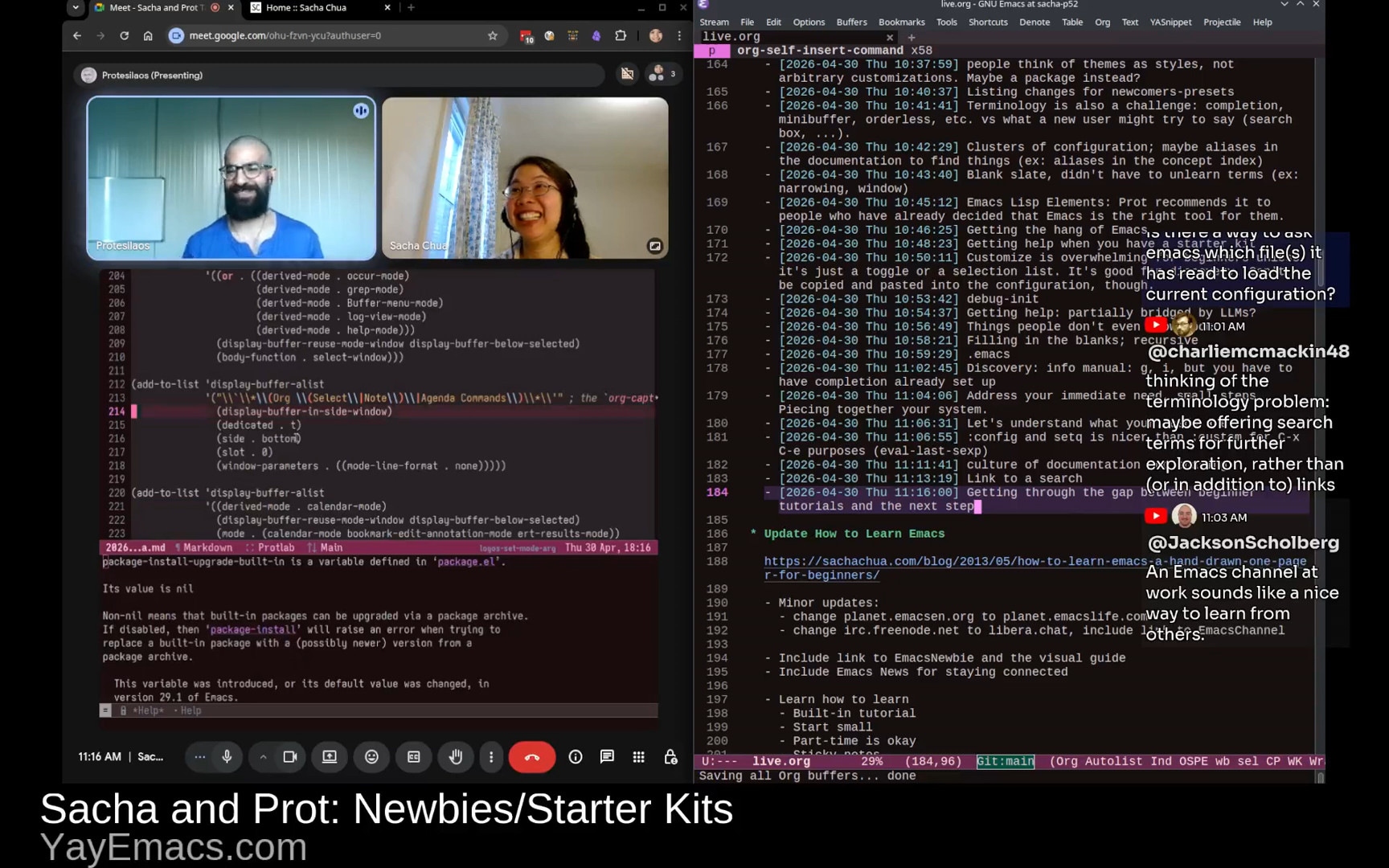
Yay Emacs 32: Sacha and Prot Talk Emacs: May I recommend...
| emacs, community, yay-emacsIn this livestream, I chatted with Prot about the May 2026 Emacs Carnival theme "May I recommend". It was a joint braindump of quick recommendations for people at different points in their Emacs journey, building on our conversation about newbies/starter kits and the newcomer experience all the way up to power users, Emacs Lisp coders, and package developers.
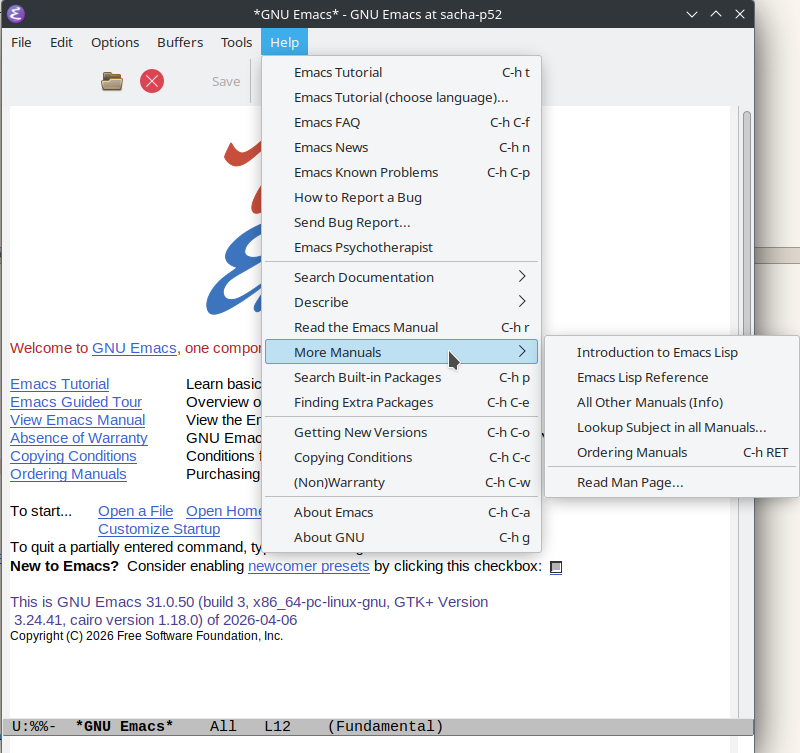
View in the Internet Archive, watch or comment on YouTube, read the transcript online, download the audio or the transcript, or e-mail me.
Related links
- EmacsWiki: CarnivalMay2026: "May I Recommend…"
- Top (GNU Emacs Manual)
- Top (The Org Manual)
- Top (Programming in Emacs Lisp)
- Top (GNU Emacs Lisp Reference Manual)
- Mastering Emacs
- Emacs Lisp Elements | Protesilaos
- Bookmarks (GNU Emacs Manual)
- Keyboard Macros (GNU Emacs Manual)
- Hooks (GNU Emacs Manual)
- Advising Functions (GNU Emacs Lisp Reference Manual)
- Edebug (GNU Emacs Lisp Reference Manual)
- Top (Emacs Lisp Regression Testing)
- oantolin/embark: Emacs Mini-Buffer Actions Rooted in Keymaps · GitHub
- justbur/emacs-which-key: Emacs package that displays available keybindings in popup · GitHub
- minad/marginalia: :scroll: marginalia.el - Marginalia in the minibuffer · GitHub
- minad/consult: :mag: consult.el - Search and navigate via completing-read · GitHub
- minad/vertico: :dizzy: vertico.el - VERTical Interactive COmpletion · GitHub
- Denote (denote.el) | Protesilaos
- jtroo/kanata: Improve keyboard comfort and usability with advanced customization · GitHub

You can add the iCal for upcoming Yay Emacs episodes to your calendar. https://sachachua.com/topic/live/upcoming-livestreams.ics
Find more Yay Emacs posts or join the fun: https://sachachua.com/topic/live
Chapters
- 0:00 Opening
- 2:27 Tip: Less is more. Start small.
- 4:07 Tip: Start with what is built in
- 4:27 Skill: Figuring out the words to look for
- 6:25 Tip: Be okay with starting over
- 8:26 Skill: Learning to discover
- 8:42 Tip: Read manuals for fun
- 10:16 Tip: Use Emacs bookmarks to save your place in the manual
- 10:43 Tip: Generally, investing time into navigation and note-taking workflows pays off
- 12:19 Skill: Keyboard macros
- 12:53 Skill: Modifying the behavior of code via hooks and advice
- 13:15 Tip: Learn to think in terms of buffers and windows
- 14:07 Skill: Reading the source code; Tip: Just jump in
- 15:33 Tip: edebug is great for exploring code
- 16:26 Tip: Reading tests can help you understand code, too.
- 17:02 Skill: Idiomatic Elisp
- 17:17 Tip: Write tests.
- 17:52 Tip: When writing Emacs Lisp that expects a list, use plurals
- 18:59 Tip: When naming, be verbose rather than terse
- 19:46 Tip: Iterate on your workflow in small steps
- 20:20 Tip: Make things more automatic, and use context-sensitive clues
- 24:48 Skill: Thinking in terms of elements
- 26:16 Skill: Reading other people's configuration and adapting ideas to yours
- 27:07 Tip: Start with focusing on just one thing
- 27:33 Blog posts and videos are useful
- 28:09 Tip: Take notes as you learn, and ideally, share them too.
- 28:54 Tip: Accept being a beginner.
- 31:16 Group: Power users
- 32:13 Tip: Browse through package lists
- 32:25 Tip: Dive deeply into the packages you have: customization options, code, etc.
- 32:41 Tip: find-library gets you to the source code, occur can help you browse it
- 33:29 Tip: You can also browse through Customize
- 33:48 Tip: Have fun with randomness and serendipity
- 34:32 Tip: Check out people's workflow descriptions and stories
- 35:42 Resources: manuals, Mastering Emacs, Emacs Lisp Elements
- 37:29 Skill: Figuring out what's possible and making a habit of writing tiny functions
- 37:45 Skill: Being mindful of what you do over and over again
- 38:26 Tip: Keyboard macros can help you jumpstart custom functions
- 39:11 Tip: Use C-h k (describe-key) to describe shortcuts or menu items
- 40:04 Tip: You can set up M-x to show keyboard shortcuts too (Marginalia?)
- 41:26 Resource: Emacs from Scratch series by System Crafters
- 41:50 Tip: Old tutorials can still be useful, although don't treat them as the sole source of truth (things may have changed since then)
- 42:55 Skill: Finding preferred resources
- 44:12 Tip: If you find your tribe, look for ways to keep in touch with them
- 45:00 Tip: Manage unequal RSS frequencies with folders or tags
- 46:33 Tip: Doing more things in Emacs has compounding benefits
- 48:31 Tip: Learn to think of it as just text
- 49:46 Tip: Take notes along the way
- 50:16 Tip: Explore different ways to navigate and act on things
- 51:09 Tip: Learn to combine different building blocks
- 52:47 Tip: Get the hang of keybinding conventions
- 56:06 Tip: Use which-key for keybinding help
- 57:41 Tip: Figure out your ergonomics
Transcript
Expand this to read the transcript
0:00 Opening
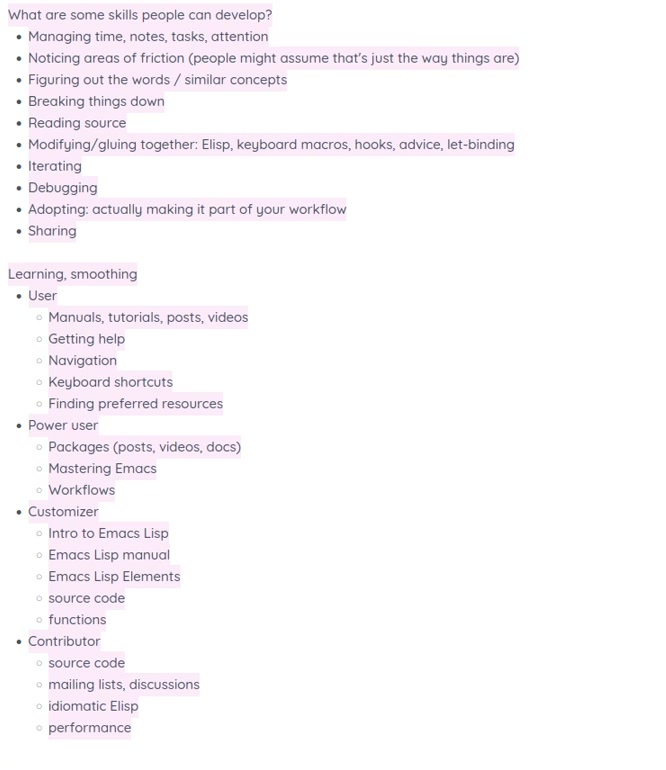 Sacha: My typing is still going to be very loud, but that's okay. Prot: That's part of the charm. Sacha: Okay. All right. Here we go. Let's go live. Hello, everyone. This is Yay Emacs [32]. I forgot which number. Anyhow, I'm here with Prot because it's Emacs Carnival for May 2026, and the theme is "May I Recommend" because I like puns and couldn't pass up the chance to say "May." So "May I recommend..." is our topic, and our goal for this one is to brain dump a whole bunch of things that people might find useful in their Emacs learning journey. We've already talked about newbies and starter kits in the previous two conversations we've had in Sacha and Prot Talk Emacs. This time, we're going to focus more on *users* who are getting started with... They've decided this is going to be their everyday tool. They want to learn more about keyboard shortcuts and finding their way around, building the habits, finding their preferred resources. *Power users*, maybe, who are starting to look at different packages, these are maybe the people who are saying, okay, maybe let's try this package for working with Org Mode in addition to the basic stuff, or let's try doing email in Emacs. *Customizers*, who are beginning to get into Emacs Lisp to write functions. This is where you start to customize it a lot more to your tastes and your workflows. *Contributors*, people who are sharing their source code, maybe even turning it into packages, participating mailing lists and discussions. So this whole range of people all working on different skills at different levels. What I think we're going to do with this is we're just going to braindump a whole bunch of recommendations. You're welcome to ask questions, and I'll ask you questions as well. We'll just untangle everything and organize everything afterwards. Prot: That's great. Sacha: There we go. In this list of skills that people can develop, are you thinking of other skills that aren't on this list yet that do make a big difference to how people use and learn Emacs? Prot: I need to enlarge my screen a little bit. I think what you have there is good.
 2:27 Tip: Less is more. Start small.
Prot: What I had in mind also is more of a meta-point, or more general thing, like an approach style, which is "less is more," if I were to condense it. Start small. Make sure you make it work when it's small. Extend it from there. Don't start big and try to simplify it, because that doesn't work. Sacha: I grouped that idea under managing time, notes, and attention and also breaking things down, because the overwhelming nature of things is something a lot of people struggle with, both Emacs and elsewhere. Even just that meta-skill of saying, "Okay, this is a small chunk that I'm going to focus on because I know that's what my brain can handle" versus "let's architect this entire thing" and you're six hours down the line and you're nowhere near the thing that you want it to do. Prot: And of course Emacs invites you for that because it's like, here are like a hundred powerful tools for you to combine in ways that nobody else has thought of before, right? So it's like asking you to do that, but it's a trap. You don't want to go down that route. Or at least don't go there too early. Sacha: Managing the rabbit hole. Yes, there are going to be a lot of temptations and some of those temptations are quite legitimate. Yeah, you do have to figure this part out in order to get this other thing that you wanted working. But sometimes it's just a trap. Prot: Yeah. Sacha: So that's managing. What other meta-skills here should we talk about as a framework so that when we dive into the specifics, we know we're covering a lot of the ground people need? 4:07 Tip: Start with what is built in
Prot: Not so much a meta skill, but consistent with this line of reasoning is as a good heuristic, start with what is built in and extend from there, because usually what is built in will give you a baseline of functionality. It works with a "less is more" approach. 4:27 Skill: Figuring out the words to look for
Sacha: I feel that sometimes figuring out the words to look for, finding out what it might be called in Emacs source or in the built-in packages... That's something that's hard to develop unless you're reading manuals and reading other people's posts because the terminology can be quite arcane. Prot: Oh yeah, for sure. Sacha: Getting a sense of what might be built in and what it might be called and where to look for it, I think, is definitely a skill. Prot: One good way to think of this is, what do I want to do? In the most simple form, if you forget about Emacs for a second, and you're like, what am I trying to do? I'm trying to write a blog, or I'm trying to deal with email correspondence, or I'm trying to manage my TODOs. In its most simplest form, how can I solve this problem? That can already help you formulate the questions. Sacha: Formulating the questions is actually really hard. Sometimes people don't even notice that there's a question that they can ask, and they don't know what kinds of solutions might address that problem actually. They get distracted by A, but actually it's B that will solve the problem. Considering the different kinds of solutions that can address the same problem, developing a sense of which ways are easier to do the Emacs way versus harder to do. Why make something really complicated when a built-in package or whatever can solve that problem in a more elegant way? All of these things require the development of intuition. Prot: Yes, yes, and with some experience, of course, that helps, for sure. But then it's the other, which you can also consider as a meta skill. 6:25 Tip: Be okay with starting over
Prot: I believe there was also a point of this, be okay with declaring bankruptcy in Emacs. Bankruptcy, I think... the essence of that is not really much bankruptcy, but be okay with trying something, which is an experiment, and then learning something from it, distilling the essence of that, and then trying something else. I think a sense of experimentation will help you build that skill of, okay, now I can intuitively figure out what works and what doesn't work. Sacha: I think that's a really interesting point because sometimes you get very attached to "there's this thing that I've started to build" and then you start bolting more and more things onto it, when really, sometimes the prototype is your way of understanding the problem. Then you take it all out and you say, okay, now that I understand a little bit more, what can I make? How do I change my workflow with that new understanding? Sometimes it's as extensive as declaring Emacs bankruptcy and starting again from scratch. Sometimes it's just maybe "The approach that I'm taking is not a fruitful one. I should go try something else." Prot: Yeah, exactly. You can only have that feedback loop if you try, so trial and error is the way to go. Sacha: @gcentauri has a question or a comment about discoverability, figuring out how to navigate Emacs in order to discover things. Where would we put that in this skill? This is figuring out the words as well, right? Isn't it? Prot: Yeah, by the way, I'm in the chat here. Sacha: Where did you read that? Prot: I see it here. It was off my screen. I see it now. And of course Christian... I'm reading the temperatures in Western Europe. They are terrible. Yes, I know. Sacha: Yeah, big heat wave. 8:26 Skill: Learning to discover
Sacha: So, figuring out discoverability, learning how to navigate Emacs. Emacs is lovely. It's self-documented, everything at your fingertips, but you've got to know how to get those fingers on them. 8:42 Tip: Read manuals for fun
Prot: The manual helps. It will present some of that. But of course, you have to read the manual. So you are in a situation where you have to have the skill of reading the manuals in order to discover, but to discover... So yeah, it's a tricky thing. You have to know where the manuals are. Sacha: Yeah, and you have to be unintimidated by them, I think. I got into it easy because I've always been used to reading books above my level. Even as a kid, I was reading my sister's data structures and algorithms books. I didn't understand anything the first time around. But after nine times through, you start to understand some of the concepts and how they go together. The more you read something, the more of those concepts start to make sense to you. You read it, you read other things around it or related to it, and then the jargon becomes less impenetrable. You begin to understand it. So one of my recommendations is I recommend reading the Emacs manual, the Org manual, all these book-shaped things for fun. Even if you don't think you're going to immediately use 90% of the things, every time you read it, you're going to learn something. Prot: Yeah. Plus, of course, you will know you are an Emacs user if you are reading manuals for fun. Sacha: How else are you going to find out about Org spreadsheets and whatnot, right? It's just too big to fit in your brain. Prot: Correct. Yeah, that's really good. You could even make it a habit of, okay, this day I will read one chapter from the manual. 10:16 Tip: Use Emacs bookmarks to save your place in the manual
Prot: Actually, to say something on this, if you learn about the bookmark mechanism of Emacs, you can bookmark info manuals. So if you are reading the manual from inside of Emacs, you can use the bookmark facility to be like, last point in the Emacs manual. You could have a bookmark that is a rolling bookmark, right? So you could be updating it whenever you go to the next chapter. This way, little by little, you can read the manual. 10:43 Tip: Generally, investing time into navigation and note-taking workflows pays off
Sacha: In general, figuring out your navigation and note-taking workflows so that they're super convenient for you, whether that's Denote or Org Mode Capture or whatever else that you're using... As you read, taking notes on the things that you find interesting in a way that makes it easy to jump back to more information is definitely worth the upfront investment of learning. Prot: Yeah, 100%. Sacha: @gcentauri confirms they are actually a true blue Emacs geek. "Was reading the manual right before bed and came across the forms library. No idea it existed." Read stuff, make it easier for you to jump back to the place that you left off or the parts that you found interesting. That's a great recommendation. Prot: Just to add another metaskill related to this. Don't read it before going to bed because if you discover something useful, you are not going to sleep. Sacha: I think the idea there is get really good at telling your brain, yes, that's really cool, but if you stay up until 1, you are going to regret it. So just add a TODO and let it go. Prot: Exactly. Sacha: This may have happened to me a number of times. Prot: Yeah, yeah, same. So, only read the manual in the morning or when you wake up. Sacha: Are there other metaskills that are not yet captured in this or do we start digging into each of these skills? Prot: I say we dig in and if we think of something we can always add it later. Sacha: All right. What strikes your attention here? Which of these things? Prot: No, no. You can go wherever. I don't mind. Anything will do well. 12:19 Skill: Keyboard macros
Sacha: There's a whole lot of stuff here in the customizer, packager thing around modifying or gluing together code that is not something easy for people to pick up because they're just not used to it in other programming languages or platforms or whatever. Things like: you could use keyboard macros to cobble together a quick workflow. You don't even have to write a big function. Just developing the intuition that, oh, this is a set of repeatable functions or repeatable commands is one thing, 12:53 Skill: Modifying the behavior of code via hooks and advice
Sacha: all the way to "this is how I use hooks and advice to either modify the behavior of something where the person who coded it has anticipated that a hook will be needed here, or advice in case they didn't plan for it at all." You're just going to override things yourself. How do people develop this sense of what's possible and how to do things? 13:15 Tip: Learn to think in terms of buffers and windows
Prot: Yeah, it's a difficult skill but it's something you develop by experience. The point to remember is that in Emacs, at its core, you have buffers and everything is a buffer and buffers are displayed in windows If you think in terms of that abstraction, something like a keyboard macro becomes a tool that will jump between buffers, will switch windows. It has no problem doing any of that. You are not limited in your thought to, okay, I have to work exactly where I am right now. I think that's a general approach that goes very far with what you do. Of course, when you are thinking of the advice and the hook, that I think is a little bit more advanced because you need to also have the skills to write advice. With hooks, maybe not. But for advice, you will need to understand exactly what is happening. 14:07 Skill: Reading the source code; Tip: Just jump in
Sacha: I have definitely jumped ahead here because this also requires the skill of reading people's code in order to find out there is a hook or there is some advice that you can do, or there's a variable and this is how you can let bind it to temporarily change its value during this part of the code. Let's talk about reading source. What sorts of things help people develop that skill of reading the source code? Prot: You have to just jump in at some point. Like, you might do it by accident when you are in a help buffer and either you misclick S, which goes to the source, or you follow the link from above. But anyway, the point is it's a good skill to just, a good habit rather, just jump in and try to read it even if you don't know any programming. Try to read it as if it's English and try to see what you can understand. And of course, some functions will be extremely difficult. Others will be more straightforward. So I think eventually by exposure through osmosis, as it were, you will already learn something. Sacha: I love the fact that our functions in variable names are often very long and it makes sense in English because we're not trying to squeeze into some very concise, very terse convention. Just put a full sentence in there. It's fine. We just use completion anyway. It's all good. 15:33 Tip: edebug is great for exploring code
Sacha: One of the tips that I'll put in here because people sometimes miss it is the power of Edebug. If people haven't come across Edebug yet, it's great because you can interactively step through what the code is actually doing and you can evaluate what the value is of this variable at this point. And every so often I had to go into the Edebug menu bar and remind myself, okay, you can set conditional breakpoints and all these other things that I have to remember that exist and can be used. But Edebug, if you're going to learn Emacs Lisp, learn Edebug. Prot: Edebug is really powerful for sure and it's especially useful when you have functions that are relatively long. I mean what they are doing like they have a lot of steps and you have to understand the flow. Like if it's a very short function maybe you don't benefit all that much from eDebug but in practice you will need it. It's very powerful. 16:26 Tip: Reading tests can help you understand code, too.
Sacha: And the other thing I want to point out is that sometimes packages have tests and reading the tests can give you even more of an idea of how this function is supposed to behave. It's not always the case, but when there are tests, they're great. Prot: In an ideal world, we will update our tests. Sacha: Alright, so that's reading source code. There's so much that's really interesting to read. Sometimes you come across interesting idioms for Emacs Lisp and you're like, oh yeah, that's a great way to iterate through all the buffers and match a certain thing, whatever. 17:02 Skill: Idiomatic Elisp
Sacha: And so if you're in this customizer phase of things and you want to move to the contributor level, learning idiomatic Elisp is definitely like, okay, it makes things a lot easier. 17:17 Tip: Write tests.
Sacha: Charlie says, "Edebug and ERT tests change the way I develop Elisp. No longer flying blind." Yeah, great. In particular, I tend to break things whenever I make changes, so it's really nice to be able to say, okay, I'm going to nail down this behavior, at least for now. With a little bit of thinking, sometimes you can write tests for things that you would do interactively. So you can test a whole lot more because you have buffers and windows than you might in other languages. Prot: Yeah, correct, correct. And you get to see it live. 17:52 Tip: When writing Emacs Lisp that expects a list, use plurals
Prot: Just to say on this point of when you are going through the tests and through everything, one basic thing which is in idiomatic Emacs Lisp is when you are writing the parameters of a function, if you are expecting a list, you use plural. For example, you have a function that goes through buffers. Your parameter is just called buffers. That alone should tell you that it's a list of stuff. You don't say "list of buffers," right? That's superfluous. You just say buffers. This automatically means it's a list. So that's very common. You will see this a lot. Sacha: Here I am, I've been calling my variables buffer-list. Sometimes figuring out what I should call a function or call an argument is a bit challenging, but I figure I'll just name it whatever comes to mind and then I can defalias it or do a search and replace afterwards. 18:59 Tip: When naming, be verbose rather than terse
Prot: When in doubt, of course, be verbose rather than terse. Sacha: Oh, yes. When you find yourself still using the wrong words to try to find it again, just add more aliases and you'll find it eventually. Prot: More verbose. More words. All the words. Sacha: All the words. All right. What are the things here do we want to dig into? Adopting is always an interesting challenge and it's a challenge at all levels here, right? From the user trying to figure out "How do I remember to use this keyboard shortcut?" to "I've written this new function, it's great, but I have to remember to use it." Do you have any recommendations around changing the workflow? 19:46 Tip: Iterate on your workflow in small steps
Prot: In accordance with what I said in the beginning, iteratively. Try to memorize one. You have this new function that, let's say, streamlines how you list files in a directory, whatever, I don't know. Use it. Don't have all 10 functions and try to remember them. Just use one. After two weeks, use the next one. After four weeks, use the third one, and so on. Little by little, make it something that you just do automatically, you don't think about it, with the recognition that you want to remember them all. 20:20 Tip: Make things more automatic, and use context-sensitive clues
Sacha: In fact, going on that point of automaticity, I also like making sure this stuff happens without me having to think about it. If there's a hook that I can take advantage of to just have it automatically turned on, or if there's a context menu I can add it to so that I know, okay, if I do this, then I'll see it in a shorter list. I can get to it more easily instead of having to remember how to find it and all these details. All these little ways to make it easier for myself to automatically enjoy the improvements, or at least have a chance of finding it again. Prot: Yeah, yeah. This is in the spirit of prefix keys, with the help of the which-key package, for example, or what Embark is doing. Of course, there are different approaches. Maybe you want to set up a transient and in the given mode, you just type question mark, for example, and it breaks up your transient with what you want to do. There are various strategies you can go about to do something like that. I lost your audio, just to say. Yeah, no problem. Let's see. Of course I can sing in the meantime, but I don't think the audience will like it. Let's see. Yeah, no problem. No stress. Of course we could do this. Don't forget that there was a time in history where cinema thrived with technology like this. So it will work. Okay, I can read a little bit from the chat. So something I love doing is after I've learned that one function at the late... Sacha: Can you hear me now? No. Test. Okay, okay, okay. Woohoo! Successful panicking. Alright. Great. Great. Magic? Something is happening? I don't know what is happening. My video is less important. It's fine. You may continue. Oh yeah, for sure. 24:48 Skill: Thinking in terms of elements
Sacha: Even just thinking, okay, here are the elements that it can work on and here are the actions that I want to associate with those elements. I guess it starts with the intuition of what are the things that I can address. And what I do is I just look at the embark source code and I'm like, oh yeah, okay, Org headings, that makes sense, and variables and all that stuff. I always like looking at people's setups. Okay, this one says you are now too quiet. Can you say something? Okay, okay, this is definitely a me problem. Hang on a second. Oh, okay, okay, okay, I think... Ah, technology. Why is it so fun? Test. Test. No, this is not right. No, no, no. Prot: Let me know if you can hear me now. And of course, in the meantime, I can comment on the weather. I don't know if I can be heard. But in Western Europe, the temperatures are record high. And here in the mountain of Cyprus, it's like 20 degrees Celsius max. Sacha: Okay. So did you hear any of the stream? Is Prot's audio okay now? You've got to keep talking, I guess. Prot: Yeah. Sacha: Oh, my goodness. Prot: It's completely different. 26:16 Skill: Reading other people's configuration and adapting ideas to yours
Prot: "We can hear him loud and clear." Wonderful. Sacha: Back to braindumping. Very good. So we talked about Embark and other things and practices and workflows. I learned by reading other people's configurations, but it does take a fair bit of intuition in the first place to realize this part of the configuration means this, and how to adapt that into my own workflow. Is there a way for people to develop that aside from just reading tons and tons of configs? Prot: At some point you just have to try. You just have to be like, "Okay, this package everybody raves about, they must be doing something good. I don't know what that is, so I have to try it and see for myself." 27:07 Tip: Start with focusing on just one thing
Prot: Then for something like Embark... We are just using it as an example, but I think it's a good example for other things. Something like Embark can do a million things, but you can also use it for just one thing, right? Find the one thing that you can use it for, use it for that, then figure out what is the second thing and take it from there. The same can be said for Org and all sorts of packages. 27:33 Blog posts and videos are useful
Sacha: I find that sometimes videos are useful for it in terms of seeing it in context, but on the other hand, sometimes I don't have the patience to watch a whole video. I particularly enjoy the posts that are both blog posts plus videos, so I can just skim the blog post, copy the code without having to pause and type things in manually, but also see how it works by somebody showing me how they use something. Prot: Yes. That's the idea. 28:09 Tip: Take notes as you learn, and ideally, share them too.
Sacha: I do want to sneak in this recommendation to share. I keep beating this drum. But whenever I write about something that I've learned, I always end up getting these comments from people who point out other things that I should check out too. So I highly recommend, whether you're a beginner or whether you're a power user of Emacs, try blogging. I am happy to add people's blogs to Planet Emacs Life so people can read your stuff. All the notes are great for both crystallizing what you know as well as possibly inviting other people to share other tips and comments that point out that what you just worked on is actually a built-in package and all you have to do is configure this. Happens to me often. 28:54 Tip: Accept being a beginner.
Prot: And what can help with blogging, especially once you are blogging about something that you know has a very high skill level, is to approach it in a diary-like way, where it's like, today I learned about such and such. I am not an expert, I am learning, and this is fun. That's your blog post. You don't have to present yourself as the foremost expert on the matter, because then of course you will have to wait many years to write that blog post. Sacha: I think that goes under this separate intuition thing for mindset and accepting the fact that no matter how many years of Emacs experience you have, you're going to be a beginner in 90% of the things that Emacs can do. So we can totally just accept the beginner's mind. There's no need to worry about imposter syndrome because we're all like this. We're all figuring things out. If you want, you can put in a disclaimer. You can say, "I'm totally a beginner. Read this for the idea and not the Emacs Lisp style," if you're embarrassed, you're self-conscious about sharing your code. But yeah, we're all just starting out, essentially. I like the fact that people in the community are so accessible. There's no one really saying, oh, I'm an expert. You should do it. You should do it this way and only this way, because we're all aware that again, we've done it this way, but there are probably five or six other implementations that could be even better that are really out there. Prot: Yeah, exactly. Exactly. Sacha: Charlie says, "The leverage of blogging is unique in the Emacs community. Incredibly supportive, knowledgeable, and social group of people." That's another encouragement to go try it. That is all good. In fact, there are a few days left in this May carnival for "May I Recommend." If other people have recommendations, I'd love to hear about them too. Okay, so let's talk about... Actually, what do you want to talk about? What do you want to talk about? Prot: Let's go and do something with the power users. 31:16 Group: Power users
Prot: With the power users, of course, you have a group that is, I would think, in some ways more diverse. Because of course there are different ways to become a power user. One, for example, is using Org more; another is using it as an IDE. So the common thread I would say here is that you are the kind of person who is digging deep. That's what you are as a power user. So if you want to become a power user, you have embedded as skills reading manuals and checking the source code, that sort of thing. Sacha: At this point, you're like, "Emacs is going to be my tool. There's a lot of depth to it." And this is where you start reading, okay, "How do I use Org Mode?" Or "How do I set up my IDE so that it's just the way that I want it?" 32:13 Tip: Browse through package lists
Sacha: For fun, I will sometimes look through the package lists just to see what's out there that I can easily reuse. But often, it isn't even a matter of adding additional packages to your configuration. 32:25 Tip: Dive deeply into the packages you have: customization options, code, etc.
Sacha: It could just be diving deeply into the ones that you do already have, looking for options, looking for little things that you can toggle on and off, or considering how the different functions can be integrated into your workflow. 32:41 Tip: find-library gets you to the source code, occur can help you browse it
Prot: And to this end, I will add something that I do frequently because it combines the elements of what we have already covered, which is M-x find-library. You select the package you are interested in. You go there, then you do M-x occur. And you search for defcustom with a parenthesis in front. "(defcustom". This will produce an occur buffer with all the user options. So you do two things now. You learn about the user options, and you are looking at some source code. That's one way I can start reading source code. Sacha: This goes back to why we don't just tell people... You don't like Customize, so the M-x customize + regular expression is off your list. Just look at the source code. Prot: You'll be happier. Yeah, exactly. 33:29 Tip: You can also browse through Customize
Sacha: Browsing through Customize is also an option because it'll tell you about the things. You don't have to use the Customize interface to set it, but I have come across very interesting options that way, just clicking around. Prot: Yeah, for sure. Sacha: @gcentauri's like, yeah, I'm bored, M-x list-packages. 33:48 Tip: Have fun with randomness and serendipity
Sacha: Sometimes I randomize these things. I think for EmacsConf, either last year or the year before, we had random packages being displayed as a screensaver. I know people have sometimes on their dashboards, they'll display random inspirational quotes. It could be a random Emacs package. I think at one point I had it display random interactive functions, just so I could stumble across more commands. Taking advantage of serendipity can be a fun way to squeeze in a little bit of learning. Prot: Nice, nice, yes. That's good. Sacha: All right, so Jason Torres says, "I use custom just to explore." 34:32 Tip: Check out people's workflow descriptions and stories
Sacha: Another recommendation I'd like to put in here is reading other people's workflow descriptions. Again, going back to blogs and videos and all of that. It's because a lot of these things are not obvious from looking at the source code, but when somebody tells you a story about what problem they had and how they combined pieces of different packages to solve a problem, then it becomes a lot more real. Prot: Yes. Plus, it puts you in the spirit of Emacs, which is you can be creative and piece together different elements of functionality and have a workflow that works for you. Sacha: Let's try plugging in, re-plugging in my webcam. Let's see what happens. Prot: Let's see, let's see. The moment of truth. Sacha: Everyone will just have to imagine my eyebrows of agreement. Okay, so that's the power user. This is how you get even better at it. 35:42 Resources: manuals, Mastering Emacs, Emacs Lisp Elements
Sacha: I think Mastering Emacs would probably be like a book recommendation in this area. And for customizing Emacs and actually writing Emacs Lisp, there's your Emacs Lisp Elements book. What other things would you recommend aside from, yeah, read the intro to Emacs Lisp and the Emacs Lisp Memo for fun? Prot: Of course, what you have listed there are all useful. The other one would be in the spirit of what we said earlier of trial and error. Learn how to, or rather get in the habit of writing little snippets of code. They don't have to be the best code of your life. Just something that gets the job done. Of course you can improve it later, but by getting in the flow of writing your own code, eventually what happens is you write better Emacs Lisp. You develop intuitions of what could go where, and eventually, before you know it, you are better at Emacs just because you were doing this little routine. Sacha: Noticing the questions. This is also a skill. This is also something that you develop. A lot of times people do not even know what's possible because they're so used to just taking for granted that this is a limitation of the system. So sometimes we have to see somebody else, you know, fly through the code without worrying about like, okay, I have to go do this and do that and whatever. Oh, somebody says it's OBS, thank you. @ashraz has pointed out that OBS has my webcam, which is why the browser couldn't find it. So I will think with that some more, but in any case, we will continue. 37:29 Skill: Figuring out what's possible and making a habit of writing tiny functions
Sacha: Yes, so figuring out what is possible and then writing a tiny function for it and developing that habit of not tolerating these little bits of friction, I think is a skill. It's a thing you can develop. 37:45 Skill: Being mindful of what you do over and over again
Prot: Yeah, and another skill which is along the lines of writing your own code but maybe also a meta-skill is: be mindful of what you do over and over again. For example, let's imagine now you have a command that switches to the other window and then blinks the cursor or whatever, right? And these are two commands and you do them all the time. You do the one, you do the other, okay? Now you can write one command, which is a wrapper of those two, and all it does is call interactively the first, call interactively the second. Just by piecing those together you already have your own little command. 38:26 Tip: Keyboard macros can help you jumpstart custom functions
Sacha: Oh, I definitely want to point out here that you can use keyboard macros to generate the Emacs Lisp for it. So even if you're not that comfortable with Emacs Lisp, or you don't remember what the keyboard shortcuts do, you can record a keyboard macro. So you've definitely learned how to do that. And then you can get it to print out the Emacs Lisp that the set of keyboard actions ran. Or at least the Emacs Lisp to repeat the same keyboard shortcuts and then it will all figure it out. Anyway, so that's there. You can save that sequence of commands as a Lisp function in your config. So that's one thing, using keyboard macros to jumpstart your Emacs Lisp. 39:11 Tip: Use C-h k (describe-key) to describe shortcuts or menu items
Sacha: And the second thing is using C-h-K or Describe Key to see what a given keyboard shortcut or menu item will actually run. So that's all very useful stuff for figuring out the Emacs list to do something you're doing interactively. Prot: I think that's the most used help command I do. C-h k. It's super useful all the time. It's very, very helpful. And not only you learn what command it calls, but also in which key map it is bound. So for example, C-c C-c in an Org buffer, it is telling you what the command is, and it is telling you this command is bound in the Org mode map. So if you want to change something, you know that you also have to be mindful of the key map. So there is your key map. 40:04 Tip: You can set up M-x to show keyboard shortcuts too (Marginalia?)
Sacha: Yes, it tells you other shortcuts. Oh, and along those lines, one of the M-x variants shows key bindings as well, which I recommend. If you're a power user, you'd like to become more of a power user, even a regular user, right? You want to start moving to using keyboard shortcuts for your more common commands and setting up your M-x command completion so that it hints at the keyboard shortcuts. Emacs by default also tells you about it after you run a command that had a shortcut. But at least that way, when you're looking through the command list you can see, "Oh yeah, this has a shortcut!" And then you can maybe even cancel out of your M-x and practice using that shortcut right away. Prot: Exactly. Sacha: And along those lines, I like using Marginalia and Consult because then I can see the command descriptions alongside the command name. So there's a little bit more detail there. Prot: Yeah, I think you meant Vertico and Marginalia. Sacha: Oh, yes. It's one of those things, yes. It just works with everything. So yes, Vertico for completions that show you a lot of detail, and then Marginalia to actually show the thing on the side, which is helpful. Prot: Consult is wonderful as well, of course. Sacha: Yes. 41:26 Resource: Emacs from Scratch series by System Crafters
Sacha: @ashraz would like to recommend the Emacs from Scratch series by System Crafters. They say it's a bit dated from 2020, but still mostly relevant in general. There are a lot of video resources out there. Prot: That's good. 2020, oh my goodness. It's been so long, I can't believe it. 41:50 Tip: Old tutorials can still be useful, although don't treat them as the sole source of truth (things may have changed since then)
Sacha: It's really interesting because I've been trying to organize the tutorial resources that people who are new to Emacs will come across. And a lot of times, some of the Org videos are from 10, 20 years ago. But they're still valid, so we have to make sure people don't immediately get turned off by the date in the video. But at the same time, they can start to tell the difference. Okay, this stuff is still applicable. But this stuff over here, it needs to be translated into how you do it in modern times. It's a little challenging for people to navigate this. Prot: Which of course points to another meta skill which is generally information related to Emacs is useful and it will work long into the future. But don't take a tutorial or a video as the source of truth. Always use it as a proxy. Okay, I get the idea. Now I will have to check the documentation and so on. 42:55 Skill: Finding preferred resources
Sacha: I think that part of the learning journey as a user is also finding your preferred resources. A lot of times, you're not going to learn everything the first time around. Everyone thinks in different ways. You do need to spend some time looking for the kinds of resources that jive with the way that you think, with the task that you want to do or the workflow you want to have. It's using the language at the right level for you, et cetera, et cetera. Even knowing, going in, that you're not going to find one-size-fits-all tutorial because Emacs has so many different workflow possibilities... Spending some time to figure out what you like as a tutorial or as a reference, and then going back to that again and again as your understanding develops, I think is a thing worth doing. Prot: Yes, exactly. That's the whole point of Emacs more broadly: that it accommodates the different kinds of people because it's so customizable. If something doesn't work for you, don't try to force yourself to work the way it is. Rather, change Emacs to work the way you think. 44:12 Tip: If you find your tribe, look for ways to keep in touch with them
Sacha: On a meta note, finding people who think the kind of way you do is super helpful, like the tribe within the tribe. For example, you've got this cluster of people who like using Denote because their brain works the same way that yours does when it comes to filing their notes. Once you find that connection, finding ways to keep up with what those people are doing, and often this is RSS because that's a great way to get the updates without getting buried in email. That can be a great way to keep stumbling across things that might help you. Prot: Yes, that's a very good point. 45:00 Tip: Manage unequal RSS frequencies with folders or tags
Prot: On the topic of RSS, just to say something that I learned many years ago the hard way: RSS works best if you subscribe to resources that don't post 30 or 50 or 100 articles a day. If you subscribe to the BBC or whatever, that will not work because it will crowd out the blog that posts once every month. Sacha: What I do with that is I have different folders. Prot: Folders, filters, etc. Sacha: Yeah, folders or tags or whatever. So all the microblogs or all the very prolific things go into one folder, which I generally ignore because it's hard to go through. Prot: Fair enough. Subscribe. Sacha: Yeah, the people who post once a day or once a week or once a month or once every blue moon, then it's easier to keep up with them because it's not buried in all of that stuff. You can look into your RSS readers to support for keywords maybe in order to do some more filtering and prioritization. This is one of the things that I've always envied about people who use Gnus for reading RSS. Because there's nnrss. Then you can use Gnus scoring to prioritize the RSS items automatically for you. But that's definitely a power user thing, because it's Gnus. Prot: I think that's a power user among power users. That's really an exception. 46:33 Tip: Doing more things in Emacs has compounding benefits
Sacha: Actually, that touches on an interesting thing about becoming more of a power user of Emacs. If you let Emacs assimilate more of your life, if you start to use Emacs for more and more things, you get not just linear improvements but compounding ones as the things that you have can interact with other things. Even just for the base case of if your to-do list is in Emacs and your coding is in Emacs, then you can create to-do items that link to your code, all the way to if your email is in Emacs, then you can make your to-do refer to your email and stuff like that. Prot: Exactly. That's where it gets really powerful. Sacha: If you want to get even deeper into the power of Emacs, try to push more of your life into it. I love seeing the things that people do with browsing the web in Emacs. What kinds of things do you do in Emacs that make you go like, this is where the power of having everything together works out really well. Prot: You already mentioned them, like email in Emacs together with your agenda, but also Dired, because you can mark files and attach them to the message composition buffer. You can run a M-x shell and your three marked files in Dired, you type w or 0 w and you get their path and then you can do something with them from a shell, if you cannot do it directly from calling a shell command from Dired. There are many ways like that. The keyboard macros where you can jump from a Dired buffer to a shell buffer, or from one buffer to another. All these little things. For me, it's very powerful. You use it all the time. 48:31 Tip: Learn to think of it as just text
Prot: At some point, you don't even think about it. It's just text laid out in windows, each of which shows a buffer. So at some point, it doesn't matter if it's email or programming or prose. At some point, they are all the same. So it doesn't matter at all. Sacha: Developing that mindset of "it's just text" and the facility for working with text, such as keyboard macros, or being able to jump around, or writing your own functions to manipulate it, or even just using isearch to go through it or using undo in different contexts. I think that's definitely something that people develop and when they develop that intuition, it really helps. Prot: Yes, exactly. In the beginning you won't think about those linkages. They won't be obvious to you. But just be mindful that they are there. They are possible. As you use Emacs, at some point you just feel naturally about them, and they happen. You're like, oh yeah, of course that was always possible. Of course, with the benefit of hindsight... In the beginning, you will be like, "Wow, I can do that!" 49:46 Tip: Take notes along the way
Sacha: That's the other reason why I want to encourage people to take notes along the way, ideally sharing them, of course, but even just for yourself, because a lot of times you will get to the point where this is just the way you've always done it. On the other hand, if you had those notes as you're figuring out how to do it, and you share those notes, then you're leaving these breadcrumbs for other people who are traveling down the same or similar path. That's something that would be very helpful for people. Prot: Yeah, exactly. 50:16 Tip: Explore different ways to navigate and act on things
Prot: Even if you don't have external packages... For example, a workflow that for me was so powerful that I was like "Yeah, this is the way to go" involved the grep and then editing the grep results. But even if you don't use a bespoke package for that, which of course is also built into Emacs now, the functionality, you can use the grep results just as a way to jump to the result. If you hit RET, it takes you to the buffer at the point where the result is. You can have a keyboard macro that jumps to the result, makes some edit, goes back, jumps to the next result and repeat, right? You can do that even without the package. The point is that you can collect results and edit them in like a second or a minute, whereas you would need literal hours to do that and it would be error-prone. 51:09 Tip: Learn to combine different building blocks
Sacha: Yeah, and this points to the skill of being able to see and work with different building blocks. You have a block for, this is how to navigate. There are different ways to navigate. You could navigate to something based on some matching text, or you can navigate to something based on a line. You can set up your windows so that you can switch between windows or whatever. Then if you can combine that with, okay, these are some building blocks for acting on something, or this is how I can use the kill ring to take it to... or this is how I can use registers so that I can save some text or save a position or whatever else. The more of these building blocks that you can develop slowly, because being able to internalize the concept takes time, then all these different ways that you combine it to solve a problem makes Emacs very powerful. Prot: Yeah, exactly. That's a good way to think of it, as building blocks. Sacha: I don't know how people will do that either, aside from read the manual for fun and watch Emacs videos and read other people's posts. Often I think, what if we make a skill tree, right? Because people like gamification... But then this is going to be a really ridiculous, large skill tree with arrows going all over the place. Prot: No, no, you don't want to do that. It will be the RPG that never ends. There is no final boss. Sacha: @yogi583 asks what is a built-in function's name to edit grep result in Emacs? Prot: I don't know but what I usually do is... Grep edit mode I think. It's new, right? It's new. It's built into Emacs 31 I believe. 52:47 Tip: Get the hang of keybinding conventions
Sacha: What I think of it is I go to the grep buffer and I press C-x C-q because that's the general "toggle read only"... That's another mental concept there, right? Getting a sense of the key binding conventions that might be translated into different actions in different places. Prot: Yes. There is an annex to the Emacs Lisp manual, the Emacs Lisp reference manual, which talks about the key binding conventions, which is very useful for people to read. Even after you read that, it's a little bit hard to reason about the key bindings if you are getting started, but trust the process. You will see the patterns as you go. Generally, you can expect C-x to be global key bindings, and C-c followed by control something to be major-mode-specific key bindings. Sacha: One of the things I like about reading other people's configs is that they'll rebind something and I'll be like, yeah, I can totally take advantage of that keybind because I'm not using the standard one as much. Prot: Let me tell you about one I used. Of course, there are many, but by default, you close Emacs with C-x C-c. Sacha: Who closes Emacs? Prot: Yeah, people who make mistakes in life, such as myself. So because I would fat finger that the whole time, you want to unbind C-x C-c and then do C-x C-c C-c then you can exit. I would do it by mistake the whole time and I would destroy whatever I was working. Sacha: Yeah, key binding design is this whole other thing that I haven't really mastered myself either. We've talked before about making the key bindings make sense. When they're mnemonic, they're easier for people to remember, right? But this is definitely something that I struggle with. Prot: So think of it this way, of course assuming there is a space for it or you unbind something. C-x something is a global key potentially with a prefix, as a prefix. C-x r is a prefix, C-x p is a prefix and they have global scope, right? If you are doing something that is global in nature, it should work everywhere. You may want to do the same if you are okay with overriding default key bindings, right? Otherwise, you want to do something that is more specific. C-c C-something for a mode. Again, optionally overriding what a major mode is doing. Then you have to work with that. Use mnemonics. Use words that make sense. For example, C-s is the default key for searching. M-s is the prefix for alternative search. Think of it. Alt-S, right? All the alternative kind of searches, such as M-s o, right? So you can now think of M-s and then g would be my grep. M-s and f would be my find and so on. You can think in concepts like that. 56:06 Tip: Use which-key for keybinding help
Sacha: When in doubt, keep which-key enabled so then it will remind you at least of what else you've had configured for that prefix. That's the other recommendation. which-key mode, it's built in now. Just go use it. Prot: Yeah, which-key mode is very useful. If you are using the Embark package, it has a key that will take over C-h. So actually that works even with default. If you type an incomplete key sequence, C-h will produce a listing with all the keys that complete that sequence. So it will be a help buffer that will tell you, okay, C-x, C-h, for example, will list everything that follows C-x. And it will name the command and all that. So that's also something to consider. I think if Embark were to add the which-key functionality where it's like C-h on a timer, I think then Embark would be a straight upgrade over which-key. In that regard. So Omar, if you are listening... Asking for a friend. Sacha: @gcentauri says, "I recommend learning how to define a key map and put it under a leader key. I have M-m as my personal key map and then the things I find very useful I add to my key map." For this one, I've been experimenting with bind-key, which makes all of this stuff much easier in terms of defining prefix key and adding a docstring and all those other lovely things. 57:41 Tip: Figure out your ergonomics
Sacha: I like your other meta tip about experimenting with how your keyboard is set up. So for example, even on my laptop... I have a ThinkPad. So even on my laptop keyboard, there's no QMK, but I can use Kanata, which you've also recommended elsewhere. to try experimenting with one-shot modifiers and home row mods or other things like that that I want to, making it easier to press key bindings that have different modifiers. I don't want to have to press ctrl and shift and super all at the same time. If I set up one-shot modifiers, I can just tap tap tap and it becomes easier to press. Prot: Yes, exactly. That opens up a lot of possibilities in terms of mnemonics, but also in terms of prefix combinations and all that. You can go a very long way. Sacha: And I think there's a meta thing here also about getting a sense of what would make it easier for you to be able to continue enjoying this long term? Because RSI is not conducive to enjoying Emacs long term. Prot: No. For sure. Something that I think I learned the hard way through pain is that you want to consider your desk, how you sit at the desk - you want to consider everything, not just the keyboard. For example, I have adopted a standing desk since forever. I do that all the time. I never sit, because it works better for me. I have the keyboard set up the way that makes sense to me. I can write all day. It's what I do. I don't have any pain. Whereas before I would sit on an awkward chair, the desk was not optimized, the keyboard was definitely not something I had thought of, and I had pain. It was really difficult, and I reached the point where I couldn't write. I was like, okay, I have to quit. Sacha: If Emacs is something that pays off better in the long term, it's good to have a long term. Prot: Exactly. Sacha: Speaking of my very short term, in about one minute, I'm going to go off and help with the kiddos' lunch break. I very much appreciated this brain dump. This is great. I'm going to do all the usual transcription and things like that, start pulling out some of these ideas. Chat, if you found anything super interesting that you would like fleshed out into a blog post, say it so we know what to focus on for priorities, right? This was a lot of fun. Are there any key recommendations you want people to make sure they check out or is it just generally like, everyone...? Prot: No, I think what you have here is good because, of course, you can always say more. So I will conclude with what I started. Less is more, seriously. For life, not just for email. Sacha: Your brain is surprisingly small. If you break what you learn down into tiny steps, you have a higher chance of it actually sticking. Once you get something in, then it makes things a little bit easier. You have a little bit more space to learn the next thing, and so on and so forth. Otherwise, if you bite off too much, you get overwhelmed. Prot: Very nice, very nice. And that ties into the lunch break. Yes. Sacha: All right. Thank you so much. I will skedaddle and yeah, I will do all the things afterwards. Thanks everyone also for dropping by and hanging out. All right. See you around. Prot: Take care. Take care. Goodbye. Goodbye.Chat
- ChristianTietze: 🥁
- protesilaos: Hello world!
- MichaelVash7886: hello Prot
- ChristianTietze: In (comparatively) ice cold Germany we had ~30ºC this week and there's Prot with 3 layers of clothes 🙂
- chelmikador: Hello!!
- gcentauri: Hello!
- gcentauri: totally
- gcentauri: nerd sniping minefield
- gcentauri: Emacs gives us Discoverability, and learning which tools enhance it for you is really important. Consult for example, and Helpful
- sachactube: https://pad.emacsconf.org/yay-emacs
- gcentauri: i was literally doing that last night before bed
- gcentauri: i came across the Forms library I had no idea existed
- CharlieBaker707: edebug + ert tests changed the way I develop elisp! No longer flying blind 🤣
- ChristianTietze: end-to-end tmux snapshots – you can assert on the modeline contents and other 'ui' of Emacs too, at least in terminal rendition of course
- gcentauri: because in Lisp its lists all the way down :)
- CharlieBaker707: something I love doing is, after I've learned that 1 function, at a later point I'll meta-x for that package's namespace, then embark-collect into a buffer and explore what other user-facing exist.
- sachactube: ugh hang on
- CharlieBaker707: Stole that trick from Prot ;-)
- ChristianTietze: 🎶
- sachactube: hahaha, you can just keep braindumping tips while I panic
- sachactube: I will continue to panic
- blaiseutube: don't panic
- CharlieBaker707: we can hear you!
- CharlieBaker707: but not Prot :-D
- blaiseutube: oooh much better!
- yogi583: we cant hear prot
- blaiseutube: prot is too quiet
- gcentauri: @sachactube - prots audio is very low
- renaudbussieres: Is Prot only in your headphones?
- sachactube: I will look into that
- blaiseutube: his audio is completely different
- chelmikador: now!
- yogi583: we can hear him
- blaiseutube: yes!!!
- CharlieBaker707: loud and clear Prot!
- MichaelVash7886: all set now
- gcentauri: Yes!
- gcentauri: good!
- blaiseutube: perfect!
- blaiseutube: ooooh, Cyprus is nice
- blaiseutube: Massachusetts is also 20C
- ashraz: Is prot's sound only clipping for me a bit or also for others?
- MichaelVash7886: maybe a little but it's not bad on my end
- sachactube: That was me because I panicked about audio, returned to normal levels now
- CharlieBaker707: The leverage of blogging is unique in the Emacs community. Incredibly supportive, knowledgable, and social group of people.
- gcentauri: We always need beginners to show us where things actually DONT make sense! A beginners mind see's all possibilities
- gcentauri: yep. "i'm bored, M-x list-packages"
- gcentauri: yeah i use Custom just to explore
- gcentauri: Discoverability!
- gcentauri: (btw this is shoshin from elsewhere)
- renaudbussieres: "M-x apropos-user-options" is another way to browser customizable options :)
- gcentauri: @sachactube we can see you in the lower right, you've somehow gone to having your video floating
- ashraz: @sachactube Your webcam is shown as an overlay over the chat, which may be the reason why it cannot be shown a second time on Firefox
- ashraz: *Chrome
- blaiseutube: BRB
- sachactube: thanks!
- blaiseutube: …. seems like a "config profiler" would be handy, to produce a human readable summary of settings.
- ashraz: I also liked the Emacs From Scratch series by System Crafters. It's a bit dated (from 2020), but still mostly relevant in general, IIRC.
- ashraz: @blaiseutube Profiler as in loading time, or in "what is actually in that profile"?
- gcentauri: is that Marginalia?
- ashraz: @gcentauri Aye, marginalia shows the shortcuts.
- gcentauri: not Marginalia
- gcentauri: i think maybe Vertico
- ashraz: 2020 predates the minad-stack (vertico, marginalia, orderless, consult, corfu), it used ivy, swiper and company.
- ashraz: But the mindset is still in that series 🙂
- valentinoslavkin6116: Yeah, emacs from scratch is pretty good. Maybe it could explain a bit more the language or the use-package macro, but it works regardless
- MichaelVash7886: yeah I haven't watched the series as so much changed since then
- sachactube: blaiseutube config profiler sounds interesting, what did you have in mind?
- yogi583: whats the builtin function's name to edit grep result in emacs?
- gcentauri: Need multiple skill trees
- gcentauri: different character classes
- ashraz: @gcentauri Also different positions on the alignment chart.
- bledley99: Lovely people, been watching/reading you two for years. Thanks for all you do. 🙌
- gcentauri: I recommend learning how to define a keymap and put it under a leader key. I have M-m as my "personal-keymap" and then the things i find very useful i add to my keymap
- gcentauri: and +1 which-key
- ashraz: See `D.2 Key Binding Conventions` in the manual for the conventions (for package maintainers)
- ashraz: *in the elisp manual, not the emacs one.
- renaudbussieres: I find "leader key" strategies better too, for example the C-x keymap, displayed with which-key, is too crowded and diverse to make sense
- gcentauri: yes - i had to switch to xah-fly-keys because of RSI
- gcentauri: but Emacs can change and adapt to YOU! which is important
- MichaelVash7886: I want to look at Meow at some point for a leader key and modal editing
- valentinoslavkin6116: Meow is really great
You can e-mail me at sacha@sachachua.com.