Categories: geek » emacs

View topic page - RSS - Atom - Subscribe via email

YE21 April 23: Continuing to think about newbies / starter kits

| emacs, community, yay-emacs

I continued thinking about the Emacs Carnival April 2026 theme of newbies / starter kits. Here are my notes and transcript from my previous livestream on the topic.

Overview

My goals for this 1-hour session:

People often recommend Emacs News to people who are looking for resources or inspiration. I want to make it easier for newcomers to Emacs to:

  • feel more connected with the community and find sources of inspiration that can encourage them to keep going
  • find recent beginner-related resources without needing to page through the archives
  • find examples of workflows and tutorials for common needs
  • not feel overwhelmed by all the links; be able to focus on the things at their level

Some things I can do:

If there's time, I can flesh out my outline further. YE20: Emacs Carnival: Newbies/starter kits

Chapters

  • 00:01 Starting up
  • 03:23 Newbies and starter kits
  • 05:55 Emacs News
  • 07:14 Let's move the mailing list option up
  • 07:51 An aside talking to Prot
  • 09:52 Challenges: Isolation
  • 10:45 Overwhelm
  • 11:14 Balance of time
  • 11:33 Unknowns
  • 14:00 Post-its
  • 14:21 Finding help
  • 14:53 Testing BigBlueButton
  • 17:02 Thinking about reviving Emacs Hangouts
  • 17:48 Emacs News as a newbie
  • 18:29 Aside: Jeff is looking into making VS Code plugins
  • 18:57 Notes on making the most of Emacs News
  • 20:50 RSS
  • 23:42 newsticker
  • 27:25 Stream delay
  • 28:31 Reading news with newsticker
  • 29:04 The usefulness of screenshots and videos
  • 34:20 Back to Emacs News
  • 35:00 Prerequisite knowledge for Elfeed
  • 37:29 Other resources that people might find useful
  • 40:56 Beginner map
  • 42:44 emacs-news/index.org is 5.5 MB of plain text
  • 43:55 consult-focus-lines
  • 44:13 Organizing the links
  • 45:02 Organizing screenshots and videos by package
  • 45:49 Info pages
  • 47:08 Remembering keybindings
  • 48:40 The guided tour
  • 50:07 Recap
  • 53:12 newcomers-presets
  • 57:52 Wrapping up
  • 58:19 Remembering keybindings
  • 59:13 Picking Prot's brain next week about the newcomer experience

Transcript

Transcript

00:00:01 Starting up
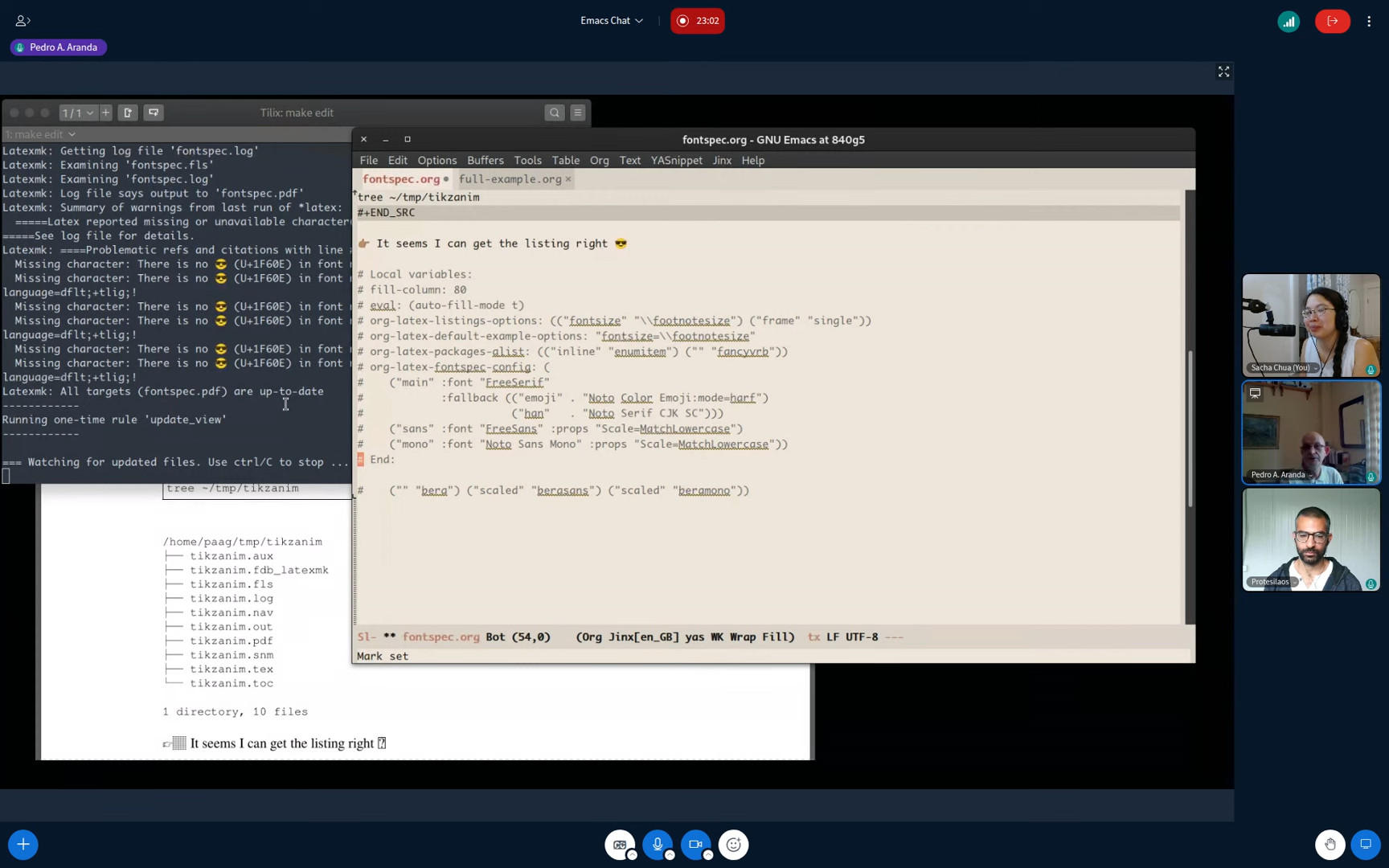
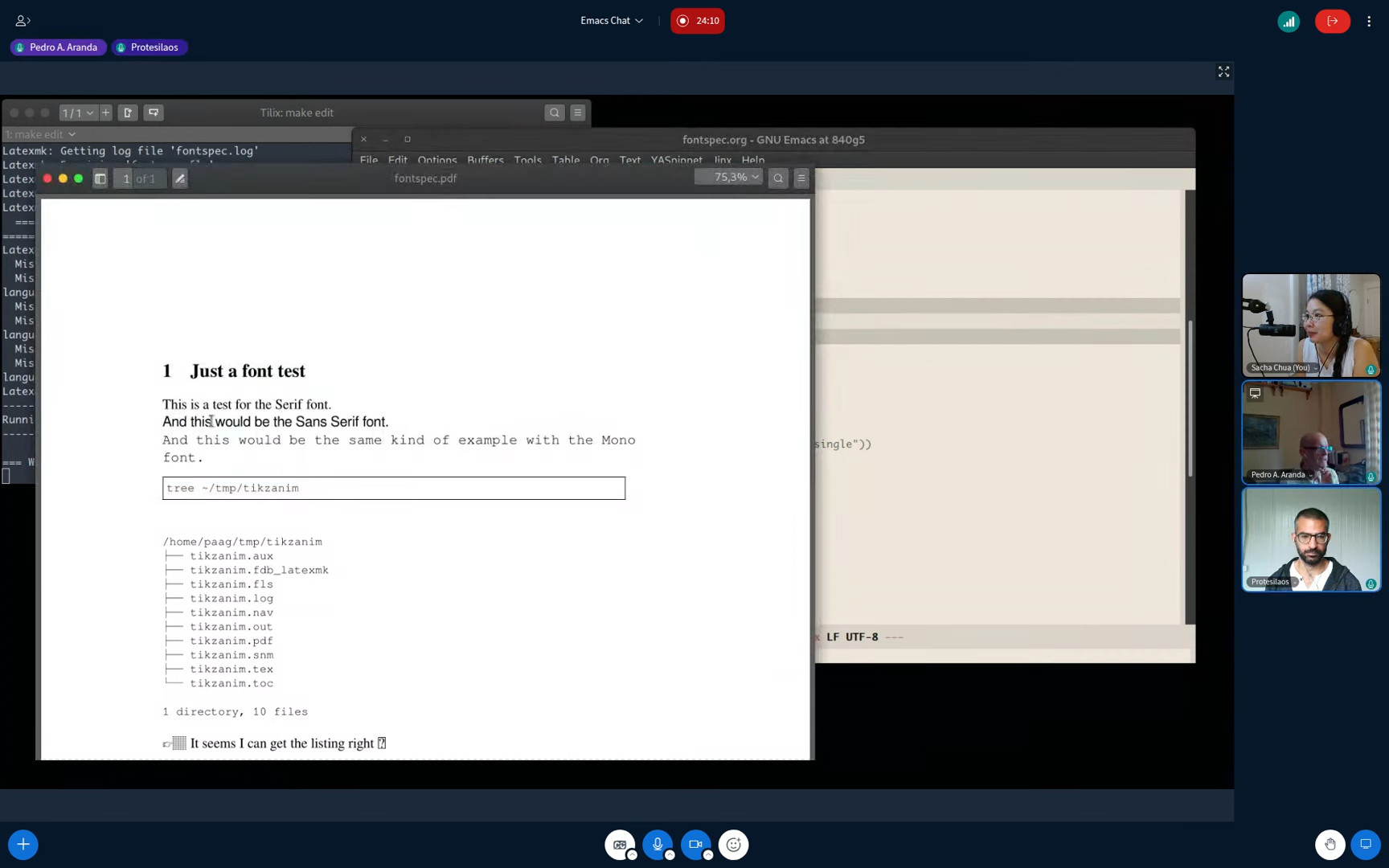
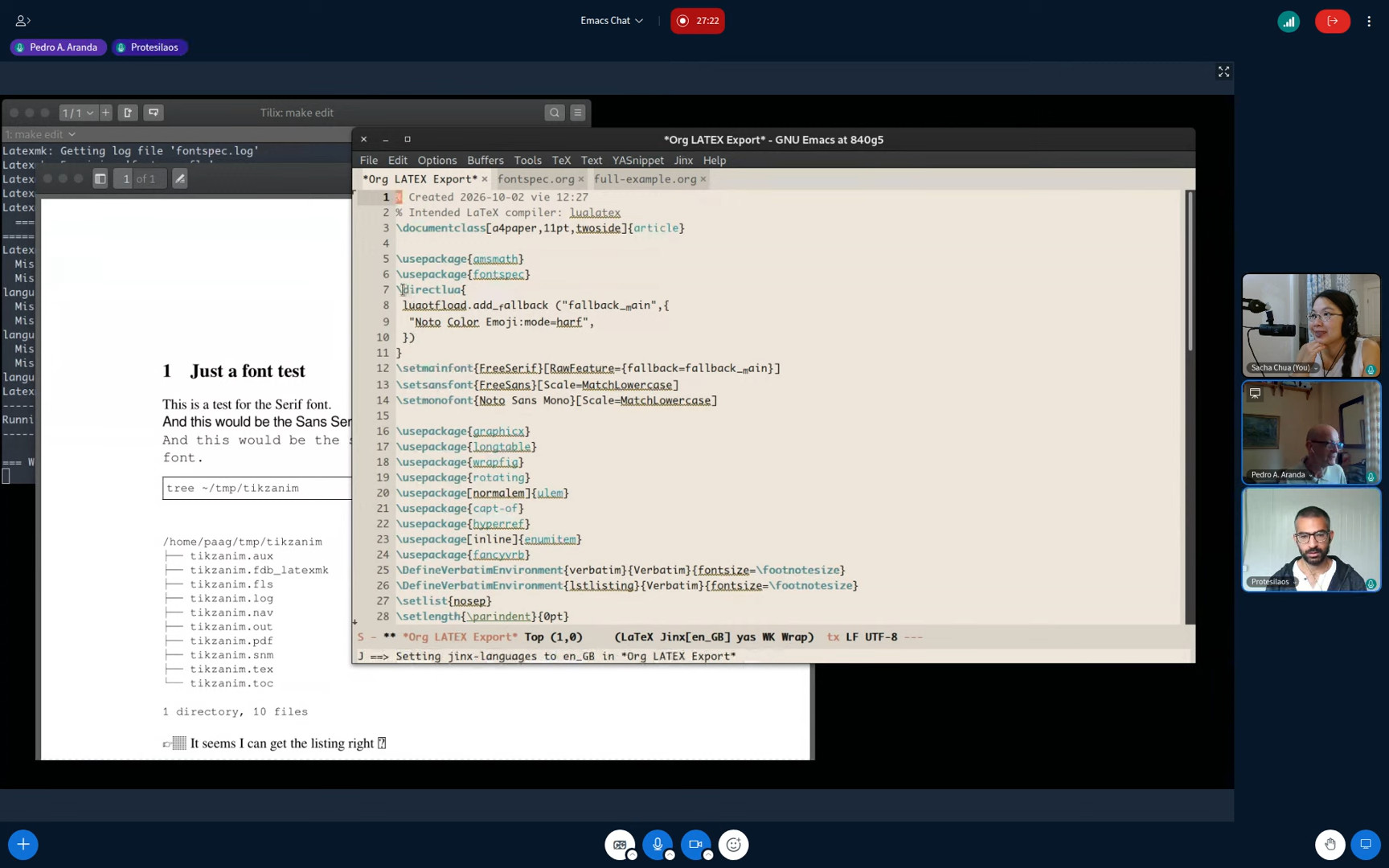
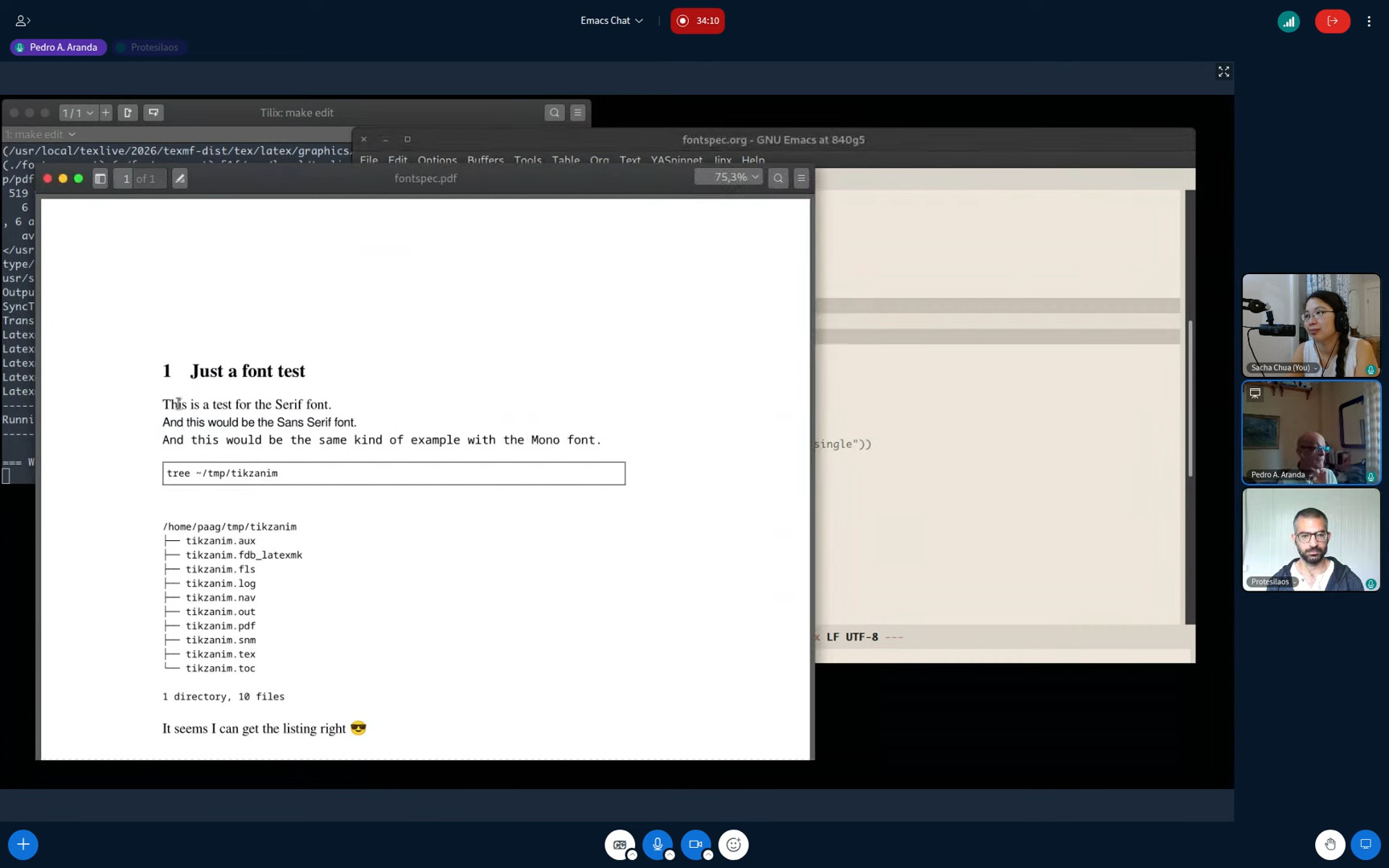
Alright everyone, this is Yay Emacs 21 and I think it's a good opportunity to continue with thinking about newbies and starter kits. Also, theoretically, you might be able to join via Big Blue Button. I will put the link in the chat and we can experiment with it because I have no idea if it works or not. Let's go see. That's not it. Let's get the right one. I need to have shorter URLs, but that will come eventually. Step two, find the chat window. I have too many windows. Okay, let's see if that works for now. And then, let's find out if everything gets crazy if I share my... Like, how does this work? I unmute myself. Testing. Okay, that shows up. I am logged in with the EmacsConf user at the moment. I probably have a me account on this as well. I just don't remember if I've got that set up yet. Anyway, we're experimenting with these because next... next week? Next next week. Next next week or so. Yes, next next week I am chatting with Amin Bandali and we're going to start doing some Emacs chats, possibly on BigBlueButton because it's free and open source. So that is all goodness. And let's share screen one, I think. Could not share the screen. Hmm. I'm going to try this with the other browser. Let's paste in my join link. Let's log in as me. Microphone. Ah, it doesn't like my microphone. Fine. Let's see if this lets me share my screen. Entire screen. Share. Okay. Alright. So now I'm sharing. I am not sharing. It's not happening. Well, it's thinking about it. So my goal is to get to the point where I can use big blue button to share my sub goal, my side quest, to share my screen so people can see what I'm talking about and stream at the same time. But it doesn't seem to be happening, so that might be something I need to fiddle with off screen. OK, I will just save this for if anyone wants to drop by and share their stuff. OK, that is cool. I will live.

00:03:23 Newbies and starter kits
Okay, let us get back to whatever I can do. So yesterday I was thinking about this Emacs Carnival April 2026 topic of newbies and starter kits. And I wanted to start thinking about what I can do to help people with isolation, overwhelm, and these little challenges that come with being new to Emacs, but actually there's still challenges that we deal with, even when you're experienced. And I'm seeing people in the chat, but it's not showing up in the chat of social stream. Boo. So @Mehrad42 says hello, and @JacksonScholberg also says good morning. Good morning to you too. I have, in the notes and transcript... I've actually updated this with a transcript, I think. So now my post from yesterday has the video from yesterday, which is great. It also has my outline, which might be slightly easier to read in non-dark mode. Dark mode, dark mode, dark mode. Tough. One second, thought. Never mind, you can you can deal with the dark mode flipping yourself. So I have the outline, I have some to-dos for myself, and I have this lovely transcript which I edited and added chapters to because text is wonderful. So all of that is there. Probably there's still some misrecognized words in it, but handy. And then the outline up there has the links. So theoretically, I can start taking this and doing stuff with the thoughts and with the text to figure out how that goes. Let's see. Reload. Ah! Did the reload work? No. Okay. Things that I don't quite understand, but that's okay. I'll live. Okay. Let's get on with it then.

00:05:55 Emacs News
So a lot of people recommend Emacs News to new users or to other people who are interested in keeping up with what's going on in the Emacs world. I want to make it easier for people to find the resources and know what to do with things. So here's where they often end up. One of the things I've just added is a note that you can get to this page using a shorter URL, like https://sachachua.com/emacs-news or https://sacha.ac/emacs-news. And I should probably make it also work without the dash because then peoplethey don't have to remember, okay, does it have a dash? Does it not have a dash? And so forth. So that can be a to-do for me. Add an nginx redirection for Emacs News. No dash. All right. And I've also added this. Are you new to Emacs? Check out these tips for making the most of Emacs News. Plus quick subscription options, elfeed and nnrss for your favorite newsreader, MailChimp, or whatever.

00:07:14 Let's move the mailing list option up
I feel like it's slightly easier for newbies to deal with mailing lists because everyone knows how to do email and not a lot of people know how to use the awesomeness of RSS readers. So let's in fact switch this around so that the mailing list is up there. And let's make elfeed a link. Where is elfeed?

00:07:51 An aside talking to Prot
Hey, bonjour, Prot! Okay, Prot is also dropping in. I actually wanted, so I have the session with Prot next week and I actually want to pick Prot's brain about the newcomer experience as well. I've decided to draft some notes around that in here. So instead of my just telling you about all the cool stuff that I've been building for updating, you know, updating YouTube related entries on my blog or whatever. I want to pick Prot's brain about newbies and starter kits, which is great because Prot had some contemporaneous notes in 2019 when he started with Emacs. There's a video blog and he shared his experience starting as a non-programmer. And in his recent 2026 talk, for which the transcript and the video are also available online, these are both in the emacs.com page. You can follow these links yourself, but I will copy them because I can. Let's copy, copy, copy, copy as. Why do I have too many options there? Okay. So I will copy these links in. Prot says, starting Emacs without a background in programming, he learned the basics within a few days, started writing his own Emacs Lisp within weeks, and within a year, he had contributions to core Emacs. So I'm curious about how we can make the newbie or starter kit experience better for people. And as a quick summary of what I discussed yesterday in my brainstorming thing, it's in posts.org, which I have a sketch of. Sketch of? Yes.

00:09:52 Challenges: Isolation
We are thinking about the problems of isolation, where people generally don't know somebody else in real life who is into Emacs and can just lean over and fix stuff for them. And also they're not looking over someone else's shoulder and getting inspired by The cool things that they're doing. I'm not sure you can get much more isolated than being a mountain hermit in Cyprus, so Prot is an excellent example of still managing to be virtually connected, even though he's physically isolated. Oh, wait, actually, we do have some monks and we have some mountaineering guides who still manage to make interesting completion frameworks, like Helm. That's Thierry. Anyhow, so isolation is something that a lot of people feel is very challenging for them when it comes to learning.

00:10:45 Overwhelm
There's overwhelm, so just the sheer number of things that you need to learn, the new terms for everything, the keyboard shortcuts, the things that you've got to do in order to get a basic working environment set up to the point where you feel comfortable spending some time in it every day without feeling like it's holding you back. Cheat sheets and actually things like menu items and toolbars can be helpful for that.

00:11:14 Balance of time
Third problem is balance of time. You know, spending time tinkering with your config versus spending time getting things done, which is less of an issue if you're learning it at a leisurely pace, but more of an issue if you are under some pressure to become productive as soon as possible.

00:11:33 Unknowns
And the fourth is the things that you don't even know to look for. This is where Emacs News and other sources of inspiration can be helpful because then you come across a video or a blog post and you say, I can do that. And if you're lucky, that video or blog post will be accompanied by a tutorial that says, okay, this is step-by-step how to do it. But often there's still a lot of translation that's needed so that it can fit with your particular environment or your particular workflow. @JacksonScholberg shares that they gave up on using Emacs yesterday, and then they realized they could use VS Code to get things done while they're learning Emacs. So it's not an all or nothing thing. You can learn, you know, you can still use another editor to do most of your work, but use Emacs for a small set of things that you know how to do with it. You know, you might just know how to edit a file and save it. And that's it. That's good. That's great for starters. And then every day you might learn one new shortcut or one new thing that you can do. Gradually, your use of Emacs will grow and grow and grow until you start thinking, hey, why can't I just read my email in Emacs like all the cool kids? Or why don't I just go figure out how to browse the web in Emacs or keep track of my sewing in Emacs. That does actually happen. So yeah, totally just start small. But this process of breaking things down into tiny steps is something that newbies might not know. There are a number of different ways where people can get this sort of advice on how to break things down to make things simpler. One is, you know, every time people post this challenge on Reddit or elsewhere where they say, OK, I want to learn Emacs, but there's so many things. How do I learn this? Everyone keeps saying, OK, start small.

00:14:00 Post-its
Maybe have a Post-it note, which cannot be seen, a Post-it note on your monitor with the keyboard shortcuts that you are trying to learn. or have one text file where it's just your notes about what you're learning. Just break it down.

00:14:21 Finding help
Or people can go to, if they're having a hard time finding out what to break it down into, they can go to places like Reddit or IRC, the Emacs channel there on libera.chat or in meetups and say, okay, this is where I am now. How do I do this? How do I get there? And that might be helpful. Anyway, so those are the four challenges.

00:14:53 Testing BigBlueButton
What I want to do today with the one hour I have is I want to, unless other people happen to drop into the Big Blue Button, I think that I am also trying to experiment with except for some reason I'm not sure I can share my screen, which is a little inconvenient. I will debug that later. Anyway, what I can do in the background is start to think about the experience of coming to Emacs News as a newbie. Hey, @JacksonScholberg is in there! Okay, theoretically this sort of works. I don't know if people want to say things. What is going on? Hang on a second. uh okay uh. Call from the school so we'll have... I asked him to call me back in one hour and we'll see how that goes. Hello, @mtendethecreator! Feel free to unmute yourself and share anything if you want to in the Big Blue Button. In the meantime, I will continue... I have not actually spent some time yet thinking about how audio will work with this because Google Chrome and Mozilla Firefox have a little bit of a problem, I think, with sharing my audio. Actually, maybe this. This is a test. Can you hear me through Big Blue button? Maybe that works. Maybe that doesn't. We'll see. Okay. And in the meantime, I can just continue with this until people want to experiment with that part. All right. Emacs News. So Emacs News. Hello. It works! It works! People are talking. I mean, people can talk. Thank you very much. I can actually hear you. Feel free to jump in. And for anyone else who also wants to be on stream, kind of, I will paste the Big Blue Button thing again. And all y'all are going to behave yourselves, I hope. We'll see.

00:17:02 Thinking about reviving Emacs Hangouts
One of my long-term goals would be nice to revive these Emacs Hangouts that I used to do on Google Meet, I think, a long time ago. But of course, we've got Big Blue Button now, so we can do it on proper free and open source software, where people just come and share what they're working on, what they're curious about, what they want to learn. And then we can try these sort of... Now I'm going to try to remember to pause every moment so people can interject.

00:17:48 Emacs News as a newbie
Emacs News as a new person is a little bit overwhelming. Imagine a newbie says, okay, I'm new to Emacs, what should I read? And people recommend things like, oh, check out the Mastering Emacs book. Read the C-h t tutorial. It's great. It is a great starting point. Oh, if you want to keep up with what's going on, interesting things, and how you get connected to the community, read Emacs News or subscribe to it. So this is a little overwhelming for people.

00:18:29 Aside: Jeff is looking into making VS Code plugins
Jeff says that he's researching making a VS Code plugin, actually. Good luck! If you run out of things, like if you run into things that you can't do with VS Code, I think some people have experimented with doing Emacs-y things inside VS Code or vice versa. I'm not entirely sure. I can rummage through my notes and see who has mentioned that before. If there was an EmacsConf proposal for it before.

00:18:57 Notes on making the most of Emacs News
Okay. Anyway, Emacs news. So I have this now where I say, okay, check out these tips for making the most of Emacs news. So like I was saying, I was thinking maybe starting with... Let me find the page that edits this. Topics, Emacs News. Okay. Starting with email is probably the easiest, so I will do that. Do I even want to nudge people to use MailChimp? I don't particularly like MailChimp. This is just Emacs News as either HTML or plain text emails. Includes Org version if you prefer. Oh yeah, I mentioned that here. So that's mine, and then I have an explanation of... If you are reading email email in Emacs... Yes! You can read email in Emacs. You have... All right, so there's that. RSS. So now I have more of a description of how to get it by email. And this goes to the subscription page. People can fill it in. It works like all the other mailing lists people are used to.

00:20:50 RSS
If people want to subscribe to RSS, new users for Emacs will probably not even know what RSS is. Why they might want to do it. Um... Do I want to explain this here? Okay. Does elfeed come with enough of an explanation so that a user can get started with it? Not very much of an explanation. Okay, is there an elfeed tutorial that I can... I feel like this is not really an elfeed tutorial. I feel like there needs to be like a basic from scratch, "I don't even know which init.el or .config/emacs/init.el or .emacs or whatever thing I should use." There should definitely be a tutorial here. Let's add a comment. I need to actually probably add a tutorial for setting up elfeed from scratch. Okay, is there a feedreader that people like to use? So why RSS? RSS lets you read updates from sites that support it in a way that's more structured, that's separate from email, without using your email client. Why RSS? This is like a nice friendly description. Get updates. You can also... That's not very much of a Why RSS sort of thing. Why RSS versus email... Which is handy when you find email overwhelming. If you find email overwhelming.

00:23:42 newsticker
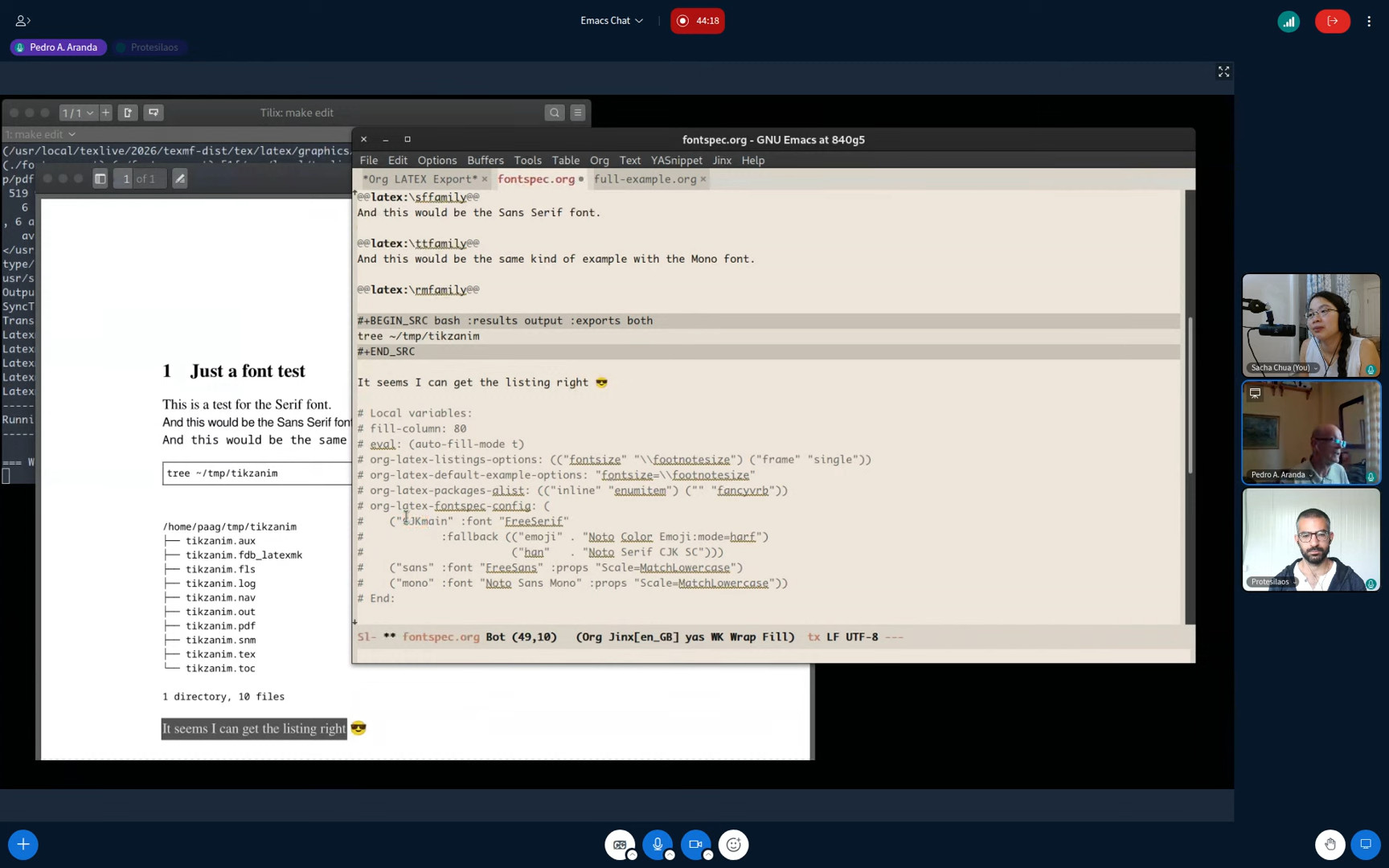
Okay, newsticker. I will also add... @charliemcmackin4859 suggests newsticker. It seems pretty friendly. There is a newsticker feed reader for Emacs. Okay. Is there a newsticker Emacs tutorial that I can link to? Okay. So this is like... use customize-variable... Is there a newsticker? There's load-library, newsticker. newsticker-url-list. Okay, let's go see what that looks like. Okay. I need to load the library before I can do that. load-library newsticker to load it. newsticker-url-list. Okay. Click on INS and add... Oh, as a URI... Click on INS. Emacs News URI. That... Okay, let's try it ourselves. Emacs News. And that is the URI. Huh, I never actually used this. Okay, I'll click on apply and save. And then, how do you actually watch it? I mean, look at it. newsticker. newsticker-start? No, it's not like that. Okay. newsticker-show-news. Oh, okay, okay. newsticker-show-news. Alright, okay, okay. That is newsticker. That is fairly easy to get started with. So let's recommend that. So this is set up.

00:27:25 Stream delay
We are slightly delayed, @charliemcmackin4859 says. It is because I am trying to have a 10 second stream delay in case I do silly things like accidentally show my entire email screen online and other such things. I have a panic keyboard shortcut and a panic menu item. This is the panic menu item. See, it says panic, which kills the stream. I previously had another OBS that this could stream to in order for it to switch to a backup message if I cut the streaming, but for some reason that one is segfaulting constantly when I start streaming from that second OBS instance, so I need to look at that more. But yes, now we have a little bit of a stream delay, and 10 seconds is a bit long, but apparently my reflexes and my panicking are still kind of tough at the moment. Eventually, when I get better at saying okay, I know which keyboard shortcut to go, I can reduce the delay, but yes. All right.

00:28:31 Reading news with newsticker
Reading news... This is.. what is this again... That was newsticker-show-news. Thank you so much. So that was a very helpful tip from @charliemcmackin4859. Okay so there's the tutorial, mini tutorial... Elfeed is slightly more complicated, but also quite useful. Okay, so we can just move this one for now. We should show people what it looks like.

00:29:04 The usefulness of screenshots and videos
So @mehrad42 says, when I started with Emacs, one of the biggest issues was not to know what each package does. Some have a picture or video or ASCII cinema, but most of them don't. Yeah, that's definitely a thing. It would be great for more packages to have screenshots and descriptions, and videos show workflows better than just... Since the people making packages and the people making videos or screenshots or blog posts are not necessarily the same people, we should have a different way of finding the resources related to a package that might be helpful. Where was I? I was actually taking a picture, adding a screenshot of this, right? Okay, so let's show this screenshot over here. And I want to show, this is what it looks like. And I take a screenshot using my [super-s] and this is the newsticker thing. And then I'm going to stick that in this page. And this is what it looks like. This is what I'm saying. Insert screenshot. That is not the last screenshot. Where did the screenshot go? Oh, hang on a second. Okay, newsticker. There we go. That's because the recording keeps getting bigger. So this is a screenshot of newsticker. There you go. People can then see and decide for themselves: is this worth it? Because inspiration is... The things that people struggle with when it comes to overwhelming, there's a lot of stuff to get through. The main question that newbies will have is, is this worth it? Is it worth it to read this tutorial or figure out how to fit this package into my config, figure out how to set up my config in the first place? Having a screenshot or a video up front makes it much easier for people to say, "Yes, I want that, and I'm willing to spend one or two hours to figure out how to get that working." I want to add a screenshot to this one, of course, so that people can see what it looks like. And in fact, why don't I stick this up here so people can see right away. Let's see what that page looks like if I have that. Blog Emacs News. Oh, that's not it actually. This is topic Emacs News. All right. It is not actually showing up. Why isn't it showing up? That shows up there. Okay, good. My export is not exporting. Fun. Okay. Hang on a second. Let's look at the HTML. I expect that to just have ~/proj/static-blog/topic/emacs-news/index.html. I expect that to have the image. It does not have the image. Why does it not have the image? Is it because it has a description? Derp. Okay, let's try that once more with feeling. Yes! Okay, okay, okay. Almost. All right. Now my caption is not captioning. Is it because... Is it because it's a list and it's getting confused because it's not a block? Okay, okay, okay. Here's a preview. Here's what newsticker looks like. Built into Emacs. Progress! Progress. @JacksonScholberg says it's gotta be ASCII Cinema. I actually haven't been using ASCII Cinema. I should probably check that out too. I've just been recording videos.

00:34:20 Back to Emacs News
Okay, okay. So now on my topic, Emacs News. Has it been copied over yet? We are making things better live. This is great. Okay. Do I want to always, like... People are scrolling through this. Yeah, it's fine. I can put that in a details disclosure thingy if they want to not see it unless they click on it. It's there. People can scroll. It's fine.

00:35:00 Prerequisite knowledge for Elfeed
Elfeed is a separate package. You'll need to know how to install packages. You'll need to know how to add... Is it available? Where is it available? It is MELPA or el-get so people would have to know how to to enable MELPA, which is not listed here, so this is a bit more advanced. You'll need... Then nnrss and Gnus is like way advanced, so Elfeed is more of an intermediate. Newsticker's basic. You're right, this is what we should probably recommend if people are just getting started. Which means I should include it in here. News... Do I say elfeed somewhere here? Oh actually, emacs-news.html. This is the header part here. Use newsticker. That means I a tip instead. This is like, topic emacs news, how to subscribe. Oh, I'm not in Org Mode. I can't just use those links. I'm sad. Topic, Emacs News. Fine. Write HTML. Okay, here we go. So now the tip is there. and I can send that to my blog in the background. Progress is being made! Where are we now?

00:37:29 Other resources that people might find useful
Other resources that people might find useful... EmacsWiki has a newbie sort of page. Here we go. This is where I want to gradually start adding stuff. I cannot... Emacs newbie page on Emacs wiki. Okay, so if people are starting out, I want them to come across the Emacs Newbie page for sure. What else should they find out about? So let's go see. Fairly straightforward. I don't know if Emacs Newbie with Icicles is, uh... Well... I feel a little uncertain about this recommendation, but I don't want to take it all away, because someone's put a lot of work into it. Maybe it might be helpful to add some other stuff. Okay, anyway. Help. So i need to make sure there's a way for people to get help. Yes. Okay. The beginner map thing that I mentioned, which I do not have... I should have as a... Beginner resources from Emacs News Archives. And How to Learn Emacs. That's definitely a thing. Oh, yeah, let's mention Planet Emacslife. So we're just going to link up a bunch of things here for now. And, um... Where are we? I'm very confused. Did I accidentally close my Big Blue Button thing? Oh, no, we're still here. Planet Emacslife aggregator brings together lots of Emacs-related blog posts.

00:40:56 Beginner map
You know, this thing over here needs to have me saying, Hey, if you need help navigating this, please email me. Where is this even? Beginner map. Okay, if you need help navigating this or would like to suggest other beginner related resources, please email me. Alright. Let's explain why I'm doing this. I want to make a map of those things people often wonder about when they're learning so that you can find what's close by. Maybe we'll add... Theoretically, unless weird things happen, I should have that introduction. It's always good for people to have contact information. There you go. Okay. So that gives them a list of the things that are in this, and then it gives them, like, themes.

00:42:44 emacs-news/index.org is 5.5 MB of plain text
Okay, okay, okay. Back to Emacs news. So Emacs Newbie, plan an Emacs life, map of some beginner resources. What do people also find helpful? Yeah, there are tons of resources. So @JacksonScholberg says, I didn't know there were so many resources for Emacs. There are tons of resources for Emacs. In fact, if you want to go through all the ones that I've posted in my Emacs news thus far, this file over here is five megabytes and basically includes all the links, links, links, so many links. ever since the first one that I have in this thing. It's long and it's in Org Mode, so you can you can just search through the categories you're interested in, or you can use occur or this new command that I just found out about.

00:43:55 consult-focus-lines
If you have consult, you can consult-focus-lines and it will do kind of like occur but within your regular buffer. So it just focuses on the lines that match or don't match a specific expression. Anyway, there are a lot.

00:44:13 Organizing the links
What I'm thinking of doing is I'm thinking of going through all the things that said beginner, anything that I stuck in the beginner category, and filing that somewhere in the map. So for example, here, this is a kind of a meta discussion. How do you deal with that overwhelm problem where you're like, I'm overwhelmed by the number of key bindings that I want to learn. And there's a discussion here about, yeah, you know, do the tutorial, then take advantage of which-key, make sure which key is enabled, memorize the basic movement keys, and then start, you know, start using Post-it notes. Everything's fine. You can just stick a Post-it note on the thing. Yeah. So there are a lot of beginner related resources and there are a ton of other resources for other things.

00:45:02 Organizing screenshots and videos by package
So what I probably can do is to help with a newbie issue where they're curious about learning Emacs, they don't know whether it's going to be worth spending the time to do it, is I can look for or keep an eye out for interesting videos that come, you know, or screenshots that come along with detailed tutorials on how to get started. Let's say, for example, Org Mode Latex Export or how to set up your Emacs for JavaScript development. And then I can say, okay, if you're starting out, these are some of the things that you might typically be interested in. How do you get started with it for note-taking, for example.

00:45:49 Info pages
@mehrad42 says, also info pages are a very good source of information. The info pages' key bindings are a bit odd at first, so need some explanation. We should say that in the Emacs news, assuming people are starting out from scratch and they don't know how to get help. It's kind of something about... Also the Emacs and Org Mode manuals are great. You can read them as within Emacs with C-h i, with M-x info. Yeah, that's C-h i. Or find them on... Emacs manual, and the Org one is here as well. Okay.

00:47:08 Remembering keybindings
@maxfriis says try to articulate what you want to do with words that start with a key binding. To easily memorize key bindings. I like to use M-x. M-x also shows keybindings. I have it set up with marginalia and consult, which I think might be too advanced for newbies, but definitely completion is one of the things I like to get people up and running first. Is there like a recommended quick start? Here, you're brand new to Emacs. Get this going. I guess that's where the newcomer presets thing comes in and I should see what's inside it. Emacs says try to articulate what you want to do with words that start with a keybinding to easily memorize keybindings with the letter used in the keybinding. So this is advice to make your keybindings mnemonic, to make them make sense. And it's probably useful for newbies to learn that you can easily change your keybindings so that they can make more sense to you. Sorry, C-c plus a letter is reserved for your use so you can stick whatever keybindings make sense to you on there with regular letters and everything.

00:48:40 The guided tour
So I want to link to something from Emacs News that gets people started on that journey, which I think might be the Emacs Newbie page. So the Emacs Newbie page will link people to is a guided tour. Guided tour. This is not very much of a guided tour. There used to be a better guided tour. Where is it? That's a guided tour. Okay, that's a guided tour. Okay, that's a guided tour. All right. So it gets people through navigation, but it does, can you, does it talk about configuration? It does not talk about getting started with your configuration. Okay, where do we start telling people about getting started with configuration? Learning Emacs. Okay, maybe I should include all these things. I cannot decide.

00:50:07 Recap
Okay, well, we'll start with the Emacs New page, which is already better than it used to be before. Okay, so today I wanted to: update the header of the Emacs news page to make it easier for people who are new. I've got the short URL so that people who are recommending them, it's easier I think maybe to stick it in people's brains. Although, challenge as always, spelling my name is tricky. So maybe I need to make sure that yayemacs.com/news goes to this as well. which I don't think it currently does. So, did I already add that as a TODO? Ah, here we are. Also, yayemacs.com/news and emacslife.com/news. I mean, I have domains. I might as well use them. Okay, so that's done. And I've updated this. so that people can start to connect with the community and find ways to work, you know, find better, find ways to use this Emacs beginner thing. It's still a little hard for people to read. You know what I should do is I should take this beginner resources So my beginner resources org is in ~sync/web/beginner-map.org. So if I make this part of... sacha-copy-filename. Okay, if I make this part of my... I want to say it's like a refile target. Yeah, here we go. And I want to say, okay, add that to my refiles. So then if I... think about this carefully... C-u C-c C-w, which is org-refile, then I should be able to go to, all right, the beginner maps. Ah, perfect. Okay, okay. So now if I'm talking to somebody and I say, oh, okay, they want to learn more about customization, I can jump to this, which actually reminds me, what?

00:53:12 newcomers-presets
Newcomer, preset, Emacs. Newcomers presets. Is there like a thing that says what this is? Has anyone written a blog post about it yet? Where do I even find this? Okay, okay. Splash screen. It was in the splash screen, wasn't it? How do I... Okay, display splash screen. Splash screen. That is not it. Okay, how do I find this newcomer presets? So I can tell people, this is what you do in order to do it. Chapter 51 of the manual. Read the manual. Emacs. Newcomer. Okay, newcomer theme. Okay, fine. If I say load-theme newcomers-presets... Okay, I don't actually want to load the theme though. Can I say find-theme? I cannot say find-theme. Can I say... Oh, fine. I load the theme and then it'll be loaded. Interesting. So now is it loaded. Newcomers theme. Okay, here we go. I can just find the function newcomers-presets-mode... Okay, now I see it. newcomers presets theme Okay, line number, flymake, flyspell. That makes sense. So, does it... Let's do it in emacs -q. What do I type here in order to get that to work? load-theme newcomers-presets. Completion is still not there. I want completion as part of the newcomer's theme. I should mention that in emacs-devel. Because M-x, it's not obvious that you should type tab in order to complete things. I just do want to have... ido-vertical maybe? fido-vertical-mode. I mean, this by itself would already be nicer, I think. Okay. I need to suggest fido-vertical-mode, maybe, for newcomers-presets. Okay. And then, want to say... this would be nice to have a crash course: here's how you get a reasonable Emacs for the basic working environment that you want, but it's really better than it was before. And I think newcomers-presets is actually even... It's in Emacs 31, so most newbies will not even be on this yet. Okay, so that is... that's more of a future recommendation, I think. Okay, I got two minutes! I got two minutes before it's lunchtime.

00:57:52 Wrapping up
Okay, where was I? I'm going to go take this transcript for this session as well and then do my tinkering with the spelling and things like that. But I did set out to do the things, I got the things done that I set out to do, so yay! Thank you so much for the chat because that was very helpful. I learned all sorts of things. I learned about newsticker which I've never used before.

00:58:19 Remembering keybindings
I should also note, @maxfriis says, I almost never use operations rectangles, but I remember C-x r and then I can use which-key. So you only need to remember the letter R, @JacksonScholberg says. And @maxfiis says, refer to the operation as an operation or a rectangle. So I remember the R. So if you can get the logic behind the keyboard shortcuts, they become a lot easier to remember. It helps to make your own cheat sheets for that because you can say, all right, C-x 5 is all the frame related things. And here I have which-key kick in automatically after a short while. And it says, okay, these are the things. I've got this like weird highlighting going on. These are the things that start with C-x 5.

00:59:13 Picking Prot's brain next week about the newcomer experience
Prot, if you're still listening, I would like to pick your brain next week about what you think about improving the newcomer experience. Especially since we can take advantage of the fact you came in without a programming background. A lot of people are coming into Emacs for surprising reasons, like they've heard awesome things about Org Mode, and they're not programmers, they're writers, or they do other stuff. Sometimes they're teachers, sometimes they just do things, and Org Mode sounds like a thing that might help their brain from going to twenty different places. What can we do to make it better for newcomers to Emacs? What paths can we build? What resources can we share that people can then link to that helps address that? Prot says, yeah, he's listening, happy to discuss this with me and with all y'all if you want to join us next week. But right now the kid is going to come out and have lunch break, so I'm going to have lunch break too. Thank you for joining me. This was fantastic. I'm going to post the notes, the live stream video will already be immediately available from yayemacs.com. If you search for ye21, then you will find wherever the notes end up. Thank you everyone again, and I'll see you around!

Chat

  • @mehrad42: ​​hand-pink-waving
  • @JacksonScholberg: ​Good morning Sacha
  • @protesilaos: ​Bonjour Sacha!
  • @JacksonScholberg: ​I gave up on Emacs yesterday then I realized I could use VSCode to get things done while I am learning Emacs.
  • @JacksonScholberg: ​First just edit a file.
  • @mtendethecreator: Hello. From the other side lol
  • @j7gy8b: I'm researching making a VSCode plugin actually
  • @j7gy8b: ​for comparison
  • @mehrad42: ​​there is an org-mode extension in vascode that is hoping to do things is Emacs way. i'd stick to Emacs, but it someone find it useful, use it.
  • @charliemcmackin4859: ​​newsticker just happens to be the first one I set up, but seems pretty friendly too
  • @JacksonScholberg: ​Outside of email would be good. I ignore email sometimes.
  • @mehrad42: ​​when I started with Emacs, one of the biggest issues was not to know what each package does. some have a picture or video or asciinema, but most of them don't.
  • @JacksonScholberg: ​That's why I ignore email haha
  • @charliemcmackin4859: ​newsticker-show-news
  • @charliemcmackin4859: ​hah, we are delayed
  • @JacksonScholberg: game over
  • @JacksonScholberg: ​It's gotta be ascii cinema
  • @mehrad42: ​​also infopages are very good source of information. The infopages keybindings are a bit odd at first, so need some explanation.
  • @JacksonScholberg: ​I didn't know there were so many resources for Emacs
  • @JacksonScholberg: ​Post its are great
  • @maxfriis: ​​Try to articulate what you want to do with words that start with the keybinding.
  • @maxfriis: ​​to easily memorize keybindings
  • @maxfriis: ​with the letter used in the keybinding
  • @JacksonScholberg: ​Good idea thanks
  • @maxfriis: ​I almost never use operations on rectangles, but I remember C-x r - then I can use which-key
  • @JacksonScholberg: ​Only need to remember letter r
  • @maxfriis: ​and refer to the operation as an operation on a rectangle so I remember the r
  • @charliemcmackin4859: ​👋 fun stuff
  • @protesilaos: ​​I am listening. Happy to discuss this with you.
  • @JacksonScholberg:​ ​Bye!
  • @maxfriis: ​thanks
  • @mehrad42: ​awesome. thanks
View Org source for this post

OBS: A dump button for dropping the last ~10 seconds before it hits the stream

| emacs, video

I want to make it easier to livestream without worrying about leaking private information. Tradeoff: slower conversations with the chat, but more peace of mind.

I think I've sorted out a setup involving two instances of OBS, with the source instance sending the stream with a delay to the restreaming instance that will then send it on to YouTube. This allows me to cut the feed from the source instance to the restreaming instance in case something happens.

The first OBS is the one that has my screen capture, webcam, audio, etc. Here's what I needed to do to change it.

  1. Create a new profile or rename the profile to "Source".
  2. Name the collection of streams "Source" as well.
  3. In Settings - Hotkeys, define a keyboard shortcut for Stop streaming (discard delay). I use Super + F12.
  4. In Settings - Stream:
    1. Service: Custom
    2. Destination - Server: srt://127.0.0.1:9000?mode=caller
  5. In Settings - Advanced:
    1. Check Stream Delay - Enable.
    2. Set the duration. Let's try 10 seconds.
    3. Uncheck Preserve cutoff point (increase delay) when reconnecting.

Then I can launch that one with:

obs --profile "Source" --collection "Source" --launch-filter --multi

The second OBS will restream the output of the first OBS to YouTube.

obs --profile "Restream" --collection "Restream" --launch-filter --multi

I used the Profile menu to create a new profile called "Restream" and the Scene Collection menu to create a new collection called "Restream." I set up the scene as follows:

  1. Create a text source with the backup message.
  2. Create a media source.
    1. Uncheck Local File.
    2. Uncheck Restart playback when source becomes active.
    3. Input: srt://127.0.0.1:9000?mode=listener

In the first OBS (the source), click on Start streaming. After some delay, the stream will appear, and I can move or resize it.

I was a little thrown off by the fact that my audio bars didn't initially show up in the mixer in the restreamer, but both recording and streaming seem to include the audio.

To stop the stream, I can switch to OBS, click on Stop streaming, and (important!) choose Stop streaming (discard delay). The OBS window might be buried under other things on my second screen, though, and that's too many clicks and mouse movements. The keyboard shortcut Super + F12 we just set up should be handy, but I might not remember that, so let's add some scripts. The OBS websocket protocol doesn't support discarding the delay buffer yet, but I'm on Linux and X11, so I can use xdotool to simulate a keypress. Here I select the window matching the profile name I set up previously.

WID=$(xdotool search --name "OBS .* - Profile: Source")
xdotool key --window $WID super+F12

I can org-capture the timestamp of the panic so that I can doublecheck the recording.

;;;###autoload
(defun sacha-obs-panic ()
  "Stop streaming and discard the delay buffer.
This uses a hotkey I defined in OBS."
  (interactive)
  (shell-command "~/bin/panic")
  (org-capture-string "Panicked" "l")
  (org-capture-finalize))

I always have Emacs around, and if it's not my main app, I have an autokey shortcut that maps super + 1 to focus on Emacs. Then I can M-x panic and Emacs completion will take care of finding the right function.

Let's add a menu item for even more panic assistance:

(easy-menu-define sacha-stream-menu global-map
  "Menu for streaming-related commands."
  '("Stream"
    ["🛑 PANIC" sacha-obs-panic]
    ["Start streaming" obs-websocket-start-streaming]
    ["Start recording" obs-websocket-start-recording]
    ["Stop streaming" obs-websocket-stop-streaming]
    ["Stop recording" obs-websocket-stop-recording]))

Let's see if I remember to use it!

This is part of my Emacs configuration.
View Org source for this post

2026-04-20 Emacs news

| emacs, emacs-news

I enjoyed reading Hot-wiring the Lisp machine (an adventure into modifying Org publishing). I'm also looking forward to debugging my Emacs Lisp better with timestamped debug messages and ert-play-keys. I hope you also find lots of things you like in the links below!

Links from reddit.com/r/emacs, r/orgmode, r/spacemacs, Mastodon #emacs, Bluesky #emacs, Hacker News, lobste.rs, programming.dev, lemmy.world, lemmy.ml, planet.emacslife.com, YouTube, the Emacs NEWS file, Emacs Calendar, and emacs-devel. Thanks to Andrés Ramírez for emacs-devel links. Do you have an Emacs-related link or announcement? Please e-mail me at sacha@sachachua.com. Thank you!

View Org source for this post

Create a Google Calendar event from an Org Mode timestamp

| org, emacs

Time zones are hard, so I let calendaring systems take care of the conversion and confirmation. I've been using Google Calendar because it synchronizes with my phone and people know what to do with the event invite. Org Mode has iCalendar export, but I sometimes have a hard time getting .ics files into Google Calendar on my laptop, so I might as well just create the calendar entry in Google Calendar directly. Well. Emacs is a lot more fun than Google Calendar, so I'd rather create the calendar entry from Emacs and put it into Google Calendar.

This function lets me start from a timestamp like [2026-04-24 Fri 10:30] (inserted with C-u C-c C-!, or org-timestamp-inactive) and create an event based on a template.

(defvar sacha-time-zone "America/Toronto" "Full name of time zone.")

;;;###autoload
(defun sacha-emacs-chat-schedule (&optional time)
  "Create a Google Calendar invite based on TIME or the Org timestamp at point."
  (interactive (list (sacha-org-time-at-point)))
  (browse-url
   (format
    "https://calendar.google.com/calendar/render?action=TEMPLATE&text=%s&details=%s&dates=%s&ctz=%s"
    (url-hexify-string sacha-emacs-chat-title)
    (url-hexify-string sacha-emacs-chat-description)
    (format-time-string
     "%Y%m%dT%H%M%S" time)
    sacha-time-zone)))

(defvar sacha-emacs-chat-title "Emacs Chat" "Title of calendar entry.")
(defvar sacha-emacs-chat-description
  "All right, let's try this! =) See the calendar invite for the Google Meet link.

Objective: Share cool stuff about Emacs workflows that's not obvious from reading configs, and have fun chatting about Emacs

Some ideas for things to talk about:
- Which keyboard shortcuts or combinations of functions work really well for you?
- What's something you love about your setup?
- What are you looking forward to tweaking next?

Let me know if you want to do it on stream (more people can ask questions) or off stream (we can clean up the video in case there are hiccups). Also, please feel free to send me links to things you'd like me to read ahead of time, like your config!"
  "Description.")

It uses this function to convert the timestamp at point:

sacha-org-time-at-point: Return Emacs time object for timestamp at point.
(defun sacha-org-time-at-point ()
  "Return Emacs time object for timestamp at point."
  (org-timestamp-to-time (org-timestamp-from-string (org-element-property :raw-value (org-element-context)))))

This is part of my Emacs configuration.
View Org source for this post

Make chapter markers and video time hyperlinks easier to note while I livestream

| org, emacs

I want to make it easier to add chapter markers to my YouTube video descriptions and hyperlinks to specific times in videos in my blog posts.

This is part of my Emacs configuration.
View Org source for this post

YE16: Sacha and Prot talk Emacs

Posted: - Modified: | emacs, yay-emacs

: Updated chapter markers and transcript

In this livestream, I showed Prot what I've been doing since our last conversation about Emacs configuration and livestreaming.

  • 00:00 Opening
  • 04:24 Workflow checklist
  • 04:47 Demonstrating sacha-stream-show-message and qrencode
  • 05:54 qrencode
  • 07:55 Embark
  • 17:14 My objectives
  • 19:00 keycast-header-mode
  • 19:45 Trade-offs when livestreaming while coding
  • 21:24 Trade-offs: seeing less text on the screen
  • 23:52 Lowering the effort needed to announce a stream: Prot just announces it and the blog post embeds it
  • 24:43 Timestamps
  • 27:29 Different types of livestreams
  • 28:14 Reading other people's configs
  • 30:12 Hanging out
  • 31:40 Livestreams for explaining specific things
  • 32:00 Prot on didactic livestreams
  • 34:07 Prot suggests breadcrumbs
  • 37:59 Announcing livestreams
  • 38:58 Embeds: Prot embeds specific YouTube videos instead of the general channel one
  • 39:32 Demo of my new shortcut for converting time zones
  • 41:48 Ozzloy's questions about time zones and QR codes
  • 43:46 Prot on announcing livestreams on blogs
  • 45:25 Processing the recordings
  • 47:15 Commitment devices
  • 48:29 Automating more of the process
  • 51:14 Copying non-packaged code
  • 52:25 Prot on defcustom
  • 55:12 helpful and elisp-demos
  • 56:23 Prot on code libraries
  • 56:50 Prot rewrites functions to fit his style and naming conventions
  • 59:18 Prot's preference for small functions
  • 01:00:23 avy-goto-char-timer
  • 01:02:40 One-shot keyboard modifiers
  • 01:03:29 Toggling
  • 01:05:08 System-wide toggle shortcuts using emacsclient
  • 01:07:25 My next steps
  • 01:08:18 Tips from Prot: small functions used frequently
  • 01:09:06 Maybe using the header line for tips?
  • 01:10:23 Reorganizing keys

2026-04-16-01 Preparing for chat with Prot.jpeg

Questions I'm thinking about / areas I'm working on improving:

  • (Log) Getting more out of livestreams (for yourself or others)
    • You've mentioned that you don't really go back to your videos to listen to them. I was wondering what could make the livestreamed recordings more useful to either the person who made them, people who watched it live, or people who come across it later.
    • Tradeoffs for livestreaming:
      • Plus: debugging help, capturing your thinking out loud, conversation, sharing more practices/tips
      • Minus: Fitting less stuff on screen, distractability
    • A few types of livestreams:
    • (Log) Announcing livestreams
      • You add a post for scheduled/spontaneous livestreams and then you update it with the description; probably fine considering RSS readers - people can visit the page if it's finished
      • Debating whether to embed the channel livestream (picks next public scheduled stream, I think) or embed the specific livestream

      • Now on https://yayemacs.com (also https://sach.ac/live, https://sachachua.com/live)
      • Added timestamp translation to Embark keymap for timestamps, sacha-org-timestamp-in-time-zones
      • TODO: Post template
      • TODO: ical file
      • TODO: Easier workflow for embedding streams
      • TODO: Google API for scheduling a livestream
    • (Log) Processing the recordings
      • I like editing transcripts because that also helps me quickly split up chapters
      • Tracking chapters on the fly
      • Extracting screenshots and clips
      • Turning videos into blog posts (or vice versa)
      • TODO: Automate more of the downloading/transcription, common edits, Internet Archive uploads
  • (Log) Do you sometimes find yourself copying non-packaged code from other people? How do you like to integrate it into your config, keep references to the source, check for updates?
    • convert defvar to defcustom
    • Current approach: autoload if possible; if not, add a note to the docstring

         (use-package prot-comment                ; TODO 2026-04-16:
          :load-path "~/vendor/prot-dotfiles/emacs/.emacs.d/prot-lisp"
                :commands (prot-comment-timestamp-keyword)
                :bind
                (:map prog-mode-map
                                        ("C-x M-;" . prot-comment-timestamp-keyword)))
      
         ;;;###autoload
      (defun sacha-org-capture-region-contents-with-metadata (start end parg)
        "Write selected text between START and END to currently clocked `org-mode' entry.
      
         With PARG, kill the content instead.
         If there is no clocked task, create it as a new note in my inbox instead.
      
         From https://takeonrules.com/2022/10/16/adding-another-function-to-sacha-workflow/, modified slightly so that it creates a new entry if we are not currently clocked in."
        (interactive "r\nP")
        (let ((text (sacha-org-region-contents-get-with-metadata start end)))
          (if (car parg)
              (kill-new text)
            (org-capture-string (concat "-----\n" text)
                                (if (org-clocking-p) "c"
                                  "r")))))
      
    • prot-window: run a command in a new frame
    • Look into using keyd for tap and hold space?
    • header line format with common tips
Transcript

00:00:00 Opening

[Sacha]: This is Yay Emacs number 16. I'm Sacha Chua and today I will be talking with Prot once my alarms stop going off. Yes, yes. I'm going to be talking with Prot later, assuming that all of this stuff works. Let me double check my audio is on. Audio is definitely on. I'm trying a little bit early so that I'm not doing so much last-minute panicking. Let's see what we've got here. I am also trying the new OBS 32 interface for things, so that should be fun. Alright, thank you to phyzixlab for confirming that the audio works. I am so fairly new to this livestreaming thing, but I'm looking forward to seeing if I can do it more regularly because I have a little bit of predictable focus time between now and the end of June. In July, the kid is on summer break and so will probably want to hang out with me all the time. Or not, you know, kids are like that, right? So in the meantime, I am trying to get the hang of scheduling things and since Prot happens to have an Emacs coaching service, I figured I would engage him to coach me on live streaming and Emacs and all sorts of stuff, which is really, you know, making sure that I have somebody to talk to and bounce ideas around with and see where we end up. So the last time, which was, Yay Emacs, when was this? Yay Emacs 10, I had a coaching session with him to talk about Emacs workflows and streaming. So I've been working on modularizing my configuration. I'll explain all of this again when he comes on, but just to get the hang of this. I've modulized my config. I've gotten through hundreds of function definitions and exported them all into individual files. I have in fact even renamed them from my-whatever to sacha-whatever. So it's slightly easier to copy my functions because they won't trample over other people's custom functions called my-whatever. My background blurring is very background blurring. So that's all good. And then I've got a couple of other modifications that I've made. So I've made good progress on this very long to-do list that I had made for myself after his chat. But the kiddo is here. Oh my goodness! Okay, you're gonna go back to school and stuff? You just wanted to drop by and make a comment? Yes. Also, the teacher let me change my name, but not family. They just wanted to add a - in parenthesis. Oh, yeah. Oh, that's good. Now they can refer to you. Post my name and my nickname. Alright, I'm going to test this new thing. Interesting conflict here. The kiddo likes making cameos. I am not sure how I feel about the kiddo making cameos. Anyhow! Where are we? Okay, the mic is unmuted again.

00:04:24 Workflow checklist

[Sacha]: I am going through my checklist. I have this lovely checklist now. It includes, naturally because it's Org Mode, it includes Emacs Lisp buttons that I can just click on to get stuff running. In this case, for example, I can use obs-websocket-el to start recording and start streaming at the same time. So that's all good.

00:04:47 Demonstrating =sacha-stream-show-message= and package:qrencode

[Sacha]: And I want to double check that this message thing works. Let's go see if I can send a message to the chat. Show string. This is a test message that you can ignore. And theoretically that shows up there. That shows up in the chat with a timestamp. So people using video on demand feature where you can go back and just go playback part of the thing can go see it. It would help, of course, if I had the time. And if I expand this. You have the time in the mode line here. It's currently 10:25. But then, my Firefox... Oh, maybe I should just tell you what. I will make this above others. There you go. Fancy. Super fancy. Except this is right where the...

00:05:54 qrencode

[Sacha]: What's the QR code? The QR code just repeats the string. So this will be a little more handy if I have... Let me just double check that it does do the string properly. Come on, show me the thing. Yep. So this is my... In case you're watching this in a mobile device and I show URLs, like for example, let's bring up Prot's configuration here. Let's go to... Let's do, do, do, do, do... Prot. Yeah, here. And then if I say show string and I give it the URL, then it gives you the string and the URL should be in the QR code. So people who are watching mobile. You can do that. People who are in the chat can get it from the chat. It's timestamped so that if I grab the timestamps later on, I can use that sort of for chapters. And just generally all these little conveniences. This QR code is provided by the qrencode package. So it's in Emacs. It's actually characters. There's probably a way to just insert the image. But I thought it was cool. I can't remember who had this technique in one of his videos. Maybe it was John Kitchin? That seems like the sort of thing he might do. Or it might be someone else. Anyway, just these little conveniences because copying text, especially in mobile, or trying to type things... Try to pause the video at just the right moment. It's very annoying. Eventually, I would like to plug it into all the usual Embark stuff. For example, you'll see this later as I go through this stuff with Prot. Log buttons will show messages.

00:07:55 Embark

[Sacha]: But theoretically, it would be nice to have my Embark here. For example, I'm on Embark on an org URL link. It makes sense that... Wait a minute, I do have it. Okay, I think I have it on Z here. Is that a capital Z or a small z? Let's find out. Z? Not a small z. Capital Z. Whoa, look at that! Okay, okay, so I already do have it. Embark is a package that lets you have context-sensitive keyboard shortcuts. And so I have this now mapped so that if I want an org link, I can press control dot and Z and it will send it to the chat and display it on the screen with a message because who wants to type things manually? You know, this is Emacs. We don't do anything manually. And then theoretically, that also should show up in... Look at that! It's showing up over here in my timestamp section using the magic of org-capture. It includes a timestamp and then, of course, with a little bit of math, I can calculate this as an offset into the streaming video file because I started the stream probably at the same time. Anyway, just a little bit of math to calculate that. And then I can get chapters out of it. Theoretically. Or I could use that to index into the transcript and edit things. Hello, Prot! Hello! We are already live. I have just been on screen.

[Prot]: Already live! Great. Yes.

[Sacha]: Panicking. Not panicking. Experimenting with all the fun stuff. I'm now going to share my screen with you so that you can see also. Select window. Let's go to all of it. Screen one? Screen one. I think it's screen one. Okay. Allow. So, theoretically, you should see my screen.

[Prot]: Very well, very well. Looks good, looks good. We have connectivity issues, it seems.

[Sacha]: Your audio sounds choppy.

[Prot]: Yeah, same here. I cannot hear you well. Can you hear me now?

[Sacha]: I dropped my performance.

[Prot]: Okay, okay, do that. Well, very well. Because it seems that our... Yes, okay, I did the same. Okay, so hopefully this will work. Let's see.

[Sacha]: It's an experiment.

[Prot]: It seems more stable now.

[Sacha]: Yes, this is one of the reasons why we're having these sessions, so that you can experiment to see what's possible. And I was just telling stream that I've been having a lot of fun tinkering with a lot of the ideas that I was working on after the last chat two weeks ago. So my goal for this session is to not panic.

[Prot]: I really cannot hear you clearly. I keep getting interruptions, so... It seems that... Yeah, I don't know what we could do. Maybe I can try to leave and rejoin, maybe. Let me exit and rejoin Jitsi, maybe that will fix it. Okay,

[Sacha]: let's try that. Okay, so let me do that very quickly. Quite possibly, I am asking my computer to do too many things. Let's see. I am asking my computer to do too many things, audio-wise.

[Prot]: Okay, we will see. We will find out.

[Sacha]: Let me try changing my virtual mic. How about this one?

[Prot]: No, your audio is still kind of choppy. Why is your audio choppy?

[Sacha]: Let's see. What do you think? Yeti, monitor your audio. Let me check. Not good. It's okay. Live debugging. Here we go. Okay, you are, where are we? You are Firefox. Yes, yes, yes. Okay, I can disconnect the, uh, disconnect the connections. Let me think. Connect the ports of Combined Sink Monitor to Firefox Input.

[Prot]: And while you do that, we will... Testing.

[Sacha]: How are we doing?

[Prot]: There it is.

[Sacha]: Is this slightly better? Testing. One, two, three.

[Prot]: Yeah, let's see here, so... Okay,

[Sacha]: that seems to be good. And now I'm sharing my screen. How is our screen? Hmm, does not like screen sharing at the same time. Let me see what's going on with my memory. My memory is fine. I have memory. Let us stop the screen sharing. How are we now? Is our audio back?

[Prot]: Okay. I can hear you well. I can hear you well in terms of the fact that there is no choppiness now in the audio. However, your voice has been distorted a little bit. It's not a problem. I can hear you clearly, but I just mention it for the sake of your setup.

[Sacha]: This is interesting and I'm not entirely sure how I will go about fixing it at this moment. No problem. It's not really a problem because I hear you well,

[Prot]: so that's enough. I am tempted to suggest the non-free...

[Sacha]: Let's jump over to Google Meet and see if that's any better.

[Prot]: Let's do it. Send me the link and let's do that. No problem. We are already on YouTube anyways. Let me try this. [Sacha] I will send it to you in the Jitsi chat and then things will be crazy.

[Sacha]: It's in the Jitsi chat and we'll see if that works. Does that work? I will also email it to you. That's not the link. Okay. Now I need to see whether this actually works. Oh. Ah! Ah, technology! How does it work? Camera is starting. Camera is not starting. I don't know what it's talking about. Camera is starting. Allow camera. Join now. Okay. Testing. My audio works. Admit one guest. Admit. Okay. Testing. Does this work now? I can hear you clearly. Okay. Now I'm going to try sharing this. Yes. Very

[Prot]: well. And then let's see what happens. Share. Yeah. The moment of truth. Let's see.

[Sacha]: Technology continues to work?

[Prot]: Yeah, yeah, it does work. This is smooth. This works. So let's see. Okay, all right. So it probably means that in the

[Sacha]: future I might actually need to spin up our Big Blue Button server because sometimes the free Jitsi, you know, you're just dealing with whatever you get for free, right? We already have comments. phyzixlab wants to know, well, phyzixlab says, Prot, I'm jealous of your beard. Which Emacs package can I install to have a glorious beard like you? Emacs Genes. Emacs Genes. Y'all can book your own coaching session with Prat. Although technically, I don't mind sharing mine.

00:17:14 My objectives

[Sacha]: Okay, so my objectives is I want to capture and share more, right? And that's great because in the experiments that I've been doing with live streaming so far, I have found myself going on tangents based on people's questions. And theoretically, I can go back and use those transcripts, which I haven't yet. But that could be more stuff into blog posts that are more searchable. And creating opportunities for conversation, which I think you've also been experiencing with your experiments with live streams lately. Because it is nice to have that back and forth when you're demonstrating something and you can immediately show something that was unclear. Quick overview of my timeline. Again, until June, I've got a fairly predictable schedule, except for the times when the kid turns out to have a substitute teacher and is too grumpy to go to school. So just some flexibility still with the schedule, but I am starting to experiment with scheduling chats. So that's nice. And this is our first experiment with it. I'm like, okay, let's try a live stream at this date at this time with somebody who is going to show up also. And then in July and August, since my schedule will be less predictable, then we'll do more spontaneous things like we also have been doing. And then September onwards is probably going to be EmacsConf. So with that in mind, I want to quickly share the updates from the last one. And probably, you know, you will think about stuff and say, oh, yeah, have you thought about doing this? Or, oh, that's good. Try this one next. Or in my experience, so and so and so. And of course, I'd love to hear what you've been learning about also.

[Prot]: Yeah, yeah, yeah, yeah, yeah. Very good.

00:18:59 keycast-header-mode

[Prot]: And I will tell you my experience as well, because based on our last exchange, I also tried keycast at the top, for example.

[Sacha]: Yeah, yeah. It gets out of the way of the closed captions.

[Prot]: It does. It does. Yeah. So it has some advantages and it's always visible and the key and the command is always visible. But I have to get used to it because it was distracting me.

[Sacha]: Yeah, I hear you, I hear you. It's kind of a trade-off, right? And that actually goes to one of the points that I wanted to touch on later where getting the hang of live streaming while coding or while working does require a fair bit of trade-offs. On the plus side, I'm going to see if this works. It should insert a chapter marker so

00:19:45 Trade-offs when livestreaming while coding

[Sacha]: that I know, okay, this part to this part is this conversation. So when you're live streaming while you're doing package maintenance or you're working on config or whatever else, it is slightly more distracting because people come up with interesting comments and conversations. But on the plus side, it is also, as I've seen you do, helpful at debugging. You're staring at something. You're like, what's wrong here? And someone is like, oh yeah, you're missing a trailing slash.

[Prot]: Yes, yes. It really helps. Well, I'm not sure if it helps, though, because the fact that you are talking to the chat means that you are not paying attention to what is in front of you. So it can cut both ways, right? There are times, though, where it really helps. Yes. Where you are completely lost and then the people in the chat are like, hey, that's how you fix it.

[Sacha]: All right. So maybe I just have to A, build up more of a conversation so that we can get those benefits and B, figure out how to run my narration on a separate worker thread in my brain. I don't think it happens. I think I used to be more multithreaded in the past, but I am slightly less multithreaded now. However, it turns out that spending all this time with kids means I am getting better at generating verbal responses that I'm not necessarily, you know, like focusing too much on or just saying like stuff to keep them amused and entertained. Oh, that's quite a skill. Yes,

[Prot]: that's good. That's good. I don't know. But yeah, so there

[Sacha]: are trade-offs here.

00:21:24 Trade-offs: seeing less text on the screen

[Sacha]: The other thing is now that I am using mode to switch on my... I am streaming, do the Fontaine preset and all of that stuff. Now there's like less space on my screen for code. So I had to get used to it again. yes yes yes

[Prot]: yes that that's one of the downsides of course yes like you have to have a larger font so that people can see what you are typing and then of course that comes at the cost of including fewer things on screen Though maybe you could have a little bit of a wider frame, like specifically in your case. I don't know, it's already at the 80 characters already? Yeah, it's already... Yeah, I think in my case, my frame fits about 100 characters. Well, I haven't measured it, but I think it's something in that... Like, yeah, about there is my frame.

[Sacha]: Yeah, it has about 80 characters. So it's about 75 characters.

[Prot]: So in my case...

[Sacha]: All right. And then the stream can tell me if this is still readable, because of course more code on the screen means more code getting written or done.

[Prot]: And just to say also more code on the screen means that it can be easier to debug or write the code. Because you have the context right there. You don't have to go up and down the screen to find it.

[Sacha]: Especially since I'm used to actually dividing my frame into two windows so I can do left and right. And I'm doing this on a standard aspect mode. You have a widescreen, so you're a little bit spoiled in this regard. I only have like two monitors that I'm doing. But maybe that is what I'll end up just using separate frames for. Yes, so slightly smaller font size, and stream can tell me whether this is too small for them. I know people who are older will develop an appreciation for larger font also, so take advantage of this ability to work with medium-sized fonts while they can. So font sets, that's definitely a thing. And then just trying to figure out how I can make it more useful both to other people and for myself and during the live stream as well as after the live stream.

00:23:52 Lowering the effort needed to announce a stream: Prot just announces it and the blog post embeds it

[Sacha]: Now you've mentioned you don't actually go back into your live streams afterwards. You just plug the YouTube video, you update your description so that it's past tense instead of future tense and you republish your post. I think that's your workflow, right? Even less. So I don't even retrofit the

[Prot]: past tense, you know, present tense to past tense. It's like all present tense. It's like I will do a live stream. It will be recorded. You can find it here kind of thing. Okay.

[Sacha]: All right.

[Prot]: And so just to say, though, just to say the reason I do this is because I don't want to go through a three hour stream again because then a three hour stream becomes like a ten hour stream in practice. And this means that it adds friction and it adds to the requirements, which effectively means I will be doing fewer of them. Yeah.

00:24:43 Timestamps

[Sacha]: That's what I'm thinking. Maybe lightweight sort of chapter markers. You've mentioned you just remember this sort of stuff, but since I don't actually remember this sort of stuff, having a way for Emacs to send messages to the stream and also show things in the timestamps. I have a timestamp now. It's nice. It just says Org Capture. And all that will then theoretically make it easier for me to say, okay, let's go find the chapter and then I'll just adjust the timestamps afterwards to say, okay, from this point to this point. If people are interested, they can go in there and they can look at the transcript for more.

[Prot]: I think we discussed this last time as well. You could have a function like start-stream and it starts a timer or it starts recording the time and then relative to that point, any offset and that's your timestamp right away. And whenever there is some event happening, you can type a key and then maybe it gives you a prompt and you write what is it, like just a string and then that is the chapter.

[Sacha]: An org timer will do that kind of insert a timestamp for you. But one of the reasons why I liked having my custom show message thing is that it can display the text on the screen, display a QR code for the text in case people want to copy the function that I'm talking about, send it to the chat so that people using video on demand can say, oh yeah, at around 10:25 or whatever. I'm currently using wall-clock timestamps, which means I need to modify my mode line so that the time starts earlier and people can use that to jump around the thing. And then, so it's like in half a dozen places, which is what org-timer does not get me if I'm just inserting a timestamp here. Anyway, minor, like, you know, little workflow improvements. But it's this whole, as you said, I don't want to go back and spend six hours processing the three-hour livestream. I want to say, all right, this video has some potential interesting things here because these people ask these questions. This is roughly the time when I answer those questions. Ideally, this is the text of the question. Someday, there might even be screenshots and clips. I'm modifying compile-media to make it easier for me to do that kind of video editing from within Emacs.

[Prot]: Oh, wonderful.

[Sacha]: yeah, yeah. But it's all still like, okay, progress. First, I've got to develop the habit of streaming, and then I have to develop the habit of saying, now we are talking about this topic so that it can all get marked everywhere.

00:27:29 Different types of livestreams

[Sacha]: And that got me to thinking, well, there are a couple of different types of live streams and you might have also done something about which ones fit the way that you had to present. One is the, you know, the, I'm going to spend time doing this anyway, which is like your package maintenance, where you will accept a little bit of distractibility for the benefit of having other people around to ask questions and clarify things and stop you when you're getting stuck somewhere. I have something I specifically want to teach and you've done this before with walking through a blog post and just demonstrating things interactively because there's some things that are easier when you're showing it, right?

[Prot]: Correct, correct. ...

00:28:14 Reading other people's configs

[Sacha]: Reacting to other things. In this one, I've started to have fun with because I've been going through your Emacs configuration, which is several hundred pages when converted to a PDF. And I forget, do you actually, like, do you produce a PDF, PDF, like a nicely thingy?

[Prot]: I haven't done it, but that's trivial to do, actually. I could do it.

[Sacha]: Yeah, yeah, so I've also been reading tecosaur's PDF, and his PDF is gorgeous. Like, it starts off with, like, a cover page and and everything. But it's Doom Emacs. I have to translate a lot of things to my specific setup. But now I have literate config envy. Anyway, that's an entire category of live streams here, which could just be me copying interesting things out of other people's configs. Today we are experimenting with a chatting with a guest variety of live stream, which you also do with your Prot asks. Actually, I forget. Are those live streams?

[Prot]: They are not live streamed, but the idea is that I do not edit them. However, if somebody really wants, I can edit it. So the idea is let's go with the flow. Don't worry about it. It's casual, all that. But if somebody says something that doesn't sound right, doesn't mean it or whatever, I'm happy to edit it.

[Sacha]: Yeah. I'm starting to look into how to do that if I'm doing this live and apparently if I set up a sufficiently long buffer in OBS for streaming, like a delay for 20 seconds or 15 seconds, then I can stop streaming and the stuff that happened in the last 10 or 15 seconds doesn't make it out to the public, but it's still kind of...

[Prot]: Living dangerously, yeah.

[Sacha]: Yeah, yeah. Because seeing as I'm still practicing remembering to flip the webcam down when the kid runs in and wants to be on camera, I'm like... My reaction time, not there yet.

00:30:12 Hanging out

[Sacha]: And then other people are like, they just hang out. They're not like, I'm going to do something. They're just hanging out, which I'm sort of starting to experiment with when I'm doing Emacs News on Mondays, because I'm like, I'm categorizing it anyway, but it doesn't require a lot of brainpower because I'm not coding or debugging. I'm just saying, okay, this looks like an Org Mode link. This looks like a miscellaneous link. And then some people just play games, which is fun too.

[Prot]: Yes, that's good. And they want to have somebody on the side, guide them through what they are doing.

[Sacha]: Yeah, or it blends into a hanging out sort of thing. Yes, yes. And it's like, what is the kiddo doing now?

[Prot]: Yeah, the camera, the camera. That's fun, that's fun. Good reaction time. Yeah, yeah, yeah.

[Sacha]: Yes, thank you for your homework. I will scan this and put it online later. This is it. Yes, life. Life.

[Prot]: Putting your reaction time to the test.

[Sacha]: Yes. So in terms of getting more out of livestreams, That's what I've been thinking about lately. I think I would like to do more of these, you know, hey, folks, keep keeping company while I'm coding this or whatever, since you've been having a lot of good experience with that.

00:31:40 Livestreams for explaining specific things

[Sacha]: I would also like to eventually move into more of these. I have something I specifically want to demonstrate, which probably necessitates actually organizing my thoughts. And you've done a bunch of these. After writing a post, it seems like more like recording a video and walking through it. Do you also sometimes do them before writing a post?

00:32:00 Prot on didactic livestreams

[Prot]: I haven't done that but actually, when I write posts, I write them in one go, so maybe I should do a live stream where I actually write a blog post just to show that I can do it. The thing is of course what do you want to communicate, because if it's teaching, like if you are writing it and trying to teach it at the same time, there is a chance that you might leave something out. Some of that detail, some of that nuance. For example, if you want to explain how a form in Emacs Lisp works, let's say if or cond, you may not come up with a very good example live and it may not have didactic value. So even though you know how it works, the communication value is not there. So that it helps for you to write it in advance. Even if it's in one go, again, you can write it, you can read it, and then you can come up with a good example and then stream that. So it really depends on what you want to do. The other day I did a stream, a live stream, where I was writing a package from scratch, a small package. So there part of it was to teach, but also to demonstrate. And there I don't really care if the didactic value is very high. Because even if there are mistakes, it's part of the process. It's not like, well, you will come here and from zero to hero kind of thing, you will learn everything. It's not like that. It's like you come here, you might learn something, but the bar is relatively low.

[Sacha]: I think especially since my mind likes to jump around a lot-- you seem a lot more organized when you're thinking through things, especially if you're saying you write your blog posts straight in one go. I'm like, okay, do this part over here, do that part there. I will definitely lose things, like you mentioned, and I will definitely go back and say, no, I need to do this before I can say that. So yeah, I think I can save that for summer when I might be focusing more on things I cannot schedule.

00:34:07 Prot suggests breadcrumbs

[Prot]: How about leaving breadcrumbs for yourself? Like, I was writing this. Like, write a comment. Basically, I was writing this, I need to remember that, and then you jump off on the tangent.

[Sacha]: I need to use a universal prefix to get the time, don't I? Yes. Leaving yourself breadcrumbs. Yeah, yeah, yeah.

[Prot]: And then you can retrace your thoughts, basically. Like, okay, I was here, I was meaning to do that. Especially when you are streaming, chances are that there will be several comments that are very interesting and you want to get to. And you might be talking to them for 10 minutes or more. And then, of course, if you don't have that or you want to jump off on a tangent, you will eventually forget what you were doing.

[Sacha]: Do you have anything like this already that you're currently doing?

[Prot]: And no, but this is the sort of thing that should be a fun exercise to actually demonstrate as well for yourself.

[Sacha]: I use ZZZ if I just put it in text and I have some things, for example, in my message hooks so I can't send email that contains this. And of course, org has its whole clocking and interrupting tasks that I can use. I just have to have the presence of mind to actually say, oh yeah, now I'm going to go on this tangent and I want to go back to this later on. Leaving myself breadcrumbs is definitely something I need to formalize into workflows that I actually use.

[Prot]: Yeah, that's the thing. And you can also benefit. I don't know. Of course, that's depending on if you are a visual person or not. But you could also rely on color or, for example, include an emoji as well or modify font-lock-keywords to have like something that stands out. Basically, make it clear that, well, this is an interjection. I will just go and then I will be back. Yeah.

[Sacha]: Good idea. Okay. So that will definitely help with the things where maybe I want to demonstrate something and I want to do the thinking out loud so that it's recorded. And just in case other people have any questions, they can come by and ask them. And then I can sort of massage it into a proper blog post, but still leave the link to the video in case people want to hear the stream of consciousness figuring out of all of this stuff. That sounds like maybe a more polished video or blog post with screenshots and clips coming out of this livestream ramble, kind of tangled. Okay, we're going to jump over here. Gotta leave myself a breadcrumb because I'm going to go in this detour to answer someone's question.

[Prot]: There is value to both. There is value to both because the live stream is a stream of consciousness. You can think of it like a bubbling effect. There is fermentation going on, a lot of things happening. And then when you publish the polished, the finished article, that's the distillation effect. So fermentation distillation. So both are useful. Both is good to see and have a sense of what they are up to, what they are doing. Yeah.

[Sacha]: And Charlie in the comments says he likes Emacs' excursions terminology. So if you can think of it as a save excursion, I'm going to go do something and then come back. I am not very good at popping the stack, but I will work on it. Yes. A couple of other things that I want you to pick your brain about. So you mentioned that in terms of announcing live streams, you're like, look, I'm remembering to mark a topic change.

00:37:59 Announcing livestreams

[Sacha]: So you mentioned, okay, you have a post for the scheduled or spontaneous live streams. Then you actually, you don't even update it with the description. You write the description beforehand and you leave it alone. Probably when people get it in their RSS reader, I guess the YouTube embed always just points to, you know, it's either the currently playing live stream or the archived recording of it. And that's that. The link is the same. The link is the

[Prot]: same. Yes. Yeah, on this live page. So now I have

[Sacha]: yayemacs.com and SachaChua.com/live pointing to this page. And there's like, there's a YouTube way to embed just like upcoming live stream, but then it's like fiddly when it comes to, oh, you know, you've got, if you have more than one public up scheduled live stream or whatever, do you use any of this stuff at all where you're like saying a page that's always has your upcoming or current stuff?

00:38:58 Embeds: Prot embeds specific YouTube videos instead of the general channel one

[Prot]: No, I have a generic embed which I copied many, many years ago and I have it in my static site generator. Then the only field that changes is the ID of the video. And this works for live streams as well as pre-recorded videos.

[Sacha]: Okay, so you always give it like the video IDs basically.

[Prot]: The video ID, yes. I can share with you the exact snippet.

[Sacha]: Yeah, yeah. That would be, you know, and you can send...

[Prot]: Yeah. Well, it's public anyway.

[Sacha]: I can steal it off your website. It's fine.

00:39:32 Demo of my new shortcut for converting time zones

[Sacha]: And then I have just added timestamp translation as well. So I can say, okay, you know, let me show it to you. So this is my webpage, right? So here, this is your standard org timestamp. Yeah. And if I open up https://sachachua.com/live, it's also the same as Emacs. Okay, okay, okay. And I find the browser window. Okay. Theoretically, if I say, okay, down here, you click on this, it translates it to your language. Ah, nice,

[Prot]: Nice, nice.

[Sacha]: Because YouTube will do that for the upcoming one if people link to it. But, you know, it's just people. But this is JavaScript, anyhow. And the other thing that I have just added today is I can go onto that in Org. If I press my control dot embark thing, I can use my Sacha Org timestamp in time zones, which is shift W. And it translates it into a gazillion time zones. So then I can mastodon toot it, which I did,

[Prot]: Just to say that copy to the kill ring, okay, yes, okay, good, good, good.

[Sacha]: Because time zones suck. I mean, it's great, but I cannot do the translation and so I am slightly... I'm working on announcing those upcoming scheduled streams while doing all the math so that... well, having emacs do all the math so that I don't have to do the math.

[Prot]: Yes, that's the spirit. That's good. Very good. This is very nice. Is this timestamp always meant for Mastodon or do you have it elsewhere? I think I've seen it in the Emacs news as well.

[Sacha]: Oh yeah, I'm basically stealing the code. I've used it in Emacs Conf and for Emacs News. I used to announce the Emacs News events also. I should get back to doing that. But definitely in the Emacs News and Emacs Calendar, I translate all of the events into multiple time zones for the virtual ones.

00:41:48 Ozzloy's questions about time zones and QR codes

[Sacha]: Line 23 doesn't have a time offset. Okay, someone is commenting. Ozzloy will tell me about it a little bit later. Ozzloy also has a question. Am I creating the QR code with Emacs Lisp? Is it actually text in Emacs? I'm going to go on a quick detour to show the QR code. Yes, do it, do it, do it. By

[Prot]: the way, I will like the stream. I didn't have the chance to do that. A show string. Yes. So here, this is my... Look, I'm

[Sacha]: using line numbers, but they're really long. Yeah, these

[Prot]: are massive. Of course. What can we do? But it's still better because I can say, okay, go to 97, right? And you kind of know where I mean. Yeah. Yeah, so this is qrencode, qrencode

[Sacha]: format, and all of that stuff. It is in Emacs. I think this one actually inserts text. There's probably a way to get it to get images as well. But yeah, so QR codes, because why not?

[Prot]: Yeah, no, that's very efficient. Yeah, yeah, good, good.

[Sacha]: Okay. Yes. So these timestamps are basically in my local time, and then I can translate them to other time zones, and then I can start announcing them, which will probably happen more if I can get my GotoSocial Mastodon thing to be more reliable. But also following your example, I should try putting it in my blog. I just feel like a little weird suddenly going from posting on my blog like once or twice, well, two or three times a week to Hey, OK, every day. All right. In ten minutes, you're going to have a live stream of me talking about random stuff.

00:43:46 Prot on announcing livestreams on blogs

[Prot]: Well, in a sense, it is weird because it's not something you would normally do on a blog, right? Like you have been blogging for a long time and you know how blogging is, right? You just do it on your own. But this streaming culture is a different experience. I think, however, it shares a lot with the blogging way of doing things, which is like, well, this is what I have to say. This is what I think. And I just do it in a slightly different format. And of course, because you are doing the stream, ultimately you control how you participate, to the degree that you participate, what you want to comment on. So ultimately, even though it's a live stream, you can control it in a way that is not that much of a live stream. In the sense that you can be very specific, very structured and be like, you know what, this is my structure, this is what I will do, and I will not run off on a tangent, for example.

[Sacha]: I don't know if it is possible for me to not run off on a tangent. I appreciate people who can be very focused. It's okay. I think my job, I think my goal is more of how do I at least describe the tangents in text form so that I can find them again and so that other people can decide whether this is worth two hours of their time or whether they can just skip to the five minutes that concerns the thing that they like.

[Prot]: Yes, in that case the timestamping would be the way to go. Timestamp plus a brief description.

[Sacha]: Yes, yes, and that actually gets me to... ta-da!

00:45:25 Processing the recordings

[Sacha]: topic: processing the recordings So, yes, as I mentioned, I've been enjoying going back and editing the transcripts because it becomes an excuse to tinker with Emacs and subed-mode, and then because I have this thing for adding a note above the start of a chapter, I can then easily use that to extract the chapter markers for YouTube and all of that stuff. As I mentioned, I'm working on some workflows for tracking chapters on the fly. You know, it's actually really nice having this little button. I used to think, okay, I can just press a keyboard shortcut, but apparently I forget all of my keyboard shortcuts when I'm trying to talk at the same time. So if there's a button, I'm like, I get incentivized to click on it to see whether my code still works.

[Prot]: Plus it functions as a reminder.

[Sacha]: Yes. So it's very helpful that way. And then, as I mentioned, I still need to work on a good workflow for extracting the screenshots and clips so that I can then turn it into blog posts later on and so forth. Right now, I have a pretty manual process for, okay, after the video is posted, I'm going to download it. I have some shell scripts now and the next step of course after this one is going to write an Emacs function that actually and I just finished this part. I have an Emacs function that calls the shell scripts to download the thing using yt-dlp and then start the transcription process but I still manually do the upload to internet archive which I know has a CLI tool so that's next in my list, and fix subtitles and all that stuff, so that's kind of... if I want to get more out of the recordings, that's a general direction I'm going.

00:47:15 Commitment devices

[Sacha]: This is not something that you're currently fiddling with.

[Prot]: Basically, I'm the wrong person for this.

[Sacha]: Yeah, it's okay. And part of these conversations is not so much that I'm looking to you for specific advice on things that you explicitly don't do because it would be against the alla prima. Just get it done and lower the barrier going in. But it's also useful as a commitment device for me to say, alright, I would like to get better at this. I am telling Prot in order to be able to demonstrate the stuff and make myself... If I'm going to see him in another two weeks... Am I going to see you in another two weeks?

[Prot]: Yes, yes, yes. And I will ask. I keep receipts. Yes, yes, yes.

[Sacha]: Exactly, right? So this is also valuable for that. Not just hoping that in your config, which I have now read, that you would have a snippet exactly for this purpose, but more like, okay, I'm telling somebody I'm going to do it, which means I got to go do it.

[Prot]: Yes, yes. And of course, just verbalizing it means that you can also understand it a little bit better. And you start thinking about it. And then it's a matter of writing the code.

00:48:29 Automating more of the process

[Prot]: I'm curious, though, why do you have the shell scripts and not bring all of that into Emacs? What's the advantage of having Emacs called the shell scripts? Or was it just more convenient?

[Sacha]: It's just out of convenience. Emacs does call the shell scripts. The shell scripts are there just in case I happen to be SSH-ing in from my phone. Because I'm downstairs or whatever and then I can just run it from the shell also because I use it not just for my... So I have some shell scripts for downloading the video as an MP3 or as an MP4 or as the subtitles. And so these are generally useful things that I might not necessarily remember to be in Emacs for. So that's definitely, you know... I needed to find this whole process that eventually ends up in a blog post that has all my lovely stuff. where this chat that I have with you is kind of my high-water mark of this is really fun. I would like to do more things like this, where it ends up with transcripts, resources, kind of like the show notes chapter marker indexes. These are automatically extracted from the transcript. Rough notes that we were working on there. The session ... The transcript has speaker diarization. In a video, I got your subtitles to show up in italics and my subtitles to show up in plain text. So now that I have this infrastructure, I feel compelled to make sure I schedule conversations with people so that I use it.

[Prot]: Yes, of course. And that's actually a good reason generally for writing code, ultimately, because it's the vehicle for doing what the code is supposed to facilitate. So the code is just a pretext for actually doing the thing.

[Sacha]: Or the other way around, yeah.

[Prot]: Or it can be the other way around. So the code is the goal, yeah.

[Sacha]: Yeah, yeah, I know. EmacsConf is basically the way that I test emacsconf.el. Hi. It's fine. It's fine. Yeah, so that's my thing for processing recordings. Changing topic. The button. The button. The button. We must press the button.

00:51:14 Copying non-packaged code

[Sacha]: Non-packaged code. So now that I've modularized my Emacs configuration, I've split all the defuns into different files. I have renamed everything from my- to sacha- so that I don't step on other people's function definitions. Now I'm starting to copy things from other people's code to see whether this is actually a viable approach. So this is the way I'm currently stealing something from your prot-comment. Is this sort of like... It seems to work when I go into something. If I go into something, I can press C-x M-; and it does the thing that you define. So this is sort of what you had in mind, right?

[Prot]: This is basically what I was thinking earlier with the comment. Yeah.

[Sacha]: And then theoretically, this sort of structure will also work for other people who have checked out my very large config and they can autoload specific commands out of it and then they can bind key bindings without necessarily importing all of my other set queues and add hooks because that's in a separate file now. The only thing in my list is defuns.

00:52:25 Prot on defcustom

[Prot]: And if you also, just to add, if you also have configurations for your packages, right? You can also have defcustoms for there, maybe with a default value that works for you or with a default value that is generally useful. And then you can also separate that out. So users don't have to pull anything from your configuration, but just pull the package.

[Sacha]: So right now I have... Right now I have my configurations as defvars because I'm lazy. Do you happen to have a function or whatever that you like to use to just convert a defvar into a defcustom?

[Prot]: I haven't done it because it's actually tricky with the type.

[Sacha]: Yes.

[Prot]: You know, the defcustom has the type keyword. And of course, for the most trivial cases, this is easy. Like, OK, it's boolean or it's a string or whatever. But usually it's not that simple. Like if you have an alist, you have to describe what are the key and value pairs or whatever and the elements of the alist. So I haven't done that because it's always on a case by case basis. And many of the defcustom I have will have like a bespoke type because the data structure is really specific. You know, the value they expect. For example, if you are doing something with the action alists of display buffer, like they have a really specific type how you write it.

[Sacha]: Yeah, yeah, I hear you. So I think because I have a lot of strings, I probably can get away with something that just reads the form, smooshes it into a string, adds a string, or possibly what this will end up looking like is maybe a completing read on the type of the function. Sorry, the type of the thing. And then I can just select from several types.

[Prot]: Well, you can make it like you can make it a guess. Like, of course, if this thing is quoted and it's a symbol, it's not a list. Maybe I can have like a choice or a repeat symbol or something like you. You can, but it won't be accurate. Like that would be like for you to fill it in later.

[Sacha]: Yeah. No, I was thinking just more along the lines of Like a completion so that you can select from maybe some of your common types. The actual guessing of what type it is would be an exercise left for future me. But even just not having to remember exactly what the syntax is for repeat would be nice.

[Prot]: Actually, that's good.

00:55:12 helpful and elisp-demos

[Sacha]: Yes. I mean, one of the things that I always find helpful is, like, I think I've got some examples now. I'm using helpful, right? And I'm also using this elisp-demos. So it just tells me, like, I can add more notes here and I can say, okay, this is what a defcustom, that's a repeat of a string or what a const looks like, so that... 'Cause the manual doesn't have a lot of examples sometimes. Sometimes it's annoying to dig through it looking for examples. Usually it has no examples. I think that that's...

[Prot]: if there was one area of improvement, it's that. Keep it as is, because it's high quality, but complement it with examples.

[Sacha]: I mean, technically, all of Emacs is an example, and you can just find something, but...

[Prot]: Yeah, that's why you have the manual, because if I have to dig through thousands of lines of Emacs Lisp, that will take a toll on my patience.

[Sacha]: Yeah, so for anyone who's watching, helpful and elisp-demos is how to add these helpful little notes to your describe-function, because who remembers these things?

[Prot]: Yeah, yeah, yeah. That's very good. That's very good. Yes.

00:56:23 Prot on code libraries

[Prot]: Just to say on the point, if you have packages, this is something I actually do. I just go and reference one of my packages, which I know I have done the research for. So I'm like, okay, how do you do the display buffer action alist type? I will just go to, for example, denote and copy it.

[Sacha]: I will eventually build up a list of examples that I can refer to.

00:56:50 Prot rewrites functions to fit his style and naming conventions

[Sacha]: The other question I had though was do you ever find yourself copying code from people who do not have their You know, they're functions in nice little things that you can just import and autoload. And what do you do about it? Like if they're, you know, let's say they named it, then maybe they named it without the prefix. So it might be possible to confuse it with the standard stuff or they, you know, it's mixed in with the rest of their config so you can just load the file. What do you like doing when you are copying that kind of code?

[Prot]: I will basically check if I can make edits to it. The first thing I would make is probably change the style to be like my style. So I would anyway change it so there is no scenario where I would just copy it verbatim and paste it.

[Sacha]: Okay, so you like to rewrite things and then you fit it into your naming convention because it is now yours.

[Prot]: But also like the style. For example, this function you have over there, like Sacha here, like the one we are seeing now on screen. For example, I would change the name of pargs. Not because it's wrong, but because stylistically it's not what I would write. Then I would change the indentation. Org Capture String, I would put the concat, the line below. I would basically do small tweaks, not because it's wrong what you have, but because stylistically I have a different way of expressing it.

[Sacha]: Yeah, yeah, yeah. Absolutely. I've started to add where I got it from in the docstring instead of... I used to put it in the comment. But as you mentioned, the doc strings are a little bit more visible. So then I usually don't end up looking for updates. But at least theoretically, if I do want to, I could find out who was... Or if I want to credit somebody or see what else they've come up with lately, then at least it's there.

[Prot]: Yes, it's good enough. Plus, when we are talking about these smaller functions, having the link there, I think, is enough. Like, you wouldn't need to go search for updates or whatever. Like, if they have made some changes, chances are it's there.

[Sacha]: Yeah. Okay, so rewrite things, make it fit your style, and add stuff to the docstring because you like to have thorough docstrings.

00:59:18 Prot's preference for small functions

[Prot]: Yeah, yeah, yeah. There are many functions I have where the docstring is longer than the code. I would say, yeah, many of them are like that. But also, just to say, it's because of how I will write the code, where there are many small functions building up to a big one. And so then the docstring explains basically what all these small functions contribute to.

[Sacha]: I like small functions too because I got used to coding on even smaller screens, right? And so anything that could just actually fit in the screen was much better than things that I had to page through. And it gives you many more avenues to modify the behavior because you have more places that you could def-advice, sorry, advice-add :around or whatever.

[Prot]: Actually, this is why I started doing it as well, because it's easier. I had this reason myself. I think it was an org function, which is like 200 lines, and I wanted to really change one thing and I had to copy the whole function. And I'm like, well, if this was a helper function, I would be done by just overriding the helper and I would be good.

01:00:23 avy-goto-char-timer

[Sacha]: I am slowly getting the hang of using avy-goto-char-timer so that I can copy the symbols from elsewhere. Because even if I'm using nameless to insert the prefixes and then I'm using dabbrev-expand or hippie-expand, for which the config I still need to fiddle with to make it absolutely perfect. It's still a lot of typing sometimes, since we like to use long function names.

[Prot]: And which timer variant do you use? Because it has, with two characters, it has the 0 one, which is type as much as you can within a certain time window.

[Sacha]: That's a good question. Where is this?

[Prot]: Char timer. I think this is based on... I think this is the zero. Yeah, I'm not sure. I remember it's called zero.

[Sacha]: So like I can type li and then go to like lj to jump to that one and now I have it so that I can M-j li and then I can press the yank yeah like y like insert from there which is yes when I was when I was stealing stuff from your config, I could... oh let me show you... where is this... So this is your config, right? Well, this is... Hang on a second. Org link preview. There you go. So now the highlights of your config. I can steal stuff from your config and say, okay, M-j, open parenthesis, oops. M-j. Open parenthesis. I can copy the entire line of LK from avy, which is very nice. Very nice. Yes, yes. So, pretty fast side there into avy. I have to slow down and actually focus on doing the keyboard shortcuts because it's a new habit that I want to build, especially since.

01:02:40 One-shot keyboard modifiers

[Sacha]: Also related to one of your recent videos, I'm experimenting with one-shot keyboard modifiers.

[Prot]: Oh, well done.

[Sacha]: Yes. It's a little tricky. I have to get my brain to get used to it. I'm using keyd to do this on Linux. And it's just getting the hang of pressing control and then moving to the thing. It's messing with my brain a little.

[Prot]: But consider that it's a good opportunity to also use two-handed mode, basically. So, for example, C-x, right? Not like C-x. You see what I'm saying? So basically one hand for the modifier. Yeah, exactly. Because that's a good practice in general, even if you use the standard modifiers. Yeah.

01:03:29 Toggling

[Sacha]: And one of the other things that I started doing after our previous conversation and having looked at some of your toggling sort of things, in your config, what's this idea of using the C-z and C-S-z shortcuts? Since who likes to suspend Emacs anyway, right? So now my C-S-z toggles my now.org, which is the stuff that I'm going to be working on, including the stuff that I want to get the hang of using. So this is my, all right, I need to scope it down so that I don't get overwhelmed. These are the things that will, you know, these are the things that I'm trying to get the hang of using. C-z gets me to my stream notes because then I can add things while I'm live, and then C-S-z is what I have as my now, which also gets posted to my web page, sort of like what I'm focusing on. Which, actually, I can reorganize anyway. So I'm liking this toggling because I can press, like for example, if I'm in the middle of my scratch buffer, I can press C-S-z, pop it up, and then pop it back down. And I was watching Joshua Blais's video about he gets to do this sort of like toggling things in and out from anywhere in his system. So now I'm jealous and I need to figure out how to get that working too.

[Prot]: Yeah, yeah, yeah. That's the kind of thing that is really helpful. Like pop it out and then when you don't need it, it disappears.

01:05:08 System-wide toggle shortcuts using emacsclient

[Sacha]: Do you have any of that kind of system level of toggling even when you don't have Emacs as your main application sort of thing?

[Prot]: Via emacsclient. So you can have a key binding to emacsclient, an emacsclient call, and it will bring up an Emacs window from anywhere. I have that, yes. I have it for a few things. TMR mostly, the timer package. So if I am, for example, here, I can bring it up and start the timer without actually switching to Emacs. Okay,

[Sacha]: so that sounds like something I need to look into. It's

[Prot]: in the prot-window file, prot-window.el. I have a macro there, and it's a macro that defines a command. To run in a new frame and once you do something, such as complete or cancel, to close that frame basically. And it's using a condition

[Sacha]: case. It's using a condition case. I think it's the simplest

[Prot]: you can do.

[Sacha]: And then that's a global keybinding on your window manager that runs that and then brings that so that you can pop it up and put it back.

[Prot]: Yeah. It's just emacsclient -e and then the command.

[Sacha]: Oh, that's interesting. Rickard says using space as control has revolutionized their Emacsing. I'm not sure I'm ready to take that step yet. Also, I can probably figure out how to use keyd to use it as a modifier. We'll see. It's a nice big key, you know? You're just tempted to do all sorts of things with it.

[Prot]: Of course, at the keyboard level, you can have different behavior for tap and hold. So when you tap the space, it's an ordinary space. When you hold it, it's control. Maybe that's what they are.

[Sacha]: Yeah, I think that's what's happening there. Look into using keyd for tap and hold.

[Prot]: Yeah, and this is the principle behind the home row mods, the standard home row mods. It's like when you tap, for example, H, it just does H. When you hold it, it's some modifier key.

01:07:25 My next steps

[Sacha]: I have three minutes before the kiddo runs out and goes, mom, it's lunchtime. So do you have any, like, okay, my next steps, I've got stuff that I need to work on in terms of improving the processing of things and automating things. I found this session very helpful for saying, okay, you know, like, in the weeks leading up to it, two weeks leading up to it, it's like, okay, I got to write this code because I want to be able to say I did it, which is good. And as a result, I have all sorts of fancy things now in my Emacs for streaming and also for my config. In two weeks, I would love to have this kind of conversation with you again, if that's all right with you. Do you have any tips before the kiddo comes out?

01:08:18 Tips from Prot: small functions used frequently

[Prot]: Yeah, yeah, yeah. So for the functions you want to write, you want to make the functions be small so you can test them all and make them part of your habit, like start using them even before the streams. So try to use them every day so that you basically have almost a knee-jerk reaction where it's like, oh, I'm doing this and you call the function basically right away. And I don't know if you use the F keys, the function keys for your shortcuts. Maybe those would be good.

[Sacha]: Yeah, I have some of them. But again, it's hard for me to remember sometimes which one I have matched there. So again, it's trying to build it into muscle memory. Probably what I just need is some kind of drill thing.

01:09:06 Maybe using the header line for tips?

[Prot]: How about a minor mode that sets the header line format? You have seen in many buffers where it says type C-c C-c to finish, right? So set the header line format to be like, you know, type, I don't know, Ctrl-Z to bring up the pop-up, whatever, right?

[Sacha]: Yeah, I mean, quick help sort of is that idea...

[Prot]: Yes, quick help would help you do that as well, yeah.

[Sacha]: It's a screen space thing. But if I can find something that I can smoosh together with keycast so that it reminds me of my key tip in this context. Ah, with keycast. Interesting.

[Prot]: That's why I was thinking of header-line-format. So it would be something that will appear there. And of course, the header line works exactly like the mode line, meaning that it can update the content. It's not static. So like your mode line will update information.

[Sacha]: Yeah. Okay. All right. So let me think about which tips might be, you know, like my keyword shortcut of the day focus could be interesting.

01:10:23 Reorganizing keys

[Prot]: But it also brings the point like here, of course, like the keys you have, maybe it's also a good opportunity to organize them differently. Like the header here should prompt you for one prefix key, for example. Like, you know, C-t, let's say, and that's for transcribing or whatever. Right. And it will just have that one there. And then with the help of which-key, for example, you see what you have behind that prefix.

[Sacha]: I have a hard time figuring out keybindings, which is one of the reasons why I like looking at configs like yours and other people. Because I'm like, yeah, I can totally use that as a starting point for keybindings. But then what else do I assign to it? So for example, I've got this. I apparently don't have this. I have this sacha-stream-transient C-c v. That's where I put it now. Okay. Which now has things like OBS and all that stuff.

[Prot]: What's the mnemonic for v?

[Sacha]: Oh, v would have been video sort of thing.

[Prot]: Okay, I see.

[Sacha]: But I have to fiddle with it and the kiddo is going to come out any moment now. So thanks just in case she comes out.

[Prot]: You're welcome.

[Sacha]: Well, it's lunchtime. Thank you for this. I will schedule something else in two weeks. I'm going to try to practice more scheduled live streams and keep fiddling with this workflow. This has all been very helpful. And thank you to the people who also have dropped by and said hello. You can check the chat later. It's fine. Yes, yes. Thanks, everybody. All right. Okay. I'm going to say bye here just in case. Take care. Take care. Take care, Sacha.

[Prot]: Take care, everybody. Bye-bye. Bye-bye. Thank you.

[Sacha]: Thank you everyone for hanging out. That was my chat with Prot. And I will see y'all again maybe Thurs... Well, probably before then. But I will try to schedule something on Thursday for around that time. Who knows what it's going to be about. But yeah, thank you for coming and experimenting with me. Let us end the stream there. Because it's lunchtime.

View Org source for this post

Org Mode: JS for translating times to people's local timezones

| org, emacs, js

I want to get back into the swing of doing Emacs Chats again, which means scheduling, which means timezones. Let's see first if anyone happens to match up with the Thursday timeslots (10:30 or 12:45) that I'd like to use for Emacs-y video things, but I might be able to shuffle things around if needed.

I want something that can translate times into people's local timezones. I use Org Mode timestamps a lot because they're so easy to insert with C-u C-c ! (org-timestamp-inactive), which inserts a timestamp like this:

By default, the Org HTML export for it does not include the timezone offset. That's easily fixed by adding %z to the time specifier, like this:

(setq org-html-datetime-formats '("%F" . "%FT%T%z"))

Now a little bit of Javascript code makes it clickable and lets us toggle a translated time. I put the time afterwards so that people can verify it visually. I never quite trust myself when it comes to timezone translations.

function translateTime(event) {
  if (event.target.getAttribute('datetime')?.match(/[0-9][0-9][0-9][0-9]$/)) {
    if (event.target.querySelector('.translated')) {
      event.target.querySelectorAll('.translated').forEach((o) => o.remove());
    } else {
      const span = document.createElement('span');
      span.classList.add('translated');
      span.textContent = ' → ' + (new Date(event.target.getAttribute('datetime'))).toLocaleString(undefined, {
        month: 'short',  
        day: 'numeric',  
        hour: 'numeric', 
        minute: '2-digit',
        timeZoneName: 'short'
      });
      event.target.appendChild(span);
    }
  }
}
function clickForLocalTime() {
  document.querySelectorAll('time').forEach((o) => {
    if (o.getAttribute('datetime')?.match(/[0-9][0-9][0-9][0-9]$/)) {
      o.addEventListener('click', translateTime);
      o.classList.add('clickable');
    }
  });
}

And some CSS to make it more obvious that it's now clickable:

.clickable {
    cursor: pointer;
    text-decoration: underline dotted;
}

Let's see if this is useful.

Someday, it would probably be handy to have a button that translates all the timestamps in a table, but this is a good starting point.

View Org source for this post